
HP 14 Laptop Computer
4.6Editor score
Affordable price point
628GB total storage
Windows 11 Pro
Nursing students need reliable laptops for long study sessions and clinical documentation. The ideal device balances portability with enough power to handle multiple applications and online resources without slowing down.
We evaluated ten top models based on processor speed, battery life, display quality, and overall value. Each option was selected to meet the diverse needs of students balancing coursework, simulations, and fieldwork.
Every pick highlights key strengths and potential trade-offs to help you decide quickly. Prices and availability change frequently, so verify current details before purchasing to ensure you get the best deal available.
4.6Editor score

4.3Editor score

4.0Editor score
As an Amazon Associate we earn from qualifying purchases.
This comparison table provides a quick overview of the key specifications for each laptop. Use this side-by-side view to identify which model offers the best combination of speed, storage, and portability for your specific nursing curriculum needs.




The HP 17.3 inch Laptop stands out as the top choice for nursing students who need screen real estate and performance. It features an Intel Core i5 processor and 16GB of RAM, ensuring smooth operation when running multiple study apps simultaneously. With a 512GB SSD, you have ample space for textbooks, research files, and patient simulation software without worrying about storage limits. The large display makes reading detailed medical diagrams and long documents much easier than on smaller screens.
We may earn a commission when you buy through this link, at no additional cost to you.
Key strengths include the robust hardware configuration and the high-quality IPS display. The Intel Core i5-1334U processor delivers reliable performance for daily tasks like video conferencing with professors and taking notes during lectures. The 16GB of RAM is particularly beneficial for students who run virtual machines or heavy multitasking workloads common in nursing informatics courses. The 512GB SSD ensures fast boot times and quick access to your critical academic files whenever you need them.
Honest trade-offs involve the weight and battery life. While the 17-inch screen is fantastic for desk work, it adds bulk to your backpack compared to 14-inch ultrabooks. You may need to pack a charger more frequently if you have back-to-back classes without easy access to outlets. However, these compromises are acceptable if your priority is having a powerful, comfortable device for long study sessions in the library or dorm.
This laptop is ideal for students who prioritize performance and screen size over extreme portability. If you plan to use your laptop primarily in a fixed location like a dorm room or study hall, this model offers the best value and capability. We recommend it for nursing students who want a reliable workhorse that can handle demanding software and large datasets throughout their degree program.
The 17.3-inch FHD IPS display provides wide viewing angles and vibrant colors, making it easier to read complex medical charts and textbook diagrams for hours without eye strain.
With 16GB RAM and a 512GB SSD, you can store thousands of pages of course materials and run multiple browser tabs and applications simultaneously without performance lag.
We may earn a commission when you buy through this link, at no additional cost to you.
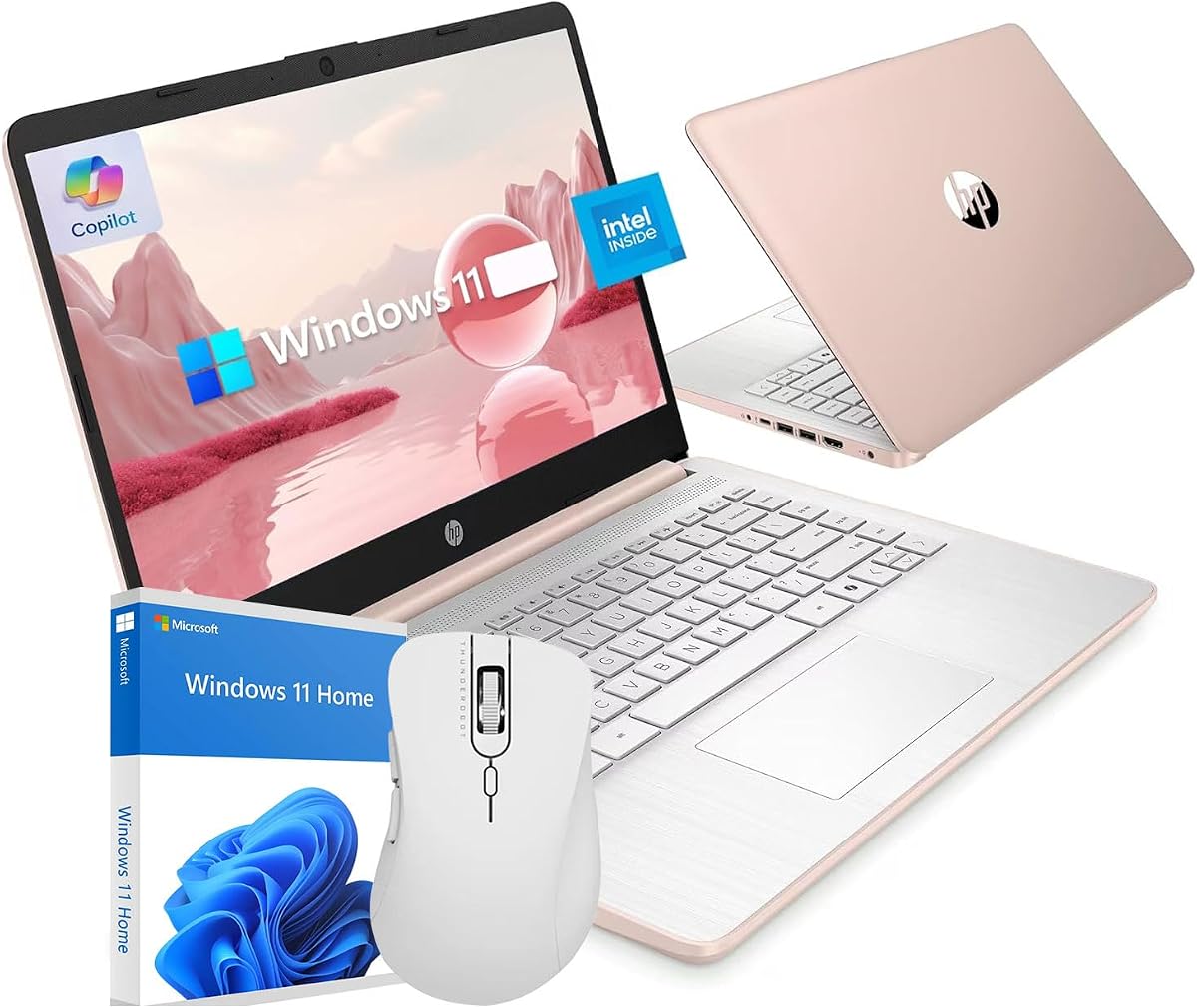
The HP 14 Laptop Computer offers exceptional value for budget-conscious nursing students who need a reliable machine without breaking the bank. It comes with a powerful Intel N150 processor and a generous storage solution totaling 628GB. The inclusion of Windows 11 Pro and Microsoft Office ensures you have the professional tools needed for assignments and documentation right out of the box. This model is perfect for students who need basic functionality without overspending on high-end features they might not use.
We may earn a commission when you buy through this link, at no additional cost to you.
Key strengths lie in its cost-effective design and comprehensive software bundle. The 128GB internal SSD provides fast system responsiveness, while the included 500GB external drive gives you plenty of room for backups and large project files. Windows 11 Pro adds security features like BitLocker encryption which is useful for protecting sensitive patient data in clinical simulations. The integrated Copilot AI helps streamline research and writing tasks efficiently.
One honest trade-off is the 4GB RAM which may limit heavy multitasking capabilities compared to 8GB or 16GB models. You might experience some slowdown if you run too many applications simultaneously such as video calls and heavy browsers. However, for typical study tasks like writing papers and attending Zoom lectures, this configuration remains sufficient and smooth for daily use.
This laptop is best suited for students who want a dependable device for standard coursework on a tight budget. If you primarily use your laptop for note-taking, web research, and light document editing, this model delivers everything you need at a competitive price. We recommend it for nursing students looking to maximize storage and software value while keeping costs low.
The combination of 128GB internal SSD and 500GB external drive provides ample space for all your nursing textbooks, case studies, and clinical logs without needing extra cloud subscriptions.
Windows 11 Pro includes advanced security and remote desktop features that are useful for managing your academic projects and keeping your data safe while working remotely.
We may earn a commission when you buy through this link, at no additional cost to you.
The HP Portable Lightweight Laptop balances premium features with mobility making it a standout choice for active nursing students. With 16GB of RAM, it handles multitasking better than many competitors in this size class. Its compact 14-inch frame and light weight make it easy to carry between clinical rotations and campus lectures. The inclusion of Microsoft 365 ensures you have Word, Excel, and PowerPoint available for all your academic needs without additional cost.
We may earn a commission when you buy through this link, at no additional cost to you.
Key strengths include the high memory capacity and the portable design. The 16GB RAM allows you to keep multiple reference tabs open while taking notes or attending virtual seminars. The battery life is rated up to 11.5 hours which is enough to last through a full day of classes without searching for a charger. The sleek Rose Gold design adds a professional look suitable for clinical environments.
An honest trade-off is the 128GB SSD which might fill up quickly if you store many offline files. You may need to rely on cloud storage or an external drive for large video lectures or archives. The HD display is also basic compared to Full HD screens but it remains sharp enough for reading text and watching lectures clearly during study sessions.
This laptop is ideal for students who need to carry their device everywhere and value speed over storage space. If your workflow relies on web-based tools and cloud storage, the high RAM and portability make this a smart investment. We recommend it for nursing students who prioritize a lightweight device for all-day carrying and fast performance.
The 16GB RAM ensures that switching between multiple applications like simulation software and word processors happens instantly without any lag or freezing.
With up to 11 hours and 30 minutes of battery life, you can attend lectures and study sessions all day without needing to find an outlet in busy campus buildings.
We may earn a commission when you buy through this link, at no additional cost to you.
The HP 14 Laptop N150 is designed to provide efficient productivity for students who spend much of their time on documents and web applications. With 8GB of RAM, it offers a solid balance between performance and cost. The one-year Microsoft Office 365 subscription ensures you have access to essential tools like Word and Excel for writing care plans and managing research data. Its lightweight frame makes it easy to transport between classes.
We may earn a commission when you buy through this link, at no additional cost to you.
Key strengths include the 8GB RAM and the included software package. The 8GB RAM is sufficient for running multiple browser tabs and note-taking apps simultaneously. The Office 365 subscription adds significant value by providing professional-grade applications for free for a year. The WiFi 6 connectivity ensures stable and fast internet speeds for streaming lectures or downloading large files without interruption.
An honest trade-off is the limited 128GB UFS storage which might not hold many offline files. You will likely need to use cloud storage services for your documents and media. Also, Windows 11 in S mode restricts app installations to the Microsoft Store which can be limiting for certain specialized nursing software outside the store ecosystem.
This laptop is best for students who rely on cloud-based tools and Office apps for their coursework. If you need a reliable machine for writing essays and taking notes without heavy local storage needs, this model fits well. We recommend it for nursing students who want a lightweight device with strong productivity tools included.
The one-year Office 365 subscription provides immediate access to Word, Excel, and PowerPoint so you can start working on assignments right away without extra costs.
With WiFi 6 support, you can connect to campus networks and attend virtual lectures with minimal lag and faster download speeds for research materials.
We may earn a commission when you buy through this link, at no additional cost to you.
The HP Essential Laptop 2026 is a straightforward option for nursing students who need a reliable device for basic computing tasks. It features an Intel N150 processor and a micro-edge display that offers a compact and modern look. The included Microsoft 365 subscription allows you to access your documents and collaborate on projects easily. Its lightweight design makes it convenient to carry in a backpack without adding much weight.
We may earn a commission when you buy through this link, at no additional cost to you.
Key strengths include the portability and battery life. Weighing only 3.24 lb, it is easy to carry between clinical sites and classrooms. The battery can last up to 11 hours on video playback which helps you stay productive throughout the day without constant recharging. The anti-glare screen reduces reflections in bright rooms making it easier to read texts and notes comfortably.
One honest trade-off is the 4GB RAM which may struggle with heavy multitasking scenarios. If you frequently run multiple demanding applications at once, you might notice some lag. Additionally, the display resolution is basic which is fine for documents but less vibrant for multimedia content. However, for focused study and writing tasks, these limitations are often acceptable.
This laptop is suitable for students who need a simple tool for writing papers and accessing online resources. If your needs are mostly text-based and you value portability above all else, this model serves you well. We recommend it for nursing students looking for an affordable and light machine for everyday academic use.
The sleek design and low weight make it easy to slip into any bag and carry around campus for long periods without shoulder strain.
With up to 11 hours of video playback time, you can rely on this laptop to last through long study sessions without needing to hunt for an outlet.
We may earn a commission when you buy through this link, at no additional cost to you.
The HP Ultrabook 14 Laptop offers a stylish and functional option for students who prefer a sleek design without sacrificing performance. It features a powerful Quad-Core Intel N150 processor that handles everyday tasks efficiently. The Rose Gold finish gives it a premium look suitable for professional environments. With a 128GB SSD, you get fast boot times and quick access to your files whenever you start your day.
We may earn a commission when you buy through this link, at no additional cost to you.
Key strengths include the processor speed and the modern connectivity. The Quad-Core CPU ensures smooth performance when editing documents or streaming educational videos. The WiFi 6 standard provides fast and reliable internet connections which are essential for virtual classes and research. The SSD improves overall responsiveness compared to traditional hard drives making the system feel snappier.
An honest trade-off is the reliance on Microsoft Office for the Web instead of the desktop version. If you prefer advanced features of desktop apps, you might find the web version limiting. Also the 128GB storage fills up quickly with media files. However, for students who work mostly online and rely on cloud storage, this setup remains effective for daily needs.
This laptop is best for students who appreciate design and fast performance for web-based tasks. If you need a reliable machine for attending lectures and writing papers online, this model fits the bill. We recommend it for nursing students who want a modern looking laptop with solid speed and connectivity.
The 128GB SSD ensures that your computer boots up quickly and opens files faster than traditional drives so you can start studying sooner.
With WiFi 6 support, you experience faster download speeds and more stable connections during virtual lectures or when uploading large assignments.
We may earn a commission when you buy through this link, at no additional cost to you.
The Lenovo Flagship Chromebook brings a unique advantage with its Full HD touchscreen display which is great for interactive learning. It runs on Chrome OS which offers fast startup times and seamless integration with Google Workspace tools like Docs and Sheets. The 8-Core MediaTek processor provides efficient performance for daily tasks. This device is lightweight and easy to carry around campus making it a convenient companion for busy students.
We may earn a commission when you buy through this link, at no additional cost to you.
Key strengths include the touchscreen and battery efficiency. The 14-inch touchscreen allows for intuitive navigation which is helpful when reviewing visual materials or notes. The battery life is designed to last through a full day of lectures without needing frequent charging. The compact design ensures it fits easily in any backpack adding minimal bulk to your gear.
One honest trade-off is the reliance on Chrome OS which may not support all Windows applications. If your nursing program requires specific offline Windows software, you will need to verify compatibility first. Also the 64GB storage is limited so cloud storage is essential. However, for web-based research and note-taking, this Chromebook performs admirably.
This laptop is ideal for students who are comfortable with a Google-centric workflow. If you primarily use cloud apps and need a touch-friendly interface for studying, this model fits well. We recommend it for nursing students looking for an affordable and interactive device for digital learning.
The 14-inch Full HD touchscreen lets you navigate through medical diagrams and lecture notes with natural finger gestures for a more engaging study experience.
Seamless integration with Google Docs and Sheets ensures that your assignments are automatically saved to the cloud so you never lose your progress.
We may earn a commission when you buy through this link, at no additional cost to you.
The HP 17.3 inch Laptop provides a spacious screen and powerful internals that cater to students who need a desktop replacement. The Intel Core i5 processor and 16GB RAM deliver robust performance for multitasking across various applications. The 512GB SSD offers ample space for storing large files and programs. Its large display makes reading long texts and viewing detailed medical images more comfortable than on smaller screens.
We may earn a commission when you buy through this link, at no additional cost to you.
Key strengths include the screen size and the memory capacity. The 17.3-inch FHD display provides real estate for side-by-side windows which is useful for referencing texts while writing papers. The 16GB RAM ensures smooth operation even when many apps are open. The SSD provides quick access to your system and applications so you can start working immediately.
An honest trade-off is the portability due to its size and weight. It is not ideal for carrying to every class but works well as a primary device in a dorm. The larger footprint also means you need more desk space for use. However, for stationary study sessions, this laptop offers superior comfort and utility.
This laptop is best for students who need a powerful machine for detailed work and have a primary workspace. If you prefer a big screen for long study hours, this model meets those needs. We recommend it for nursing students who want a reliable and spacious device for academic productivity.
The 17.3-inch screen allows you to view multiple windows at once making it easier to research and write without constantly switching tabs.
With 512GB SSD storage, you can keep all your course materials and reference files locally without worrying about running out of space quickly.
We may earn a commission when you buy through this link, at no additional cost to you.
The Dell 15.6 Laptop focuses on comfort during long study sessions with features like ComfortView software to reduce blue light exposure. The ergonomic hinge design allows for a natural typing angle which helps reduce wrist strain over time. With an Intel Core 3 processor and 8GB RAM, it handles everyday tasks smoothly. The numeric keypad is useful for data entry in spreadsheets which is common in health analytics courses.
We may earn a commission when you buy through this link, at no additional cost to you.
Key strengths include the eye care features and ergonomic design. The ComfortView software helps maintain comfortable viewing during late night study sessions. The keyboard layout supports efficient typing with separate keys for numbers which is handy for calculations. The battery is designed to extend your focus through longer periods of work without frequent interruptions.
An honest trade-off is that the hardware is standard compared to some higher-end models. While it is sufficient for basic tasks, it may not handle heavy simulations as well as more powerful processors. However, for general note-taking and research, it remains a solid and reliable choice for students.
This laptop is ideal for students who prioritize physical comfort and typing ergonomics. If you type many papers and want a device that protects your eyes and wrists, this model fits well. We recommend it for nursing students looking for a comfortable and reliable machine for daily academic tasks.
The ComfortView software reduces harmful blue light emissions allowing you to read and write for longer periods without uncomfortable eye fatigue.
The separate numeric keypad helps you enter data and calculations quickly in spreadsheets which is essential for health statistics and documentation tasks.
We may earn a commission when you buy through this link, at no additional cost to you.
The HP Laptop 14 Computer 2026 is a reliable choice for students who need a balanced machine for daily academic tasks. It features an Intel N150 processor and AI Noise Reduction which improves audio quality during online calls. With a one-year Office 365 subscription, you have immediate access to essential tools. The compact 14-inch design ensures it fits easily in any backpack for on-the-go learning.
We may earn a commission when you buy through this link, at no additional cost to you.
Key strengths include the audio technology and software bundle. The AI Noise Reduction filters out background noise during video calls which helps maintain professionalism in clinical interviews. The Office 365 subscription provides word processing and spreadsheet tools necessary for assignments. The WiFi 6 connectivity ensures fast internet access for research and lectures.
An honest trade-off is the limited storage and memory which might constrain heavy multitasking. However, for typical student workflows like web browsing and document editing, the performance remains smooth and adequate. It is a dependable device that offers core functionality without unnecessary complexity.
This laptop is suitable for students seeking a straightforward and affordable device for coursework. If you need a reliable tool for writing and attending virtual classes, this model fits well. We recommend it for nursing students looking for a balanced laptop that handles essentials effectively.
The built-in AI Noise Reduction ensures that your voice is clear during virtual meetings by filtering out distracting background noise.
The included Office 365 gives you access to Word, Excel, and PowerPoint for one year so you can focus on studying instead of software costs.
We may earn a commission when you buy through this link, at no additional cost to you.
The HP 14 Ultra-Portable Computer offers exceptional storage value with its bundled 500GB external drive and 128GB SSD. This configuration ensures you have plenty of space for all your files without needing to buy extra hardware. It includes Windows 11 Pro and Copilot AI for advanced productivity features. The accessory bundle adds significant utility making this a comprehensive package for students.
We may earn a commission when you buy through this link, at no additional cost to you.
Key strengths include the total storage and bundled accessories. The external drive allows you to back up critical clinical data easily which is important for academic projects. Windows 11 Pro provides better security options like encryption. Copilot AI helps streamline writing and research tasks efficiently. This setup saves time and money by including essentials upfront.
An honest trade-off is the 4GB RAM which may limit performance during heavy multitasking. However, with the extensive storage and accessory support, the device remains a practical choice for managing large academic workflows. It is a solid option for those who value space and convenience over raw speed.
This laptop is ideal for students who need reliable storage and a complete setup from the start. If you want a device that comes ready for large files and professional tools, this model fits well. We recommend it for nursing students looking for a comprehensive and storage-rich solution.
The 128GB internal and 500GB external drives combined offer extensive space for all your course materials, videos, and research files.
Included accessories like a docking station and mouse allow you to expand your workspace quickly when connecting to external monitors or projectors.
We may earn a commission when you buy through this link, at no additional cost to you.
Selecting the right laptop for nursing school requires balancing performance, portability, and budget. This guide outlines the essential factors to consider so you can make an informed decision for your academic journey.
The processor determines how quickly your laptop can handle tasks like running simulations or video conferencing. Look for models with at least an Intel N-series or Core i3/i5 processor to ensure smooth performance during demanding study sessions. Faster cores help prevent lag when switching between applications.
Prioritize processors with higher clock speeds and multiple cores for better multitasking and responsiveness during complex tasks.
RAM allows your laptop to run multiple applications at once without slowing down. Nursing students often have browser tabs, note-taking apps, and documents open simultaneously. Aim for 8GB or more RAM to ensure smooth multitasking throughout your coursework.
Choose models with at least 8GB of RAM to handle heavy multitasking effectively and keep your workflow uninterrupted.
Storage space is needed for your textbooks, case studies, and clinical records. An SSD (Solid State Drive) offers faster load times than traditional hard drives. Aim for at least 256GB of storage to accommodate files and software updates comfortably.
Opt for an SSD with at least 256GB of capacity to ensure fast performance and sufficient space for your academic files.
A clear display reduces eye strain during long study sessions. Look for Full HD (1920×1080) resolution and anti-glare technology to improve visibility in different lighting conditions. A 14-inch screen balances portability with readability for most students.
Select a Full HD display with anti-glare coatings to ensure comfortable viewing of medical diagrams and long documents.
Nursing students often carry their laptops between classes and clinical sites so battery life matters. Aim for at least 8 to 10 hours of battery life to last through a full day of use. Lightweight models under 4 pounds are easier to carry consistently.
Choose a lightweight laptop with long battery life to ensure you can work anywhere without worrying about finding an outlet.
Some nursing programs require specific software that may only run on Windows. Ensure your laptop runs a compatible OS like Windows 11. Also check if essential apps like Microsoft Office are included or available for your chosen platform.
Verify that your laptop runs Windows or a compatible OS to support all required nursing software and applications.
Ports like USB-C and HDMI allow you to connect external monitors or projectors for presentations. WiFi 6 ensures fast and stable internet for research and virtual classes. Good connectivity keeps you productive in any environment.
Prioritize models with modern ports and WiFi 6 support to ensure seamless connections to external devices and networks.
Nursing laptops come at various price points so determine what you can afford. Higher prices often mean better specs but budget models can also work well. Look for bundles that include accessories or software to maximize value.
Balance your budget with the features you need most to find a laptop that offers the best value for your specific situation.
To maximize performance, avoid leaving your laptop in extreme temperatures which can damage the battery. Keep it in a protective sleeve when transporting it to prevent scratches and physical damage from daily use.
Regularly update your operating system and software to ensure security and efficiency. Back up your important nursing files to an external drive or cloud service to prevent data loss in case of hardware failure.
Not necessarily. Most nursing coursework relies on standard applications like word processors and web browsers. A mid-range laptop with good RAM and battery life is usually sufficient unless you have specific visualization software that demands high graphics power.
Most programs run well with Windows 11 Home but Pro adds features like BitLocker encryption. If your school requires advanced security or remote desktop access for clinical simulations, Pro might be beneficial otherwise Home is adequate.
Aim for at least 256GB to store case studies and medical diagrams comfortably. If you plan to keep large video lectures locally, consider models with 512GB or more to avoid constant cloud dependency.
It depends on your program. If your school uses web-based tools like Google Classroom, a Chromebook works. However, if specific Windows apps are required for simulations or documentation, a Windows laptop is safer to ensure compatibility.
Yes, 8GB is generally sufficient for most nursing tasks like note-taking and virtual classes. If you run multiple heavy applications simultaneously, 16GB provides extra headroom but 8GB handles standard needs well.
Clinical rotations can be long so look for a laptop with at least 8 hours of battery life. This ensures you can document patient notes throughout the shift without worrying about finding an outlet frequently.
The HP 17.3 inch Laptop stands out for those needing screen real estate and power while budget buyers should consider the HP 14 Laptop Computer for its value and storage. Each of the ten models offers unique strengths to match different student needs.
Prioritize battery life and portability if you travel often between classes and clinical sites. If you study mostly at a desk, performance and storage become more critical for handling complex data and documents efficiently.
Prices and deals change frequently so check current listings before making your final decision. Investing in the right device early ensures you have a reliable tool for the entire duration of your nursing degree.