
OMTech K40+ 45W Desktop CO2 Laser Engraver & Cutter
4.4Editor score
Compact desktop design
High speed engraving
Wide software support
Compare the top CO2 laser cutters for precision cutting and engraving. This guide reviews power, workspace, safety, and software compatibility for every budget.
CO2 laser cutters have transformed modern manufacturing and creative design by enabling precise cuts and intricate engravings on various non-metallic materials. Whether you are a hobbyist or a business owner, choosing the right machine requires understanding power output, workspace size, and safety features to ensure optimal performance.
We evaluated ten leading CO2 laser cutters based on critical factors including laser power, cutting speed, software compatibility, and user safety protocols. Our analysis focuses on real-world performance metrics and user feedback to help you identify the machine that best fits your specific project needs and workspace constraints.
Each selection in this guide highlights unique strengths and potential trade-offs to provide a clear overview of what to expect from these devices. Remember that availability and pricing can fluctuate frequently, so verify current details before making your final purchase decision to secure the best value.
4.4Editor score

4.5Editor score

5.0Editor score
This comparison table outlines the key specifications and capabilities of each top-rated CO2 laser cutter to facilitate an easy side-by-side evaluation of their unique strengths and design features.



The xTool P3 stands out as the premier choice for professionals seeking high performance and automation in a CO2 laser cutter. With its 80W power output and extensive safety ratings, it delivers industrial-grade results while maintaining a user-friendly interface for complex projects.
We may earn a commission when you buy through this link, at no additional cost to you.
Its revolutionary automated creation system simplifies workflow through LiDAR ranging and dual HD cameras, ensuring precise alignment and setup with minimal manual intervention. The large workspace accommodates substantial projects, and features like Smart Nesting optimize material usage significantly for efficiency.
While the price is substantial, the build quality and automation features justify the investment for serious users. The machine handles diverse materials including clear acrylic with ease, though users should note that some accessories are sold separately to customize the setup fully.
This device is ideal for businesses or dedicated creators who value time savings and precision. If you require a reliable, high-capacity machine for varied materials, the xTool P3 offers a comprehensive solution that balances power with sophisticated usability.
The ACS integration allows for automatic setup and alignment, reducing the time spent on manual adjustments and ensuring consistent results across multiple runs.
With a 36×18 inch area and dual camera precision, users can tackle larger projects without the need for multiple setups or material transfers.
We may earn a commission when you buy through this link, at no additional cost to you.
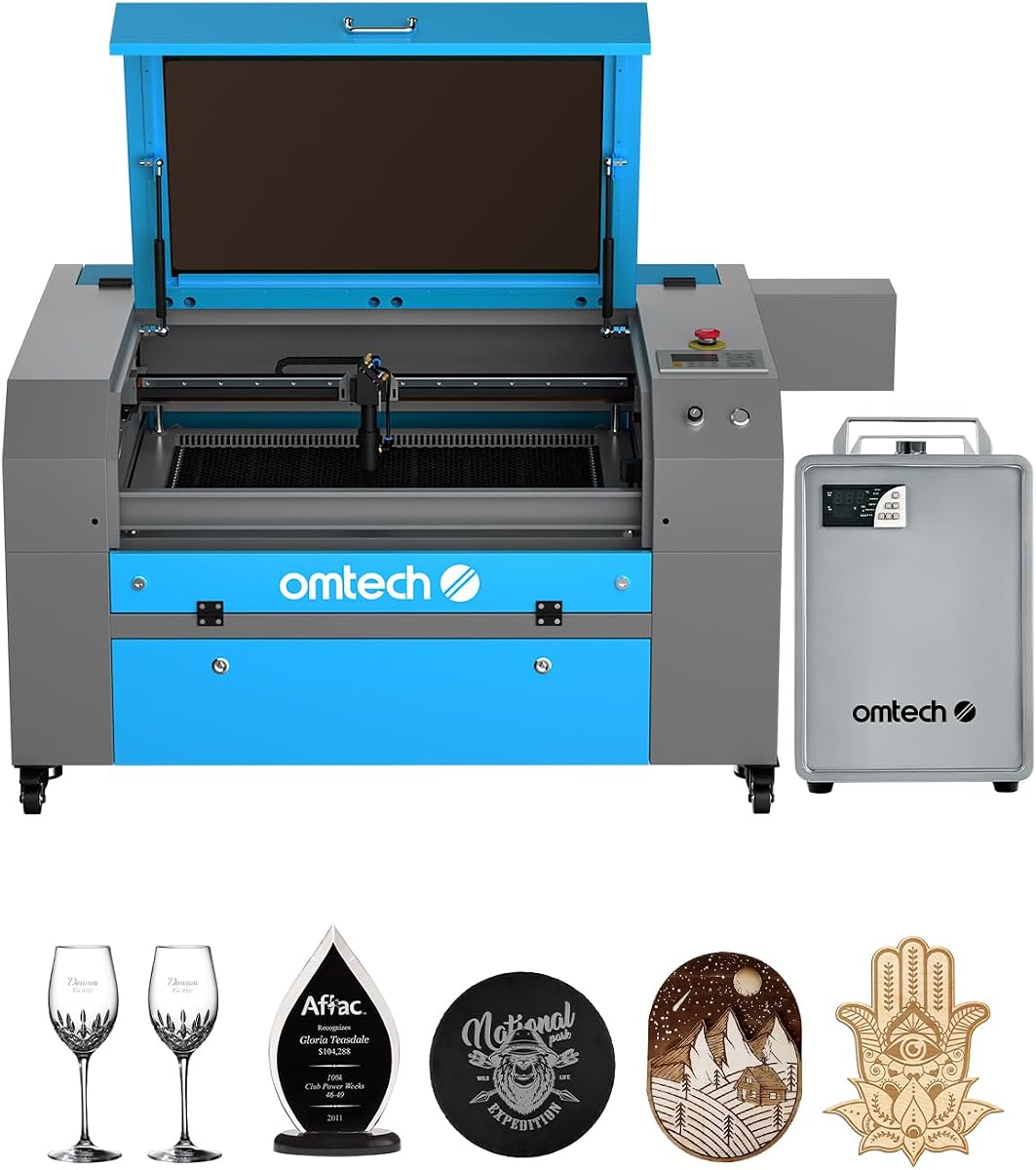
The OMTech K40+ is an excellent entry-level CO2 laser cutter that balances affordability with capable performance for hobbyists and small businesses. Its 45W power allows for clean cuts on wood and acrylic, making it a versatile option for various creative applications.
We may earn a commission when you buy through this link, at no additional cost to you.
It features a flexible workspace design with honeycomb bed support and optional rotary axis compatibility. The integrated air assist system helps manage smoke and debris, protecting the lens and reducing the risk of fire during operation.
While the compact size limits large projects, it fits well in constrained spaces and offers impressive speed for its class. Manual adjustments are required for focus, which may demand more patience compared to automated models, but this keeps costs manageable.
This machine is perfect for beginners looking to explore laser cutting without a major financial commitment. Its strong support network and software compatibility ensure that users can produce professional results with a learning curve that is manageable.
The 45W power handles a wide range of non-metallic materials effectively, allowing users to experiment with different projects without needing multiple machines.
Full support for LightBurn and LaserGRBL enables seamless control for both beginners and experts, ensuring smooth workflow from design to finished product.
We may earn a commission when you buy through this link, at no additional cost to you.
The VEVOR 100W offers a compelling balance of power and workspace size for users requiring robust performance. Its 100W laser power enables efficient cutting through thicker materials, making it suitable for both detailed engraving and heavy-duty production tasks.
We may earn a commission when you buy through this link, at no additional cost to you.
The spacious 24×35 inch workspace provides ample room for large projects, while the intelligent laser head ensures smooth incisions without burr. Safety features like the tinted window and automatic power cut-off enhance user protection during operation.
Despite its robust capabilities, the machine may require more space and careful handling due to its weight. Users should consider their workspace constraints, but the performance gains for larger materials make it a worthwhile investment for many.
Ideal for makers needing significant workspace without industrial costs, this machine delivers consistent quality across many materials. Its compatibility with various software options ensures flexibility and ease of use for a wide range of creative projects.
The 100W tube allows for rapid cuts on thick materials, significantly reducing production time for commercial or bulk orders.
With Class 1 rating and emergency stop features, the machine prioritizes user safety, allowing confident operation in shared or professional environments.
We may earn a commission when you buy through this link, at no additional cost to you.
The OMTech Maker 90W is designed for users who need extended operating times without overheating issues. With a bundled water chiller and a high-performance tube, it ensures consistent performance even during prolonged engraving sessions.
We may earn a commission when you buy through this link, at no additional cost to you.
Its four-way pass-through doors facilitate handling large items easily, while the flame-retardant window and interlock features prioritize safety. The built-in air assist helps maintain clean cuts and protects optical components from debris.
Setup can be involved due to the chiller and water management requirements, but this ensures reliability for commercial use. The workspace size accommodates most projects well, though users should plan for adequate ventilation to manage exhaust effectively.
This model is best suited for small businesses or professionals needing reliable, continuous operation. If you prioritize uptime and material quality over portability, the Maker 90W offers a robust solution for your laser cutting needs.
The included water chiller maintains stable temperatures, extending the tube life and ensuring consistent power output during long projects.
Pass-through doors allow for processing longer materials without repositioning, saving time and improving workflow efficiency in production settings.
We may earn a commission when you buy through this link, at no additional cost to you.
The OMTech Maker 60W combines reliable performance with essential tools for a seamless user experience. Its inclusion of LightBurn software and an autofocus feature significantly reduces the setup effort, allowing users to focus immediately on their designs.
We may earn a commission when you buy through this link, at no additional cost to you.
With a 20×28 inch workspace and water chiller, it supports medium to large projects efficiently. The autofocus system automatically adjusts the workbed height, ensuring precise results without manual intervention for every project.
While the 60W power is sufficient for many tasks, it may struggle with very thick materials compared to higher wattage options. However, for most standard materials, the balance of features and usability makes it a compelling choice for intermediate users.
Ideal for those who want an all-in-one solution to avoid extra software costs, this model delivers a polished experience. If ease of use and comprehensive support are your top priorities, the Maker 60W is a strong candidate to consider.
The bundled LightBurn license ensures users have access to professional-grade control software right out of the box for a smooth start.
Autofocus technology automates height adjustments, reducing human error and ensuring consistent engraving depth across different materials.
We may earn a commission when you buy through this link, at no additional cost to you.
The OMTech K40+ 45W provides a compact yet capable solution for users with limited workspace. Its desktop design allows it to fit easily on standard tables, making it ideal for home offices or small studios where space is at a premium.
We may earn a commission when you buy through this link, at no additional cost to you.
Despite its small footprint, the machine includes integrated air assist and safety features like emergency stop and door protection. The honeycomb bed handles flat items well, while optional accessories expand its capabilities to cylindrical objects.
While the workspace limits large projects, it excels at detailed engraving and smaller cuts. The support team offers guidance to help users get the most out of the machine, ensuring satisfaction even with its compact design.
This is a perfect choice for individuals or small businesses needing a dedicated desktop solution without sacrificing quality. If you value convenience and safety in a small package, the K40+ delivers consistent results for everyday creative projects.
The desktop form factor ensures that powerful laser cutting is accessible even in tight environments without compromising on essential features.
Comprehensive safety features including flame-retardant panels and emergency stops ensure a secure operating environment for all users.
We may earn a commission when you buy through this link, at no additional cost to you.
The OMTech Pronto 100W is engineered for speed and precision, making it a standout choice for production environments. Its 100W tube combined with advanced autofocus ensures that intricate designs are executed with minimal setup time and maximum accuracy.
We may earn a commission when you buy through this link, at no additional cost to you.
The 40×24 inch workspace allows for substantial projects, while the pass-through doors accommodate even larger items. The powerful airflow system helps maintain clean cuts and reduces burn marks, enhancing the overall quality of finished products.
While it requires proper ventilation and initial setup, the performance gains are significant for serious users. The autofocus technology reduces human error, ensuring consistency across multiple runs which is critical for commercial applications.
This machine is best suited for professionals who need reliable speed and quality. If you are looking to scale production while maintaining high standards, the Pronto 100W offers the technical capabilities to meet those demands effectively.
The 37% faster engraving speed allows for quicker project turnaround, making it ideal for high-volume commercial orders.
Powerful air pumps and fans ensure precise cuts and clean edges by effectively removing smoke and debris during the cutting process.
We may earn a commission when you buy through this link, at no additional cost to you.
The OMTech Pronto 130W delivers top-tier performance with its 130W power and expansive workspace, catering to professional industrial needs. It transforms artistic visions into reality with unmatched speed and precision, making it a standout in the premium category.
We may earn a commission when you buy through this link, at no additional cost to you.
The 51×35 inch workspace and pass-through doors allow for handling massive materials with ease. Advanced autofocus technology ensures that intricate details are captured accurately, while the extended tube life promises longevity for high-volume production.
While the price point is high, the capabilities justify the cost for those needing industrial-grade output. The comprehensive safety features provide peace of mind during operation, and the support team ensures that users get the most from their investment.
This model is perfect for large businesses or studios requiring maximum capacity and power. If you need a machine that can handle anything from detailed work to heavy production, the Pronto 130W is the ultimate choice in CO2 laser cutting.
The 130W tube delivers the energy needed to cut through thick materials effortlessly, making it ideal for diverse industrial applications.
The massive 51×35 inch area allows for simultaneous processing of multiple projects, significantly boosting productivity for large operations.
We may earn a commission when you buy through this link, at no additional cost to you.
The OMTech K40+ 45W continues to be a favorite for beginners due to its straightforward operation and affordable entry point. It allows new users to experiment with laser cutting without a steep learning curve or financial barrier.
We may earn a commission when you buy through this link, at no additional cost to you.
With a focus on safety and versatility, the machine supports various materials and is compatible with popular software. The compact design fits well on standard desks, making it suitable for home use where space is limited.
Manual adjustments are required for focus, which adds to the learning experience, but ensures users understand the technology better. With proper ventilation and safety practices, this model offers a robust platform for creative exploration.
Ideal for hobbyists starting their journey in laser cutting, this machine provides a reliable path to skill development. If you want to learn the ropes without overinvesting, the K40+ is a trusted choice that offers solid performance.
The straightforward interface and manageable size make it an ideal starting point for anyone new to laser cutting technology.
Whether for personal hobbies or small business prototypes, the machine supports a wide range of projects with reliable performance.
We may earn a commission when you buy through this link, at no additional cost to you.
The OMTech Pro 130W is designed for high-volume production with its massive workspace and advanced servo motors. Its 130W power combined with precise rail systems ensures rapid and accurate cutting for industrial-scale projects.
We may earn a commission when you buy through this link, at no additional cost to you.
The built-in CW-5200 water chiller maintains optimal temperatures for consistent performance, while the WiFi connectivity allows for remote management. The touchscreen interface provides an intuitive way to control settings and monitor progress easily.
The large footprint and power requirements mean it is best suited for dedicated workshops or industrial settings. However, the efficiency and speed gains it offers make it a valuable asset for businesses focused on high throughput.
This machine is ideal for enterprises needing reliable and fast production capabilities. If you require a system that can handle heavy usage and complex logistics efficiently, the OMTech Pro 130W stands out as a top industrial choice.
Servo motors ensure rapid positioning and precise movements, enabling the machine to achieve speeds up to 1,200 mm/s.
WiFi connectivity allows users to manage their laser cutter from a distance, improving convenience and workflow flexibility in the shop.
We may earn a commission when you buy through this link, at no additional cost to you.
Selecting the right CO2 laser cutter involves understanding several critical factors that impact performance, safety, and usability for your specific needs.
Laser power measured in watts determines the thickness of materials you can cut and the speed of operation. Higher power allows for cutting thicker acrylics and woods, while lower wattage is sufficient for engraving and thin materials.
Choose a wattage that aligns with your primary project requirements to ensure efficiency and longevity of the machine.
The working area defines the maximum size of projects you can process in a single pass. Consider the dimensions of the materials you typically use to avoid frequent repositioning which slows production.
A larger workspace offers flexibility for commercial work but requires more physical space in your facility.
Safety is paramount with laser equipment, so look for features like Class 1 or Class 2 ratings, interlocks, and emergency stop buttons. Proper safety mechanisms protect users from harmful laser exposure and fire risks.
Prioritize machines with robust safety protocols to ensure a secure environment for both home and professional use.
Compatibility with design software like LightBurn or LaserGRBL affects how easily you can control the machine. Ensure the system supports your preferred tools to streamline the design-to-production process.
Good software support reduces frustration and increases creative freedom for various design styles.
Water chillers help maintain stable operating temperatures during extended sessions which protects the laser tube from overheating. Air or water cooling systems are essential for long production runs and consistent quality.
Select a model with a reliable cooling system to ensure durability and steady performance over time.
Modern laser cutters often include autofocus, cameras, and automatic bed adjustment to simplify setup. These features save time and improve precision by reducing manual intervention.
Invest in automation if you need to run frequent setups or require high precision without manual calibration.
Air assist systems blow air to clear smoke and debris during cutting, protecting the lens and reducing burns on materials. This feature is crucial for maintaining optical clarity and improving cut quality.
A good air assist system ensures clean cuts and extends the life of your optical components.
Reliable customer support and comprehensive warranty plans provide peace of mind when investing in technical equipment. Look for brands with active support teams and accessible service options.
Strong support networks help resolve issues quickly and ensure minimal downtime for your operations.
Start by ensuring the machine is properly connected to power and ventilation. Set up the software to match your material and design requirements before loading your first project.
Always monitor the cutting process closely through the safety window to detect any potential issues early. Keep a fire extinguisher nearby as a precaution when working with flammable materials.
Regular maintenance includes cleaning the lenses and mirrors and checking alignment periodically. This keeps performance consistent and extends the lifespan of the machine significantly.
CO2 laser cutters can cut and engrave a wide variety of non-metallic materials including wood, acrylic, leather, cardboard, and some plastics. Avoid materials that release toxic fumes or are reflective as they can damage the machine.
Yes, adequate ventilation is essential to remove smoke and fumes generated during cutting. Install the unit near a window or use an exhaust fan to maintain a safe air quality in your workspace.
Lenses should be cleaned regularly depending on usage frequency but typically every few weeks for active users. Dust and debris can degrade cut quality so keep them clean for best results.
Standard CO2 lasers are not designed to cut metal. Fiber lasers are typically required for metal cutting applications due to their different wavelength and power characteristics.
Engraving removes a thin layer of material to create a design while cutting goes all the way through the material. Adjusting speed and power settings is crucial for achieving different results.
With proper safety features and supervision CO2 lasers can be used safely at home. Follow all guidelines, ensure proper ventilation, and never operate unattended to ensure safety.
Popular software like LightBurn and LaserGRBL work with most models. Check the manufacturer specifications to confirm compatibility with your preferred design tools before purchasing.
Laser tubes typically last between 10,000 to 15,000 hours depending on usage and maintenance. Proper cooling and avoiding excessive use can extend the lifespan significantly.
The CO2 laser cutter market offers diverse options ranging from budget-friendly desktop models to industrial powerhouses. Each selection in this guide provides unique advantages suited for different project scales and skill levels.
When making your decision, prioritize the features that align with your primary needs such as power, workspace size, or automation capabilities. Understanding these factors will help you choose a machine that delivers value long-term.
Prices and availability can change frequently so always verify the latest details before purchasing. With the right choice you can unlock new creative possibilities and enhance your production capabilities significantly.