
ASUS Dual GeForce RTX 5060 Ti 16GB GDDR7 OC Edition Gaming Graphics Card
4.7Editor score
Dual BIOS profiles
0dB silent technology
16GB GDDR7 memory
This expert guide compares the top 10 GPUs for DaVinci Resolve including NVIDIA and AMD options to help you choose the right hardware for editing performance.
Choosing the right graphics card is crucial for smooth video editing and rendering in modern software. A powerful GPU accelerates effects, color grading, and playback in high resolutions. Without adequate horsepower, workflows slow down significantly during complex tasks.
We evaluated ten top GPUs based on architecture, memory capacity, and professional features. Our analysis considers performance in video editing workflows and compatibility with industry standards. This list covers options from entry level to high end workstation solutions.
Each pick highlights key strengths and ideal use cases for different user needs. Prices fluctuate frequently so always check current listings before purchasing. We focus on value, performance, and reliability for creators relying on their hardware daily.
4.7Editor score
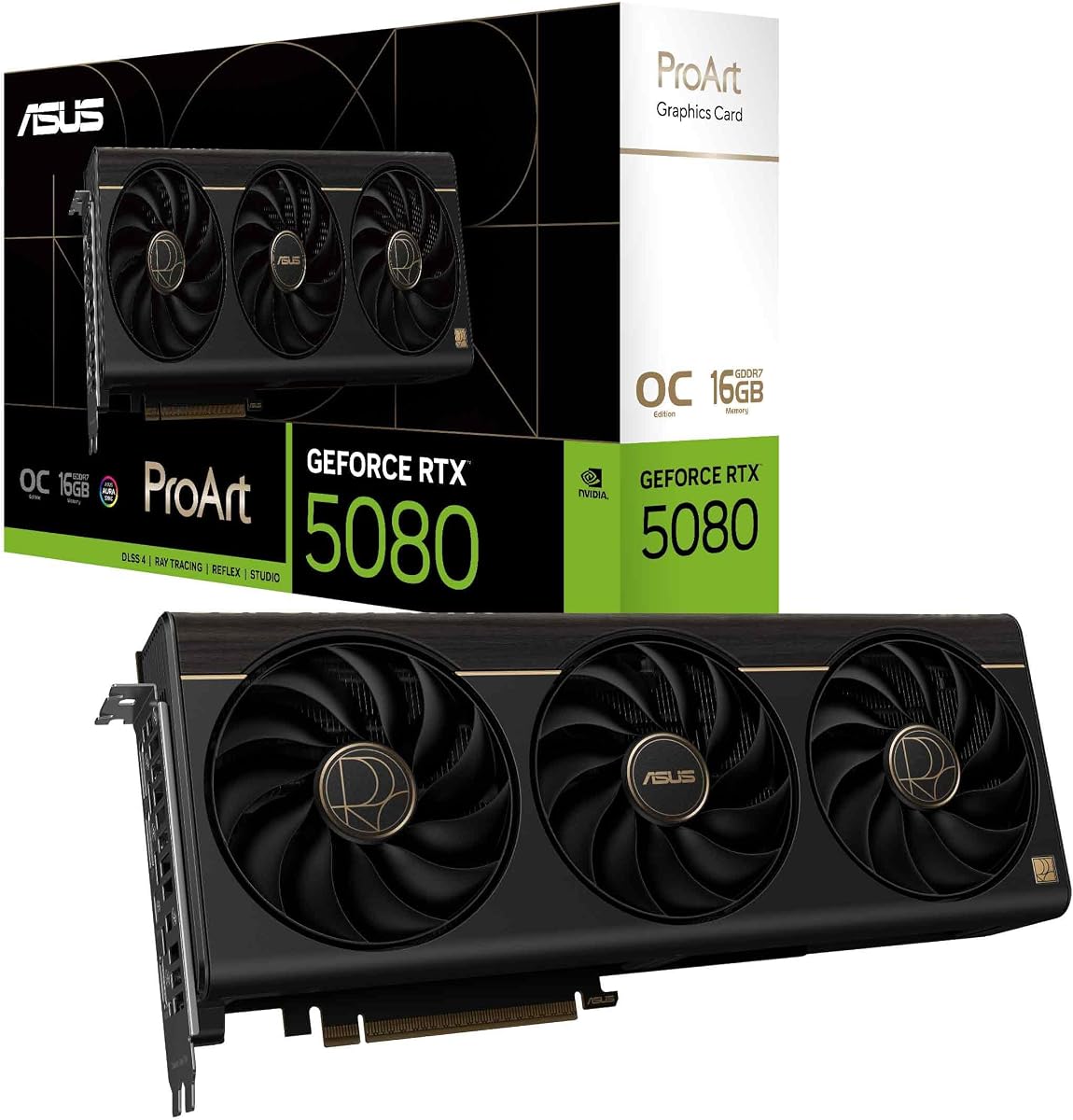
4.9Editor score

4.3Editor score
This side by side comparison evaluates all ten graphics cards across key performance metrics. We look at architecture, memory size, and specialized features relevant to video editing workflows. Use this table to quickly identify which card matches your budget and needs.




This card stands out as the top recommendation for serious video editors using DaVinci Resolve. With a high rating of 4.9, it delivers exceptional performance powered by the latest NVIDIA Blackwell architecture. Its standout qualities include robust AI capabilities and professional-grade cooling solutions.
We may earn a commission when you buy through this link, at no additional cost to you.
The key strengths lie in its 1858 AI TOPS performance and advanced thermal design. The MaxContact heatsink with vapor chamber ensures efficient heat transfer even under heavy loads. The integrated USB Type-C port enhances versatility for content creation workflows requiring direct connections.
While the price is higher than consumer models, the performance gains justify the investment. The 2.5-slot size provides a perfect balance between compatibility and performance in most cases. Phase-change thermal pads enable optimal GPU temperatures and reliability over long editing sessions.
Professional editors working with 4K or 8K footage should buy this card. It handles complex color grading and effects with ease. The final recommendation is strong for users prioritizing speed and stability in their editing workstations.
The MaxContact heatsink design with vapor chamber ensures efficient heat transfer and premium performance during long rendering tasks.
An integrated USB Type-C port enables enhanced versatility for content creation workflows connecting external devices directly.
We may earn a commission when you buy through this link, at no additional cost to you.
This graphics card offers a compelling balance of performance and affordability for editors on a budget. It earns a 4.7 rating thanks to its capable NVIDIA Blackwell architecture and 16GB GDDR7 memory. It is designed for gamers but performs well in creative workloads.
We may earn a commission when you buy through this link, at no additional cost to you.
Key strengths include the Dual BIOS feature allowing users to toggle between Quiet and Performance profiles. The 0dB technology ensures silence during light tasks. The compact 2.5-slot design maximizes compatibility and cooling efficiency for superior performance in small chassis builds.
The trade-off is raw power compared to higher tier models like the 5080. However, for 4K editing without heavy effects, it is sufficient. The AI performance of 767 TOPS provides decent acceleration for modern software features.
Budget conscious creators or hobbyists should buy this card first. It provides enough horsepower for smooth playback and rendering. The final recommendation is excellent for entry-level to mid-level editing workstations.
Dual BIOS lets you toggle between Quiet and Performance BIOS profiles depending on your current workflow demands and noise preferences.
A 2.5-slot design maximizes compatibility and cooling efficiency for superior performance in small chassis environments.
We may earn a commission when you buy through this link, at no additional cost to you.
This is the ultimate workstation GPU for those handling massive 3D or AI projects alongside video editing. Its rating of 4.3 reflects its niche enterprise focus. The standout quality is the immense 96GB DDR7 ECC memory capacity for handling extreme workloads.
We may earn a commission when you buy through this link, at no additional cost to you.
Key strengths include PCIe Gen 5 support doubling bandwidth for data intensive tasks. The 5th Gen Tensor Cores deliver up to 3X performance of previous generations. Universal MIG allows dividing the GPU into isolated instances for concurrent workloads.
The main trade-off is the extremely high price and potential export restrictions. It is not necessary for standard editing but essential for large scale render farms. The DisplayPort 2.1 supports driving high resolution displays at up to 8K at 240 Hz.
Enterprise studios and AI researchers should buy this card. It handles fine-tuning local models and multi-app workflows seamlessly. The final recommendation is to consider this only if memory capacity is the primary bottleneck.
With 96 GB of GPU memory and 1.8 TB ps bandwidth it can tackle massive 3D and AI projects effortlessly.
DisplayPort 2.1 achieves unparalleled visual clarity driving high resolution displays at up to 8K at 240 Hz.
We may earn a commission when you buy through this link, at no additional cost to you.
The GIGABYTE GeForce RTX 5080 Gaming OC is a powerful option delivering strong performance with the new Blackwell architecture. It holds a 4.6 rating and features 16GB GDDR7 memory for demanding tasks. The WINDFORCE cooling system ensures stability during long rendering sessions.
We may earn a commission when you buy through this link, at no additional cost to you.
Its strengths include integration with DLSS 4 for enhanced efficiency. The PCIe 5.0 interface provides future-proof bandwidth speeds. The 16GB memory interface is suitable for 4K editing and moderate 8K projects without constant cache thrashing.
While it has RGB lighting which some creators might find distracting, the performance remains top tier. The power draw requires a robust PSU to maintain stability under load. It balances gaming features with creative workload capabilities well.
Gamers and editors needing a single card should buy this GPU. It handles playback and effects smoothly. The final recommendation is solid for mixed use cases where aesthetics and performance are equally important.
The WINDFORCE cooling system maintains optimal temperatures during extended editing and rendering sessions efficiently.
Integrated with 16GB GDDR7 256-bit memory interface offering high bandwidth for complex scenes.
We may earn a commission when you buy through this link, at no additional cost to you.
This older professional card remains a solid choice for users needing stable drivers and certified performance. With a 4.4 rating, it offers fast interactive performance tailored for professional applications. The NVIDIA Turing architecture provides reliable acceleration for creative work.
We may earn a commission when you buy through this link, at no additional cost to you.
Its key strengths are RTX technology bringing real-time rendering to professionals. The 36 RT cores accelerate photorealistic ray-traced rendering significantly. Advanced shading features support immersive VR development and design workflows efficiently.
The limitation is the older architecture compared to newer Blackwell cards. It may struggle with the most demanding 8K effects. However for 4K editing and standard color grading, it offers sufficient power and reliability.
Users prioritizing stability over raw speed should buy this card. It is a trusted option for workstation environments. The final recommendation is good for professional setups where ISV certification is required.
NVIDIA RTX technology brings real-time rendering to professionals accelerating visual workflows significantly.
Advanced rendering and shading features support immersive VR development and professional design needs.
We may earn a commission when you buy through this link, at no additional cost to you.
The NVIDIA Titan RTX is a powerful legacy card offering high core counts and strong acceleration. With a 4.4 rating, it features 4609 CUDA cores running at 1770MHz boost clock. The Turing architecture ensures broad compatibility with creative software.
We may earn a commission when you buy through this link, at no additional cost to you.
Its strengths include 577 Tensor Cores for AI acceleration. This helps with noise reduction and AI tools in editing software. The 72 RT cores allow for real-time rendering and effects processing without excessive lag.
The trade-off is high power consumption and potential difficulty finding new units. It is also discontinued which may impact long-term support. But for users who find one, it still offers robust performance for serious work.
Workstation users with older systems should buy this card. It provides significant compute power for complex projects. The final recommendation is a strong contender if found in good condition.
577 Tensor Cores accelerate AI tasks like noise reduction and machine learning based effects effectively.
4609 CUDA cores running at 1770MHz provide substantial horsepower for rendering and processing.
We may earn a commission when you buy through this link, at no additional cost to you.
This professional workstation GPU offers massive memory and features designed for creators and AI development. With a 4.4 rating, it features 32GB GDDR6 memory ideal for 8K editing. The RDNA 4 architecture provides advanced compute capabilities for workloads.
We may earn a commission when you buy through this link, at no additional cost to you.
Key strengths include the 3rd Gen Ray Tracing and dedicated 2nd Gen AI Accelerators. The 32GB memory capacity allows for large AI models and complex rendering without hitting limits. The professional blower cooling ensures heat exhaust in server configurations.
While AMD driver maturity has improved, it may not match NVIDIA for all Resolve features. The blower style can be noisy in open cases. But for multi-GPU builds, the 2-slot design maximizes density effectively.
Multi-GPU workstation builders should buy this card. It offers high bandwidth and durability for sustained loads. The final recommendation is excellent for AMD focused professional environments.
32GB of GDDR6 memory on a 256-bit bus provides ample bandwidth for large AI models and video editing.
DisplayPort 2.1a outputs enable high-bandwidth data transfer and support for multiple high-resolution professional displays.
We may earn a commission when you buy through this link, at no additional cost to you.
This graphics card delivers excellent performance and value for creators needing high clock speeds and memory. With a 4.7 rating, it is powered by Radeon RX 9070 XT. The 16GB GDDR6 memory ensures smooth playback for 4K editing.
We may earn a commission when you buy through this link, at no additional cost to you.
Its strengths include server-grade thermal conductive gel for stability. The WINDFORCE cooling system with Hawk Fan provides effective heat dissipation. PCIe 5.0 support guarantees future bandwidth compatibility.
The trade-off is a gaming focused design which may not appeal to all users. The power consumption requires adequate cooling in the case. But performance remains top tier for editing tasks.
Budget conscious editors needing speed should buy this card. It balances cost and performance well. The final recommendation is excellent for those wanting high-end performance without workstation pricing.
Server-grade Thermal Conductive Gel ensures effective heat transfer under sustained professional loads.
PCIe 5.0 support provides future-proof bandwidth compatibility for data transfers and high-speed operations.
We may earn a commission when you buy through this link, at no additional cost to you.
This card offers robust performance and durability for demanding editing workloads. With a 4.6 rating, it features military-grade components and a 2730 MHz boost clock. The Blackwell architecture ensures modern acceleration capabilities for creative tasks.
We may earn a commission when you buy through this link, at no additional cost to you.
Its strengths include protective PCB coating against moisture and dust. The phase-change GPU thermal pad ensures optimal thermal performance outlasting traditional paste. Auto-Extreme precision automated manufacturing helps ensure higher reliability for long-term use.
The size requires significant case clearance and a strong power supply. GPU Tweak III software offers intuitive performance tweaking and system monitoring. It balances gaming features with creator needs effectively.
Users needing durability and performance should buy this GPU. It offers rock-solid power for heavy workloads. The final recommendation is strong for enthusiasts prioritizing build quality and reliability.
Military-grade components deliver rock-solid power and longer lifespan for ultimate durability and reliability.
Phase-change GPU thermal pads help ensure optimal thermal performance and longevity under heavy loads.
We may earn a commission when you buy through this link, at no additional cost to you.
This workstation GPU is designed for scaling and multi-GPU deployments. With a 3.9 rating, it features 24GB GDDR6 memory on a 192-bit bus. The Intel Xe2-HPG architecture provides 20 Xe cores and 160 XMX engines for AI acceleration.
We may earn a commission when you buy through this link, at no additional cost to you.
Its strengths include twin media transcoders supporting AV1 and H.264 for quick exports. 4x DisplayPort 2.1 outputs connect up to four high-resolution displays. Scalable multi-GPU support optimizes performance across multiple cards effectively.
The lower rating reflects newer architecture challenges. But for ISV certified workflows it offers validated performance for design and engineering. The blower cooling ensures efficient heat exhaust in dense cases.
Multi-monitor workstation builders should buy this card. It offers solid bandwidth and output options. The final recommendation is good for specific professional applications requiring ISV certification.
Twin media transcoders support AV1, H.264, and HEVC formats to enable rapid video export workflows.
ISV certified and professional drivers validate the card for AI, design, engineering, and manufacturing software.
We may earn a commission when you buy through this link, at no additional cost to you.
Selecting the right graphics card requires considering several critical factors. This guide breaks down the most important aspects to help you make an informed decision.
The amount of video memory (VRAM) directly affects how much footage you can load into your timeline. For 4K editing, 16GB is recommended, while 8K may require 32GB or more to avoid stuttering.
Prioritize cards with higher VRAM counts if you work with high resolution footage or heavy effects.
Newer architectures like NVIDIA Blackwell or AMD RDNA 4 provide better performance and efficiency. These modern designs include improved AI cores and rendering capabilities that speed up workflows.
Always look for the latest generation architecture to ensure future proofing and better support.
NVIDIA GPUs use CUDA and Tensor cores to accelerate video processing tasks. More cores generally mean faster rendering and smoother playback in supported software.
Check the number of cores to compare raw computing power between different models.
Effective cooling is vital to prevent throttling during long rendering sessions. Look for cards with vapor chambers, phase-change pads, or blower designs for server builds.
Better thermal solutions ensure your GPU maintains peak performance under sustained loads.
Ports like DisplayPort 2.1a allow connecting high resolution monitors. PCIe 5.0 support provides double the bandwidth of Gen 4 for data transfers.
Ensure the card supports your monitor outputs and motherboard interface for seamless integration.
High performance cards often require 850W or more power. Verify your power supply unit (PSU) capacity before purchasing.
Sufficient power prevents instability and ensures the GPU can boost clocks during editing.
Professional cards often come with ISV certifications for stability in applications like DaVinci Resolve. These drivers are tested specifically for creative workflows.
Choose certified cards if you need maximum stability for professional production.
Balancing cost with performance is key. Entry-level cards work for basic 4K editing while high-end models suit heavy effects.
Determine your specific needs to avoid overspending on unused capabilities.
Install the latest drivers from NVIDIA or AMD to ensure compatibility with DaVinci Resolve. Outdated drivers can cause crashes or limit hardware acceleration features significantly.
Monitor your GPU temperatures using software like GPU Tweak. If temps rise too high, clean dust from fans and improve case airflow to prevent thermal throttling.
Regularly update your software to take advantage of new hardware features. Keep your operating system updated to maintain security and performance stability.
Not necessarily. Many consumer cards like the RTX 5080 or 5060 Ti work well. Workstation GPUs offer certified drivers but consumer options provide excellent performance at lower cost.
For smooth 8K editing, you should aim for at least 32GB of VRAM. Cards with 16GB may struggle with heavy effects or noise reduction tools.
Yes. Newer AMD cards offer solid performance. NVIDIA still has broader support but AMD provides excellent value with RDNA architecture cards.
Generally yes. More CUDA and Tensor cores increase parallel processing power for faster video rendering and effect application in editing workflows.
Not strictly. PCIe 4.0 works fine for most workflows. However PCIe 5.0 offers future bandwidth for next-gen motherboards and high speed data transfer.
Yes some setups support multi-GPU. However most consumer apps utilize one card primarily. Check software support before installing multiple cards.
The ASUS Dual RTX 5060 Ti offers excellent value. It balances performance and price for 4K editing needs without breaking the bank.
Visit the manufacturer website for your GPU brand. Download the latest stable drivers and install them to ensure optimal performance in editing apps.
We have reviewed ten top GPUs ranging from budget to premium. Each offers unique strengths for editing performance and stability in creative workflows.
Prioritize VRAM and architecture generation to ensure smooth playback and rendering. Match your budget to your specific editing resolution and effect needs.
Always check current prices before purchasing as they fluctuate frequently. We hope this guide helps you find the perfect hardware for your next project.