
TP-Link AX5400 WiFi 6 Router
4.5Editor score
Affordable 6400 Mbps speeds
Up to 2000 sq ft range
USB 3.0 sharing port
This guide compares ten top long range WiFi routers featuring the latest Wi-Fi 7 and 6E technology to help you choose the best device for your home.
Finding a reliable long range WiFi router is essential for modern homes where multiple devices connect simultaneously. Whether you stream in 4K, work remotely, or game online, consistent coverage matters more than ever before.
We analyzed ten leading routers based on coverage area, speed capabilities, and connectivity features. Each model was evaluated for its ability to eliminate dead zones and maintain stable connections across large spaces.
This guide presents detailed reviews of every pick to help you make an informed decision. Keep in mind that prices fluctuate often, so check current listings before purchasing your new network hardware.
4.5Editor score

4.3Editor score
4.2Editor score
The following comparison table details the key specifications of each router to help you quickly identify which model fits your network requirements.






The TP-Link BE6500 represents the future of home networking with its Wi-Fi 7 architecture. It earns our Editor's Choice for delivering optimized performance on the latest devices like the iPhone 16 Pro.
We may earn a commission when you buy through this link, at no additional cost to you.
Its Multi-Link Operation technology simultaneously transfers data across frequency bands for enhanced throughput. This ensures seamless 4K streaming and fast downloads even when multiple users are online.
The router features six high-performance antennas with Beamforming to concentrate signal strength. While it covers up to 2400 sq ft, larger homes might benefit from mesh expansion via EasyMesh.
This router is ideal for tech enthusiasts wanting maximum speed. Its robust security features and HomeShield protection make it a reliable choice for safeguarding your digital life.
Designed with Wi-Fi 7 technology to deliver optimized performance on latest laptops and smartphones.
Comes with HomeShield for comprehensive home network protection and real-time IoT security.
We may earn a commission when you buy through this link, at no additional cost to you.
The AXE5400 stands out as a top tri-band router utilizing the new 6 GHz band. This bandwidth delivers faster speeds and near-zero latency for responsive gaming and video chatting.
We may earn a commission when you buy through this link, at no additional cost to you.
Its unique housing design provides optimal heat dissipation ensuring long-term reliability. With 512 MB high-speed memory, it handles simultaneous transmission to many devices effortlessly.
While the price is higher, the performance justifies the investment for power users. EasyMesh compatibility allows you to extend network range without losing seamlessness.
Choose this router if you need maximum capacity and low latency. Its VPN support adds a layer of flexibility for accessing remote servers securely.
True tri-band technology increases capacity by four times to enable simultaneous transmission to more devices.
The unique housing design ensures optimal heat dissipation for sustained performance.
We may earn a commission when you buy through this link, at no additional cost to you.
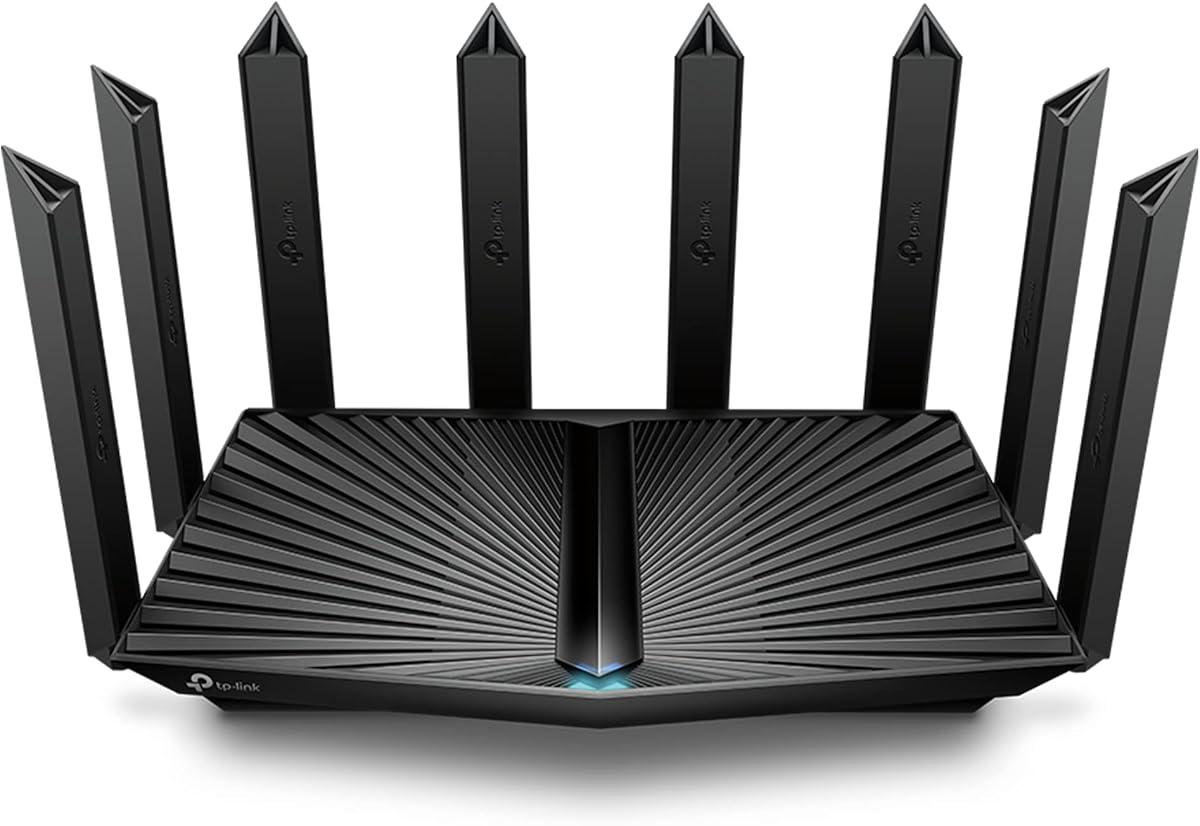
The AX5400 offers exceptional value by delivering Wi-Fi 6 performance at an accessible price. Its high-power FEM and beamforming ensure the signal reaches up to 2000 square feet effectively.
We may earn a commission when you buy through this link, at no additional cost to you.
With 4T4R technology, it maintains ultra-fast connections even when congestion is high. The USB 3.0 port is a useful feature for media sharing without a dedicated server.
It might lack the 6 GHz band of newer models, but it covers most household needs. The robust ventilation system helps prevent overheating during long streaming sessions.
This is the perfect choice for budget-conscious buyers who refuse to compromise on coverage. It remains a reliable workhorse for everyday browsing and streaming.
The USB 3.0 port enables easy media sharing and private cloud storage for your files.
More vents help unleash the full power of the router by reducing heat accumulation.
We may earn a commission when you buy through this link, at no additional cost to you.
The AX6000 is designed for those needing breakthrough wired speeds through its 2.5G multi-gigabit port. This makes it ready for future-proofing as more ISPs offer multi-gig plans.
We may earn a commission when you buy through this link, at no additional cost to you.
Eight high-gain antennas equipped with beamforming ensure vast coverage throughout large homes. It effectively reduces congestion using MU-MIMO and OFDMA technologies to boost throughput.
Voice control via Alexa adds a layer of convenience for managing your network settings. While it lacks the 6 GHz band, its dual-band performance remains highly robust.
Ideal for users needing wired multi-gigabit access, this router balances speed and stability. Its OneMesh compatibility ensures you can expand coverage without changing the network name.
With a 2.5G multi-gigabit port, don't let your router be a bottleneck for high-speed internet.
Compatible with Alexa allows you to control your router via simple voice commands easily.
We may earn a commission when you buy through this link, at no additional cost to you.
The Nighthawk RS90 is a dedicated dual-band WiFi 7 router built to keep up when everyone is online. It delivers up to 3.6 Gbps ensuring smooth streaming and video calls.
We may earn a commission when you buy through this link, at no additional cost to you.
Its MU-MIMO and OFDMA capabilities let multiple devices send and receive data simultaneously without slowdowns. The free Nighthawk app makes setup and management incredibly easy.
Automatic firmware updates and Advanced Router Protection ensure your network stays safe. It pairs easily with existing modems from cable or fiber providers.
This router is perfect for busy households needing consistent reliability. Its advanced security features provide peace of mind for protecting your family data.
The free Nighthawk app allows you to manage WiFi and set guest networks from anywhere.
Exclusive Advanced Router Protection guards against hackers and malware automatically.
We may earn a commission when you buy through this link, at no additional cost to you.
This tri-band router offers unmatched performance with a third high-speed band for demanding devices. It delivers up to 9.3 Gbps ensuring nothing slows down your fastest gadgets.
We may earn a commission when you buy through this link, at no additional cost to you.
The added 6 GHz band gives your devices their own lane for maximum efficiency. It covers up to 2500 square feet and supports up to 100 connected devices.
Multiple 2.5G LAN ports allow for multi-gig wired connections ideal for gaming rigs and NAS drives. Security is prioritized with automatic updates and advanced protection.
Best for large homes needing ultimate speed, this router is a premium solution. It handles heavy traffic effortlessly making it ideal for power users.
A dedicated tri-band design with a third high-speed band for demanding devices.
The 6 GHz band provides fastest devices their own lane to avoid slowdowns.
We may earn a commission when you buy through this link, at no additional cost to you.
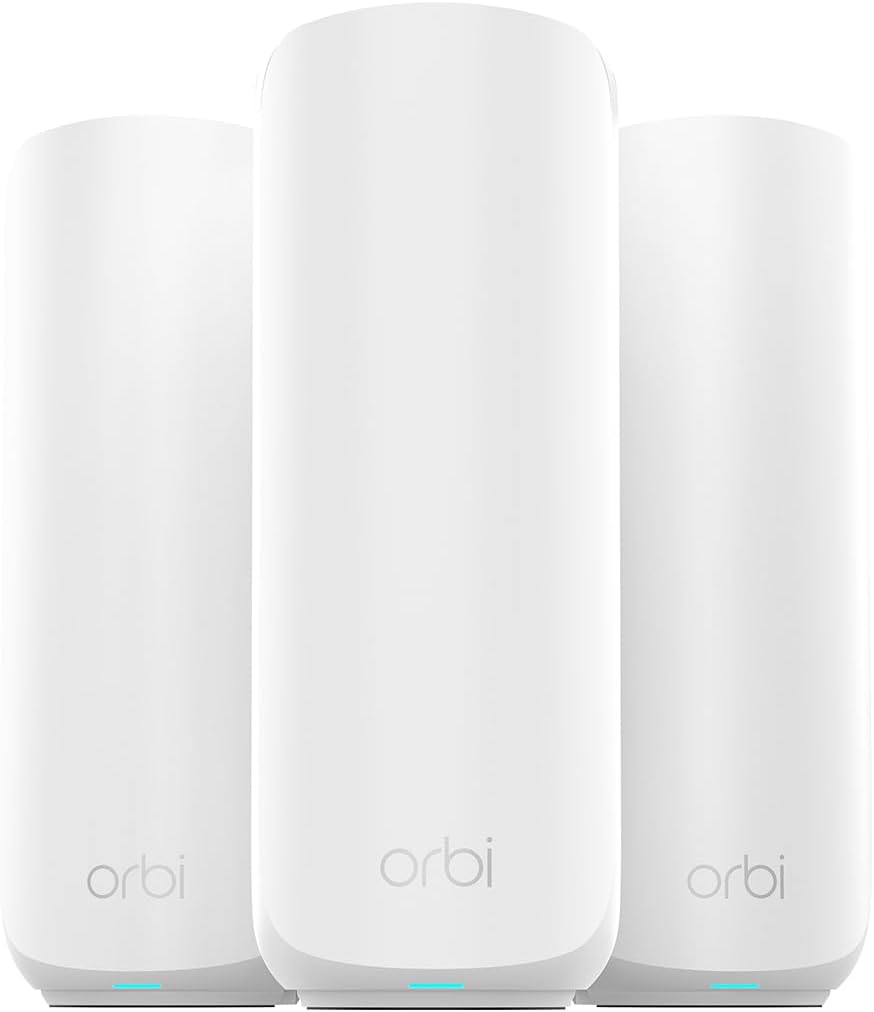
The Orbi 370 Series brings whole-home coverage with no dead zones thanks to its satellite system. It blankets up to 6000 sq ft ensuring fast reliable WiFi from front door to backyard.
We may earn a commission when you buy through this link, at no additional cost to you.
Dual-band technology with Enhanced Backhaul keeps the WiFi fast on every device simultaneously. It supports up to 70 devices on one network without slowdowns.
The Orbi app guides you through setup and management from anywhere. It is ready for plans up to 2.5 Gbps and works with any internet provider.
For large homes, this mesh system is the ultimate solution. It combines ease of use with top-tier coverage and reliability for seamless connectivity.
The router plus satellites create a seamless mesh system to blanket up to 6000 sq ft.
Delivers faster WiFi across your home so WiFi stays fast on every device simultaneously.
We may earn a commission when you buy through this link, at no additional cost to you.
The Deco X55 3-pack is a strong option for those needing whole-home WiFi without complexity. It covers up to 6500 square feet and eliminates dead zones with reliable performance.
We may earn a commission when you buy through this link, at no additional cost to you.
AI-Driven Mesh technology learns the network environment to provide the ideal WiFi unique to your home. It connects up to 150 devices ensuring strong connections for everyone.
Each unit has three Gigabit ports which allow for flexible wired connections. The Deco app helps you set up your network in minutes with clear visual guidance.
For those wanting simplicity and reliability, this mesh system is perfect. It handles smart home setups and family usage without requiring technical expertise.
Intelligently learns the network environment to provide ideal WiFi unique to your home.
The Deco app keeps you in control even when you are not at home.
We may earn a commission when you buy through this link, at no additional cost to you.
The BE9300 offers blazing-fast speeds with Multi-Link Operation and 320 MHz channels. It delivers seamless 4K/8K streaming and ultra-fast downloads for an optimal user experience.
We may earn a commission when you buy through this link, at no additional cost to you.
With four 2.5G LAN ports, it enables peak device performance for wired connections. The private IoT network feature adds security by separating smart devices from your main data.
HomeShield ensures comprehensive network protection and real-time security monitoring. Its proprietary optimization technology ensures higher capacity and stronger reliable connections.
This router is best for tech enthusiasts wanting full tri-band capability. It future-proofs your network with extensive support and robust security features.
Set up a separate WiFi network for IoT devices to boost security.
Equipped with one 2.5G WAN port and four 2.5G LAN ports for peak performance.
We may earn a commission when you buy through this link, at no additional cost to you.
The AC1200 is an affordable router that upgrades internet speeds for smaller homes. It reduces buffering and is ideal for 4K streaming with dual band performance.
We may earn a commission when you buy through this link, at no additional cost to you.
Four gigabit LAN ports allow you to directly connect wired devices like gaming consoles. Its beamforming antennas extend signals to concentrate WiFi strength where needed.
Support for OneMesh lets you expand coverage later if your needs grow. WPA3 security ensures your personal networks are protected from modern cyber threats.
For basic needs and budget setups, this router delivers excellent value. It remains a solid choice for smaller spaces needing reliable connectivity.
Ideal for any internet plan and allow you to directly connect your wired devices.
Four external antennas extend and concentrate the Wi-Fi signals effectively.
We may earn a commission when you buy through this link, at no additional cost to you.
Selecting a router for long range coverage involves understanding several technical factors.
The Wi-Fi generation defines maximum speed and efficiency. Wi-Fi 7 offers MLO and multi-link operation for lower latency while Wi-Fi 6 supports more devices simultaneously. Newer generations ensure your network remains fast for years to come.
Always choose a router that supports the latest standard your ISP offers.
Coverage area refers to how many square feet a router can effectively serve. Large homes may need mesh systems or routers with high-power antennas to eliminate dead zones. Always check manufacturer claims against real-world testing for your home layout.
Match the coverage area to your home size for best results.
Frequency bands determine how much traffic your router can handle. Tri-band routers include a 6 GHz band which is less congested and faster than 2.4 GHz or 5 GHz. Dual-band routers are simpler but may struggle with high device counts.
Opt for tri-band if you have many connected devices.
External high-gain antennas focus signals to increase range. Beamforming technology directs signals to specific devices improving speed and reliability. More antennas usually mean better coverage for large spaces.
Prioritize routers with beamforming and multiple external antennas.
Ethernet ports allow for direct connections to gaming consoles or TVs. Multi-gig ports like 2.5G WAN prepare your network for faster internet plans. Having enough ports reduces the need for extra switches.
Ensure your router has enough and fast Ethernet ports for your needs.
Modern routers come with built-in firewall and security suites. Look for support for WPA3 encryption and regular firmware updates to protect your data. Advanced router protection adds layers against malware and threats.
Always choose a router with updated security protocols.
Mesh compatibility allows you to expand your network with satellites. Systems like Deco or Orbi let you add units without changing the network name. Check if single routers support expansion or if you need a full mesh system.
Select mesh compatible options if you plan to expand later.
A good app simplifies setup and management of your network. Features like guided setup and speed tests make configuration accessible to non-experts. Remote management allows you to control settings even when away.
Look for user-friendly apps to make network management easier.
To use your router properly start by connecting it directly to your modem using an Ethernet cable. Follow the manufacturer instructions to download the setup app and register your account for remote management.
Place your router in a central elevated position away from walls and metal objects. This placement helps signals travel further and reduces interference from household electronics or microwaves.
Keep your router firmware updated to ensure security patches are applied automatically. Periodically reboot your router to clear memory and maintain optimal performance over time.
The NETGEAR Orbi 370 Series mesh system offers up to 6000 sq ft coverage for large spaces. It uses satellites to eliminate dead zones and supports thousands of devices simultaneously without slowdowns.
You can reposition your router to a central location or upgrade its firmware. Adding a range extender or switching to a mesh system also helps expand coverage without replacing the main unit.
Wi-Fi 7 provides significant speed improvements and lower latency for future-proofing. It is worth it if you have many devices or use high bandwidth applications like 8K streaming or VR gaming.
MLO is a Wi-Fi 7 feature that transfers data across frequency bands simultaneously. This reduces latency and improves reliability by preventing congestion on any single band.
Modern routers can support up to 100 or more devices simultaneously. Mesh systems often allow for even higher capacity ensuring stable connections for smart homes.
You do not need a new modem as long as it supports the speed of your internet plan. Just connect the router to the modem via Ethernet to start using Wi-Fi 7 speeds.
We reviewed ten routers ranging from budget friendly options to premium tri-band systems. The TP-Link BE6500 stood out for its balance of future-ready technology and reliable performance.
Consider your home size and device count before purchasing. Mesh systems are best for large homes while single routers suffice for apartments or smaller spaces.
Prices change frequently so check current listings before buying. We hope this guide helps you find the perfect router for your connectivity needs.