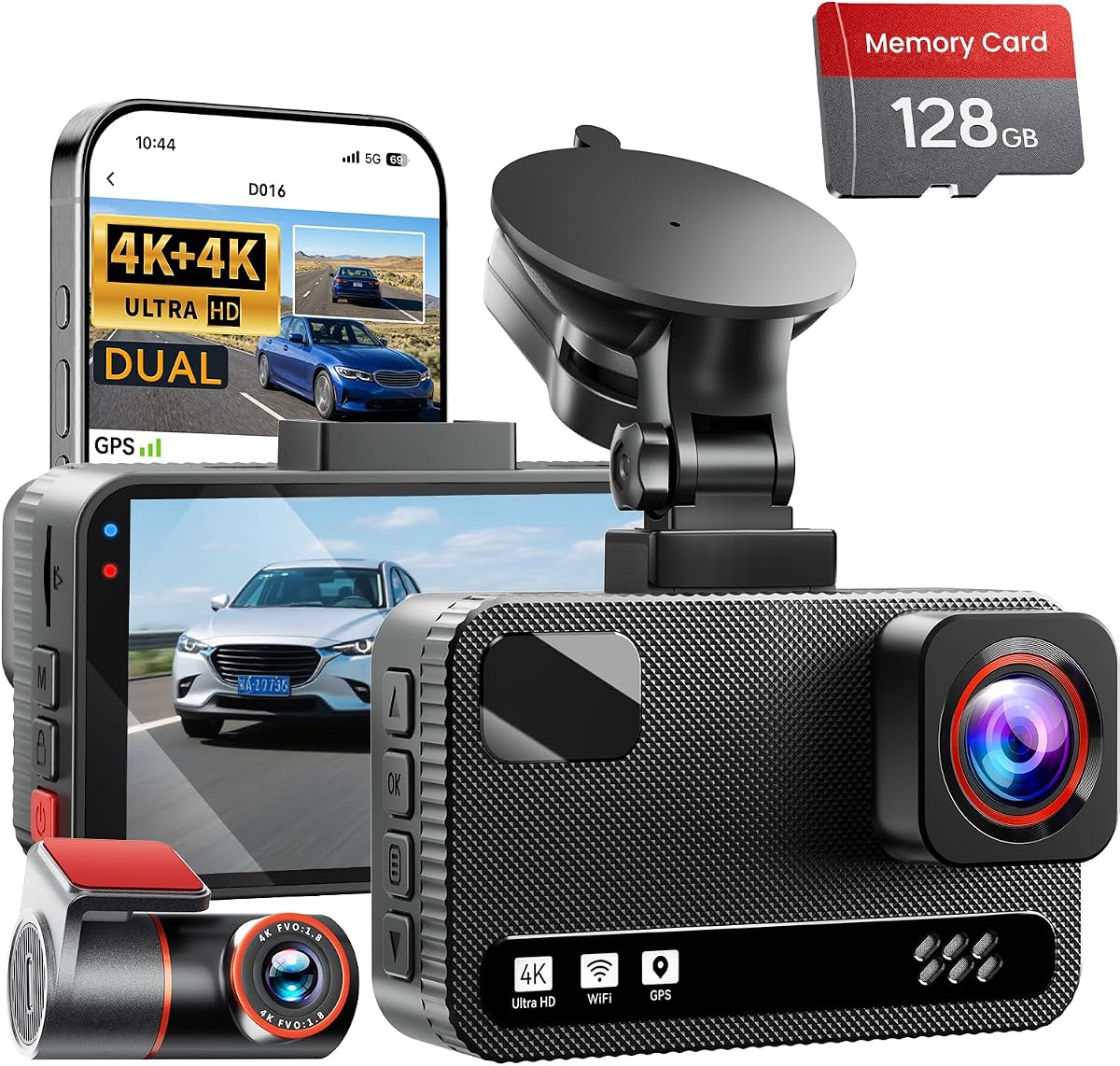
4K+4K Dual Dash Cam Front and Rear
4.9Editor score
Dual 4K Recording
Starlight Night Vision
Free 128GB Card
Selecting the right camera system for your watercraft is essential for safety and security. Modern units offer high definition recording and advanced features designed to protect your investment on the water.
We evaluated ten leading models based on resolution, low light performance, and connectivity. Each product was analyzed for its ability to capture clear footage in challenging marine environments.
Every pick highlights key strengths and potential drawbacks to help you decide. Keep in mind that product availability and pricing can change frequently across different retailers.
4.9Editor score

4.5Editor score
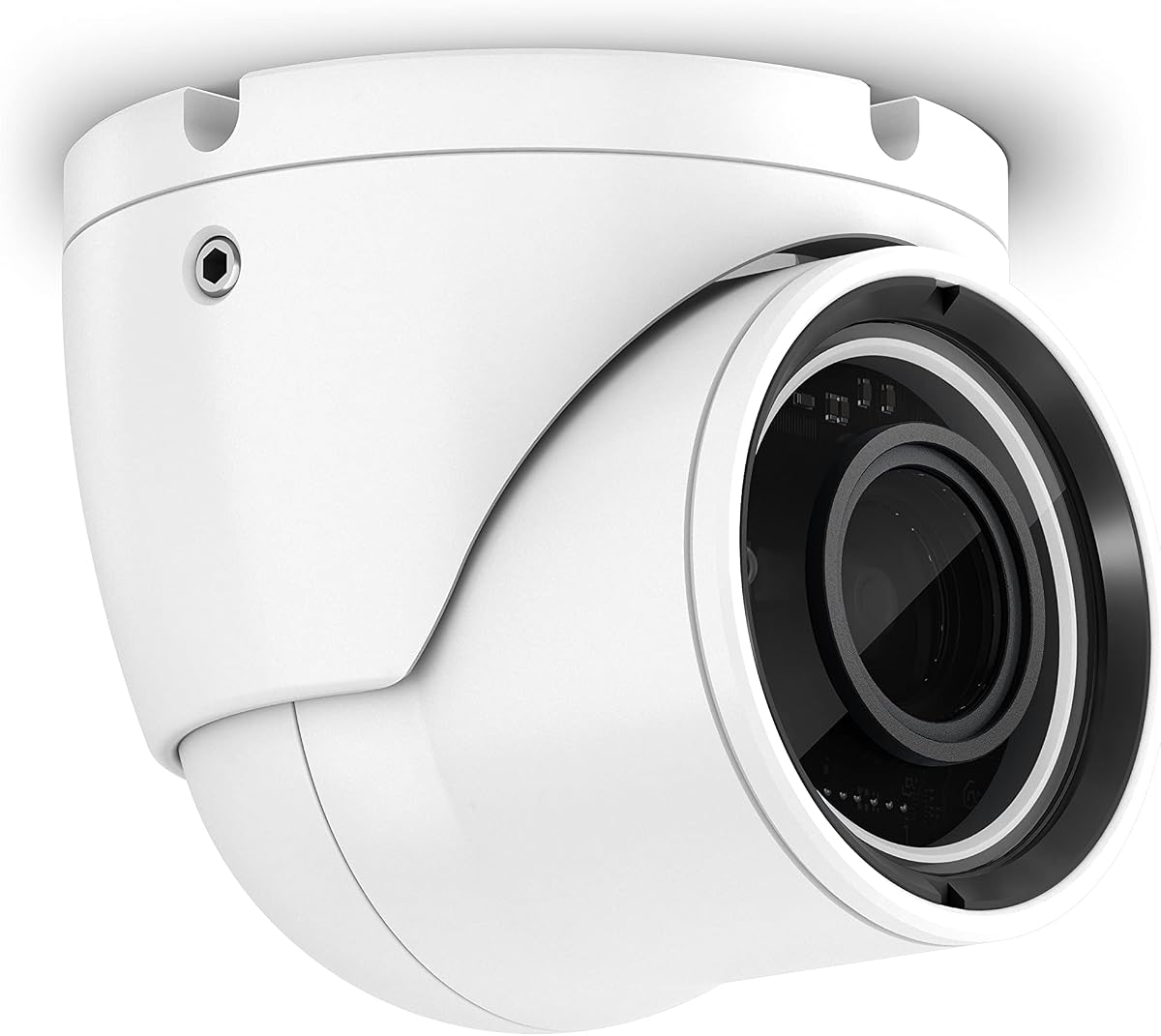
3.9Editor score
As an Amazon Associate we earn from qualifying purchases.
This side-by-side comparison outlines the key specifications and capabilities of each model to help you find the perfect fit for your marine needs.


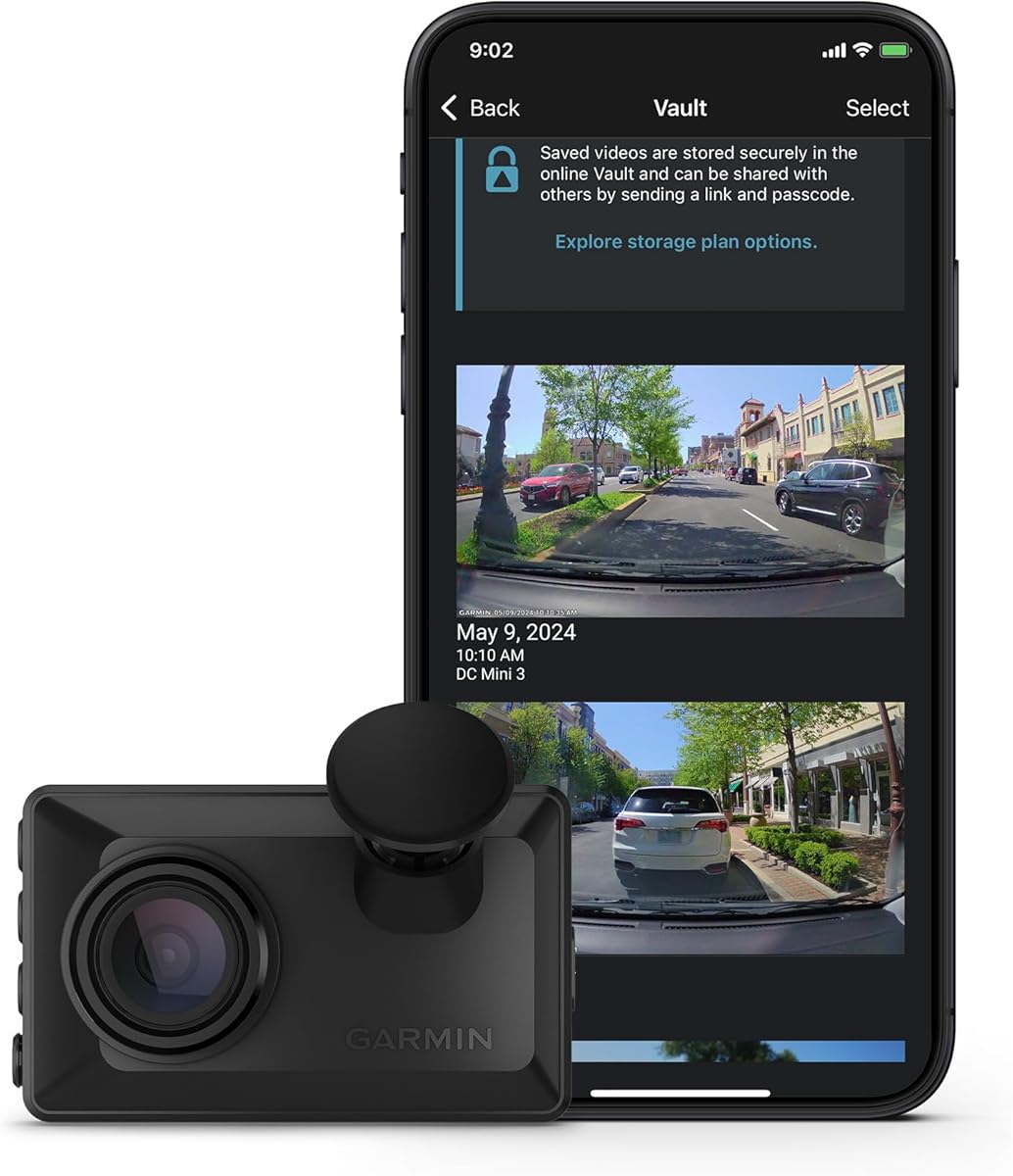


This dual lens camera stands out for its impressive resolution and advanced sensor technology. It delivers clear footage day and night which is crucial for marine monitoring.
We may earn a commission when you buy through this link, at no additional cost to you.
The Sony STARVIS 2 sensor enhances low light performance significantly. Combined with the high bandwidth WiFi it allows for quick transfers of important video files.
While the parking mode is robust it requires an additional hardwire kit. This is a minor inconvenience given the overall quality and feature set of the device.
It is ideal for boaters who need reliable evidence and clear visibility. We highly recommend it for those seeking a premium dash camera experience.
The large aperture and HDR technology ensure that details are captured even in dim conditions like dawn or dusk on the water.
The dual band WiFi ensures stable connections for fast downloads and real-time viewing through the mobile app on any smartphone.
We may earn a commission when you buy through this link, at no additional cost to you.
This model offers complete coverage with four cameras capturing all sides of your vehicle simultaneously. It is excellent for comprehensive monitoring and security purposes.
We may earn a commission when you buy through this link, at no additional cost to you.
The WDR technology ensures balanced exposure in varying lighting. The infrared lights provide optimal visibility in the dark making it suitable for night operations.
Installation involves setting up four separate lenses which can be time consuming. Additionally GPS tracking requires purchasing a separate logger for full functionality.
It is a strong choice for fleet vehicles or those needing total visibility. The extra cameras provide evidence that a standard dual cam cannot match.
By capturing front rear left and right angles this unit eliminates blind spots and ensures no incident goes unrecorded.
Time-lapse recording compresses hours of footage into minutes saving space while maintaining continuous monitoring of your parked vehicle.
We may earn a commission when you buy through this link, at no additional cost to you.
This dual channel camera captures footage at 4K on both front and rear lenses. It provides exceptional clarity and detail which is rare at this price point.
We may earn a commission when you buy through this link, at no additional cost to you.
The starlight sensor ensures that night footage remains vibrant and detailed. The built-in WiFi allows for quick management of your video clips directly from your phone.
Like many models it requires a separate hardwire kit for parking mode. However the overall performance and high user rating make it a very attractive option.
For users wanting true 4K resolution without breaking the bank this is the top pick. It balances cost and features better than most competitors.
Both cameras record at 3840x2160P ensuring that you capture license plates and fine details from every angle.
The f/1.5 aperture and WDR technology ensure high contrast video even in poor lighting conditions like tunnels or dusk.
We may earn a commission when you buy through this link, at no additional cost to you.
REDTIGER equips this model with the STARVIS 2 sensor for outstanding image quality. The 4K front lens captures sharp details while the rear records at Full HD.
We may earn a commission when you buy through this link, at no additional cost to you.
The supercapacitor ensures safer operation in extreme temperatures. This is crucial for vehicles or boats that sit in hot environments for long periods.
The rear camera resolution is lower than the front which is standard. However the overall video quality and build durability are impressive for the price.
It is a solid choice for those prioritizing sensor performance and reliability. The included memory card gets you started immediately without extra costs.
The HDR and WDR technology balance highlights and shadows so you get clear video even in bright sunlight or heavy glare.
Designed with heat resistant materials this unit is built to withstand harsh conditions without degrading performance over time.
We may earn a commission when you buy through this link, at no additional cost to you.
This camera is specifically designed for marine applications unlike standard car dash cams. It integrates directly with your chartplotter for easy viewing on your boat.
We may earn a commission when you buy through this link, at no additional cost to you.
The analog camera delivers excellent quality even in low light conditions. It can provide visibility up to 15 meters in the dark which is vital for night navigation.
While it lacks modern digital features like WiFi it excels at its core task of marine monitoring. The reverse image mode helps when backing into tight docks.
It is the best option for serious boaters who need a dedicated marine camera. The integration with Garmin systems makes it unique and highly functional.
The camera broadcasts images directly to your chartplotter allowing you to see what is behind you on your main navigation screen.
Its compact design and low light capability make it perfect for monitoring engine rooms or other critical areas on board.
We may earn a commission when you buy through this link, at no additional cost to you.
This ultra compact camera mounts discreetly behind your rearview mirror. It offers a wide field of view without obstructing your vision while driving or sailing.
We may earn a commission when you buy through this link, at no additional cost to you.
The built-in Clarity polarizer reduces glare and reflections for clearer video. Voice control allows you to save clips without taking your hands off the wheel.
As a renewed product it offers a cost-effective way to get premium Garmin quality. Note that it only captures front footage so there is no rear coverage.
It is ideal for those wanting a small unobtrusive camera with smart features. The GPS tracking adds valuable context to your recordings for later review.
Simple voice commands let you save videos or take photos instantly ensuring you never miss a moment while keeping your focus on the road.
The integrated polarizing filter cuts down on windshield reflections so your footage remains clear even in bright sunlight.
We may earn a commission when you buy through this link, at no additional cost to you.
This tiny camera records high resolution video and is barely noticeable on your windshield. It offers a wide field of view to capture important details clearly.
We may earn a commission when you buy through this link, at no additional cost to you.
The Garmin Clarity polarizer lens reduces glare to ensure clear details in the video. Voice control adds convenience for saving clips without touching the device.
Remote access features like Parking Guard require a paid Vault subscription. While powerful this adds an ongoing cost that some users may find undesirable.
It is a great pick for those wanting a sleek modern dash cam. The compact design makes it easy to install and move between different vehicles.
With the right subscription you can check live footage from your phone when you are away from your vehicle providing peace of mind.
The key-sized camera fits anywhere on your windshield ensuring it does not obstruct your view while providing high quality recording.
We may earn a commission when you buy through this link, at no additional cost to you.
This 4-channel system captures front rear and both sides simultaneously. It uses eight infrared lights to ensure clear visibility even in total darkness.
We may earn a commission when you buy through this link, at no additional cost to you.
The Vision Enhance tech helps read plates and lanes at junctions. This is particularly useful for rideshare drivers or those needing detailed evidence.
Parking mode requires a hardwire kit sold separately for full functionality. The included car charger is sufficient for standard daily driving use though.
It is an excellent choice for comprehensive vehicle security. The 360 coverage ensures that any incident around your car is captured on film.
With four cameras covering all angles you eliminate blind spots completely and ensure that any impact is recorded from the best angle.
Wi-Fi 6 technology supports transfer speeds up to 20MB/s making it easy to download high resolution clips quickly for sharing or review.
We may earn a commission when you buy through this link, at no additional cost to you.
This mirror dash cam replaces your standard mirror with a large 12 inch display. It offers stunning 4K clarity for the front camera and HD for the rear.
We may earn a commission when you buy through this link, at no additional cost to you.
The split-screen function allows you to view both lenses simultaneously. This is very helpful for seeing behind you while checking what is ahead.
GPS tracking is built into the unit via an external antenna. This provides route and speed data directly on your screen for better evidence.
It is perfect for drivers wanting a high-tech upgrade to their mirror. The large screen significantly reduces blind spots and enhances safety.
The large display provides 1.5 times the viewing area of a standard mirror giving you a much better view of the road.
The 24-hour parking monitor uses time-lapse to conserve storage while keeping an eye on your vehicle when you are not around.
We may earn a commission when you buy through this link, at no additional cost to you.
This ultracompact camera goes virtually unnoticed on your windshield. It records HD video and saves incident clips automatically with date and time.
We may earn a commission when you buy through this link, at no additional cost to you.
The built-in Clarity polarizer reduces glare to show important details. Voice control allows you to save clips without taking your hands off the road.
Cloud storage requires a paid subscription for full remote access. This is an extra cost but adds convenience for backing up your video securely.
It is a good option for those wanting a second camera or simple setup. The small size makes it easy to hide and move around as needed.
The Vault service automatically stores important clips in the cloud ensuring your evidence is safe even if the camera is damaged or lost.
You can view synchronized clips from up to four cams using the app giving you extra viewpoints if you have a full setup.
We may earn a commission when you buy through this link, at no additional cost to you.
Selecting the right marine camera involves considering resolution sensor quality and environmental durability for your vessel.
Resolution determines how clear your footage will be especially when identifying license plates or objects at a distance. Look for models with at least 1080p and ideally 4K for the front camera to ensure sharp details.
Higher resolution helps with better evidence in case of accidents or incidents on the water. Prioritize cameras with advanced lenses that maintain clarity in various lighting conditions.
Marine environments often involve low light conditions like dusk or engine rooms. Sensors with STARVIS technology or large apertures are essential for capturing usable footage in the dark.
Ensure the camera has infrared lights or wide dynamic range features to balance light and shadow. This guarantees that your recordings remain clear even at night.
Boat cameras must withstand humidity salt and extreme temperature fluctuations. Supercapacitors are preferred over lithium batteries for better heat resistance and longer lifespan.
Look for devices specifically built for marine use or rugged environments. Waterproof ratings or sealed housings can prevent damage from spray and humidity.
Continuous recording requires significant storage space. Choose cameras that support large microSD cards and offer loop recording to manage files efficiently.
Parking modes are vital for monitoring your vessel when docked. Check if the model supports time-lapse or motion detection and if it needs a hardwire kit.
Fast WiFi allows you to download and share videos quickly without removing the memory card. Dual-band WiFi provides a more stable connection for transfers.
A user-friendly app should allow you to view live feeds adjust settings and manage recordings. Cloud options can add extra security for your footage.
Marine mounting needs vary from windshield glass to hulls or deck surfaces. Ensure the kit includes strong adhesive or adjustable mounts for your specific vessel.
Cable management is important for a clean look on your boat. Look for units with flexible cabling and clear instructions for routing wires safely.
Built-in GPS adds location and speed data to your videos which is critical for accident evidence and navigation logs. Some models have external antennas for better accuracy.
This feature helps document where and when an incident occurred. Verify that the data overlays smoothly on the video and is easy to review.
Features like voice control split screens and wide angles add convenience and coverage. Evaluate these extras based on your specific needs and usage patterns.
A good balance of price and features ensures you get the best value. Consider warranties and customer support availability as well.
Ensure the lens is clean and free of obstructions before recording. Regularly wipe the glass with a microfiber cloth to prevent smudges from affecting image quality.
Check your storage card regularly to ensure it is functioning properly. Formatting the card periodically helps prevent corruption and keeps the recording loop smooth.
Protect the device from direct sunlight and extreme heat whenever possible. Use sun shades or park your vessel in a covered area to extend the life of the electronics.
Yes many models are designed to handle humid and coastal conditions. Always check if the device has a specific marine rating or is sealed against moisture to ensure long-term reliability.
Many cameras offer low light or night vision modes suitable for engine rooms. Look for units with infrared lights or large apertures to ensure clear video in dim spaces.
Most models require a hardwire kit for true 24/7 parking mode. However daily use only needs a standard power source so it depends on your monitoring needs.
Digital cameras provide high definition video and smart features like WiFi. Analog cameras are often used with chartplotters and are simpler but have lower resolution.
It is recommended to format the card every month to prevent errors. This ensures that loop recording functions smoothly and files are not corrupted over time.
Specialized marine cameras like the Garmin GC 14 integrate with chartplotters. Standard dash cams usually work as standalone units and do not connect to boat navigation systems.
The ROVE R2-4K offers the best balance of features and performance for most users. Its advanced sensor and clear video make it a top choice for marine monitoring.
For those on a budget the 4K+4K Dual provides impressive value without sacrificing quality. It is an excellent alternative for those who need high resolution at a lower price.
Always check current pricing and availability before making your purchase. The right camera will provide peace of mind and reliable evidence for your vessel.