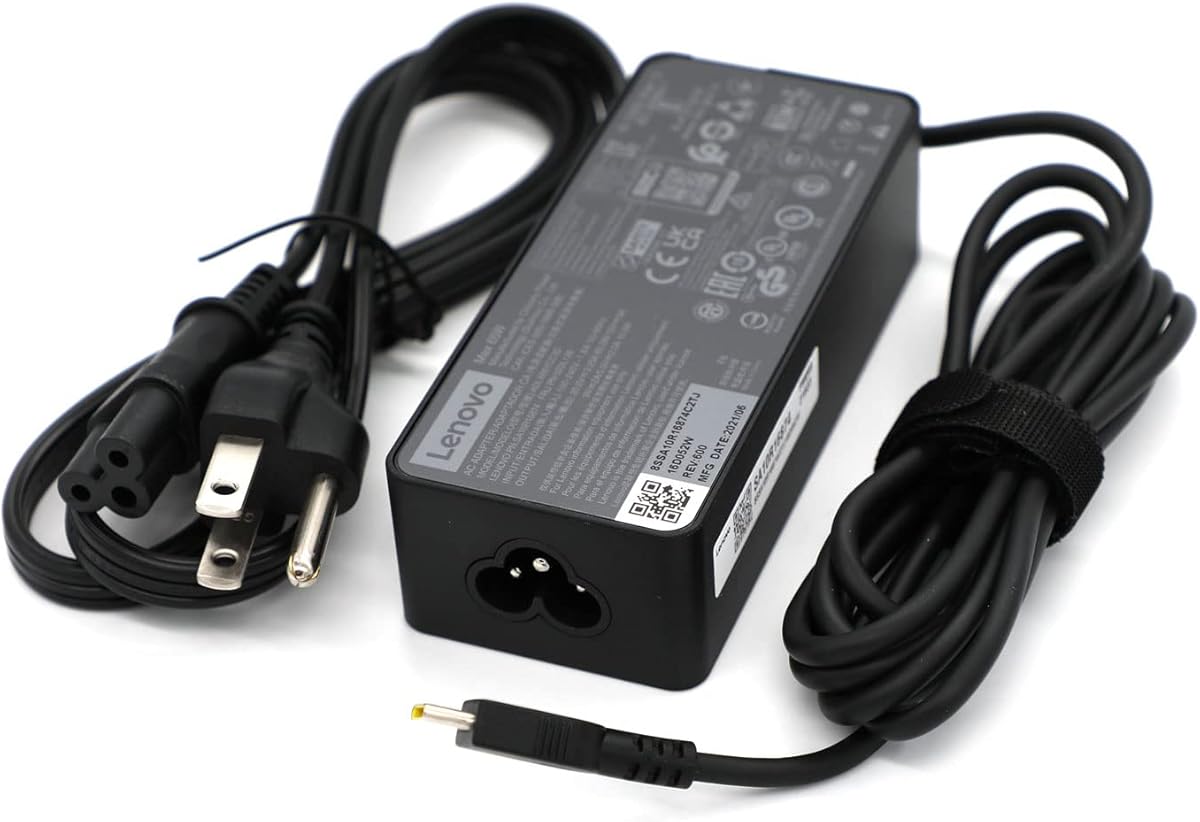
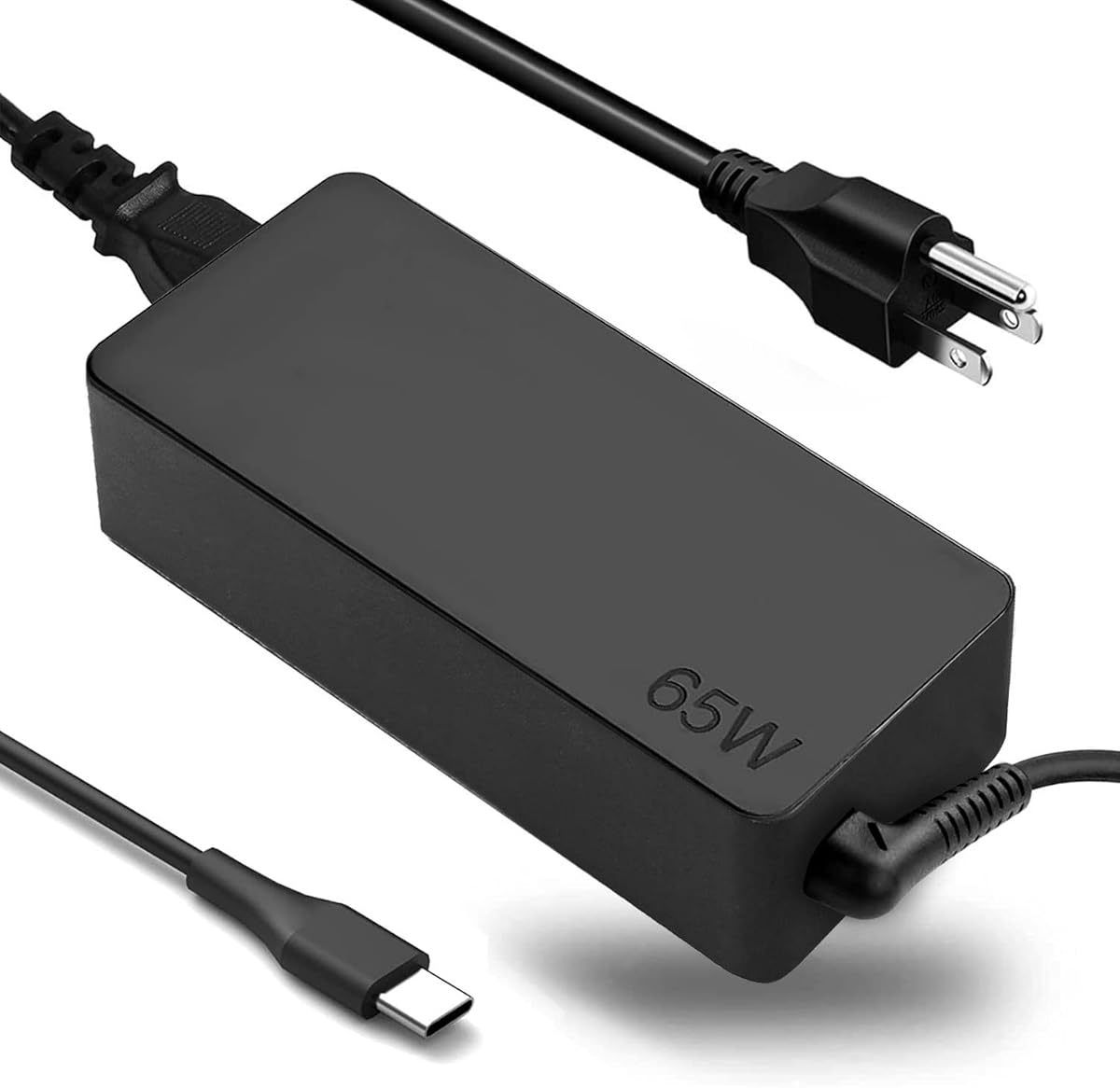
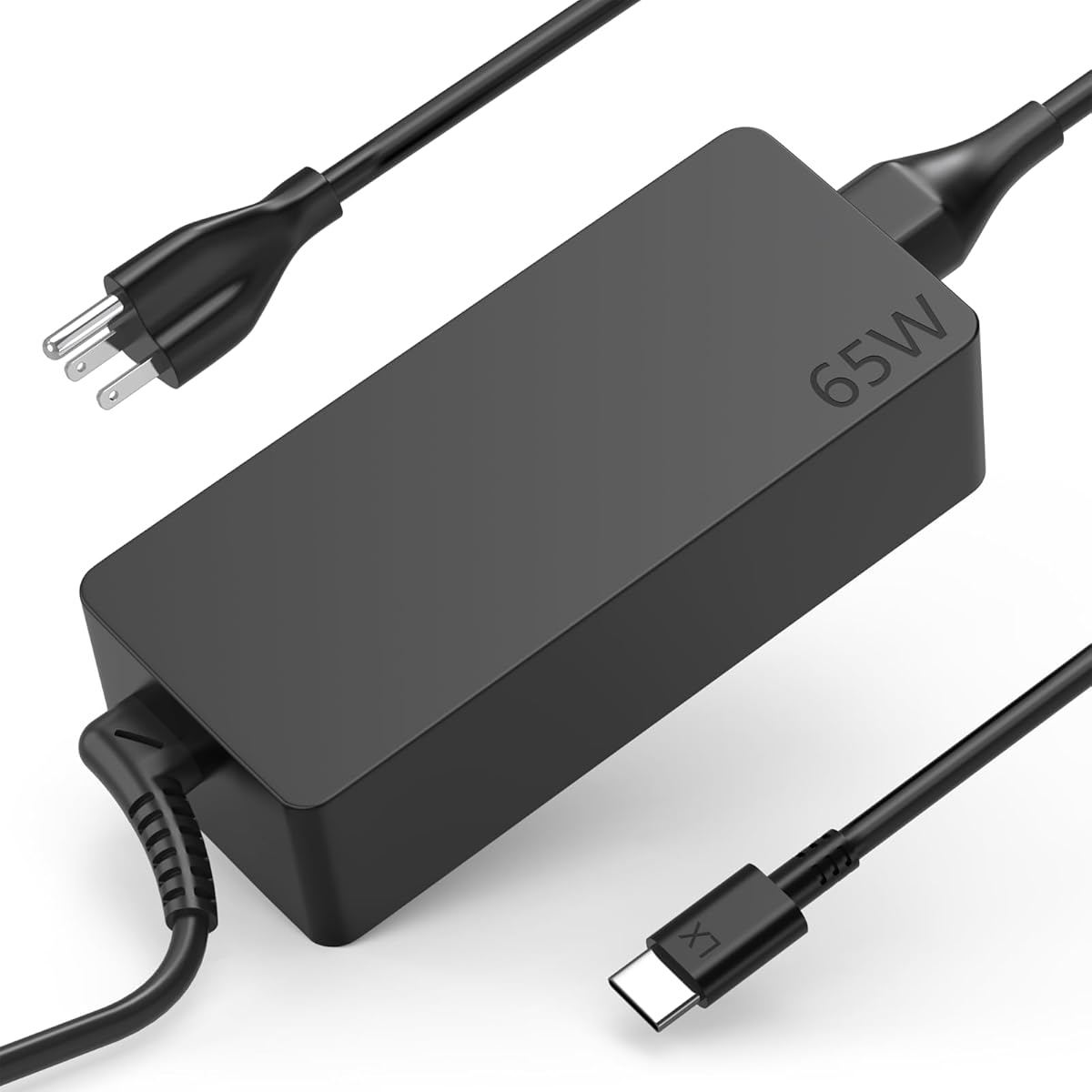
This guide compares the best Lenovo Thinkpad Charger options for reliability and speed, helping you choose the right power adapter for your specific model.
As an Amazon Associate we earn from qualifying purchases. We may earn a commission when you buy through links on this page, at no additional cost to you. Read our affiliate disclosure.As an Amazon Associate we earn from qualifying purchases.Purchases through our links may earn us a commission, at no extra cost to you. Read our affiliate disclosure.
Choosing the right power adapter is essential for maintaining your laptop performance. A reliable Lenovo Thinkpad Charger ensures stable charging and protects your device from electrical issues while keeping you productive.
We evaluated ten top-rated options based on compatibility, build quality, and charging speed. This list covers official manufacturers and trusted third-party brands to meet diverse needs and budgets effectively.
Each pick highlights key features and ideal use cases for clarity. Prices and availability change frequently, so verify current details before purchasing to ensure you get the best value today.
Top 3 Picks for Best Lenovo Thinkpad Charger
Best Budget
65W USB C Laptop Charger Compatible with Lenovo ThinkPad T480 T490 T580 X1 Carbon T14 T14s T16 E14 E16 Yoga C940 C930 720 910 920 7i Chromebook C330 S330,Type C Fast Charging Power Supply Adapter Cord
Top 10 Best Lenovo Thinkpad Charger in 2026 Compared
The following table provides a side-by-side overview of all ten chargers. It highlights key specifications and model compatibility to help you quickly identify the right fit for your laptop.
65W USB C Laptop Charger Compatible with Lenovo ThinkPad T480 T490 T580 X1 Carbon T14 T14s T16 E14 E16 Yoga C940 C930 720 910 920 7i Chromebook C330 S330,Type C Fast Charging Power Supply Adapter Cord
65W 45W Compatible
PD 3.0 Technology
Reinforced Connector Joint
Wide Model Support
This UNAWUDOH charger offers an affordable solution for many ThinkPad and Yoga models. It holds a strong 4.5 rating from users who appreciate its cost and performance balance.
Pros
Affordable price point
Reinforced connector tested
Supports 65W 45W
Wide model compatibility
Cons
Third-party manufacturer
Cable quality varies
We may earn a commission when you buy through this link, at no additional cost to you.
It uses Power Delivery 3.0 technology to deliver fast charging up to 65W while remaining compatible with 45W devices. The reinforced connector joint is tested to withstand over 50,000 bends, reducing fraying risks.
The charger includes comprehensive protection against short-circuiting, over-voltage, and overheating, ensuring safe operation. However, as a third-party product, build consistency may vary slightly between batches.
This is an excellent choice for users who need a reliable spare charger without a premium price tag. It is particularly suitable for home office use where portability is less critical.
Power Delivery Technology
The PD 3.0 support allows the charger to negotiate power levels with your laptop for optimal speed and safety.
Durability Focus
The reinforced connector design specifically targets the weak point where cables often fray near the laptop plug.
Lenovo USB-C 65W Wall Charger – PD 3.0 – Power Adapter for Laptop, Tablet, Notebook, USB-C Compatible Devices – Slim, Light and Portable with 5.9 Foot (1.7m) Cable – Black
Slim Light Design
1.7m Cable Length
PD 3.0 Support
Portable Charging
As an official Lenovo accessory, this charger offers guaranteed compatibility and quality. Its 4.4 rating reflects consistent performance and reliable support for a wide range of USB-C devices.
Pros
Official Lenovo product
Long 1.7m cable
Slim lightweight build
Fast PD charging
Cons
Slightly higher cost
Limited color options
We may earn a commission when you buy through this link, at no additional cost to you.
The slim and lightweight design makes it easy to carry in a backpack or briefcase. The extra-long 1.7m cable provides convenient reach to power outlets without needing an extension cord.
While it costs more than third-party options, the build quality and safety certifications justify the price. It delivers 65W of power efficiently, making it suitable for laptops and tablets.
We recommend this charger for users who prioritize official support and portability. It is ideal for business travelers who need a dependable power source on the go.
Portability Advantage
The slim profile reduces bulk in your bag, making it perfect for commuters and students.
Cable Length
The 1.7m length allows you to position your laptop comfortably while plugged into a wall outlet.
This 135W adapter is designed for higher-performance ThinkPad laptops that require more power. It holds a 4.6 rating, indicating high satisfaction among users needing maximum charging capability.
Pros
High 135W output
Official OEM quality
USB-C interface
Stable voltage supply
Cons
Higher price point
Heavier than 65W
We may earn a commission when you buy through this link, at no additional cost to you.
With up to 135W maximum power output, it supports heavy workloads and faster charging for powerful machines. The USB Type-C interface ensures quick and worry-free connections without adapter hassles.
The charger provides a constant voltage supply for stable device operation, which is critical for business use. Its higher price reflects the premium performance and reliability expected from Lenovo.
This is the best choice for users with high-performance models like the P or T series with dedicated graphics. It ensures your laptop runs at full speed without power throttling.
High Power Output
The 135W capacity is essential for gaming or workstation laptops that draw significant power during intensive tasks.
Reliability
Official Lenovo adapters are built to meet strict safety standards and provide consistent power delivery.
This is a standard 65W OEM charger suitable for most modern ThinkPads. Its 4.2 rating shows solid reliability for users who prefer genuine accessories over third-party alternatives.
Pros
Official Lenovo branding
Slim form factor
Stable 5 V DC
Simple installation
Cons
Higher cost
Limited extra features
We may earn a commission when you buy through this link, at no additional cost to you.
It delivers a constant 5 V DC for smooth device functioning and charging. The slim design makes it compact enough for travel or keeping in a desktop workstation.
While it lacks advanced features like PD negotiation visible to users, it provides dependable power. The AC adapter uses 120 V AC input voltage which fits standard household outlets easily.
This adapter is ideal for office settings where original equipment is required. It ensures compatibility with your laptop warranty and provides consistent performance over time.
OEM Reliability
Genuine Lenovo parts are tested to meet the exact electrical specifications of your ThinkPad model.
Form Factor
The slim profile helps reduce cable clutter on your desk compared to older brick-style adapters.
65W USB C Laptop Charger Compatible with Lenovo ThinkPad X1 X13 T14 T15 E14 E15 T480s T490 E480 Yoga 7i 9i Thinkbook 13s 14 15 16 Plus G4 65W 45W Computer Charger USB Type C AC Power Adapter
65W 45W Output
Compatible Yoga Models
Multiple Voltage Output
Safety Protections
The COWOOGMZ charger supports a broad range of Lenovo models including ThinkPad and Yoga series. It holds a 4.3 rating, reflecting user satisfaction with its versatility and performance.
Pros
Wide model compatibility
Includes AC cable
Multiple output voltages
Affordable option
Cons
Third-party quality
Bulky packaging
We may earn a commission when you buy through this link, at no additional cost to you.
It outputs 5V to 20V with currents up to 3.25A to support 65W and 45W charging needs. Comprehensive protection safeguards your device against overheating and voltage issues during use.
The package includes both the adapter and an AC power cable, ready for immediate use. However, as a third-party product, long-term durability may vary compared to official chargers.
This is a practical choice for users with multiple devices or older models needing replacement. It offers good value for general use where cost is a primary consideration.
Voltage Flexibility
Multiple output levels allow this charger to adapt to different power requirements automatically.
Complete Package
The included AC power cord ensures you have everything needed to start charging immediately.
65W USB C Laptop Charger Compatible with Lenovo Thinkpad/Yoga/Chromebook, ADLX65YDC2A Replacement for Lenovo Laptop Charger
65W 45W Support
USB Type C Connector
Replacement for ADLX
Yoga Chromebook Fit
This Fepprry charger is designed as a direct replacement for specific Lenovo adapter numbers. It maintains a 4.2 rating, offering reliable basic charging for budget-conscious users.
Pros
Affordable pricing
Simple usage
Broad model support
Multiple voltage outputs
Cons
Basic build quality
Shorter warranty
We may earn a commission when you buy through this link, at no additional cost to you.
It supports both 65W and 45W needs, making it suitable for a wide variety of ThinkPad and Chromebook models. The USB Type-C connector ensures universal compatibility with modern devices.
The charger includes multiple voltage outputs from 5V to 20V to accommodate different device requirements. Users simply connect the AC cord and plug the laptop in for straightforward operation.
We recommend this charger for those seeking a no-frills replacement option. It works well for occasional use or as a secondary charger for home or office.
Direct Replacement
This unit matches specific OEM part numbers to ensure fit and function with your existing setup.
Ease of Use
The simple plug-and-play design means no complex setup is required for everyday charging.
DECSZDY Replacement for 65W Lenovo Laptop Charger USB C
Fast Efficient Charging
OS Independent Use
USB-C Connector
IdeaPad Compatibility
The DECSZDY charger provides a cost-effective way to replace broken or missing Lenovo adapters. Its 4.3 rating suggests it meets basic needs well for a large group of users.
Pros
Low price point
OS independent
Wide compatibility
Fast charging
Cons
Third-party brand
Limited documentation
We may earn a commission when you buy through this link, at no additional cost to you.
It is designed exclusively to fit all Lenovo laptops requiring a 65W USB-C connector. The charger supports both 65W and 45W requirements and operates independently of your system OS.
This unit comes with an AC power cord and offers fast efficient charging for home or office use. It is also compatible with IdeaPad and Yoga models with USB-C ports.
This charger is a good choice for travelers who need a spare without spending much. It ensures you stay powered up in case your main charger fails unexpectedly.
Cross Compatibility
It works across IdeaPad, ThinkPad, and Yoga lines, making it versatile for households with multiple devices.
Value
Its low cost makes it an economical choice for a backup charger in different locations.
65W USB C Laptop Charger Compatible with Lenovo Thinkpad Laptop Charger
65W 45W Charger
Multiple Brand Support
Wide Voltage Range
Thinkpad Chromebook
This HBONY charger stands out for its support of many brands including Lenovo, HP, and Dell. It holds a 4.2 rating, indicating broad user approval for its universal compatibility.
Pros
Multi-brand support
Wide voltage range
Affordable price
Fast output
Cons
Complex compatibility list
Third-party quality
We may earn a commission when you buy through this link, at no additional cost to you.
It outputs up to 65W with multiple voltage levels to suit 45W and 65W devices. The input supports 100 to 240V, making it useful for international travel without extra adapters.
The charger supports ThinkPad, Chromebook, and many other models, making it a versatile option. However, the long compatibility list requires checking your specific model number before purchase.
We recommend this charger for users with mixed device households or international needs. It simplifies charging by using one adapter for many different laptops and tablets.
Travel Ready
The wide input voltage range means you can plug it into outlets worldwide safely.
Device Variety
Supporting multiple brands reduces the need to carry different chargers for different laptops.
This high-power adapter is suitable for demanding ThinkPad models requiring extra energy. Its 4.6 rating confirms reliability and performance consistency for business and workstation users.
Pros
High power output
Stable voltage
OEM quality
Fast charging
Cons
Expensive
Heavy unit
We may earn a commission when you buy through this link, at no additional cost to you.
It provides up to 135W maximum power output to keep laptops running during intensive tasks. The constant voltage supply ensures smooth functioning without power fluctuations that could affect performance.
The AC adapter uses 120 V AC input and features a USB Type-C interface for convenient connection. While heavier than 65W options, it offers unmatched stability for high-performance computing.
This is the ideal choice for users with ThinkPad P or X series with discrete graphics. It ensures your system has enough power to avoid throttling during heavy workloads.
Power Stability
Constant voltage supply protects sensitive internal components from power spikes during operation.
Workstation Use
This adapter supports laptops used for engineering, design, or data science tasks needing full power.
Lenovo – 135W AC Laptop Adapter & Charger – Slim Tip – Compatible with IdeaPad Gaming, Legion, and Other Models – Model Number ADL135NDC3A
135W Output Power
Slim Tip Design
Legion Gaming Fit
120 V AC Input
This 135W adapter is specifically designed for gaming and high-performance models. Its 4.6 rating reflects strong user trust in its ability to power demanding systems reliably.
Pros
High 135W power
Slim Tip connector
Gaming laptop support
Official brand
Cons
Heavy brick
Limited to 135W
We may earn a commission when you buy through this link, at no additional cost to you.
It features a slim tip design compatible with Lenovo IdeaPad Gaming and Legion models. The maximum output power of 135W ensures that power-hungry GPUs and CPUs run smoothly.
The adapter uses 120 V AC input and is built for dependable performance in daily use. It is an official product, ensuring safety certifications and long-term durability.
We recommend this charger for Lenovo Legion or gaming laptop owners needing reliable power. It handles high loads well, keeping your laptop ready for extended gaming or rendering sessions.
Slim Tip Connector
The slim tip design matches specific gaming models that require this connector type for optimal power.
High Load Handling
The 135W capacity allows gaming laptops to charge while running intensive games without battery drain.
We may earn a commission when you buy through this link, at no additional cost to you.
Buying Guide – How to Choose the Best Lenovo Thinkpad Charger
Selecting the right charger involves checking compatibility, power output, and build quality. This guide breaks down the key factors to help you find the perfect match.
Wattage and Power Output
Check your laptop's power requirements to ensure the charger matches or exceeds the recommended wattage. While 65W is common for standard models, gaming or workstation laptops may need 135W for full performance.
Always verify the wattage on your original charger to avoid underpowering your device which can lead to slow charging or performance throttling.
Connector Type
Most modern ThinkPads use USB-C connectors, while older models may use round barrel plugs or rectangular tips. Ensure the charger has the correct connector to physically fit your laptop.
Using an incorrect connector can damage your port, so carefully compare the shape and size of your existing charger before purchasing.
Cable Length
The length of the charging cable affects convenience at your desk or while traveling. A longer cable offers more flexibility to place your laptop where you need it.
If you work in fixed locations, a longer cable is helpful. For travel, a shorter cable reduces bulk in your bag.
OEM vs Third-Party
OEM chargers are made by Lenovo and guarantee exact compatibility and safety standards. Third-party options are often cheaper but vary in quality and build.
Choose OEM for critical work devices and third-party for backups or budget needs where cost is a priority.
Safety Certifications
Look for certifications like UL or FCC which indicate the charger has been tested for electrical safety. These ensure protection against over-voltage and overheating.
Avoid uncertified chargers that may lack proper safeguards and pose a risk to your laptop and personal safety.
Build Quality and Durability
Inspect the connector joint and cable quality since these areas are prone to wear. Reinforced connectors can extend the lifespan of your charger significantly.
Higher quality cables resist fraying and internal breaks which are common causes of charger failure.
Portability
For business travelers, a slim and lightweight charger is ideal. Some official chargers are designed to be compact for easy packing.
Balance portability with power needs as high-wattage chargers are generally heavier and bulkier than standard 65W options.
Warranty and Support
Official products typically come with a warranty that covers defects. Third-party brands may offer varying warranty periods so check before buying.
A warranty provides peace of mind and ensures you can get a replacement if the charger fails prematurely.
How to Use and Care for Your Lenovo Thinkpad Charger
Plug the AC adapter into a standard power outlet first before connecting the laptop. This allows the charger to stabilize its voltage and prevent surges that could harm your device.
Avoid wrapping the cable tightly around the brick or using excessive tension which can damage internal wires. Store it loosely or use a gentle coil to maintain cable health.
Regularly inspect the connector for dust or debris and clean gently with compressed air. Keeping the port clean ensures a secure connection and prevents charging issues.
Frequently Asked Questions
Can I use a 65W charger for a 45W laptop?
Yes, you can safely use a 65W charger for a laptop requiring only 45W. The laptop will only draw the power it needs, so there is no risk of damage from the higher wattage rating.
What is USB Power Delivery?
USB Power Delivery is a protocol that allows devices and chargers to negotiate the correct voltage and current. It ensures safe and efficient fast charging for compatible laptops and tablets.
How do I know if my charger is original?
Original Lenovo chargers will have the Lenovo logo and official model numbers printed on them. Third-party chargers often lack these details or feature different branding and part numbers.
Does a higher wattage charger charge faster?
Not necessarily. A higher wattage charger only charges faster if your laptop supports higher power input. If your laptop is rated for 65W, a 135W charger will not charge it faster.
Why does my charger feel hot?
It is normal for chargers to get warm during use as they convert electrical power. However if it becomes excessively hot or emits smells, unplug it immediately for safety.
Can I use a third-party charger?
Yes, reputable third-party chargers can work well and save money. Ensure they match your laptop's wattage and connector type to avoid compatibility or safety issues.
Final Thoughts on Choosing the Best Lenovo Thinkpad Charger
We reviewed ten top Lenovo Thinkpad Chargers ranging from budget third-party options to high-power OEM adapters. Each offers distinct benefits depending on your specific model and usage needs.
Prioritize OEM chargers for critical devices and third-party ones for backups. Always check wattage and connector type to ensure safe and efficient charging for your laptop.
Prices and stock change frequently, so verify current offers before purchasing. Choose the option that best fits your reliability and budget requirements for long-term satisfaction.
Explore top Bluetooth surround sound speakers for TV to enhance your home theater with immersive audio, wireless connectivity, and premium sound quality