
Dell Precision 3581 Workstation Laptop (2023)
4.0Editor score
Intel Core i7-13800H Processor
32GB DDR5 RAM
Nvidia GeForce RTX A500
15.6 inch FHD Display
Finding the right machine for computer aided design requires careful consideration of processing power and graphics capabilities. Professionals need systems that can handle complex 3D models and rendering tasks without lagging during critical project deadlines.
We evaluated ten top workstations based on processor speed, memory capacity, and certified graphics performance. Each entry was selected for its ability to support industry standard software like AutoCAD and SolidWorks effectively.
Each pick highlights specific strengths for different workflows and budget levels while noting that current market conditions may affect availability. Always verify the latest configurations before purchasing to ensure compatibility with your specific software requirements.
4.0Editor score

4.4Editor score

4.1Editor score
As an Amazon Associate we earn from qualifying purchases.
This table provides a side by side overview of the key specifications for each workstation to help you compare processing power memory and display options quickly.



This laptop stands out as a top tier choice for professionals who need reliable power without constant upgrades. It achieves a solid rating based on its ability to handle complex engineering tasks smoothly.
We may earn a commission when you buy through this link, at no additional cost to you.
The Intel Core i9 processor paired with 32GB of DDR5 RAM ensures that multiple CAD applications can run simultaneously without slowing down. The CAMM memory design offers future proofing for faster data access times.
While the device is robust, it may feel weighty for those who travel frequently compared to thinner consumer models. However the trade off is worth it for the stability provided during long design sessions.
Buyers looking for a workstation that supports intensive 3D rendering and simulation should consider this model first. It delivers the performance needed for advanced workflows effectively.
The high core count processor ensures that simulation tasks finish faster reducing wait times during critical phases of design development.
Multiple ports allow users to connect external screens easily creating a multi monitor setup ideal for detailed drawing work.
We may earn a commission when you buy through this link, at no additional cost to you.
This unit offers a balanced approach to workstation needs by pairing a capable processor with professional grade graphics hardware. It scores well for users who prioritize graphics performance over raw CPU speed.
We may earn a commission when you buy through this link, at no additional cost to you.
The NVIDIA RTX 1000 Ada GPU provides dedicated memory that accelerates viewing and manipulating 3D models in real time. This is crucial for architects who need smooth navigation through large assemblies.
Some users might find the processor limits heavy computational tasks like fluid dynamics simulations compared to higher tier chips. However for standard design work the performance remains adequate and responsive.
Engineers requiring specific GPU features for visualization will find this configuration suitable for daily tasks. It bridges the gap between standard laptops and heavy duty servers.
The dedicated GPU ensures that complex textures and lighting render efficiently within design software interfaces.
Support for four external displays allows users to manage reference materials and models side by side seamlessly.
We may earn a commission when you buy through this link, at no additional cost to you.
This workstation distinguishes itself with a large amount of system memory and a touch enabled screen for intuitive navigation. It is designed to handle extensive data sets and multiple virtual machines smoothly.
We may earn a commission when you buy through this link, at no additional cost to you.
The 64GB DDR5 RAM ensures that even the most demanding rendering software can run without memory bottlenecks. Users working with massive architectural plans benefit from the smooth scrolling and zooming capabilities.
While the GPU has less dedicated memory than some competitors the system efficiency makes up for it in general productivity. The touch screen adds a layer of convenience for marking up designs directly.
Professionals who work heavily with digital ink or need to share screens frequently will appreciate this feature set. It combines traditional workstation power with modern interaction methods effectively.
The high RAM capacity allows designers to run simulation tools alongside design software without performance drops.
Wi-Fi 7 ensures that cloud based backups and large file transfers happen at maximum possible speeds for efficiency.
We may earn a commission when you buy through this link, at no additional cost to you.
This renewed workstation provides an entry point into professional grade computing without the high cost of new units. It offers the essential hardware needed for basic to intermediate CAD tasks effectively.
We may earn a commission when you buy through this link, at no additional cost to you.
The 14 core processor handles multi threaded tasks like rendering well while the 32GB RAM supports standard engineering software. The dedicated graphics card ensures that 3D views remain smooth during modeling sessions.
Buyers should be aware that renewed items may show minor wear but function correctly for daily use. This is a practical choice for students or small firms needing reliable tools on a budget.
It is an excellent option for those who need specific workstation features but do not require the latest flagship specifications. The performance remains consistent for standard drafting work.
Choosing a renewed model allows teams to equip multiple engineers with capable machines while staying within tight budget limits.
The dedicated GPU enables users to visualize materials and lighting effects accurately before finalizing their designs.
We may earn a commission when you buy through this link, at no additional cost to you.
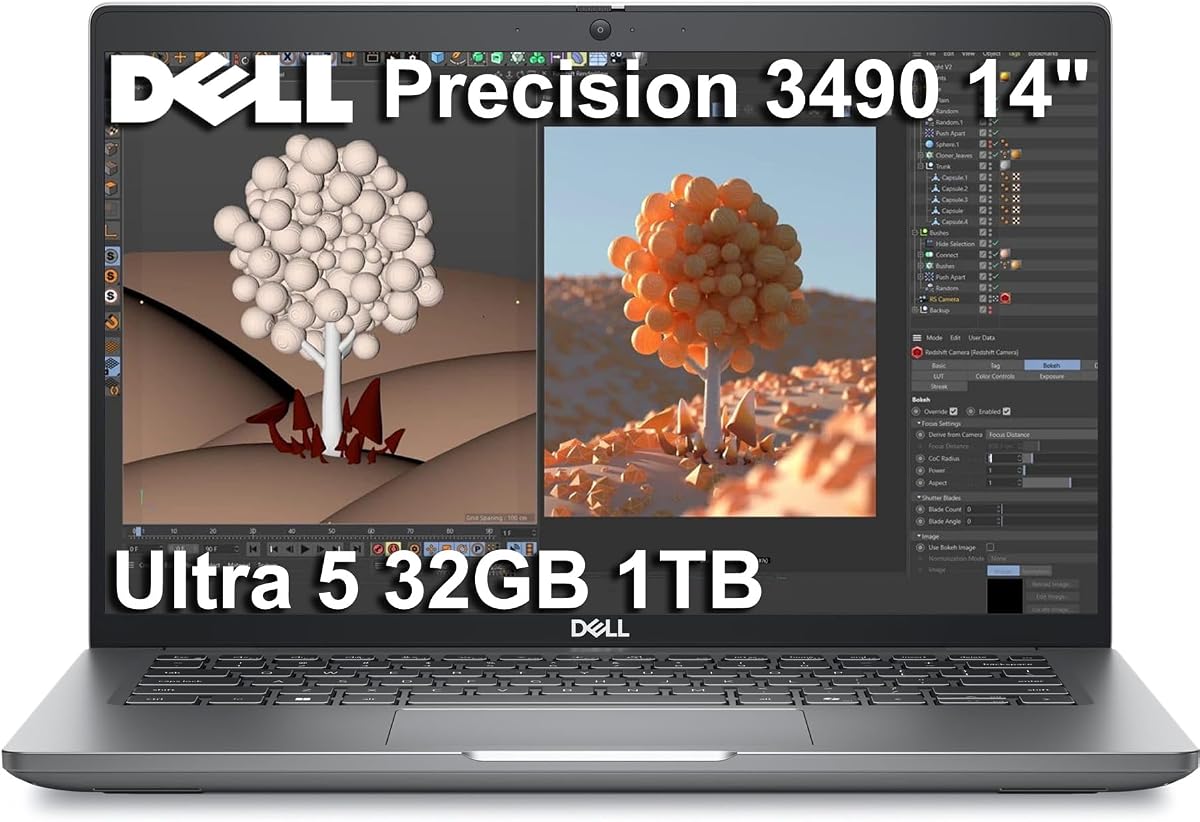
This machine is designed for engineers who need to move between sites frequently without sacrificing essential performance. It balances power and portability better than most competitors in the market.
We may earn a commission when you buy through this link, at no additional cost to you.
The Intel Ultra 5 processor delivers efficient power usage which helps extend battery life during presentations or field work. 32GB of RAM ensures that large files open quickly even when away from a desk.
While it is not ideal for heavy rendering it handles 2D drafting and basic 3D viewing with ease. The build quality ensures it can withstand the rigors of travel better than consumer models.
Mobile professionals who prioritize mobility should choose this model to stay productive in various environments. It is a reliable tool for site visits and client meetings.
The reduced weight makes it easy to carry in a backpack while the military standard testing ensures long term reliability.
A full size backlit keyboard with Ethernet and HDMI ports allows for immediate setup at any conference room.
We may earn a commission when you buy through this link, at no additional cost to you.
This laptop provides an immersive workspace for users who spend long hours reviewing blueprints and complex models. The large display reduces the need for constant panning and zooming on smaller screens.
We may earn a commission when you buy through this link, at no additional cost to you.
The NVIDIA RTX 4000 Ada GPU is a powerhouse for rendering tasks allowing for realistic lighting and textures to be processed quickly. This is essential for clients who require photorealistic visualizations.
The weight and size make it difficult to transport regularly so it is best suited for a stationary desk. However for desktop replacement needs it offers significant power and screen real estate.
Users who need maximum screen space for multitasking will find this model highly effective for deep work sessions. It serves as a portable desktop alternative.
The larger panel allows architects to view detailed plans without losing context of the overall building layout.
The high VRAM capacity supports complex shaders and textures that enhance the realism of 3D architectural presentations.
We may earn a commission when you buy through this link, at no additional cost to you.
This model offers a strong balance between processing power and graphics capability for moderate to high level design work. It provides sufficient power for most engineering tasks without the extreme cost of top tier models.
We may earn a commission when you buy through this link, at no additional cost to you.
The RTX 2000 Ada with 8GB of VRAM allows for smooth manipulation of detailed 3D assemblies. This memory capacity is beneficial when working with textured models that require high resolution assets.
Some users have noted occasional inconsistencies in display performance which may require calibration for precise color work. Despite this the core computing performance remains robust for daily design operations.
It is a suitable choice for engineering firms that need reliable performance across a fleet of laptops. The certification ensures compatibility with standard CAD software packages.
The combination of a strong i7 processor and mid range GPU creates a stable environment for complex engineering simulations.
The 8GB video memory ensures that loading textures does not slow down the rendering pipeline during client reviews.
We may earn a commission when you buy through this link, at no additional cost to you.
This powerhouse is built for users who run virtual machines or complex simulations that demand extreme memory resources. The 128GB RAM ensures that no task is limited by system constraints.
We may earn a commission when you buy through this link, at no additional cost to you.
The 24 core processor handles multi threaded computational loads effortlessly making it ideal for finite element analysis and large scale rendering. The high brightness screen aids visibility in varied lighting conditions.
While the storage is slightly smaller than other models the focus here is on memory for heavy lifting. Users needing this level of capacity will find the value in reduced processing times.
It is recommended for enterprise users who need top tier performance for data intensive design operations. This machine pushes the limits of mobile computing performance.
The 128GB RAM allows users to run multiple operating systems and design tools simultaneously without any lag or slowdown.
The high core count processor accelerates rendering jobs significantly reducing the time spent waiting for final outputs.
We may earn a commission when you buy through this link, at no additional cost to you.
This model excels in scenarios where multiple heavy applications must run at the same time without interruption. The high RAM count ensures that background processes do not impact active design work.
We may earn a commission when you buy through this link, at no additional cost to you.
The NVIDIA RTX 2000 Ada provides the necessary acceleration for visual tasks while the processor manages data processing smoothly. This combination supports a wide range of engineering and creative applications effectively.
Although the weight makes it less ideal for daily commuting it remains a robust choice for a fixed workspace. It handles complex simulations well due to the available system memory.
Buyers seeking a balance between CPU speed and memory capacity will appreciate this configuration for demanding tasks. It is a reliable tool for high volume production work.
The 64GB RAM allows engineers to keep multiple large files open and switch between them instantly without reloading.
ISV certifications guarantee that the hardware works seamlessly with industry standard software reducing the risk of crashes.
We may earn a commission when you buy through this link, at no additional cost to you.
This laptop is designed for professionals who need a reliable business machine with workstation class durability. It offers a balance of power and portability suitable for office and field use.
We may earn a commission when you buy through this link, at no additional cost to you.
The Intel Ultra 7 processor delivers solid performance for CAD drafting and documentation while maintaining efficiency. The display provides a clear view for detailed work with minimal eye strain over long periods.
While it may not be the best for heavy rendering it is highly effective for general engineering and design tasks. The keyboard and trackpad are optimized for precise control during modeling.
Business users who need to stay productive on the go will find this device highly capable. It is a practical choice for firms needing consistent performance across teams.
The lighter chassis compared to traditional workstations makes it easy to carry between office and client sites daily.
MIL-STD testing and fingerprint security ensure that sensitive design data remains protected even during travel.
We may earn a commission when you buy through this link, at no additional cost to you.
Selecting the right workstation involves evaluating specific hardware criteria to ensure compatibility with your design software and project demands.
The central processing unit is critical for handling calculations during rendering and simulation. Look for high core count CPUs from recent generations to ensure that complex algorithms run efficiently.
Prioritize chips with higher base and boost clocks to maintain responsiveness during daily drafting tasks.
Professional GPUs offer better driver stability for CAD applications than consumer cards. Ensure the model has enough dedicated video memory to handle large textures and assemblies smoothly.
Verify that the GPU is certified by your primary software provider for best performance and bug free operation.
RAM dictates how many programs can run simultaneously without slowing down. For modern workflows a minimum of 32GB is recommended to avoid bottlenecks with large project files.
Higher capacity memory ensures that you can work with multiple design iterations open at once.
Solid state drives are essential for quick application launches and file access. Choose a capacity that can hold your operating system along with large project archives without needing external drives.
Look for NVMe drives to ensure that data transfer speeds match the system processing power.
A high resolution screen with accurate colors is necessary for detailed design work. Anti glare coatings help reduce eye strain during long working hours in varying light conditions.
Consider screen size based on whether you prefer a portable unit or a desktop replacement.
Larger workstations often offer better cooling and upgradability but are heavier to carry. Smaller models are easier to transport but may throttle performance under sustained loads.
Choose based on whether you work primarily at a desk or need to travel frequently.
Ensure the laptop has enough ports to connect to external monitors and peripherals. Thunderbolt and HDMI ports are crucial for setting up multi screen environments.
High speed wireless capabilities like Wi-Fi 6E or 7 improve collaboration and data sync speeds.
Workstations should be built to withstand daily use and transport. Look for devices that have undergone military standard testing for reliability.
A comprehensive warranty provides peace of mind for expensive investments that need to stay operational.
Maintain optimal performance by keeping your system cool. Use a cooling pad when working on intensive tasks to prevent thermal throttling during rendering.
Update graphics drivers regularly to ensure compatibility with the latest versions of design software. Manufacturers often release patches that improve stability for professional workflows.
Organize your storage by keeping project files on fast drives and archives on external drives. This keeps the primary system drive free for applications and temporary files.
Most professional applications recommend at least 16GB of RAM for basic tasks. However for 3D modeling and rendering 32GB is preferred to ensure smooth operation with large files.
While integrated graphics can handle basic 2D drafting a dedicated card improves performance when viewing multiple drawings or working with complex layers.
Mobile workstations offer portability and convenience but usually cost more and have lower performance than desktops. Desktops are better for fixed locations where mobility is not required.
High resolution helps in viewing fine details in blueprints. A 1080p display is sufficient but higher resolutions allow for more content on the screen without scrolling.
Yes certification ensures the hardware works reliably with specific software. It reduces the risk of crashes and bugs which is vital for professional projects.
Some models allow RAM upgrades while others have soldered memory. Always check the specific technical specifications before purchase to know if upgradability is supported.
We explored ten diverse models ranging from budget friendly options to high end mobile workstations. Each offers distinct advantages depending on whether you need power or portability.
Prioritize the processor and graphics capabilities that align with your daily software requirements. Balancing these specs with your budget will help you find the right fit.
Always verify the latest pricing and configurations before buying as market conditions change frequently.