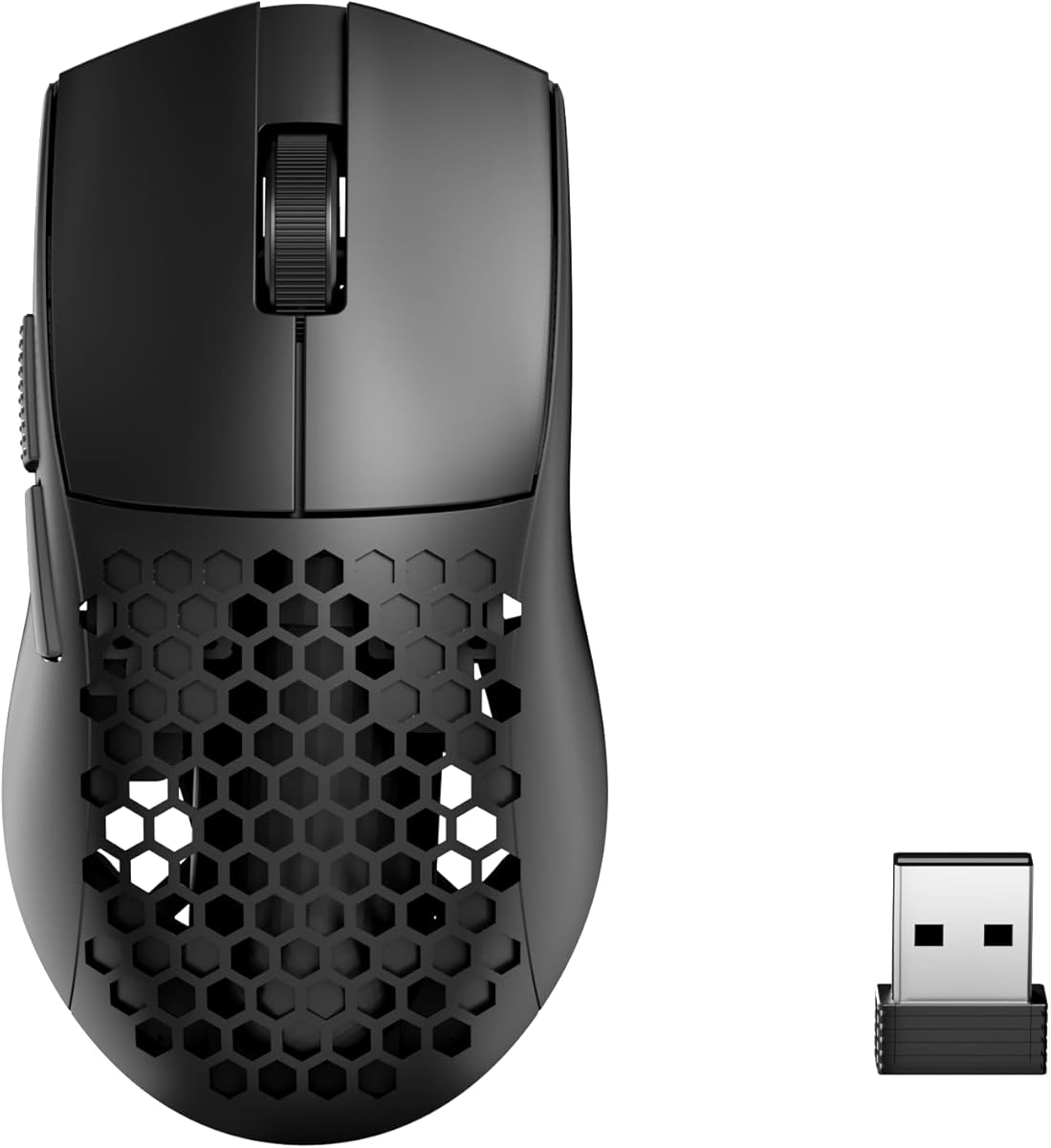
Redragon M725 Honeycomb Shell
4.4Editor score
49g ultra-light weight
Tri-mode connectivity
8000 DPI sensor
Discover the top 10 lightweight gaming mice under 60 grams for FPS players. We compare sensors, shapes, and connectivity to help you choose the best precision
In the competitive world of first-person shooters, every gram counts. A lightweight mouse under 60 grams allows for faster flicks, reduced fatigue, and precise aiming during long gaming sessions.
We evaluated ten top-rated mice based on sensor accuracy, build quality, battery life, and ergonomic design. Our comparison focuses on models that maintain stability without sacrificing speed or control.
Each pick highlights unique features like tri-mode connectivity, high polling rates, and durable switches. Prices and availability fluctuate, so check current listings before making your final decision for your setup.
4.4Editor score

4.5Editor score

4.6Editor score
This side-by-side comparison reviews all ten selected mice to highlight key differences in weight, sensor type, and connectivity options for FPS gamers.


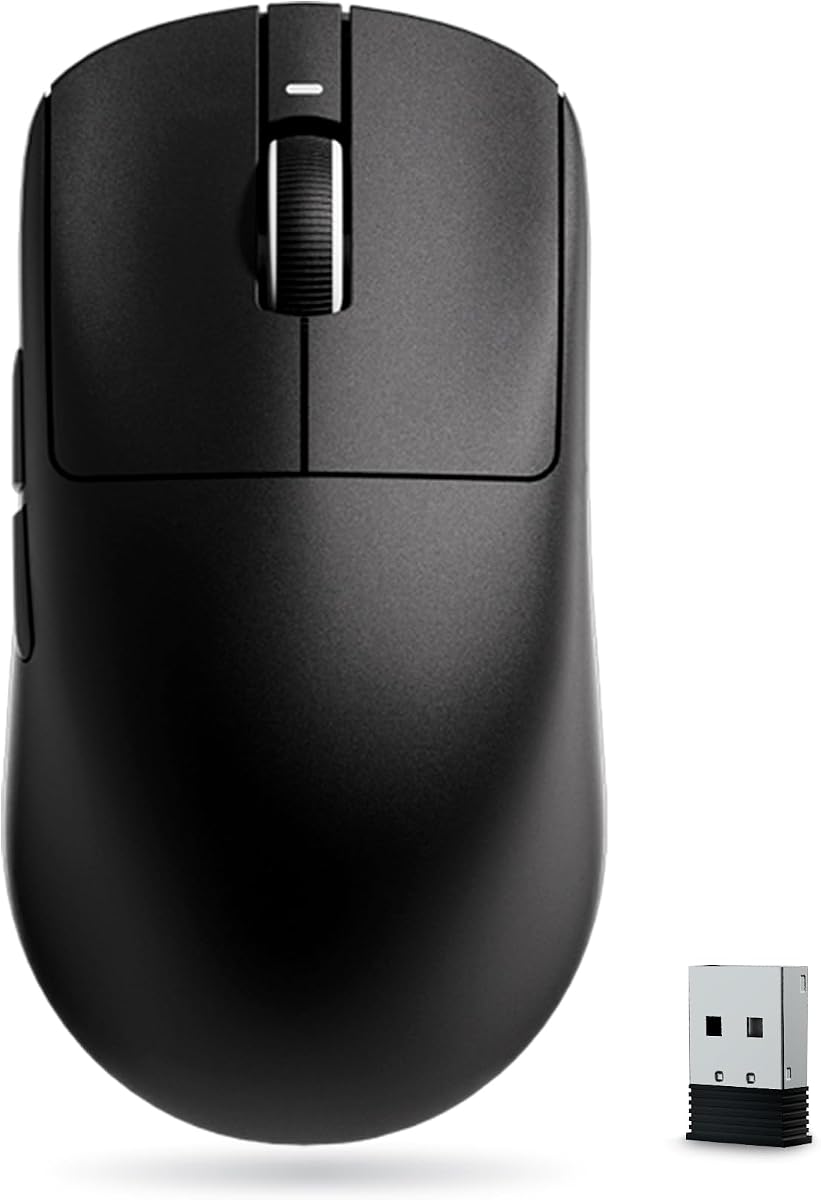

The ASUS ROG Harpe Ace Mini stands out as a top-tier option for competitive FPS gamers. With a 49g weight and a pro-approved shape, it delivers precision and comfort in equal measure.
We may earn a commission when you buy through this link, at no additional cost to you.
Its ROG AimPoint Pro optical sensor ensures pixel-perfect accuracy, while the tri-mode connectivity allows seamless switching between devices. The compact design is ideal for fingertip and claw grips.
While it comes at a higher price point than budget options, the performance justifies the cost. Some users might find the small size challenging if they prefer palm grips.
For serious esports players seeking a reliable, lightweight mouse, this model is a strong recommendation. It balances speed, accuracy, and durability perfectly for competitive play.
Co-developed with pro players, the shape supports diverse grip styles and hand sizes for optimal control.
ROG SpeedNova wireless technology ensures minimal lag, keeping your reactions sharp in fast-paced games.
We may earn a commission when you buy through this link, at no additional cost to you.
The Razer Orochi V2 is renowned for its incredible battery life, offering up to 950 hours on Bluetooth. It weighs under 60g and fits comfortably in smaller hands.
We may earn a commission when you buy through this link, at no additional cost to you.
With Razer HyperSpeed Wireless for gaming and Bluetooth for productivity, it adapts to various use cases. The 18K DPI sensor provides accurate tracking for precise aiming.
However, the lack of included batteries and fewer programmable buttons may limit some users. The compact shape might not suit those who need extensive customization.
Ideal for travelers or casual gamers, this mouse offers great versatility. Its endurance and portability make it a practical choice for mixed-use scenarios.
Engineered to last months on a single charge, reducing downtime and maintenance for your gaming sessions.
The small form factor makes it easy to carry in a laptop bag for gaming on the go.
We may earn a commission when you buy through this link, at no additional cost to you.
The ZORNHER X Mloong MX301 PRO offers impressive features at an affordable price. Weighing 60g, it provides stable control with a carbon fiber texture for enhanced grip.
We may earn a commission when you buy through this link, at no additional cost to you.
Equipped with a PAW3315 sensor and web-based driver, it ensures precise tracking without bulky software. The package includes a carrying case and grip tape for added value.
While the brand is less established, the high user rating and included accessories make it attractive. Software may lack advanced features compared to premium competitors.
Budget-conscious gamers will appreciate its performance and design. It delivers solid reliability and comfort for FPS play without breaking the bank.
The carbon fiber texture provides a tactile feel that enhances grip and reduces plastic sensation.
Web-based driver simplifies customization, avoiding heavy installations while keeping control options.
We may earn a commission when you buy through this link, at no additional cost to you.
The INPHIC IN10P Superlight boasts an 8000Hz polling rate and a no-hole design for durability. At 60g, it balances lightweight speed with robust construction.
We may earn a commission when you buy through this link, at no additional cost to you.
Its PAW3395 sensor supports up to 26,000 DPI, ensuring accurate tracking. The programmable buttons allow deep customization for complex gaming setups.
Some users note lower ratings due to initial firmware quirks. Updating software is crucial to unlock full performance potential.
For tech-savvy gamers seeking high polling rates, this mouse is compelling. With updates, it offers excellent responsiveness and longevity.
The solid shell prevents dust buildup inside, maintaining internal integrity over time.
The Kunpeng KP950B chip delivers stability and low latency for split-second reactions.
We may earn a commission when you buy through this link, at no additional cost to you.
The Logitech G PRO X Superlight 2 is a championship-winning mouse, refined for 8 kHz polling and enhanced precision. It weighs 60g and features HERO 2 optical sensor technology.
We may earn a commission when you buy through this link, at no additional cost to you.
Designed with pro input, it includes Zero-Additive PTFE feet for smooth glides. Compatibility with POWERPLAY offers wireless charging for endless usage.
Though pricey and minimalist, its performance is unmatched. The battery life and wireless efficiency suit long sessions without interruption.
For pros and enthusiasts, this model sets the benchmark. It delivers consistent, reliable performance for competitive FPS titles.
Advanced tracking provides zero smoothing or acceleration, ensuring consistent movement fidelity.
Compatible with wireless charging mats for seamless power, removing battery concerns.
We may earn a commission when you buy through this link, at no additional cost to you.
The Redragon M725 Honeycomb Shell is an ultra-lightweight option at 49g, making it ideal for quick movements. The honeycomb design reduces weight while maintaining durability.
We may earn a commission when you buy through this link, at no additional cost to you.
With tri-mode connectivity and 8000 DPI, it adapts well to various setups. The symmetrical grip suits different hand styles comfortably.
Some feel the plastic may feel less premium, and battery life is moderate. Still, it offers strong performance for the price.
Gamers on a budget will find this excellent value. It balances weight, speed, and affordability perfectly.
The honeycomb shell enhances airflow, keeping hands cooler during intense gaming sessions.
Software support allows mapping macros for efficient gameplay workflows.
We may earn a commission when you buy through this link, at no additional cost to you.
The Redragon M916 is among the lightest options, weighing just 49g. Its Nordic flagship chip and 4000Hz report rate ensure fast, precise tracking.
We may earn a commission when you buy through this link, at no additional cost to you.
With five redefinable DPI levels and customizable keys, it offers flexibility. The natural grip shape supports extended use with less fatigue.
While driver support exists, it may not match premium brands. Some may find the small size limits comfort for larger hands.
Ideal for fast-paced FPS play, it delivers speed and agility. Budget users will appreciate its high performance for the cost.
Ensures stable, low-latency wireless connections for consistent performance.
Designed to follow hand structure for long-term comfort and reduced strain.
We may earn a commission when you buy through this link, at no additional cost to you.
The ATK VXE Dragonfly R1 SE+ offers a balanced 55g weight with a PAW3395 SE sensor. Its symmetrical body fits small to medium hands well.
We may earn a commission when you buy through this link, at no additional cost to you.
Huano Blue Glow V2 switches provide crisp, durable clicks. Triple connectivity modes add versatility for PC and Mac users.
Some may need to adjust to the driver interface. Brand awareness is lower than established rivals, but specs remain competitive.
A strong mid-range choice, it delivers smooth glides and solid control. Ideal for gamers seeking value without compromising performance.
Wireless transmission tech ensures stable signals with ultra-low latency.
Up to 70 hours continuous runtime supports extended gaming sessions.
We may earn a commission when you buy through this link, at no additional cost to you.
The Razer Viper V4 Pro is an ultra-light 49g mouse with industry-leading 8000 Hz polling and Focus PRO 50K DPI sensor. It offers faster, more agile control for competitive play.
We may earn a commission when you buy through this link, at no additional cost to you.
Optical switches deliver 100 million click durability and low latency. Synapse 4 software enables fine-tuning for individual playstyles.
Its higher cost reflects top-tier specs. Some may find the HyperSpeed dongle bulky compared to nano receivers.
For serious esports athletes, this mouse is a standout choice. It merges speed, precision, and battery efficiency flawlessly.
Ensures consistent tracking and tactile feedback for precise control.
Aligns sensor data with the PC, reducing latency for ultimate precision.
We may earn a commission when you buy through this link, at no additional cost to you.
The GLORIOUS Model O Eternal weighs 55g and features a signature honeycomb shell for lightness. Dual-zone RGB lighting adds visual customization without compromising comfort.
We may earn a commission when you buy through this link, at no additional cost to you.
Its symmetrical design ensures natural grip, while 12K DPI optical sensor provides accuracy. Eighty-million rated switches deliver durability.
Being wired limits mobility but reduces lag. RGB is vibrant but some prefer distraction-free setups.
For players who value aesthetics alongside performance, this mouse delivers. It offers a balanced wired experience.
Customize RGB and settings instantly via button shortcuts.
Lightweight without compromising durability or comfort for long sessions.
We may earn a commission when you buy through this link, at no additional cost to you.
Choosing the ideal lightweight mouse involves evaluating sensor quality, weight distribution, and connectivity. Consider these factors to match your playstyle.
Aim for 60g or less for swift flicks. Balanced distribution prevents strain and enhances control.
Prioritize uniform weight across the shell to avoid tipping during rapid movements.
Look for optical sensors with minimal acceleration. High DPI and IPS ratings ensure consistent tracking.
Check for zero smoothing to maintain precision during high-speed aiming.
Tri-mode offers flexibility between Bluetooth, 2.4GHz, and wired. 2.4GHz ensures low latency for competitive play.
Choose wired if maximum response time is your priority over convenience.
For wireless options, extended battery life reduces interruptions. Some models offer 100+ hours on a single charge.
Balance battery capacity with weight to avoid making the mouse heavy.
Select a shape that suits your grip style—palm, claw, or fingertip. Comfort matters during long matches.
Test sizes if possible or check dimensions for hand compatibility.
Durable switches and solid construction prevent failure. Avoid mice with excessive plastic that compromises build.
Consider switches rated for millions of clicks to ensure longevity.
Robust software allows key remapping and profile management. Look for lightweight drivers to reduce system load.
Ensure compatibility with your OS for smooth setup and operation.
Budget options exist with solid specs. Premium models offer better sensors and materials.
Determine which features are essential for your gaming style before spending.
Start by adjusting DPI settings to match your gameplay speed. Use a mouse pad for consistent glide and surface tracking.
Clean the feet periodically with a soft cloth to maintain smooth movement. Avoid dust buildup in vents or switches.
For wireless models, store batteries properly when not in use. Update firmware regularly to maintain performance.
Yes, lighter mice under 60 grams reduce fatigue and allow faster flicks. They help maintain precision during extended sessions.
Not necessarily. Many models use high-strength materials. Always check switch ratings and build reviews before purchasing.
Modern wireless tech offers minimal latency. 2.4GHz connections match wired performance for most competitive players.
Fingertip and claw grips benefit most. Palm users should ensure the shape supports their hand comfortably.
If switches fail or tracking degrades, replacement is needed. Generally, a quality mouse lasts several years.
Yes, brands offer ergonomic shapes meeting this weight. Look for curved designs fitting your hand naturally.
We reviewed ten exceptional mice, each offering unique advantages. From budget-friendly picks to pro-grade standards, there is a match for every gamer.
Prioritize sensor accuracy, weight, and connectivity based on your needs. Ergonomics and durability ensure long-term satisfaction.
Prices may change, so always verify current listings. Choose wisely to enhance your FPS performance and comfort.