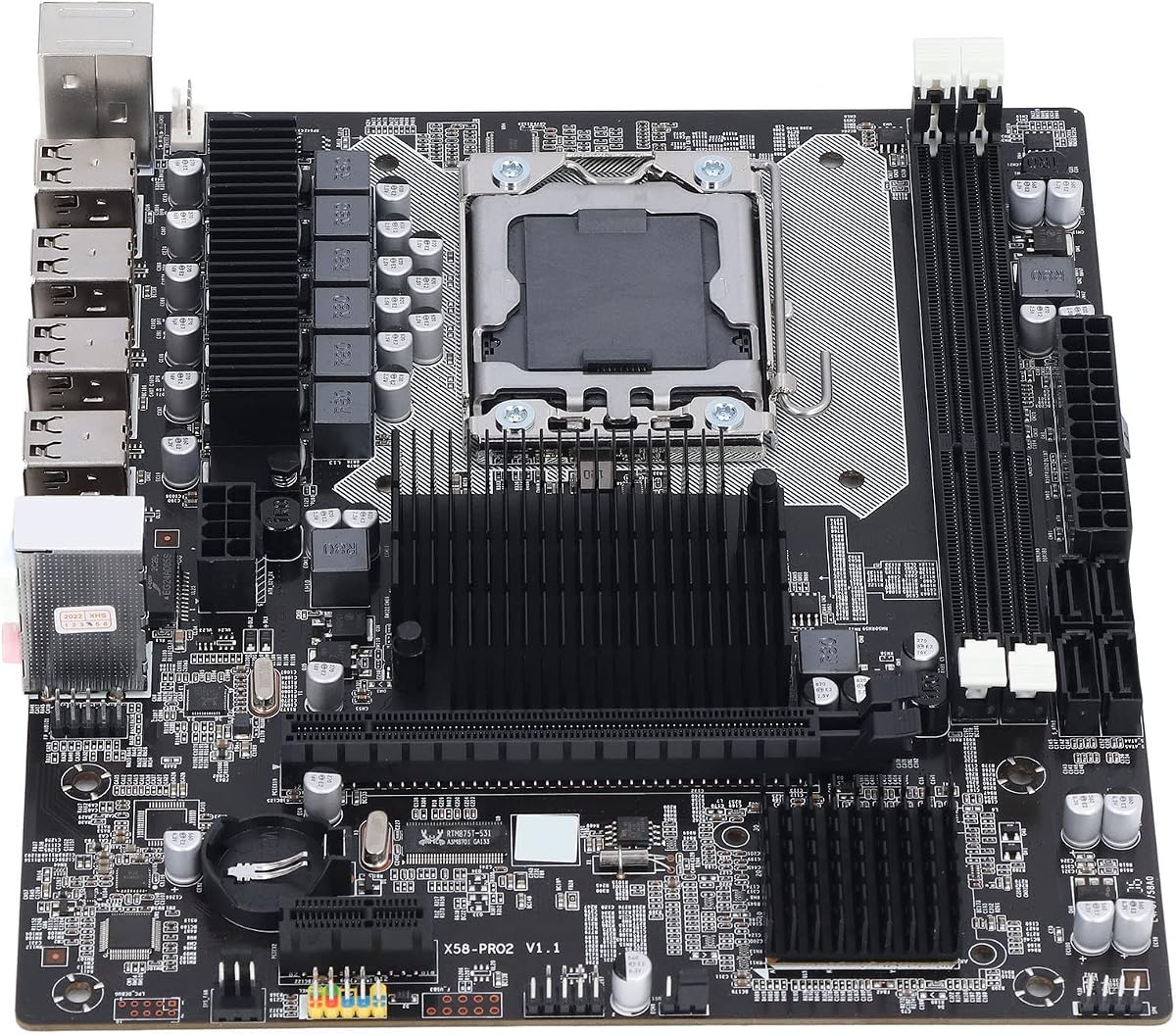
X58 Gaming Motherboard
Supports ECC and Non-ECC Memory
All Solid Capacitors for Durability
Standard ATX Power Connectors
This guide compares the top ten Lga 1366 Motherboard options available today focusing on chipset features memory support and connectivity for legacy enthusiast
Finding the right Lga 1366 Motherboard is essential for enthusiasts looking to run legacy high performance systems with extreme core processors and triple channel memory architecture today.
We evaluated ten top rated models based on chipset reliability power delivery quality expansion slot options and overall build quality to help you choose the best board for your needs.
Each pick below highlights key strengths and trade offs so you can match a board to your specific use case while keeping in mind that market pricing changes frequently.

5.0Editor score

The following table provides a side by side overview of every model featured in this guide so you can quickly compare specifications and choose the right fit.



The ASUS P6T7 WS SuperComputer stands out as a top tier choice for users who need maximum connectivity and workstation class stability on the Lga 1366 platform.
We may earn a commission when you buy through this link, at no additional cost to you.
Its standout qualities include twelve USB 2.0 ports dual Gigabit LAN controllers with teaming support and robust power delivery for Core i7 Extreme processors.
While the price is higher than average the sheer number of expansion slots and memory channels justifies the cost for serious multi tasking and rendering workloads.
If you need a reliable base for legacy high end builds this board offers the flexibility and durability required to keep your system running smoothly for years.
Twelve USB ports allow you to connect numerous peripherals without needing extra hubs or cards.
Dual LAN ports enable teaming for faster throughput or failover if one connection drops.
We may earn a commission when you buy through this link, at no additional cost to you.
The Supermicro X8DTN+ is built for users who demand server class stability and massive memory capacity on the Lga 1366 socket for heavy virtualization workloads.
We may earn a commission when you buy through this link, at no additional cost to you.
Key strengths include support for up to 288GB of DDR3 memory ECC capabilities and the robust Intel 5520 chipset designed for enterprise reliability and uptime.
This board is significantly larger than standard ATX boards and requires a spacious case which may be a drawback for home users with limited physical space.
For professional workstations needing extreme RAM limits this board delivers unparalleled capacity and reliability for demanding multitasking and data processing tasks.
Supports registered ECC DIMMs to ensure data integrity during critical compute operations.
Dual Intel 82576 controllers provide robust network performance and redundancy for file servers.
We may earn a commission when you buy through this link, at no additional cost to you.
The X58 Gaming Motherboard offers an affordable entry point for enthusiasts looking to build or upgrade a legacy system without breaking the bank on vintage hardware.
We may earn a commission when you buy through this link, at no additional cost to you.
It features essential specs like solid capacitors and support for ECC memory which ensures stable power delivery and reliability for budget friendly builds.
The main trade off is limited memory capacity with only two slots which restricts future upgrades but is sufficient for light gaming or office tasks.
If you need a simple and cost effective board for a secondary or starter system this model delivers basic functionality without unnecessary premium features.
All solid capacitors ensure longevity and consistent performance under standard operating conditions.
Supports both ECC and non-ECC modules giving you options based on your specific CPU requirements.
We may earn a commission when you buy through this link, at no additional cost to you.
The ASUS P6X58D Premium was one of the first boards to bring USB 3.0 and SATA 6Gb/s to the Lga 1366 platform for faster data transfer speeds.
We may earn a commission when you buy through this link, at no additional cost to you.
Its strengths include a robust 16+2 phase power design and Stack Cool 3+ cooling which keeps the system quiet and efficient without loud fans.
Modern users might find the lack of NVMe or modern USB-C a limitation but it remains solid for SATA based SSD upgrades.
Ideal for hobbyists wanting vintage hardware with faster legacy storage interfaces this board balances performance and cooling effectively for daily use.
SATA 6Gb/s doubles the bandwidth of older drives for quicker boot and load times.
Heat-pipe solution reduces noise by maintaining temperatures efficiently under load.
We may earn a commission when you buy through this link, at no additional cost to you.
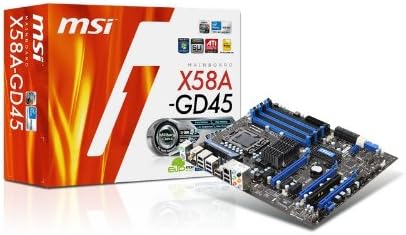
The MSI X58A-GD45 offers excellent expansion options with three PCIEx16 slots making it a strong contender for multi GPU setups on the Lga 1366 socket.
We may earn a commission when you buy through this link, at no additional cost to you.
It supports USB 3.0 and includes Active Phase Switching for dynamic power control which helps improve efficiency during lighter workloads.
While stable it lacks some of the premium BIOS tuning features found on high end models which may limit extreme overclocking scenarios.
Gamers needing multiple graphics cards for rendering or older games will find this board a reliable and affordable foundation for their builds.
Three x16 slots allow for flexible multi GPU setups without major compromises.
Active Phase Switching adjusts power delivery to match current demand saving energy.
We may earn a commission when you buy through this link, at no additional cost to you.
The ASUS P6X58D-E provides six DDR3 slots enabling triple channel memory architecture which significantly boosts bandwidth for Core i7 processors.
We may earn a commission when you buy through this link, at no additional cost to you.
It features three-way SLI support and two SATA3 ports offering robust expansion and storage options for legacy gaming and media systems.
Realtek ALC889 audio is decent but lacks some modern features though it remains sufficient for standard 7.1 surround sound setups.
For users prioritizing raw memory bandwidth and multi GPU compatibility this board offers a balanced mix of performance and reliability.
Using three memory modules unlocks full triple channel speeds for better CPU performance.
Three PCIEx16 slots enable powerful 3-way SLI or CrossFireX configurations.
We may earn a commission when you buy through this link, at no additional cost to you.
The Supermicro X8STI brings server grade reliability to the Lga 1366 platform with dual Intel Gigabit LAN controllers and robust ECC memory support.
We may earn a commission when you buy through this link, at no additional cost to you.
Its main strengths include onboard Matrox graphics which saves a PCIe slot and multiple SATA ports ideal for home server or NAS builds.
Expansion is limited compared to gaming boards with only one full length PCIe slot which restricts large GPU or storage card additions.
Home lab enthusiasts needing uptime and networking redundancy will appreciate the professional features and build quality of this model.
Two Intel controllers allow for redundant or teaming configurations for reliable network access.
Onboard Matrox controller handles basic display tasks freeing up slots for other hardware.
We may earn a commission when you buy through this link, at no additional cost to you.
The ASUS P6T Deluxe V2 remains a classic choice for enthusiasts valuing traditional ATX layouts and robust Core i7 processor support.
We may earn a commission when you buy through this link, at no additional cost to you.
It includes six DIMM slots and standard features that ensure compatibility with most legacy components while maintaining a stable platform.
User feedback indicates a lower rating likely due to its age and lack of newer connectivity features like USB 3.0 on rear ports.
Despite this it serves well as a reliable foundation for standard Lga 1366 builds where basic performance and compatibility are the main priorities.
Classic design ensures compatibility with a wide range of legacy hardware components.
Standard dimensions fit most mid tower cases easily without custom modifications.
We may earn a commission when you buy through this link, at no additional cost to you.
The Intel DX58SO Extreme is a reference design board that offers a clean and reliable experience for those preferring Intel branded motherboard components.
We may earn a commission when you buy through this link, at no additional cost to you.
It features 7.1 Dolby Digital audio and twelve USB ports providing solid multimedia support and connectivity for legacy peripherals and devices.
Overclocking tools are basic compared to third party brands which may limit users who want fine tuned voltage control for extreme performance.
If you value reference quality and compatibility with Intel Core i7 CPUs this board provides a stable and straightforward platform for standard use.
Built by Intel ensures strict adherence to platform specifications and stability.
7.1 Dolby Digital provides immersive sound for older gaming and media setups.
We may earn a commission when you buy through this link, at no additional cost to you.
The Dx58So Extreme Series serves as a basic option for users needing simple support for Lga 1366 processors without complex features or extra costs.
We may earn a commission when you buy through this link, at no additional cost to you.
It provides core functionality via the X58 chipset and standard ATX form factor ensuring it fits in typical cases for generic builds.
Detailed specs are not fully provided in the listing so buyers should verify compatibility with specific CPU and memory models before purchase.
For users needing a straightforward board for legacy hardware repairs or basic office setups this model offers essential support without complications.
Provides essential features needed to run legacy Core i7 systems effectively.
Standard ATX size ensures it fits most common desktop computer cases.
We may earn a commission when you buy through this link, at no additional cost to you.
Selecting the right Lga 1366 Motherboard requires careful evaluation of chipset features expansion capabilities and power delivery to match your specific system goals.
Most boards use the Intel X58 chipset which is designed specifically for Core i7 Extreme and Nehalem processors. Ensure the board lists your exact CPU model to avoid compatibility issues.
Check that the chipset supports the QPI speed you need for your processor to maintain high speed data transfer between CPU and memory.
Look for boards with at least six DIMM slots to take advantage of triple channel memory architecture which significantly improves performance. Most boards support up to 24GB of RAM.
If you need more than 24GB consider server grade boards like Supermicro which offer up to 288GB of ECC registered memory for heavy workloads.
A robust power delivery system such as a 16+2 phase design ensures stable voltages for the CPU especially when running under heavy loads or overclocking.
Higher phase counts typically mean better thermal performance and longevity for the motherboard components during extended use periods.
Evaluate the number of PCI Express slots available if you plan to use multiple graphics cards or add extra storage controllers. Boards vary from one to three full length slots.
Ensure the slots support your GPU configuration whether it is SLI or CrossFireX to avoid bottlenecks in multi GPU systems.
For faster load times and boot speeds prioritize boards with SATA 6Gb/s ports which double the bandwidth of older SATA 3Gb/s controllers.
While NVMe is not native to this platform you can still achieve decent speeds with SATA based SSDs for storage upgrades.
USB 3.0 support is a significant upgrade for older boards allowing faster data transfer for external drives and peripherals.
Dual Gigabit LAN ports are useful if you need network redundancy or teaming for higher throughput on your network.
Standard ATX boards fit most mid tower cases but workstation models may be CEB or EATX which require larger chassis.
Measure your case dimensions before buying to ensure the board fits without obstruction from side panels or other hardware.
Most boards use Realtek or Intel codecs which provide decent 7.1 surround sound but may lack modern features like optical output.
Check if your case supports the audio jacks provided on the rear panel to ensure you can use external speakers or headphones.
Install the board by first securing the backplate and ensuring all standoffs are correctly positioned to avoid short circuits. Connect the power cables before installing the CPU to avoid damaging the socket.
Keep your BIOS updated to the latest version available from the manufacturer to ensure compatibility with newer CPU revisions and improved stability.
Maintain airflow by checking fans regularly and cleaning dust from heat sinks and connectors to prevent overheating and ensure long term reliability.
Some boards like the Supermicro X8STI support ECC memory while consumer boards like the ASUS P6T typically do not. Always check your specific motherboard manual to confirm ECC compatibility.
Most consumer X58 boards support up to 24GB using six DDR3 DIMM slots. Server boards like the Supermicro X8DTN+ support significantly higher capacities up to 288GB.
Not natively. You will need a PCIe adapter card and may need to modify the BIOS or use a separate bootloader to install Windows on the drive.
It can handle older games well but it lacks modern instruction sets and PCIe 3.0/4.0 support. It is better suited for legacy builds or retro gaming setups.
Many later models like the ASUS P6X58D Premium include USB 3.0 ports. Check the specs carefully as early X58 boards only have USB 2.0.
Yes many boards support 2-way or 3-way SLI and CrossFireX provided you have multiple compatible PCI Express slots and a sufficient power supply.
The Lga 1366 socket is designed for Core i7 Extreme Edition and Core i7 Nehalem processors. It is not compatible with Lga 1156 or 2011 CPUs.
Yes you may need to update your BIOS to support newer CPUs like the i7-990X or specific memory speeds. Check the manufacturer support page before installation.
We highlighted the ASUS P6T7 WS SuperComputer the X58 Gaming Motherboard and the Supermicro X8DTN+ as top picks based on their unique strengths and price points.
Prioritize features like memory capacity USB connectivity and power delivery based on whether you are building for gaming or server workloads.
Always check current prices and availability before buying since legacy parts can fluctuate in cost based on demand and condition.