
2PCS Blue 1602 LCD Module
4.0Editor score
16 characters per line display
Blue backlight for visibility
Compatible with standard controllers
Compare the top LCD Dot Matrix Modules for 2026 based on display quality, compatibility, and value to find the perfect screen for your electronics projects.
LCD dot matrix modules are essential components for displaying text and graphics in embedded systems. Choosing the right module ensures clear visibility and reliable performance for your specific application needs.
We evaluated ten top-rated modules based on display resolution, backlight quality, driver compatibility, and ease of integration. Our comparison highlights the strengths of each option for various project requirements.
Each pick includes detailed specs and real-world usage insights to help you decide. Note that availability and pricing may vary over time, so check current listings before purchasing.
4.0Editor score

4.1Editor score

4.1Editor score
The following table provides a side-by-side comparison of all ten modules evaluated in this guide, highlighting key specifications and display capabilities for quick reference.



The Ximimark 12864 LCD module stands out as a top choice for graphic displays due to its clear blue backlight and easy integration. With a rating of 4.1, it balances performance and affordability well for hobbyists.
We may earn a commission when you buy through this link, at no additional cost to you.
Its standout feature is the integrated potentiometer for contrast adjustment, allowing precise tuning for different lighting conditions. The dimmable LED backlight ensures readability without excessive power draw.
Trade-offs include the fixed resolution and reliance on specific Arduino libraries which might require initial setup time. However, these are minor issues given the overall value and performance.
This module is ideal for makers needing a compact graphic display for status readouts or simple graphics. Its ease of use makes it a strong recommendation for most projects.
Comes with example code to streamline setup with Arduino boards quickly.
High contrast blue display ensures text is readable in varied lighting.
We may earn a commission when you buy through this link, at no additional cost to you.
This module offers excellent value with a wide viewing angle and high contrast. It is a practical choice for general-purpose displays in industrial or hobby contexts.
We may earn a commission when you buy through this link, at no additional cost to you.
The bright blue backlight and full graphic capabilities make it suitable for complex interfaces. Compatibility with MEGA 2560 boards ensures broad support.
Lack of library examples may require more manual coding effort. However, the hardware quality compensates for this minor inconvenience.
Choose this for cost-effective graphic display needs where setup support is less critical than raw display quality.
Designed to work seamlessly with common Arduino Mega boards.
Full graphic mode allows custom icons and detailed data visualization.
We may earn a commission when you buy through this link, at no additional cost to you.
This two-pack offers incredible value for projects requiring basic text output. With a straightforward 16×2 display, it handles simple readouts efficiently.
We may earn a commission when you buy through this link, at no additional cost to you.
Its compatibility with standard controllers makes integration seamless for beginners. The blue backlight provides adequate visibility for indoor projects.
While limited to characters, this simplicity reduces complexity for basic monitoring tasks. It is perfect for status indicators where graphics are unnecessary.
Buy this if you need multiple units for simple text displays at the lowest cost.
Getting two modules saves money for multi-device projects.
Uses common parallel port connections for easy wiring.
We may earn a commission when you buy through this link, at no additional cost to you.
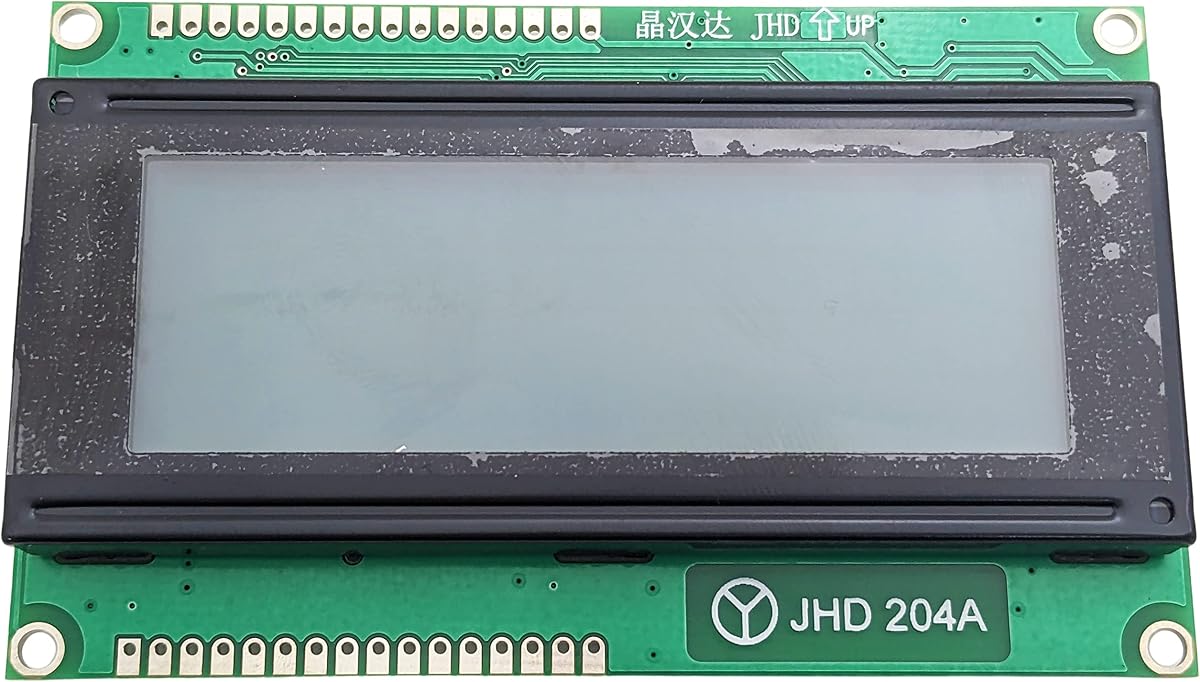
This module provides expansive text space with 20 characters per line across four lines. It is ideal for detailed logs or menus.
We may earn a commission when you buy through this link, at no additional cost to you.
The built-in driver simplifies wiring by handling internal logic. Its reflective nature is suitable for well-lit environments without added power.
Trade-offs include the lack of backlight in some configurations and slightly larger size. These are manageable for stationary installations.
Select this for applications needing more text capacity than standard 1602 modules.
Eighty total characters allow detailed system messages.
Controller is included reducing external component needs.
We may earn a commission when you buy through this link, at no additional cost to you.
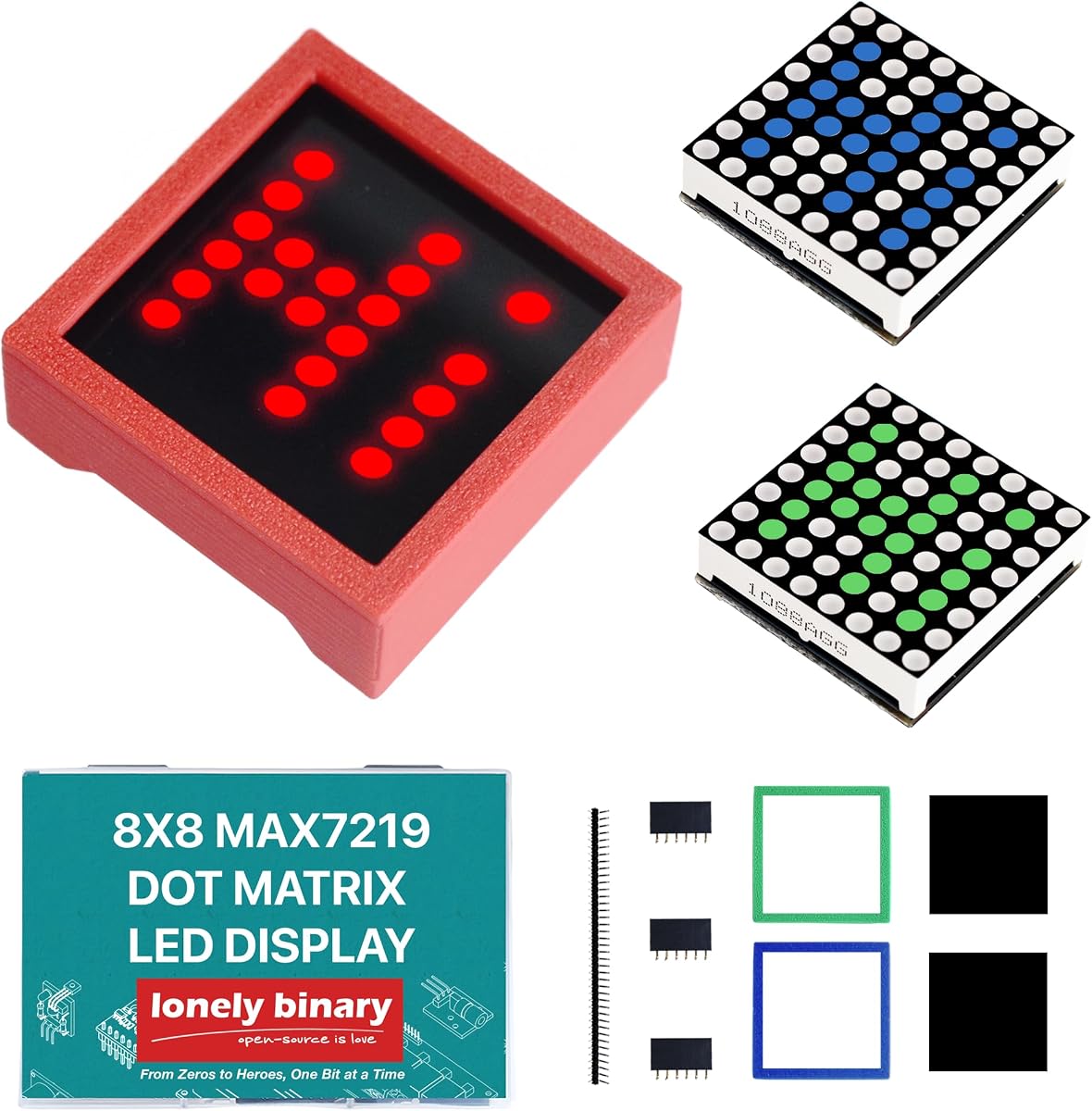
With a 4.7 rating, this kit offers exceptional quality and versatility for LED matrix projects. It includes three distinct colors for varied visual effects.
We may earn a commission when you buy through this link, at no additional cost to you.
The onboard MAX7219 driver handles current limiting and control easily. Enclosures give it a polished look ready for final deployment.
Individual modules are single color which might limit full-color needs. Soldering headers is required for daisy-chaining which adds a bit of work.
Perfect for retro games or scrolling text where color variety is desired across multiple modules.
Included PLA cases protect modules and hide wiring.
Standard SPI pins allow easy expansion.
We may earn a commission when you buy through this link, at no additional cost to you.
This module is a staple for small LED matrix projects due to its compact size and ease of use. It fits easily into tight enclosures.
We may earn a commission when you buy through this link, at no additional cost to you.
The common cathode design is standard for many Arduino libraries. The 5pin line simplifies wiring significantly.
Lacks the extras like enclosures found in premium kits. It is a barebone module suited for prototyping.
Ideal for hobbyists who just need the core display functionality without extra features.
Small footprint allows installation in tight spots.
Minimal pins reduce connection complexity.
We may earn a commission when you buy through this link, at no additional cost to you.
Designed specifically for numeric data, this module handles digits efficiently with built-in decoding. It is ideal for counters or clocks.
We may earn a commission when you buy through this link, at no additional cost to you.
Brightness control allows customization for different environments. The low-power mode is great for battery-operated devices.
Limited to digits which restricts graphical use. However, it excels in its specific niche.
Choose this for accurate and energy-efficient numeric readouts.
Low power mode extends battery life significantly.
Built-in BCD decoding simplifies number display.
We may earn a commission when you buy through this link, at no additional cost to you.
This module offers a robust text display with 20 characters per line. The blue background and white characters provide excellent readability.
We may earn a commission when you buy through this link, at no additional cost to you.
Adjustable contrast ensures visibility in varying light conditions. Bright backlight helps in dark environments.
Size is larger than standard 1602 which may require enclosure adjustments. It remains a solid choice for detailed text apps.
Recommended for projects prioritizing clear text output over graphics.
White on blue provides sharp contrast.
Potentiometer lets you tune for your needs.
We may earn a commission when you buy through this link, at no additional cost to you.
This larger module offers extensive space for messages with 32 pixels per row. It is perfect for signage or scrolling text.
We may earn a commission when you buy through this link, at no additional cost to you.
Enclosures and chainability make it a premium ready-to-deploy solution. High brightness ensures visibility in larger spaces.
Cost is higher due to premium packaging and size. But the value in quality justifies the price.
Best for professional or polished projects needing significant display width.
Wide format perfect for scrolling announcements.
Enclosures give a professional look.
We may earn a commission when you buy through this link, at no additional cost to you.
With a 4.6 rating, this two-pack delivers reliability and value. It is perfect for building larger displays or testing.
We may earn a commission when you buy through this link, at no additional cost to you.
Universal mounting holes simplify installation. The compact design fits into tight spaces easily.
Lack of enclosures means you need your own housing. But the core functionality is strong.
Ideal for bulk purchases where cost matters more than finish.
Pre-drilled holes help secure modules easily.
High ratings confirm consistent performance.
We may earn a commission when you buy through this link, at no additional cost to you.
Selecting the right module involves evaluating resolution, interface, and physical constraints to match your project requirements.
Resolution dictates how much data you can display. Character modules like 1602 show text while graphic modules like 12864 show icons and complex text. Choose based on complexity.
Higher resolution allows more customization but needs more code.
Interfaces range from parallel ports to SPI. SPI is simpler and uses fewer pins while parallel offers speed. Match your controller pin availability.
SPI is preferred for space-constrained designs.
Backlights improve visibility in low light. Some modules have blue or white LEDs adjustable for brightness. Reflective types save power but need light.
Use LED backlight for dark environments.
Modules must match your microcontroller voltage. Common ones work with 5V Arduino but some support 3.3V ESP32. Check voltage levels before buying.
Ensure voltage matches your board specs.
Physical dimensions affect enclosure fit. Larger displays like 20×4 take more space. Check if mounting holes are included for ease.
Measure your case before purchasing.
Some include drivers reducing external parts. Others need external controllers for graphics. Integrated drivers simplify wiring significantly.
Integrated drivers save space and cost.
Some sell single units while others offer packs. Buying packs may offer better value for bulk needs. Check if enclosures are included.
Multi-packs reduce unit costs.
Prices vary by features. Basic text modules are cheaper than graphic or LED versions. Balance cost with necessary functionality.
Prioritize essential features to save.
Start by connecting power and data lines according to the datasheet. Ensure correct voltage to prevent damage.
Install necessary libraries for your controller. Test with basic display commands to verify connection.
Protect displays from dust and direct sunlight to prolong lifespan. Use cases when possible for embedded systems.
Character modules display predefined alphanumeric characters using internal font maps. Graphic modules display pixels allowing custom shapes and icons. Choose graphics for flexible layouts and characters for simple text.
Some include built-in drivers like HD44780 which simplify control. Others need external chips like MAX7219 for LEDs. Check specs for driver status before buying.
Yes many support 3.3V logic. Ensure voltage dividers are used if module is 5V only. Check product specs for ESP32 compatibility.
Most use a potentiometer on the board. Rotate it to find the best contrast. Some software adjustable via driver commands.
Choose high brightness backlights and reflective types. Enclosures protect against moisture. LED modules fare better than LCD outdoors.
Some come with headers pre-soldered. Others need you to solder pins. Check product details for soldering requirements before ordering.
Yes many SPI modules like MAX7219 support daisy-chaining. Use DOUT to DIN connections. Check max limit for your controller.
Arduino LiquidCrystal library works for standard LCDs. LedControl supports MAX7219. Search for specific library names for your module type.
We reviewed ten modules from text to graphic and LED options. The Ximimark 12864 leads for graphics while the 2PCS 1602 is budget king.
Prioritize resolution and interface based on your microcontroller. Consider brightness and size for your enclosure design.
Always check current listings for latest prices and stock. Your perfect module awaits with careful selection.