
HP 14 inch Laptop
4.5Editor score
Intel N150 Processor
14 inch Anti-Glare Display
USB-C and HDMI Ports
Finding the right laptop for Zoom calls is essential for professionals and students who rely on video conferencing daily. A good device ensures clear audio, crisp video, and reliable performance during critical meetings without frustrating technical interruptions.
We evaluated ten top-rated products based on camera quality, microphone clarity, display brightness, and overall system stability. Our analysis includes dedicated laptops and complementary accessories that enhance your video call experience significantly.
Each pick highlights specific strengths like battery longevity, portability, or advanced lighting features to suit different needs. Please note that product availability and pricing may change frequently, so verify details before making your final purchase decision.
4.5Editor score

5.0Editor score

5.0Editor score
As an Amazon Associate we earn from qualifying purchases.
The following table provides a side-by-side comparison of all ten products selected for this guide. Each entry highlights key specifications such as display size, processor type, memory capacity, and specific features tailored for video conferencing needs.





The HP 14 inch Laptop ranks as our top budget pick for video conferencing due to its solid performance and portability. It features an Intel N150 processor that handles standard Zoom tasks efficiently while maintaining a slim profile ideal for travel.
We may earn a commission when you buy through this link, at no additional cost to you.
Its 14 inch non-touch display offers clear visuals with anti-glare coating to reduce eye strain during long meetings. The laptop includes necessary connectivity options like USB-C and HDMI for connecting external monitors or projectors easily.
While the 4GB RAM might limit heavy multitasking, it suffices for standard video calls and document editing. The included Microsoft 365 subscription adds immediate value for those needing productivity tools right out of the box.
This laptop is perfect for students or entry-level professionals needing a reliable device for daily meetings without breaking the bank. Its lightweight design ensures easy transport between home and office environments seamlessly.
Weighing just 3.24 pounds with a slim 0.71 inch profile, this laptop is easy to carry anywhere for meetings on the go.
Multiple ports including USB 3.0 Type-C and HDMI allow seamless connection to peripherals and external displays during presentations.
We may earn a commission when you buy through this link, at no additional cost to you.
The Cyezcor Video Conference Lighting Kit serves as a vital accessory to enhance your appearance during Zoom calls. It clips directly onto your monitor to provide soft, even lighting that eliminates shadows on your face.
We may earn a commission when you buy through this link, at no additional cost to you.
You can adjust both brightness and color temperature to match your environment perfectly. This flexibility ensures you look professional whether you are in a bright office or a dimly lit room at home.
The ring light design prevents glare and harsh shadows that often occur with overhead room lighting. Its simple USB power requirement means you can run it off your laptop or any available USB port easily.
This kit is ideal for anyone struggling with poor room lighting who wants a quick and affordable upgrade to their video call setup. It significantly improves visibility and professionalism without complex installation steps.
Five brightness levels and three color temperature options give you full control over how you appear on camera.
The clip-on design requires no tools or assembly, allowing you to start improving your lighting instantly.
We may earn a commission when you buy through this link, at no additional cost to you.
The HP Everyday Slim Laptop stands out as our Editor's Choice due to its exceptional balance of performance and video call features. It includes the HP True Vision 720p HD camera with temporal noise reduction for clear video feeds.
We may earn a commission when you buy through this link, at no additional cost to you.
Dual array microphones ensure your voice is captured accurately while filtering out background noise effectively. This makes it highly suitable for professional settings where clear audio is just as important as video quality.
Despite having standard specs, this laptop delivers reliable performance for continuous video conferencing sessions. The inclusion of Microsoft 365 and Windows 11 ensures a smooth and secure user experience across all tasks.
We recommend this device for daily users who prioritize audio-visual clarity without needing heavy computing power. Its thin and portable design complements its long battery life for uninterrupted workdays anywhere.
Built-in temporal noise reduction and dual array mics optimize your presence in virtual meetings significantly.
The thin and portable chassis combined with efficient processing allows for easy transport and extended usage.
We may earn a commission when you buy through this link, at no additional cost to you.
The NIMO 15.6 FHD Copilot AI Laptop represents premium performance with its 16GB RAM and 512GB SSD. This configuration ensures smooth multitasking during Zoom calls while running multiple applications simultaneously without lag.
We may earn a commission when you buy through this link, at no additional cost to you.
Its 15.6 inch Full HD display provides sharp visuals perfect for reviewing documents or presentations during meetings. The 175 degree flat lay hinge allows easy sharing of screens with colleagues sitting nearby the table.
Security is enhanced with a fingerprint sensor for quick and secure logins. Additionally, the hardware-level encryption protects sensitive work data, making it ideal for remote workers handling confidential information.
This device is perfect for power users who need robust hardware for heavy workflows alongside reliable video call capabilities. The two-year warranty and US-based support offer added peace of mind for long-term use.
Sixteen gigabytes of RAM handle 20 plus browser tabs and 1080p Zoom calls without any performance drops.
The Full HD screen offers a 85 percent screen to body ratio for sharp and detailed visual experiences.
We may earn a commission when you buy through this link, at no additional cost to you.
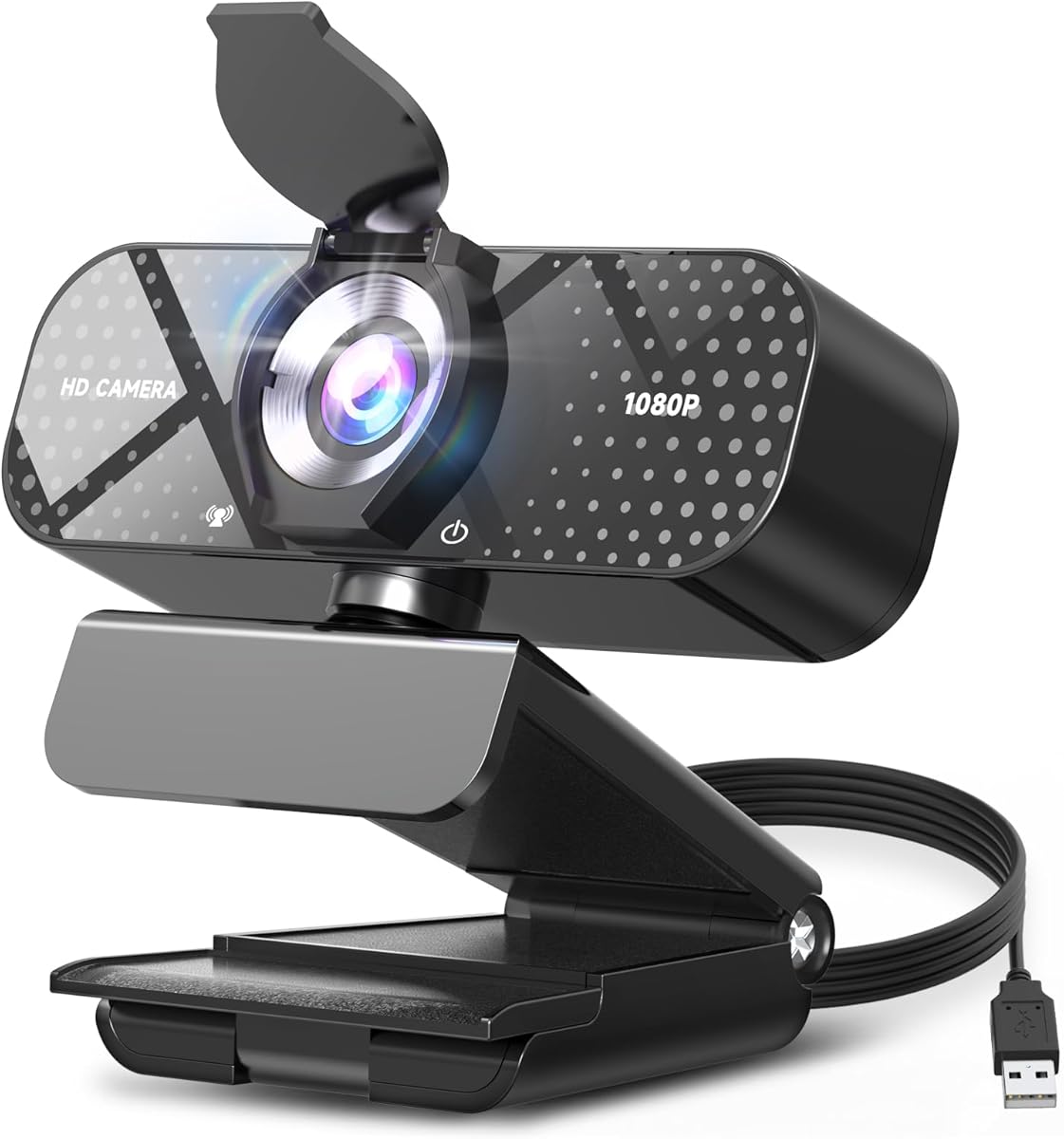
The TRAUSI 1080P FHD Webcam is an excellent external upgrade for laptops with inferior built-in cameras. It captures sharp video at 30 frames per second with vivid colors that make you look professional on screen.
We may earn a commission when you buy through this link, at no additional cost to you.
Its noise-canceling microphone ensures your voice remains crisp even in noisy environments like offices or homes. Automatic light correction adjusts brightness and color dynamically so you always look your best regardless of lighting conditions.
The included privacy cover offers immediate protection when the camera is not in use. This simple feature safeguards your personal space and provides peace of mind during periods of non-use at your desk.
This webcam is highly recommended for anyone needing high-definition video quality for streaming or teaching. The wide-angle lens captures more of your surroundings which is useful for group calls or detailed presentations.
Full HD resolution combined with a wide-angle lens ensures sharp vibrant images every time you log on.
A slide cover mechanism allows you to physically block the lens instantly when privacy is needed.
We may earn a commission when you buy through this link, at no additional cost to you.
The Zoom Lighting for Computer utilizes edge-lit technology to deliver even and gentle lighting for professional meetings. Its high CRI rating ensures vibrant and true-to-life colors on video for a natural appearance.
We may earn a commission when you buy through this link, at no additional cost to you.
Ergonomically designed with an adjustable height ranging from 22 to 32.5 inches it fits various desk configurations. The metal base with non-slip pads provides stability to keep the light steady during long sessions.
Thirty-sixity degree rotation allows you to direct light exactly where needed without moving your laptop or chair. This flexibility makes it suitable for both video calls and reading or other desk tasks efficiently.
Ideal for home office setups requiring versatile lighting solutions this desk ring light enhances your image quality effectively. It serves as a dedicated tool for remote workers seeking consistent and high-quality illumination.
High CRI of 97.8 ensures that colors on your face and background appear vibrant and true to life.
Adjustable height and 360 degree rotation allow you to customize the light position for optimal comfort.
We may earn a commission when you buy through this link, at no additional cost to you.
This ring light features a curved design that separates it from standard flat lampshades to reduce eye strain. It provides softer and more even illumination perfect for enhancing your video presence during remote work.
We may earn a commission when you buy through this link, at no additional cost to you.
With three color temperatures and ten dimming levels you can finely tune the lighting to match your environment. The high CRI over 95 ensures accurate color reproduction making your videos look vivid and realistic.
The clip-on mounting system is secure and easy to install on most computer screens. Its compact nature makes it a practical choice for students or freelancers needing better lighting without taking up desk space.
We suggest this option for those seeking an affordable upgrade for their webcam setup. It balances performance and cost effectively while delivering professional-grade lighting results for online meetings.
The six inch curved design sets it apart from other flat lampshades by providing brighter illumination.
Multiple lighting modes allow you to cycle through warm cool and mixed light to suit any scenario.
We may earn a commission when you buy through this link, at no additional cost to you.
The HP 14 Business Laptop is designed specifically for professional environments with necessary productivity tools included. It comes with a one-year Office 365 subscription ensuring you have access to Word and Excel immediately.
We may earn a commission when you buy through this link, at no additional cost to you.
Its 14 inch anti-glare display provides sharp text and images for clear viewing during presentations. The laptop includes a variety of ports including USB-C and HDMI to connect diverse peripherals easily.
Windows 11 Home ensures a secure and efficient operating system tailored for work and study. The inclusion of earphones adds immediate value for private listening during meetings in shared spaces.
This laptop is a solid choice for small business owners or students needing a reliable and ready-to-use device. Its balance of hardware and software features supports everyday business tasks efficiently.
One year of Office 365 included provides essential productivity tools right out of the box.
Variety of ports allows you to connect multiple devices without needing extra dongles.
We may earn a commission when you buy through this link, at no additional cost to you.
The HP New Everyday Slim Laptop features the latest Copilot AI technology for enhanced productivity and workflow support. It is designed for mobility with a sleek chassis weighing just 3.24 pounds for easy daily travel.
We may earn a commission when you buy through this link, at no additional cost to you.
With 1TB cloud storage complementing the 128GB SSD you get ample space for files and media without local limitations. The dual array microphones and HP True Vision camera ensure clear communication during virtual meetings.
While reviews show a mixed rating the hardware specs offer competitive features for its class. The dedicated Copilot key provides quick access to AI tools which can streamline tasks during busy workdays.
We recommend this laptop for users who value AI features and cloud integration alongside standard video conferencing. Its long battery life ensures you stay productive throughout the day without frequent recharging.
A dedicated Copilot key provides instant access to AI tools to streamline your work tasks.
One terabyte of cloud storage ensures you have plenty of space for your files and projects.
We may earn a commission when you buy through this link, at no additional cost to you.
The yAyusi Dual-lamp Video Conference Lighting kit offers a unique dual bar design for brighter and more even light. This setup brings a professional podcast effect to your video calls by eliminating shadows effectively.
We may earn a commission when you buy through this link, at no additional cost to you.
You can control the lights via touch or remote allowing for quick adjustments without reaching for the device. Three color modes and ten brightness levels give you extensive customization to match any environment.
The rotatable design supports both horizontal and vertical installation to suit different monitor sizes. Sponge pads on the clamps protect your device from scratches ensuring safe use across multiple setups.
This kit is perfect for content creators who need high-quality lighting for recording and streaming. Its dual light configuration provides superior illumination compared to single light options available in the market.
Two stream light bars provide brighter even light compared to standard single light options.
Control options include both touch and remote to make adjusting lighting settings easy.
We may earn a commission when you buy through this link, at no additional cost to you.
Selecting the ideal laptop for video conferencing requires understanding key hardware and software factors that impact call quality and reliability. This guide outlines the essential elements to consider before making your final decision.
A high-resolution camera ensures your image appears clear to meeting participants. Look for models with at least 720p HD resolution and features like noise reduction to minimize visual distortion.
Prioritize laptops with advanced camera sensors that automatically adjust to low light conditions for consistent visibility.
Clear audio is as important as video for effective communication. Dual array microphones or noise-canceling features help capture your voice clearly while reducing background distractions.
Check reviews regarding mic quality to ensure others can hear you without static or interference during calls.
The display size and resolution affect how well you see shared content and other participants. A minimum of 14 inches with HD resolution provides adequate space for multitasking during meetings.
Anti-glare coatings are beneficial for reducing eye strain during long sessions under various lighting conditions.
The processor determines how smoothly the laptop runs Zoom alongside other applications. A modern quad-core processor ensures lag-free video and quick transitions between tasks.
For heavy multitasking, prioritize models with higher processor tiers to maintain stable performance over time.
Eight or more gigabytes of RAM are recommended for smooth operation with multiple tabs open. Solid-state drives (SSDs) improve boot times and application loading speeds significantly.
Ensure sufficient storage capacity to install necessary software and store meeting recordings locally.
Multiple USB ports and HDMI connections allow you to connect external monitors and webcams easily. Wi-Fi 6 support enhances connection stability for uninterrupted video streaming.
Verify that the laptop has compatible ports for your current peripherals to avoid purchasing extra adapters.
Long battery life ensures you can attend meetings without being tethered to a power outlet. Aim for models offering at least eight hours of usage to support a full workday.
Fast charging capabilities add convenience for quick top-ups between scheduled calls.
A lightweight design makes it easier to transport your laptop between home and office environments. Consider the weight and thickness when selecting a device for frequent travel.
Slim profiles generally correlate with better ergonomics and ease of packing into bags.
Position your laptop at eye level to create a natural camera angle. This setup reduces neck strain and ensures your face is centered within the frame for professional-looking calls.
Keep your microphone and speakers clean to maintain audio clarity. Use a soft cloth to wipe these components regularly and avoid placing drinks near the keyboard to prevent damage.
Update your operating system and Zoom application frequently to ensure security and performance. Restart your device weekly to clear cache and maintain smooth operation during critical meetings.
For smooth Zoom calls, a minimum of 4GB RAM is acceptable for basic usage. However, 8GB or more is recommended to handle multitasking with multiple tabs and applications open simultaneously.
Most modern laptops come with built-in cameras sufficient for standard meetings. However, if you need higher resolution or better low-light performance, an external 1080p webcam can improve video quality significantly.
Use headphones with a built-in microphone to reduce echo and background noise. Additionally, position yourself in a quiet room and mute yourself when not speaking to maintain professional audio standards.
Yes, the Intel N150 processor is capable of handling standard video conferencing tasks efficiently. It provides a balance of performance and battery life suitable for everyday remote work and meetings.
Soft, front-facing lighting is ideal to eliminate shadows on your face. Ring lights or desk lamps positioned behind your monitor can provide even illumination that makes you look clear and professional.
A good laptop should last at least eight hours on a single charge to support a full workday. This ensures you can attend meetings without worrying about finding a power outlet unexpectedly.
128GB is sufficient for the operating system and essential apps, but cloud storage is often needed for media. If you store many files locally, consider models with expandable storage or higher SSD capacity.
Dedicated Copilot keys provide quick access to AI features within Windows 11. This allows users to launch productivity tools faster, which can streamline tasks during and after meetings.
We have presented ten top options ranging from budget laptops to premium models and essential accessories. Whether you prioritize battery life or camera quality there is a pick for every professional or student.
Consider your specific needs such as multitasking requirements and portability when making your final choice. Accessories like external lights can significantly upgrade an affordable laptop to professional standards.
Remember to verify current availability and specifications before purchasing as models and offers change frequently. With the right setup you can ensure clear communication and a professional presence in every meeting.