
HP Chromebook 14 Laptop
4.3Editor score
Chrome OS System
Up to 14 Hours Battery
Thin and Lightweight
Choosing a laptop when you are not tech savvy can feel overwhelming with so many specs and features to consider. This guide simplifies the process by focusing on devices that offer simplicity reliability and intuitive interfaces for everyday tasks like browsing and emailing.
We evaluated ten top rated laptops based on ease of setup battery life display clarity and overall user experience. Each model was selected for its ability to handle common needs without requiring deep technical knowledge or complex configurations to get started quickly.
Every recommendation includes specific details on performance and design to help you find the right fit. Prices and availability may change so please check the links for the most current information before making your final purchase decision today.
4.3Editor score

4.3Editor score

4.4Editor score
As an Amazon Associate we earn from qualifying purchases.
This table provides a quick side by side overview of all ten laptops featured in this guide to help you compare key specifications and features at a glance.


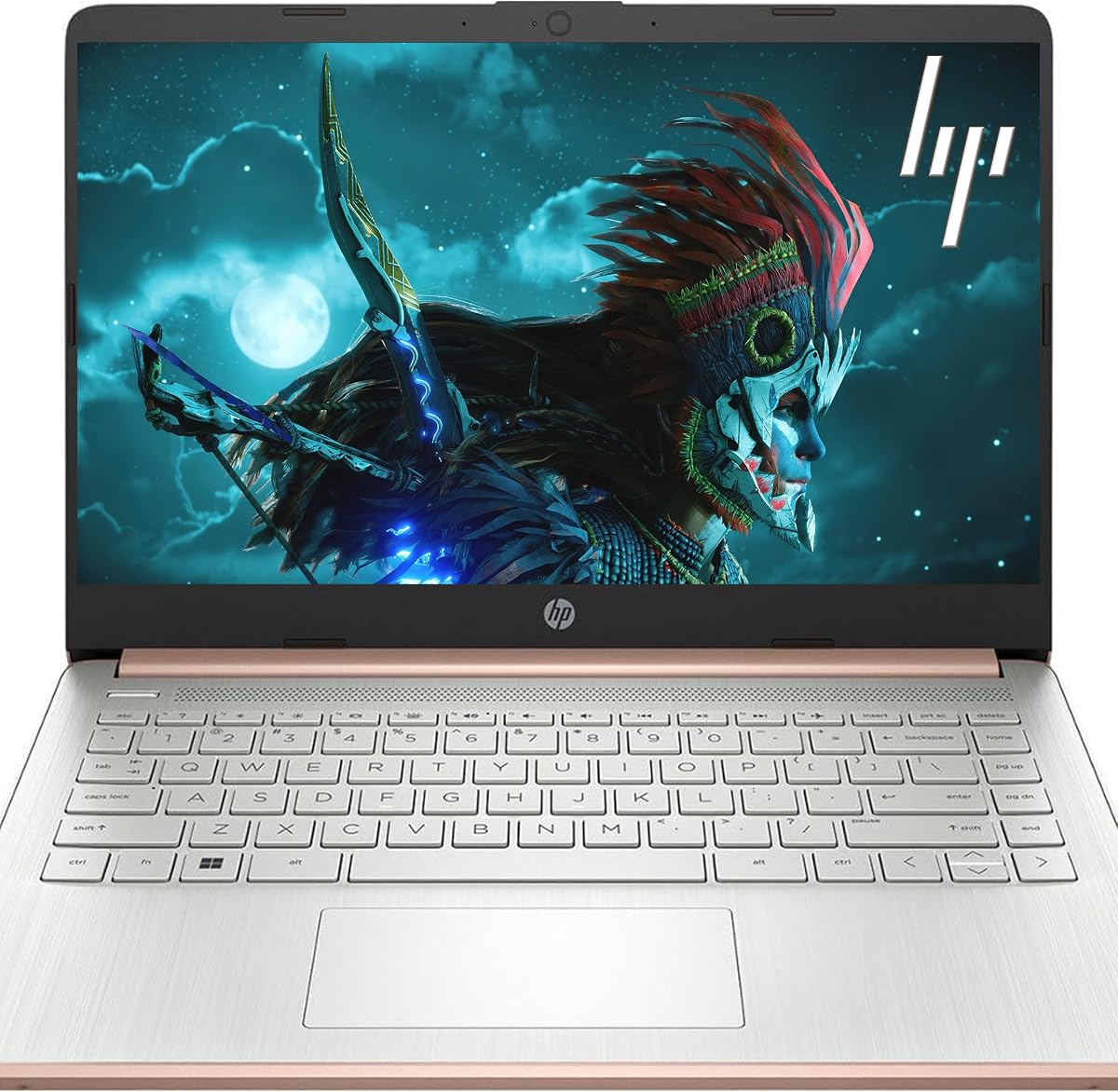


This HP Everyday Slim Laptop stands out as the top choice for non tech users who need a reliable Windows machine. It comes with Windows 11 and a one year Microsoft Office 365 subscription which covers all basic document and email needs.
We may earn a commission when you buy through this link, at no additional cost to you.
The Intel N150 processor handles web browsing and streaming smoothly while the 128GB SSD ensures quick boot times. The inclusion of 1TB of OneDrive cloud storage means you do not have to worry about running out of local space for photos and files.
While the storage is limited locally and the screen is HD rather than Full HD the value and simplicity make up for it. These trade offs are acceptable for casual users who primarily work online or with cloud saved documents.
If you want a ready to use laptop with essential software included this is the model to buy. It balances performance portability and ease of use perfectly for everyday household tasks.
Windows 11 Home offers a familiar interface with large icons and simple menus that reduce confusion for first time computer owners.
The included Office 365 subscription allows you to create documents and spreadsheets immediately without extra costs or downloads.
We may earn a commission when you buy through this link, at no additional cost to you.
The HP Chromebook 14 is an excellent budget option for those who primarily use the internet for browsing and media. Chrome OS is designed to be simple and secure requiring minimal maintenance or technical updates.
We may earn a commission when you buy through this link, at no additional cost to you.
Its standout feature is the battery life which can last up to 14 hours on a single charge. This is ideal for people who want to use the laptop all day without hunting for a power outlet.
The downsides are that you need an internet connection for most tasks and the storage is very limited. These are acceptable trade offs for users who save files to the cloud and do not need heavy software installed.
Choose this Chromebook if you want a low cost machine for email and videos. It is perfect for students or seniors who value simplicity and battery life over raw power.
You can use this laptop for an entire day of light tasks on one charge thanks to its efficient hardware and software optimization.
Chrome OS handles updates automatically and protects against common online threats so you can browse safely without extra antivirus software.
We may earn a commission when you buy through this link, at no additional cost to you.
This HP 15.6 inch laptop offers a premium experience with a touchscreen that makes navigation intuitive for non tech users. You can tap and swipe just like on a tablet which reduces the learning curve for basic interactions.
We may earn a commission when you buy through this link, at no additional cost to you.
The AMD Ryzen 3 processor combined with 8 GB of RAM handles multiple applications smoothly. This means you can have several browser tabs and a document open at the same time without the system slowing down significantly.
The screen is limited to HD resolution and storage is modest but the physical camera shutter adds great privacy value. These features are important for safety and ease of use even if the hardware specs are not top tier.
Buy this if you want a larger screen and touch control for easier interaction. It is a strong choice for home use where visual comfort and privacy are priorities.
The touchscreen allows you to open apps and scroll through pages with a simple finger tap making navigation feel natural and easy.
A physical shutter on the camera lets you block it from view when not in use giving you peace of mind about your privacy.
We may earn a commission when you buy through this link, at no additional cost to you.
The Dell 15.6 Laptop stands out because it offers a Full HD display which provides sharper text and images than HD screens. This clarity reduces eye strain during reading and video watching making it very comfortable for daily use.
We may earn a commission when you buy through this link, at no additional cost to you.
It features an ergonomic keyboard with a numeric keypad and ComfortView technology to reduce blue light. The design focuses on physical comfort which is important for users who type or read for long periods without breaks.
While it is heavier and more expensive than some alternatives the screen quality and service options justify the cost. The onsite service means help can come to your home if needed which is a relief for non tech owners.
Choose this model if visual quality and physical comfort are your main concerns. It is a solid choice for home offices or study spaces where you sit for hours.
Dell ComfortView reduces harmful blue light to keep your eyes comfortable during extended screen time so you can work longer without fatigue.
Lifted hinges and roomy keys make typing easier on your wrists while the numeric pad speeds up data entry tasks.
We may earn a commission when you buy through this link, at no additional cost to you.
This HP 14 inch laptop is a great value because it includes a one year Microsoft Office 365 subscription right out of the box. You save money and get productive tools immediately without needing to visit a store or subscribe online.
We may earn a commission when you buy through this link, at no additional cost to you.
It uses LPDDR5 memory which is faster than older types helping the system respond quickly to commands. The full size keyboard and good ports mean you can plug in devices like printers or external drives without needing extra adapters.
The 4GB of RAM might feel tight if you open many programs at once but for basic tasks it works well. The screen is HD which is sufficient for general use though not as crisp as Full HD options.
If you need a reliable machine for work with included software this is a smart pick. It balances features and cost effectively for everyday household or office use.
Access Word and Excel immediately with the included subscription saving you the hassle of setting up accounts or buying software separately.
Wi-Fi 6 support ensures fast and stable internet connections for video calls and streaming without needing upgrades.
We may earn a commission when you buy through this link, at no additional cost to you.
This HP Everyday Slim Laptop is one of the lightest and highest rated options for non tech users. Weighing just 3.24 pounds it is easy to carry between rooms or take on trips without straining your bag.
We may earn a commission when you buy through this link, at no additional cost to you.
It offers an impressive battery life that can last over 11 hours allowing you to work or browse throughout the day. The DDR5 memory helps keep the system responsive so basic apps launch quickly and run smoothly.
The main limitation is the local storage which means you should rely on the included OneDrive cloud space for files. The screen is also HD rather than Full HD which is a minor trade off for such portability.
Choose this if you move around a lot and need a device that lasts all day. It is perfect for light users who want something simple and easy to carry.
You can use this laptop for a full day of tasks on a single charge so you do not need to hunt for outlets constantly.
At under 3.5 pounds this laptop fits easily into backpacks and bags making it ideal for travel or daily commuting.
We may earn a commission when you buy through this link, at no additional cost to you.
This HP Everyday Slim Laptop includes a dedicated Copilot key for AI assistance which can help with writing or answering questions easily. It also comes with Microsoft 365 included so you have everything you need for documents and email.
We may earn a commission when you buy through this link, at no additional cost to you.
The system is responsive enough for typical tasks and the full size keyboard makes typing comfortable. Ports are well chosen for connecting essentials and the Wi-Fi 6 keeps your internet connection stable for calls.
Storage is limited locally so relying on cloud storage is important for keeping the system fast. The screen is HD which is adequate for most users but lacks the sharpness of higher resolution displays.
If you want AI tools and included software this is a great practical choice. It simplifies daily tasks for non tech users who need support while working.
Press the Copilot key to get instant help with tasks or questions making technology feel more accessible and less intimidating.
Word and Excel are ready to use immediately so you can start writing documents or tracking budgets right away.
We may earn a commission when you buy through this link, at no additional cost to you.
This HP Portable Laptop offers an unusual combination of low cost and high RAM which makes it run smoothly even with many apps open. The 16GB of memory helps prevent slowdowns which is rare at this price point.
We may earn a commission when you buy through this link, at no additional cost to you.
It includes a one year Microsoft 365 subscription and a pair of earbuds so you have everything needed for calls and documents. The battery life is good enough to get through a full work or study day without interruption.
The storage is small and the screen is HD but the performance smoothness is a key benefit for multitasking. Users who switch between tabs and apps often will appreciate the extra memory.
Choose this if you want extra power for a smooth experience without paying premium prices. It is excellent for students or home users who do a lot of web multitasking.
With 16GB of RAM this laptop handles many open windows smoothly so you can switch between tasks without waiting for apps to load.
The included earbuds mean you can make clear calls or listen to music immediately without buying extra accessories.
We may earn a commission when you buy through this link, at no additional cost to you.
This HP Business Laptop is a solid compact choice that includes both Office 365 and a pair of earphones for calls. It is designed for simple daily tasks and keeps things ready to use right out of the box.
We may earn a commission when you buy through this link, at no additional cost to you.
The Intel N150 processor and 128GB storage handle basic work efficiently enough for emails and browsing. The full size keyboard and good ports mean you can connect to projectors or printers easily.
Performance may lag slightly if you run heavy apps because of the 4GB RAM but this is rare for casual use. The bundled earphones save you money on accessories so you get more value.
Pick this if you want a ready to go bundle with essential tools. It is a practical option for those who need simple functionality without extra hassle.
Included earphones mean you can start taking calls or listening to media immediately without extra purchases.
Multiple USB and HDMI ports let you connect to different devices easily so you do not need extra adapters.
We may earn a commission when you buy through this link, at no additional cost to you.
This HP Laptop offers a good balance with 8GB of RAM which is better for multitasking than lower RAM models. It includes Office 365 and Copilot AI to help you get work done faster with less technical effort.
We may earn a commission when you buy through this link, at no additional cost to you.
The processor handles daily tasks well and the WiFi 6 keeps internet speeds high for video calls. The battery life is long enough to last through a workday or school day without needing a recharge.
Storage is limited so you will need to manage files or use cloud services regularly. The UFS drive is decent for basic use but not as fast as premium SSDs found in higher priced laptops.
Choose this if you want reliable performance with helpful AI tools. It is a great choice for users who need smooth operation for online meetings and documents.
8GB RAM provides a stable experience for running several apps at once without significant slowdowns.
The Copilot key helps you find answers quickly and simplify complex tasks with artificial intelligence support.
We may earn a commission when you buy through this link, at no additional cost to you.
Selecting the right laptop involves looking at several factors that impact ease of use and satisfaction. This section breaks down the most important aspects to consider.
The operating system is the software that runs the laptop and determines how you interact with it. Windows 11 is familiar for most users and supports the widest range of apps and files. Chrome OS is simpler and works best if you spend most of your time online. Consider which ecosystem matches your needs.
Choose Windows for traditional software and flexibility or Chrome OS for simplicity and security.
A processor is the brain of the computer and handles all your tasks. For non tech users basic processors like Intel N150 or Ryzen 3 are enough for browsing and emails. Avoid very low end chips if you want the machine to last for years without slowing down.
Aim for a mid range processor that balances cost and performance for long term use.
Memory or RAM affects how many programs you can use at once. 4GB is the minimum but 8GB allows for smoother switching between tabs and apps. If you keep many windows open consider choosing a model with 8GB to avoid frustration.
Select at least 8GB of memory for a smoother multitasking experience.
Storage is where your files and software live. SSDs are faster than older hard drives and you should look for at least 128GB. If you plan to store many photos or videos use cloud storage like OneDrive to save space on the device.
Opt for an SSD with 128GB or more to keep files organized and fast.
The screen size affects portability and comfort. A 15.6 inch screen is easier on the eyes for reading and watching videos but a 14 inch laptop is easier to carry. Full HD resolution provides sharper text than HD which helps prevent eye strain.
Choose a larger screen for home use or a smaller one for travel.
Good battery life means you can use the laptop away from a wall outlet. Look for models that promise at least 8 to 10 hours of actual use. This is important if you want to work from different spots or take the device on trips.
Prioritize laptops with long battery claims for true portability and convenience.
Warranty and service plans matter when you do not know how to fix issues. Dell offers onsite service which sends a technician to your home if something breaks. HP and others offer standard limited warranties that cover hardware failures for a year.
Check the warranty terms and see if onsite support is available in your area.
Many laptops come with Microsoft Office 365 subscriptions included for a year. This saves you money and gives you Word and Excel right away. Others may include earphones or cloud storage which adds value to the purchase without extra cost.
Look for bundles that include essential software to save on future costs.
Set up your laptop by creating a user account and connecting to your home Wi-Fi network. Install any updates the system asks for to keep it secure and running smoothly from the start.
Protect the screen from direct sunlight and keep it away from liquids to avoid damage. Use a soft dry cloth to clean the display and keyboard without using harsh chemicals that could scratch surfaces.
Store the laptop in a protective case when traveling to prevent bumps or scratches. Regularly restart the device to clear temporary files and maintain speed over time.
Yes a Chromebook is very easy to use for people who primarily browse the internet and use email. It requires less maintenance than Windows laptops and is secure by default. However it depends on an internet connection for most tasks so check your usage habits first.
Windows laptops come with built in security called Windows Defender which is enough for most users. Chromebooks handle updates and security automatically without extra software. If you use strong passwords avoid suspicious links you are likely safe.
Yes all these laptops support an external mouse via USB or Bluetooth. Connecting a mouse can make navigation easier if the touchpad feels too sensitive or hard to use. This is a great option for users who prefer physical pointing.
Having Office 365 included means you can create documents and spreadsheets right away without buying software later. It costs less than buying separate tools and is useful for everyday tasks at home. Check the license term to see how long it lasts.
All the laptops listed have built in cameras and microphones for video calls. They support major apps like Zoom and Skype out of the box. For better quality check that the camera has HD resolution and the microphone reduces background noise.
You can transfer files using cloud storage like OneDrive or Google Drive to save photos and documents. Many laptops also include USB ports so you can plug in a flash drive to move data. This method is safer and easier than using external hard drives.
Choose a 14 inch model as they weigh less than 3.5 pounds and fit in most bags. These are easier to lift and carry between rooms or take on public transport. Avoid larger 15 inch screens if mobility is your top priority.
Most modern laptops in this guide last between 8 and 14 hours depending on usage. Bright screens and heavy video streaming reduce battery time significantly. For best results adjust brightness and close unused apps to save power.
The HP Everyday Slim Laptop with Copilot AI leads the list for its balance of features and software. The HP Chromebook 14 is the most affordable option for simple web tasks while the HP 15.6 inch Laptop offers a premium touch experience.
When choosing prioritize battery life and screen quality to ensure comfort during daily use. Also consider software bundles like Office 365 to get immediate value and support for documents.
Prices and availability change regularly so verify details on the product links before purchasing. Check current offers to get the best value for your specific needs and budget today.