
Video Conference Lighting & Computer Light
4.1Editor score
Plug-and-play USB design
Three color modes available
Magnetic or clip mount
Finding the right lighting for your computer setup is crucial for productivity and eye health. Internal PC work lights offer targeted illumination without cluttering your desk space. They are designed to reduce glare and enhance visibility during long work sessions.
We analyzed ten top-rated models based on their performance, design, and user feedback. Each product was evaluated for brightness, adjustability, and compatibility with different monitor sizes. This list covers a wide range of options to suit various needs and preferences.
Each pick highlights key features and potential trade-offs to help you make an informed decision. Ratings reflect user satisfaction and product reliability. Please note that availability and pricing may change, so verify details before purchasing.
4.1Editor score

4.2Editor score

4.5Editor score
As an Amazon Associate we earn from qualifying purchases.
This table provides a side-by-side comparison of all ten selected products. Review key specifications to find the model that best matches your workspace requirements and lighting preferences.
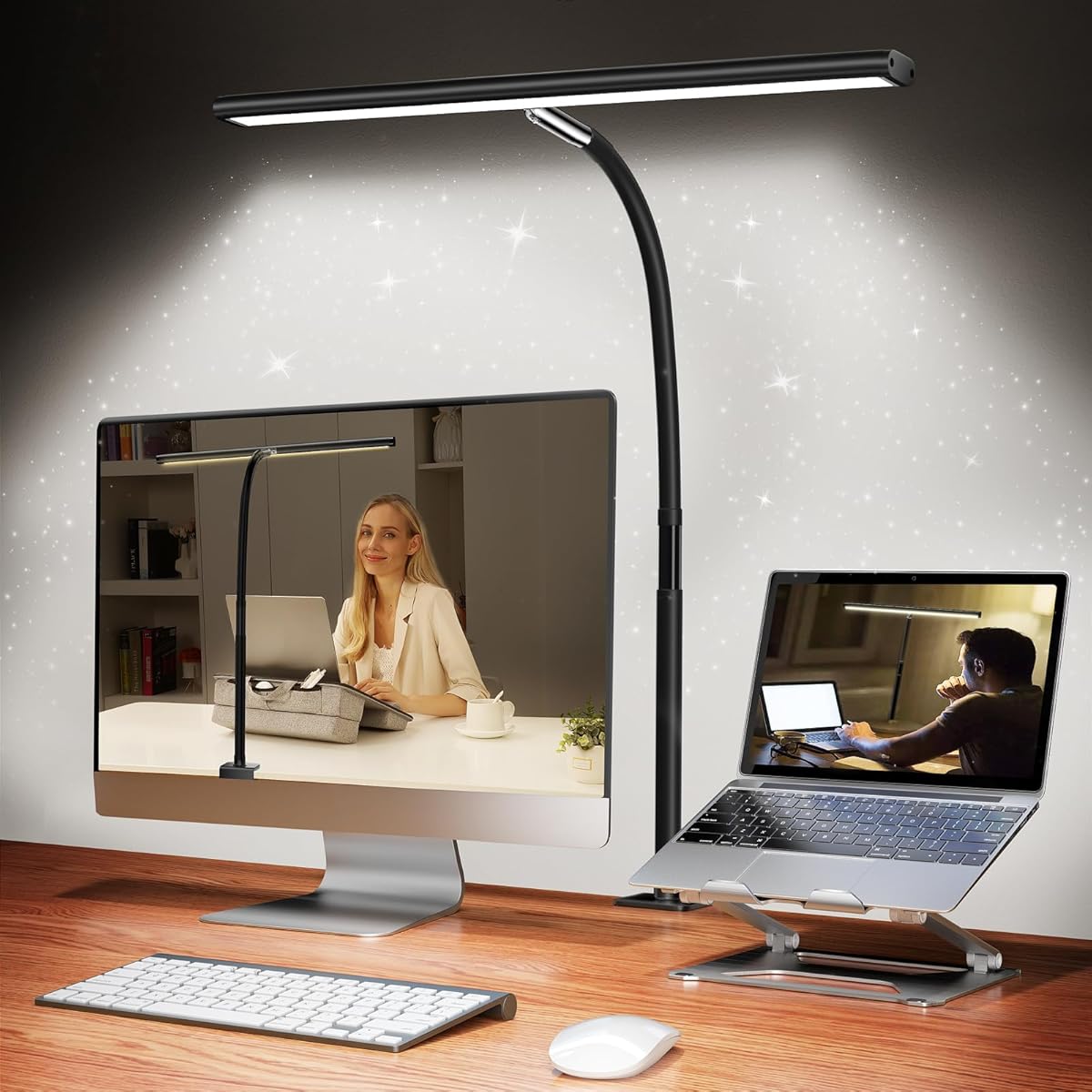



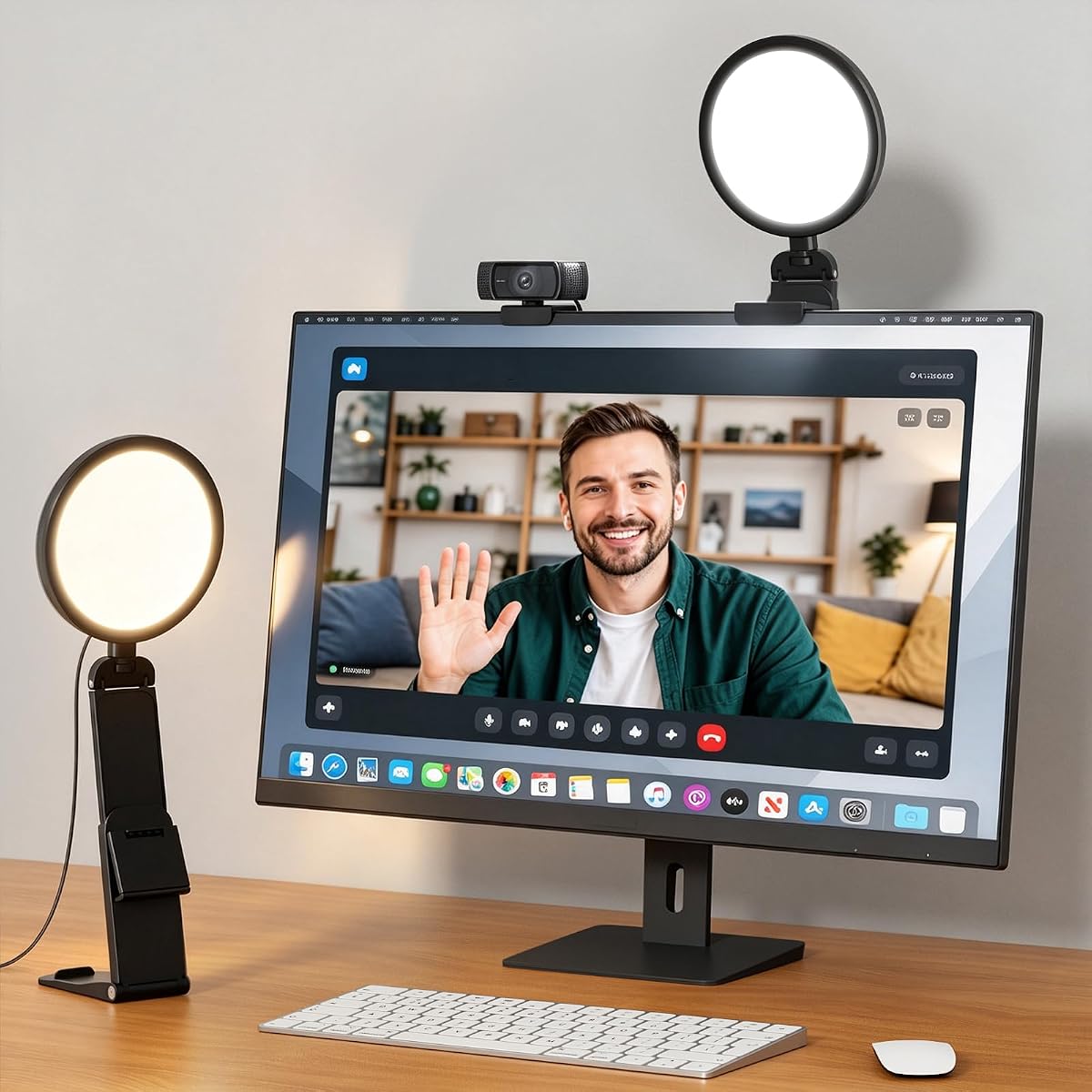

This light bar is an exceptional choice for those seeking effective task lighting. It delivers broad illumination that covers your workspace evenly. The design prioritizes eye health by minimizing direct glare during extended use.
We may earn a commission when you buy through this link, at no additional cost to you.
The 11.8 inch bar provides significant coverage. Its 45 degree angle ensures light hits your desk and screen. The memory function automatically recalls your preferred settings. USB power allows flexible connection options.
The mounting clip works well on most monitors. However, it may not suit all desk materials. The mechanical switch is functional but not as advanced as app controls. These trade-offs are acceptable for the price.
Ideal for home office users or gamers. It effectively reduces eye strain. The balance of features and performance makes it a top recommendation. We recommend it for anyone needing reliable task lighting.
The light eliminates screen reflection. It focuses illumination on the workspace below.
Mounts directly on the monitor. This saves valuable desk surface area.
We may earn a commission when you buy through this link, at no additional cost to you.
This lamp is perfect for larger desks or multiple monitors. Its 17 inch bar ensures complete workspace coverage. The stepless dimming allows precise brightness control. It is designed for versatility and long-term use.
We may earn a commission when you buy through this link, at no additional cost to you.
The gooseneck offers full directional control. You can adjust it to any angle easily. The aluminum material helps with heat dissipation. The included adapter ensures reliable power without issues.
The clamp is sturdy but may not fit all desks. The wire management helps keep things organized. It requires some setup effort. These factors are minor compared to the overall value provided.
Suitable for drafting, crafting, or detailed work. It supports productivity with consistent light. The adjustability is a major benefit. We suggest this for those needing flexible lighting.
360 degree gooseneck provides full control. Position light exactly where needed.
Uses significantly less power. Provides long lifespan for daily use.
We may earn a commission when you buy through this link, at no additional cost to you.
This light is a favorite among content creators. It offers cinematic lighting quality for video calls. The TrueSoft technology ensures natural color accuracy. It is specifically designed to enhance your on-camera presence.
We may earn a commission when you buy through this link, at no additional cost to you.
The frameless diffuser creates soft, even light. It eliminates harsh shadows on your face. The 3-way mount allows precise positioning. You can control it easily with the G HUB app.
It is not intended for general desk lighting. The focus is on camera illumination. The price reflects its specialized purpose. These constraints are acceptable for streamers seeking quality.
Perfect for Zoom meetings or streaming. It elevates your visual presentation. We recommend it for creators prioritizing video quality. It delivers professional results with minimal effort.
Delivers cinematic color accuracy. Ensures natural and radiant look on camera.
Use G HUB app for adjustments. Save presets for consistent settings.
We may earn a commission when you buy through this link, at no additional cost to you.
This lamp offers extensive customization options. It provides 25 light modes for various tasks. The remote control adds convenience for users. It is well-suited for creative and academic work.
We may earn a commission when you buy through this link, at no additional cost to you.
The swing arms allow flexible positioning. You can direct light exactly where needed. The 270 degree lamp head ensures full coverage. It minimizes eye strain with balanced illumination.
Setting up the arms can be tricky. You need to replace remote batteries occasionally. These are minor inconveniences. The versatility compensates for these small issues.
Great for students or architects needing precision. It supports detailed tasks effectively. We appreciate its adaptability. Recommend it for users needing diverse lighting modes.
360 degree swing allows precise placement. Direct light to specific work areas.
Wireless remote offers ease. Use. Control settings without touching lamp.
We may earn a commission when you buy through this link, at no additional cost to you.
This panel light is a simple yet effective choice. It improves your appearance on video calls. It is plug-and-play with no software required. Users can start using it immediately out of the box.
We may earn a commission when you buy through this link, at no additional cost to you.
It offers three color modes for flexibility. The brightness levels adjust to your environment. The magnetic base keeps it secure on metal screens. It saves space and reduces desk clutter.
The build is simple compared to pricier models. It may not suit heavy-duty professional use. The price point is very competitive. These trade-offs are acceptable for casual users.
Best for students or remote workers on a budget. It ensures a professional look easily. We recommend it as a practical accessory. Great for basic video conferencing needs.
No drivers or install needed. Just plug in and start using.
Compact design reduces clutter. Ideal for small or shared desks.
We may earn a commission when you buy through this link, at no additional cost to you.
This light combines task lighting with ambient effects. It offers both front and rear illumination. The RGB modes create a dynamic environment for gaming. It supports focus while adding style.
We may earn a commission when you buy through this link, at no additional cost to you.
The frontlight reduces eye strain effectively. You can adjust brightness and color temperature. The backlight adds visual interest to your setup. Dual controls allow independent management of each mode.
The RGB feature may distract during work. The clip may not suit all monitor types. These are minor issues for the price. We find it a balanced option for gamers.
Perfect for gaming setups needing extra lighting. It provides task light and ambiance. We recommend it for those wanting versatility. A stylish addition to any PC desk.
9 RGB backlight effects create mood. Enhance visual experience during games.
Frontlight reduces screen glare. Protect eyes during long sessions.
We may earn a commission when you buy through this link, at no additional cost to you.
This lamp is ideal for expansive workspaces. Its double head design covers large areas. The timer feature aids energy saving. It is built for robust daily use in offices.
We may earn a commission when you buy through this link, at no additional cost to you.
With 25 modes, it offers great flexibility. The gooseneck allows precise positioning. The clamp secures it firmly. It supports multiple monitors well with its span.
The size may limit placement options. You might need time to assemble parts. These factors are manageable for the benefits. We find it reliable for heavy use.
Ideal for professionals with dual screens. It provides consistent wide coverage. Recommend for long desk setups. Excellent for sustained productivity sessions.
31.5 inch double head fits dual screens. Illuminates large desk areas effectively.
Auto-off timer saves power. Read without worrying about leaving light on.
We may earn a commission when you buy through this link, at no additional cost to you.
This pack offers two lights for multiple locations. It is great for users with home and work setups. The high CRI ensures natural color quality. You avoid harsh glare during calls.
We may earn a commission when you buy through this link, at no additional cost to you.
The edge-lit technology protects eyes. It creates a comfortable environment. The stand is foldable for portability. It is easy to carry with your laptop.
Brightness may not suit all tasks. The build is functional but basic. Buying two units adds value. These points are minor for a set.
Best for teams or remote workers. It ensures good lighting anywhere. We recommend it for versatility. A practical choice for multiple needs.
Ensures natural true color. Features vivid details without shadows.
Lightweight design fits easily. Use in hand bags for travel.
We may earn a commission when you buy through this link, at no additional cost to you.
This bar is a premium option for enthusiasts. It features a refined metallic design. The wireless remote offers elegant control. It turns on automatically with your computer.
We may earn a commission when you buy through this link, at no additional cost to you.
The Ra95 CRI ensures true colors. It minimizes eye fatigue with flicker-free light. The asymmetric design avoids glare. Installation is straightforward with included mounts.
The price is higher than others. You need a USB-C port for power. These are acceptable for the quality. We find it a robust investment.
Ideal for high-end workstations. It combines function with style. Recommend for those prioritizing design. A top choice for premium setups.
Ra95 CRI reveals natural details. Perfect for photo editing work.
2.4GHz wireless remote adds convenience. Adjust lights without touching device.
We may earn a commission when you buy through this link, at no additional cost to you.
This light is a top choice for gamers. It delivers pro-level lighting quality. The TrueSoft technology enhances your visuals. It supports streaming and gaming seamlessly.
We may earn a commission when you buy through this link, at no additional cost to you.
Adjustable settings offer great control. You can save presets for quick access. The stand allows flexible positioning. It integrates well with desktop aesthetics.
The price is significant for users. You may need time to set it up. These are minor issues for gamers. We recommend it for quality seekers.
Perfect for serious streamers. It elevates your content presentation. Best for professional setups. Great for those wanting top performance.
Delivers cinematic color accuracy. Ensures natural radiant look for gameplay.
Save favorite lighting settings. Access quickly via G HUB app.
We may earn a commission when you buy through this link, at no additional cost to you.
Selecting the right PC work light involves considering several factors that impact performance and comfort. This guide outlines key aspects to evaluate before purchasing.
Brightness determines how well your workspace is illuminated. Look for lights with sufficient lumens to cover your desk area without causing glare. Higher brightness levels are useful for detailed tasks or larger desks.
Prioritize models with adjustable brightness to match different environments.
Color temperature affects the mood and focus of your workspace. Cooler tones are better for concentration, while warmer tones suit relaxation. Multiple settings allow you to switch based on your task.
Choose lights offering a range of temperatures for flexibility.
Mounting stability is crucial for safety and functionality. Options include clips, magnetic bases, or stands. Ensure the mount fits your monitor or desk securely without damage.
Select a mounting method compatible with your workspace setup.
USB power is convenient as it uses existing ports. Some models offer adapters or rechargeable batteries. Consider your available power sources and cable management preferences.
USB connectivity is generally preferred for simplicity and portability.
Eye health should be a priority during long work sessions. Look for flicker-free, anti-glare, and balanced light distribution. These features reduce strain and improve comfort.
Prioritize models with certified eye-care technologies for daily use.
Flexible positioning allows light to reach exactly where needed. Swivel arms or adjustable heads provide this freedom. Good adjustability ensures the light suits various activities.
Ensure the light allows easy angle changes for optimal use.
Controls should be intuitive for ease of use. Options include buttons, touch panels, or remotes. Advanced models offer app integration for customization.
Choose a control method that fits your workflow and preferences.
Built quality ensures longevity and reliability. High-quality materials like aluminum improve durability. LEDs often last tens of thousands of hours of use.
Check product ratings and material quality before buying.
Begin by mounting the light securely to your monitor or desk. Ensure it is stable and does not obstruct your view. Adjust the angle to illuminate your workspace evenly without creating glare on the screen.
Set the brightness and color temperature according to your current task. Use cooler tones for focused work and warmer tones for relaxation. Experiment with different settings to find the most comfortable combination for your eyes.
Regularly clean the light surface with a dry cloth to maintain efficiency. Avoid using liquids or harsh chemicals. Unplug the device before cleaning or storing it to ensure safety and longevity.
Yes, many models feature flicker-free and glare-reducing technologies designed to minimize eye fatigue. Proper placement and brightness adjustment further help in reducing strain during long sessions.
Most modern lights come with adjustable clips that fit curved monitors securely. Check the product specifications to ensure compatibility with your screen curvature before purchasing.
Most are USB powered using a computer, adapter, or power bank. Some include an adapter in the box. Always verify the power requirements to ensure a reliable connection.
Absolutely. Many lights are specifically designed to enhance your on-camera appearance. They provide even lighting that eliminates shadows and improves clarity for video conferencing.
LED lights are energy efficient and consume significantly less power than traditional bulbs. They are designed for daily use without a major impact on your energy bills.
Quality LED lights can last up to 50,000 hours or more. Their durability makes them a cost-effective solution for long-term office or home use.
Many models offer multiple color temperature settings. This allows you to switch between cool and warm tones to suit different times of day or tasks.
Yes, most models are designed for quick installation without tools. Follow the included instructions to attach the clip or mount securely to your monitor or desk surface.
Choosing the right PC work light depends on your specific needs. Whether you prioritize eye care, gaming aesthetics, or workspace coverage, our top picks offer excellent options.
Focus on features like adjustability and color options to enhance your productivity. Consider how well the light fits your existing setup to avoid clutter and inconvenience.
Prices and availability may vary over time. We recommend verifying the current status on the product pages before making your purchase decision.