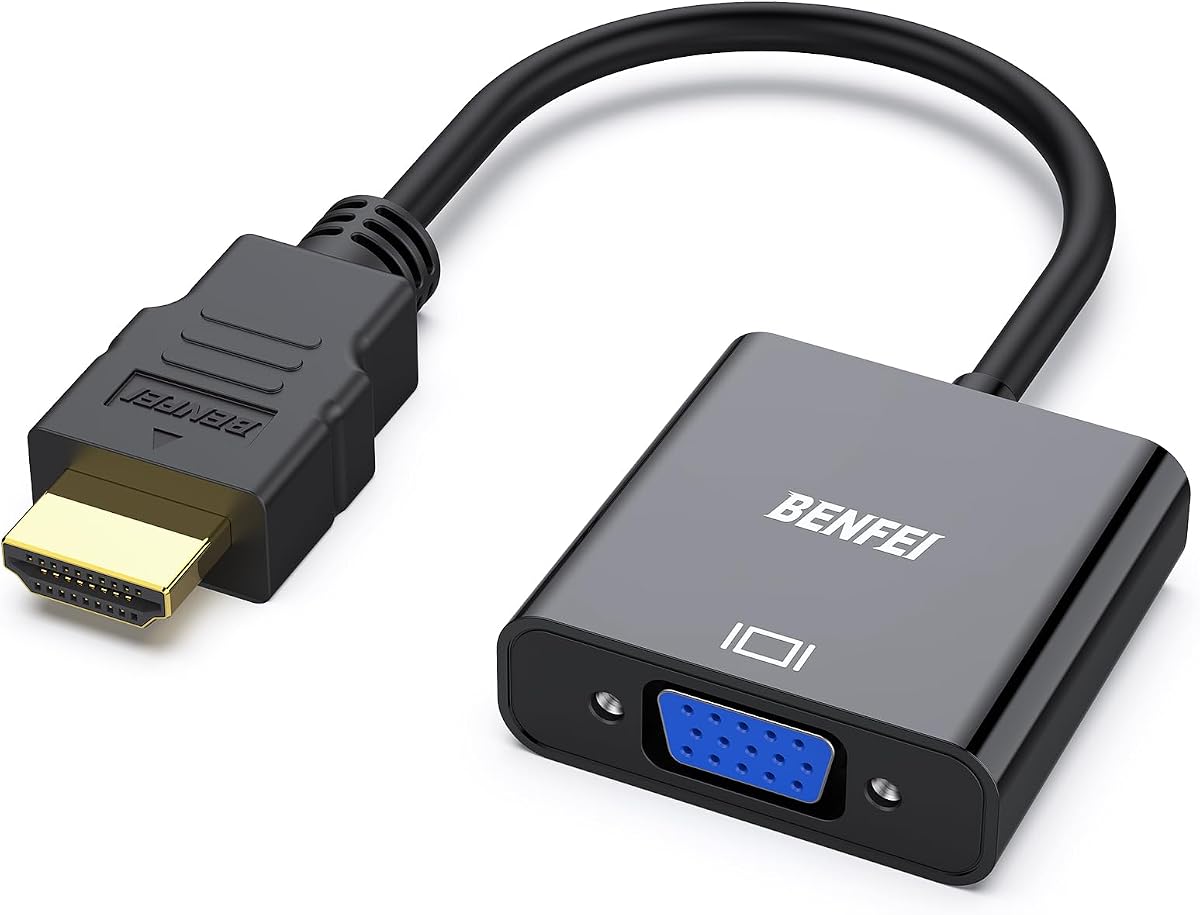
BENFEI HDMI to VGA
4.6Editor score
Compact portable design
Gold-plated connector
1920×1080 support
This guide compares the top HDMI to VGA Converter Adapter models for reliability, compatibility, and signal quality to help you choose the right adapter for
Finding a reliable HDMI to VGA Converter Adapter is essential for connecting modern devices to legacy monitors. These adapters convert digital signals to analog, ensuring compatibility with older projectors and displays used in offices and classrooms.
We evaluated ten top-rated converters based on build quality, signal stability, audio support, and warranty terms. Our analysis focuses on real-world performance across various devices including laptops, desktops, and media players to ensure broad compatibility.
Each pick highlights unique strengths like audio jacks or extended cables. Prices fluctuate frequently, so check current listings before purchasing. This guide ensures you find the perfect adapter for your specific setup without overspending on unnecessary features.
4.6Editor score

4.6Editor score

4.5Editor score
Below is a side-by-side comparison of all ten selected adapters. This table highlights key specifications like resolution support, audio features, and warranty length to help you quickly identify the best fit for your specific connectivity requirements.


The BENFEI HDMI to VGA adapter stands out as a top budget option with a solid 4.6 rating. It efficiently converts HDMI signals to VGA, supporting resolutions up to 1080p for clear visuals on older displays.
We may earn a commission when you buy through this link, at no additional cost to you.
Its gold-plated HDMI connector resists corrosion while the built-in IC chip ensures stable signal transmission. The compact design makes it easy to carry in a laptop bag for business presentations or classroom use.
While it lacks audio support which is common for budget models, the reliable video conversion makes up for this trade-off. The 18-month warranty adds peace of mind for long-term usage in professional settings.
This adapter is ideal for users needing a simple, cost-effective solution for connecting laptops to projectors. If you require audio you may need a separate cable but for video this performs exceptionally well.
The advanced IC chip ensures smooth conversion from digital HDMI to analog VGA without signal loss or flickering during presentations.
Gold-plated connectors and molded strain relief enhance durability ensuring the adapter withstands frequent plugging and unplugging.
We may earn a commission when you buy through this link, at no additional cost to you.
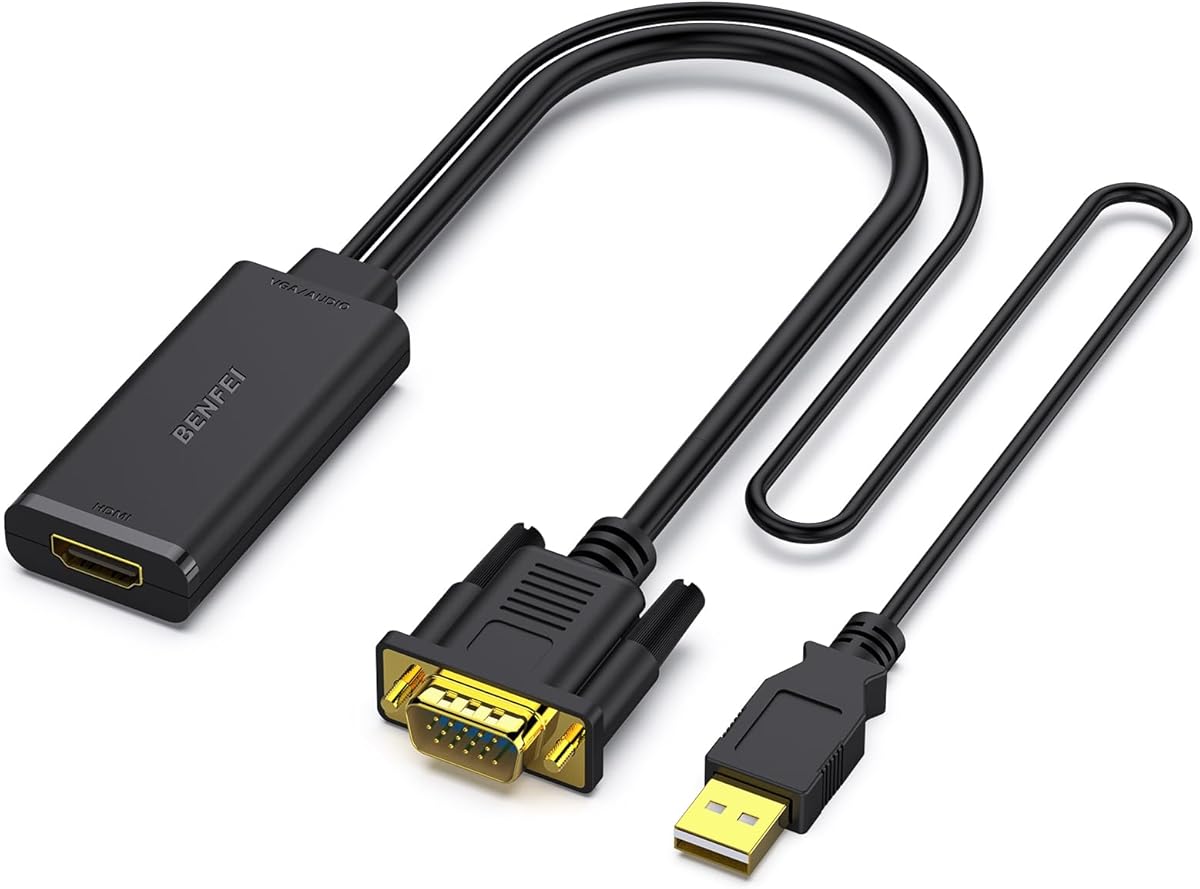
This BENFEI adapter reverses the typical flow by converting VGA signals to HDMI. It supports 1080p resolution and includes audio via a USB connection making it versatile for older desktops connecting to modern TVs.
We may earn a commission when you buy through this link, at no additional cost to you.
The integrated USB cable embeds audio along with video allowing digital audio configuration through Windows settings. Its compact design fits easily in bags ensuring portability for various display setups.
Users must note this only works from VGA source to HDMI display. The USB power requirement is standard for active converters but adds a slight cable to the setup process.
Ideal for those needing to connect older PCs to newer HDMI displays it provides a reliable solution. Check compatibility with your specific device to ensure optimal performance before purchase.
Audio is transmitted via the USB cable allowing for synchronized sound and video playback on the connected HDMI display.
No drivers are required for installation making setup simple and quick for users of any technical skill level.
We may earn a commission when you buy through this link, at no additional cost to you.
The Moread HDMI to VGA adapter earns Editor's Choice with a generous five-year warranty. It matches the performance of top competitors with 1080p support and gold-plated connectors for reliable signal transmission.
We may earn a commission when you buy through this link, at no additional cost to you.
Its advanced IC chip ensures stable conversion from HDMI to VGA while the compact design makes it perfect for travel. The mold strain relief increases cable durability ensuring long-term performance in demanding environments.
While audio is not supported like many standard adapters the video quality remains excellent. The extended warranty period offers superior protection compared to standard eighteen-month options available in the market.
This adapter is perfect for professionals needing a reliable backup connection for presentations. The five-year promise reflects confidence in build quality making it a smart long-term investment.
The exclusive five-year unconditional warranty ensures long-term satisfaction and reliable customer service for any issues that arise.
Gold plated connectors resist corrosion and abrasion improving signal transmission performance for crisp video output.
We may earn a commission when you buy through this link, at no additional cost to you.
The StarTech Active HDMI to VGA adapter is a premium choice designed for professional environments. It converts HDMI to VGA without requiring external power or drivers ensuring seamless compatibility across all operating systems.
We may earn a commission when you buy through this link, at no additional cost to you.
Supporting up to 1920×1080 at 60Hz it utilizes the GPU for minimal CPU usage. The design includes VGA screw-locking cables to prevent accidental disconnections during critical presentations or meetings.
While the price is higher than budget options the build quality and reliability justify the cost. The absence of external power reduces clutter simplifying the setup process for users needing quick connections.
This adapter is ideal for IT professionals managing multiple legacy displays. Its universal compatibility and robust design make it the top choice for enterprise-level deployment.
Compatible with Windows macOS ChromeOS and Linux it works with any HDMI-enabled laptop or desktop without additional software.
VGA screw-locking cables prevent the connection from coming loose ensuring stable display output during use.
We may earn a commission when you buy through this link, at no additional cost to you.
The BENFEI HDMI to VGA 6 Feet Cable offers extended reach for flexible setups. It supports 1080p resolution and features a gold-plated connector for corrosion resistance and better signal transmission performance.
We may earn a commission when you buy through this link, at no additional cost to you.
The cable includes molded strain relief to increase durability and prevent damage at the connector points. Its compact design allows easy storage in bags while the six-foot length reduces clutter near the desk.
While audio is not included this cable is perfect for setups where separate speakers are used. The price point remains competitive for a longer active cable option in the market.
Ideal for users needing more distance between source and display this cable simplifies placement. The reliable build quality ensures consistent performance for both home and office use cases.
The six-foot length provides flexibility for connecting devices placed further away from the monitor or projector.
Molded strain relief increases cable durability protecting the connector from bending and breaking over time.
We may earn a commission when you buy through this link, at no additional cost to you.
This BENFEI adapter is specially designed for TV sticks connecting HDMI sources to VGA monitors. It includes a 3.5mm audio output allowing simultaneous audio and video playback through external speakers.
We may earn a commission when you buy through this link, at no additional cost to you.
A Micro USB port ensures stable power for low-power HDMI devices like TV sticks. The gold-plated HDMI connector resists corrosion while the compact design fits easily in travel kits.
Users should note that audio requires a separate connection which adds steps to the setup. However the dedicated audio jack provides clear sound quality unmatched by standard video-only adapters.
Perfect for entertainment setups this adapter bridges the gap between modern streaming devices and older displays. Check power compatibility before purchasing to ensure optimal performance with your specific device.
The independent 3.5mm audio output allows connecting external speakers for full sound and video experience.
A Micro USB port supports devices with low-power output ensuring consistent performance during use.
We may earn a commission when you buy through this link, at no additional cost to you.
The UGREEN Active HDMI to VGA adapter combines video conversion with audio output through a 3.5mm jack. It supports 1080p resolution and includes a Micro USB cable to optimize compatibility with low-power devices.
We may earn a commission when you buy through this link, at no additional cost to you.
The active chipset ensures digital signals convert cleanly to analog video. Compatible with a wide range of devices including Apple TV and Raspberry Pi it offers reliable performance for diverse setups.
While the Micro USB power is optional it helps ensure stability with power-constrained sources. The audio output requires a separate cable but provides flexibility for external speaker connections.
This adapter is ideal for media streaming devices connecting to projectors. The combination of video stability and audio support makes it a versatile choice for home entertainment systems.
The adapter provides both video and audio outputs ensuring a complete multimedia experience without needing separate adapters.
A Micro USB cable is included to optimize compatibility with devices having low-power HDMI ports like Smart TV Boxes.
We may earn a commission when you buy through this link, at no additional cost to you.
The JideTech HDMI to VGA Converter uses external DC power to ensure stable performance for long-distance transmission. It separates audio via a 3.5mm port allowing connection to amplifiers or headphones.
We may earn a commission when you buy through this link, at no additional cost to you.
Built for industrial environments it supports 1080p Full HD with a reliable active chipset. The design focuses on consistent signal stability making it ideal for conference rooms and educational systems.
While it requires a power adapter this ensures reliability with demanding HDMI sources. The price reflects the robust build and enhanced compatibility with various legacy equipment setups.
This converter is perfect for commercial AV installations needing high reliability. The audio and video separation supports complex audio requirements in professional presentations.
Powered by DC 5V input to provide stable performance for long-distance transmission and compatibility with various HDMI sources.
Built-in active conversion chipset ensures reliable HDMI to VGA signal conversion for consistent video output.
We may earn a commission when you buy through this link, at no additional cost to you.
The StarTech.com HDMI to VGA Adapter features an integrated audio port enabling connection to external speakers. It supports 1080p resolution producing crystal-clear picture quality on legacy VGA monitors.
We may earn a commission when you buy through this link, at no additional cost to you.
Designed to be compact it fits perfectly in laptop carrying cases for easy travel. The plug and play setup requires no software making it user-friendly for quick connections at any location.
While the price is mid-range the audio integration adds significant value. The build quality ensures durability for frequent use in professional presentations.
Ideal for travelers this adapter simplifies presentation setups by combining video and audio needs. The portable design ensures you always have a reliable connection on hand.
The integrated audio port enables connecting VGA monitors to speakers for optimal sound quality without extra adapters.
No drivers required providing a simple solution for easy setup on various systems and devices.
We may earn a commission when you buy through this link, at no additional cost to you.
The Dell HDMI to VGA Adapter is an official OEM product designed for reliability. It features a compact dongle design suitable for connecting HDMI sources to VGA displays in professional environments.
We may earn a commission when you buy through this link, at no additional cost to you.
As a standard adapter it provides a direct connection without complex setups. The build quality meets Dell standards ensuring durability for office and corporate use cases.
While detailed specs are minimal it is trusted for compatibility with Dell systems. The straightforward design makes it a no-fuss choice for basic connectivity needs.
Ideal for users seeking brand consistency this adapter ensures reliable performance with Dell devices. Check current pricing as it may vary based on regional availability.
As an official Dell product it ensures compatibility and quality standards for corporate and personal use.
The dongle design is lightweight and portable making it easy to carry in laptop cases for travel.
We may earn a commission when you buy through this link, at no additional cost to you.
Selecting the right HDMI to VGA Converter Adapter involves understanding key factors like direction, power, and audio. This guide breaks down essential considerations to help you choose an adapter that matches your device and display requirements.
Always confirm the adapter converts in the correct direction. HDMI to VGA adapters convert digital signals from your laptop to analog on older monitors. Using a VGA to HDMI adapter will not work if you are connecting a modern laptop to an old display.
Some adapters need external power via USB for stable performance especially with low-power HDMI sources like TV sticks. Others draw power from the HDMI port which works for standard laptops. Check your source device output before choosing.
VGA carries video only so many adapters lack audio. Some models include a 3.5mm jack or USB audio line to separate sound. If you need sound without extra cables choose an adapter with integrated audio support.
Most adapters support up to 1080p resolution. Ensure the adapter matches your display requirements for clear visuals. Higher resolutions like 1440p may not work reliably on standard adapters without specific high-end support.
Gold-plated connectors resist corrosion and improve signal transmission. Look for molded strain relief to prevent cable damage. Durable plastic housing ensures the adapter withstands frequent travel and repeated plugging during presentations.
Manufacturers offer warranties ranging from 18 months to five years. Longer warranties indicate confidence in build quality and reliability. Prioritize adapters with extended coverage if you need a long-term solution for business use.
Check compatibility with specific devices like Macs or consoles. Some adapters may not work with low-power HDMI ports found on certain models. Verify supported devices before purchasing to avoid connectivity issues.
Compact adapters fit easily in laptop bags for travel. Lightweight designs simplify setup during business trips or classroom presentations. Consider size when choosing if you need to carry the adapter frequently.
Connect the HDMI end of the adapter to your laptop or PC and the VGA end to your monitor. Ensure the ports are aligned securely to maintain a stable connection for clear display output.
If your adapter includes a USB power cable plug it into a USB port on your source device or external charger. This ensures stable signal conversion especially when using low-power HDMI sources like streaming devices.
Store your adapter in a protective case when not in use to prevent dust buildup and connector damage. Regularly inspect the pins and housing for signs of wear to ensure long-lasting performance over time.
Standard HDMI to VGA adapters typically only transmit video since VGA carries video signals. However some models include a 3.5mm audio jack or USB audio line to separate sound for external speakers. Always check product specs if audio is required.
Flickering often occurs due to unstable power supply or loose connections. Ensure the adapter is receiving enough power especially from low-power HDMI sources. Tighten VGA screw locks or replace the cable if the issue persists.
Most adapters work with Macs but some low-power HDMI ports on older models may need USB power support. Verify your Mac model is listed in the compatibility section to avoid connectivity issues during presentations.
Most HDMI to VGA adapters are plug and play requiring no additional drivers. They work automatically with operating systems like Windows macOS and Linux. However specific industrial models may require software for extended features.
Most HDMI to VGA adapters support resolutions up to 1920×1080 at 60Hz which is Full HD. Some premium models may support higher resolutions but most standard adapters max out at 1080p for reliable analog output.
You need an adapter with a built-in 3.5mm audio jack or USB audio output. Connect the audio jack to external speakers or headphones to ensure sound plays simultaneously with video on your display.
Our top picks like the BENFEI and Moread adapters offer excellent balance of performance and affordability. The StarTech models provide premium reliability for professional needs. Each choice depends on your specific setup priorities.
Prioritize power compatibility and audio needs before purchasing to avoid connectivity issues. Ensure the adapter supports your desired resolution for clear visuals. Consider warranty terms for long-term peace of mind.
Prices change frequently so check current listings before finalizing your purchase. This guide ensures you find the right adapter for your setup without overspending on unnecessary features.