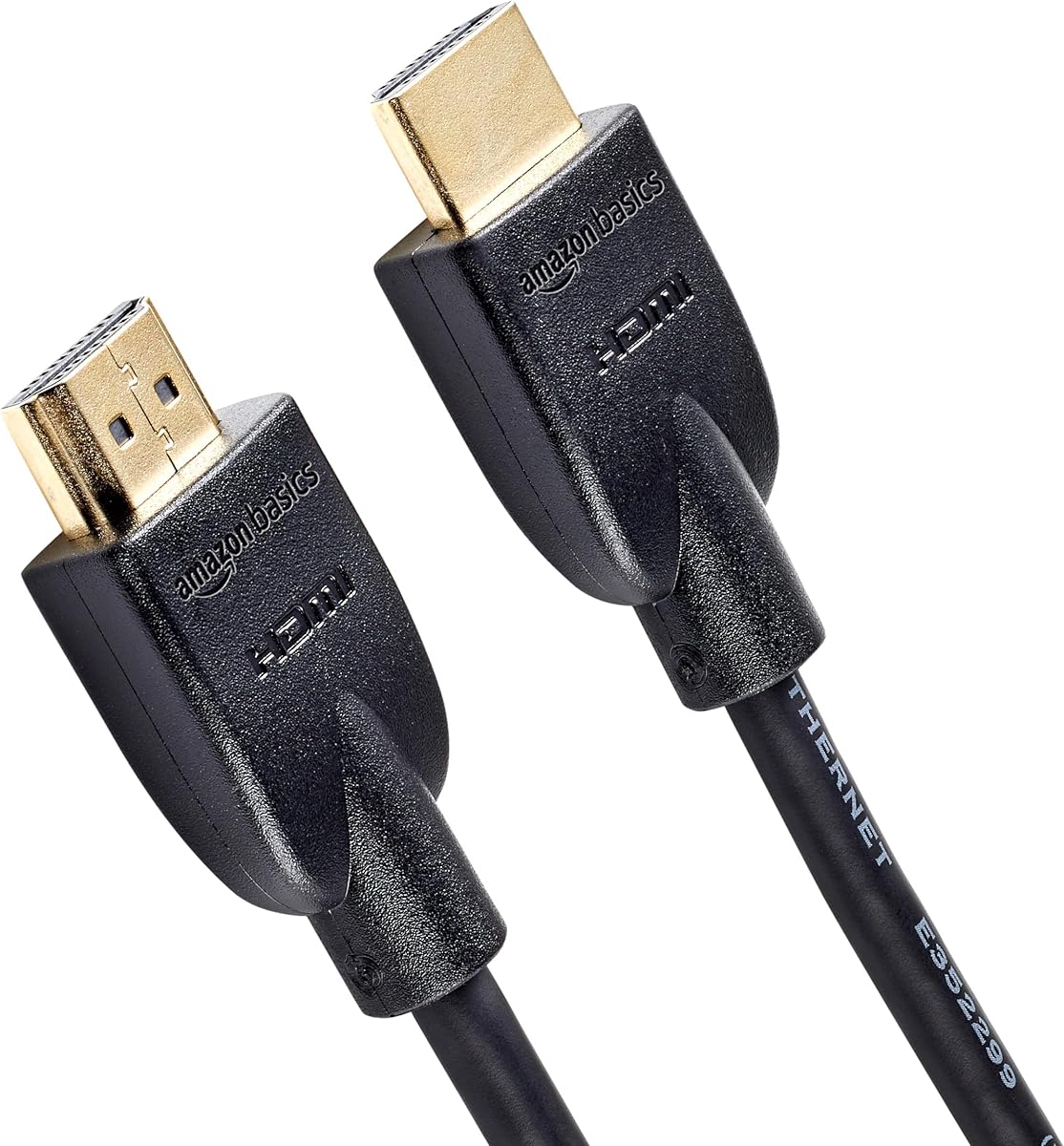
Amazon Basics HDMI Cable
4.7Editor score
Supports 4K at 60Hz
Backward compatible with older versions
Includes Ethernet channel sharing
This guide compares the top HDMI Cable for PS3 options available in 2026 to help you choose the best performance and value for your gaming setup.
Finding the right HDMI Cable for PS3 ensures your console delivers crisp visuals and immersive audio to your modern display. A quality cable supports high resolutions and stable connections for uninterrupted gaming sessions.
We evaluated ten leading HDMI cables based on compatibility, build quality, bandwidth capabilities, and user feedback. Our analysis focuses on how well each option supports PS3 output standards and broader device usage.
Each pick highlights specific strengths like durability, speed, or value to match different user needs. Please note that product availability and pricing may change frequently on retailer platforms.
4.7Editor score

4.7Editor score

4.6Editor score
This table provides a side-by-side overview of all ten selected HDMI cables to help you compare key specifications at a glance.


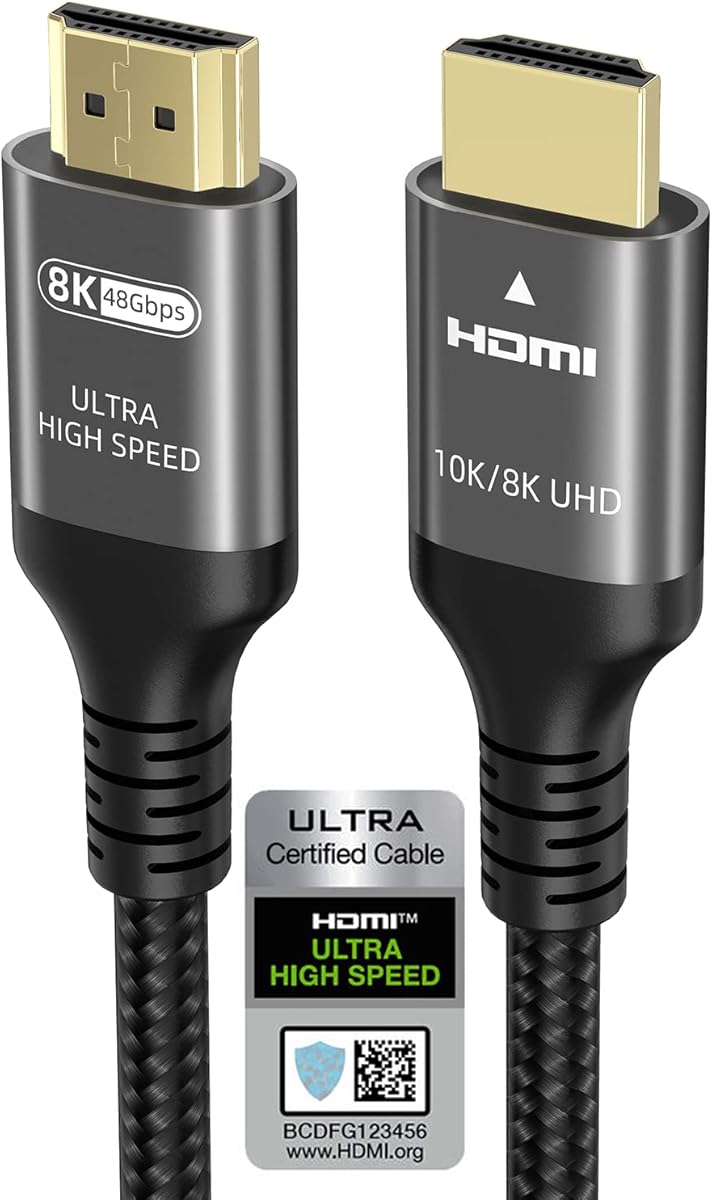


This Highwings 8K HDMI cable delivers top-tier performance for users needing future-proof connectivity. It scores highly for its robust build quality and support for cutting-edge HDMI 2.1 features. While designed for next-gen consoles, it remains fully compatible with the PS3 for reliable daily use.
We may earn a commission when you buy through this link, at no additional cost to you.
The standout strength lies in its massive 48Gbps bandwidth which ensures no bottlenecks for video or audio signals. Users report smooth gameplay without dropped frames thanks to its advanced error correction. The reinforced nylon braiding adds significant durability against daily wear and bending stress.
Although it supports 8K resolution which exceeds PS3 capabilities, the price reflects its premium positioning in the market. Some buyers might find the length or stiffness less ideal for tight spaces. However the performance consistency justifies the investment for serious enthusiasts.
Ideal for gamers upgrading to 8K displays or needing variable refresh rates on PCs. It also serves as a reliable long-term solution for PS3 setups requiring maximum signal stability. We recommend this cable for those prioritizing quality and longevity over budget constraints.
Supports 8K@60Hz and 4K@120Hz ensuring compatibility with upcoming display standards.
Military grade nylon and anti-bending design extend the cable life significantly.
We may earn a commission when you buy through this link, at no additional cost to you.
Amazon Basics offers a straightforward and effective HDMI cable solution at an attractive price point. This 3ft model meets standard high-speed requirements and supports 4K resolution effectively. It is a practical choice for connecting PS3 to TVs or monitors without unnecessary features.
We may earn a commission when you buy through this link, at no additional cost to you.
Key strengths include its consistent signal transmission and support for Audio Return Channel which simplifies home theater setups. The inclusion of an Ethernet channel allows shared internet connections if needed. Users appreciate its plug and play functionality without driver installations.
The main limitation is its short 3 foot length which may not reach distant setups. The jacket material is standard plastic rather than braided which could be less durable over time. These factors are acceptable given the low cost and reliable performance it delivers.
Best suited for users needing a short, reliable cable for basic PS3 connections. It fits well in compact entertainment centers where distance is not an issue. We recommend it for budget conscious buyers seeking quality without overspending on extra specs.
Delivers HDMI 2.0 standards at a fraction of the cost of premium brands.
Works immediately upon connection with no configuration required.
We may earn a commission when you buy through this link, at no additional cost to you.
Master Cables focuses on quality construction to ensure flawless connectivity for gaming systems. This lead features gold plated connectors to resist corrosion and maintain strong signal integrity. The 6.6 foot length offers flexibility for various room layouts and console placements.
We may earn a commission when you buy through this link, at no additional cost to you.
Users highlight the crystal clear resolution support and immersive sound quality provided by the cable. The reinforced design withstands daily wear and tear effectively. It is compatible with many HDMI devices ensuring versatile usage beyond just the PS3.
The main trade-off is the higher price compared to generic alternatives. Specific branding limits appeal to those preferring universal designs. However the build quality and durability justify the cost for users seeking a long-term solution.
Perfect for users prioritizing build quality and signal stability in their PS3 setup. It works well for high definition gaming requiring consistent performance. We recommend this for buyers who value durability and premium materials in cables.
Gold plating reduces interference and ensures stable transmission.
6.6 feet allows easy routing behind furniture or through walls.
We may earn a commission when you buy through this link, at no additional cost to you.
This 6-foot cable strikes a balance between portability and reach for most setups. It supports high bandwidth for crisp visuals and includes audio return channel for simplified audio routing. The black color blends well with most entertainment systems.
We may earn a commission when you buy through this link, at no additional cost to you.
Strengths include reliable compatibility with PS3 and other HDMI devices. It supports 3D and 4K video ensuring high fidelity output. Users find it easy to connect without needing extra adapters or extensions.
The cable lacks advanced features like braiding or heavy gold plating which may affect durability. Basic design suits standard use but not rugged environments. For typical home use it provides solid value and performance.
Ideal for users needing a mid-length cable for standard PS3 connections. It works well for budget setups where flexibility is key. We recommend it for general use requiring dependable connectivity.
Simplifies audio routing to soundbars or receivers without extra cables.
Works with a wide range of HDMI devices beyond just consoles.
We may earn a commission when you buy through this link, at no additional cost to you.
Silkland delivers a certified 2.1 cable with advanced features like dynamic HDR and high bandwidth. It ensures seamless connectivity for high definition needs and supports immersive audio formats. The braided design protects against wear effectively.
We may earn a commission when you buy through this link, at no additional cost to you.
Key strengths include verified certification ensuring compliance with HDMI standards. Users appreciate the elimination of flickering screens due to magnetic beads and copper cores. It works well for future displays and consoles beyond the PS3.
Cost is higher due to certification and advanced specs not needed for PS3. The cable is rigid compared to softer alternatives. For those upgrading soon it is an excellent investment.
Best for users upgrading to modern displays while keeping PS3 connectivity. It offers peace of mind with verified performance standards. We recommend it for those prioritizing certification and future-proofing.
Certification ensures compliance with strict industry standards.
Supports dynamic HDR for nuanced brightness and depth.
We may earn a commission when you buy through this link, at no additional cost to you.
Ubluker offers a certified high-speed cable supporting deep color and dynamic HDR. It ensures wide compatibility with gaming PCs and consoles including PS3. The official label guarantees compliance with strict HDMI requirements.
We may earn a commission when you buy through this link, at no additional cost to you.
Strengths include support for latest features like ALLM and VRR ensuring smooth performance. Users find it reliable for high bitrate audio formats like Dolby Atmos. The build quality ensures stable transmission without black screens.
The cable is rigid due to shielding and may not fit tight spaces easily. It is expensive compared to basic options. For advanced users it is a solid choice for reliability.
Ideal for users needing certified performance for modern setups. It works well for high-end displays requiring specific compliance. We recommend it for those prioritizing verified reliability.
Meets HDMI Forum requirements ensuring full compliance.
Supports 12-bit color for accurate and vivid visuals.
We may earn a commission when you buy through this link, at no additional cost to you.
Highwings provides a short 3.3ft cable ideal for console to TV connections. It supports 4K video and includes features to prevent joint cracking. The SR design ensures stress resistance at the connection points.
We may earn a commission when you buy through this link, at no additional cost to you.
Users find it reliable for high definition gaming with clear sound. Gold plating ensures corrosion resistance and stable signal. It is easy to grip and connect without issues.
The short length may not suit setups requiring longer runs. Basic jacket lacks braiding. For short distances it offers excellent performance and durability.
Best for compact setups needing a short reliable cable. It works well for TV connections close to consoles. We recommend it for users prioritizing durability and simplicity.
SR design withstands frequent bending without cracking.
Resists corrosion for longer lifespan and stable connection.
We may earn a commission when you buy through this link, at no additional cost to you.
Highwings offers a 30ft cable for setups requiring long distance connections. It supports 4K video and high speed transmission effectively. Nylon braiding protects the cable against wear and tear.
We may earn a commission when you buy through this link, at no additional cost to you.
Users appreciate the reliable signal over long distances without degradation. Lifetime support adds confidence to the purchase. It fits large rooms or basement setups well.
The length may be excessive for standard setups. It is thicker and heavier than standard options. For specific long-run needs it is ideal.
Best for users needing long reach without signal loss. It works well for basement or attic installations. We recommend it for long distance connections.
30 feet allows placement in distant rooms without issues.
Prompt support ensures confidence after purchase.
We may earn a commission when you buy through this link, at no additional cost to you.
MasterStor offers a cable focused on PS3 and legacy console needs. It supports 1080P which matches PS3 output well. The gold plating ensures resistance to corrosion and interference.
We may earn a commission when you buy through this link, at no additional cost to you.
Users find it reliable for stable signal transmission and high fidelity audio. Lifetime warranty adds significant value to the purchase. It is a simple and effective solution for gaming.
It does not support 4K which limits modern display use. The jacket design is basic. For PS3 users it is perfect.
Best for users focusing on PS3 performance. It works well for stable gaming. We recommend it for legacy console owners.
Designed specifically for PS3 output requirements.
Manufacturer warranty ensures long-term security.
We may earn a commission when you buy through this link, at no additional cost to you.
PowerBear offers a CL3 rated cable ensuring safety for in-wall installation. It supports 4K video and high speed transmission effectively. The braided design protects against wear and tear.
We may earn a commission when you buy through this link, at no additional cost to you.
Users appreciate the safety features for home theater setups. Gold connectors ensure stable signal and resistance to interference. It works well for both PS3 and modern devices.
The CL3 rating adds cost. It may be stiffer than non-rated options. For safety and durability it is excellent.
Best for users installing cables in walls. It works well for home theaters. We recommend it for safety focused setups.
CL3 rated for safe in-wall installation without fire hazards.
Durable nylon protects the cable from daily wear.
We may earn a commission when you buy through this link, at no additional cost to you.
Selecting the right HDMI cable requires attention to specific technical factors and build quality to ensure your PS3 performs to its maximum potential on any display.
The HDMI standard version defines the bandwidth capabilities and features supported by the cable. For PS3 gaming, a High-Speed HDMI cable (version 2.0 or later) is usually sufficient to support 1080p or 4K resolutions if the display allows. While newer 2.1 cables offer features like 4K@120Hz, these are not strictly necessary for PS3 output which generally tops out at 1080p. Choosing a cable with future-proof standards ensures compatibility if you upgrade your TV later.
Always check that the cable supports at least High-Speed HDMI standards to match your console output capabilities.
Bandwidth determines how much data can be transferred per second which directly impacts video quality and refresh rates. A standard 18Gbps bandwidth supports 4K@60Hz which is more than adequate for PS3 needs. Faster bandwidth like 48Gbps is useful for newer consoles but may come at a higher cost without extra benefit for PS3 gaming.
Opt for 18Gbps bandwidth for reliable PS3 performance without overspending on unnecessary speed.
Length is a practical factor that depends on your setup room layout and console placement. Short cables like 3 feet work well for consoles placed directly under the TV but longer lengths like 6 to 10 feet are needed for distant setups. Ensure the cable is not excessively long as it can clutter the space and add unnecessary weight.
Select a length that comfortably reaches from console to display without excess slack or tension.
Durability ensures the cable withstands daily plugging and unplugging without failing. Look for reinforced connectors and braided nylon jackets that resist fraying and bending damage. Gold-plated connectors help prevent corrosion and maintain consistent signal quality over time.
Choose cables with braided jackets and gold connectors for longer lifespan and reliability.
Modern HDMI cables often include support for features like Audio Return Channel and Dolby Atmos which can simplify home theater setups. For PS3, ensuring the cable supports stereo and surround sound formats is important for immersive gaming. Dynamic HDR support is less critical since PS3 does not output HDR but is a bonus for future upgrades.
Prioritize cables that support high-fidelity audio formats and ARC for better sound integration.
Official certification from HDMI forums guarantees the cable meets strict technical standards and performs reliably. Certified cables reduce the risk of signal dropouts or flickering which are common with uncertified alternatives. Universal compatibility ensures the cable works with PS3 and other HDMI devices without issues.
Look for certified cables to ensure compliance and reliable performance across all devices.
Safety ratings such as CL3 indicate the cable is suitable for in-wall installation without posing fire risks. If you plan to hide cables behind walls or use them for home theater setups, ensure the cable meets local safety codes. Standard cables are fine for external connections but safety rated ones are safer for permanent installations.
Choose CL3 rated cables if you need to install them inside walls for safety compliance.
A solid warranty protects you against manufacturing defects and ensures long term value. Brands offering lifetime or long warranties demonstrate confidence in their product quality and customer service. This is valuable if the cable fails after prolonged use or if you need support during setup.
Check for warranty terms to ensure protection and peace of mind with your purchase.
Connect the HDMI cable by plugging one end into the HDMI OUT port on your PS3 console and the other end into an available HDMI input on your TV or monitor. Ensure both ends are firmly seated to avoid loose connections that may cause signal loss or flickering during gameplay.
Avoid bending the cable at sharp angles or pulling it by the wires when unplugging. Always grasp the connector head to disconnect it and store excess length in loose coils to prevent internal wire damage. Keeping the cable away from heat sources helps maintain its internal integrity.
Regularly inspect the connectors for dust or debris and clean gently with a dry cloth if needed. If you plan to run the cable through walls ensure it has proper safety ratings. Proper care ensures your cable delivers stable performance over the long term.
Yes any standard high-speed HDMI cable will work with PS3 because it uses a standard HDMI output. The console does not require specialized proprietary cables. Just ensure the cable supports at least High-Speed HDMI standards to maintain 1080p video resolution.
Cable length can impact signal integrity especially for very long runs exceeding 25 feet. Standard lengths like 6 to 10 feet work perfectly without issues. If you need longer cables ensure they are well-shielded and high quality to prevent signal degradation or dropouts.
A 4K HDMI cable supports higher bandwidth but PS3 does not output 4K video. It will work fine and ensure stable signal transmission. You won't see visible improvement in graphics unless your console is capable of higher resolution which it is not.
Signs include black screens intermittent audio or flickering video when using the cable. Try swapping with another known working cable to isolate the issue. If the problem persists on another cable or TV the original cable is likely defective.
Gold-plated connectors help resist corrosion and oxidation over time which maintains a stable connection. While not strictly necessary they improve longevity especially in humid environments. For consistent performance on PS3 they are a useful feature to look for.
Yes HDMI cables are universal and work with most HDMI-compatible devices including Xbox, PlayStation 4, and laptops. Ensure your cable supports the necessary bandwidth for those devices but compatibility is generally seamless across brands.
Wireless setups require specialized streaming devices or adapters but standard gaming with PS3 needs a physical HDMI cable. Wireless options are limited and may introduce latency affecting gameplay. A wired HDMI connection remains the best option for stable performance.
The best length depends on your setup but 6 to 10 feet is ideal for most living rooms. Shorter 3-foot cables work for consoles directly under the TV. Choose enough length to reach comfortably without excess slack to keep the area tidy.
Choosing the right HDMI Cable for PS3 ensures your console connects reliably to your display for stable gaming sessions. Our top picks range from budget-friendly options to premium cables built for durability and future-proofing so you can select the best fit.
Prioritize cables with gold-plated connectors and reinforced designs if you plan to use your PS3 daily. For users upgrading displays soon consider 2.1 certified cables that support high bandwidth though standard 2.0 cables suffice for 1080p output.
Prices and availability change frequently so always check current product listings before buying. We hope this guide helps you find a reliable HDMI cable that maximizes your PS3 performance and provides long-term value.