
VPFET HDMI Audio Extractor 4K
4.1Editor score
Supports 4K 30Hz video
Optical and 3.5mm outputs
Low energy USB powered design
This guide compares the top ten HDMI audio extractor models available in October 2026, evaluating their performance, compatibility, and features for home
Finding the right HDMI audio extractor can transform your home theater experience by separating audio from video signals. These devices allow you to connect external speakers or soundbars when your TV lacks adequate output options for superior sound quality.
We have evaluated ten distinct models based on resolution support, audio format compatibility, and build quality. Our analysis focuses on extracting digital signals reliably while maintaining high definition video passthrough for gaming and streaming devices.
Each selection highlights specific strengths such as ARC support, eARC capabilities, or budget-friendly pricing. Note that availability and specifications may vary by retailer, so verify compatibility with your existing equipment before making a final decision.
4.1Editor score

4.2Editor score

4.5Editor score
The following comparison table provides a side-by-side look at the technical specifications and core capabilities of all ten selected HDMI audio extractors.




This OREI extractor stands out with its support for 8K resolution and HDMI 2.1 features like ALLM and QFT. It delivers reliable audio extraction for users with next-generation gaming consoles and premium TVs.
We may earn a commission when you buy through this link, at no additional cost to you.
The 48Gbps bandwidth ensures video signals remain intact while audio is routed to external speakers. It supports a broad array of audio formats including Dolby Atmos and DTS:X through HDMI and optical outputs.
While it lacks eARC support, it covers most modern needs with ARC and pass-through capabilities. The metal housing helps dissipate heat during extended usage, maintaining signal stability.
Ideal for users seeking future-proof connectivity, this model balances high resolution support with audio extraction. Check your TV's HDMI ports to ensure compatibility before purchase.
Support for protocols like ALLM and QFT ensures seamless integration with gaming consoles and modern displays.
Extracts surround sound formats including Dolby Atmos and DTS:X for immersive home theater audio experiences.
We may earn a commission when you buy through this link, at no additional cost to you.
The VPFET extractor offers an accessible entry point for users needing basic audio separation without breaking the budget. It supports 4K video passthrough which is sufficient for most standard streaming needs.
We may earn a commission when you buy through this link, at no additional cost to you.
Users can route audio via optical or 3.5mm connectors to external sound systems. The device uses USB power which simplifies installation by avoiding the need for wall adapters.
Its limitations include the lack of ARC functionality and lower refresh rate support. For non-gaming setups, these constraints are often acceptable given the cost savings.
This model is best suited for users with older TVs or budget soundbars. Ensure your source devices do not require high refresh rates for this unit to function correctly.
Provides essential audio routing capabilities at a fraction of the cost of higher-end extractors.
Powered by USB reduces cable clutter and eliminates the need for external power outlets.
We may earn a commission when you buy through this link, at no additional cost to you.
eSynic delivers exceptional audio fidelity with support for sampling rates up to 192kHz. This makes it ideal for audiophiles who prioritize sound quality over surround sound formats.
We may earn a commission when you buy through this link, at no additional cost to you.
The device works exclusively with TV ARC and eARC ports to extract audio. It downmixes signals to PCM for analog outputs ensuring clear stereo sound for headphones or speakers.
Users cannot access Dolby or DTS bitstream formats via this unit which limits surround sound potential. However for music and movie dialogue clarity is outstanding.
Choose this if you have an eARC enabled TV and need high quality stereo audio. Verify your TV settings allow PCM output before purchasing to avoid noise issues.
Supports 192kHz sampling for pristine audio reproduction ideal for critical listening.
Designed specifically for TV ARC ports ensuring reliable extraction from modern HDTVs.
We may earn a commission when you buy through this link, at no additional cost to you.
This OREI extractor supports HDR10 and Dolby Vision which preserves video quality while extracting audio. It handles ARC connections allowing audio return from TV apps to external speakers.
We may earn a commission when you buy through this link, at no additional cost to you.
Downmix functionality converts surround sound to stereo for analog outputs which simplifies setup for older systems. CEC pass-through enables remote control integration between TV and source devices.
The lack of eARC limits high bandwidth audio formats like Dolby TrueHD lossless streams. However it covers most common streaming and gaming needs effectively.
Recommended for users with HDR enabled TVs who need reliable ARC support. Check your TV manual to ensure ARC features are enabled for optimal performance.
Maintains HDR video signals during audio extraction for accurate picture quality on displays.
Allows audio to flow from TV apps to external soundbars without separate HDMI cables.
We may earn a commission when you buy through this link, at no additional cost to you.
This extractor supports high bit rate audio including Dolby Atmos and DTS:X via optical and HDMI passthrough. It ensures high resolution video remains intact with 18Gbps bandwidth.
We may earn a commission when you buy through this link, at no additional cost to you.
Metal housing provides durability which helps maintain signal integrity over long periods. Compatible with most modern streaming devices and game consoles up to 4K 60Hz.
Restrictions include lack of ARC and specific resolution limitations like 1440p 120Hz. These details are important for users with specific gaming monitors.
Best for users needing robust 4K audio extraction without ARC. Ensure your source device is compatible with the supported resolutions before connecting.
Supports Dolby Atmos and DTS:X formats for advanced surround sound experiences via optical.
Metal housing offers better heat dissipation and physical protection compared to plastic cases.
We may earn a commission when you buy through this link, at no additional cost to you.
This unit supports high refresh rates up to 144Hz at 1080p which is vital for competitive gaming. It preserves video fidelity while routing audio to external speakers via SPDIF or 3.5mm.
We may earn a commission when you buy through this link, at no additional cost to you.
It supports HDR10 ensuring colors remain vibrant during extraction. CEC integration allows basic control features to pass through between devices.
The device does not support Apple TV 3rd Generation or older HDMI 1.2 sources. Ensure your hardware matches the supported list to avoid connectivity issues.
Ideal for PC and console gamers prioritizing high refresh rates over ARC features. Verify your TV or monitor supports these modes before purchase.
Supports 1080p 144Hz which is essential for smooth motion in fast-paced games.
Allows basic control commands to pass through for seamless operation with source devices.
We may earn a commission when you buy through this link, at no additional cost to you.
This extractor converts TV ARC signals into both optical and coaxial digital outputs. It supports high sampling rates ensuring audio quality remains high during conversion.
We may earn a commission when you buy through this link, at no additional cost to you.
The simultaneous outputs allow connection to multiple audio systems or DACs. This is useful for users with complex home theater setups.
It does not support CEC so remote control will not pass through to the device. Users must rely on TV settings for audio routing.
Best for those needing dual digital outputs from ARC enabled TVs. Check your TV has eARC support to utilize the higher bandwidth features.
Outputs both optical and coaxial signals allowing connection to multiple devices simultaneously.
Supports up to 192kHz sampling rates for high fidelity audio reproduction.
We may earn a commission when you buy through this link, at no additional cost to you.
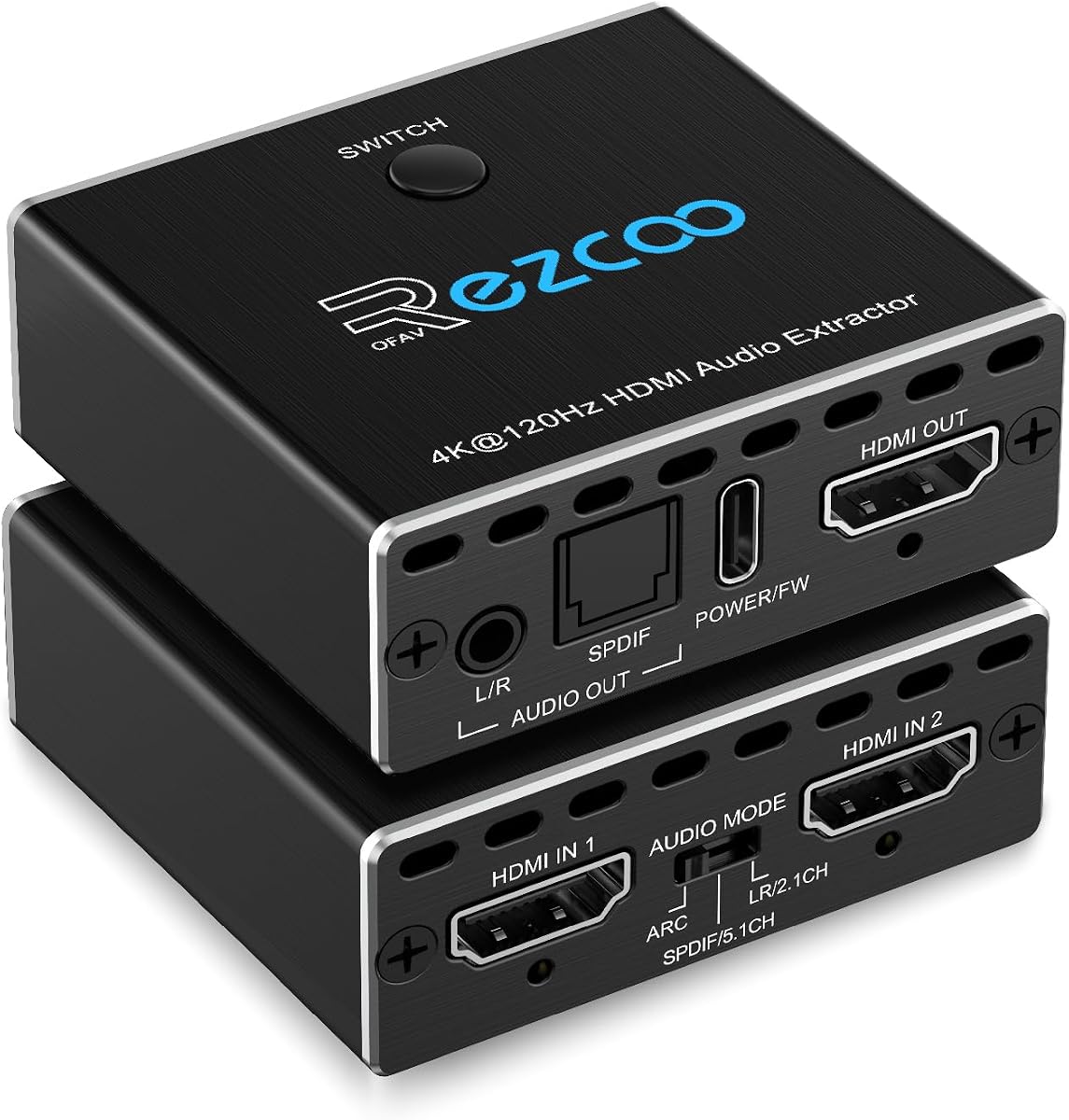
This device functions as both an audio extractor and a switch allowing you to connect two consoles. It supports 4K 120Hz which matches modern gaming standards.
We may earn a commission when you buy through this link, at no additional cost to you.
Extracting audio via SPDIF or 3.5mm ensures you hear game sound even when video goes to a monitor. HDMI 2.1 support ensures compatibility with PS5 and Xbox Series X.
It does not support ARC and is not bidirectional meaning it only switches input sources. This simplifies use but limits integration with TV apps.
Ideal for gamers wanting one display for two consoles with shared audio. Ensure your HDMI cables support 2.1 to avoid bandwidth limitations.
Allows switching between two HDMI sources without disconnecting cables manually.
Supports HDMI 2.1 protocols to ensure compatibility with next-gen consoles.
We may earn a commission when you buy through this link, at no additional cost to you.
This model supports 8K and 4K with triple modes for flexible audio routing. It allows ARC and eARC connections for modern TV integration.
We may earn a commission when you buy through this link, at no additional cost to you.
Modes include PASS R/L and SPDIF modes which control how audio is processed. This versatility helps adapt to different speaker configurations.
Caution is needed regarding HDMI IN usage as TV cannot be source input. Analog outputs also require PCM settings to avoid noise.
Recommended for users needing high resolution and multiple routing options. Verify your TV settings match the selected mode to avoid static.
Offers three distinct modes for customizing audio extraction based on your setup.
Supports 8K video passthrough which ensures future-proof video signal handling.
We may earn a commission when you buy through this link, at no additional cost to you.
This basic splitter extracts audio to R/L analog outputs without complex setups. It includes necessary cables in the package which aids quick installation.
We may earn a commission when you buy through this link, at no additional cost to you.
Supports 3D imaging and up to 4K at 30Hz which covers most standard media needs. USB power simplifies connections for laptops or PS consoles.
It does not support ARC or eARC so it works best with game consoles and PCs. Ensure you have a 3.5mm or RCA input for your speakers.
Best for users needing a simple reliable way to get audio from HDMI without advanced features. Check your TV has analog outputs before buying to avoid this step.
Includes all necessary cables for immediate use without extra purchases.
Small lightweight design makes it easy to conceal behind entertainment centers.
We may earn a commission when you buy through this link, at no additional cost to you.
Selecting the right HDMI audio extractor requires evaluating compatibility with your TV, gaming console, or media player.
Check that the extractor supports the maximum resolution and refresh rate of your display. For 4K 120Hz gaming look for HDMI 2.1 models. For standard streaming 4K 30Hz or 60Hz models are often sufficient.
Ensure the device matches your display capabilities to avoid dropped frames or black screens.
Verify the audio outputs match your speakers. Optical and coaxial outputs work best with digital systems while 3.5mm or RCA are better for analog setups.
Choose a model with outputs compatible with your external speakers or soundbars.
If you plan to extract audio from TV apps ensure the unit supports ARC or eARC. Many extractors cannot function as input sources when connected to TV HDMI ports.
Prioritize ARC or eARC compatibility if you rely on TV streaming apps for sound.
Confirm the extractor supports your preferred audio formats like Dolby Digital DTS or Dolby Atmos. Some models convert formats to PCM while others pass them through directly.
Select a unit that supports the specific surround sound formats you use.
Most extractors need external power via USB or wall adapters. USB powered units are portable but may fail with low output HDMI ports like older consoles.
Check power requirements to ensure stable operation with your source device.
Ensure the extractor allows full resolution video to pass through to your display. Poor quality units may downgrade signals or cause flickering.
Look for pass-through support that matches your display's native resolution.
Metal housings dissipate heat better than plastic which helps maintain stability during long sessions. Compact units are easier to hide behind TVs or consoles.
Consider the physical size and material to fit your setup discreetly.
Verify the extractor works with your specific source devices such as PS5 Xbox or Apple TV. Some models have known incompatibilities with certain brands or generations.
Check manufacturer notes for device specific limitations before purchasing.
Connect the HDMI cable from your source device to the input port of the extractor. Then run another HDMI cable from the extractor output port to your TV or monitor.
Plug the extractor power cable if required and connect your audio device to the output ports such as optical or 3.5mm. Power on the extractor before your source devices.
Keep the device in a well ventilated area to avoid overheating and ensure regular cleaning of ports with compressed air to maintain signal quality.
Not all extractors work with every TV. If you plan to extract audio from TV apps ensure the unit supports ARC or eARC. Standard extractors cannot use the TV HDMI port as a signal source.
Yes you typically need two HDMI cables. One connects your source to the extractor input and the other connects the extractor output to your TV or monitor to preserve video.
Check your source device audio settings and ensure it outputs PCM or supported formats like Dolby Digital. Also ensure the optical cable is securely connected and the extractor is powered.
Yes most modern extractors support PS5 audio extraction. Ensure the device supports the video resolution you need such as 4K 120Hz for gaming.
Some extractors pass Dolby Atmos through HDMI while others downmix to PCM. Check the specifications to see if the model supports Atmos passthrough for surround systems.
This often happens if the extractor does not support the resolution or HDCP version of your source. Ensure the device supports your source device settings.
Most extractors do not support volume control via TV remote as they separate audio signals. You may need to adjust volume on your soundbar or receiver.
Yes for 4K high refresh rates you need high speed HDMI cables. Ensure your cables support at least HDMI 2.0 or 2.1 depending on resolution needs.
We highlighted the OREI 8K model as our top pick for its HDMI 2.1 support while the VPFET offers great value for budget users. The eSynic unit remains best for high fidelity analog audio.
When choosing prioritize resolution support and audio format compatibility with your specific setup. ARC and eARC capabilities are essential if you need audio from TV apps.
Always verify current product specifications and compatibility before purchasing to ensure seamless integration. Prices and availability may change so check the latest offers online.