
KTRIO Large Gaming Mouse Pad
4.7Editor score
Anti-fray stitched edges
Water-resistant surface coating
Soft dense rubber backing
Finding the right gaming pad for desks transforms your setup by providing a smooth, consistent surface for mouse movement. Whether you play competitively or work daily, a quality pad protects your desk and enhances control.
We analyzed ten highly rated options based on surface texture, durability, size, and base stability. Each product was evaluated for how well it supports different mouse sensors and fits various desk layouts.
Each pick highlights key strengths and ideal use cases so you can match a pad to your needs. Prices may change, so verify current deals before purchasing to ensure you get the best value available.
4.7Editor score

4.7Editor score

4.7Editor score
As an Amazon Associate we earn from qualifying purchases.
This side-by-side comparison highlights the key differences between all ten selected gaming pads. Use it to quickly find the right size, surface type, and feature set for your workspace needs.




The SteelSeries QcK XXL is a legendary choice for gamers seeking reliability. With a 4.7 rating and millions sold, it offers a consistent micro-woven cloth surface that ensures precise mouse tracking for optical and laser sensors.
We may earn a commission when you buy through this link, at no additional cost to you.
Its durability stands out with a high thread count that resists wear over time. The non-slip rubber base keeps the pad firmly in place during intense sessions, preventing unwanted movement and maintaining a clean setup.
While the design is simple and the profile thin, these traits support speed and comfort. The cloth is optimized to reduce friction without sacrificing control, making it ideal for low-DPI gaming and high-speed work.
Anyone needing a trustworthy desk pad that balances performance and cost should choose this option. Its widespread adoption by esports pros confirms its value as a top-tier gaming pad for any desk.
The cloth texture provides the perfect glide speed for fast swipes while maintaining stopping power during precise aiming.
Esports champions trust this pad for its consistency, ensuring your movements translate accurately to the screen.
We may earn a commission when you buy through this link, at no additional cost to you.
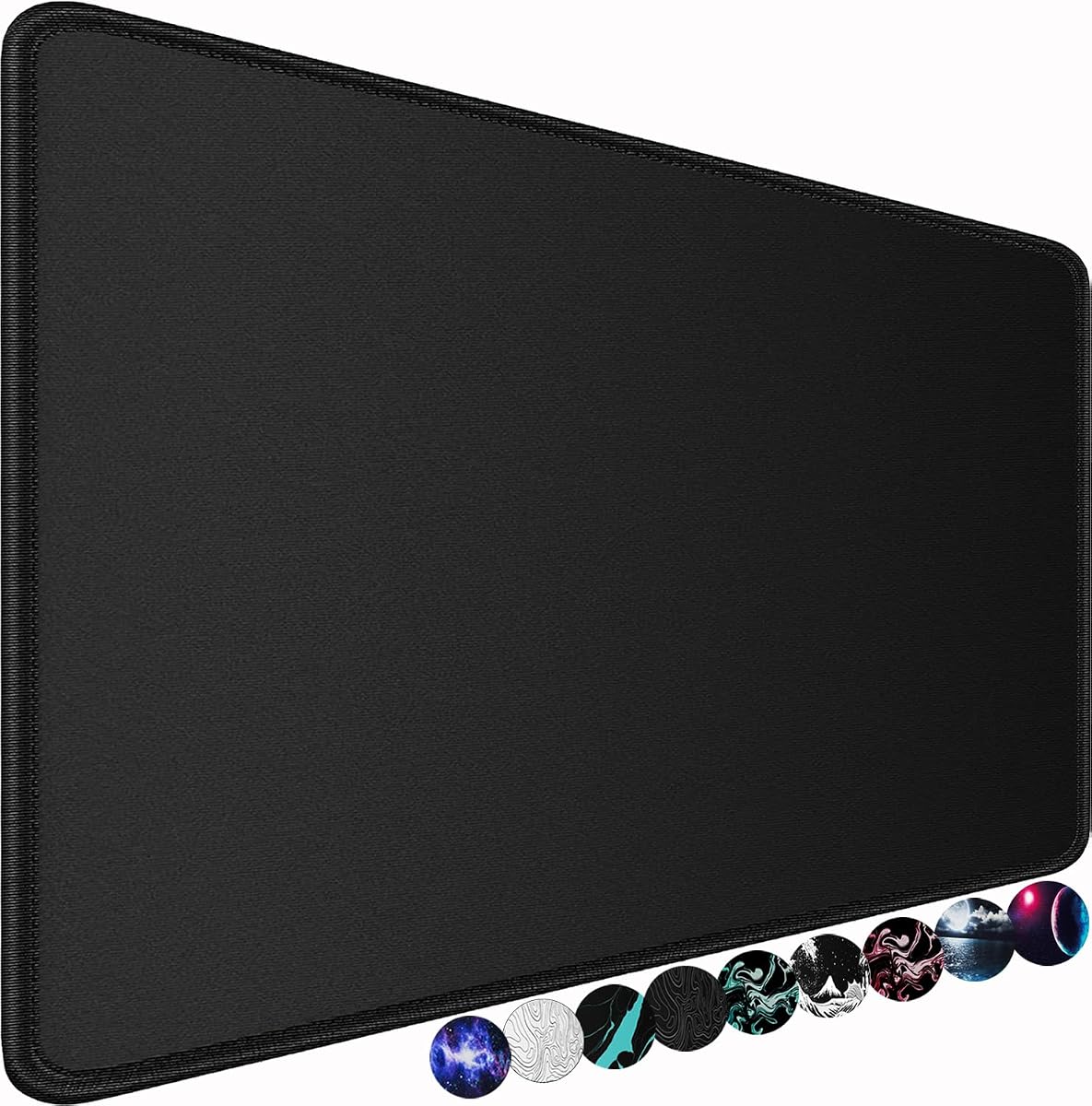
KTRIO offers a highly durable desk mat that balances cost and quality. With a 4.7 rating, its micro-weave cloth delivers a smooth tracking surface that works well for both gaming and office tasks.
We may earn a commission when you buy through this link, at no additional cost to you.
The stitched edges prevent fraying over time, extending the pad's life significantly. A spill-resistant coating allows liquids to bead up, making cleanup quick and easy with a damp cloth.
While it lacks extra-wide dimensions, it fits standard desks perfectly. The dense natural rubber backing ensures the mat stays flat and secure, even on uneven surfaces.
For budget-conscious users needing reliable performance, this pad is an excellent pick. It provides the essential features of premium pads without the high cost.
Reinforced stitching prevents peeling and fraying, ensuring the pad remains functional and clean for years.
Spills are handled easily thanks to the coating, protecting your desk and the pad itself from damage.
We may earn a commission when you buy through this link, at no additional cost to you.
This XL mouse pad offers generous space for both keyboard and mouse. Its lycra surface provides a smooth, breathable tracking area that supports fast movement while maintaining control during work or games.
We may earn a commission when you buy through this link, at no additional cost to you.
The waterproof coating effectively prevents damage from spills, ensuring longevity. Professional edge stitching protects against wear, and the thick material adds comfort when typing or gaming for hours.
While the surface is smooth, some users might find it too slick for precision. The non-slip base ensures stability, and the cushioning helps reduce wrist fatigue.
Ideal for users wanting extra desk coverage and comfort, this pad delivers solid performance. It keeps your setup clean and organized while supporting efficient daily tasks.
The extra width accommodates your keyboard easily, creating a streamlined workspace that maximizes desk real estate.
The thickness muffles typing noise and provides a soft surface that reduces strain during long sessions.
We may earn a commission when you buy through this link, at no additional cost to you.
The Logitech G840 XL is designed for optimal performance with consistent height and texture. Its moderate friction allows precise stopping power for rapid movements, ideal for low-DPI gaming and sensor accuracy.
We may earn a commission when you buy through this link, at no additional cost to you.
The soft material offers comfort for wrist movements across the edge, reducing strain during long sessions. A non-slip rubber base keeps the pad secure even with sweeping motions.
While it lacks advanced features, its focus on consistency and comfort makes it stand out. The uniform height lets you position your keyboard freely without interference.
Gamers prioritizing sensor accuracy and comfort should consider this option. It provides a reliable foundation that enhances your setup's overall functionality and feel.
A uniform surface height ensures your keyboard sits perfectly without catching on the mouse pad edges.
The texture matches testing environments, ensuring your mouse sensor translates movements accurately and quickly.
We may earn a commission when you buy through this link, at no additional cost to you.
This extended pad combines size with safety, using non-toxic natural rubber. With a 4.8 rating, it provides a smooth surface optimized for fast movement and control, making it versatile for work or gaming.
We may earn a commission when you buy through this link, at no additional cost to you.
Nylon stitched edges increase durability, ensuring the pad lasts longer. A waterproof coating protects against spills, allowing easy cleanup and preserving the pad's quality over time.
While the design is simple, its performance and safety features are strong. The surface tracks accurately for optical and laser mice, supporting daily use without issues.
Users seeking a safe, durable, and spacious desk mat will appreciate this choice. It balances practicality with performance for any setup or lifestyle.
Made with non-toxic natural rubber, this pad is safe for daily use and environmentally friendly.
The smooth surface ensures precise cursor control, whether you are gaming competitively or working efficiently.
We may earn a commission when you buy through this link, at no additional cost to you.
DIGSOM adds style to function with its topographic line design. A 4.7 rating reflects its quality, combining a smooth cloth surface for accurate control with a spill-proof coating for protection.
We may earn a commission when you buy through this link, at no additional cost to you.
The superior printing technology ensures colors stay vibrant over time, acting as a great decor piece for desks. The non-slip rubber bottom provides a strong grip for stability.
While it is slightly narrower, it still offers ample space for a mouse and keyboard. The fabric is soft and durable, resisting scratches and stains effectively.
For those valuing aesthetics alongside performance, this pad is a strong option. It elevates your workspace while delivering reliable tracking and protection.
Advanced printing keeps colors bright and patterns clear, enhancing your desk's look for long-term use.
The coating prevents liquids from damaging the fabric, keeping your workspace clean and stylish.
We may earn a commission when you buy through this link, at no additional cost to you.
This Kanagawa pad features an ultra-smooth surface and vivid sea wave pattern. With a 4.8 rating, it offers a silky-smooth experience for precise control and speed, protecting your desktop from scratches.
We may earn a commission when you buy through this link, at no additional cost to you.
The advanced printing ensures the pattern remains clear and bright even after washes. Precision stitching locks edges for durability, while the non-slip base keeps it secure during use.
While the design is detailed, the surface remains functional for daily tasks. It cleans easily with a damp cloth, maintaining its aesthetic appeal over time.
Users wanting a stylish and functional desk mat will love this choice. It combines art with utility, perfect for home, office, or gaming setups.
The pattern stays vivid after repeated washing, ensuring your desk looks great for years.
The ultra-smooth texture ensures effortless mouse movement, enhancing precision and comfort during work.
We may earn a commission when you buy through this link, at no additional cost to you.
This RGB pad enhances your setup with dynamic lighting effects. A 4.6 rating highlights its smooth microfiber surface, which allows precise movement and accurate control for games and work.
We may earn a commission when you buy through this link, at no additional cost to you.
With 14 modes including static and dynamic, you can customize your atmosphere easily. The USB power means no battery, and a memory function saves your preferred mode after unplugging.
The waterproof surface protects against spills, and the rubber base ensures stability. While it needs a cable, the visual appeal is worth the extra connection for most users.
Gamers wanting ambient lighting and good tracking should choose this pad. It brings your desk to life while delivering solid performance and durability.
Choose from 14 modes to match your mood or game, enhancing the atmosphere of your workspace.
Control lighting with simple presses, adjusting brightness and modes without needing complex software.
We may earn a commission when you buy through this link, at no additional cost to you.
LifeTrim offers an enormous 46×17 inch surface for ultimate coverage. A 4.8 rating confirms its quality, providing ample room for precise movements and reducing fatigue with a cushioned 5mm surface.
We may earn a commission when you buy through this link, at no additional cost to you.
The extra thickness helps lower sensitivity settings, enabling better precision. The rubber base keeps it firmly in place, preventing movement even during intense gameplay.
While it occupies significant desk space, it protects your surface completely and adds comfort. Ideal for those with wide desks or those needing extra room for peripherals.
Anyone needing a giant pad should find this option ideal. It combines practicality with comfort for everyday tasks and gaming alike.
The massive 46-inch width accommodates multiple peripherals and provides space for expansive arm movements.
At 5mm thick, the pad reduces strain on wrists and elbows during long gaming or work sessions.
We may earn a commission when you buy through this link, at no additional cost to you.
Razer Gigantus V2 offers optimized performance across all sensors. A 4.7 rating reflects its quality, featuring a micro-weave surface for fluid swipes and high-density foam for consistent, flat surfaces.
We may earn a commission when you buy through this link, at no additional cost to you.
The calibrated texture reduces the need to lift the mouse, ensuring precision and responsiveness. A sturdy anti-slip base provides the stability crucial for clutch plays during chaotic moments.
Available in multiple sizes, it fits various layouts and DPI preferences. The foam thickness ensures it remains flat even over imperfect surfaces.
Gamers seeking top-tier precision and reliability should choose this pad. It delivers professional-grade performance that enhances any competitive or casual setup.
Precision calibration ensures your sensor tracks accurately, reducing errors and enhancing your overall gaming performance.
The dense foam keeps the pad flat and stable, providing a consistent foundation for precise movements.
We may earn a commission when you buy through this link, at no additional cost to you.
Selecting the right gaming pad depends on your setup, sensor type, and usage style. Use these factors to find a pad that enhances performance and protects your workspace.
The surface material determines speed and control. Micro-weave cloth offers smooth gliding for low-DPI gaming, while tighter weaves provide more friction for high precision. Ensure the texture is consistent to avoid tracking issues.
Look for materials that match your mouse sensor and playing style for optimal performance.
Choose a size that accommodates both your mouse and keyboard without crowding your desk. XL or XXL pads provide room for sweeping movements, while standard sizes suit smaller workspaces.
Ensure the pad fits comfortably within your desk boundaries to maximize utility and aesthetics.
A non-slip rubber base prevents the pad from sliding during intense sessions. High-quality rubber maintains grip even on smooth or uneven surfaces, ensuring consistent positioning.
Check that the base is dense and flexible to stay flat and secure under pressure.
Stitched edges prevent fraying and peeling over time. Look for reinforced stitching that locks the cloth and foam layers together for longevity.
Avoid pads with glued edges as they may separate with frequent use or cleaning.
A spill-resistant coating protects the pad and your desk from accidental liquids. Ensure the surface allows liquids to bead up rather than soak through.
Water-resistant features make cleaning easier and extend the lifespan of your gaming pad.
Thickness affects wrist comfort and stability. Pads between 3mm and 5mm offer cushioning without compromising desk stability.
Consider your wrist posture to choose a thickness that reduces strain during long sessions.
Ensure the surface works with both optical and laser sensors. Consistent texture helps the sensor track accurately without jitter.
Look for pads tested for compatibility to avoid tracking errors in critical moments.
Design options range from simple black to vibrant patterns. Choose a style that matches your setup's theme without sacrificing functionality.
High-quality printing ensures patterns stay clear and do not fade over time.
Start by placing the pad on a clean, dry desk surface. Align it with your keyboard and mouse positions to ensure comfortable reach and smooth tracking. Smooth out any wrinkles or curls before use.
Keep the surface free of dust by wiping it with a soft cloth weekly. For spills, immediately blot the liquid with a damp cloth and let it air dry completely before using again.
Avoid exposing the pad to direct sunlight or extreme heat, which may warp the rubber or fade colors. Store it flat when not in use to maintain its shape and performance.
A large pad offers room for both keyboard and mouse, reducing clutter and allowing full arm movements. It is especially helpful for low-DPI gaming or multi-monitor setups. If your desk is small, a medium pad may suffice.
Use a damp cloth with mild soap to wipe the surface gently. Avoid soaking it or using harsh chemicals that may damage the coating. Let it air dry completely before placing it back on your desk.
Yes, inconsistent or highly reflective surfaces can cause tracking issues. High-quality pads use optimized cloth that ensures smooth and accurate tracking for both optical and laser sensors.
Absolutely. These pads provide a smooth, comfortable surface for daily productivity and protect your desk from scratches. They are versatile for gaming, office work, and creative tasks.
Between 3mm and 5mm is ideal for balancing comfort and stability. Thicker pads reduce wrist strain, while thinner ones offer better precision. Choose based on your usage style and desk type.
Quality pads with stitched edges and durable cloth can last years. However, heavy use without cleaning may degrade the surface. Regular maintenance helps extend its lifespan significantly.
Cloth provides better control and comfort for most users, reducing wrist strain. Hard surfaces offer speed but may be less forgiving. Choose based on your preference for glide versus control.
Most are rectangular to fit standard desks, but some offer curved or custom shapes. Rectangular pads provide maximum usable surface area and are easiest to fit under keyboards and monitors.
Choosing the right gaming pad for desks enhances both performance and workspace aesthetics. The SteelSeries QcK XXL stands out for its reliability, while the KTRIO offers great value for budget-conscious buyers.
Prioritize surface texture, base stability, and size when making your decision. Whether you prefer minimal design or vibrant patterns, ensure the pad meets your functional needs for gaming or work.
Always check current prices and reviews before buying to get the best deal. With these options, you can elevate your setup and enjoy smooth, reliable performance every day.