
Acer Nitro V 16S AI Gaming Laptop
4.4Editor score
AMD Ryzen 7 260 Processor
32GB DDR5 Memory
180Hz WUXGA Display
NVIDIA RTX 5060 GPU
Finding the right gaming laptop for Baldurs Gate 3 requires balancing powerful hardware with immersive display quality. This game demands strong processing power to handle its intricate dialogue systems, complex combat mechanics, and stunning visual fidelity across diverse environments.
We evaluated ten top-tier laptops based on their GPU capabilities, processor speed, memory capacity, and thermal management systems. Our analysis focuses on models that deliver smooth frame rates, quick load times, and vibrant color accuracy essential for experiencing every cinematic moment.
Each pick highlights unique strengths like ray tracing support, high refresh rates, and efficient cooling. Note that prices fluctuate often, so check current listings before purchasing. These selections ensure you can explore Faerun with confidence and performance tailored to your needs.
4.4Editor score

4.4Editor score

4.8Editor score
As an Amazon Associate we earn from qualifying purchases.
This side-by-side comparison highlights key specifications across ten leading laptops. We analyze processors, graphics, memory, storage, and displays to help you find the perfect match for your budget and gaming preferences.





The ASUS ROG Strix G16 stands out as an exceptional choice for Baldurs Gate 3. Its Intel Core i7 14650HX processor paired with RTX 5060 graphics delivers smooth gameplay without compromising on visual fidelity. The 165Hz display ensures fluid motion during intense combat sequences.
We may earn a commission when you buy through this link, at no additional cost to you.
This laptop features advanced cooling technology including a vapor chamber and tri-fan setup. These elements keep thermals in check during extended gaming sessions. The 1TB Gen 4 SSD offers ample space for storing multiple games and fast load times.
While the 16GB RAM is sufficient for most titles, multitasking heavily might require an upgrade. Battery life could be better but is typical for high-performance gaming machines. The RGB lightbar adds aesthetic appeal without sacrificing functionality.
For players seeking reliable performance and solid build quality, this model is highly recommended. It balances cost and capability effectively. You will enjoy immersive storytelling and dynamic combat with minimal lag or stuttering.
The 165Hz refresh rate minimizes motion blur. This makes fast camera movements in Baldurs Gate 3 feel natural and responsive.
ROG Intelligent Cooling ensures sustained performance. You can push graphics settings higher without worrying about overheating.
We may earn a commission when you buy through this link, at no additional cost to you.
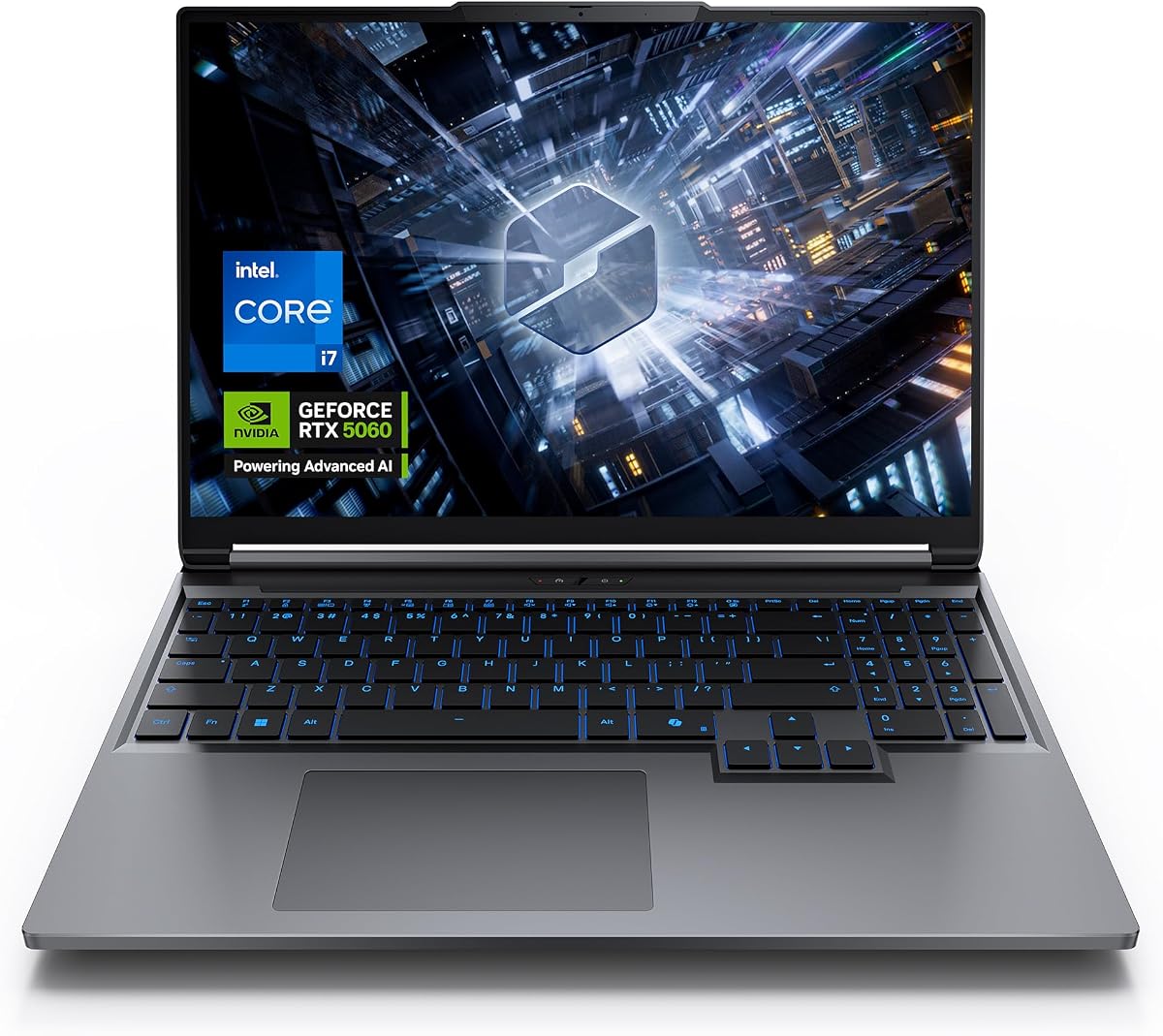
The Acer Nitro V 16S offers incredible value for Baldurs Gate 3 enthusiasts. Its AMD Ryzen 7 260 processor and RTX 5060 GPU provide strong computational power. The 32GB DDR5 RAM ensures seamless multitasking even with background applications running.
We may earn a commission when you buy through this link, at no additional cost to you.
An 180Hz WUXGA IPS display brings vibrant visuals and smooth motion. This refresh rate is excellent for fast-paced action scenes. The inclusion of AI features enhances rendering capabilities beyond standard gaming expectations.
While color accuracy may not match premium panels, it remains vibrant enough for immersive gameplay. The chassis feels functional but less refined compared to higher-end models. Wi-Fi 6 ensures stable connectivity during online sessions.
This laptop is ideal for budget-conscious gamers who refuse to compromise on specs. You get high-end performance features without the premium price tag. It delivers a satisfying experience for exploring the vast world of Baldurs Gate 3.
The AI capabilities help optimize frame rates. This technology dynamically adjusts settings for smoother gameplay.
With 32GB of RAM, memory bottlenecks are eliminated. You can run multiple apps alongside the game comfortably.
We may earn a commission when you buy through this link, at no additional cost to you.
The Dell Alienware 16 Aurora sets a high standard for premium gaming laptops. Its Intel Core 7 240H processor paired with 32GB DDR5 RAM handles heavy workloads effortlessly. The WQXGA display provides crisp details essential for appreciating game art.
We may earn a commission when you buy through this link, at no additional cost to you.
This machine features Windows 11 Pro offering enhanced security and management tools. The aluminum chassis feels durable and looks professional. Cooling is efficient, preventing performance throttling during long raids or cinematic sequences.
The weight might make it less portable for travel but ensures stability on a desk. While priced higher, the build quality justifies the investment. Connectivity options are comprehensive, supporting various peripherals seamlessly.
Buyers prioritizing quality and reliability will find this laptop perfect. It offers an elevated experience for Baldurs Gate 3 with no compromises. You gain access to superior visuals and robust performance in a stylish package.
The WQXGA resolution ensures text clarity. This is vital for reading dialogue in detailed role-playing games.
Windows 11 Pro adds enterprise-grade tools. These are useful for streamers or content creators too.
We may earn a commission when you buy through this link, at no additional cost to you.
The MSI Cyborg 17 offers a larger viewing area ideal for RPGs. Its 17.3-inch screen enhances immersion without excessive bulk. The Intel Core 7 240H processor ensures responsive gameplay across all game mechanics and menus.
We may earn a commission when you buy through this link, at no additional cost to you.
Despite its size, this laptop remains surprisingly portable at 5.5 lbs. The cooling system keeps temperatures manageable during intense combat. Wi-Fi 6E provides faster and more stable connections for online multiplayer features.
The FHD resolution limits detail compared to higher-resolution panels. However, the larger size compensates for many users. Battery life is average but acceptable for portable gaming needs on the go.
Gamers who prefer a bigger screen will love this model. It balances portability with visual impact effectively. You can explore the world of Baldurs Gate 3 with a more expansive field of view.
The larger display creates a cinematic experience. This is perfect for story-driven gameplay sessions.
Despite the size, it travels well. You can take it to LAN parties easily.
We may earn a commission when you buy through this link, at no additional cost to you.
The GIGABYTE Gaming A16 excels with its RTX 5070 GPU. This card offers next-level graphics fidelity for Baldurs Gate 3. The 32GB DDR5 memory supports heavy multitasking and large game libraries efficiently.
We may earn a commission when you buy through this link, at no additional cost to you.
GiMATE AI integration provides intuitive control over system settings. The slim chassis fits easily into backpacks for travel. A flexible hinge allows comfortable viewing angles in various environments.
The CPU is older compared to newer models which might limit efficiency. Fans can get noisy during peak performance times. However, raw graphics power remains a standout feature for rendering high-quality scenes.
This laptop is suited for users prioritizing graphics over CPU raw speed. It delivers stunning visuals and reliable performance. You will enjoy enhanced textures and smoother ray tracing effects in your gameplay.
The RTX 5070 boosts frame rates significantly. This ensures smooth gameplay even at higher settings.
GiMATE optimizes performance automatically. You save time adjusting settings manually for different apps.
We may earn a commission when you buy through this link, at no additional cost to you.
The HP Victus 15.6 delivers a balanced experience with great battery life. Its Ryzen 7 7445HS processor ensures smooth operation for everyday tasks. The 32GB DDR5 RAM makes it future-ready for demanding software.
We may earn a commission when you buy through this link, at no additional cost to you.
This model operates quietly even under load making it suitable for home use. The display offers decent color reproduction for its class. DTS:X audio enhances immersion with rich soundscapes.
The RTX 4050 may limit ultra settings on high resolutions. However, it handles 1080p gaming well. Build quality is solid though not as rugged as premium competitors.
For casual gamers needing versatility, this is a great pick. It handles gaming and productivity without breaking the bank. You get solid performance with minimal noise and good battery endurance.
DTS:X creates surround sound effects. This helps hear footsteps or ambient clues in-game.
Long battery life allows mobile use. You can work or play away from outlets longer.
We may earn a commission when you buy through this link, at no additional cost to you.
The ASUS ROG Strix G16 Pro offers top-tier specs for power users. Its Core Ultra 9 275HX processor delivers unmatched performance speed. The 240Hz display ensures fluid visuals perfect for competitive and RPG gaming alike.
We may earn a commission when you buy through this link, at no additional cost to you.
RTX 5070 Ti graphics provide next-level fidelity. This model supports Wi-Fi 7 for ultra-low latency connections. Cooling technology keeps performance stable even during marathon gaming sessions.
The high cost might not fit every budget. Battery life is reduced due to high performance components. Yet the raw power justifies the premium for enthusiasts seeking the best.
This laptop is perfect for those who demand maximum performance. You get the fastest refresh rates and most powerful components available. It transforms Baldurs Gate 3 into a visually stunning experience.
240Hz refresh rates eliminate motion lag. This ensures quick reactions during combat scenarios.
Wi-Fi 7 ensures ultra-fast speeds. This is crucial for online multiplayer stability.
We may earn a commission when you buy through this link, at no additional cost to you.
The Aurora 16X balances performance with portability effectively. Its 2.5K 180Hz display offers high resolution and smooth motion. The Intel Core i7 14650HX processor handles complex game mechanics without lag.
We may earn a commission when you buy through this link, at no additional cost to you.
This laptop includes upgradeable memory slots for future flexibility. The cooling system supports high CPU and GPU performance. Business styling makes it suitable for professional environments too.
Battery life is average for gaming machines. The chassis is durable but adds some weight. However, the display quality remains a major selling point for gamers.
Users seeking high resolution visuals should consider this model. It delivers a crisp gaming experience with reliable performance. You can appreciate detailed environments in Baldurs Gate 3 with clarity.
2.5K resolution shows more detail. This helps notice textures in dark cave environments.
Nahimic audio enhances immersion. You hear subtle game cues more clearly.
We may earn a commission when you buy through this link, at no additional cost to you.
The ASUS TUF Gaming A16 is built to withstand rough use. Its military-grade durability ensures longevity even with frequent travel. The AMD Ryzen 7 7445HS provides decent performance for gaming tasks.
We may earn a commission when you buy through this link, at no additional cost to you.
This laptop offers excellent battery life for long sessions away from power. The design is simple yet functional. It lacks high-end features but delivers reliable results for the price.
Storage is limited at 512GB which might fill up quickly. The screen resolution is lower than premium options. However, it remains sturdy and dependable for everyday gaming needs.
Budget-focused buyers looking for durability will appreciate this choice. It holds up well under daily use. You get a solid machine for Baldurs Gate 3 without breaking the bank.
Military-grade testing ensures toughness. This makes it reliable for students or travelers.
Low price offers great value. You get essential specs for gaming and school.
We may earn a commission when you buy through this link, at no additional cost to you.
The GIGABYTE Gaming A16 AMD focuses on efficient AMD performance. Its Ryzen 7 260 processor handles multi-threaded tasks well. Paired with RTX 5060 it delivers consistent frame rates for RPGs.
We may earn a commission when you buy through this link, at no additional cost to you.
This model includes GiMATE AI features for intuitive control. The slim design fits easily into bags. Thermals are managed well even during intensive sessions.
Connectivity options are standard but lack Thunderbolt. Wi-Fi 6 is sufficient for most home networks. It offers a solid all-round experience without excessive bulk or cost.
Ideal for those preferring AMD architecture and efficiency. You get smooth gaming and reliable performance. Baldurs Gate 3 runs well on this machine for daily use.
AMD Ryzen 7 handles multitasking well. This is useful when streaming gameplay.
GiMATE simplifies settings management. This saves time tuning performance for different apps.
We may earn a commission when you buy through this link, at no additional cost to you.
Selecting the right laptop involves balancing performance, display, and budget. Here are key factors to consider for optimal gameplay.
The processor manages dialogue, inventory, and physics. Look for recent Intel Core i7 or AMD Ryzen 7 chips.
Prioritize CPUs with multiple cores to ensure smooth transitions during gameplay.
RTX 4050 or higher is recommended for ray tracing. It enhances lighting and texture fidelity.
A GPU with strong AI features boosts FPS via DLSS technology.
16GB RAM is standard but 32GB offers headroom for multitasking.
More memory allows background apps without slowing the game.
High refresh rates like 144Hz reduce motion blur. A 2.5K resolution improves text clarity.
Prioritize panels with good color accuracy for immersion.
NVMe SSDs ensure fast loading. A 1TB drive stores multiple games easily.
Avoid HDDs as they cause long load times.
Good cooling prevents performance drops. Vapor chambers keep temperatures low.
Check reviews for noise levels under load.
Wi-Fi 6E ensures stable connections. USB-C ports support external monitors.
Look for HDMI 2.1 for high refresh external displays.
Lightweight models suit travelers. Battery life should last at least four hours.
Consider weight if you plan to carry it daily.
Always keep the laptop on a hard surface for airflow. This prevents overheating during long gaming sessions.
Update graphics drivers regularly to get the latest optimizations. Check manufacturer websites for the newest patches.
Clean the keyboard and vents with compressed air every few months. Dust buildup can reduce cooling efficiency significantly.
No but it enhances visuals. It improves lighting and shadows. RTX 4060 or higher GPUs support it well.
It is adequate for the game. Multitasking might benefit from 32GB. 16GB runs the game smoothly.
They can without proper cooling. Good airflow is essential. Use a stand to improve ventilation.
144Hz is the minimum. Higher rates like 180Hz reduce motion blur. It makes movement smoother.
Some laptops allow upgrades. Others have soldered memory. Check specs before buying to confirm.
Windows 11 optimizes newer hardware. It supports better power management. It is recommended for best performance.
These ten models offer options for every gamer. From budget picks to premium choices, performance is prioritized.
Focus on GPU and display for the best visual experience. RAM ensures smooth gameplay during long sessions.
Prices change frequently so verify current listings. Your ideal laptop is among these top-rated options.