
Time Clock for Small Business Employee Hours Calculation H4
4.8Editor score
Standalone operation
Zero monthly fees
Multi-verification modes
Discover the top fingerprint time clocks for employees in 2026. We compare features, security, ease of use, and cost to help you choose the perfect attendance
Finding the right attendance solution is crucial for modern small businesses seeking accuracy and efficiency. Fingerprint time clocks eliminate buddy punching and streamline payroll processing significantly.
We evaluated leading models based on recognition speed, data security, connectivity options, and overall durability. Our analysis ensures you find a device that fits your specific operational needs perfectly.
Each pick highlights key strengths and potential trade-offs to guide your investment decision. Please note that product availability and pricing may fluctuate over time.
4.8Editor score

4.6Editor score

4.4Editor score
This side-by-side comparison highlights the core specifications and capabilities of each model to help you quickly identify the best fit for your workforce.



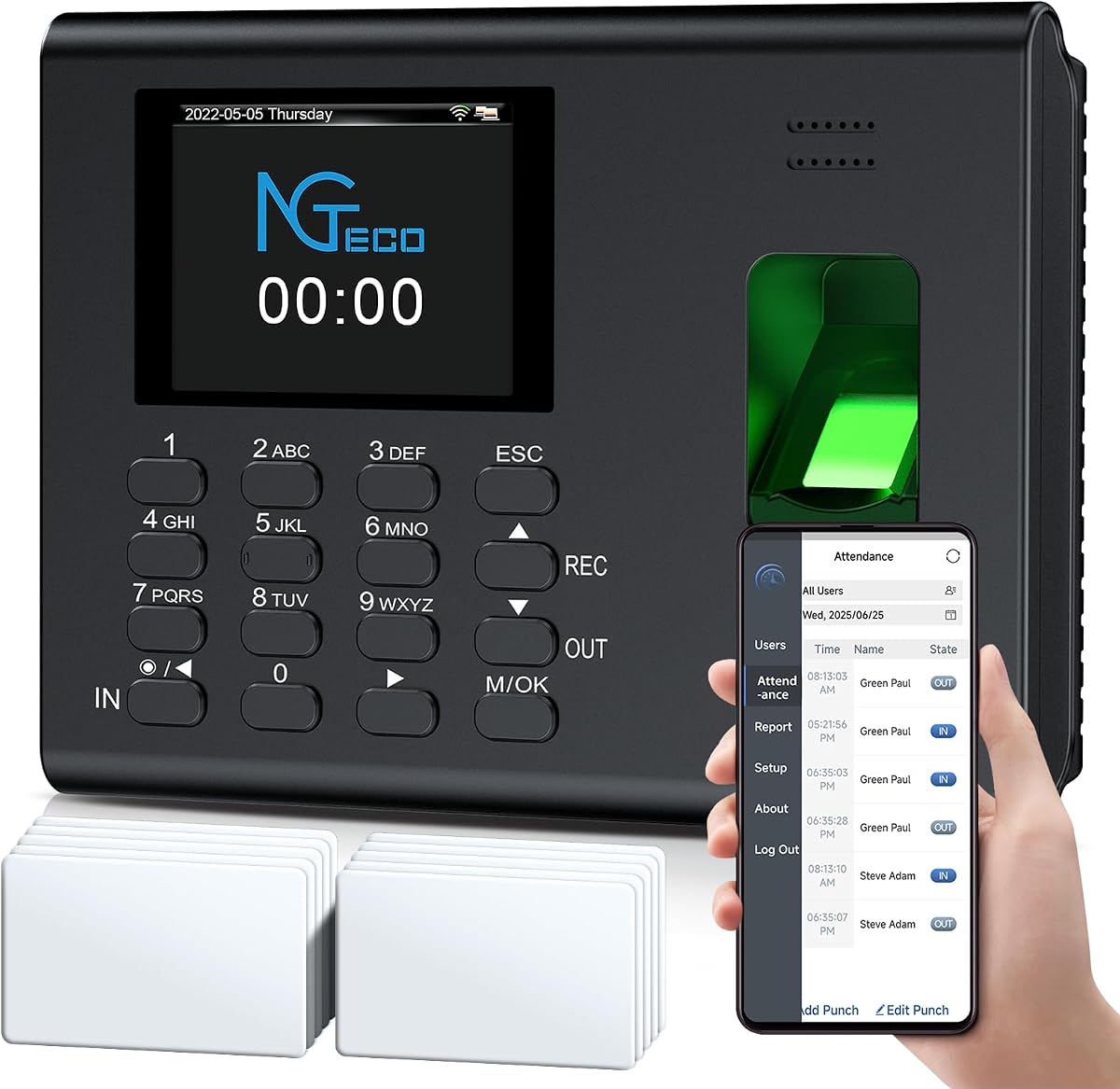
The NGTeco Time Clock for Small Business delivers excellent performance for businesses needing reliable fingerprint tracking. With a strong 4.6-star rating it is designed to handle daily punch-ins efficiently without technical headaches.
We may earn a commission when you buy through this link, at no additional cost to you.
Its advanced sensor authenticates wet and dry fingerprints in just 0.5 seconds ensuring quick access for all shifts. The app allows you to edit punches in seconds while real-time sync ensures everyone sees accurate hours instantly.
The system includes a robust backup that safeguards attendance records during power outages so you never lose critical data. This reliability makes it a safe choice for environments where uptime matters greatly.
For managers seeking a balance of speed and security this model stands out. It simplifies admin tasks and integrates well with standard payroll cycles making it a top recommendation for small businesses.
The sensor handles both wet and dry fingers to minimize friction during peak morning rushes.
Integrated backup ensures records survive unexpected power failures without needing manual resets.
We may earn a commission when you buy through this link, at no additional cost to you.
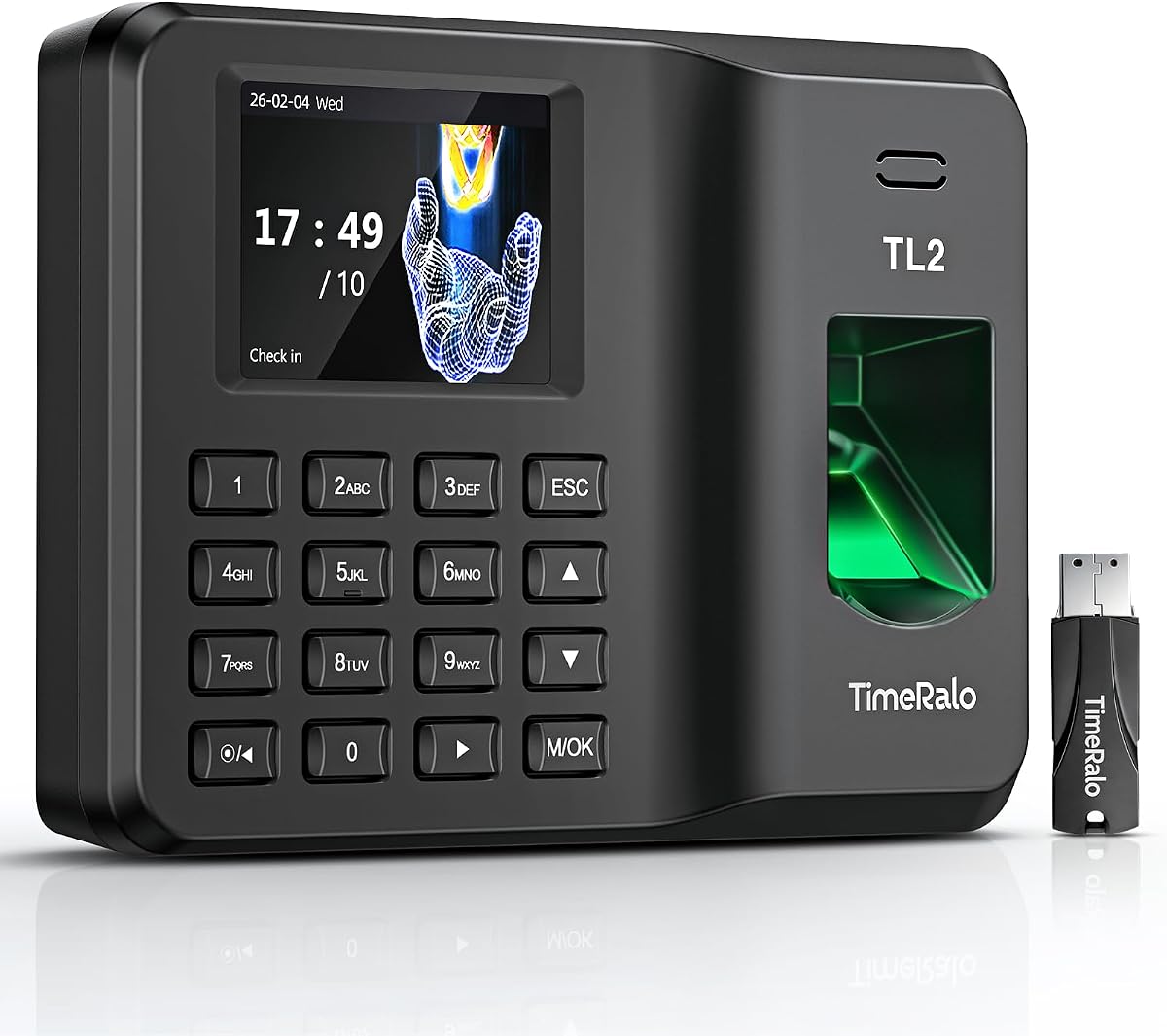
This standalone model is perfect for businesses that want to avoid complex software or internet dependencies. It starts up quickly and focuses purely on accurate local tracking and simple data export.
We may earn a commission when you buy through this link, at no additional cost to you.
With onboard memory for 500 user profiles it supports growing teams without needing constant maintenance. You can easily export all attendance data via the included USB drive ready for Excel payroll integration.
The industrial-grade materials ensure it withstands daily use in tough environments like warehouses or retail counters. Its compact design allows flexible placement anywhere you need consistent tracking without network cables.
If you prioritize simplicity and cost-effectiveness this device offers a solid solution. It cuts supply costs by eliminating paper cards and ribbons while keeping records secure and retrievable.
Onboard memory grows with your business so you do not outgrow the hardware quickly.
Built to resist wear and tear in high-traffic areas like factories or workshops.
We may earn a commission when you buy through this link, at no additional cost to you.
This affordable option provides a straightforward path to digital attendance without monthly fees or hidden costs. It is ideal for small teams that want immediate use without extensive configuration steps.
We may earn a commission when you buy through this link, at no additional cost to you.
The unit stores up to 500 fingerprints and 50000 punch records supporting teams of up to 500 employees easily. A built-in backup system safeguards all punch data and timesheets during unexpected power outages.
Made of high-quality ABS plastic it is designed for long-term durability in offices factories and restaurants. Flexible multi-angle installation lets you mount it on a wall or place it directly on a desktop.
Choosing this model means you avoid manual data entry errors and reduce paper waste. It offers precise instant digital records that simplify payroll adjustments while keeping your budget intact.
No wifi or complex software is needed to get this clock running immediately.
Stores massive amounts of data to reduce frequent transfers or clearing of old logs.
We may earn a commission when you buy through this link, at no additional cost to you.
This cloud-connected model gives busy managers the ability to track attendance from anywhere. It uses an intuitive mobile app and web portal to keep you in control without being on-site.
We may earn a commission when you buy through this link, at no additional cost to you.
Equipped with dual-band wifi it delivers fast stable connectivity to avoid connection lags during peak hours. The system supports complex shift types including rotating and part-time schedules to fit your unique workflow.
Data is stored securely on AWS servers with end-to-end encryption to ensure your business information stays private. A 2000mAh battery keeps the clock running during power cuts to maintain continuous tracking.
If you need remote visibility and robust overtime configuration this device is well-suited. It simplifies payroll work by auto-computing overtime hours and generating payroll-ready data automatically.
Monitor real-time clock-ins and generate reports on the go via your mobile device.
Configurable OT1 and OT2 rates reduce manual errors in overtime calculations.
We may earn a commission when you buy through this link, at no additional cost to you.
The uAttend JR2000 brings cloud efficiency to small businesses with a focus on complete payroll automation. It is designed to handle employee time tracking and tax filings in a single integrated system.
We may earn a commission when you buy through this link, at no additional cost to you.
Real-time data access allows you to view and manage attendance from any device for flexibility. The interface is user-friendly making it accessible for tech-savvy managers and first-time users alike.
In-depth reporting capabilities give you valuable insights into attendance trends productivity and labor costs. Data security is handled through automatic cloud backups to keep your employee records always available.
If you want a full system that reduces manual payroll tasks this model delivers. The subscription service brings premium features that support growing businesses needing detailed labor analytics.
Automates payroll tasks including tax filings to save time on administrative work.
Gain valuable insights into labor costs through comprehensive reporting tools.
We may earn a commission when you buy through this link, at no additional cost to you.
This HapAttend model stands out for its simplicity and strong 4.8-star rating among users. It works completely without wifi or internet making it ideal for workplaces where network access is limited.
We may earn a commission when you buy through this link, at no additional cost to you.
The 3-in-1 verification using fingerprint RFID card and PIN helps prevent buddy punching effectively. It automatically calculates working hours and supports night shifts to ensure correct day recording.
Built-in backup protects employee information and punch records during power outages for data integrity. You get full access to all functions with no monthly subscription fees recurring costs or hidden charges.
Choosing this option means you invest once and avoid ongoing expenses. It supports up to 500 employees and offers English Spanish and other languages for diverse teams.
One-time purchase with no hidden fees lowers long-term operational expenses.
Automatically recognizes night shifts to ensure correct workday recording.
We may earn a commission when you buy through this link, at no additional cost to you.
This cloud-connect clock offers flexible shift configurations that suit all team structures easily. You can access real-time punch data from anywhere using any web browser for broad compatibility.
We may earn a commission when you buy through this link, at no additional cost to you.
Power by AWS US servers with end-to-end encryption your attendance data is stored securely. Offline punch capture ensures no data loss even when the network is temporarily down.
The software supports over seven languages for diverse international workforces. Basic features like auto time calculation and storage are free with zero subscription costs.
If you need a global-friendly solution with solid security this model is strong. It eliminates manual scheduling errors and aligns with diverse company compensation policies.
Captures punches offline and syncs automatically once the network is restored.
Multi-language software helps diverse teams operate smoothly in their preferred language.
We may earn a commission when you buy through this link, at no additional cost to you.
This upgraded model focuses on staff self-service to boost transparency and cut admin hassle. Employees can view their timesheets on their phone by scanning a QR code without needing approval.
We may earn a commission when you buy through this link, at no additional cost to you.
The mobile app lets you view correct attendance and set rules in real time without desktop software. It supports cross-day shifts and department transfers for complex business workflows.
Built-in intelligence calculates working hours and overtime automatically to ensure accurate timesheets. Reports are sent directly to your email to reduce paperwork and payroll errors.
If you want to empower staff and simplify admin this device is a strong pick. It is ideal for high-turnover teams and works reliably even in remote network-free sites.
Employees can verify their own work hours instantly on their phones.
Auto-generates visual reports to streamline payroll processing.
We may earn a commission when you buy through this link, at no additional cost to you.
This premium model offers a 4.3-inch high-definition touchscreen for an intuitive user experience. It supports facial recognition fingerprint scanning RFID cards and PIN codes for maximum flexibility.
We may earn a commission when you buy through this link, at no additional cost to you.
Customizable attendance rules let you tailor the system to your unique business operations easily. Dual-band WiFi ensures smooth and uninterrupted operation with faster data transmission speeds.
AWS cloud storage protects your data with end-to-end encryption to ensure confidentiality. You can adjust schedules and generate reports on the go using the web software or mobile app.
If you seek the highest usability and robust security this touchscreen device is ideal. It enhances efficiency and reduces wait times while meeting strict privacy standards.
The high-definition touchscreen simplifies the punch process for all employees.
Define paid unpaid breaks and revision zones to fit your rules.
We may earn a commission when you buy through this link, at no additional cost to you.
This model features fingerprint PIN code and card swiping recognition modes to prevent buddy punching. It comes with 10 RFID cards ready for use right out of the box.
We may earn a commission when you buy through this link, at no additional cost to you.
Enable real-time remote management via the NGTeco App on the same local network easily. It supports custom flexible schedules and night shift settings to fit diverse business modes.
A built-in 2000mAh backup battery ensures continuous operation during power outages. It supports stable offline recording with automatic data sync after network recovery.
If you need a simple portable solution with solid battery backup this fits well. It supports wall-mounted and desktop dual installation for flexible layout adaptation.
Ensures continuous operation even during unexpected power outages.
Remote control via app on the same local network simplifies HR stats.
We may earn a commission when you buy through this link, at no additional cost to you.
Choosing the right fingerprint time clock depends on your workforce size technical needs and budget constraints.
Verify how the device authenticates users. Some models use fingerprint alone while others include PIN RFID or facial recognition to prevent unauthorized entries.
Look for a system with multiple methods to reduce buddy punching.
Check how many users and punch records the device supports. Small teams may only need 100 slots but growing companies should plan for 500 or more.
Select a model that scales with your hiring growth.
Decide between standalone devices requiring USB exports and cloud models allowing remote access. Standalone units are simpler but cloud ones offer real-time updates.
Choose connectivity that matches your IT infrastructure.
Look for built-in battery backup to handle unexpected power outages. Without this you risk losing attendance data and needing manual resets.
Prioritize models with at least a few hours of backup.
Evaluate how the device exports data to your payroll system. USB Excel files and direct API integration can save hours of manual entry.
Ensure export formats match your payroll software.
Consider the ease of use for staff. A clear display and quick recognition speed reduce queues during busy morning shifts.
Opt for devices with simple navigation.
Analyze upfront costs versus monthly subscription fees. Some cloud models require recurring payments while standalone options are one-time purchases.
Balance long-term fees against your operational budget.
Check the length of the warranty and support availability. Local US-based support can resolve issues faster than overseas help lines.
Pick brands with reliable customer service.
Start by mounting the device securely on a wall or placing it on a stable desktop. Ensure it is near an outlet and within reach for employees to punch in easily.
Register each employee's fingerprint by following the device menu instructions. Use a dry finger and press firmly until the sensor confirms success for all staff members.
Regularly update firmware and clean the sensor with a soft dry cloth to maintain accuracy. Schedule monthly exports to your payroll system to keep records organized.
Many modern sensors are designed to handle wet and dry fingerprints accurately. Check the product specs for water resistance ratings if you work in kitchens or outdoor settings.
Use devices with multiple verification methods like fingerprint plus PIN. Facial recognition can also help ensure the person present is the one clocking in.
Some models offer CSV export files that QuickBooks can import. Verify the export format before buying to ensure compatibility with your accounting software.
Standalone units store data locally so internet is not required. Cloud models usually allow offline capture and sync data once connectivity is restored.
Quality models include a backup battery to protect records. Without this feature you might lose data if the outage occurs during active use.
Most small business units support up to 500 profiles. Larger organizations may need to deploy multiple devices or upgrade to enterprise-grade systems.
Our top picks range from affordable standalone units to advanced cloud models with facial recognition. The NGTeco Time Clock for Small Business leads for balance of features and speed.
Prioritize connectivity and backup power to ensure you never lose critical attendance data. Choosing the right verification method prevents conflicts and keeps payroll accurate.
Check current prices and availability before making a final decision since models change often. Investing in a reliable system today saves significant administrative effort tomorrow.