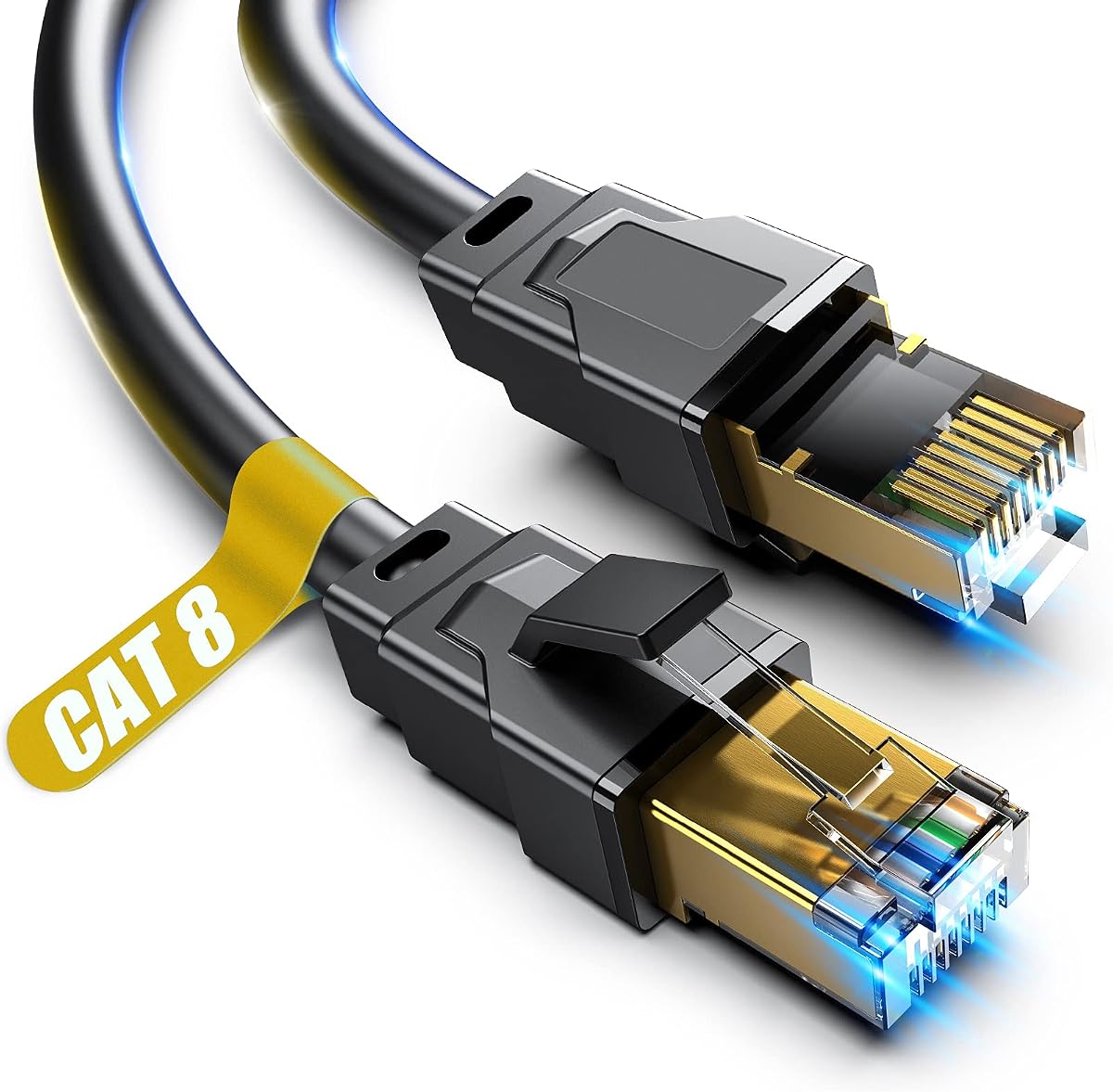
Vabogu Cat 8 Ethernet Cable 6FT
4.7Editor score
Heavy Duty Outdoor Rating
26AWG Thick Conductors
Wide Device Compatibility
This guide compares the top Ethernet cables for Mac to help you choose the fastest connection for streaming gaming and work. We review speed durability
Connecting your Mac to a wired network ensures stable high speed internet for streaming gaming and critical work tasks. Whether you need a short link for a desk or a long run to a router selecting the right cable matters significantly.
We evaluated ten top rated Ethernet cables focusing on speed performance shielding and build quality. Each product was reviewed against real world use cases to ensure it meets the demands of modern Mac setups and network environments.
Every pick highlights key strengths and ideal use scenarios to help you decide quickly. Please note that prices and availability change frequently so check the latest offers before finalizing your purchase for your home office setup.
4.7Editor score
4.7Editor score

4.6Editor score
The following table provides a side by side overview of key specifications for each product. Use this to quickly compare speeds lengths and shielding types across the top ten options available for Mac users today.


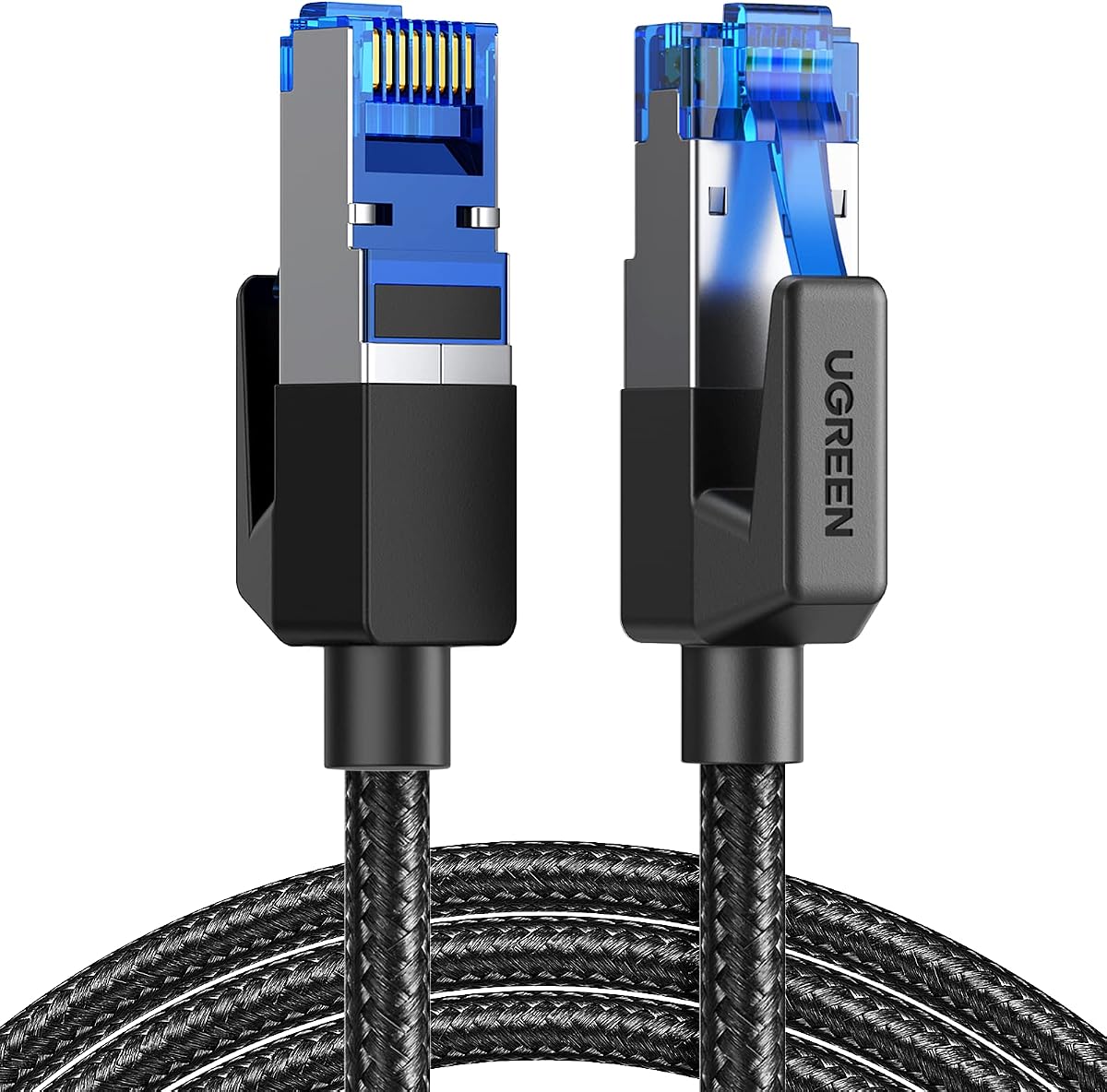
This UGREEN Cat 8 Ethernet Cable holds the top spot for its balanced performance and reliability. With a high rating of 4.7 stars it proves effective for Mac users needing stable wired connections.
We may earn a commission when you buy through this link, at no additional cost to you.
The cable supports up to 40 Gbps data transfer and 2000 MHz bandwidth which exceeds the needs of most Mac networking tasks. Its four shielded foiled twisted pairs reduce noise and crosstalk ensuring a clean signal for your device.
While the price is slightly above budget options the durability justifies the cost. The cotton braided cord has been tested to bend over ten thousand times without breaking making it ideal for long term desktop setups.
This cable is perfect for Mac owners who game stream or work from home and need maximum stability. It works with any device featuring an RJ45 port including routers modems and gaming consoles offering future proof speed.
The 40 Gbps potential ensures your Mac can handle high throughput tasks without bottlenecks from the cable itself.
The braided protection and reinforced connectors help prevent fraying and damage over years of regular use.
We may earn a commission when you buy through this link, at no additional cost to you.
The Smolink Cat 8 Ethernet Cable stands out for its impressive 50ft length which offers great flexibility for room layouts. It delivers the same high speed performance as shorter cables but spans larger distances easily.
We may earn a commission when you buy through this link, at no additional cost to you.
This cable uses a nylon braided jacket to protect against daily wear and tear. It supports 40Gbps speeds and 2000MHz bandwidth making it suitable for Mac users who need to connect from a distant router to their desk.
The U/FTP shielding design helps maintain signal integrity over the longer distance by reducing interference. This ensures that your Mac receives stable data even when the cable runs along walls or across rooms.
Choose this option if you need to connect your Mac to a router that is far away without paying extra for longer cables. It is a practical choice for home offices with challenging layouts and large floor plans.
The 50ft length allows you to place your Mac or laptop in the most comfortable spot regardless of router location.
The nylon braiding provides extra strength against tugging and pulling during routine movement and rearrangement.
We may earn a commission when you buy through this link, at no additional cost to you.
The DbillionDa Cat 8 Ethernet Cable is designed for environments where weather resistance is crucial. It features a waterproof anti corrosion PVC jacket that protects against moisture and direct sunlight exposure reliably.
We may earn a commission when you buy through this link, at no additional cost to you.
It uses 26AWG conductors which are thicker than standard cables to ensure faster and more stable data transmission. This makes it an excellent choice for Mac users who need a reliable connection in garages or covered patios.
The heavy duty double shielded design minimizes electromagnetic interference even in areas with high electrical noise. You can also bury this cable directly if needed to hide it from view while keeping it functional and safe.
Select this cable if your Mac setup is near a window or outside area where standard indoor cables might degrade. It provides peace of mind against environmental factors while maintaining high speed network performance.
The PVC jacket withstands extreme temperatures and humidity protecting the internal wires from damage over time.
This cable can be safely buried to create hidden network paths for outdoor setups or landscape lighting.
We may earn a commission when you buy through this link, at no additional cost to you.
The Jadaol Cat8 Ethernet Cable offers a unique flat design that simplifies cable management in tight spaces. Its white color helps it blend in with light colored floors and desks for a cleaner aesthetic.
We may earn a commission when you buy through this link, at no additional cost to you.
This 25ft cable supports 40Gbps speeds and uses S/FTP shielding to prevent interference. The flat shape allows it to slide easily under carpets or doors without creating tripping hazards or obstructing walkways.
Gold plated connectors ensure a secure connection to your Mac and router reducing the risk of data loss. It is compatible with most networking devices including modems switches and game consoles for versatile use.
This cable is ideal for users who want a tidy setup without sacrificing speed. It is perfect for temporary setups or rented spaces where running wires under rugs is necessary for organization and safety.
The flat design lets you run cables along baseboards or under doors without visible bulky wiring.
Despite its slim profile the cable delivers full Cat 8 performance for gaming and streaming tasks.
We may earn a commission when you buy through this link, at no additional cost to you.
This UGREEN Cat 8 Ethernet Cable is tailored for short distance connections where neatness is key. At 3 feet it is ideal for connecting a Mac desktop to a nearby router or switch without clutter.
We may earn a commission when you buy through this link, at no additional cost to you.
The flat design allows it to fit easily through cable channels or under desktop trays. It supports 40Gbps data transmission with 26AWG pure copper conductors ensuring stable performance even in tight spaces.
A cotton braided cord wraps the cable to add strength against accidental pulling or bending. This makes it durable enough for daily use where cables might get moved frequently by hand.
Choose this short cable if your Mac sits right next to your network hardware. It keeps your desk organized and reduces cable clutter while providing top tier speed for your internet tasks.
The 3FT length is just right for compact setups reducing excess wire loops and tangles.
Despite being thin the cable uses thick 26AWG wires to maintain high speed data transfer.
We may earn a commission when you buy through this link, at no additional cost to you.
This Cat 8 Ethernet Cable offers a great balance of performance and cost for everyday Mac users. The 8 foot length is versatile enough for most desks while the braided design adds a premium look.
We may earn a commission when you buy through this link, at no additional cost to you.
It uses pure copper wires to deliver fast data transfer with reduced signal loss. The 48 strand cotton braid protects the inner wires from damage and prevents tangling during routine handling.
The cable supports high speed data transfer for streaming and gaming needs. Gold plated pins in the connectors help ensure a secure stable connection to your Mac or router over time.
Pick this cable if you want reliable high speed internet without spending a lot. It is a solid choice for students or home users who need a durable link to their network gear.
The braided jacket gives this cable a high end appearance at an affordable cost point.
The cotton braid helps the cable resist tangling making storage and routing easier.
We may earn a commission when you buy through this link, at no additional cost to you.
The Jadaol Cat6/Cat6A Ethernet Cable combines a flat design with practical clips for easy installation. Its 50ft length covers long distances while the flat profile keeps it out of sight along walls.
We may earn a commission when you buy through this link, at no additional cost to you.
This cable supports speeds up to 10Gbps which is sufficient for most high speed internet plans. The included clips help secure the cable to baseboards or frames preventing it from hanging loosely.
It is made with bare copper wires to ensure minimal noise and interference during data transfer. This makes it a reliable option for Mac users who want a tidy connection without complex cabling.
Use this cable if you need a long run to a router that is far away. It is ideal for home offices where hiding the wire under carpet or along baseboards is a priority.
The included clips make it simple to keep the cable flat against walls or floors.
This Cat6A cable supports high speed data transfer for streaming and large file downloads.
We may earn a commission when you buy through this link, at no additional cost to you.
The Cable Matters 10Gbps Snagless Cat 6 Ethernet Cable is recognized for its durable and secure design. With a high rating of 4.8 stars it stands out as a reliable choice for Mac users needing consistent connections.
We may earn a commission when you buy through this link, at no additional cost to you.
This cable features snagless boots that protect the connector clip from breaking during insertion. It supports speeds up to 10Gbps and uses 24 AWG copper wires for stable high bandwidth data transfer.
The bare copper conductors improve performance by reducing signal loss over the 25 foot length. This makes it suitable for server applications or high definition streaming where reliability is essential.
Choose this cable if you need a secure connection for important work or gaming sessions. Its strong build quality ensures it withstands frequent plugging and unplugging without damage to the connector.
The snagless boots prevent the locking tab from breaking during routine moves or storage.
Support for 10Gbps ensures your Mac stays ready for faster internet plans and upgrades.
We may earn a commission when you buy through this link, at no additional cost to you.
The Vabogu Cat 8 Ethernet Cable is a top budget option that does not compromise on speed. It offers full Cat 8 performance with shielding that protects against interference for stable Mac connections.
We may earn a commission when you buy through this link, at no additional cost to you.
This cable is available in many lengths from 1.5ft to 100ft to fit any home office layout. The 26AWG pure copper conductors ensure faster data transfer and reduced signal loss over distance reliably.
Its UV resistant PVC jacket allows for both indoor and outdoor use without degradation. This makes it a versatile choice for connecting Mac devices in various environments without extra protection.
Select this cable if you need a durable high speed link at a low cost. It is perfect for users who want to save money without giving up performance or reliability for their network.
This cable delivers top tier speeds at a price point that is easy on your budget.
Multiple length options let you choose exactly what fits your setup without waste.
We may earn a commission when you buy through this link, at no additional cost to you.
The TP Link USB C to Ethernet Adapter is essential for MacBooks that lack a traditional Ethernet port. This adapter transforms a USB C port into a reliable wired connection instantly without driver installation.
We may earn a commission when you buy through this link, at no additional cost to you.
It supports Gigabit Ethernet performance over your USB C 3.0 port ensuring full speed access. The compact design fits easily into a laptop bag making it perfect for travel or remote work setups.
The device works seamlessly with macOS and other major operating systems for plug and play use. This ensures that you get instant wired internet access without any complicated setup or configuration steps.
Choose this adapter if your Mac does not have a built-in Ethernet port. It provides a secure stable alternative to Wi-Fi for meetings gaming and media streaming on the go.
Works with MacBook Pro Air and other USB C devices for broad network upgrade support.
Its small size and lightweight build make it easy to carry in any bag or pocket.
We may earn a commission when you buy through this link, at no additional cost to you.
Choosing the right Ethernet cable involves considering several factors to ensure optimal performance with your Mac. This guide breaks down the key elements you need to evaluate.
Cable categories like Cat 6 or Cat 8 determine the maximum speed your connection can support. For modern Macs, a Cat 6 or Cat 8 cable is recommended to handle high speed internet plans without bottlenecking your device. Cat 8 supports up to 40Gbps which is ideal for future proofing your network.
Always check the category rating on the packaging to ensure it meets your bandwidth needs. Higher categories generally provide better stability and speed for demanding tasks like 4K streaming.
Shielding protects your data signals from electromagnetic interference caused by other cables or appliances. Look for cables with F/FTP or S/FTP shielding if you plan to run the wire near power sources. This ensures a clean connection and reduces data loss during critical tasks.
Shielded cables are slightly thicker but provide a more stable connection for long term use. If you run your cable in a home office with many electronics, shielding is a valuable feature to prioritize.
Select a cable length that reaches from your router to your Mac without excess slack. Too much length can lead to clutter and tripping hazards while too little may force you to move your router. Measure the path carefully to ensure a comfortable fit.
Consider where you will place the cable in relation to furniture or walls. A slightly longer cable gives you flexibility to rearrange your desk later without needing a new purchase immediately.
The outer jacket material affects how well the cable resists wear and tear over time. Braided nylon jackets are excellent for durability and flexibility while PVC is good for outdoor use. Check the internal wires to ensure they are copper not copper clad aluminum for best performance.
Durability matters if you frequently move or unplug the cable. Look for reinforced connectors that can withstand repeated plugging without bending or breaking at the stress points.
Gold plated connectors are a standard feature in quality cables to prevent corrosion and ensure a good fit. They help maintain a stable connection especially if the device sits in a humid environment. Snagless boots protect the clip on the connector from breaking when pushed into tight spots.
Ensure the connector fits snugly into your Mac or adapter port without being too loose. A secure fit prevents accidental disconnections during use which can interrupt streaming or downloads.
If you plan to run the cable outside or in a garage, ensure it is rated for outdoor use. Outdoor cables have UV resistant jackets that protect against sun and moisture which standard cables lack. This prevents the jacket from cracking or degrading over time in harsh conditions.
Check if the cable is suitable for direct burial if you need to hide it underground. Waterproof connectors also help keep the connection dry and functional in damp environments.
Flat cables are thinner and easier to hide under carpets or doorways for a cleaner look. They are ideal for temporary setups where you do not want visible wires in the way of your home. Round cables are generally more flexible for coiling and bundling when stored.
Decide based on whether you prioritize aesthetics or flexibility. If you need to hide the cable under a rug, a flat design is usually the better choice for a seamless look.
Ethernet cables vary in price based on length, brand, and build quality. While expensive cables may offer better shielding, budget options can still deliver excellent speeds for most users. Compare the features you need against the price to find the best value.
Read user reviews to see if a cheaper cable performs well over time. Sometimes paying a bit more for a known brand saves money in the long run by avoiding replacements.
To set up your Ethernet cable, plug one end into your Mac or adapter and the other into your router or modem. Ensure both ports click into place for a secure connection before starting your device.
Avoid bending the cable sharply at the connector ends as this can damage the internal wires. Use cable ties or hooks to route the wire along walls rather than wrapping it tightly around sharp objects.
Regularly inspect the cable for fraying or damage especially if it runs in a high traffic area. If you see exposed wires or cracks in the jacket, replace the cable immediately to prevent safety hazards.
Yes, most Ethernet cables with RJ45 connectors work with Macs that have a built-in Ethernet port. If your Mac does not have a port, you will need a USB to Ethernet adapter to connect.
For most users, Cat 6 or Cat 6a is sufficient for gigabit internet speeds. Cat 8 is useful if you plan to upgrade your network to higher speeds in the future for better performance.
Look for labels like STP FTP or S/FTP on the cable packaging. These indicate that the cable has foil or braid shielding to reduce interference and noise.
Yes, you can run a flat Ethernet cable under a carpet for a cleaner look. Just ensure it is not too thick to avoid tripping hazards or damaging the wire.
This usually means the connector is loose or the internal wires are damaged. Check if the clip on the connector is broken or if the cable has been bent too sharply at the plug.
Standard Ethernet cables do not supply power. However, PoE cables can carry power for devices like IP cameras but not for charging your Mac or phone.
We hope this guide has helped you find the right Ethernet cable for your Mac setup. Whether you need speed, durability, or a specific length, there is a perfect option among the ten reviewed here.
When choosing, prioritize the factors that matter most to your daily use. Whether it is high speed for gaming or a flat design for neatness, your specific needs will guide the best choice.
Remember to check current prices and stock before buying as offers change often. We wish you smooth internet browsing and streaming with your new wired connection.