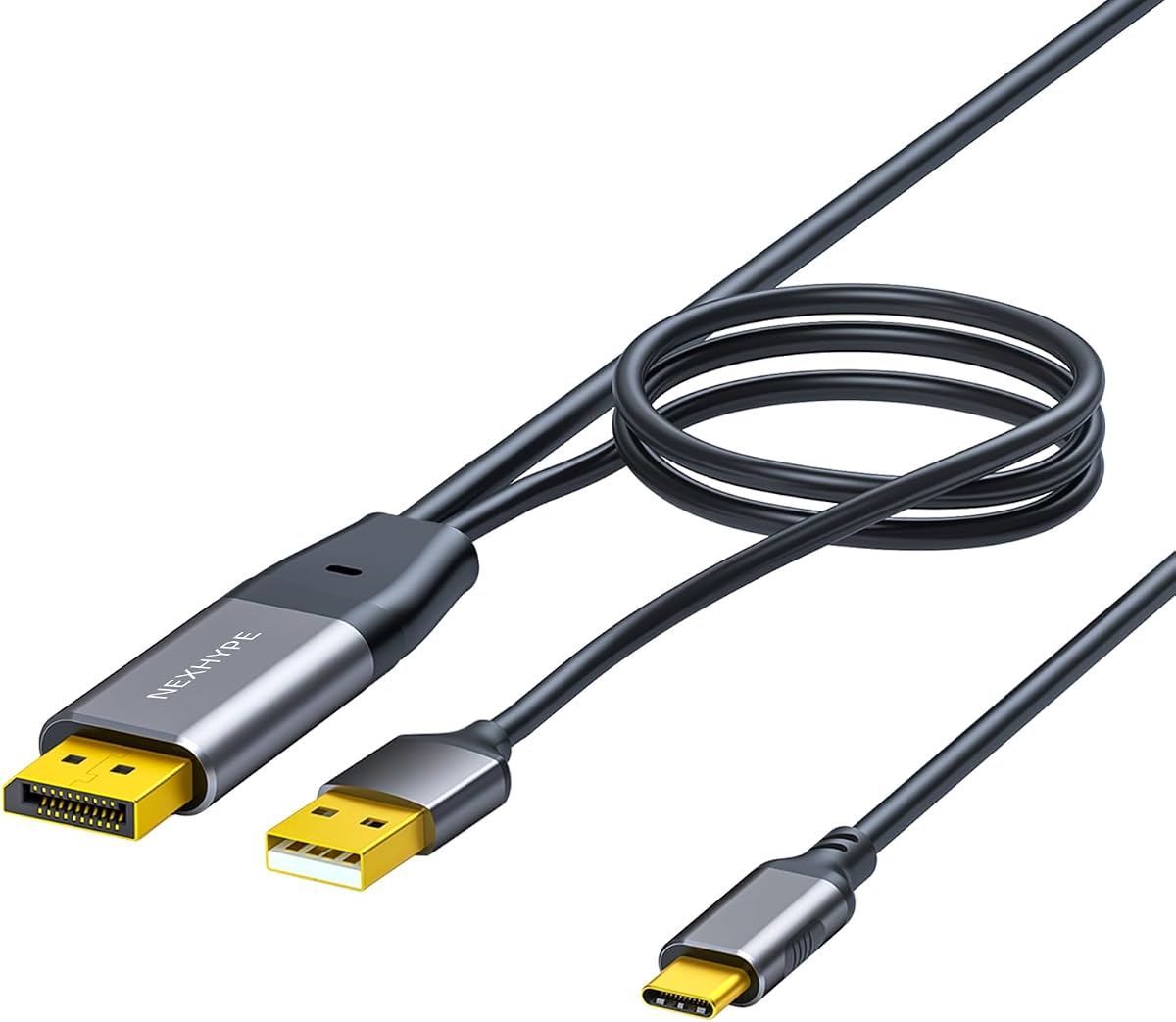
DisplayPort to USB-C Cable with Power 6.6ft
4.7Editor score
Integrated USB power design
Durable gold-plated connectors
12-month warranty support
Discover the top Displayport Adapter for AR Glasses options for immersive viewing. This guide compares connectivity, resolution, and compatibility across ten
Finding the right Displayport Adapter for AR Glasses is essential for immersive digital experiences. These adapters bridge the gap between traditional computing outputs and modern augmented reality headsets. Without a reliable connection, users face flickering screens or limited resolution options. Choosing wisely ensures smooth gameplay and crisp visuals.
We evaluated ten top-rated adapters based on performance and build quality. Each product offers unique features tailored to different AR glasses models and usage scenarios. Our comparison highlights compatibility, refresh rates, and power delivery capabilities. This list helps you navigate the technical specs to find your perfect match.
Every pick showcases key strengths and potential limitations for informed decisions. You will see detailed reviews covering setup ease and signal stability. Prices fluctuate frequently so check current listings before buying. We aim to provide clear guidance for connecting your PC or console to AR devices effectively.
4.7Editor score
4.5Editor score

4.8Editor score
This table compares all ten adapters side by side for quick reference. Look at resolution support and cable length to decide quickly. Each entry links to the product page for detailed specs and current availability.


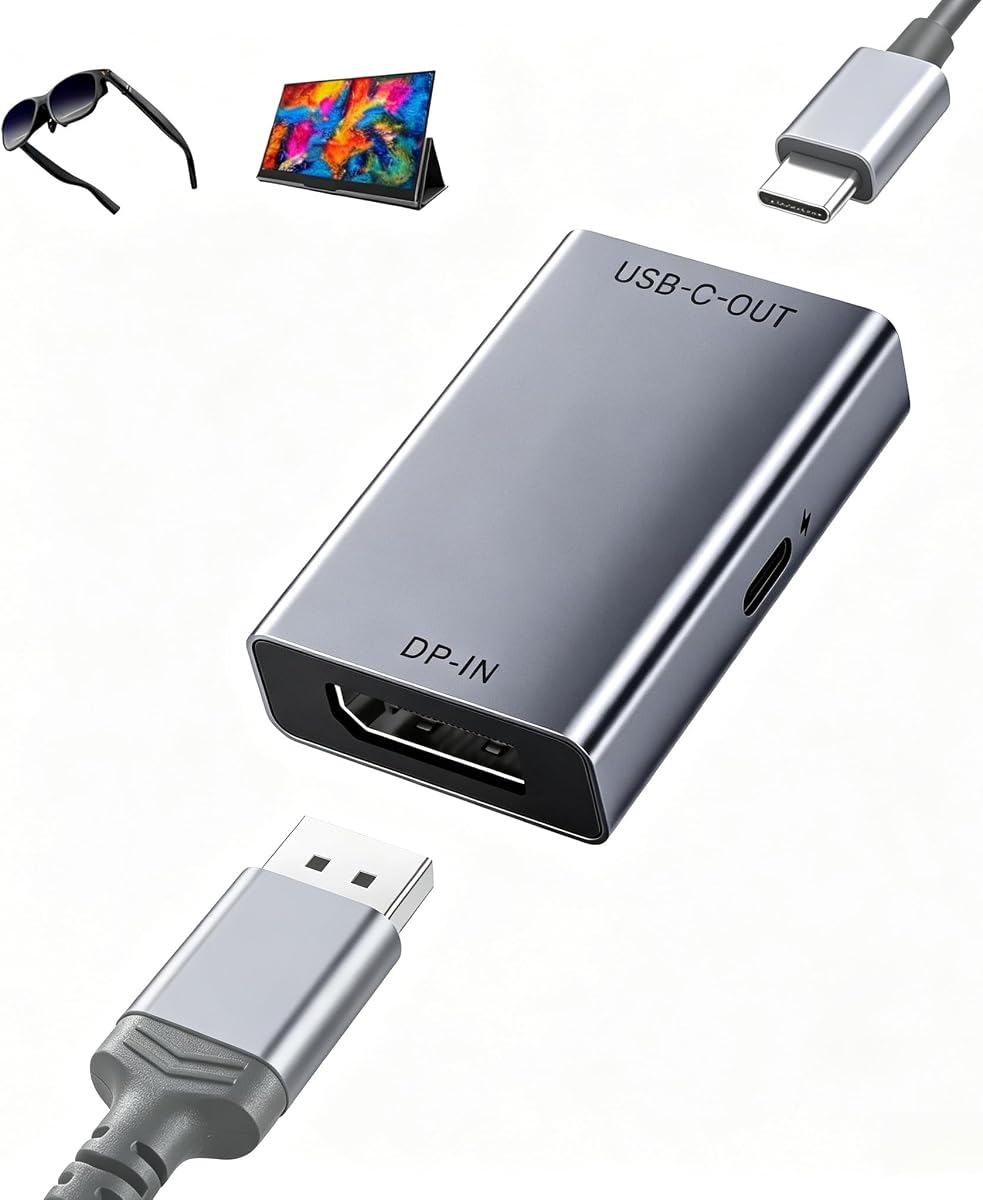
This adapter leads the pack with stunning 4K120Hz visuals for AR glasses. It delivers crisp fluid images ideal for gaming and movie streaming. The rating reflects reliable performance across popular brands like Xreal and Viture. Its aluminum case keeps cool during long sessions without thermal throttling.
We may earn a commission when you buy through this link, at no additional cost to you.
Users appreciate the true plug and play convenience. There is no need for software installations or complex drivers. The chipset ensures stable connections with minimal latency. This makes it perfect for fast paced competitive gaming where every millisecond counts. The design fits easily in pockets for travel.
While excellent it needs a USB C cable to charge the adapter itself. This adds a tiny bit of cable management to your setup. Audio might need manual switching on some glasses to DP mode. These are minor trade-offs for the high quality signal stability and visual clarity you get.
If you demand top tier performance this is the go to choice. It works with PCs laptops and consoles that have DisplayPort outputs. Whether you game watch movies or work on the go it adapts well. The build quality ensures longevity making it a smart investment for AR enthusiasts.
The 4K120Hz support brings movies and games to life with smooth motion and sharp detail.
Aluminum housing protects internal components while effectively dissipating heat during extended use.
We may earn a commission when you buy through this link, at no additional cost to you.
This cable offers great value for those on a budget. It connects DP sources to USB C displays reliably with an integrated power line. The 6.6ft length gives flexibility for desk setups or couch gaming. Most users report stable signal transmission without frequent dropouts.
We may earn a commission when you buy through this link, at no additional cost to you.
The integrated USB power is a standout feature for AR glasses. It supplies enough power for battery free monitors under fifteen inches. Touch control data flows through simultaneously for interactive use cases. This simplifies your setup by reducing the need for extra adapters near the source.
Higher end portable monitors might need more power than this provides. The PVC jacket is flexible but not as rugged as braided options. Some users find the length too long for tight travel bags. Yet for home use the performance per dollar is hard to beat.
Ideal for students or casual users wanting simple plug and play. It works with Xreal Rokid and Viture glasses out of the box. The warranty ensures peace of mind if issues arise later. It balances cost and function better than most competitors in this range.
The built in USB power line reduces clutter by powering the display without extra bricks.
Data transmission allows for touch functionality on compatible portable monitors seamlessly.
We may earn a commission when you buy through this link, at no additional cost to you.
This premium cable excels in professional environments like editing suites. Its graphene shielding ensures clean signals even in noisy electrical environments. The aluminum casing dissipates heat efficiently protecting your gear. It handles 4K60Hz with zero degradation over long cable runs.
We may earn a commission when you buy through this link, at no additional cost to you.
Designed for Apple Studio Display and Mac setups it stands out. Full touch and audio sync work flawlessly with compatible monitors. The USB power tail stabilizes the signal for touch interaction accuracy. This is critical for designers who rely on precise cursor movements on screen.
The 18 month warranty offers superior protection compared to industry standard. It justifies the higher cost for those needing reliability. Note it requires DSC support for Studio Display which limits some older GPUs. But for Mac users this is the most seamless experience available today.
Perfect for creatives who cannot afford downtime or artifacts. It bridges the gap between DP outputs and high end USB C displays. The build quality suggests it will last years of daily use. Invest in this if visual fidelity and stability are your top priorities.
Graphene material inside blocks interference ensuring pure video and audio data transfer.
An 18 month warranty shows confidence in durability and support reliability.
We may earn a commission when you buy through this link, at no additional cost to you.
This converter adapts for gamers needing extra peripheral connectivity. It includes a 3-port USB hub for keyboards and mice. The active chip handles 4K120Hz conversion without tearing. HDR support makes colors pop on compatible screens significantly.
We may earn a commission when you buy through this link, at no additional cost to you.
The hub function is clever but needs careful setup. You must use a separate data cable to activate the ports. This adds a cable to your desk but keeps devices within reach. The silicone pad keeps the adapter secure during intense gameplay sessions.
It provides about five watts power to AR glasses but not enough for larger monitors. You will need an extra power source for those screens. Still the color accuracy helps content creators too. The aluminum housing stays cool even under heavy loads like rendering.
Best for setups where you want a single hub point. It reduces the need for separate hubs by integrating them here. Just manage the power carefully to avoid interruptions. It balances gaming performance with productivity features well for most users.
Built in USB ports allow connecting mouse and keyboard without extra dongles.
10-bit color ensures gradients look smooth and realistic for visual work.
We may earn a commission when you buy through this link, at no additional cost to you.
This adapter pushes resolution limits with 8K at thirty hertz. It supports 4K at 144Hz for smooth gaming visuals. The 65W power delivery charges your monitor while displaying content. This eliminates extra power bricks for mobile setups effectively.
We may earn a commission when you buy through this link, at no additional cost to you.
The graphene cable is thin and tangle free for travel. At half a meter it is perfect for tight desk spaces. It weighs almost nothing so it fits in any bag easily. The material resists wear and tear better than standard plastics.
Touchscreen displays are not supported so check your device needs. The short length means your source must be close by. This is great for laptops but less ideal for desktop towers far away. Still the charging feature simplifies power management significantly.
Ideal for travelers and mobile workers needing high performance. It connects powerful DP sources to modern USB C screens. The power delivery keeps your device charged during long sessions. Choose this if resolution and charging capabilities are your main concerns.
65W PD keeps displays charged while sending video signals efficiently.
Lightweight graphene construction makes it easy to carry everywhere.
We may earn a commission when you buy through this link, at no additional cost to you.
This adapter is tiny and easy to throw in a pocket. At 1.6 feet it is great for direct connection to laptops. The 4K60 signal is clear and sharp for media. It works with most major AR glasses brands out of the box.
We may earn a commission when you buy through this link, at no additional cost to you.
Gold plating on connectors resists corrosion over time. Aluminum housing protects the internals and helps with heat. If you have issues check firmware updates and switch to DP mode. It is designed for one-way signal transmission so direction matters always.
The short length means it is not for long distance cable runs. You will need an external power source for high power devices. It is best for quick setups at hotels or cafes. Portability is its main strength over longer cables.
Perfect for travelers who need a reliable spare adapter. It saves space without sacrificing visual quality. Just be aware of power needs before you leave home. This is a solid backup or primary choice for mobile professionals.
Tiny size allows storage in small pockets or bags effortlessly.
Gold plating prevents oxidation ensuring long term reliable connections.
We may earn a commission when you buy through this link, at no additional cost to you.
This cable provides a standard reliable connection for most users. Six feet gives plenty of room to move around your room. It supports 4K60Hz which is enough for most AR glasses. No drivers are needed for setup on Windows or Mac.
We may earn a commission when you buy through this link, at no additional cost to you.
It works with Xreal and Rokid glasses as well as monitors. The PVC jacket bends easily without kinking during use. You get stable signal transmission without signal interference in typical rooms. It is a straightforward tool for daily visual needs.
Touch data does not pass through this cable so avoid for interactive use. The jacket is standard PVC which may show wear over time. Power is provided just to stabilize the adapter itself not the display. But for watching content it works great.
Best for home entertainment setups on a budget. It connects your PC to glasses or monitors with minimal fuss. The length allows you to sit comfortably while viewing. If you want simplicity without extra features this fits well.
Six foot length gives freedom to sit away from your PC.
Works with many popular AR glasses brands and portable monitors.
We may earn a commission when you buy through this link, at no additional cost to you.
This adapter is great for handheld gaming on your glasses. It supports Switch 2 dock mode for seamless TV output casting. The 4K60Hz and 1080P144Hz rates keep games smooth. You can charge your device while playing without interruption.
We may earn a commission when you buy through this link, at no additional cost to you.
PD3.0 pass-through charging ensures your console stays powered. It supports up to 100W which is plenty for most setups. The aluminum body dissipates heat during long gaming sessions. This makes it reliable for extended use without overheating issues.
It generates some heat so avoid putting it in a closed case. Make sure ventilation is good near your setup. Higher power devices might need separate power sources if limits are reached. But for Switch 2 and laptops it is a strong choice.
Perfect for gamers on the go who want big screen visuals. The short cable makes it easy to pack in a backpack. It bridges handhelds and AR glasses effectively. If you game on Switch this is the best adapter for it.
Optimized for handheld console casting with stable performance.
Pass-through charging keeps your devices alive during long sessions.
We may earn a commission when you buy through this link, at no additional cost to you.
This cable connects PCs to USB C displays with power included. It supports touch functionality on compatible screens well. Six feet is a good length for most setups. The signal is stable and works with common brands.
We may earn a commission when you buy through this link, at no additional cost to you.
The USB power tail keeps the adapter active and steady. It does not transfer data so it is purely for video. If you need touch use a compatible monitor. The build is solid and easy to plug in anytime.
It may flicker on some XR glasses so check compatibility first. Ensure your devices support DP Alt Mode for best results. The cable does not charge monitors so plan your power. But for standard use it is very consistent.
Best for office setups needing simple plug and play. It works with Dell XPS and Mac laptops easily. The touch feature adds value if your monitor supports it. Just check your specific device before buying to be sure.
Enables interactive touch on compatible portable monitors easily.
USB power tail ensures consistent transmission without flicker.
We may earn a commission when you buy through this link, at no additional cost to you.
This adapter is designed specifically for Viture magnetic port users. It makes connecting neckband to USB C screens simple. The magnetic snap reduces wear on delicate ports significantly. It supports 4K60fps for smooth visuals on compatible models.
We may earn a commission when you buy through this link, at no additional cost to you.
It transfers data at 10 Gbit/s which is quick. You can pair with mobile docks for dual displays at once. It is perfect for Viture glasses owners needing extra versatility. The connection stays secure even when moving around.
Not universal for other brands so check your glasses type first. It does not work with all AR glasses universally like others. But for Viture users it is the best option available. The design protects your main connector from damage.
Ideal for dedicated Viture fans wanting seamless integration. It simplifies daily connections and reduces cable clutter. The transfer speed ensures media flows smoothly. If you own Viture gear this adapter is a necessary accessory for your setup.
Snap connection makes daily use faster and easier.
Tailored for Viture devices to maximize their features.
We may earn a commission when you buy through this link, at no additional cost to you.
Choosing the right adapter involves checking technical specs and physical design. Consider resolution refresh rates and power needs before buying to avoid issues.
Look for 4K support with 60Hz or higher for smooth visuals. Some adapters handle 120Hz or 144Hz which is vital for gaming. If you want crisp movies 4K60Hz is usually enough. Higher rates reduce blur during fast motion effectively.
Always verify your glasses and source support the same specs. Mismatched rates can lead to lower quality output than expected. Check the adapter description for specific Hz limits clearly.
Many AR glasses need power to function without batteries. Adapters with USB power tails help stabilize signals and charge. Some models provide 65W to charge your device while working. Ensure the adapter meets the wattage needs of your specific glasses.
If your glasses have batteries or use external power check adapter power first. Weak power may cause flickering or signal drops. A built-in power line simplifies your setup significantly.
Standard lengths range from 1.6 feet to six feet. Shorter cables are great for travel and tight desk setups. Longer ones let you sit farther from your source comfortably. Flexible jackets resist kinking and bending without damage.
Pick length based on where you sit relative to your PC. If you need to move around choose at least five feet. Flexible material ensures long term durability in daily use.
Ensure your glasses support DP Alt Mode for video input. Check that your PC has a native DisplayPort output. Adapters are usually one-way so DP to USB C direction matters. Brands like Xreal Rokid and Viture have specific modes.
Always confirm mode settings for audio and video signal paths. Firmware updates might be needed for full functionality. Research your specific model before purchasing to avoid return hassles.
Aluminum housings dissipate heat better than plastic ones. Gold plated connectors resist corrosion for longer lifespan. Durable jackets withstand bending and pulling over time. Heat dissipation keeps the signal stable during long sessions.
Premium materials justify higher prices for heavy daily users. Avoid cheap plastic models that get hot easily. Look for reviews on long term reliability before buying.
Many adapters pass audio but some need manual switching. Check if sound works with your glasses automatically. Some brands require DP mode instead of HDMI UAC mode. If audio fails update firmware or check settings.
External speakers help if glasses lack audio output. Always test audio before relying on it for media. Clear sound is as important as clear visuals.
If your portable monitor has touch ensure data passes through. Some adapters only send video not touch signals. Look for specs that mention touch support explicitly. This is key for interactive work scenarios.
Touch often needs stable power to function correctly. Use adapters that supply enough power to your display. Verify compatibility with specific monitor brands before use.
Longer warranties protect your investment better over time. Look for at least 12 months coverage for peace of mind. Technical support helps when setup gets tricky. Responsive teams solve issues faster than others.
Check return policies if you are not sure of compatibility. Good support shows the brand stands by their product. Read customer reviews on service quality too.
First connect your PC to the adapter then to the glasses. Ensure both ends are firmly seated to avoid signal drop. Check that your glasses are in the right input mode for video. If there is no image try flipping the USB C connector.
Keep adapters clean from dust and moisture to prevent corrosion. Use a dry cloth to wipe the metal connectors gently. Store them in a small bag when not in use to protect cables. Avoid bending cables sharply as that can break wires inside.
Update your glasses firmware often to ensure compatibility. Some adapters need specific modes like DP or UAC for sound. If audio fails check settings and reboot devices. Proper care ensures stable performance for years of use.
Most adapters are plug and play and do not need drivers. They work with Windows Mac and Linux automatically. However some AR glasses need specific firmware modes for audio. Check your device manual for any software updates if issues arise.
Flickering usually happens when power is unstable or modes mismatch. Try a different USB power source for the adapter. Ensure your glasses are in DP mode not HDMI. Verify that your resolution matches what the adapter supports.
Only if your laptop has Thunderbolt or DP Alt Mode output. The adapter needs a true DisplayPort source to work. USB C ports vary widely so check specs before buying. Some laptops need an HDMI to DP adapter first.
Some adapters have power ports that charge your glasses or monitor. Others provide power only for the adapter itself. Check the specs for watts delivered to the display. Higher wattage keeps battery free devices running longer.
Many support Switch via HDMI to DP adapters first. The Switch itself does not have native DisplayPort output. You need a converter to bridge HDMI to DP. Some models support Switch 2 specifically as noted in specs.
With proper care they can last many years. Aluminum and gold plated models resist wear better. Avoid pulling on cables or bending sharply near ports. Warranty terms often give a good indication of expected lifespan.
We reviewed ten top adapters balancing performance and price. The top picks offer 4K120Hz visuals or simple budget solutions. Each meets different needs from gaming to professional work seamlessly. Find the one that fits your PC and glasses best.
Prioritize power delivery and resolution support above all. Cheap adapters may flicker or lack audio features. Invest in models with good build quality and warranties. Check specific compatibility with your AR brand before ordering.
Prices fluctuate so check current deals before buying now. We update this guide to reflect market changes regularly. Use the buying guide to narrow down options quickly. Happy viewing with your immersive AR setup.