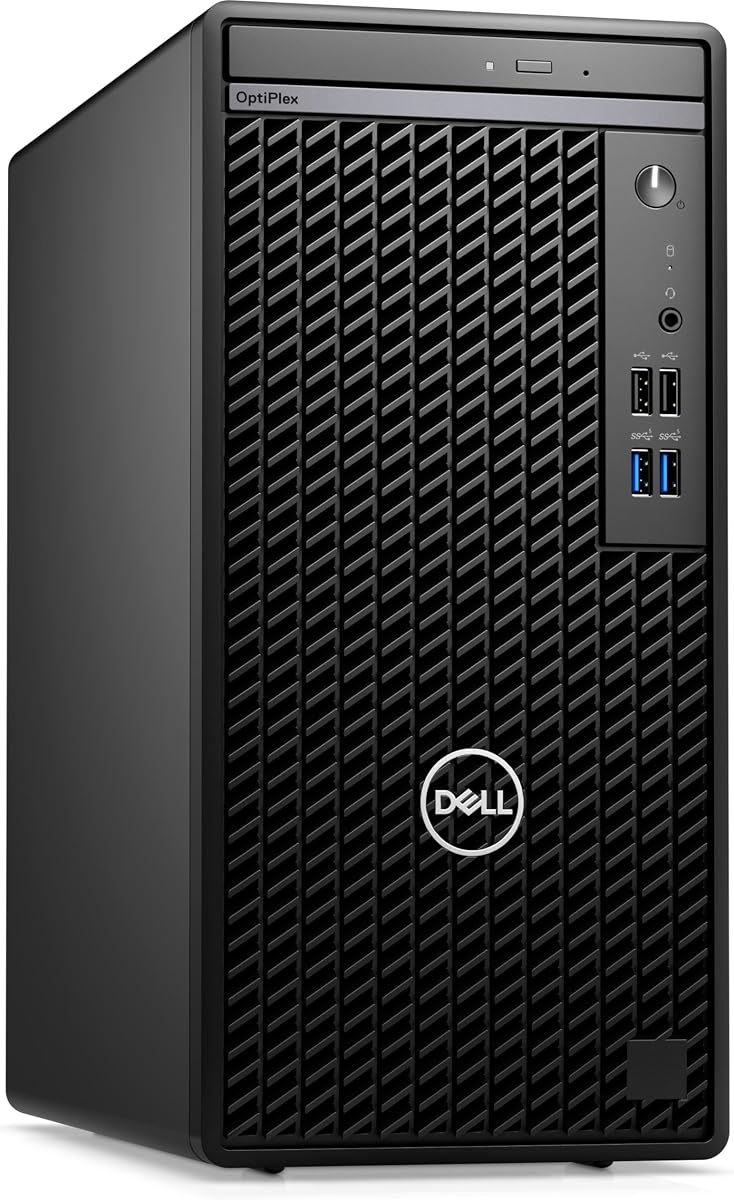
Dell Optiplex 7010
Intel i5-13500 CPU
Ubuntu Linux 22.04
Compact Tower Design
This guide compares the top Desktop PC with Ubuntu Pre Installed options for developers and creators seeking reliable open-source performance out of the box.
Finding a Desktop PC with Ubuntu Pre Installed saves time and ensures compatibility for development workflows. These systems come ready to code immediately without complex installation steps.
We evaluated ten models based on performance, connectivity, and value. Our list covers mini PCs, towers, and renewed business desktops to suit various professional needs.
Each pick highlights key specs and real-world use cases. Prices fluctuate frequently so check current listings before purchasing to confirm availability and deals.

4.0Editor score
5.0Editor score
This table provides a side-by-side comparison of all ten Desktop PC with Ubuntu Pre Installed models. Review specs carefully to find the right fit for your workflow.






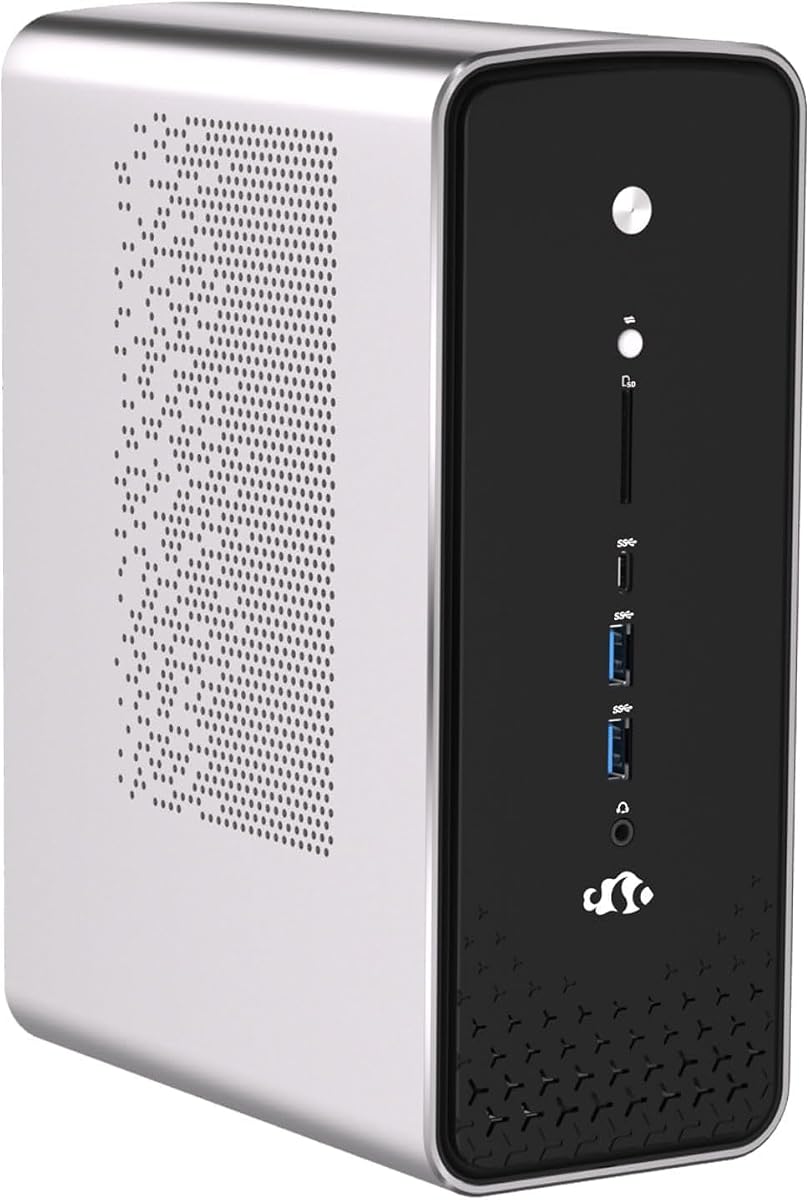
The Beelink Mini PC SER9 Pro stands out as a top choice for developers needing a Desktop PC with Ubuntu Pre Installed. It delivers robust performance with its Ryzen 7 255 processor and 24GB of fast memory ensuring smooth multitasking.
We may earn a commission when you buy through this link, at no additional cost to you.
Its built-in Ubuntu system saves installation time while OpenClaw integration supports various workflows. The Radeon 780M graphics handle coding and light rendering tasks effectively supporting triple displays for enhanced productivity.
While Ubuntu may require some adjustment for Windows users the pre-installed nature is a significant benefit. The cooling system keeps noise low making it suitable for quiet office environments.
This machine is ideal for power users who want open-source flexibility without complex setup. Its compact size and strong specs make it a powerful addition to any modern workspace.
Having Ubuntu Pre Installed means you can start coding immediately without configuring the operating system manually.
Triple display support allows for extensive screen real estate to manage multiple development environments simultaneously.
We may earn a commission when you buy through this link, at no additional cost to you.
The Dell OptiPlex 7070 SFF is a solid business Desktop that can run Ubuntu effectively. It features a capable i7-9700 processor and ample RAM for heavy multitasking needs.
We may earn a commission when you buy through this link, at no additional cost to you.
Its 1TB NVMe SSD ensures quick boot times and fast data access. The renewed condition offers value for those needing reliable hardware without the premium price of new models.
While it ships with Windows you can install Ubuntu easily due to standard hardware compatibility. The small form factor saves desk space while maintaining robust connectivity options.
Choose this model if you prioritize hardware reliability over out-of-box Linux support. It is a versatile option for office tasks that can adapt to Linux workflows.
Built for office environments this PC offers reliability and durability for long-term business use.
Despite its size the tower allows for future upgrades to storage and memory.
We may earn a commission when you buy through this link, at no additional cost to you.
The NIMO Mini PC offers a premium experience with Dual OS support including Ubuntu. It is designed for professionals who need both Windows and Linux capabilities without dual boot complexity.
We may earn a commission when you buy through this link, at no additional cost to you.
Powered by the Ryzen AI Max+ 395 it delivers exceptional speed for AI and development tasks. The dedicated NPU accelerates machine learning workloads efficiently.
Its USB4 and WiFi 7 connectivity ensure fast data transfer and network speeds. The compact design fits easily behind monitors while providing full workstation power.
Invest in this desktop if you need top-tier performance and OS flexibility. It is perfect for advanced development and AI research applications.
Switch between Windows and Ubuntu effortlessly to suit different project requirements.
Built in AI hardware speeds up local processing for models and data analysis.
We may earn a commission when you buy through this link, at no additional cost to you.
The Dell Optiplex 7010 Business offers great value with Ubuntu Linux 22.04 pre installed. It features a powerful 14-core processor that handles multitasking well for the price.
We may earn a commission when you buy through this link, at no additional cost to you.
Its Micro Tower design allows for easy integration into offices. The included keyboard and mouse save extra costs upon unboxing.
However the 8GB RAM and 256GB SSD may limit heavy workloads. Users may need to upgrade these components eventually for optimal performance.
This is the best budget Desktop PC with Ubuntu Pre Installed for general use. It balances cost and capability effectively for entry level development.
Get a capable Linux system without paying a premium price.
The tower design allows for easy memory and storage upgrades.
We may earn a commission when you buy through this link, at no additional cost to you.
The Dell Optiplex 7050 SFF provides reliable hardware with 32GB of RAM and 1TB storage. It comes in excellent renewed condition ready for office use.
We may earn a commission when you buy through this link, at no additional cost to you.
While it ships with Windows the hardware supports Ubuntu installation well. The duel monitor support makes it ideal for multitasking setups.
The older i7-7700 processor is capable but less efficient than newer models. Still it handles general tasks and light coding smoothly.
This model is a solid choice for users needing high RAM on a budget. It serves as a dependable Desktop for various professional workflows.
32GB of RAM ensures smooth performance even with many open applications.
Includes seller warranty providing peace of mind for renewed purchases.
We may earn a commission when you buy through this link, at no additional cost to you.
The DELL Optiplex 7060 SFF offers a balance of speed and storage. It includes 32GB RAM and a fast NVMe SSD for quick responsiveness.
We may earn a commission when you buy through this link, at no additional cost to you.
Its built-in WiFi and Bluetooth ensure convenient connectivity. The renewed status provides savings while maintaining reliability for daily tasks.
Windows is the default OS but Ubuntu can be installed easily on this hardware. It supports standard workflows effectively.
Consider this Desktop for those needing reliable hardware at a lower cost. It is a practical solution for office environments requiring robust performance.
High speed storage ensures fast application launches and data access.
Built-in wireless modules eliminate the need for external adapters.
We may earn a commission when you buy through this link, at no additional cost to you.
The Dell Optiplex 5050 SFF is a compact business Desktop with solid specs. It features 16GB RAM and a 512GB SSD for reliable performance.
We may earn a commission when you buy through this link, at no additional cost to you.
Its Small Form Factor design fits easily in limited spaces. The renewed condition offers value and reliability for everyday use.
Windows is pre-installed but hardware supports Linux well. It is suitable for standard office tasks and light development.
This model works well for offices needing space-saving solutions. It provides a practical balance of size and performance.
The compact size allows for flexible desk placement.
Certified renewal ensures quality at a lower price point.
We may earn a commission when you buy through this link, at no additional cost to you.
The Dell Pro Micro QCM1250 delivers Ubuntu Pre Installed in a tiny package. It uses an Ultra 5 CPU and DDR5 RAM for modern efficiency.
We may earn a commission when you buy through this link, at no additional cost to you.
Its compact design is perfect for minimal setups. The included Ubuntu version allows immediate use though updates may be needed.
8GB RAM limits heavy multitasking but is adequate for light tasks. This makes it suitable for basic development or terminal usage.
This model is a good entry-level Desktop PC with Ubuntu Pre Installed. It offers modern connectivity in a portable size.
Next-gen memory offers faster speeds and better power efficiency.
Minimal desk space usage allows for cleaner workspaces.
We may earn a commission when you buy through this link, at no additional cost to you.
The ASUS NUC 14 Pro comes with Linux Mint offering a clean developer experience. It features a powerful Ultra 7 processor and fast DDR5 RAM.
We may earn a commission when you buy through this link, at no additional cost to you.
Its Thunderbolt 4 connectivity supports high speed data transfer. The VESA mount option allows for clean mounting behind monitors.
However the current rating is low suggesting potential issues. Check detailed feedback before purchase to verify quality.
This model targets developers needing an open-source environment. Its specs are strong but buyer caution is advised.
Pre-installed Mint offers a user-friendly open source experience.
Intel Arc graphics support acceleration for graphics tasks.
We may earn a commission when you buy through this link, at no additional cost to you.
The ASUS PB64 Full System offers high-end specs and security features. It includes an Ultra 7 265 processor and 16GB DDR5 RAM.
We may earn a commission when you buy through this link, at no additional cost to you.
Hardware TPM ensures secure authentication and encryption. The toolless chassis allows for easy access to internal components.
Windows is the default OS but hardware supports Linux well. It is built for professional environments requiring robust performance.
This model is ideal for secure business deployments needing speed. It provides excellent connectivity and upgrade options.
Integrated TPM protects sensitive data and identity.
Toolless design simplifies maintenance and upgrades.
We may earn a commission when you buy through this link, at no additional cost to you.
Choosing a Desktop PC with Ubuntu Pre Installed requires considering several factors to ensure compatibility and performance.
Always check which Ubuntu version is pre-installed. Newer versions like 22.04 or 24.04 offer better support and security updates.
A current OS version ensures compatibility with modern tools and reduces the need for immediate updates.
A powerful CPU is essential for development tasks. Look for multi-core processors like Intel Core i5 or AMD Ryzen for smooth performance.
Higher core counts help with compiling code and running virtual machines efficiently.
Minimum 16GB RAM is recommended for multitasking and running virtual machines. 8GB may suffice for basic coding but limits heavy workflows.
More RAM allows smoother operation when multiple applications run simultaneously.
Opt for SSDs over HDDs for faster boot times and file access. NVMe drives provide the best performance for system and application loading.
Fast storage improves overall system responsiveness and project loading speeds.
Integrated graphics are often sufficient for general coding. Dedicated GPUs are needed for AI or machine learning tasks.
Check GPU compatibility with Ubuntu drivers to ensure proper functionality.
Ensure the PC has enough USB ports and video outputs. Thunderbolt 4 or USB4 support benefits high-speed data transfer.
Multiple display support helps in setting up efficient development environments.
Mini PCs save space while towers allow easier upgrades. Choose based on your desk space and future expansion needs.
Compact designs are ideal for minimal setups while towers offer flexibility.
Compare prices for value and check warranty terms. Pre-installed Linux models may be pricier but save setup time.
A good warranty protects your investment against hardware failures.
Start by updating the system packages to ensure you have the latest security patches and software. Use the terminal to run standard update commands.
Install necessary development tools using the Ubuntu Software Center or package managers. This ensures your environment is ready for coding immediately.
Keep the PC in a well-ventilated area to prevent overheating. Regularly clean dust from ports and fans to maintain optimal performance.
Most models in this guide come with Ubuntu Pre Installed saving you the installation time. Check the product details to confirm the OS version included.
Dual boot models like the NIMO Mini PC allow easy switching. For others you may need to reinstall or use virtual machines.
Yes all listed models provide sufficient processing power and RAM for development tasks. Ensure you have enough memory for heavy workloads.
Most hardware is automatically detected by Ubuntu. If issues arise check the manufacturer website for Linux driver support.
Ubuntu is user-friendly with a familiar interface. It offers extensive community support which helps new users learn the system quickly.
Eight gigabytes is the minimum but sixteen is recommended for smooth multitasking. More RAM improves performance for complex applications.
The Beelink Mini PC SER9 Pro leads the list with powerful specs and instant Ubuntu readiness. It offers a great balance for developers.
Prioritize CPU and RAM capacity when selecting a model to ensure it meets your project demands. Also consider storage speed for efficiency.
Check current pricing and availability before purchasing to get the best deal. Verify the OS version matches your requirements.