
Dell Slim Desktop
4.5Editor score
AI powered efficiency
Four monitor support
Tool less access
Sustainable design
This guide compares the top 10 desktop computers for home use in October 2026, covering performance, storage, connectivity, and design to help you choose the
Choosing the right desktop computer for home use requires balancing performance, design, and connectivity to meet diverse household needs. Whether you work remotely, study online, or enjoy media, the right system ensures smooth multitasking and reliable daily operation without compromise.
We evaluated ten leading models based on processor power, memory capacity, storage speed, and expandability. Each product was analyzed for its suitability across different home scenarios, from budget-friendly family setups to high-performance professional workstations.
Every pick highlights key strengths and potential trade-offs to help you find the ideal match. Note that availability and specifications can change over time, so verify current details before making your final decision on your home computing setup.
4.5Editor score
4.4Editor score

4.0Editor score
The following table provides a side by side comparison of all ten models, highlighting their core specifications and standout features to help you quickly identify the system that best fits your household requirements.


The Dell Slim Desktop represents a premium choice for home users seeking a blend of advanced technology and elegant design. With a rating of 4.5 stars, this system integrates the latest Intel Core Ultra processors that bring built-in AI capabilities to streamline everyday tasks and creative workflows.
We may earn a commission when you buy through this link, at no additional cost to you.
Its standout quality lies in the combination of modern AI processing and versatile connectivity. The system supports up to four FHD monitors via DisplayPort or two 4K displays through HDMI 2.1, making it ideal for multitaskers who need expansive screen real estate. The tool-less entry and removable side panel allow you to quickly access internal components for convenient upgrades without specialized tools.
While the 512GB SSD is fast, it may fill up quickly for users with large media libraries. Additionally, the compact footprint limits the number of internal expansion slots compared to larger towers. However, these trade-offs are acceptable for home users prioritizing sleek aesthetics, silent operation, and high-performance computing in a small space.
If you need a powerful, future-ready home office machine with excellent multi-monitor support and onsite service, the Dell Slim Desktop is an ideal choice. It combines professional-grade security features like TPM chips with a modern design crafted from recycled materials, making it a stylish and responsible addition to any home workspace.
Built-in AI accelerates productivity and creativity by optimizing system resources for demanding tasks.
The desktop is crafted from recycled materials with refined corners for a modern, eco-friendly look.
We may earn a commission when you buy through this link, at no additional cost to you.
The Dell Tower Desktop offers a premium experience with its Intel Core Ultra 7 processor and 32GB of RAM, delivering exceptional power for complex home workloads. Rated 4.4 stars, it balances professional performance with a sleek design suitable for any modern home office or living space.
We may earn a commission when you buy through this link, at no additional cost to you.
Its 32GB RAM ensures smooth multitasking even with memory-intensive applications open simultaneously. The tool-less entry and removable side panel make it easy to upgrade components later. Connectivity supports up to four FHD monitors or two 4K displays, providing flexibility for dual-screen workflows or entertainment setups.
The higher price point and larger footprint may not suit every budget or room size. However, the build quality, security features like the TPM chip, and onsite service make it a reliable long-term investment for users who need consistent performance and room to grow.
Choose this desktop if you require high-end computing power for creative work, data processing, or extensive multitasking at home. Its blend of advanced AI capabilities, upgradeable design, and modern aesthetics ensures it remains a capable and stylish system for years to come.
The Core Ultra 7 processor with AI capabilities unlocks new levels of productivity and creativity.
Tool-less entry allows quick access to internal components for convenient and stress-free upgrades.
We may earn a commission when you buy through this link, at no additional cost to you.
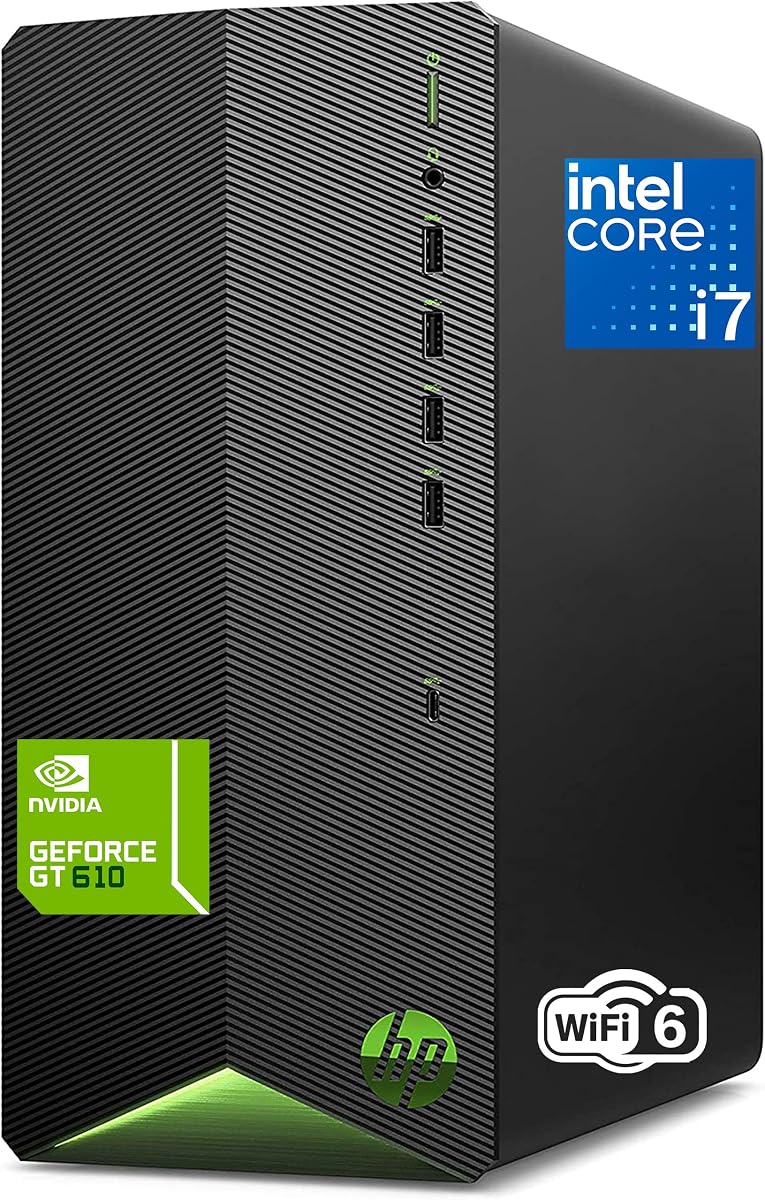
The HP 2026 Desktop Tower earns its spot as Editor's Choice by offering a complete, ready-to-use package for home office, student, and family needs. With a 4.4-star rating, it features an 8-core i7 processor and 1TB PCIe SSD that deliver reliable speed for multitasking, video conferencing, and daily productivity.
We may earn a commission when you buy through this link, at no additional cost to you.
Its strengths include generous storage for thousands of files and fast boot times that let you jump straight into work or study. The system includes a keyboard and mouse, saving time and cost on peripherals. WiFi 6 ensures stable connections for online learning and streaming across the household.
The 11th Gen CPU and basic graphics are less powerful than newer models, limiting heavy gaming or intensive video editing. However, for most home users, students, and professionals, it provides exceptional value with all essentials included in a trusted brand package.
This desktop is perfect for families, students, or budget-conscious professionals seeking a dependable, complete computer without hidden costs. Its reliability, ample storage, and fast performance make it a practical and cost-effective solution for everyday home computing.
Includes keyboard and mouse with fast 1TB SSD ideal for assignments and research.
WiFi 6 and multiple ports allow easy connection to devices for the whole household.
We may earn a commission when you buy through this link, at no additional cost to you.
This HP Desktop Computer Tower PC is a reliable choice for whole family computing, rated 4.5 stars for its balanced performance and user-friendly setup. The Core i5 processor paired with 16GB RAM handles homework, video streaming, photo editing, and casual gaming without lag or slowdowns.
We may earn a commission when you buy through this link, at no additional cost to you.
Its 256GB PCIe SSD ensures instant boot-up and quick app launches, while the compact microtower design fits easily on desks or entertainment centers. Windows 11 Pro adds enhanced security and parental controls. The system includes HP keyboard and mouse for immediate use.
The 256GB storage may be tight for large media collections, and you will need to purchase your own monitor. However, the quiet operation, versatile connectivity including USB Type-C, and reliable performance make it an excellent option for households with diverse computing needs.
For families seeking a dependable, space-saving desktop that can handle online learning, streaming, and light creativity, this HP model delivers solid value. Its combination of modern features, parental controls, and compact design ensures it adapts well to various home environments.
Designed for households with multiple users and diverse needs like streaming and homework.
11.93 inch tall microtower fits easily on desks or entertainment centers.
We may earn a commission when you buy through this link, at no additional cost to you.
The Dell Optiplex 3060 stands out as the Best Budget choice by delivering impressive memory and storage at a fraction of the cost of newer systems. Rated 4.0 stars, this renewed desktop features a 32GB DDR4 RAM and 1TB SSD that ensure smooth multitasking and fast boot times for daily tasks.
We may earn a commission when you buy through this link, at no additional cost to you.
Its main strengths are the high RAM capacity and massive solid-state storage, ideal for photo and video editing or large document libraries. The system includes Windows 11 Professional and built-in WiFi with Bluetooth. It comes with a quality guarantee and free tech support from a Microsoft Authorized Refurbisher.
The 8th Gen CPU is older, so it may struggle with demanding modern workloads. As a refurbished unit, cosmetic condition can vary. However, for general home use, media streaming, and office work, its performance and value are hard to beat.
If you need a reliable, affordable home PC with plenty of memory and storage, this Dell Optiplex is an excellent choice. Its combination of Windows 11 Pro, fast SSD, and generous RAM makes it a capable system for budget-conscious users and small businesses.
Built with 32GB RAM and 1TB SSD for smooth multitasking and large storage.
Comes from world's largest Microsoft Authorized Refurbisher with quality guarantee and support.
We may earn a commission when you buy through this link, at no additional cost to you.
The HP ProDesk 400 G9 SFF is a compact desktop engineered for smooth multitasking and daily computing, rated 4.4 stars. With 32GB RAM and a 1TB PCIe SSD, it handles file handling and data storage efficiently, while its Small Form Factor design saves desk space.
We may earn a commission when you buy through this link, at no additional cost to you.
Its strengths include enterprise-grade performance in a space-saving chassis weighing under 9 pounds. Dual 4K display support allows you to use two high-resolution monitors. Windows 11 Pro with HP Wolf Security provides comprehensive protection for business or personal data.
The Celeron CPU limits performance for demanding tasks like video rendering, and the small size restricts internal expansion. However, for web browsing, office work, and light multimedia, this reliable, compact desktop offers excellent connectivity and security in a tiny footprint.
Choose this HP ProDesk if you need a quiet, durable, and space-efficient computer for home office tasks. Its combination of high RAM, secure OS, and professional-grade reliability makes it a dependable choice for organizing and managing daily workflows.
Weighs under 9 pounds and fits easily on desks with a sleek footprint.
Windows 11 Pro with HP Wolf Security protects your data and ensures privacy.
We may earn a commission when you buy through this link, at no additional cost to you.
The Dell 2026 Edition Tower brings 14th Gen power and DDR5 speed to home use, rated 4.4 stars. Its i3 14100 processor combined with massive 32GB DDR5 RAM and 1TB SSD delivers ultra-responsive performance for business workloads, daily operations, and heavy multitasking.
We may earn a commission when you buy through this link, at no additional cost to you.
Its strengths lie in the DDR5 memory and NVMe SSD that eliminate lag when switching applications. Dual 4K monitor support via HDMI 2.1 and DisplayPort is ideal for data analysis or financial trading. Windows 11 Pro adds enterprise-grade security and IT manageability.
The i3 CPU limits heavy multi-threaded performance, and the compact footprint may feel tight for cable management. However, the optimized thermal airflow ensures system longevity, and the modern port selection with USB Type-C keeps you connected to latest devices.
If you need a responsive, secure home system with high-speed memory and support for two large monitors, this Dell tower is well-suited. Its blend of modern tech and professional features makes it a reliable workhorse for productivity and daily home office use.
Equipped with 32GB DDR5 RAM to eliminate lag during heavy multi-application processing.
Next-gen ports include USB-C and HDMI 2.1 for latest displays and devices.
We may earn a commission when you buy through this link, at no additional cost to you.
This HP 2026 Desktop Computer offers powerful 12th Gen performance, rated 4.5 stars for business applications and daily computing. The 6-core i5-12500 with Turbo Boost up to 4.6GHz delivers smooth performance for multitasking, home office work, and student projects.
We may earn a commission when you buy through this link, at no additional cost to you.
Its strengths include fast 512GB SSD storage, 16GB RAM, and lifetime access to Office 365 on the web, saving subscription costs. The system includes a keyboard and mouse, making it ready out of the box. Multiple USB ports support connectivity for printers and peripherals.
The 512GB SSD may need external storage for large media collections. However, the reliable business-grade design, comprehensive port selection, and pre-installed software make it ideal for home offices needing consistent, affordable performance.
Choose this HP desktop for small business owners, students, or remote workers needing a ready-to-use system with Office 365 included. Its dependable performance, fast boot times, and complete setup ensure productivity without additional setup hassles.
Lifetime access to Office 365 on the web eliminates subscription costs.
HP Pro Tower design built for everyday business use with integrated graphics.
We may earn a commission when you buy through this link, at no additional cost to you.
The Lenovo IdeaCentre Tower delivers modern performance with its 10-core Intel Ultra 5 225 processor, rated 4.6 stars. With 16GB DDR5 RAM and a 512GB SSD, it offers responsive and reliable performance for everyday computing, office tasks, multitasking, and light productivity workloads.
We may earn a commission when you buy through this link, at no additional cost to you.
Its strengths include DDR5 memory for smooth multitasking and Office 365 for the Web included. The system features built-in Wi-Fi 6E and Bluetooth for fast wireless connections. Includes a wired keyboard and mouse for plug-and-play setup without extra accessories.
Storage supports up to 4TB for future growth, but the initial 512GB may need expansion for large files. However, its modern interface, improved security, and compatibility with latest software make it a strong choice for home and office users.
If you need a modern, efficient home system with fast DDR5 memory and productivity software included, this Lenovo tower is an excellent pick. Its combination of performance, connectivity, and included tools ensures it handles daily needs with ease.
Supports up to 64GB DDR5 RAM for smooth multitasking and efficient handling of apps.
Office 365 for the Web is included to create, edit, and share documents online.
We may earn a commission when you buy through this link, at no additional cost to you.
The Dell Pro Tower Desktop is a highly rated, professional system for home use, rated 4.9 stars. With an Intel Core i3-14100, 16GB DDR5 RAM, and 512GB SSD, it delivers smooth multitasking for business applications, video conferencing, content creation, and everyday productivity.
We may earn a commission when you buy through this link, at no additional cost to you.
Its strengths include DDR5 speed and comprehensive connectivity with USB-C, HDMI 2.1, and DisplayPort for dual monitors. Windows 11 Pro offers enhanced security and remote desktop capabilities. The compact design fits in any workspace with Kensington lock slot and padlock loop.
The i3 CPU limits heavy multi-threaded workloads, but for most business tasks it excels. The compact design may make cable management slightly harder. However, its reliability, speed, and security features make it ideal for professionals and home offices.
For small businesses, students, or home office workers needing reliable, secure computing with modern DDR5 speed, this Dell is an outstanding choice. Its blend of performance, connectivity, and Windows 11 Pro ensures smooth, efficient work throughout the day.
Pre-installed with Windows 11 Pro for enhanced security and remote desktop capabilities.
Extensive port selection includes USB-C 3.2 and HDMI 2.1 for dual monitors.
We may earn a commission when you buy through this link, at no additional cost to you.
Selecting the right desktop for home requires evaluating performance, memory, storage, connectivity, and expandability based on your household's needs.
The processor is the brain of your system. For home use, choose at least a mid-range multi-core processor to handle multitasking, video streaming, and office work smoothly. Look for newer generations that support AI features for enhanced efficiency.
Select a processor with enough cores and threads for your daily workload to avoid slowdowns.
Memory determines how many apps run simultaneously without lag. For most households, 16GB is sufficient, but power users or those editing media should consider 32GB. Ensure the system supports upgrades if you plan to grow your needs over time.
Choose enough RAM for your multitasking needs and future-proof your investment.
Solid State Drives (SSD) are essential for fast boot times and quick file access. Aim for at least 512GB of storage for your system and apps, plus additional space for media. Consider models that allow adding extra drives later for expansion.
Prioritize SSD storage over traditional hard drives for speed and responsiveness.
Modern homes need versatile ports for printers, external drives, and displays. Look for USB Type-C, HDMI, DisplayPort, and built-in Wi-Fi 6 or 6E. These ensure you can connect multiple monitors and devices without needing extra adapters.
Verify your desktop has all the ports you need for peripherals and high-speed internet.
Windows 11 Home is standard for most users, while Pro adds features like Remote Desktop and enhanced security. Check for TPM chips for hardware security and antivirus options. Ensure the OS supports the software you use daily.
Choose an OS version that matches your security needs and application compatibility.
Desktops with tool-less access and room for more RAM or drives offer long-term value. Consider the physical size for your space. Compact towers fit small desks but may limit expansion; larger towers offer more flexibility but take up room.
Select a design that balances space savings with your future upgrade plans.
Some systems include a keyboard and mouse, saving you time and money. Check if the package provides everything you need to start. For home users, a complete setup simplifies the initial configuration and reduces setup stress.
Look for bundles that include essential peripherals to get started immediately.
Reliable warranties and onsite service give peace of mind. Aim for at least one year of coverage and technical support. Check if the manufacturer offers repair or replacement services and if the warranty applies to your region.
Ensure your chosen model comes with solid warranty terms and accessible customer support.
Place your desktop on a stable, ventilated surface away from direct sunlight and heat sources to maintain optimal operating temperature. Ensure there is enough space around the vents for airflow and avoid covering the unit.
Regularly update your operating system and drivers to keep performance smooth and secure. Use antivirus software and enable Windows security features to protect against threats. Periodically clean your system files and remove unused apps.
Clean your system exterior with a soft, dry cloth. Avoid using liquids directly on the computer. Use compressed air to remove dust from vents and fans every few months to prevent overheating and extend hardware lifespan.
For home office tasks like email, spreadsheets, and video calls, a modern multi-core processor, 16GB of RAM, and a 512GB SSD provide smooth performance. Ensure your system has built-in webcam and microphone support or plan to connect external ones.
Most models in this list allow RAM upgrades, but check each specific model's manual. Desktops with tool-less access make it easier to add memory later. Verify maximum supported capacity before purchasing additional sticks.
Windows 11 Home covers most home needs. Pro adds features like Remote Desktop and better security management. Choose Pro if you need to connect to a company network or use advanced tools; otherwise Home is sufficient.
For most families, 512GB to 1TB is enough for documents, photos, and apps. If you store lots of videos or games, consider larger SSDs or models that support adding a second drive later for expanded capacity.
Many models support dual or even quad monitors through HDMI and DisplayPort. Check the graphics output ports on each system. Most will handle dual full HD or 4K screens for improved productivity and multitasking.
Refurbished desktops are professionally restored units that come with warranties and testing. They are often more affordable but may show minor cosmetic signs of prior use. New units offer the latest features and longer warranty coverage.
Several models in this roundup come with wired keyboards and mice for immediate use. Others may not, so verify the product details. Including peripherals can save time and money when setting up your home office.
Intel Core Ultra processors offer AI acceleration and better efficiency for future-proofing. Older i-series models like 12th or 14th Gen still deliver solid performance for most home tasks. Choose based on budget and your need for AI features.
The ten models above offer a wide range of options for every home, from premium AI-powered systems to budget-friendly refurbished desktops. The Dell Slim Desktop, HP 2026 Tower, and Dell Optiplex 3060 lead in performance, completeness, and value respectively.
When prioritizing, consider your main tasks, future expansion needs, and available space. Balance memory and storage to avoid bottlenecks. Look for models with tool-less access and modern ports to keep your setup flexible as your needs grow.
Always check current availability and specifications before purchasing since details may change. This guide provides a solid starting point to find a reliable desktop that meets your home computing needs and supports your daily work, study, and entertainment.