
Dell Latitude 5450
4.6Editor score
Intel Core Ultra 7 155U
32GB DDR5 Memory
14 inch FHD IPS Display
Thunderbolt 4 Connectivity
Discover the top Dell Latitude laptops for 2026. This guide compares performance, battery, and build quality to help professionals choose the right business
Dell Latitude laptops are renowned for their durability and professional features. They serve as reliable workhorses for businesses and individuals requiring consistent performance. Choosing the right model depends on your specific workflow needs and mobility requirements.
We compared ten current Dell Latitude models based on processor speed, memory capacity, and display quality. Each entry offers unique strengths tailored to different professional environments and usage scenarios. Our analysis focuses on real-world productivity and long-term value.
Each pick highlights key specifications and ideal user profiles to streamline your decision process. Prices and availability fluctuate frequently, so verify current listings before purchasing. This guide ensures you find a device matching your exact business requirements.
4.6Editor score
4.3Editor score

4.5Editor score
This side-by-side comparison evaluates all ten Dell Latitude models across critical performance and design metrics. Review each device to understand how specifications translate to daily business productivity and long-term reliability.


The Dell Latitude 5550 stands out as a powerful business laptop with solid build quality. Its 32GB RAM and fast SSD handle complex workloads without slowdowns. The 15.6 inch display provides ample workspace for productivity apps.
We may earn a commission when you buy through this link, at no additional cost to you.
Performance is driven by the Intel Core Ultra 5 125U processor with twelve cores. This architecture boosts efficiency for daily tasks while supporting AI features. The dual 512GB SSD configuration offers separate system and storage drives for better organization.
Battery life extends to eleven hours, making it suitable for long workdays. The privacy shutter on the webcam adds security for sensitive meetings. Connectivity includes HDMI 2.1 and dual Thunderbolt 4 ports for versatile external displays.
Buy this model if you need a reliable mid-range business machine. It balances power and portability well. Ideal for professionals who prioritize multitasking and secure connectivity over ultra-lightweight design.
The dual SSD setup keeps the system drive separate from data storage, enhancing stability.
Thunderbolt 4 and HDMI 2.1 support multiple 4K monitors without needing a docking station.
We may earn a commission when you buy through this link, at no additional cost to you.
The Dell Latitude 5450 offers premium performance in a compact fourteen-inch form factor. It is designed for professionals who need high quality visuals and strong security features. The build quality supports daily travel with ease.
We may earn a commission when you buy through this link, at no additional cost to you.
Powered by the Intel Core Ultra 7 155U processor, it handles demanding applications smoothly. The integrated graphics and AI capabilities enhance video collaboration. Windows Studio Effects manage framing and noise suppression automatically for clearer meetings.
Its display delivers 400 nits brightness and full sRGB coverage for accurate color rendering. The IR camera supports facial recognition login alongside a physical privacy shutter. Connectivity includes two Thunderbolt 4 ports and Ethernet for stable wired connections.
Choose this laptop for executive work requiring top-tier visuals and mobility. ExpressCharge keeps you ready during short breaks. It is best suited for business travelers who value display quality and secure access.
The 100% sRGB IPS panel ensures colors remain consistent for design reviews.
ExpressCharge technology reduces downtime by quickly restoring battery levels during the day.
We may earn a commission when you buy through this link, at no additional cost to you.
The Dell Latitude 3450 provides essential business features at an accessible price point. It is designed for standard office tasks and hybrid work environments. The durable chassis meets military testing standards for reliability.
We may earn a commission when you buy through this link, at no additional cost to you.
Performance comes from the Intel Core i3-1315U paired with 16GB of DDR5 memory. This combination ensures smooth web browsing and document editing. The 512GB SSD offers sufficient space for applications and files.
Security features include a fingerprint reader and Windows 11 Pro. The keyboard has backlighting for low light typing. Connectivity options cover HDMI, USB-C, and Ethernet for diverse peripheral needs.
Select this model for staff needing dependable devices without excess power. It excels in administrative roles and remote learning. Prioritize it if budget and durability are your primary concerns.
MIL-STD-810H certification ensures the laptop withstands drops and temperature changes.
Biometric login via fingerprint reader adds a layer of protection beyond passwords.
We may earn a commission when you buy through this link, at no additional cost to you.
The Dell Latitude 5350 prioritizes portability with a weight under three pounds. It fits easily into small bags for travel. Despite its size, it retains robust connectivity options for professional needs.
We may earn a commission when you buy through this link, at no additional cost to you.
The Intel Core Ultra 5 125U processor handles multitasking efficiently. Windows Studio Effects assist with video calls by adjusting framing and reducing noise. This ensures clear communication in various lighting conditions.
Battery life is extended by eight percent over previous generations. Dual Thunderbolt 4 ports allow charging and data transfer simultaneously. The FHD display is bright enough for indoor office use.
Ideal for commuters who move between locations daily. The trade-off is a smaller screen, which may require external monitors for complex projects. Choose this for maximum transportability.
Automatic framing keeps you centered in the frame during virtual meetings.
Weighing only 2.72 pounds, it is one of the lightest options in the range.
We may earn a commission when you buy through this link, at no additional cost to you.
The Dell Pro 16 offers a large workspace with a sixteen-inch display. Its design focuses on professionals needing visual clarity for spreadsheets and reports. The chassis meets rigorous military standards for durability.
We may earn a commission when you buy through this link, at no additional cost to you.
Powered by the Intel Core 5 120U, it provides fast application loading. The 16GB DDR5 RAM supports seamless multitasking. Battery life is extended with rapid charging technology for long days.
It supports up to three external monitors via Thunderbolt 4. The FHD IR camera ensures secure login and clear video calls. Wi-Fi 6E keeps wireless connections stable during cloud work.
Buy this if you prefer a single large screen for productivity. It is a solid replacement for a desktop workstation. Prioritize it for home office setups where space is limited.
Thunderbolt 4 allows connection to four external displays simultaneously for maximum output.
BitLocker encryption and facial recognition protect sensitive corporate data effectively.
We may earn a commission when you buy through this link, at no additional cost to you.
The Next-Gen Dell Pro 16 is a robust laptop designed for professional productivity. It handles everyday computing and conferencing with ease. The storage and memory provide quick data access.
We may earn a commission when you buy through this link, at no additional cost to you.
The Intel Core i5-120U processor ensures responsive multitasking. 16GB of DDR5 RAM reduces lag during heavy use. The FHD+ display offers better brightness and contrast for viewing content.
Connectivity includes Wi-Fi 6E for faster wireless speeds. The backlit keyboard helps with typing in dim environments. Stereo speakers enhance audio during video calls without external equipment.
Opt for this if you need reliable office tools without premium pricing. It suits students and small business owners. Prioritize it for general productivity tasks.
Wi-Fi 6E ensures fast download speeds and reduced lag during streaming.
The FHD+ screen provides sharper text and more vibrant colors for media.
We may earn a commission when you buy through this link, at no additional cost to you.
The Dell Latitude 5350 Touch offers direct interaction with documents and apps. Its processor and memory ensure rapid file access. The touchscreen adds flexibility for presentations and annotations.
We may earn a commission when you buy through this link, at no additional cost to you.
Powered by the Intel Core Ultra 7 165U, it delivers exceptional speed. The 32GB RAM supports heavy multitasking. The 1TB SSD provides ample space for storing large files.
Connectivity includes Wi-Fi 6E and Bluetooth for stable wireless connections. The backlit keyboard and FHD+ webcam improve meeting quality. AI enhancements optimize performance based on usage patterns.
Choose this for professionals who use touch to enhance workflows. It is excellent for designers or educators. Prioritize it if direct screen interaction is essential.
Touch interaction speeds up navigation and reduces reliance on trackpad for selection.
32GB of RAM handles multiple applications and virtual machines without slowdown.
We may earn a commission when you buy through this link, at no additional cost to you.
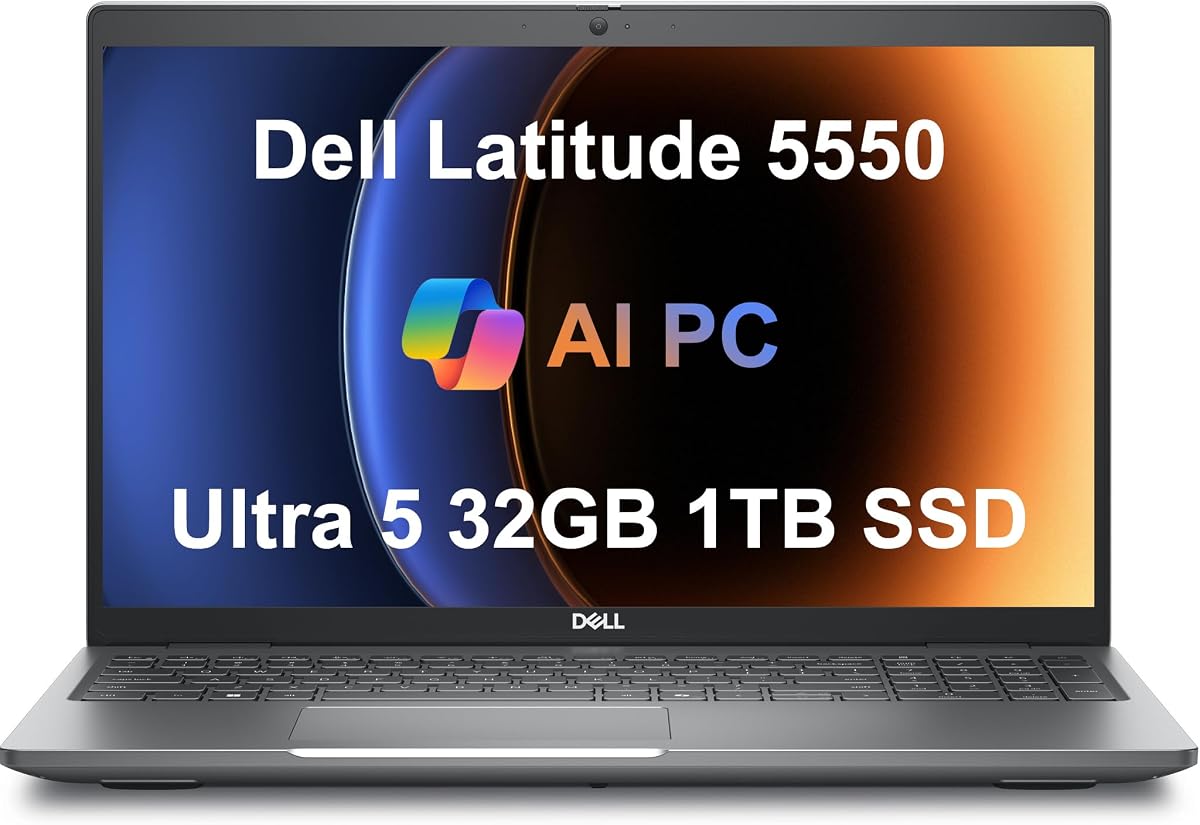
The Dell Latitude 5550 AI Notebook emphasizes intelligent computing capabilities. It runs smoothly and supports professional workloads. The display delivers sharp visuals for daily use.
We may earn a commission when you buy through this link, at no additional cost to you.
The Intel Core Ultra 7 155U provides fast processing. Integrated graphics manage standard tasks well. Wi-Fi 6E ensures stable connections for cloud work.
Connectivity features include HDMI and Ethernet for versatile setups. The backlit keyboard aids typing in low light. Audio is clear via stereo speakers for meetings.
Select this for tasks that benefit from AI acceleration. It suits general business users seeking speed. Prioritize it for collaborative work environments.
AI Boost accelerates specific workloads like content creation and data analysis.
Wi-Fi 6E reduces congestion for faster uploads and downloads.
We may earn a commission when you buy through this link, at no additional cost to you.
The Dell Latitude 3550 offers high storage capacity for data retention. It runs smoothly for intensive tasks. The processor handles modern applications with ease.
We may earn a commission when you buy through this link, at no additional cost to you.
Powered by the Intel Ultra 7 155U, it delivers strong performance. The 1TB SSD ensures swift data access. Connectivity includes USB4 and multiple USB ports.
Security features protect sensitive files. The fingerprint reader provides quick login access. Audio and network options support remote collaboration needs.
Buy this for roles requiring large file access. It is a strong choice for analysts. Prioritize it for data storage needs.
The 1TB drive stores extensive project files without needing external drives.
Turbo speeds up to 4.8 GHz ensure responsive performance under load.
We may earn a commission when you buy through this link, at no additional cost to you.
The Dell Latitude 5520 is a renewed business laptop offering substantial memory. It supports heavy multitasking with 32GB RAM. The large storage accommodates many files.
We may earn a commission when you buy through this link, at no additional cost to you.
The Intel i7-1165G7 provides decent processing speed for office tasks. It includes Thunderbolt and SD card readers for legacy support. The backlit keyboard aids in low light conditions.
Connectivity covers HDMI and USB-C for standard peripherals. Wi-Fi AX ensures stable wireless connections. Windows 11 Pro is preinstalled for enterprise features.
Select this for budget-conscious businesses needing performance. It suits internal IT roles. Prioritize it for cost savings on memory and storage.
32GB RAM allows for heavy virtualization and database operations.
Buying renewed offers significant cost savings while maintaining high specs.
We may earn a commission when you buy through this link, at no additional cost to you.
Choosing the right Dell Latitude requires balancing your professional needs with hardware capabilities. This guide breaks down the key factors to consider.
Selecting the right processor is crucial for handling your daily workload. The Intel Core Ultra 5 and Ultra 7 series offer AI acceleration, while i5 and i7 chips provide standard reliability. Match the cores to your multitasking demands.
Prioritize models with at least 12 cores for future-proofing complex tasks.
RAM determines how many applications you can run simultaneously without lag. Most business professionals benefit from 32GB of DDR5 memory. This ensures seamless switching between video calls and spreadsheets.
Invest in 32GB if you plan to keep the device for several years.
SSD speed and capacity impact your boot times and file access. Look for NVMe SSDs of at least 512GB. Dual-drive configurations can separate your OS from personal data effectively.
Opt for larger SSDs to avoid needing external drives later.
Screen quality affects eye strain during long hours. A Full HD (1920×1080) resolution is standard. IPS panels with high nits brightness reduce glare in various environments.
Choose 14 or 15-inch displays for balance between view and portability.
If you travel often, weight becomes a critical factor. Models under 3.5 pounds are ideal for frequent transit. Consider the chassis durability if you handle your device roughly daily.
Prioritize lighter builds to reduce physical strain during commutes.
Battery capacity dictates your freedom from power outlets. Models offering 8 to 11 hours are standard for all-day use. ExpressCharge features help minimize downtime significantly.
Look for high-watt-hour cells to sustain remote work without interruption.
Ensure the laptop has the necessary ports for your peripherals. Thunderbolt 4 ports are essential for high-speed data and video. HDMI and Ethernet are vital for wired connections.
Verify the presence of USB-C and USB-A for compatibility with legacy devices.
Business laptops require robust security protocols. Features like IR cameras for facial recognition and fingerprint readers protect sensitive data. Windows 11 Pro offers encryption tools essential for corporate compliance.
Choose models with privacy shutters to protect against unauthorized camera access.
Proper maintenance begins with safe handling and regular updates. Always keep your firmware current to ensure security. Avoid placing heavy items on the lid to prevent screen damage during transport.
Use a soft microfiber cloth to clean the display and chassis. Avoid using harsh chemicals that could degrade the matte finish. Keep the device away from extreme heat to preserve battery health.
Utilize the power management settings to optimize battery longevity. Adjust screen brightness and disable unused background processes. This ensures your device remains reliable for years of business use.
Yes, models like the Latitude 5450 feature displays with high sRGB coverage. They include powerful processors to handle design software efficiently. Ensure you select a model with at least 32GB of RAM for best results.
Many models support memory upgrades. Check the specific chassis model to see if slots are accessible. Some newer devices may have soldered RAM limiting future expansion options.
Yes, most models in this guide come preinstalled with Windows 11 Pro. This version offers advanced security and remote desktop features. It is essential for business environments requiring enterprise management tools.
Battery life varies by model and usage. Expect anywhere from 8 to 11 hours on business tasks. ExpressCharge technology allows you to power up quickly during short breaks.
Many Dell Latitude laptops undergo MIL-STD testing to ensure durability. They resist shocks and temperature changes effectively. Check for specific MIL-STD certifications before purchasing for rugged use.
For remote work, look for strong webcams and reliable Wi-Fi. The Latitude 5450 offers excellent IR camera features. Prioritize models with strong connectivity options to avoid connection issues.
The Dell Latitude 5550 stands out as the top pick for overall performance. It balances processing power with a versatile design for various needs. This makes it the ideal choice for most professionals.
Prioritize the features that match your specific work style. Battery life and display quality often matter more than raw processing speed. Evaluate how you use your device daily before deciding.
Remember that prices fluctuate frequently on online marketplaces. Check the latest listings to find the best deal. Selecting the right model ensures years of reliable productivity.