
SANSUI 24 Inch Curved 160Hz Gaming Monitor
4.4Editor score
160Hz Refresh Rate
1500R Curved Panel
HDMI 2.0 and DP 1.4
Finding the right curved 160Hz gaming monitor can transform your setup into a competitive advantage. These displays offer smooth motion and deep immersion for FPS and racing titles.
We compared ten real models based on refresh rate, response time, color accuracy, and connectivity. Our analysis focuses on performance and value across different screen sizes and budgets.
Each pick highlights key strengths and potential trade-offs to help you decide. Prices and stock change frequently so always check the latest offers before making your final purchase decision today.
4.4Editor score
4.5Editor score

4.6Editor score
As an Amazon Associate we earn from qualifying purchases.
This side-by-side comparison breaks down the technical specifications and key features of all ten monitors. It helps you quickly identify which model fits your specific gaming needs and desk space.






This SANSUI 24 inch monitor delivers solid performance for budget-conscious gamers seeking a curved 160Hz experience. It holds a 4.4 rating and offers a sharp FHD display with fast refresh rates ideal for competitive play.
We may earn a commission when you buy through this link, at no additional cost to you.
The 160Hz refresh rate ensures smooth motion without noticeable lag. It includes Freesync compatibility to reduce screen tearing and features a 1500R curve for better immersion. The panel supports 110% sRGB color gamut and 300 nits brightness for clear visuals.
While it lacks speakers and has limited ergonomic adjustments, these trade-offs are acceptable given the low cost. The tilt range covers basic needs and the VESA mount option allows for third-party arm solutions if needed.
Buyers looking for an entry-level curved gaming monitor should consider this model. It balances speed and price well. Check current stock and warranty terms before purchasing to ensure you get the best deal available today.
The 1500R curvature wraps around your view to reduce distortion and improve focus during long gaming sessions.
HDMI 2.0 and DP 1.4 ports support full 160Hz performance for modern PCs and consoles.
We may earn a commission when you buy through this link, at no additional cost to you.
This 27 inch variant from SANSUI expands the screen real estate while keeping the same fast refresh rate and curve. It is rated 4.4 and suits gamers who want more visibility without moving to ultrawide resolutions.
We may earn a commission when you buy through this link, at no additional cost to you.
With a 4000:1 contrast ratio it delivers deep blacks and vibrant images. The 160Hz rate ensures fluid motion in shooters and racing sims. HDR mode enhances color depth when enabled through the menu via HDMI.
It shares similar limitations like missing speakers and basic tilt control. However the larger size makes multitasking easier compared to smaller 24 inch displays. The VESA mount compatibility offers future upgrade paths for better ergonomics.
Consider this model if you prefer a bigger display for the same budget. It is a practical step up from standard 24 inch options. Verify warranty details and support channels before finalizing your order today.
The 27 inch panel provides more workspace for games and applications without increasing desk depth.
110% sRGB coverage ensures accurate colors for media consumption and casual content creation tasks.
We may earn a commission when you buy through this link, at no additional cost to you.
Another 24 inch option from SANSUI that offers improved color performance with DCI-P3 coverage. It maintains a 4.5 rating and includes essential gaming features like 160Hz refresh and 1ms response time.
We may earn a commission when you buy through this link, at no additional cost to you.
The screen supports 300 nits brightness and HDR for better visibility in dark scenes. Flicker-free technology reduces eye strain during extended use. It ships with an HDMI cable to simplify initial setup for users.
Like other models it lacks speakers and has minimal ergonomic adjustments. The Kensington lock feature adds security for public or shared spaces. VESA compatibility remains a plus for those wanting wall mounts or arms.
This model suits buyers who prioritize color accuracy on a budget. It is a reliable choice for competitive gaming and general use. Check the latest product reviews and availability before making your final purchase decision.
97% DCI-P3 coverage ensures wider color gamut for richer images compared to standard sRGB panels.
Kensington lock support allows physical security attachment in environments with multiple users.
We may earn a commission when you buy through this link, at no additional cost to you.
This CRUA model stands out with 4K UHD resolution on a 32 inch curved panel. It targets users who want sharp visuals alongside high refresh rates for detailed game textures and crisp text clarity.
We may earn a commission when you buy through this link, at no additional cost to you.
It supports AMD FreeSync and delivers 160Hz refresh for smooth motion. The built-in speakers reduce cable clutter and offer basic audio. HDMI 2.1 and DP 1.4 ports ensure next-gen console and PC compatibility.
The 120% sRGB coverage makes it suitable for creative tasks too. However the price reflects the extra resolution and features. Desk space and GPU power are key considerations before committing to 4K gaming at high rates.
Buyers seeking high resolution in a curved form factor will appreciate this unit. It balances gaming and media well. Verify system requirements and warranty coverage before placing your order today.
3840×2160 resolution delivers incredible detail for open-world games and productivity workloads.
Integrated speakers save space while providing decent sound for casual gaming and media playback.
We may earn a commission when you buy through this link, at no additional cost to you.
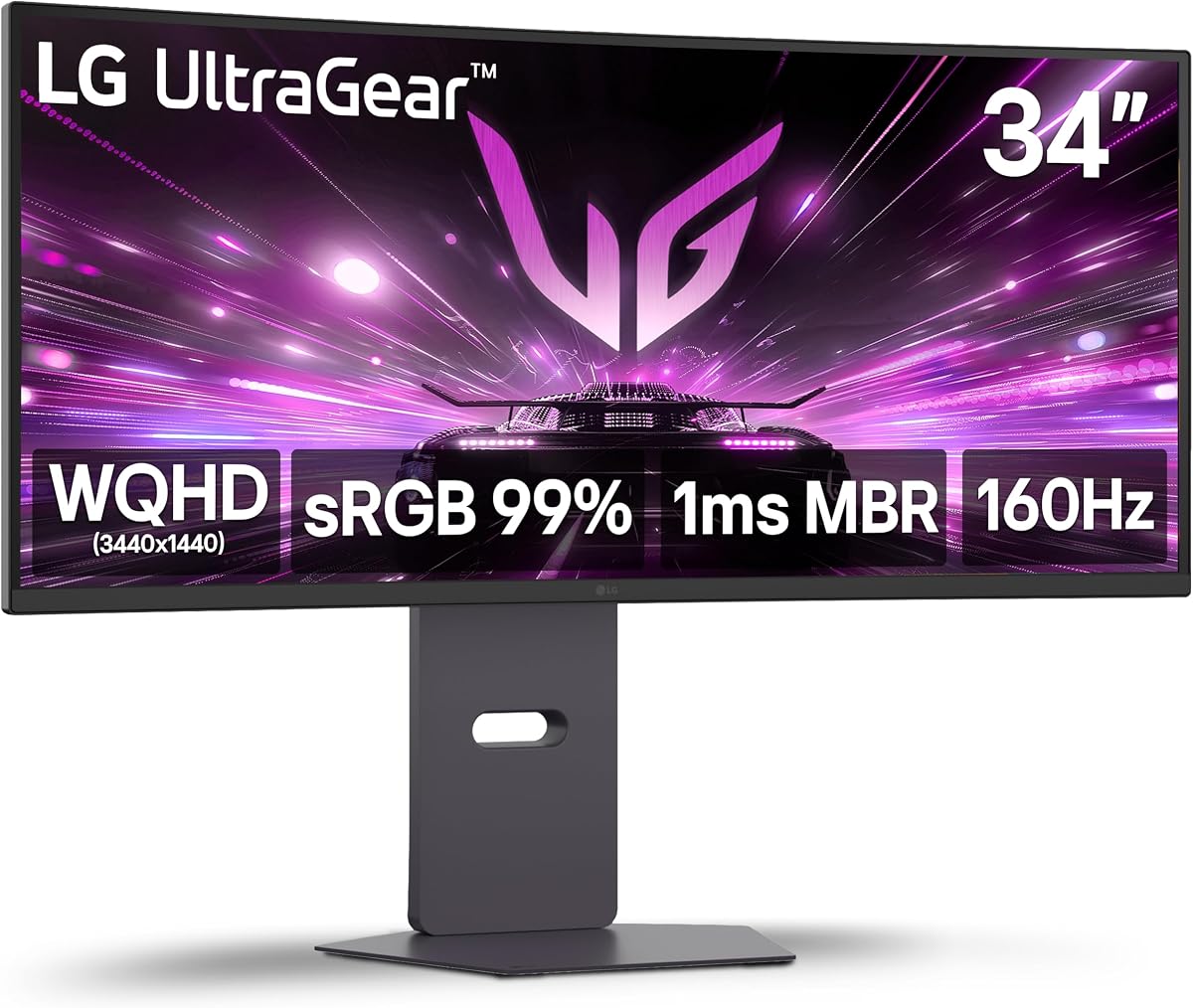
The LG Ultragear combines a wide ultrawide panel with robust gaming features and ergonomic flexibility. It earns a 4.5 rating and offers excellent motion handling with 160Hz refresh and 1ms Motion Blur Reduction.
We may earn a commission when you buy through this link, at no additional cost to you.
Its WQHD resolution balances detail and performance. AMD FreeSync Premium ensures smooth play and HDR10 adds depth. The stand offers height and swivel adjustments for comfortable viewing angles during long sessions.
Black Stabilizer helps spot enemies in dark corners while Dynamic Action Sync reduces input lag. Built-in stereo speakers with MaxxAudio deliver clear sound. These features make it ideal for competitive and immersive gaming alike.
Choose this model if you need a versatile ultrawide monitor for games and work. It justifies the cost with strong build quality. Review warranty details and current pricing before finalizing your purchase today.
Adjustable stand features including height and swivel reduce neck strain and improve posture over time.
Waves MaxxAudio speakers provide rich sound without needing external peripherals or extra desk space.
We may earn a commission when you buy through this link, at no additional cost to you.
This renewed LG Ultragear offers the same WQHD gaming experience at a reduced cost. It carries a 5.0 customer rating indicating strong satisfaction among buyers who chose this refurbished option.
We may earn a commission when you buy through this link, at no additional cost to you.
You get all original features including 160Hz refresh and FreeSync Premium. The stand maintains full tilt height and swivel adjustments. Inspections ensure the screen and ports function correctly for daily use.
Refurbished units often come with shorter warranty terms. Buyers should check the seller's policy and return window before buying. For budget conscious gamers this is a smart way to access premium tech.
Consider this if you want LG quality without the full price tag. It is a reliable path to a high-performance ultrawide monitor. Review warranty and return policies before completing your order today.
Choosing renewed reduces e-waste and lowers the environmental impact of upgrading your gaming setup.
Each unit undergoes testing to ensure it meets performance standards before reaching the customer.
We may earn a commission when you buy through this link, at no additional cost to you.
Samsung's Odyssey G55C uses a aggressive 1000R curve for maximum immersion. It scores 4.4 and delivers QHD clarity with 165Hz refresh to keep fast-paced action smooth and responsive.
We may earn a commission when you buy through this link, at no additional cost to you.
The deep curve matches the human eye shape reducing peripheral distortion. HDR10 and Eye Saver Mode protect vision while enhancing image depth. AMD FreeSync eliminates tearing for fluid gameplay across titles.
It lacks speakers and has basic tilt-only ergonomics. The strong curve may feel intense for some users but adds realism. VESA mounting allows flexibility if you need more adjustability later.
Buyers wanting maximum immersion should consider this deep curve design. It excels in sim and racing games. Verify compatibility with your desk and mount before purchase.
1000R curvature aligns with natural eye focus to minimize strain and boost immersion in titles.
Eye Saver Mode reduces blue light to keep eyes relaxed during long gaming or work sessions.
We may earn a commission when you buy through this link, at no additional cost to you.
Sceptre brings a fast 180Hz refresh rate to a 34 inch ultrawide panel. It holds a 4.2 rating and delivers WQHD clarity with built-in speakers for a complete package out of the box.
We may earn a commission when you buy through this link, at no additional cost to you.
Dual DisplayPort connections support multiple inputs and high bandwidth. The backcover LED lights add visual flair to your setup. 99% sRGB coverage ensures accurate colors for most media and gaming needs.
Adjustments are limited to tilt and the stand may not suit all users. Still the feature set is strong for the price. It serves well for gaming and multitasking on a budget.
Choose this if you want high refresh rates and extra features affordably. It is a practical choice for large screens. Check connectivity needs before placing your order today.
21:9 aspect ratio provides more horizontal space for multi-window workflows and immersive games.
Backcover LED lights add aesthetics while speakers reduce cable clutter on the desk.
We may earn a commission when you buy through this link, at no additional cost to you.
Alienware delivers a premium ultrawide experience with 180Hz refresh and strong color performance. It scores 4.6 and features VESA DisplayHDR 400 for enhanced contrast and vivid visuals in games and movies.
We may earn a commission when you buy through this link, at no additional cost to you.
DCI-P3 95% coverage ensures rich and accurate colors. The console mode and low blue light hardware help preserve color during long sessions. Its design blends modern aesthetics with functional gaming features.
The stand supports tilt and swivel but lacks height adjustment. This may limit ergonomic comfort for some setups. However the build quality and performance justify the investment for enthusiasts.
Buyers seeking top-tier color and refresh rates should consider this model. It offers a balanced ultrawide experience. Review warranty terms and return policy before making your final purchase decision today.
95% DCI-P3 coverage delivers cinematic colors and vibrant visuals across games and media.
Dedicated console mode optimizes image settings for next-gen consoles without manual tweaking.
We may earn a commission when you buy through this link, at no additional cost to you.
AOC leads with a 200Hz refresh rate on a 34 inch ultrawide panel. It earns a 4.5 rating and delivers 0.3ms response for near-instantaneous input in competitive scenarios.
We may earn a commission when you buy through this link, at no additional cost to you.
The full ergonomic stand includes height tilt and swivel for comfort. HDR Ready enhances visuals and Adaptive-Sync ensures smooth frames. Connectivity includes DP 1.4 and HDMI 2.0 for versatile setups.
Reaching 200Hz requires DisplayPort and strong GPU power. This is best for high-end rigs. It balances performance with usability and stands out for speed focused gamers.
Select this if you need maximum refresh rates and ergonomic adjustability. It is a top pick for competitive ultrawide setups. Verify your system meets requirements before purchasing today.
200Hz refresh delivers the smoothest motion available in curved ultrawide panels for pros.
Full height and swivel adjustments support healthy posture during long work and gaming sessions.
We may earn a commission when you buy through this link, at no additional cost to you.
Selecting the right curved 160Hz gaming monitor involves understanding key specs and how they fit your setup and budget. This guide covers essential factors to consider before buying.
Screen size ranges from 24 inch to 34 inch ultrawide panels. Match resolution to your GPU capability; FHD works well on smaller screens while WQHD and 4K demand more power.
Choose a size that fits your desk and viewing distance for comfortable immersion.
Refresh rate dictates motion smoothness; 160Hz is ideal for competitive titles. Response time impacts ghosting and blur so look for 1ms MPRT or lower for clarity.
Prioritize higher refresh rates if you play fast-paced shooters or racing games.
Curvature is measured in R values like 1000R or 1500R. Lower R means a tighter curve that wraps more around your vision for deeper immersion.
Select a curve that matches your seating position and preference for visual wrap-around.
AMD FreeSync and NVIDIA G Sync reduce screen tearing and stuttering. Check which tech your graphics card supports and ensure the monitor includes compatible ports.
FreeSync Premium offers additional HDR support and lower input lag for smoother gameplay.
Color gamut like sRGB or DCI-P3 affects image richness. Brightness measured in nits ensures visibility in lit rooms. HDR support enhances contrast for vivid scenes.
Look for at least 100% sRGB and 300 nits for balanced media and gaming.
Adjustable stands with tilt height and swivel improve comfort. VESA compatibility allows use of third-party arms if the built-in stand is limited.
Ensure the monitor offers adjustment options that suit your viewing habits.
Ports like HDMI 2.1 and DP 1.4 enable higher refresh rates and resolutions. Audio jacks and built-in speakers affect your audio setup complexity.
Verify port types match your PC or console capabilities for full performance.
Prices vary widely based on resolution features and brand. Check warranty terms and customer support availability to protect your investment long term.
Balance feature needs with cost to find the best value for your setup.
Connect the monitor using DisplayPort or HDMI cables that support your desired refresh rate and resolution. Install display drivers to unlock full performance and sync features like FreeSync.
Adjust the stand and tilt to reduce glare and improve viewing angles. Enable game modes or HDR via the OSD menu for optimized visuals in different titles and apps.
Clean the screen with a soft dry cloth to avoid scratches. Avoid harsh chemicals and keep the monitor in a cool well-ventilated area to extend its lifespan.
Yes 160Hz provides much smoother motion and reduces blur in fast-paced games. It is especially visible in shooters and racing titles where quick reactions matter. This upgrade enhances gameplay fluidity significantly.
Curved monitors reduce peripheral distortion and enhance immersion by wrapping the image around your vision. They help maintain focus during long sessions. The effect is stronger with tighter curves like 1000R.
Use DisplayPort 1.4 or HDMI 2.0 or higher to support 160Hz at Full HD or WQHD. Lower bandwidth cables may limit refresh rates. Always check your GPU and monitor port specs.
Built-in speakers save space but often lack depth compared to dedicated audio. They are good for casual use but serious gamers may prefer headsets. Check speaker quality if audio matters to you.
Yes curved monitors are excellent for multitasking and wide workflows. The immersive shape reduces neck strain. WQHD ultrawide models offer extra horizontal space for documents and apps.
Use the OSD menu to set contrast brightness and color modes. Enable HDR or game modes for specific apps. Calibrate if needed to match your environment lighting.
The SANSUI 24 inch offers great budget value while the LG Ultragear delivers premium ultrawide features. The Alienware model stands out with high refresh and excellent color accuracy.
Prioritize refresh rate and response time for competitive play and consider ergonomics for comfort. Match resolution and size to your GPU and desk space.
Check current prices and warranty terms before purchasing to ensure you get the best deal. Your ideal monitor depends on balancing performance needs with budget limits.