
Corded Landline Phones for Seniors
4.2Editor score
9 big picture buttons for easy dialing
110dB loud ringer and volume
Hands-free calling function
This guide compares the top captioned telephone models for seniors and hearing impaired users, highlighting real-time captioning, amplified sound, and ease of
Captioned telephones provide real-time text displays for phone conversations, helping those with hearing loss stay connected with clarity. These devices combine traditional voice calling with instant captions on large screens so users can hear and read simultaneously.
We evaluated ten leading models based on caption accuracy, sound amplification, button size, and ease of setup. Our analysis includes captioned landlines, VoIP options, and amplified phones designed for seniors with visual or cognitive impairments.
Each pick showcases unique strengths like photo dialing, voice commands, or built-in answering machines. Prices and availability change frequently so check current listings before purchasing to ensure the best fit for your needs.
4.2Editor score

4.3Editor score

5.0Editor score
This side-by-side comparison highlights key features across all ten models including caption capabilities, amplification levels, and accessibility options to help you choose the right device.




The Hamilton CapTel 2400iSPNBT stands out as the leading captioned telephone for seniors needing visual and auditory support. With a 4.3 rating this device delivers real-time captions on a large screen ensuring conversations remain clear and confidence.
We may earn a commission when you buy through this link, at no additional cost to you.
Its key strengths include auto captioning and assisted operator support for accuracy. The amplified sound reaches up to 40dB and volume control is simple. Users can also review voicemail captions directly on screen adding convenience for missed calls.
Trade-offs involve the need for high-speed internet and US residency for service. However these requirements ensure reliable captioning quality. The touchscreen navigation is intuitive though it may take time for some users to learn.
This model is ideal for users who want full captioning capabilities without extra hardware. Families seeking a reliable communication tool for elderly relatives with hearing loss will find this telephone an excellent choice for staying connected.
Real-time captions allow users to read while listening reducing confusion during long conversations.
Built-in answering machine displays text for voicemails so users never miss important messages.
We may earn a commission when you buy through this link, at no additional cost to you.
This corded landline phone offers an affordable solution for seniors with memory or visual impairments. While it does not provide captions its 4.2 rating reflects reliability for basic calling needs. The large picture buttons make dialing effortless for those with dementia.
We may earn a commission when you buy through this link, at no additional cost to you.
Strengths include nine customizable photo buttons and a 110dB loud ringer. The hands-free function helps users with mobility issues. Since it runs on phone line power no batteries are needed ensuring it works during outages.
The main trade-off is the lack of captioning which limits it for severe hearing loss. However for users who primarily need easy dialing and loud rings this phone delivers value. The SOS button adds emergency preparedness for families.
Families looking for a low-cost phone for seniors with cognitive needs will appreciate this model. It ensures connection without complexity making it a practical choice for daily communication at home or in care settings.
Photo buttons let users dial by seeing familiar faces instead of memorizing numbers.
Standard phone line operation means no battery changes are ever needed.
We may earn a commission when you buy through this link, at no additional cost to you.
The FLYINGVOICE FIP12WP earns a perfect 5.0 rating for its thoughtful design tailored to seniors with dementia. It features customizable image keys allowing users to insert family photos for simple dialing. This premium option supports advanced home telephone technology.
We may earn a commission when you buy through this link, at no additional cost to you.
Its strengths lie in the 110dB speakerphone volume and dedicated HELP key for safety. The red light alert ensures incoming calls are noticed visually. These features make it suitable for nursing homes or home care environments requiring high accessibility.
Trade-offs involve needing an active VoIP service instead of a traditional phone line. This may complicate setup for some families. The higher cost reflects the specialized safety and accessibility features offered in this model.
Caregivers seeking a premium phone with safety and memory support should consider this device. Its ability to combine visual memory aids with loud sound makes it a top choice for elderly users with complex needs.
Customizable image keys help users recognize contacts without remembering numbers.
Dedicated HELP key and red light alert ensure quick emergency access and call visibility.
We may earn a commission when you buy through this link, at no additional cost to you.
This VTech model combines a corded base with a cordless handset for flexible calling. It supports amplified sound up to 50dB and includes photo speed dial slots. The 4.0 rating reflects reliable performance for seniors needing hearing aid support.
We may earn a commission when you buy through this link, at no additional cost to you.
Its key features include a call blocker and large backlit display for easy reading. The visual ring indicator flashes to alert users. This hybrid system allows movement within the home while maintaining connection through the base unit.
While it lacks real-time captions the amplified audio and call blocking provide strong value. The answering machine supports remote access which is convenient but may have limited playback speeds. Users should test volume settings to ensure comfort.
Seniors who want mobility with amplified sound will appreciate this hybrid design. It offers practical features like photo dialing and call blocking without requiring internet service or complex setup for basic home use.
Smart call blocker stops unwanted numbers so seniors can focus on important calls.
Flashing visual indicators ensure calls are noticed even in noisy environments.
We may earn a commission when you buy through this link, at no additional cost to you.
This unique home telephone enables users to answer and dial using voice commands only. It is designed for those with severe mobility or vision difficulties who cannot handle physical buttons. The hands-free operation makes it distinct from standard models.
We may earn a commission when you buy through this link, at no additional cost to you.
Its primary benefit is eliminating the need to hold or press the phone. Active listening mode ensures it is ready for commands. This system connects via home phone line providing standard service with voice control convenience.
The lack of available ratings makes evaluation challenging. Users may need to practice voice commands to ensure accuracy. However for individuals with arthritis or limited strength this voice-only interaction offers independence and ease.
Caregivers seeking a solution for users with significant physical limitations should explore this phone. It bridges the gap between traditional calling and modern accessibility without requiring internet or smartphone technology.
Voice commands allow users to make calls without touching any buttons.
Hands-free design supports those who cannot hold a handset due to health conditions.
We may earn a commission when you buy through this link, at no additional cost to you.
This big button phone is tailored for seniors with low vision or arthritis. It offers 40dB amplified volume and three replaceable picture buttons for storing favorite contacts. The 4.2 rating suggests solid performance for basic needs.
We may earn a commission when you buy through this link, at no additional cost to you.
Key features include memory protection so stored numbers remain even if unplugged. The wall mountable design allows secure placement. These practical elements help reduce frustration and ensure consistent access to important contacts.
The trade-off is the limited number of picture buttons and lack of captions. However for users who need straightforward calling with amplified sound this model delivers. Setup is simple and does not require technical skills.
Elderly users or their families will find this phone reliable for daily calls. Its focus on physical accessibility and sound amplification makes it a practical choice for seniors struggling with standard handsets.
Stored numbers are protected from being lost if the phone line is unplugged.
Wall mountable design keeps the phone accessible and prevents it from slipping on tables.
We may earn a commission when you buy through this link, at no additional cost to you.
This Serene Innovations model focuses on delivering high-definition amplified audio for better clarity. It is designed as a traditional phone with sound performance in mind. The 3.5 rating suggests mixed user experiences or limited reviews.
We may earn a commission when you buy through this link, at no additional cost to you.
Its main benefit is the HD audio which may improve speech recognition for hearing impaired users. The standard phone line requirement means easy setup without extra wiring. This simplicity suits those who prefer familiar technology.
Trade-offs include limited feature detail and lower ratings compared to peers. Users may need to verify specific features before purchasing. However for basic amplified calls the design remains functional for home environments.
Seniors prioritizing sound quality over advanced features may find this phone suitable. It offers a straightforward way to improve call clarity without requiring internet or complex interfaces for daily communication.
High definition audio helps improve speech intelligibility for better conversations.
Standard phone line use ensures compatibility without extra technical setup.
We may earn a commission when you buy through this link, at no additional cost to you.
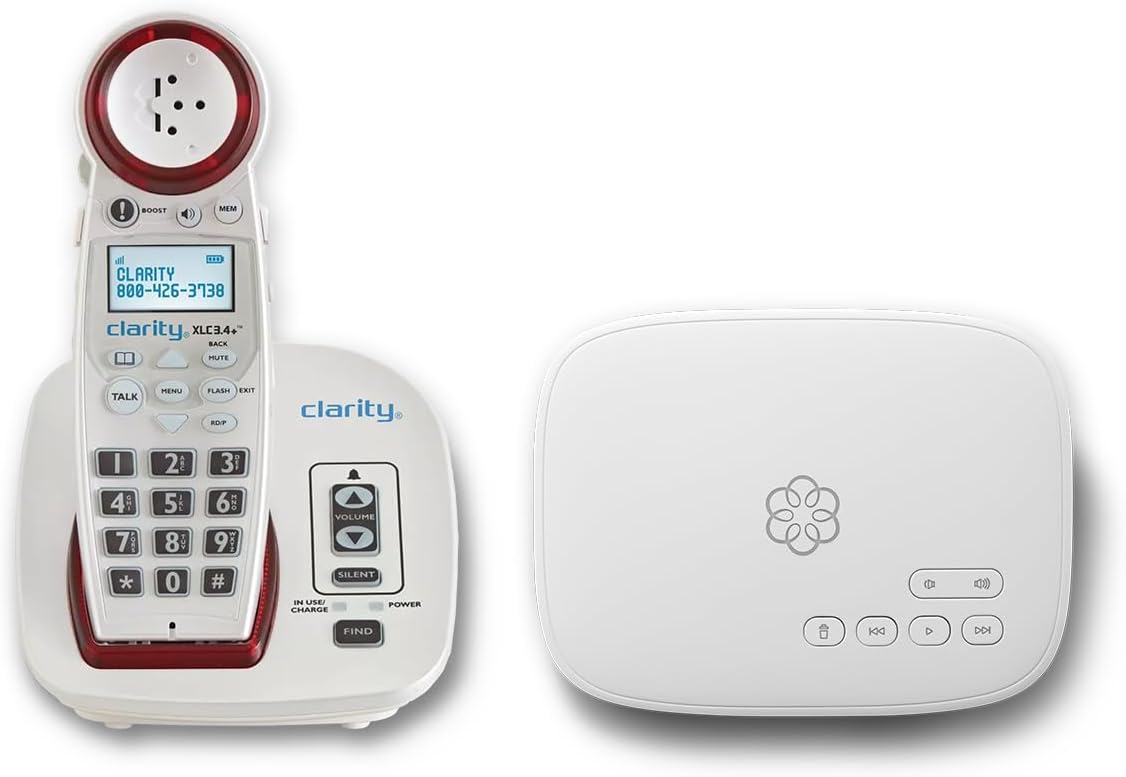
This Ooma bundle combines a phone with VoIP service and concierge support. It includes unlimited calling across the US and visual ringer features for hearing impaired users. The 4.5 rating reflects satisfaction with the service quality.
We may earn a commission when you buy through this link, at no additional cost to you.
Strengths include address-based 911 alerts sent as texts and advanced robocall blocking. Setup assistance is available to simplify installation. This bundle is suitable for users who want all-in-one home phone service.
The main trade-off is the ongoing subscription fee which adds to long-term costs. Internet connectivity is required for service. However for those needing reliable call blocking and emergency text alerts this package offers peace of mind.
Families wanting bundled phone service with safety alerts will find this valuable. It reduces setup hassle and ensures communication remains safe and accessible through modern telephony features.
Text messages notify loved ones when 911 is called providing extra emergency oversight.
The bundle includes hardware and service so users get everything needed to start calling.
We may earn a commission when you buy through this link, at no additional cost to you.
This phone features voice dialing and spoken caller ID for hands-free interaction. It allows 17 programmable voice memories for contact access. The 2.1 rating suggests usability challenges for many users.
We may earn a commission when you buy through this link, at no additional cost to you.
Its key strengths include prefix numbers being spoken before dialing and visual LED alerts. These features can help users with vision or memory issues. The speakerphone option adds flexibility for those unable to hold the receiver.
Trade-offs involve complex voice command training and inconsistent performance. Users may struggle with recognition accuracy. However for those needing basic voice dialing this model provides an alternative to button-based systems.
Tech-savvy families willing to invest time in setup might benefit from this device. It offers unique voice interaction features though practical reliability remains limited compared to other options in the market.
Caller information is announced audibly helping users know who is calling.
LED indicators flash for incoming calls ensuring notices are not missed in noise.
We may earn a commission when you buy through this link, at no additional cost to you.
This landline phone features nine photo memory keys for easy speed dialing. It supports 110dB ringers and hands-free calling for users with mobility issues. The 4.2 rating indicates reliability for memory-impaired seniors.
We may earn a commission when you buy through this link, at no additional cost to you.
Strengths include photo dialing without memorizing numbers and independent volume settings. The LED flash alert provides visual call notification. These elements support users with dementia or cognitive challenges by simplifying daily use.
Trade-offs involve lack of caller ID or voicemail functions. Users should confirm needs before purchasing. However for pure dialing simplicity this model delivers accessible connectivity without technical requirements.
Families supporting seniors with memory loss will appreciate this phone's design. It ensures connection through visual cues and loud alerts making it a practical tool for home care and daily communication.
Photo keys let users dial by pressing familiar pictures instead of numbers.
LED flash alerts help users notice calls even when they cannot hear the ringer.
We may earn a commission when you buy through this link, at no additional cost to you.
Selecting the right captioned telephone requires considering your specific accessibility needs and home environment. This guide outlines key factors to help you find a device that supports your communication goals.
Real-time captioning is essential for users who rely on text to understand conversations. Look for models that offer accurate auto captioning or assisted support with operators. This feature ensures you do not miss words during calls.
Prioritize devices with large display screens for easy reading. Ensure the captioning service covers your region as some require US residency and internet connection.
Hearing loss varies widely so check the amplifier gain measured in decibels. Models offering 40dB to 110dB options allow customization for your hearing needs. Adjustable volume control ensures comfort during long calls.
Select phones with hearing aid compatibility to avoid feedback. Speakerphone amplification helps when holding the handset is difficult due to mobility or strength issues.
Large buttons with high contrast help seniors with low vision or arthritis. Ensure keys are spaced to prevent accidental dialing and easy to press. Simple navigation reduces frustration during daily use.
Look for tactile feedback on buttons to confirm input. Some models offer photo buttons for speed dialing which supports memory impairment.
Visual indicators such as flashing lights ensure users notice incoming calls in noisy environments. These alerts are critical for those who may not hear traditional ringers. Some devices use bright LED lights for visibility.
Check if the phone supports visual voicemail indicators. This adds another layer of communication clarity for missed messages or notifications.
Standard phone lines work during power outages making corded models more reliable. VoIP options provide advanced features but depend on internet stability. Consider your home infrastructure before choosing.
Ensure the device requires no batteries if reliability is a priority. Check if special adapters or internet connections are needed for full functionality.
Emergency buttons or voice activation can provide peace of mind for caregivers. Some models allow text alerts to contacts when 911 is dialed. This safety layer is vital for users living alone.
Look for programmable memory for emergency contacts. One-touch dialing simplifies reaching help quickly during urgent situations.
Call blocking and voicemail support help manage unwanted calls and ensure messages are received. Some phones include answering machines with visual or text-based message review. This functionality reduces confusion.
Check if the device supports remote access to voicemail. This allows caregivers to monitor messages from another location for added oversight.
Simple setup processes save time and frustration. Look for models with step-by-step guides or concierge support. Installation should not require technical expertise for home users.
Ensure customer support is accessible by phone or web. Reliable assistance ensures any issues are resolved quickly to maintain communication access.
Start by placing the phone on a stable surface near a power outlet or phone line. Ensure the display is visible and accessible. Adjust volume and caption settings according to your hearing needs and personal comfort.
Clean the buttons and screen regularly with a soft damp cloth to maintain sensitivity. Avoid harsh chemicals that may damage the casing. Store any accessories like handsets securely to prevent damage or loss over time.
Test the phone regularly to confirm all functions work properly. Update contact lists as needed and check caption accuracy periodically. If you encounter issues contact support to ensure your device remains reliable for daily use.
Many models require high-speed internet for real-time captioning while others function on standard phone lines. VoIP options need active internet service but traditional landline models work independently. Check product details for connectivity needs before purchasing.
Yes devices with amplification up to 110dB and large text displays support severe hearing loss. Real-time captions allow users to read conversations while listening. This combination provides multiple ways to receive information during calls.
Look for models with large high-contrast displays and adjustable font sizes. Some phones offer voice feedback or visual indicators as alternatives. Ensure the screen size allows comfortable reading without straining your eyes.
Corded landline models work during power outages as they draw power from the phone line. VoIP and wireless devices typically need electricity or internet power. Consider corded options if reliability during outages is a priority.
Most models allow you to insert photos into speed dial slots and assign numbers through setup menus. Follow the manufacturer guide to map images to contacts. This process helps memory impaired users connect with family easily.
Some captioned telephones include free nationwide captioning services while others require subscriptions. VoIP bundles may have monthly charges for service. Verify any recurring costs before purchasing to avoid unexpected expenses.
Emergency buttons and text alerts for 911 provide essential safety for seniors living alone. Visual indicators help ensure calls are not missed. Look for models that support quick access to emergency contacts through one-touch dialing.
Yes most models work with existing phone numbers without requiring changes. VoIP services may allow number porting for a fee. Confirm compatibility with your current carrier to ensure seamless transition and service continuity.
The Hamilton CapTel 2400iSPNBT stands out as the top choice with real-time captions and amplified sound. For budget-conscious buyers the Corded Landline Phones for Seniors offer simple accessibility at an affordable price.
When selecting a device prioritize features that match your hearing and mobility needs. Consider caption accuracy sound levels and visual alerts to ensure communication remains clear and effortless for daily life.
Prices and availability change frequently so verify current listings before purchasing. Choose a model that supports your long-term communication goals and ensures peace of mind for both you and your family.