
Powseed Laptop Charger 65W
4.4Editor score
Includes 4 interchangeable DC tips
Long 6ft power cord included
2-year manufacturer warranty offered
This guide compares the top ASUS Vivobook and Zenbook power cord options, focusing on compatibility, safety, and charging speed for various laptop models.
Finding the right power cord for your ASUS Vivobook or Zenbook is essential for maintaining productivity and device health. A reliable charger ensures your laptop stays powered during long work sessions or travel days without interruption.
We evaluated ten top-rated chargers based on compatibility, build quality, and safety features. Each product was selected to meet the specific power requirements of ASUS laptops while offering value and durability to users.
Every pick highlights key specs, pros, and cons to help you decide quickly. Prices and availability change frequently, so verify details before purchasing to ensure you get the correct model for your device.
4.4Editor score
4.8Editor score

4.6Editor score
This side-by-side comparison highlights the key differences between the top ten chargers. Review power output, connector type, and warranty details to find the best match for your ASUS laptop needs.


The Superer 65W Laptop Charger stands out as a top choice for ASUS VivoBook and ZenBook owners seeking reliable power. With a solid 4.4 rating from users, it delivers consistent performance across a wide range of standard laptop models. This charger is designed to handle power requirements up to 65W, making it suitable for everyday computing tasks.
We may earn a commission when you buy through this link, at no additional cost to you.
Its standout feature is the inclusion of four switchable round connectors, ensuring you find the perfect fit for your specific device. Whether you own a Chromebook, Transformer, or older ASUS series, this charger offers the versatility needed to keep your laptop running. The 24-month manufacturer warranty further reinforces its reliability and the manufacturer confidence in the product.
While the Superer charger excels in compatibility, it is not designed for high-performance gaming laptops like TUF Gaming or ROG Strix series. Users with these models will need to look for higher wattage options. Additionally, the connector sizes require careful verification against your laptop's port to avoid mismatch issues during setup.
This charger is ideal for students, professionals, and home users who need a dependable power solution for standard ASUS laptops. Its combination of versatility, warranty, and performance makes it a top pick for most buyers seeking a balanced option.
The inclusion of four switchable connectors ensures you can find the right fit for most standard ASUS devices without needing extra adapters.
With a 24-month warranty, users gain extra protection against defects, providing peace of mind for daily use.
We may earn a commission when you buy through this link, at no additional cost to you.
The Dexpt Charger offers a practical solution for users needing a reliable replacement for their ASUS VivoBook or ZenBook. It supports 65W, 45W, and 33W outputs, covering a broad spectrum of laptop models. Users appreciate the 7.5-foot power cord, which provides ample reach for desks and workspaces.
We may earn a commission when you buy through this link, at no additional cost to you.
Its LED indicator light adds a touch of convenience, allowing you to quickly check the charging status at a glance. The package includes different sizes of detachable round connectors, ensuring compatibility with various ASUS devices. This flexibility makes it a strong candidate for households with multiple ASUS laptops.
However, the Dexpt Charger is not suitable for gaming laptops or high-performance models requiring more than 65W. Users should also note the one-year warranty, which is standard but shorter than some competitors. Verifying connector sizes before purchase is essential to ensure a proper fit.
This charger is well-suited for budget-conscious buyers who need a functional and reliable replacement. Its long cord and LED indicator make it a convenient choice for daily use in home or office environments.
The 7.5-foot cord allows for flexible placement, reducing the need for extension cords in tight spaces.
The LED light provides a quick visual confirmation of charging status, enhancing user convenience.
We may earn a commission when you buy through this link, at no additional cost to you.
The Powseed Laptop Charger is an excellent budget-friendly option for ASUS VivoBook and ZenBook users. It delivers 65W output and supports lower wattage models like 45W and 33W. With a 4.4 rating, it offers solid performance at a competitive price point.
We may earn a commission when you buy through this link, at no additional cost to you.
Its key feature is the inclusion of four interchangeable DC barrel tips, ensuring compatibility with a wide range of laptop models. The 1.8-meter power cord provides decent length for most setups. Additionally, it comes with a 2-year warranty, offering good value for the cost.
While the Powseed charger is versatile, it is not designed for high-performance models requiring higher wattage. Users should verify connector sizes carefully before purchase to avoid issues. Despite this, it remains a top pick for standard laptops.
This charger is ideal for students or home users seeking an affordable replacement. Its combination of low cost, warranty, and versatility makes it a smart choice for everyday charging needs.
Priced competitively, this charger delivers reliable power without breaking the bank, making it a great budget option.
The inclusion of four different DC barrel tips increases the likelihood of finding a perfect fit for your laptop.
We may earn a commission when you buy through this link, at no additional cost to you.
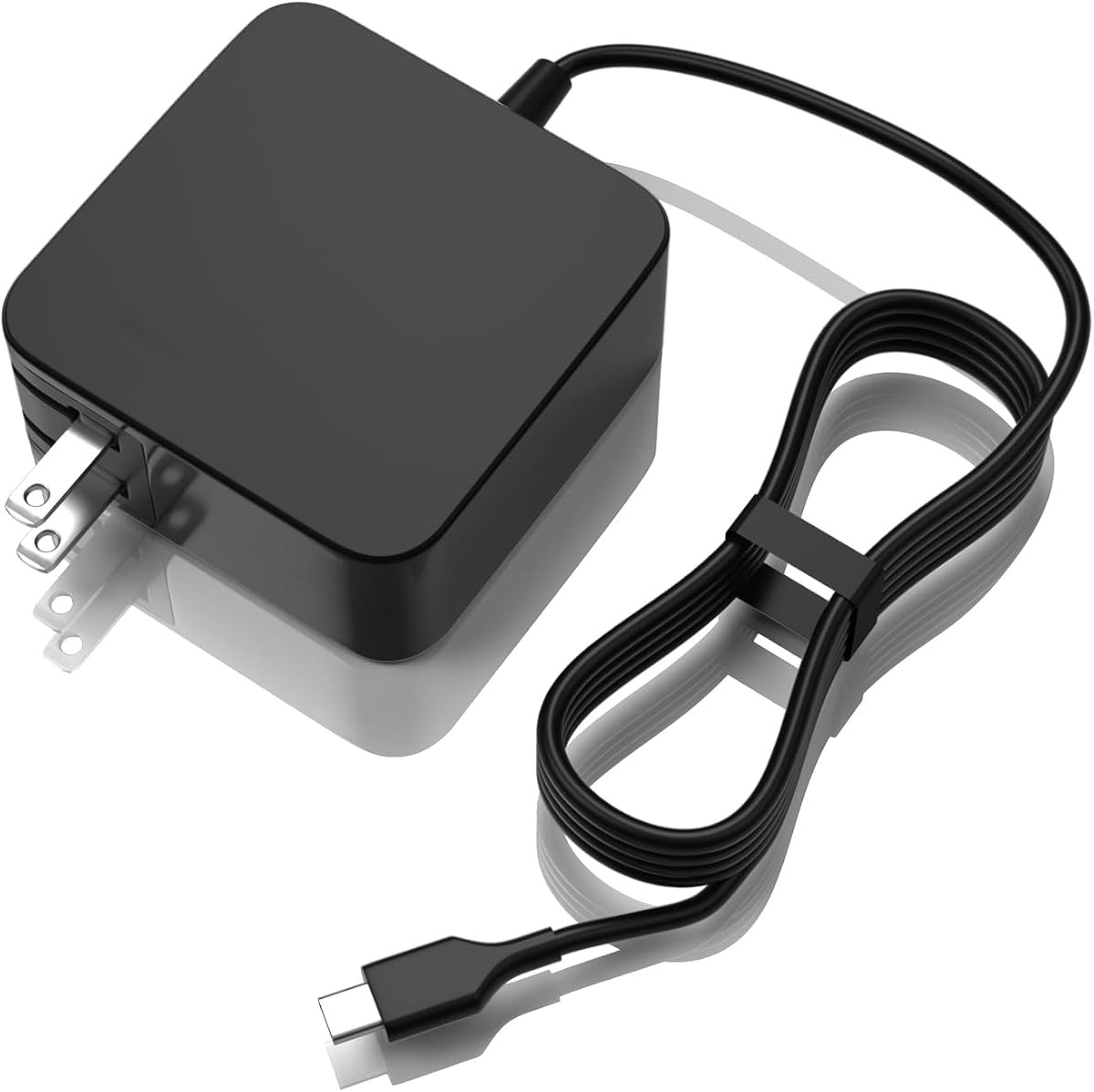
The 90W USB-C Charger is designed for users with newer ASUS VivoBook models that support USB-C charging. With 90W output, it delivers fast and efficient charging for higher-performance laptops. Its 4.6 rating reflects strong user satisfaction and reliability.
We may earn a commission when you buy through this link, at no additional cost to you.
Key features include safety certifications like FCC, CE, and RoHS, ensuring protection against overvoltage and short circuits. The USB-C connector is compatible with models like VivoBook S15 and ZenBook 14X OLED. This charger is ideal for users who need high power and modern connectivity.
However, this charger is not suitable for laptops with round barrel connectors. The higher price point may also be a consideration for budget-conscious buyers. Despite this, its performance and safety features make it a top choice for modern devices.
This charger is best for professionals and power users with USB-C enabled ASUS laptops. Its high wattage and safety certifications ensure reliable performance for demanding tasks and daily use.
With 90W output, this charger provides rapid power delivery, reducing downtime for users with high-performance laptops.
Multiple safety certifications protect your device from electrical issues, ensuring safe and reliable charging every time.
We may earn a commission when you buy through this link, at no additional cost to you.
The 90W USB-C Fast Charger holds the highest rating of 4.8, indicating exceptional user satisfaction. It delivers 90W output and is compatible with models like VivoBook S 14 and ZenBook 14X OLED. Its USB-C connectivity ensures fast and modern charging support.
We may earn a commission when you buy through this link, at no additional cost to you.
Built-in safety mechanisms protect against short circuits, overvoltage, and overheating. This ensures safe operation for all devices. The charger includes a power cord, providing immediate usability out of the box. Its robust design makes it ideal for demanding workloads.
However, this charger is only compatible with USB-C enabled laptops. Users with older round port models will need a different solution. The premium price may also be a consideration. Despite this, its performance and safety make it a top pick.
This charger is perfect for users with modern ASUS laptops requiring high wattage. Its combination of speed, safety, and user satisfaction makes it a standout choice for reliable power.
With a 4.8 rating, this charger is highly regarded by users for its reliability and performance in daily use.
Multiple built-in protections ensure safe charging, protecting both the charger and your laptop from electrical issues.
We may earn a commission when you buy through this link, at no additional cost to you.
The USB-C 65W AC Adapter is a great choice for users prioritizing portability. Its foldable plug and core tie make it easy to store in bags without tangles. It supports 65W and 45W outputs, covering many ASUS Chromebooks and ZenBooks.
We may earn a commission when you buy through this link, at no additional cost to you.
Safety certifications like CE, FCC, and RoHS ensure reliable performance. The 5.9-foot cord provides decent reach for most setups. Users appreciate the compact design, which makes it ideal for travel or commuting.
However, the cord is shorter than some competitors, and it may not support high-wattage models. Users should verify compatibility before purchase. Despite this, its portability makes it a strong contender for mobile users.
This charger is ideal for travelers and students who need a compact and reliable solution. Its foldable plug and safety features make it a practical choice for daily use on the go.
The foldable plug and core tie design prevent tangles, keeping your bag organized and your charger safe.
Compliance with CE, FCC, and RoHS standards ensures safe and reliable charging for your laptop devices.
We may earn a commission when you buy through this link, at no additional cost to you.
The Nicpower Charger supports a wide range of ASUS VivoBook and ZenBook series, making it a versatile choice. It delivers 65W output and is compatible with models like VivoBook 15, 17, and Flip 14. Its round connector ensures compatibility with standard ASUS laptops.
We may earn a commission when you buy through this link, at no additional cost to you.
The package includes multiple connector sizes, increasing the likelihood of a perfect fit. Users appreciate its solid performance and competitive price. It is also easy to find online, making it accessible for many buyers.
However, this charger is not suitable for USB-C laptops. Users with round port devices should verify connector sizes before purchase. Despite this, its broad compatibility makes it a strong contender.
This charger is ideal for users with standard ASUS VivoBook models needing a reliable replacement. Its versatility and affordability make it a practical choice for everyday use.
Supporting many VivoBook and ZenBook series, this charger offers broad coverage for standard ASUS laptop users.
Multiple connector sizes are included, reducing the risk of incompatibility and ensuring a proper fit for your device.
We may earn a commission when you buy through this link, at no additional cost to you.
The 45W Laptop Charger is a basic and reliable option for users with lower power needs. It supports 45W output and is backward compatible with 33W models. Its foldable plug and 6ft cord make it convenient for home and office use.
We may earn a commission when you buy through this link, at no additional cost to you.
The 4.0mm tip ensures compatibility with specific ASUS models like E402 and F512. Users appreciate its simplicity and affordability. It is also compatible with a wide voltage range, making it ideal for travel.
However, the wattage is limited to 45W, and it only supports one tip size. Users with higher wattage needs should look for alternatives. Despite this, it remains a solid choice for basic models.
This charger is ideal for users with entry-level ASUS laptops seeking a simple and affordable solution. Its foldable plug and travel-friendly design make it a practical choice for daily use.
The foldable plug design saves space and prevents damage to other items in your bag during travel.
This charger is backward compatible with lower wattage models, ensuring safe charging for 33W devices.
We may earn a commission when you buy through this link, at no additional cost to you.
The Dexpt 65W Laptop Charger is a simple and effective replacement for ASUS VivoBook and ZenBook. It supports 65W output and includes three connector sizes for broader compatibility. Its compact design makes it easy to store and transport.
We may earn a commission when you buy through this link, at no additional cost to you.
Users appreciate its straightforward functionality and affordability. The 4.5 rating reflects solid performance for basic models. It is also suitable for Chromebooks, adding to its versatility.
However, connector verification is required to ensure a proper fit. This charger is also basic in features, lacking additional safety indicators. Despite this, it remains a strong choice for budget-conscious buyers.
This charger is ideal for users seeking a simple and affordable replacement. Its broad connector options and compact design make it a practical choice for everyday use.
This charger focuses on core functionality, delivering reliable power without unnecessary features or high costs.
The inclusion of three connector sizes increases the likelihood of finding a perfect fit for your specific laptop model.
We may earn a commission when you buy through this link, at no additional cost to you.
The EERSY 65W Laptop Charger stands out with its long 8.8-foot cord, offering flexibility for large desks or setups. It supports 65W output and is compatible with models like VivoBook 14, 15, and ZenBook. Its 4.8 rating reflects high user satisfaction.
We may earn a commission when you buy through this link, at no additional cost to you.
Multiple plug sockets increase compatibility chances for various devices. Users appreciate its affordability and solid performance. It is also compatible with Chromebooks, making it versatile for different laptop types.
However, connector verification is required, and it lacks advanced features like LED indicators. Despite this, its long cord and high rating make it a standout option for those needing extra reach.
This charger is ideal for users with larger workspaces who need extra reach. Its affordability and compatibility make it a practical choice for everyday charging needs.
The 8.8-foot cord provides significant reach, allowing for flexible placement even in larger office setups.
With a 4.8 rating, this charger is highly trusted by users for its reliability and consistent performance.
We may earn a commission when you buy through this link, at no additional cost to you.
Selecting the right power cord requires careful attention to compatibility and safety. This guide outlines key factors to consider before purchasing a replacement charger.
Ensure the charger provides the required wattage for your laptop. Most standard VivoBook and ZenBook models require 45W to 65W, while newer OLED and Pro models may need 90W. Using a lower wattage charger may result in slower charging or performance throttling.
Always match or exceed your laptop's original power requirements to maintain optimal performance and battery health.
Verify your laptop's connector type before purchasing. Some models use round barrel connectors, while newer ones use USB-C. Using the wrong connector can lead to incompatibility or damage. Check your original charger or laptop manual for details.
Select a charger with matching connectors to ensure a secure and safe connection with your device.
Look for chargers with FCC, CE, or RoHS certifications. These indicate compliance with industry safety standards and protect against overvoltage, short circuits, and overheating. Certified chargers reduce the risk of damage to your laptop.
Always prioritize certified products to ensure safe and reliable charging for your ASUS laptop.
Consider the power cord length based on your workspace. Longer cords offer flexibility for larger desks, while shorter ones are more portable. Most chargers include cords between 5.9 and 8.8 feet to balance convenience and reach.
Choose a cord length that suits your typical setup to avoid the need for extension cords.
Check the warranty period before purchasing. Some brands offer 12 months, while others provide up to 24 months. A longer warranty reflects manufacturer confidence and protects you against defects or failures.
Prioritize chargers with extended warranties to reduce risk and ensure customer support if issues arise.
Compare prices across brands to find the best value. While budget options are tempting, prioritize features like warranty, safety, and compatibility. A slightly higher price may offer better durability and peace of mind.
Balance cost with essential features to ensure you get a reliable and long-lasting charging solution.
Review the compatibility list provided by the manufacturer. Ensure your laptop model is explicitly listed to avoid mismatches. Some chargers may exclude high-performance gaming models or specific OLED variants.
Cross-reference your model number with the compatibility list to confirm suitability before finalizing your purchase.
Read customer reviews to gauge real-world performance. Look for feedback on build quality, longevity, and ease of use. Consistent positive reviews indicate a reliable product, while repeated complaints may signal potential issues.
Use customer insights to validate claims and make an informed decision based on user experiences.
Plug the charger directly into a reliable wall outlet. Avoid using damaged or exposed extension cords that may affect power quality or safety. Ensure the charger is on a flat, stable surface to prevent overheating.
Insert the connector firmly into your laptop's charging port. If it feels loose or tight, verify the connector size matches your laptop. For round connectors, ensure the barrel fits snugly. For USB-C, plug gently until it clicks or fits securely.
Store the charger in a dry, cool place when not in use. Wrap the cord loosely to avoid internal wire damage. Regularly inspect the cord and connector for wear, cracks, or fraying, and replace if any damage is found.
Yes, you can safely use a 90W charger for a 65W laptop as the laptop will only draw the power it needs. Ensure the connector matches your laptop's port type. Modern laptops have power management circuits that regulate intake to prevent damage.
USB-C is a modern connector type found on newer ASUS models, supporting fast charging and data transfer. Round connectors are barrel-style plugs used on older models. Always match the connector type to your laptop to avoid incompatibility.
Check your laptop's manual or inspect your original charger for connector dimensions. Common sizes include 4.5×3.0mm, 4.0×1.35mm, and 5.5×2.5mm. Some chargers include multiple tips so you can test which fits snugly in your port.
Yes, third-party chargers from reputable brands are safe if they have safety certifications like FCC or CE. Ensure they match your laptop's power and connector requirements. Avoid unbranded chargers without safety protections to reduce risks.
It is normal for chargers to feel warm during operation as they convert electrical energy. However, if it feels excessively hot, ensure proper ventilation and avoid covering it. If overheating persists, discontinue use and contact support.
Most replacement chargers last between 2 to 5 years depending on usage and care. Avoid bending or twisting the cord excessively and store it properly. With proper care, chargers can remain functional for many years of daily use.
This guide highlights top options like the Powseed Laptop Charger for budget buyers and the 90W USB C Fast Charger for high-performance needs. Each selection was evaluated on compatibility, safety, and overall value to help you decide.
Prioritize chargers that match your laptop's power requirements and connector type. Look for safety certifications and warranty coverage to ensure long-term reliability. Investing in a quality charger protects your device and ensures consistent performance.
Always verify current prices and availability before purchasing as details may change. Use the links provided to access the latest offers on each recommended model.