
AOC 24" Gaming Monitor FHD 200Hz
4.6Editor score
200Hz refresh rate
0.3ms response time
Frameless design
IPS panel color
Finding the right display can transform your daily computing experience significantly. Whether you are a competitive gamer or a creative professional, AOC offers a wide range of options to suit every budget and performance requirement. Their reputation for reliability and innovation makes them a top contender in the market today.
We have carefully evaluated the latest models to bring you this comprehensive list. Our analysis focuses on refresh rates, panel types, connectivity options, and overall build quality. This ensures that you get a clear picture of what each monitor brings to your setup without the confusion of marketing jargon.
Each pick below highlights specific strengths and potential trade-offs to consider before buying. We have organized them by rank to help you quickly find the best fit for your goals. Please note that prices and availability can change frequently, so check the current listing for the most accurate details.
4.6Editor score

4.6Editor score
4.4Editor score
As an Amazon Associate we earn from qualifying purchases.
Here is a side-by-side look at the top ten models we reviewed to help you decide quickly based on your specific needs and preferences.


The AOC Q27G41ZE stands out as a top performer in the mid-range gaming segment. It combines a high refresh rate with a crisp QHD resolution that delivers sharp visuals for competitive play and general use alike.
We may earn a commission when you buy through this link, at no additional cost to you.
Its IPS panel ensures accurate colors and wide viewing angles which are essential for both gaming and content creation. The 240Hz refresh rate provides incredibly smooth motion that reduces blur during fast-paced action sequences significantly.
While the stand only offers tilt adjustment which might be a drawback for some users the performance benefits outweigh this limitation. The build quality is solid and the frameless design adds a modern touch to any desk setup.
This monitor is ideal for gamers who want high performance without paying premium prices. It balances speed and image quality effectively making it a strong recommendation for most users.
The 240Hz refresh rate ensures you see enemy movements instantly giving you a clear advantage in competitive shooters.
IPS technology delivers rich and consistent colors that make games and movies look more vivid and lifelike on screen.
We may earn a commission when you buy through this link, at no additional cost to you.
For those looking to build a gaming setup on a budget this model offers exceptional value. It provides a fast refresh rate and responsive panel that competes with more expensive options in the market today.
We may earn a commission when you buy through this link, at no additional cost to you.
The 200Hz refresh rate is rare at this price point allowing for smoother gameplay than typical 144Hz monitors. The wide color gamut ensures that images remain vibrant and true to life even in less than ideal lighting conditions.
The main trade-off is the Full HD resolution which may appear less sharp than QHD panels on larger screens. However for competitive gaming where reaction time matters most the speed this monitor delivers is more important.
This is a perfect choice for students or casual gamers who need reliable performance without breaking the bank. It covers the basics well and leaves room in your budget for other upgrades.
You get high refresh rates usually found on pricier models making this a smart financial choice for competitive gamers.
The three sided frameless design reduces distractions and makes it easy to link multiple screens for a wider view.
We may earn a commission when you buy through this link, at no additional cost to you.
This monitor represents the pinnacle of display technology with its QD OLED panel. It offers visual fidelity that is simply unmatched by traditional LCD or LED screens available on the market today.
We may earn a commission when you buy through this link, at no additional cost to you.
The self-luminous pixels create true blacks and infinite contrast making dark scenes in games look stunning. Combined with a 240Hz refresh rate and near instant response time the motion clarity is phenomenal for fast action.
Of course such advanced technology comes at a significant cost which may not fit every budget. There is also a consideration regarding static images and burn-in though modern protections mitigate this risk considerably.
If you want the absolute best visual experience and have the budget to support it this is the one to get. It transforms gaming and media consumption into a truly immersive experience.
Pixels turn off completely to produce perfect blacks that make colors pop and images look more realistic than ever.
With a 0.03ms response time motion blur is virtually eliminated ensuring crisp visuals during the fastest scenes.
We may earn a commission when you buy through this link, at no additional cost to you.
This monitor is designed with work and multimedia in mind rather than competitive gaming. The 4K resolution offers plenty of screen real estate for multitasking and detailed work like photo editing or coding.
We may earn a commission when you buy through this link, at no additional cost to you.
IPS panel delivers consistent colors and wide viewing angles which are essential for long work sessions. The built-in speakers add convenience reducing cable clutter and keeping your desk clean and organized effectively.
While it lacks the high refresh rates of gaming monitors it is stable and reliable for daily tasks. The lack of advanced ergonomic adjustments is a minor drawback but the value proposition remains strong.
It is an excellent choice for professionals who need high resolution and simplicity. If you prioritize sharp text and color accuracy over speed this model fits the bill well.
The 4K resolution ensures that text and images are razor sharp making it easy on the eyes during long hours.
Built-in speakers eliminate the need for external audio devices keeping your workspace tidy and uncluttered.
We may earn a commission when you buy through this link, at no additional cost to you.
This model balances size and speed effectively offering a larger viewing area without sacrificing performance. The overclocked refresh rate ensures that motion remains smooth even in demanding game titles.
We may earn a commission when you buy through this link, at no additional cost to you.
IPS technology ensures that colors remain vibrant and consistent across the screen. The low power usage is a nice bonus for those concerned about energy efficiency and environmental impact over time.
The resolution is a compromise at this size but for gaming where pixels blur during fast motion it works well. The frameless design enhances immersion and makes the screen feel larger than it actually is.
It is a great option for gamers who want a bigger canvas for their play area. It delivers high performance without the cost of higher resolution panels.
The high refresh rate reduces motion blur making fast movements easy to track during competitive matches.
Efficient power consumption helps reduce your carbon footprint while keeping energy costs down.
We may earn a commission when you buy through this link, at no additional cost to you.
The 1500R curve wraps around your vision creating a highly immersive experience. This makes it ideal for racing games or simulations where being surrounded by the action enhances enjoyment.
We may earn a commission when you buy through this link, at no additional cost to you.
VA panels offer deep blacks and high contrast which are beneficial for dark games and movies. The color coverage is strong ensuring that visuals remain vivid and engaging throughout your usage.
One trade-off is the slower response time on VA panels which can lead to slight smearing in very dark scenes. However for most users this is negligible and does not impact the overall experience.
This monitor is perfect for those who prioritize immersion over pure competitive speed. It offers a unique viewing experience that flat panels simply cannot match.
VA technology provides deeper blacks than IPS making dark scenes in games look more detailed and atmospheric.
The 1500R curve draws your focus into the center of the screen for a more engaging view.
We may earn a commission when you buy through this link, at no additional cost to you.
Combining a massive 32 inch screen with a 240Hz refresh rate is a unique proposition. This setup is ideal for console gamers who want to experience higher frame rates on supported devices.
We may earn a commission when you buy through this link, at no additional cost to you.
The low latency mode ensures that input is registered quickly giving you a competitive edge. AMD FreeSync Premium eliminates screen tearing and stuttering for a smooth visual experience.
The main compromise is the resolution which may look softer than QHD or 4K. For competitive play where speed is king this trade-off is often acceptable to many users.
This is a strong recommendation for those with large desks who want maximum speed and immersion. It pushes the limits of what you expect from a curved gaming monitor.
Optimized for consoles to unlock higher frame rates that make gameplay feel incredibly fluid and responsive.
A large screen fills your peripheral vision making you feel like you are part of the game world.
We may earn a commission when you buy through this link, at no additional cost to you.
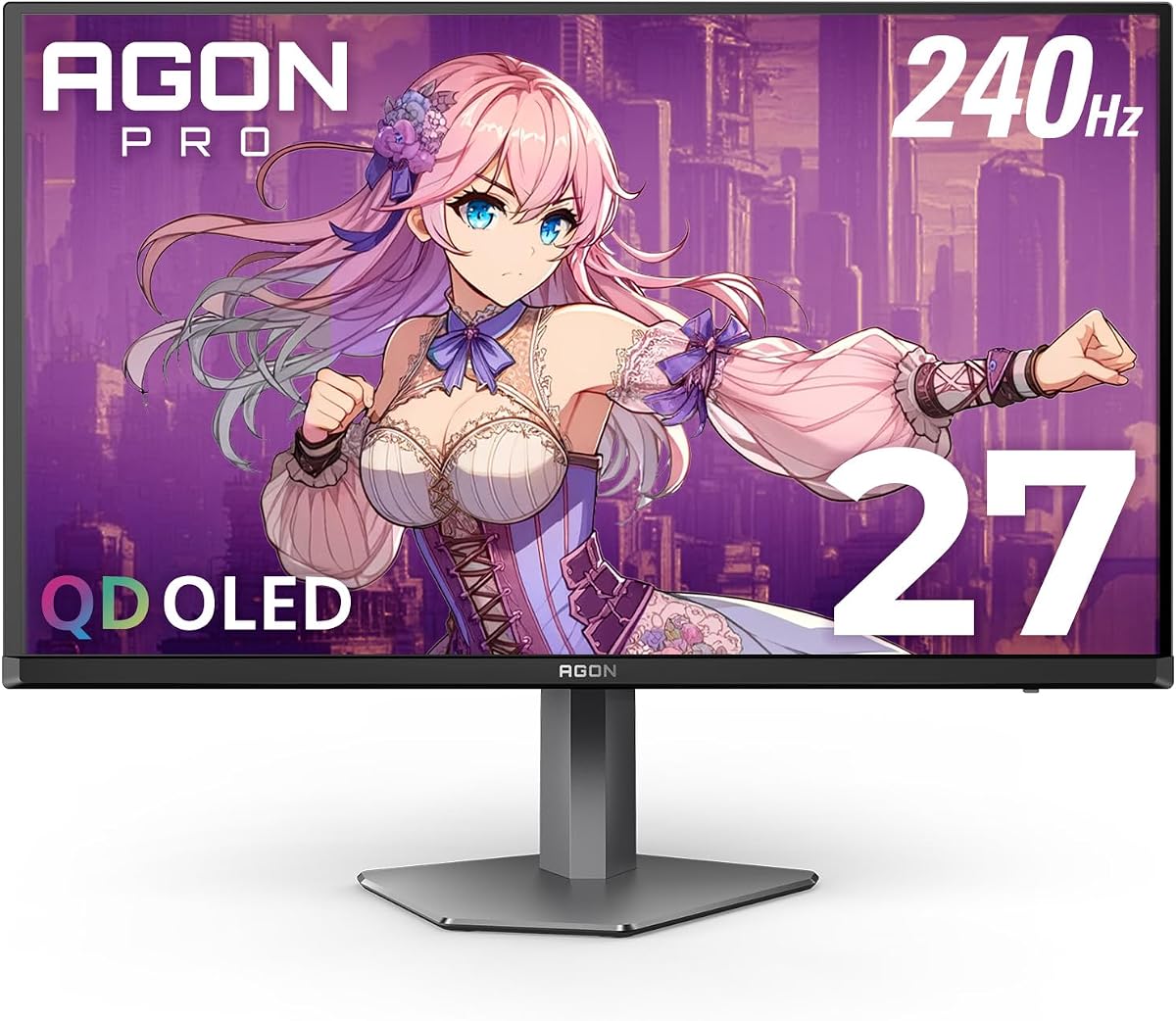
This model offers OLED technology in a 27 inch form factor which is often the sweet spot for gaming desks. It combines the best features of OLED with a resolution that balances sharpness and performance.
We may earn a commission when you buy through this link, at no additional cost to you.
The 240Hz refresh rate is exceptionally smooth and ensures that high frame rate games run without hitches. G-SYNC support adds another layer of compatibility for NVIDIA GPU owners seeking the best experience.
The price is high compared to standard IPS monitors but the visual upgrade is significant. For those who prioritize image quality above all else this is a worthy investment for your setup.
It is best suited for serious gamers and media enthusiasts who appreciate top-tier visuals. It sets a new standard for what a gaming monitor can achieve.
The QD OLED panel delivers colors and contrast levels that are simply unmatched by standard displays.
Near instant pixel transitions ensure that motion stays sharp and clear even at the fastest speeds.
We may earn a commission when you buy through this link, at no additional cost to you.
This version includes extra features like height adjustment and a USB hub which add convenience to your setup. These additions make it more versatile than standard gaming monitors available on the market.
We may earn a commission when you buy through this link, at no additional cost to you.
The OLED panel ensures that you get the best picture quality available today. Combined with HDMI 2.1 ports it is future proof for next gen consoles and high bandwidth graphics cards.
The price is among the highest in this list but you are paying for premium materials and features. It is designed for users who want a complete high-end solution for their desk.
If you need an ergonomic stand and connectivity options this is the best option. It offers a complete package for those who value convenience alongside performance.
Height and tilt adjustments let you find the perfect viewing angle to reduce strain during long sessions.
An integrated USB hub makes it easy to plug in peripherals without hunting for ports on your PC.
We may earn a commission when you buy through this link, at no additional cost to you.
This renewed unit offers a cost-effective solution for those with limited space or budget. It provides decent refresh rates and features that make it suitable for casual gaming and general use.
We may earn a commission when you buy through this link, at no additional cost to you.
The small size makes it perfect for laptops or cramped desks where space is at a premium. The blue light filter helps reduce eye strain during long hours of work or gaming.
Buying renewed means there are minor cosmetic imperfections but the performance remains reliable. It is a smart choice if you want to save money without sacrificing essential features.
It is a great secondary monitor or starter screen for new builds. It proves you do not need to spend a lot to get a functional gaming experience.
A compact 21.5 inch screen fits easily on small desks while still offering a good view.
Buying renewed allows you to access reliable tech at a lower price point for tight budgets.
We may earn a commission when you buy through this link, at no additional cost to you.
Choosing the right monitor involves balancing your needs with technical specifications. Here are the key factors to consider before making a purchase decision.
The panel type defines your viewing experience. IPS panels offer the best colors and viewing angles which are ideal for work and gaming. VA panels provide better contrast and deeper blacks making them great for movies. OLED panels are the premium choice with perfect blacks and instant response times but at a higher cost.
For most gamers IPS is the safest bet for balanced performance. If you watch a lot of movies in the dark VA might be better. OLED is for enthusiasts who want the best visual quality available today.
Refresh rate determines how many images are shown per second. Higher rates like 240Hz create smoother motion which is critical for competitive shooters. Standard refresh rates are around 75Hz to 144Hz which is sufficient for casual games.
Look for refresh rates that match your system capabilities. If your PC can push high frame rates invest in a 165Hz or higher monitor to fully utilize your hardware.
Response time measures how quickly a pixel changes color. Lower times like 0.5ms prevent ghosting and blur during movement. High response times can make fast action look smeared which is a major issue for esports.
Prioritize a low response time if you play fast games. Look for monitors with 1ms or less response time to ensure sharp and clear motion on screen.
Resolution affects how sharp the image looks. 1080p is standard but 1440p offers much better clarity for text and details. 4K is great for media but requires powerful hardware to run games smoothly.
Match resolution to screen size for best results. 24 inches pairs well with 1080p while 27 inches benefits from 1440p. Larger screens need higher resolution to avoid seeing pixel grids.
Adaptive Sync technologies like G-SYNC or FreeSync prevent screen tearing. They synchronize the monitor refresh rate with the graphics card output. This results in smoother gameplay without the need to cap frame rates.
Ensure your monitor supports the sync technology your GPU uses. This compatibility is essential for a tear-free visual experience during intensive gaming sessions.
Check that the monitor has the ports you need for your devices. HDMI and DisplayPort are standard. HDMI 2.1 is useful for next-gen consoles to support higher resolutions and refresh rates.
Make sure there are enough inputs for all your hardware. If you use a console and a PC you may need multiple HDMI and DisplayPort connections for convenience.
An ergonomic stand helps you position the screen at eye level. Look for tilt and height adjustments to reduce strain on your neck and eyes. VESA mount compatibility is crucial if you plan to use a monitor arm.
Adjustability is key for long-term comfort. If the stand is limited consider buying a monitor with a VESA hole so you can attach a fully adjustable arm for better posture.
Extra features like built-in speakers or USB hubs add convenience but often come at a cost. Blue light filters and flicker-free technology protect your eyes during long sessions. Check warranty terms to ensure peace of mind against defects.
Decide which features matter most to your workflow. Some extras are nice to have but prioritize core performance features to get the best value for your money.
Setting up your monitor correctly ensures you get the best performance right from the start. Connect your computer using the highest quality cable available like HDMI 2.1 or DisplayPort 1.4. This ensures you can access the full refresh rate and resolution the monitor supports.
Adjust the display settings in your operating system to match the native resolution and refresh rate. If you use a gaming monitor enable adaptive sync in your graphics card control panel. This will prevent tearing and ensure smooth visuals during gameplay.
Care for your screen by using a soft microfiber cloth to remove dust. Avoid using harsh chemicals or paper towels which can scratch the coating. Turn off the monitor when not in use to extend the life of the panel and save energy.
Yes, AOC monitors are highly regarded for competitive gaming. They offer a wide range of models with high refresh rates and low response times that cater to different budgets and setups.
FHD stands for Full HD which is 1920×1080 resolution. QHD stands for Quad HD which is 2560×1440 resolution. QHD offers significantly sharper images and more screen space for multitasking.
Many modern AOC models support HDR to improve contrast and color range. However, the effectiveness depends on the panel type with OLED models offering the best HDR performance compared to standard IPS.
Yes, AOC monitors work well with consoles like Xbox and PlayStation. Look for models with HDMI 2.1 support to get the highest possible frame rates on next-gen systems.
Curved monitors can offer a more immersive experience by matching your natural field of view. They are often preferred for racing simulators and large screens over 27 inches.
Screen tearing can be fixed by enabling adaptive sync technology like G-SYNC or FreeSync. This synchronizes your graphics card and monitor to prevent multiple frames from showing at once.
Most AOC monitors come with a standard three-year warranty. Some models include specific coverage for dead pixels or advance replacement which adds value to your purchase.
A 27 inch monitor is a popular size that balances detail and space. It is ideal for desks with moderate depth. Larger desks benefit from 32 inches while smaller ones may prefer 24 inches.
We have explored ten of the best AOC monitors available for November 2026 covering everything from budget options to premium OLED displays. Each model offers distinct strengths suited to different user needs and preferences.
When making your choice focus on the features that matter most to your daily activities. If speed is key look for high refresh rates. If image quality is priority seek out OLED or high resolution panels.
Prices change frequently so always verify the current listings before finalizing your purchase. Check the latest deals and availability to ensure you get the best value for your investment today.