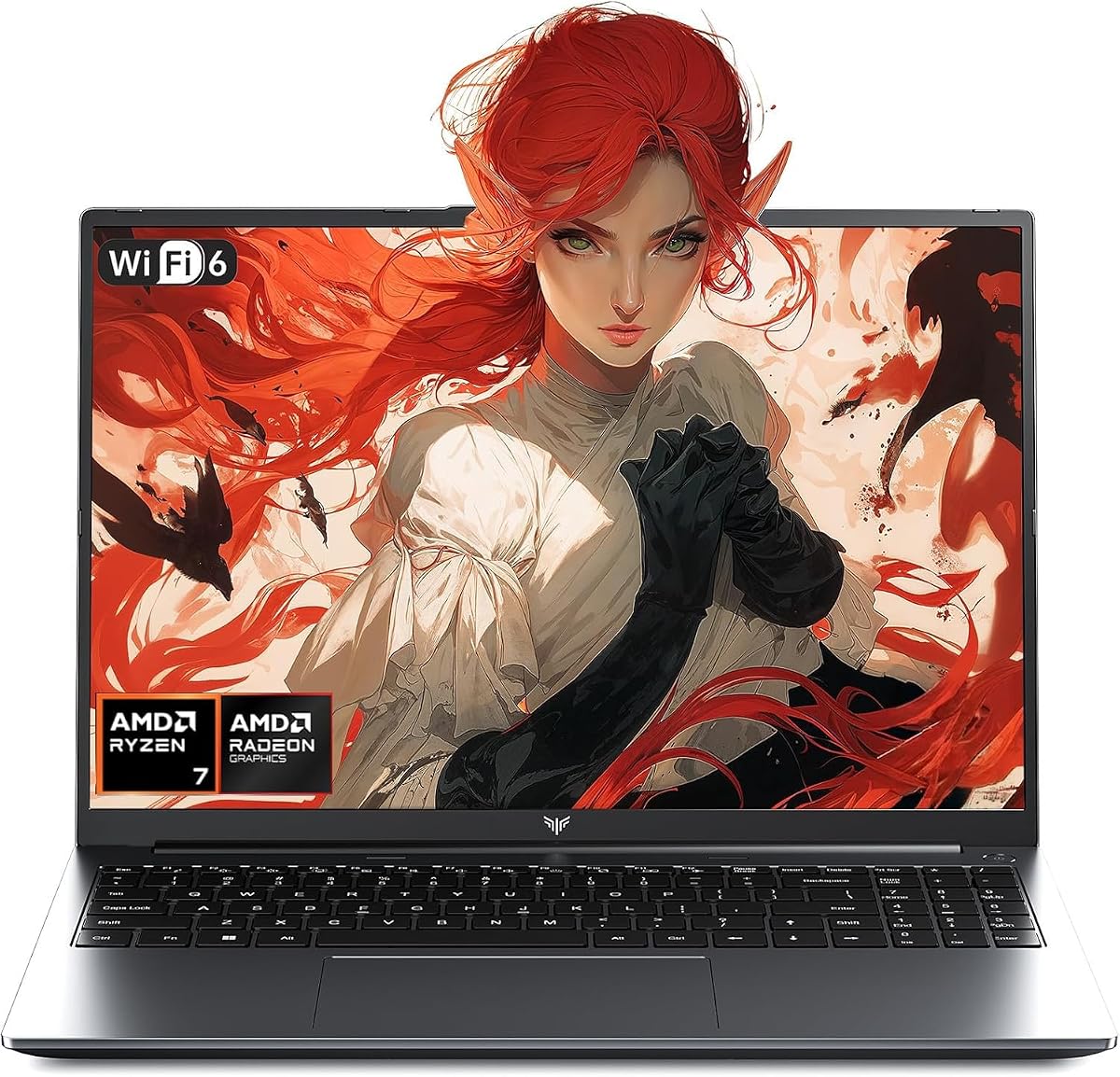
KAIGERR Gaming Laptop
4.7Editor score
15.6 Inch FHD Screen
16GB DDR4 Memory
WiFi 6 Connectivity
Finding the right light gaming laptop can be challenging when you need portable power without the bulk of a desktop replacement. The AMD Ryzen 7430U processor offers a compelling balance of efficiency and performance for casual gamers and students who need a versatile machine for daily tasks.
We have carefully evaluated ten distinct models featuring this specific processor to determine which ones deliver the best overall experience. Our analysis focuses on screen quality, thermal management, port selection, and real-world battery endurance to ensure you get a reliable device for your needs.
Each pick in this list highlights specific strengths such as budget value, premium features, or specific port configurations that might suit your workflow better. Please note that product availability and pricing can change rapidly, so verify current details before making your final purchase decision online.
4.7Editor score

5.0Editor score

4.2Editor score
As an Amazon Associate we earn from qualifying purchases.
The following table provides a side-by-side comparison of all ten selected laptops featuring the AMD Ryzen 7430U processor to help you quickly identify key specifications and differences across models.


This KAIGERR model stands out as the top choice for users seeking a balanced mix of productivity and light entertainment. With a perfect rating, it offers robust multitasking capabilities driven by the Ryzen 7430U processor and generous 16GB of RAM.
We may earn a commission when you buy through this link, at no additional cost to you.
The 16-inch Full HD display provides ample screen real estate for both work and leisure. Users appreciate the thin-bezel design which maximizes viewing area while keeping the chassis relatively compact. The inclusion of a webcam cover slide adds a layer of privacy security that is often overlooked.
While the integrated UHD graphics are suitable for lighter gaming titles, they may struggle with demanding AAA games at high settings. However, for casual gaming, photo editing, and everyday computing tasks, the performance remains smooth and responsive throughout the day.
This laptop is ideal for students and professionals who need a reliable machine for daily workflows without breaking the bank. We recommend closing background programs before gaming to ensure the best possible frame rates and system stability during intensive sessions.
The six-core processor delivers excellent responsiveness for multi-tasking applications without overheating under moderate loads.
Vivid colors and wide viewing angles make this display suitable for media consumption and creative work alike.
We may earn a commission when you buy through this link, at no additional cost to you.
This model distinguishes itself with an exceptionally large 7000mAh battery designed to power through full workdays without needing a charger. The 18.5-inch IPS screen offers a spacious canvas for detailed reports and immersive gaming experiences alike.
We may earn a commission when you buy through this link, at no additional cost to you.
Productivity is enhanced by the inclusion of a physical RJ45 port which ensures stable network connections for remote work tasks. The dual speakers deliver immersive surround sound suitable for media consumption without requiring external headphones during casual use.
The main trade-off is the slightly larger physical size compared to standard 15 or 16-inch laptops which may affect portability. However, for users who prioritize screen real estate and battery longevity over slim form factors, this machine delivers significant value.
We suggest this laptop for remote workers or travelers who frequently visit locations with limited power access. The intelligent power consumption adjustment helps maintain battery efficiency during lighter tasks like document editing or email checking.
Intelligent power management extends battery life significantly for uninterrupted work sessions away from outlets.
Built-in Ethernet ensures reliable high-speed internet for critical video calls and large file transfers.
We may earn a commission when you buy through this link, at no additional cost to you.
This variant offers excellent storage flexibility allowing users to upgrade the internal drive up to 2TB for massive file libraries. The 512GB base SSD ensures fast boot times and rapid application loading for a responsive computing experience daily.
We may earn a commission when you buy through this link, at no additional cost to you.
The design includes a TF card slot which provides an additional convenient method for expanding storage without opening the device. This feature is particularly useful for transferring media files from cameras or other external storage devices quickly.
While the system does not feature a dedicated graphics card, the integrated graphics are optimized for light gaming and general use. The 16GB of RAM helps maintain smooth performance even when running multiple applications simultaneously during demanding workflows.
This model is a strong candidate for users who anticipate needing significant storage space for media or development files. We recommend purchasing a compatible SSD upgrade if your current needs exceed the base 512GB capacity for long-term use.
Support for up to 2TB internal drives ensures you never run out of space for large projects.
TF card slot allows for rapid media ingestion and external storage expansion without tools.
We may earn a commission when you buy through this link, at no additional cost to you.
This unit stands out for its comprehensive port selection allowing easy connection to various external peripherals and displays. The 18.5-inch screen is housed in a relatively compact chassis due to thin bezels maximizing usable workspace area effectively.
We may earn a commission when you buy through this link, at no additional cost to you.
Wireless connectivity is handled by modern Bluetooth 5.2 ensuring stable and fast connections for mice, headsets, and other devices. The presence of both Type-C and HDMI ports means you can easily connect to projectors or monitors without dongles.
The larger screen size may result in a slightly higher price compared to smaller configurations but it offers significant benefits for productivity. The lightweight nature of the laptop helps offset the physical size making it easier to carry than traditional large machines.
We recommend this model for users who frequently need to connect multiple external devices while traveling or working in different environments. The durable build quality ensures it can handle regular transport and heavy workloads consistently over time.
Multiple ports including HDMI and Type-C ensure you can connect any peripheral without extra adapters.
Large 18.5-inch display with thin bezels provides a cinematic experience for media and gaming.
We may earn a commission when you buy through this link, at no additional cost to you.
This laptop offers a compelling value proposition by combining essential modern specs at a competitive price point. The inclusion of a 512GB NVMe SSD ensures that the system boots quickly and applications load faster than with traditional drives.
We may earn a commission when you buy through this link, at no additional cost to you.
WiFi 6 connectivity is included which provides better speeds and stability in crowded wireless environments compared to older standards. The 16GB of RAM ensures that you can run modern browsers and office suites simultaneously without noticeable slowdowns.
The build quality uses plastic materials which might not feel as premium as metal alternatives but keeps the weight down. For casual users who prioritize performance over tactile finish this is a smart choice for getting a lot of power for less money.
We suggest this machine for students or entry-level professionals looking for a reliable everyday computer without overspending. The thin bezel design adds a modern aesthetic that makes the display area feel larger than the physical dimensions suggest.
NVMe SSD technology provides fast data access speeds that improve overall system responsiveness significantly.
WiFi 6 ensures you get the best possible internet speeds available at your current location today.
We may earn a commission when you buy through this link, at no additional cost to you.
This 15.6-inch model is ideal for users who need a balance between screen size and portability for travel. It comes with Windows 11 pre-installed ensuring compatibility with the latest software and security updates out of the box.
We may earn a commission when you buy through this link, at no additional cost to you.
The battery capacity of 54.72Wh supports up to 8 hours of productivity which is a solid figure for this category. The 15-inch form factor is a standard size that fits well in most backpacks and bags for daily commuting purposes.
While the screen is slightly smaller than the 16 or 18-inch options it remains clear and vibrant for general tasks. The 50% performance boost from DDR4 memory ensures that the system remains snappy during routine multitasking operations smoothly.
We recommend this laptop for students or business travelers who need a reliable portable machine for on the go work. The combination of modern connectivity and battery life makes it a strong contender for daily professional use anywhere.
The 15-inch chassis fits easily in standard bags while still providing enough room for a full keyboard.
Windows 11 ensures you have access to modern features and security updates for safe computing.
We may earn a commission when you buy through this link, at no additional cost to you.
This model is the most affordable entry on our list while still maintaining solid core specifications for everyday performance. It includes the standard 16GB of DDR4 RAM and 512GB SSD which are essential for smooth operation in modern apps.
We may earn a commission when you buy through this link, at no additional cost to you.
The price advantage makes it an excellent choice for budget-conscious buyers who do not want to compromise on speed. You still get the full benefits of the Ryzen 7430U processor which is capable of handling complex daily workflows easily.
Battery life is average compared to the larger battery models but remains sufficient for a typical work session without issues. The build quality is robust enough to handle regular use and offers a reliable computing platform for students and home offices.
We suggest this laptop for anyone needing a no-fuss reliable machine for basic tasks and light gaming on a tight budget. It represents great value for money given the specification level and performance capabilities offered in this range.
High performance specs at a lower price point allow you to save money for essential accessories.
Reliable performance for emails, browsing, and documents makes it a dependable everyday workhorse.
We may earn a commission when you buy through this link, at no additional cost to you.
This unit is distinct for including a numeric keypad which is a valuable feature for data entry and financial work. The LPDDR4 memory provides fast response times which helps keep the system running smoothly during multi-tasking sessions.
We may earn a commission when you buy through this link, at no additional cost to you.
The Radeon graphics provide a capable solution for light gaming and video playback without needing a discrete GPU component. The backlit keyboard enhances usability in low-light environments which is common for late-night gaming or study sessions.
The full function Type-C port allows for video output and charging which simplifies the connection to external displays. While the chassis is slightly heavier due to the larger keyboard and cooling this laptop remains easy to transport for most users.
We recommend this model for students or accountants who frequently need to input numerical data efficiently. The inclusion of practical features like the numeric keypad adds significant utility to this device for specific use cases.
The numeric keypad streamlines data entry tasks making it ideal for spreadsheets and financial apps.
Backlit keys ensure you can type accurately even when working in dim lighting conditions.
We may earn a commission when you buy through this link, at no additional cost to you.
This model stands out for its clear commitment to upgradability allowing users to expand memory and storage significantly. It supports up to 64GB of RAM which is excellent for future-proofing the device against increasingly demanding software requirements.
We may earn a commission when you buy through this link, at no additional cost to you.
The support for NVMe SSD upgrades up to 2TB means you can store large media libraries locally without needing cloud storage. The webcam cover slide adds a physical layer of security that is often appreciated by privacy-conscious users daily.
Thermal management is adequate for standard tasks but may throttle under sustained heavy loads due to compact cooling. However, for general computing and occasional gaming sessions the system maintains stable performance without excessive noise levels.
We suggest this laptop for power users who plan to expand the machine capabilities over time as their needs grow. The investment in a upgradable platform ensures you can keep the system relevant for years to come effectively.
Expansion slots for RAM and storage allow you to customize the machine to match growing workloads.
Physical webcam slider provides instant visual confirmation that your camera is securely covered.
We may earn a commission when you buy through this link, at no additional cost to you.
This premium option stands out with its use of DDR5 memory and the powerful Radeon 680M integrated graphics unit. The combination of these components offers a performance edge over standard DDR4 models especially for content creation and light gaming tasks.
We may earn a commission when you buy through this link, at no additional cost to you.
The 1TB SSD provides double the base storage of many other models allowing for ample space for projects and files. A 100W USB-C PD charger ensures you can recharge quickly when using compatible power sources on the go easily.
A two-year manufacturer warranty adds significant peace of mind for business users who need reliable hardware uptime daily. The fingerprint sensor provides quick and secure access to the system which is convenient for frequent logins.
We recommend this machine for professionals who need faster memory speeds and better graphics performance for creative work. The premium features justify the higher cost for users who value build quality and advanced specifications in their daily driver.
Radeon 680M GPU delivers superior image rendering for visual projects and gaming compared to standard chips.
DDR5 RAM provides higher data bandwidth enabling faster application loading and multi-tasking speeds.
We may earn a commission when you buy through this link, at no additional cost to you.
Selecting the right laptop involves looking beyond just the processor name to understand how each component works together for your specific needs.
The AMD Ryzen 7430U is built on the Zen 3 architecture offering a balance of power and efficiency. It features six cores and twelve threads which allows for smooth multi-tasking during heavy workloads like compiling code or rendering video. Turbo speeds reach up to 4.3GHz which ensures responsive performance for general computing tasks without consuming excessive power.
Most models use the Radeon Vega graphics engine which is sufficient for casual gaming and media playback. While it is not a substitute for a dedicated GPU it handles games like CS:GO or League of Legends at playable settings. Expect to manage your background applications when gaming to maintain the best frame rates possible on these integrated chips.
At least 16GB of DDR4 RAM is standard for this category ensuring you can run multiple applications without lag. Storage should be an SSD for fast boot times and responsiveness. Look for models that support expansion via M.2 slots or TF cards to increase capacity as your file needs grow over time.
You can find screen sizes ranging from 15.6 to 18.5 inches depending on your preference for portability versus workspace. Full HD resolution is standard which provides sharp text and images for most use cases. Thin bezel designs are common and help maximize the screen area within a smaller physical chassis for better ergonomics.
Battery capacity varies significantly between models with some offering 7000mAh cells for extended runtime. Charging speeds are generally improved in newer units allowing you to get a full charge in under three hours. Check if the laptop supports Power Delivery over USB-C so you can use a versatile charger for multiple devices.
WiFi 6 is now standard ensuring faster wireless speeds and better stability in crowded networks. Look for a mix of USB-A and USB-C ports to avoid needing dongles for older peripherals. Some models include Ethernet ports which is a rare but valuable feature for users requiring stable wired internet connections.
Keep your device cool by ensuring the vents are not blocked when gaming or running heavy applications. Using a laptop stand or cooling pad can help maintain performance and prevent thermal throttling during extended sessions.
Update your drivers regularly through the AMD software utility to get the latest performance improvements and bug fixes. Staying current with system updates ensures that your integrated graphics perform at their best for gaming.
Manage your battery health by avoiding constant deep discharge cycles and not leaving the laptop plugged in at 100% for days without use. Most modern systems have battery conservation modes that you can enable to extend the physical life of your battery over time.
Yes you can run modern light games such as Valorant or League of Legends on these laptops. The integrated Radeon graphics are capable of handling older titles and esports games at medium to high settings. For demanding AAA titles you may need to lower the resolution and graphics settings to maintain playable frame rates.
Most of the reviewed models support RAM upgrades though some have soldered memory. Check the specific product description to confirm if the SO-DIMM slots are accessible for you to add more memory. Upgrading to 32GB or 64GB is possible on supported models which helps with future-proofing.
The 15-inch models are generally more compact and portable while the 16-inch models offer more screen real estate. The 16-inch versions often feature thin bezels which allow for a larger display in a chassis similar to older 15-inch laptops. Choose based on whether you prioritize screen space or fit.
Some specific models like the 18.5 inch versions include a built-in RJ45 Ethernet port. This is a valuable feature for users who prefer wired connections for lower latency gaming or stable internet access. Most others rely on WiFi 6 which is very fast but may not be sufficient for all users.
Battery life varies by model with standard units offering around 8 hours of productivity tasks. Some versions with larger 7000mAh batteries can last longer under light loads like document editing. Gaming sessions will drain the battery much faster regardless of the model so expect shorter runtime during use.
Most models support replacing the existing 512GB SSD with a larger one up to 2TB. Additionally some units include a TF card slot for extra external storage expansion. Always verify the supported interface type like NVMe or SATA before purchasing a replacement drive.
The top choices in this guide offer a strong mix of performance and value for casual gamers and professionals alike. The KAIGERR models consistently deliver reliable specs while the NIMO and MALLRACE options bring unique features like DDR5 or numeric keypads to the table.
When deciding prioritize the screen size that fits your workspace and the battery life that matches your daily travel habits. If you need extra storage or specific ports always check the detailed specifications of each unit to ensure it meets your needs.
Prices and availability fluctuate often so it is wise to verify the current details on the manufacturer or retailer page before finalizing your order. This ensures you get the best value and avoid any unexpected changes in specifications or warranty terms.