
LG 24G411A-B
4.5Editor score
144Hz overclocked refresh
HDR10 support
1ms MBR clarity
Slim bezel design
Finding the right display for competitive gaming requires careful consideration of refresh rates and synchronization technologies. A 24 Inch G Sync Monitor offers a sweet spot for clarity and speed, ensuring smooth visuals without tearing during intense gameplay sessions.
We evaluated ten leading models based on panel technology, refresh rate capabilities, and adaptive sync support. Each product was analyzed for color accuracy, response times, and ergonomic features to ensure they meet the demands of modern gamers and content creators.
This guide highlights standout options ranging from budget-friendly picks to premium performers. Each entry details key specifications and benefits to aid your decision. Note that availability and pricing may change over time, so verify current offers before purchasing.
4.5Editor score

4.4Editor score
4.8Editor score
As an Amazon Associate we earn from qualifying purchases.
The following comparison highlights key specifications across ten top-rated 24 Inch G Sync Monitor models. Use this data to quickly identify the best fit for your specific gaming needs and budget constraints.




This model stands out for competitive players seeking top-tier performance. It combines a high refresh rate with adaptive sync to ensure smooth, tear-free visuals during intense sessions. The 24 inch panel delivers crisp Full HD images suitable for both gaming and productivity.
We may earn a commission when you buy through this link, at no additional cost to you.
The standout feature is its 240Hz refresh rate paired with a 0.3ms response time. This combination minimizes motion blur and ghosting significantly. The IPS panel provides wide viewing angles and vibrant colors, making it versatile for content creation beyond just gaming.
While it lacks extensive HDR capabilities compared to premium OLED options, the color accuracy remains strong with 99 percent sRGB coverage. The height adjustable stand is a practical benefit that ensures comfort during long usage periods without needing a separate arm.
Gamers prioritizing speed and ergonomics will find this monitor compelling. It bridges the gap between budget options and professional-grade displays effectively. If your setup requires a balance of performance and usability, this model is a top contender.
Fast IPS technology ensures quicker pixel response times compared to standard panels, reducing blur during fast transitions.
Support for both G-Sync and FreeSync Premium allows seamless synchronization with various graphics cards.
We may earn a commission when you buy through this link, at no additional cost to you.
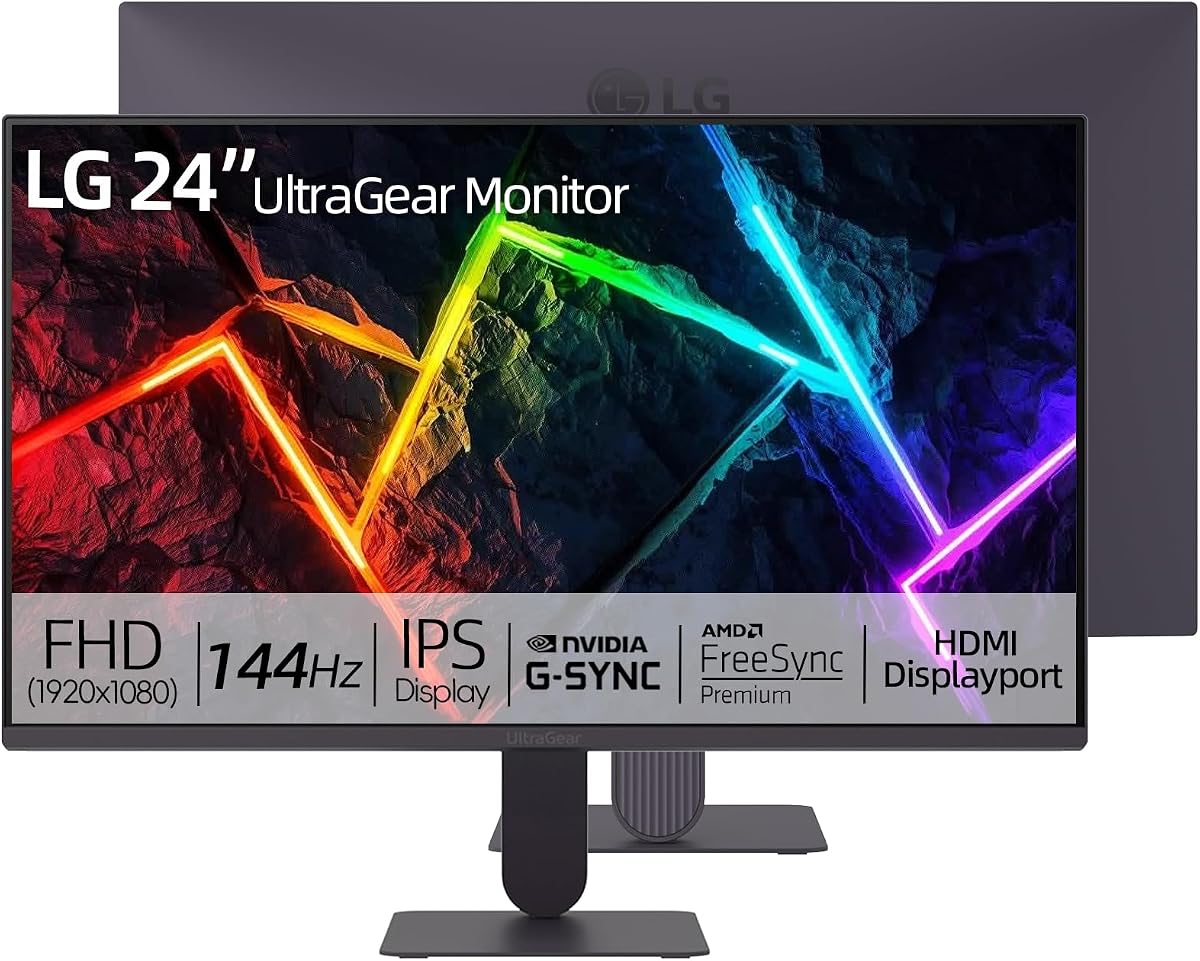
For budget-conscious gamers, this LG model offers exceptional value. It delivers a 144Hz overclocked refresh rate suitable for fast-paced titles. The slim bezel design enhances immersion by minimizing distractions around the screen edges.
We may earn a commission when you buy through this link, at no additional cost to you.
Key features include 1ms Motion Blur Reduction which sharpens fast-moving objects effectively. The HDR10 support adds depth to visuals without requiring expensive hardware. Dynamic Action Sync reduces input lag to improve responsiveness significantly.
The trade-off involves a stand that only tilts, lacking height adjustment. This limits ergonomic customization compared to pricier options. However, for users seated at a fixed height, this limitation may be negligible.
Ideal for entry-level setups or secondary gaming stations. It balances performance and cost efficiently. If you need a reliable G-Sync Compatible monitor without breaking the bank, this is a solid choice.
Ultra-slim bezels create a cleaner look allowing you to focus more on the screen content than the frame.
Dynamic Action Sync technology ensures your inputs register quickly, critical for competitive advantage.
We may earn a commission when you buy through this link, at no additional cost to you.
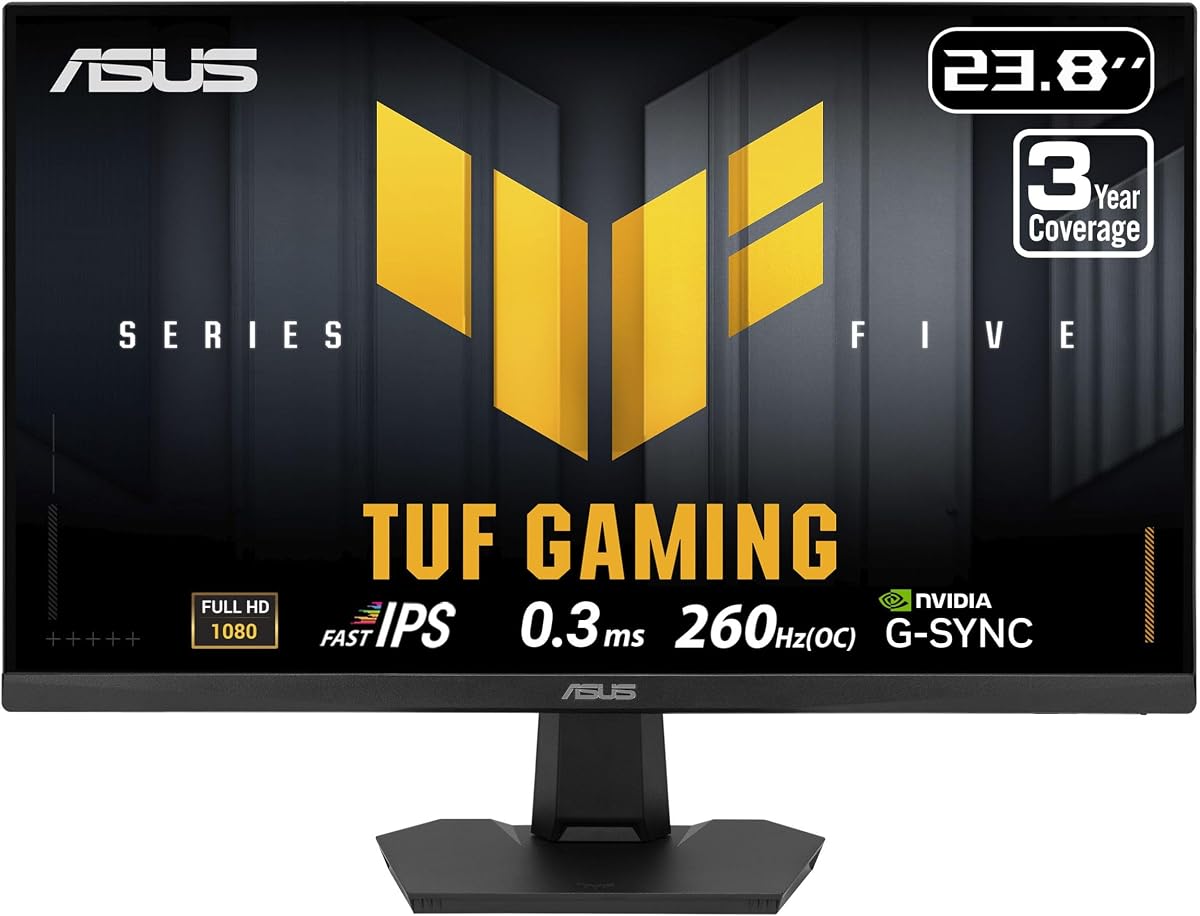
This model pushes boundaries with a 260Hz refresh rate and 0.3ms response time. It is designed for elite esports players needing every millisecond advantage. The Fast IPS panel ensures vibrant colors and quick transitions simultaneously.
We may earn a commission when you buy through this link, at no additional cost to you.
ELMB SYNC technology stands out by allowing motion blur reduction alongside variable refresh rates. This means smoother visuals without sacrificing sharpness. The AI gaming features like Shadow Boost enhance visibility in dark areas effectively.
While it excels in speed, HDR performance is basic compared to dedicated monitors. Users need a powerful GPU to fully utilize the refresh rate. The price reflects these high-end capabilities making it a significant investment.
Professional gamers or enthusiasts seeking maximum fluidity should consider this model. It delivers professional-grade performance. If you prioritize speed above all else, this monitor offers a top-tier experience.
A 260Hz refresh rate ensures incredibly smooth motion for competitive shooters where clarity is paramount.
Shadow Boost and AI technologies help spot enemies in dark corners giving you a strategic edge.
We may earn a commission when you buy through this link, at no additional cost to you.
Dell offers a robust option with a 240Hz refresh rate at a competitive level. The fast IPS panel provides excellent color accuracy and wide viewing angles. It is suitable for both gaming and general office use.
We may earn a commission when you buy through this link, at no additional cost to you.
A key benefit is the TÜV 3-Star eye comfort certification which reduces blue light. This makes it ideal for long sessions. The AMD FreeSync Premium support ensures smooth gameplay across compatible systems.
The lack of extensive stand adjustments might frustrate users needing ergonomic flexibility. However, the high refresh rate and eye comfort features compensate well. It serves as a practical daily driver for various tasks.
Users seeking a reliable display with eye care in mind will appreciate this model. It balances performance with comfort. If you value long viewing sessions, the eye comfort features make it a strong candidate.
Certified low blue light helps reduce strain during marathon gaming or work sessions.
FreeSync Premium support eliminates tearing and stuttering for a cleaner visual experience.
We may earn a commission when you buy through this link, at no additional cost to you.
This monitor combines solid gaming specs with practical connectivity. The 144Hz refresh rate and 1ms MBR ensure crisp visuals. It is a versatile choice for users needing a compact and functional display.
We may earn a commission when you buy through this link, at no additional cost to you.
Unique features include built-in stereo speakers and headphone support. This reduces cable clutter and simplifies setup. The Black Stabilizer enhances visibility in dark scenes effectively.
Audio quality from built-in speakers is functional but not audiophile grade. It serves as a convenient backup for casual use. For immersive experiences, external headphones are recommended anyway.
Gamers wanting a tidy desk with essential features will find this useful. It prioritizes usability alongside performance. If you prefer minimal cables and quick access to audio, this model fits well.
Built-in audio options streamline your setup by reducing the need for external speakers.
Black Stabilizer adjusts brightness in dark areas helping you spot enemies quickly.
We may earn a commission when you buy through this link, at no additional cost to you.
The ASUS TUF model provides a robust balance of speed and color accuracy. A 200Hz refresh rate offers smoother motion than standard 144Hz displays. The matte screen reduces reflections in bright environments effectively.
We may earn a commission when you buy through this link, at no additional cost to you.
It supports multiple operating systems making it versatile for hybrid setups. The 99 percent sRGB coverage ensures vibrant colors for media consumption. This makes it suitable beyond just gaming scenarios.
Brightness levels are sufficient but not exceptional for HDR. The OSD controls are functional but basic. These minor issues do not detract from its core performance strengths.
Ideal for users seeking a fast display for varied tasks. It offers reliability and speed without excessive cost. If you need a versatile monitor for gaming and work, this model delivers.
The matte screen finish minimizes reflections keeping images clear in various lighting conditions.
Support for Mac and Linux allows seamless integration across different device ecosystems.
We may earn a commission when you buy through this link, at no additional cost to you.
This monitor is praised for its precise color reproduction and wide viewing angles. The IPS panel ensures consistent visuals from any position. VESA mount compatibility allows flexible positioning on desks or arms.
We may earn a commission when you buy through this link, at no additional cost to you.
Official G-Sync validation guarantees seamless performance with NVIDIA cards. The 144Hz overclocked rate enhances fluidity. It is a reliable choice for those prioritizing color fidelity.
The stand is tilt-only which limits ergonomic adjustments. However, VESA support mitigates this effectively. HDR10 adds some depth but is not the primary focus.
Content creators and gamers valuing color will appreciate this model. It offers professional-grade visuals in a compact size. If accurate colors are your priority, this monitor is a strong candidate.
With 99% sRGB coverage, colors appear vivid and true to life for accurate creative work.
Official validation ensures tear-free gameplay without needing additional configuration.
We may earn a commission when you buy through this link, at no additional cost to you.
This model blends gaming features with productivity tools effectively. The 120Hz native rate boosts to 144Hz for smooth visuals. It is ideal for users who game and work frequently.
We may earn a commission when you buy through this link, at no additional cost to you.
Features like Black Stabilizer and Crosshair enhance FPS performance. The slim design reduces visual distractions. Screen partitioning supports efficient multitasking without clutter.
The stand is tilt-only limiting ergonomic flexibility. VESA mounts offer an alternative. While not a top esports choice, it balances daily utility well.
Users needing a do-it-all display will find this useful. It combines gaming tools with workspace efficiency. If you want one monitor for all tasks, this model fits well.
Customizable layouts help organize windows efficiently for better productivity.
Black Stabilizer and Crosshair tools provide tactical advantages in competitive shooter titles.
We may earn a commission when you buy through this link, at no additional cost to you.
ASUS delivers a high-speed display with strong color credentials. The 200Hz refresh rate ensures smooth motion for gaming. ELMB Sync reduces ghosting while maintaining variable refresh rates.
We may earn a commission when you buy through this link, at no additional cost to you.
Flicker-free and Low Blue Light tech protect eyes during long sessions. This makes it suitable for creators who need accurate colors. The Fast IPS panel ensures vibrant visuals.
The stand is basic limiting ergonomic comfort. However, the visual quality compensates. It is a strong option for hybrid use cases.
Content creators and gamers needing speed and accuracy should consider this. It offers a balanced feature set. If color and speed are both priorities, this model performs well.
Flicker-free technology reduces strain helping prevent headaches during long use.
ELMB Sync combines blur reduction with adaptive sync for sharp motion.
We may earn a commission when you buy through this link, at no additional cost to you.
This LG model offers immersive visuals with minimal distractions. The ultra-slim bezel design maximizes the viewing area. It is perfect for those wanting a clean aesthetic.
We may earn a commission when you buy through this link, at no additional cost to you.
High refresh rates and 1ms response time ensure fast and crisp gameplay. HDR10 and 99 percent sRGB coverage add depth to visuals. It is a robust choice for gaming.
The stand is tilt-only which limits ergonomic flexibility. However, the visual performance is strong. It remains a popular choice for its sleek design.
Gamers seeking an immersive visual experience will enjoy this. The design enhances focus on the game. If aesthetics and speed matter, this model is a top pick.
Thin bezels create a near-borderless view maximizing your field of vision.
HDR10 and sRGB coverage ensure rich and detailed visuals for all types of content.
We may earn a commission when you buy through this link, at no additional cost to you.
Choosing the right monitor requires evaluating several technical factors to ensure it meets your specific needs.
The refresh rate determines how many times the screen updates per second. Higher rates like 144Hz or 240Hz provide smoother motion critical for competitive gaming.
For 24 inch monitors, aim for at least 144Hz to ensure fluid visuals during fast-paced action.
IPS panels offer superior color accuracy and viewing angles compared to TN or VA panels. This makes them ideal for both gaming and content creation.
Always check the panel technology in the specifications to ensure color fidelity and consistent brightness.
Response time measures how quickly a pixel changes color. Lower times reduce motion blur and ghosting during rapid movements.
Look for response times of 1ms or less to maintain sharp visuals in fast-action scenarios.
Adaptive Sync technologies like G-Sync and FreeSync synchronize the refresh rate with the GPU output. This prevents screen tearing and stuttering.
Ensure the monitor explicitly states G-Sync Compatible or FreeSync Premium support for smooth gameplay.
Color gamut defines the range of colors a monitor can display. A higher percentage of sRGB coverage results in more vivid and accurate colors.
Aim for monitors with at least 99 percent sRGB coverage to ensure true-to-life visuals.
Adjustable stands improve comfort during long sessions. Look for height, tilt, swivel, and pivot adjustments.
If the stand is limited, check for VESA mount compatibility to use a third-party arm.
Modern monitors should include HDMI and DisplayPort inputs. DisplayPort 1.4 is essential for higher refresh rates at Full HD resolution.
Verify ports match your graphics card capabilities to avoid bottlenecks.
Features like flicker-free technology and low blue light modes reduce eye strain during extended use.
Certified eye comfort features are vital for users who work or game for long hours daily.
Connect your monitor using a high-quality DisplayPort cable to unlock maximum refresh rates and sync features. HDMI cables can support lower refresh rates on some models.
Calibrate your display using built-in tools or software to ensure accurate colors. Adjust brightness and contrast settings to match your room lighting.
Clean the screen with a microfiber cloth and avoid harsh chemicals. Dust buildup can affect image quality so wipe it regularly.
Yes, most 24 Inch G Sync Monitors support HDMI inputs which work with modern consoles. Ensure the monitor supports the refresh rate your console outputs for smooth gameplay.
G-Sync is NVIDIA specific technology while FreeSync is AMD specific. Many monitors support both standards allowing users to choose based on their graphics card.
Most 24 inch monitors offer Full HD resolution which provides sharp pixels and efficient performance for gaming.
Yes, if it has VESA mount compatibility. You can use standard wall mounts or arms to position it securely.
Higher refresh rates reduce blur and improve smoothness. However, your GPU must be able to drive those frames to see the benefit.
HDR adds better contrast and color depth. While not as impactful as on larger screens, it still enhances visual fidelity on 24 inch models.
Open NVIDIA Control Panel and navigate to Set up G-Sync. Ensure the box is checked for your monitor.
Yes, they offer clear text and ample space for multitasking. Their compact size saves desk space while maintaining efficiency.
The ten models reviewed offer diverse options for gamers and professionals alike. Whether prioritizing speed, color accuracy, or budget, there is a suitable choice available.
Prioritize the refresh rate and adaptive sync features that match your hardware. Ergonomic adjustments and eye care features also impact long-term comfort.
Verify current specifications and availability as technology advances rapidly. Select the model that best aligns with your performance goals and setup.