
Samsung 55-Inch Class M70H Series
4.3Editor score
Mini LED Processor 4K
Motion Xcelerator + DLG 120Hz
Gaming Hub Integration
This guide compares the top 120Hz TVs for next gen consoles to help you find the best gaming display with low latency and high refresh rates.
Finding the right television for next gen consoles requires specific features like high refresh rates and low input lag. A 120Hz TV ensures smooth gameplay and crisp visuals that match the power of modern gaming systems. Without these capabilities, you might miss out on the full potential of your hardware investment and gaming experience.
We evaluated ten leading models based on their display technology, gaming features, and overall performance metrics. Each product was assessed for its ability to handle fast moving action and support essential console protocols like VRR and ALLM. Our analysis focuses on delivering reliable information to help you make an informed decision for your setup.
Each pick highlights a specific strength such as budget value, premium picture quality, or specialized gaming tools. We include detailed breakdowns of specs and real world performance characteristics for every model listed. Please note that availability and pricing can change frequently so verify details before purchasing to ensure you get the best current offer.
4.3Editor score

4.6Editor score
4.5Editor score
This side-by-side comparison highlights the key specifications and gaming features of each television model. We focus on refresh rates, display technologies, and connectivity options that matter most for console gamers. Use this overview to quickly identify which model aligns with your specific performance needs and room conditions.


This Samsung model delivers impressive value with its Mini LED technology and strong gaming capabilities. It holds a solid rating for balancing cost and performance in the mid-range market. The display brings out vibrant colors and decent contrast levels that enhance both movies and games significantly.
We may earn a commission when you buy through this link, at no additional cost to you.
The Motion Xcelerator + DLG 120Hz technology ensures that fast-paced sequences remain clear and responsive. Users can enjoy smoother motion during sports and gaming thanks to the optimized refresh rate. The Gaming Hub consolidates console inputs and cloud services into one centralized interface for easy access.
While it lacks the deep blacks of OLED, the Mini LED dimming provides better contrast than standard LED panels. Some users might find the speaker system basic compared to dedicated soundbars but it suffices for casual use. This makes it a practical choice for gamers seeking high refresh rates without premium pricing.
Buyers looking for a cost-effective way to unlock 120Hz gaming should consider this TV seriously. It supports essential features like HDMI 2.1 functionality for next gen console compatibility. The combination of smart features and gaming tools makes it a strong contender in the budget category.
The Gaming Hub allows you to launch games directly from the TV without switching inputs manually.
Pure Color Spectrum technology delivers one billion true-to-life colors for more realistic scenes.
We may earn a commission when you buy through this link, at no additional cost to you.
The TCL T7 offers a compelling mix of QLED color and high refresh rate gaming features. It receives positive marks for handling fast action without excessive blur in sports or games. The Google TV interface provides easy access to streaming apps and voice control functionality for convenience.
We may earn a commission when you buy through this link, at no additional cost to you.
Quantum Dot technology ensures that colors remain vivid and cover a wide portion of the DCI-P3 space. This makes scenes pop with realism especially when viewing HDR content that supports Dolby Vision standards. The TCL AIPQ Pro processor optimizes color and contrast dynamically for a better viewing experience.
Motion Rate 480 with MEMC helps smooth out lower frame rate content though native 120Hz remains best for gaming. Input lag is managed well enough for competitive play but serious gamers may want to check specific modes. The inclusion of four HDMI inputs including one eARC port adds flexibility for home theater setups.
This TV is ideal for users who want strong visuals and smart features without spending a fortune. It balances performance and usability effectively for daily entertainment. The combination of Google TV and QLED makes it a reliable option for mixed media use.
Quantum Dot technology brings images to life with rich vibrant colors covering nearly the entire DCI-P3 space.
Google TV brings together your favorite movies shows and live channels in one place for easy streaming.
We may earn a commission when you buy through this link, at no additional cost to you.
The TCL QM6K combines Mini LED brightness with QLED color for a premium looking display. It is rated highly for its ability to outperform traditional LED TVs in contrast and color intensity. The larger 65-inch screen provides an immersive experience for both gaming and cinematic viewing sessions.
We may earn a commission when you buy through this link, at no additional cost to you.
The Halo Control System helps reduce blooming around bright objects in dark scenes improving overall picture accuracy. This ensures that shadow details are preserved while bright scenes stay crisp without halos. The native 144Hz refresh rate makes it excellent for fast sports and competitive gaming action.
While it excels in brightness it may have some light uniformity variations typical of larger LED panels. The audio system benefits from Onkyo integration but adding a soundbar is still recommended for full surround sound. This trade-off is acceptable given the strong visual performance in varied lighting conditions.
Gamers and movie enthusiasts will appreciate the balance of speed and contrast offered by this model. The combination of advanced local dimming and high refresh rates creates a dynamic viewing environment. It stands out as a strong mid-to-high range option for next gen console users.
Advanced local dimming eliminates haloing enhances shadow detail and improves picture accuracy.
Watch fast-paced action with incredible clarity and minimal motion blur making it great for sports.
We may earn a commission when you buy through this link, at no additional cost to you.
Sony continues to lead in console integration with this BRAVIA model designed for PlayStation users. It carries a solid rating for its ability to optimize settings automatically for PS5 games. The XR Processor uses AI to enhance color contrast and clarity in real time for every frame viewed.
We may earn a commission when you buy through this link, at no additional cost to you.
Auto HDR Tone Mapping and Auto Genre Picture Mode ensure that your PS5 content looks its best without manual tweaking. The Game Menu puts all gaming picture settings in one place for quick adjustments during play. Anti-glare screen technology minimizes distractions from ambient lighting in the room.
While it supports 120Hz motion clarity it lacks the higher refresh rates found in some competitors. The cost is higher than similar models but the optimization for PlayStation justifies it for loyal users. The sound quality is enhanced by DTS:X creating a cinema-like audio experience around you.
This TV is perfect for PlayStation owners who want a seamless out-of-the-box gaming experience. The Google TV interface with Gemini adds smart control and discovery features. Prioritize this if you value brand synergy and picture intelligence over raw speed.
Take your PS5 gaming to the next level with Auto HDR Tone Mapping and Auto Genre Picture Mode.
Anti-Glare Screen technology minimizes glare from windows and ambient lighting for clear picture quality.
We may earn a commission when you buy through this link, at no additional cost to you.
This Hisense model stands out for its native 165Hz refresh rate which exceeds standard 120Hz requirements. It holds a high rating for handling fast action in gaming and sports with minimal blur or lag. The MiniLED technology ensures precise control over lighting zones for better contrast and detail.
We may earn a commission when you buy through this link, at no additional cost to you.
With up to 3000 nits of peak brightness the screen stays vivid even in well-lit rooms. The Hi-View AI Engine Pro constantly analyzes scenes to make smart adjustments to color and contrast. Anti-reflection technology keeps the picture crisp when dealing with bright windows or overhead lights.
The VRR support up to 330 Hz ensures compatibility with high-speed gaming hardware and prevents tearing. Audio quality is decent with 2.1.2 channels but external speakers might be desired for immersive surround sound. This trade-off is worth it given the exceptional performance in motion and brightness.
For gamers seeking the highest refresh rates available in a mid-range package this TV is a top choice. The combination of MiniLED brightness and fast response makes it highly effective for competitive play. It delivers premium performance without the highest price tag of ultra-premium brands.
There's no blur lag or smeared frames—just fluid action that never misses a beat.
Precision lighting zones make bright areas shine brilliantly while dark scenes stay deep and detailed.
We may earn a commission when you buy through this link, at no additional cost to you.
This large 75-inch model brings immersive visuals to living rooms with QLED color and high refresh rates. It is rated reasonably well for delivering a cinematic experience while maintaining solid gaming performance. The Fire TV interface offers easy access to streaming services and smart home features.
We may earn a commission when you buy through this link, at no additional cost to you.
The Game Accelerator 288 works with VRR and ALLM to cut input lag for smoother gameplay. This ensures that fast sports and action remain blur-free on the large screen. The brightness is sufficient to maintain vibrancy even in sunlit rooms without washing out details.
Sound quality is standard for this class and a soundbar is suggested for better audio depth. The Motion Rate 480 helps maintain clarity but native 120Hz is better for competitive gaming. The trade-off in audio is acceptable given the screen size and performance balance.
Buyers wanting a big screen TV for gaming should consider this model for its size and specs. The Fire TV ecosystem integrates well for smart control and voice commands. It provides a robust platform for entertainment and gaming without compromising on display size.
Experience 4x the detail of Full HD with rich true-to-life color covering 93% of the DCI-P3 spectrum.
Variable Refresh Rate Auto Game Mode and Game Accelerator 288 work together to cut input lag.
We may earn a commission when you buy through this link, at no additional cost to you.
This Roku Pro Series TV features OLED technology which delivers perfect blacks and vibrant colors. It has a lower rating compared to others likely due to price sensitivity or specific feature limitations. The 120Hz refresh rate ensures that fast-moving content remains smooth and responsive during gaming.
We may earn a commission when you buy through this link, at no additional cost to you.
Roku Smart Picture Max automatically tunes the display to suit what you are watching without manual adjustments. The slim profile and tool-less stands make it easy to install and position in your room. Dolby Vision and Atmos enhance the cinematic experience with better contrast and surround sound.
The primary drawback is the potential for burn-in with static elements on screen during extended use. While this technology offers great contrast it requires care compared to Mini LED alternatives. The lower rating reflects these trade-offs for users prioritizing longevity over absolute picture quality.
If you prioritize deep blacks and high contrast this OLED option remains a strong choice. The simplified Roku interface ensures ease of use for all household members. It is best for those who watch varied content and accept the risks of OLED tech.
Thanks to OLED technology this TV lets you see colors at their most vibrant and blacks that are truly black.
With setup that only takes minutes and a simple-to-navigate Home Screen Roku makes it easier to watch.
We may earn a commission when you buy through this link, at no additional cost to you.
This 65-inch Roku TV combines QLED color with Mini-LED brightness for a premium display. It holds a strong rating for offering high-end visual capabilities at a competitive price point. The 120Hz refresh rate supports smooth gaming and fast sports action effectively for home setups.
We may earn a commission when you buy through this link, at no additional cost to you.
Roku Smart Picture Max cleans up incoming TV signals and optimizes them for your smart TV. This ensures that sharpness and color are refined for every show or sporting event automatically. The rechargeable remote with backlit buttons adds convenience for controlling the system easily.
While the picture quality is excellent the audio is standard and benefits from a soundbar addition. The tool-less stands provide flexibility for choosing between two heights for the screen. This makes setup easy without needing extra tools or hardware for mounting.
Gamers looking for Mini-LED brightness without the cost of premium brands will find this appealing. The Roku platform ensures easy access to streaming apps and voice control. It balances performance and usability well for daily entertainment and gaming.
Bring entertainment to life with brilliant Dolby Vision IQ technology using thousands of mini-LEDs.
Automatic game mode drops you right in the action with Freesync Premium Pro ALLM and VRR.
We may earn a commission when you buy through this link, at no additional cost to you.
This TCL model features Full Array Pro Local Dimming with over 200 zones for precise contrast. It holds a solid rating for handling dynamic content and gaming with minimal visual artifacts. The 120Hz refresh rate ensures fluid motion and responsive gameplay for next gen console users.
We may earn a commission when you buy through this link, at no additional cost to you.
Game Accelerator 240 with AMD FreeSync provides responsive gameplay without lag or tearing. Quantum Dot Technology and UltraWide Color Gamut deliver over a billion colors for rich lifelike images. Motion Rate 480 and MEMC frame insertion combine multiple technologies for best-in-class motion clarity.
While it offers strong performance it is a 2023 model so it may lack newer tech found in 2026 releases. The peak brightness is moderate compared to high-end Mini LED options but sufficient for most rooms. This makes it a reliable choice for consistent performance without premium cost.
Buyers prioritizing contrast and color accuracy will appreciate the Full Array Pro Local Dimming. The Google TV interface makes streaming and app navigation seamless for the family. It is a dependable option for gamers seeking specific performance features in a mid-range TV.
Each zone dynamically adapts to on-screen content for deep blacks without image blooming.
A native 120Hz TV with up to 240Hz VRR powered by AMD FreeSync provides responsive gameplay.
We may earn a commission when you buy through this link, at no additional cost to you.
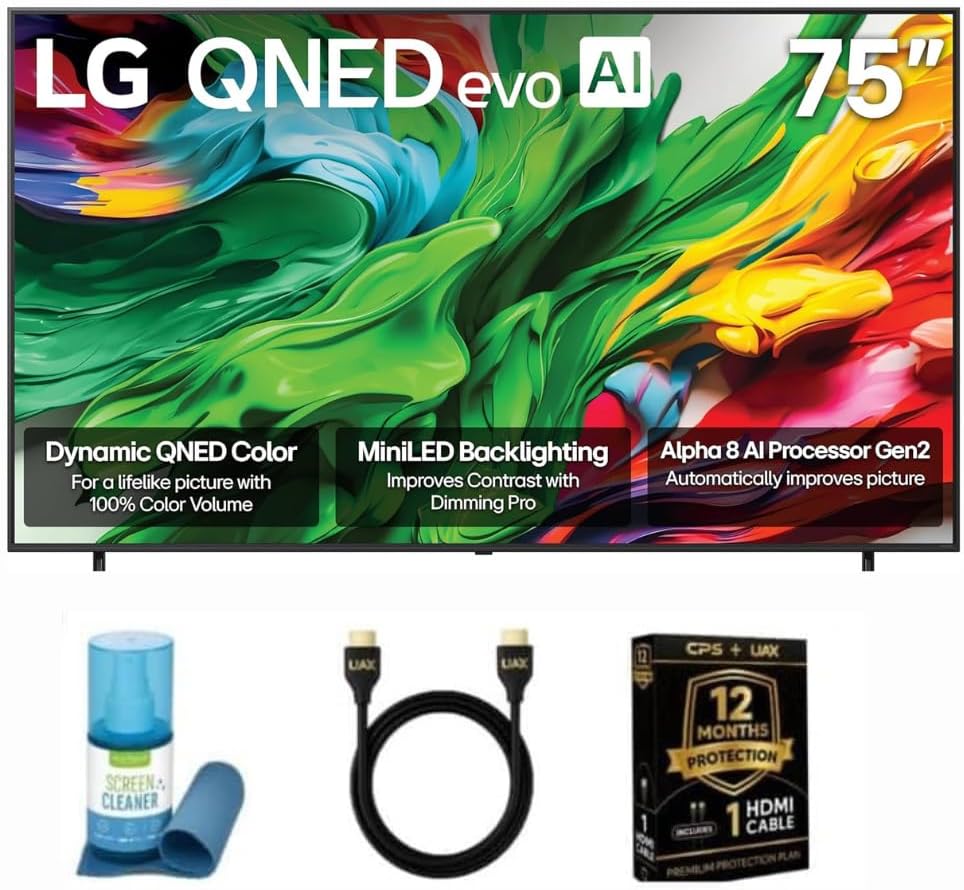
This LG model combines Quantum Dot and NanoCell technology for vibrant colors and deep contrast. It earns a high rating for its intelligent AI optimization of picture and sound automatically. The 120Hz refresh rate supports smooth motion and responsive gameplay for modern gaming consoles.
We may earn a commission when you buy through this link, at no additional cost to you.
The α8 AI Processor 4K ensures that every scene is optimized for the best viewing experience. MiniLED backlighting delivers precise local dimming for exceptional black levels across every scene. Dolby Vision IQ and Dolby Atmos provide premium cinematic quality and immersive surround sound at home.
While the price is higher than other models the advanced AI features justify it for many users. The webOS 24 platform offers quick access to popular streaming apps and smart home controls. This trade-off is acceptable for those seeking top-tier image processing and reliability.
Buyers looking for the best AI picture quality and deep blacks should consider this premium option. The bundle often includes protection plans ensuring extended coverage and worry-free entertainment. It stands out as a leader in picture intelligence and color technology.
Powered by the α8 AI Processor 4K that intelligently optimizes image and sound for the best viewing experience.
Stream instantly with webOS 24 featuring quick access to Netflix Prime Video Disney Plus Apple TV YouTube and more.
We may earn a commission when you buy through this link, at no additional cost to you.
Choosing the right TV for next gen consoles requires understanding specific display and connectivity features. This guide outlines the key factors to consider to ensure your TV matches your gaming needs.
A 120Hz refresh rate is essential for next gen consoles to achieve smooth gameplay and fluid motion. Higher rates reduce motion blur and provide a competitive edge in fast-paced games. Look for native 120Hz support rather than interpolated motion to ensure true performance.
Prioritize TVs with native 120Hz panels for the most accurate and responsive gaming experience available.
HDMI 2.1 ports are required to transmit 4K resolution at 120Hz from modern consoles. Ensure your TV has at least one HDMI 2.1 port that supports VRR and ALLM features. These features reduce input lag and screen tearing for a seamless gaming session.
Verify that at least one HDMI port supports 2.1 standards to unlock full console capabilities.
OLED panels offer perfect blacks and infinite contrast which is great for dark rooms. LED and Mini LED panels provide higher brightness for well-lit environments. Choose based on your room lighting to avoid glare or washed out colors.
Select OLED for contrast in dark rooms or Mini LED for brightness in bright rooms.
VRR helps synchronize the TV refresh rate with the console output to prevent screen tearing. AMD FreeSync Premium and HDMI VRR are key standards to look for in specs. This technology ensures a smoother visual experience during variable frame rate gameplay.
Ensure VRR compatibility to maintain smooth visuals during intense gaming moments.
Low input lag is critical for responsive controls and accurate timing in competitive games. Look for TVs with Game Mode that reduces processing delays significantly. Typical gaming TVs aim for under 15ms latency for optimal performance.
Choose TVs with Game Mode to minimize input lag and improve reaction times.
HDR formats like Dolby Vision and HDR10+ enhance brightness and color accuracy in games. Ensure the TV supports the HDR formats used by your games and streaming services. High peak brightness is also important for vivid HDR highlights and shadows.
Look for Dolby Vision and HDR10+ support to maximize visual fidelity and detail.
Built-in speakers are often basic so consider a soundbar or audio system for immersive sound. Dolby Atmos and DTS:X support enhances spatial audio for games and movies. This adds depth and clarity to the overall entertainment experience beyond visuals.
Supplement the TV with a sound system to achieve true surround sound immersion.
Smart platforms like Google TV or Roku offer easy access to streaming apps and voice control. Integrated gaming hubs can simplify console management and game launching. A responsive interface improves daily usability and convenience for all users.
Pick a platform that matches your preferred streaming apps and voice assistants.
Start by connecting your console to an HDMI 2.1 port on the TV and enable Game Mode in the settings. This ensures that the TV operates at the lowest possible input lag for responsive gameplay. Verify the console output is set to 4K at 120Hz for best visual results.
Calibrate the picture settings using the console's built-in calibration tools for optimal brightness and color. Adjust sharpness and color temperature to personal preference while keeping motion smoothing off for gaming. Proper calibration enhances detail visibility and reduces eye strain during long sessions.
Clean the screen with a soft microfiber cloth to avoid scratches and dust buildup. Avoid using harsh chemicals that could damage the display coating. Regular maintenance extends the lifespan of the TV and keeps the image quality consistent over time.
Yes a 120Hz TV unlocks high frame rate modes in supported games for smoother action. It provides a competitive edge by reducing input lag and motion blur. If you play fast games it significantly improves responsiveness and visual fluidity.
A 120Hz TV refreshes the image 120 times per second while 240Hz does so twice as fast. Higher refresh rates offer even smoother motion and better clarity in very fast games. Most consoles max out at 120Hz so 120Hz is the standard requirement.
Check the product specs or settings menu for HDMI 2.1 or VRR support. Look for ports labeled as Ultra High Speed HDMI. Not all HDMI ports on a TV may support full 2.1 bandwidth so verify each one.
Yes 4K 120Hz is supported by HDMI 2.1 compatible TVs and consoles. This combination offers the highest resolution and refresh rate for modern gaming. Ensure your cables are certified to handle the data rate required.
Motion blur can occur if motion smoothing is enabled or if the panel refresh rate is not native. Disable extra motion processing in settings to improve clarity. Also ensure the content source matches the refresh rate of your display.
OLED offers better contrast and viewing angles while Mini LED provides higher brightness. OLED is ideal for dark rooms and Mini LED suits bright environments. Both support high refresh rates and gaming features effectively.
We reviewed ten top TVs offering strong performance for next gen gaming needs. The Hisense U7 stands out for speed while the Samsung M70H offers great budget value. Each model brings unique strengths to the table for different user preferences.
Prioritize refresh rate HDMI 2.1 support and input lag when deciding on a purchase. A good gaming TV enhances responsiveness and visual quality significantly. Balance features with your room conditions and budget for the best fit.
Always verify current prices and availability before buying to ensure you get the best deal. Models may vary in stock so check retailer sites for the latest offers. This guide serves as a foundation for making an informed choice today.