
Rongta Bluetooth Shipping Label Printer
4.0Editor score
Automatic label identification system
Compact and portable design
High-speed 150 mm/s printing
Compare the top 10 Dhl Label Printer models for shipping efficiency, Bluetooth connectivity, and platform compatibility to find the best solution for your
Selecting the right Dhl Label Printer is essential for streamlining your shipping operations and ensuring accurate package delivery. A high-quality thermal printer eliminates the need for ink, reduces costs, and delivers crisp barcodes that scanners read effortlessly every time.
We evaluated ten leading models based on print speed, connectivity options, and compatibility with major shipping platforms including DHL. Our analysis covers desktop and portable units designed to handle everything from small online stores to high-volume logistics environments efficiently.
Each pick highlights key strengths like wireless printing, label size flexibility, and ease of setup. Keep in mind that availability and pricing fluctuate frequently, so verify current details on the product page before making your final purchasing decision today.
4.0Editor score

4.4Editor score

4.1Editor score
This side-by-side comparison highlights the core specifications of each model to help you match the right device with your specific shipping volume and connectivity requirements.






The JADENS Bluetooth Thermal Shipping Label Printer stands out as a top choice for sellers needing reliable DHL label output. It features a Japanese thermal print head that ensures crisp text and barcodes without requiring ink or toner cartridges.
We may earn a commission when you buy through this link, at no additional cost to you.
Its ability to connect via Bluetooth or USB offers flexibility for both desktop and mobile workflows. The device supports major platforms like Amazon, Shopify, and DHL making it versatile for various e-commerce businesses.
While the Bluetooth connectivity works well with computers, mobile users may need to rely on a dedicated app for printing. Regular calibration ensures consistent results but requires a few extra steps during setup.
This printer is ideal for small to medium businesses looking for a balance of performance and ease of use. Its robust feature set and strong after-sales service make it a dependable investment for daily shipping.
Connect wirelessly to Windows or Mac devices without messy cables for a cleaner desk setup.
Handles various label widths from 1.57 to 4.1 inches for diverse packaging needs.
We may earn a commission when you buy through this link, at no additional cost to you.
This thermal printer delivers impressive speed with up to 150mm/s output making it suitable for busy shipping environments. The direct thermal technology ensures cost savings by eliminating the need for ink or toner replacement.
We may earn a commission when you buy through this link, at no additional cost to you.
Its FlashLabel Pro app offers over 1800 templates and offline capabilities for uninterrupted workflow. This feature is particularly useful when internet connectivity is unstable or during peak shipping times.
The matte finish and compact design help save desk space while maintaining durability. However the device prints only in black and white which may limit branding options for some users.
Ideal for small businesses prioritizing efficiency and cost management this printer offers strong value. The included labels and accessories make it ready to use right out of the box.
Print up to 72 labels per minute to keep your shipping workflow moving quickly.
Access thousands of templates and fonts to create unique shipping and organizational labels.
We may earn a commission when you buy through this link, at no additional cost to you.
The KNAON printer boasts a speed of 180 mm/s which is among the fastest in its class. Its lightweight design makes it easy to move between workstations or take on the go.
We may earn a commission when you buy through this link, at no additional cost to you.
With over 3000 templates and 5000 icons the app provides extensive customization for various labeling tasks. This versatility supports everything from shipping labels to DIY home organization projects.
Users must save logistics labels as PDFs for printing which adds a step but ensures compatibility. The included test papers allow immediate setup without purchasing additional supplies beforehand.
This model suits businesses needing speed and flexibility without sacrificing portability. Its broad system compatibility ensures it works with Windows Mac and Linux environments seamlessly.
Experience rapid label production with speeds up to 180 mm/s for high throughput.
Create custom labels for products names tags or thank you notes with ease.
We may earn a commission when you buy through this link, at no additional cost to you.
Rollo USB is built for commercial environments where consistent performance is critical. Its USB connection ensures a stable link without the interference risks associated with wireless setups.
We may earn a commission when you buy through this link, at no additional cost to you.
The high resolution print head produces clear labels that scan reliably every time. This clarity reduces errors in shipping and improves overall operational efficiency for your business.
While it lacks wireless connectivity the device integrates well with major shipping platforms and marketplaces. The included shipping app offers discounted rates which adds value beyond the hardware itself.
For users prioritizing durability and stability this printer is an excellent choice. Its robust construction justifies the higher cost for businesses handling large daily shipping volumes.
Designed for heavy daily use with a sturdy construction that lasts longer.
Access discounted shipping rates through the companion app to reduce costs.
We may earn a commission when you buy through this link, at no additional cost to you.
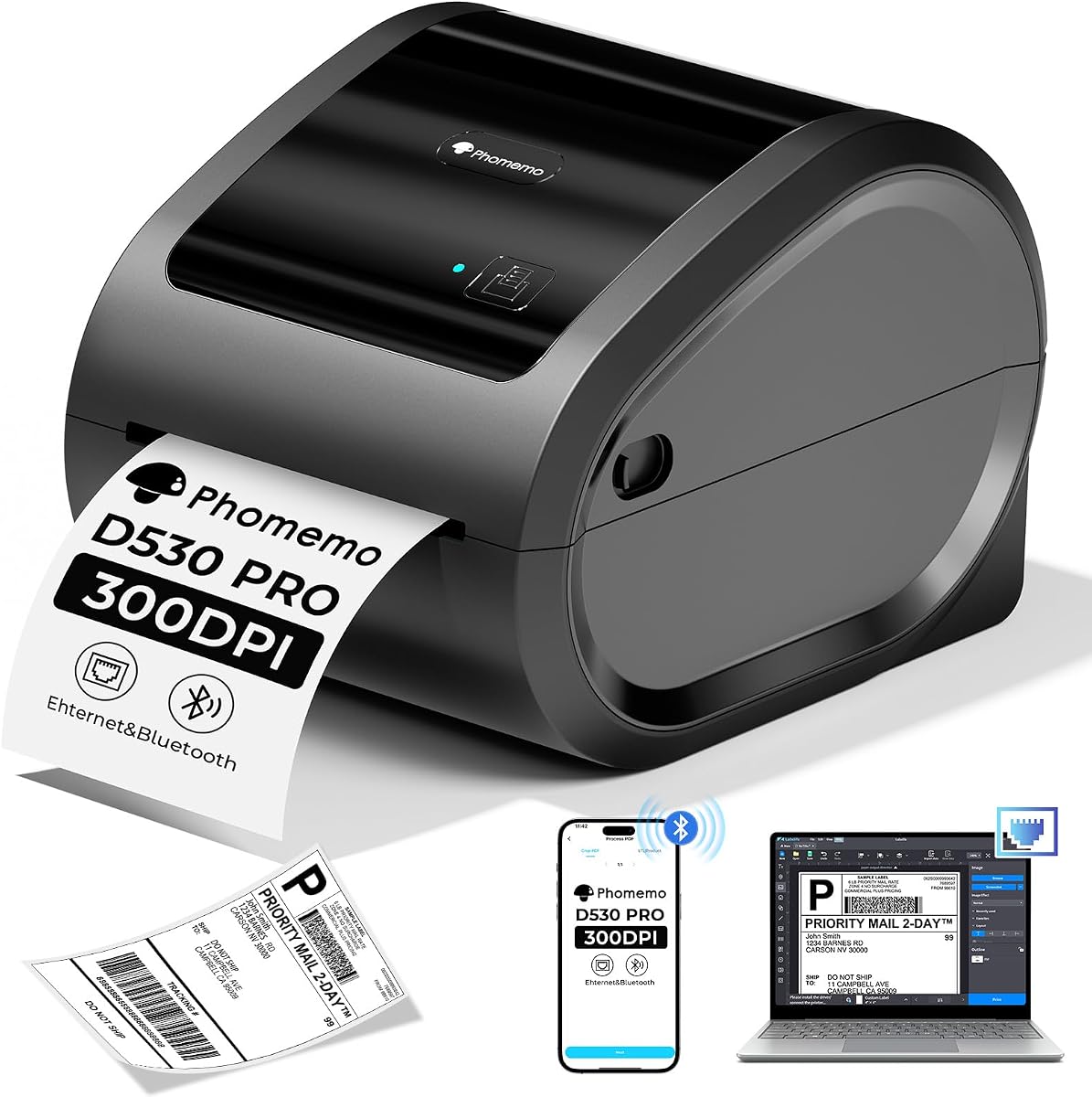
The Phomemo D530Pro offers 300 DPI resolution which delivers exceptional clarity for barcodes and text. This higher resolution is beneficial when precise scanning is required for logistics tracking.
We may earn a commission when you buy through this link, at no additional cost to you.
Its built-in paper bin holds up to 500 rolls reducing the need for external holders. This design keeps the workspace tidy and minimizes downtime when reloading labels.
Ethernet and Bluetooth options provide flexibility for networked environments. However the print width range is slightly narrower compared to other models in this roundup.
Ideal for businesses needing high clarity and organized desktop setups this printer stands out. The combination of resolution and storage features makes it a strong contender for professional use.
Achieve crisp labels with 300 DPI resolution for better scanning accuracy.
Keep 500 rolls of labels in the built-in bin for convenient access.
We may earn a commission when you buy through this link, at no additional cost to you.
Operating at just 60 dB this printer is quieter than typing which makes it perfect for shared offices. The DAC chip technology ensures auto-calibration for precise label alignment every time.
We may earn a commission when you buy through this link, at no additional cost to you.
With a lifespan of up to 970000 labels it offers exceptional long-term value. The near-zero jam rate minimizes waste and keeps your shipping workflow uninterrupted.
Users should note the Bluetooth indicator logic which lights only during data transfer. While effective it may confuse new users expecting constant connection signals.
This model is recommended for home offices or quiet workspaces where noise is a concern. Its durability and precision features support reliable daily printing for small businesses.
Work in peace with a noise level quieter than standard keyboard typing.
Auto-alignment technology ensures every label is printed perfectly without manual tweaks.
We may earn a commission when you buy through this link, at no additional cost to you.
The Rollo Wireless model brings true network printing with Wi-Fi and AirPrint support. This eliminates the need for direct USB connections or specific drivers on client devices.
We may earn a commission when you buy through this link, at no additional cost to you.
Its print head life of 650000 labels is four times longer than typical units ensuring longevity. This durability reduces replacement costs over the lifespan of the device.
While the price is higher the convenience of wireless connectivity justifies the investment. The included shipping app also helps save money on shipping rates directly.
Best suited for offices with multiple users needing access from various devices this printer excels. It offers a premium solution for seamless integration into existing network environments.
Print from any device on the network without installing additional software drivers.
Enjoy a print head life that outlasts standard models by four times.
We may earn a commission when you buy through this link, at no additional cost to you.
Nelko provides a reliable balance of speed and affordability for small businesses. It supports a wide range of platforms and label types to offer flexibility for various tasks.
We may earn a commission when you buy through this link, at no additional cost to you.
The compact design saves desk space while still delivering clear 203 DPI prints. Included instructional videos help users set up quickly without technical difficulties.
Mac users may face limitations with Bluetooth requiring USB for specific versions. This constraint is manageable but worth noting for Apple-centric environments.
For those seeking an effective entry-level solution this model delivers solid performance. Its compatibility with fanfold and roll labels makes it versatile for different supplies.
Fit easily on small desks while maintaining full shipping label capabilities.
Accommodates both fanfold and roll labels for maximum supply versatility.
We may earn a commission when you buy through this link, at no additional cost to you.
Rongta offers one of the most affordable options without sacrificing essential features. Its automatic label identification simplifies setup by removing the need for manual adjustments.
We may earn a commission when you buy through this link, at no additional cost to you.
The wide label width range supports everything from QR codes to standard shipping labels. This flexibility makes it suitable for diverse packaging requirements in one device.
While it lacks premium build materials it functions reliably for daily shipping needs. The portable size allows easy storage when not in use.
Budget-conscious sellers will find this model provides the best value for money. It covers all fundamental requirements for effective label printing with minimal fuss.
Auto-detection of label size eliminates manual calibration steps during setup.
Get reliable printing performance at an entry-level price point.
We may earn a commission when you buy through this link, at no additional cost to you.
The DYMO LabelWriter 550 focuses on simplicity and waste reduction for home users. It prints precise quantities eliminating the hassle of cutting sheet labels manually.
We may earn a commission when you buy through this link, at no additional cost to you.
FSC certified materials ensure environmentally friendly production for all paper rolls. The direct thermal method requires no ink providing a clean printing process.
While limited to proprietary labels it maintains high quality for standard shipping tasks. This restriction may increase ongoing costs compared to universal roll options.
Ideal for individual sellers who value ease of use over flexibility this printer works well. It offers a streamlined experience for basic home office labeling needs.
Print exact amounts needed without waste or leftover sheets.
Use FSC certified materials for a greener printing approach.
We may earn a commission when you buy through this link, at no additional cost to you.
Selecting the right label printer involves evaluating several technical factors to ensure compatibility with your workflow and shipping partners.
Modern printers offer Bluetooth USB and Wi-Fi connectivity. Bluetooth is ideal for mobile devices but often requires a specific app. USB provides stability for desktop use while Wi-Fi allows networked printing from multiple devices.
Choose the option that best fits your device ecosystem and workspace layout.
Resolution measured in DPI determines label clarity. Standard 203 DPI is sufficient for most shipping codes while 300 DPI offers finer detail. Higher resolution helps prevent scanning errors during transit.
Select higher DPI if your logistics partners require high-contrast barcodes.
Speed affects how quickly you can process orders. Models range from 150mm/s to 180mm/s. Faster speeds reduce wait times during peak periods and improve overall throughput.
Prioritize speed if you ship more than 50 packages daily.
Ensure the printer supports your specific shipping platforms like Shopify Amazon or DHL. Most models require saving labels as PDFs for printing via mobile apps.
Verify software support before purchasing to avoid integration issues.
Printers typically handle 4×6 shipping labels but width ranges vary. Some models support narrower labels for returns or inventory tags. Ensure the width range matches your typical package types.
Check supported widths if you use custom label sizes.
Some devices hold both roll and fanfold labels while others use one type. Built-in bins reduce clutter and reloading frequency. External holders may be required for specific formats.
Pick a model with sufficient capacity for your daily volume.
Thermal printers eliminate ink costs but require label rolls. Some use proprietary labels while others accept generic rolls. Consider long-term consumable costs alongside the initial hardware price.
Compare label costs to estimate monthly operating expenses.
Look for commercial-grade build quality if you print hundreds of labels daily. Printhead life varies significantly between models ranging from 300k to 650k labels. Robust construction reduces downtime and maintenance needs.
Invest in a durable unit for high-volume business use.
Start by installing the recommended drivers and app from the manufacturer. Connect the printer via Bluetooth or USB and run the calibration process to ensure accurate label positioning.
Always peel the leading edge of thermal labels before loading them into the paper slot. This prevents jams and ensures smooth feeding during high-speed printing operations.
Keep the printhead clean using a lint-free cloth and isopropyl alcohol every few weeks. Store label rolls in a cool dry place to avoid heat damage or fading.
Yes most thermal printers work with DHL shipping labels by supporting PDF printing via their companion apps. Ensure you download the logistics label as a PDF before uploading it to the printer app for output.
No direct thermal printers use heat-sensitive label paper instead of ink. This design eliminates the need for toner cartridges reducing long-term costs and mess.
Most models support standard 4×6 labels with widths ranging from 1.5 to 4.3 inches. Check the specific specs of your chosen model to confirm compatibility with your preferred label sizes.
Download the official app and enable Bluetooth on your device. Pair the printer through the app settings after ensuring the printer is powered on and in discovery mode.
Yes iOS users can print by downloading the manufacturer's app. Some models support AirPrint for direct printing without an app but check device requirements before purchase.
Printheads wear out over time but most printers offer warranties. Manufacturers sell replacement printheads for specific models if you need to extend the device lifespan.
The JADENS Bluetooth Thermal and Rongta models offer excellent balance for most small businesses seeking efficiency. For premium networked needs the Rollo Wireless provides unmatched flexibility and support.
Prioritize speed and connectivity based on your daily volume to avoid workflow bottlenecks. A printer with broad platform compatibility ensures you can print DHL labels seamlessly.
Check current availability and features on the product pages to confirm details before buying. Investing in the right tool now will streamline your shipping process for years to come.