
Kayoubi LCD Writing Tablet
4.6Editor score
14.5 Inch Large Display
One-Click Erase Function
No Mess Reusable Design
Discover the best electronic sketch pad options for artists and students. We compare features, pressure sensitivity, and portability to find your ideal digital
Finding the right electronic sketch pad can transform your creative workflow. Whether you are an artist or student, a good device offers precision and portability. This guide explores top models that balance performance with ease of use.
We evaluated each product based on screen quality, pressure sensitivity, and battery life. Our team analyzed user feedback and technical specs to ensure accuracy. The list covers options for beginners and professionals alike.
Each pick highlights key strengths and potential limitations for real-world use. You will find detailed reviews and comparisons to help you decide. Please note that prices may change over time on retailer sites.
4.6Editor score

4.4Editor score

4.4Editor score
This side-by-side comparison highlights the key specifications of all ten top-rated electronic sketch pads. Use this table to quickly identify which model fits your specific needs and budget constraints.

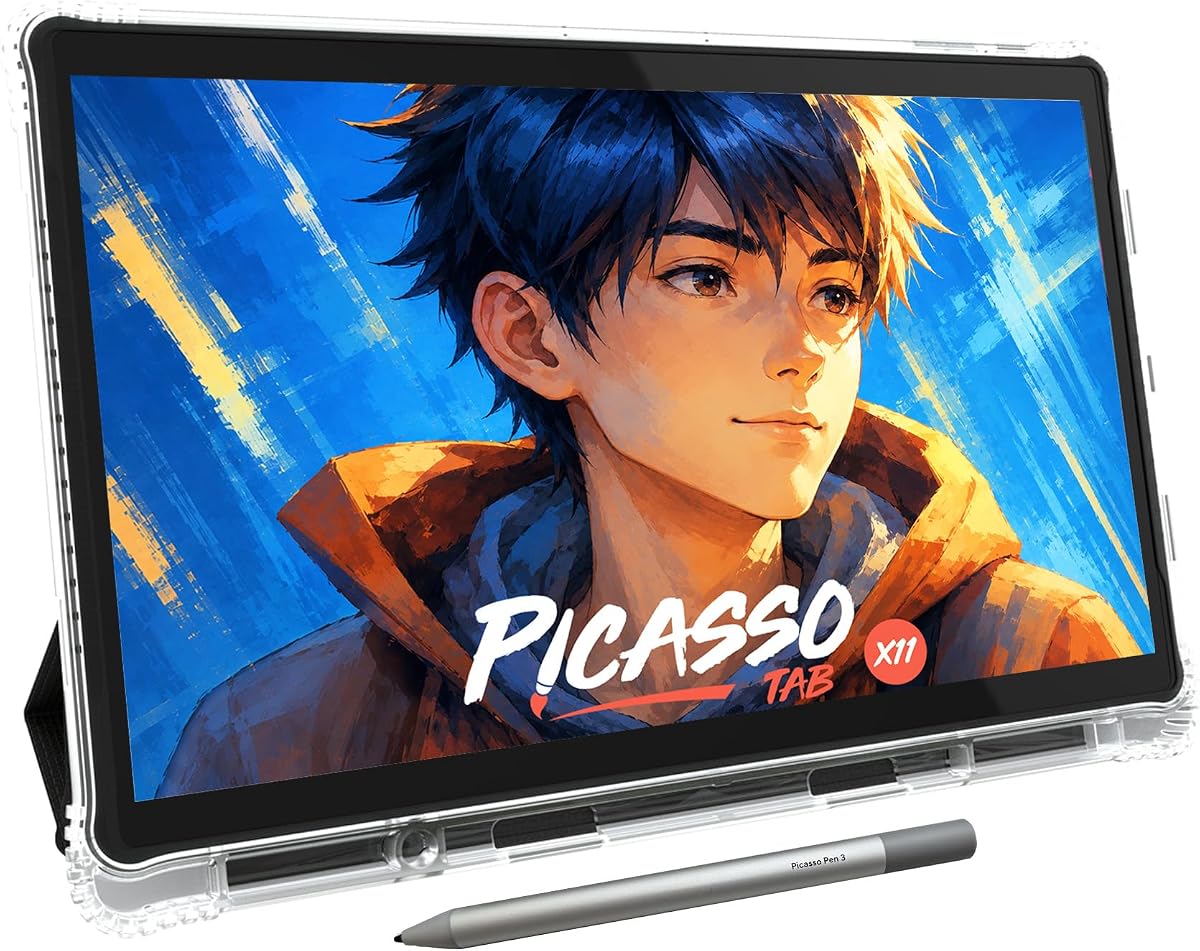



This standalone tablet stands out for its realistic drawing feel and vibrant display. It receives high marks for blending note-taking with creative sketching. Users appreciate the balance between performance and portability.
We may earn a commission when you buy through this link, at no additional cost to you.
The X-Paper display provides a natural texture that mimics real paper. Combined with 16K pressure levels, it allows for precise shading and strokes. The 90Hz refresh rate ensures smooth line transitions.
While it is more expensive than basic boards, the standalone functionality justifies the cost. You do not need a computer to use it effectively. However, Android limitations may restrict some advanced software options.
This device is ideal for artists who need a portable all-in-one tool. If you want true drawing freedom without cables or a PC, this is the top recommendation.
The AG nano-etching technology creates a friction surface that feels like drawing on paper.
With Android 14 pre-installed, you can run apps directly on the device.
We may earn a commission when you buy through this link, at no additional cost to you.
The Artist12 offers a professional-grade pen display at a competitive price. It is praised for its color accuracy and responsive stylus. This model fits well into established digital art workflows.
We may earn a commission when you buy through this link, at no additional cost to you.
Its FHD IPS display provides vibrant colors with good coverage. The pressure sensitivity allows for detailed work suitable for professionals. The pen comes with an eraser and extra nibs included.
Since it connects to a computer, you lose some portability compared to standalone units. Setting up the cables can be slightly complex for beginners. But for desktop work, it delivers excellent value.
Choose this if you need a full monitor setup for detailed graphic design. It is a solid investment for those looking to upgrade from a non-display tablet.
The 72% NTSC color gamut ensures your artwork looks true to life on screen.
The hexagonal design of the pen provides a comfortable and secure grip.
We may earn a commission when you buy through this link, at no additional cost to you.
This large LCD tablet provides an inexpensive way for kids to draw digitally. It offers a massive canvas that encourages creativity without waste. The simplicity makes it perfect for casual users.
We may earn a commission when you buy through this link, at no additional cost to you.
The 14.5-inch screen gives plenty of room for doodles and notes. The one-click erase button lets you clear the board instantly. It is safe for eyes since it lacks harsh blue light.
You cannot save images digitally, which limits professional use cases. It is strictly for drawing and erasing repeatedly. For a toy or travel companion, this limitation is often acceptable.
It is the best choice for parents needing a quiet travel activity. If you want something fun and cheap that prevents paper waste, this is highly recommended.
This board allows for hundreds of thousands of drawings without needing ink or paper.
The jumbo size allows little artists to explore their imagination freely without constraints.
We may earn a commission when you buy through this link, at no additional cost to you.
The PicassoTab is designed specifically for artists who want a dedicated device. It comes with preloaded apps that support animation and sketching. The included bonuses add value for beginners.
We may earn a commission when you buy through this link, at no additional cost to you.
Its fully laminated screen reduces parallax for a better drawing experience. The device includes a lifetime VIP tutorial upgrade which helps new users learn. It has expandable storage for more content.
The pressure sensitivity is lower than high-end tablets which may limit shading. It is a capable mid-range option but lacks advanced features found in pricier models.
Buy this if you want a dedicated tool for learning digital art. It is a great starter device for those interested in animation and painting apps.
Artixo Lifetime VIP upgrade provides step-by-step lessons for beginner-friendly exercises.
With 128GB internal storage expandable up to 1TB, you can keep many apps installed.
We may earn a commission when you buy through this link, at no additional cost to you.
This unique tool bridges the gap between traditional paper and digital notes. It captures handwriting from a real notepad and syncs it to your phone. It keeps the tactile feel while digitizing your work.
We may earn a commission when you buy through this link, at no additional cost to you.
The app connects via Bluetooth to read your writing in real time. You can even record audio to sync with your notes. It is great for meetings or classes where you prefer paper.
It does not offer a screen for digital painting or sketching. It is strictly for note-taking purposes. Setup requires installing the specific app on your device.
Use this if you want to keep paper notes but need digital storage. It is perfect for students or professionals who want organized meeting records.
The app-based tool gives you digital copies while still allowing the aesthetic of pen on paper.
Record audio alongside your notes to relive the meeting and ensure nothing gets lost.
We may earn a commission when you buy through this link, at no additional cost to you.
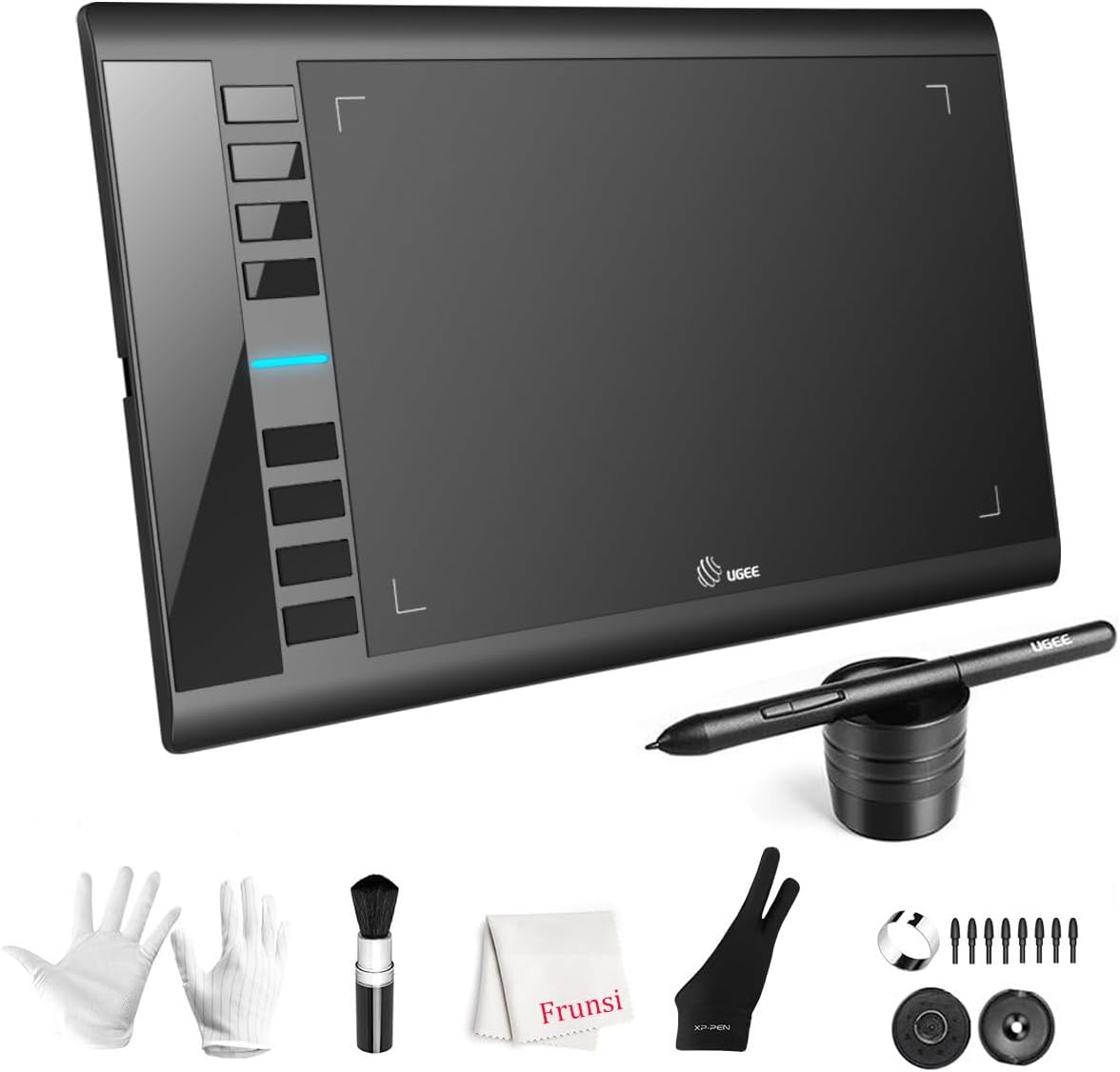
This tablet offers a generous drawing surface at a budget-friendly price. It features a large active space that accommodates broad arm movements. It is compatible with most major creative software.
We may earn a commission when you buy through this link, at no additional cost to you.
The 16,384 pressure levels allow for detailed control over line weight. You can customize shortcut keys to improve your workflow. It supports Windows and Mac systems effectively.
It lacks a screen so you must look at your monitor while drawing. Driver installation is required which might take time for first-time users. Still it is reliable for digital painting.
Ideal for beginners starting digital art on a budget. If you need a large surface for sketching and editing this is a strong contender.
8 express keys on the side allow shortcuts for eraser zoom and scrolling.
Powerful compatibility with Windows Mac and Android systems ensures broad use.
We may earn a commission when you buy through this link, at no additional cost to you.
This colorful board is designed to entertain children while they draw. It weighs very little making it easy for small hands to carry. The lock feature helps prevent accidental erasures.
We may earn a commission when you buy through this link, at no additional cost to you.
The screen is safe for eyes with no glare or radiation. It saves paper by allowing reuse over 100,000 times. It is a perfect gift for birthdays or holidays.
It is strictly for simple doodling rather than professional work. The battery is not replaceable by children but it lasts a long time. It is an excellent toy for travel.
Buy this for young kids who need a quiet activity. It is a great tool for parents to manage screen time and creativity.
The screen is safe for eyes with no glare or radiation ensuring comfort.
The drawing tablet weights only 150 grams making it easy to carry anywhere.
We may earn a commission when you buy through this link, at no additional cost to you.
This tablet is built to withstand drops and spills during play. It features a colorful screen that is gentle on eyes. It is perfect for travel in cars or planes.
We may earn a commission when you buy through this link, at no additional cost to you.
The design is waterproof and anti-fall to handle accidental drops. It uses a replaceable battery that lasts six months. The one-button erase saves time for kids.
It is a simple toy without advanced digital capabilities. You cannot save the drawings to a device. It is purely for temporary fun and learning.
Get this for children who need a rugged drawing toy. It is a great option for long trips or road adventures.
The writing tablet is waterproof and anti-fall so you do not need to worry about accidents.
The built-in battery has a six-month lifespan providing continuous use.
We may earn a commission when you buy through this link, at no additional cost to you.
This model is renowned for its reliability and precise pen feel. It uses battery-free technology that feels natural like writing on paper. It comes with software to get you started quickly.
We may earn a commission when you buy through this link, at no additional cost to you.
The pen offers professional-grade performance for designers. It connects via cable which ensures stability during use. The brand is a global leader in digital art tools.
The active area is small which limits arm movement compared to larger tablets. You must plug it into a computer to work. But it is trusted by many professionals.
Ideal for students or pros needing a reliable input tool. If you value precision and brand reputation over size this is a solid choice.
Only Wacom gives you software with every purchase for online training and tools.
Enjoy industry-leading tablet performance in superior control and precision.
We may earn a commission when you buy through this link, at no additional cost to you.
This compact board is easy to carry in a pocket or bag. It offers an 8.5-inch screen that is sufficient for short notes. The stylus doubles as a kickstand for display.
We may earn a commission when you buy through this link, at no additional cost to you.
It is only one-eighth of an inch thin making it incredibly portable. The battery is replaceable when it runs out. Erasing is done with a single button press.
The screen size is small which limits detailed drawing work. It is best for quick notes rather than full artwork. It is a convenient utility for home or office.
Choose this if you need a lightweight note-taking solution. It is great for quick memos or simple doodles on the go.
Ultra light-weight and portable so it is easy to take anywhere you go.
The stylus can be used as a kick-stand to display your written messages.
We may earn a commission when you buy through this link, at no additional cost to you.
Selecting the right electronic sketch pad depends on your specific needs and budget. This section breaks down the key factors to consider before making a purchase.
Decide whether you need a standalone tablet or a computer-connected display. Standalone units offer portability while connected displays provide more power and screen real estate.
Choose standalone for travel or desktop models for professional detailed work.
Higher pressure levels allow for more natural line variation and shading. Look for at least 4096 levels for serious drawing or over 8000 for professional use.
More sensitivity ensures your pen strokes translate accurately to digital lines.
Battery-free pens are generally preferred as they do not require charging. EMR or passive stylus technology ensures the pen is always ready to use.
Check if the pen includes extra nibs or an eraser for added convenience.
Larger screens provide more room for arm movement and detail work. Consider how much space you have for the device when not in use.
Smaller screens are better for travel but limit your drawing area.
Ensure the device connects to your existing setup via USB or Bluetooth. Some tablets work with Android phones while others require a PC or Mac.
Verify compatibility with your operating system before buying.
Check if the device supports popular creative applications like Photoshop or Clip Studio. Some tablets come with pre-installed apps or trial versions.
Good software compatibility ensures you can integrate the tablet into your workflow easily.
Durable materials and ergonomic designs contribute to long-term satisfaction. Look for reinforced corners or anti-slip surfaces if you plan to carry it around.
A sturdy build protects your investment and enhances usability over time.
Set a clear budget before browsing options to narrow down your choices. Prices vary significantly from basic boards to professional displays.
Balancing cost with required features will help you find the best value.
Start by cleaning the screen with a soft microfiber cloth to remove dust. If using a stylus, ensure it is calibrated according to the manufacturer instructions for best results.
For connected tablets, install the latest drivers from the official website before connecting. This ensures all shortcut keys and pressure features work as intended.
Regularly save your work to the cloud or external storage to prevent data loss. Avoid leaving the device in direct sunlight or extreme temperatures to maintain screen integrity.
Not all models require a computer. Standalone tablets have built-in operating systems that allow you to draw directly on the device. However, display tablets must be connected to a PC or Mac to function.
Most modern sketch pads use battery-free pens that do not need charging. These pens use electromagnetic resonance technology powered by the tablet itself. Always check the product details to confirm pen type.
It depends on the glove material and the tablet technology. Some capacitive screens work with specialized gloves but standard cotton gloves may not register. For precise drawing, bare hands are recommended.
Yes, many LCD writing tablets are designed specifically for children with safe materials. They lack harsh blue light and have durable builds to withstand drops. However, supervise young children to prevent misuse.
Most devices are compatible with major creative software like Photoshop, Illustrator, and Clip Studio. Some brands include trial versions or pre-installed apps. Always check driver support for your specific software.
LCD doodle boards often have non-replaceable batteries lasting months to years. Some models use replaceable coin-cell batteries that can be swapped when they run out. Check the manual for specific battery replacement instructions.
We reviewed ten top options ranging from simple boards to professional displays. Each offers unique features suited for different users and budgets.
Prioritize pressure sensitivity and screen size based on your drawing goals. Beginners may prefer standalone tablets while professionals need full displays.
Remember to check current pricing before making a final decision. Deals and discounts often change so compare offers to get the best value.