
Square Reader for magstripe (USB-C)
4.6Editor score
Works with Apple Lightning devices
Free Square POS app included
Next business day payouts
This expert guide compares the top 10 credit card readers for phones to help you find the best mobile payment solution for your business needs and budget.
Modern businesses need reliable ways to accept payments anywhere. Credit card readers for phones turn smartphones into powerful point of sale terminals. The best models offer fast processing, secure transactions, and seamless integration with mobile apps.
We evaluated ten top-rated devices based on connectivity, security features, app support, and overall user experience. Our comparison covers readers from major brands like Square and Clover alongside specialized options for unique use cases like military identification.
Each pick highlights specific strengths and ideal scenarios for different business types. Prices and availability change frequently so always check current listings before purchasing. This guide ensures you choose a reader that fits your workflow and growth plans.
4.6Editor score

4.5Editor score

5.0Editor score
The following table provides a side by side comparison of all ten credit card readers evaluated in this guide. Review the key specifications and features to quickly identify which device aligns with your specific business requirements and technical needs.




This Square Reader for magstripe offers an incredibly affordable way to start accepting payments with your phone. With a high user rating it remains a top choice for small businesses needing basic functionality without upfront investment.
We may earn a commission when you buy through this link, at no additional cost to you.
The device works seamlessly with the free Square Point of Sale app allowing you to track sales and manage inventory easily. You can set up quickly with no long-term commitments and get paid as soon as the next business day.
While it only reads magstripes and not chips or contactless cards it covers the essentials for many service providers and mobile vendors. The compact design ensures portability and the straightforward setup minimizes technical barriers for new users.
Ideal for freelancers and small shops testing the waters this reader provides reliable performance at a minimal cost. It is the perfect starting point for businesses prioritizing cash flow and simplicity over advanced payment methods.
Download the free Square app and create an account to start taking payments immediately without hidden fees or contracts.
Get your money deposited as soon as the next business day keeping your cash flow healthy and predictable.
We may earn a commission when you buy through this link, at no additional cost to you.
The Square Reader for contactless and chip represents a significant upgrade for businesses needing modern payment capabilities. Its second generation design offers improved connectivity and extended battery life ensuring you never miss a transaction due to power loss.
We may earn a commission when you buy through this link, at no additional cost to you.
Customers can pay via Apple Pay Google Pay or chip cards providing flexibility and speed. The device maintains security with fraud prevention and dispute management included at no extra cost giving you peace of mind during every sale.
Offline payment functionality allows you to keep taking payments for up to twenty four hours even without internet access. This feature is crucial for outdoor markets or venues with spotty connectivity ensuring your business stays open and profitable.
Choose this reader if you want a balance of advanced features and ease of use. It supports diverse payment methods while keeping fees low and setup simple making it a top pick for growing retail and service businesses.
Take contactless chip and magnetic stripe payments with one device to serve every customer preference efficiently.
Keep processing transactions during internet outages for up to 24 hours so you never lose a sale.
We may earn a commission when you buy through this link, at no additional cost to you.
This specialized reader stands out for its ability to handle secure identity cards alongside standard credit cards. It is designed for government and military users who need to verify CAC PIV and other smart cards while processing payments.
We may earn a commission when you buy through this link, at no additional cost to you.
The dual-head cable supports both USB-A and USB-C ports removing the need for extra adapters. Certifications like FCC and CE ensure compliance with international standards while the device supports Windows Mac Linux and Android operating systems.
Unlike typical POS readers this model focuses on secure authentication and data integrity. It follows ISO standards for contact and contactless communication making it reliable for access control and identity verification tasks.
While not a general retail solution it is invaluable for organizations requiring strict security measures. If you handle sensitive government data or need robust identity verification this reader offers the necessary tools and durability.
Certified to read CAC and PIV cards ensuring secure authentication for defense and federal agency personnel.
Plug and play functionality works across Windows Mac Linux and Android without needing extra drivers.
We may earn a commission when you buy through this link, at no additional cost to you.
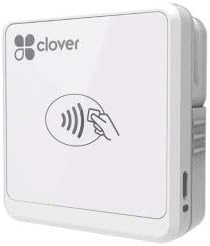
The Clover GO 3rd Generation earns a perfect rating for its seamless blend of security and convenience. It pairs wirelessly with any smartphone allowing you to run your entire business operation from your pocket with ease.
We may earn a commission when you buy through this link, at no additional cost to you.
Security is paramount with end to end encryption protecting both your data and your customers info throughout every transaction. You can customize tax rates and tip percentages while sending paperless receipts via text or email to enhance customer experience.
Business owners appreciate the ability to manage employee permissions ensuring only trusted staff access sensitive financial data. This level of control is rare in mobile readers and adds significant value for teams and multi-user environments.
Opt for this device if you prioritize data security and business control. It offers a premium experience with robust features that support growth and efficiency making it ideal for serious entrepreneurs and established small businesses.
Protect sensitive customer and business data with end to end encryption that secures every step of the transaction.
Create distinct employee permissions to control who sees sales data and manages payments securely.
We may earn a commission when you buy through this link, at no additional cost to you.
The Square Terminal is a complete point of sale device that rings up sales accepts payments and prints receipts all in one unit. It is designed for businesses that want a dedicated terminal without relying on a personal smartphone.
We may earn a commission when you buy through this link, at no additional cost to you.
Accept all major credit and debit cards with a single low rate and no hidden fees. The device processes chip cards in just two seconds ensuring quick transactions and satisfied customers even during peak hours.
Its built-in battery allows cordless use throughout the day so you can move around your store freely. The screen is intuitive making it easy for staff to learn quickly without extensive training or technical knowledge.
Choose this terminal if you want a dedicated register experience. It eliminates the need for phones or extra apps providing a professional setup that is easy to manage and highly reliable for retail environments.
Process sales and print receipts with one device needing no additional hardware or smartphone connections.
Accept chip cards in seconds to keep lines moving and customers happy during busy times.
We may earn a commission when you buy through this link, at no additional cost to you.
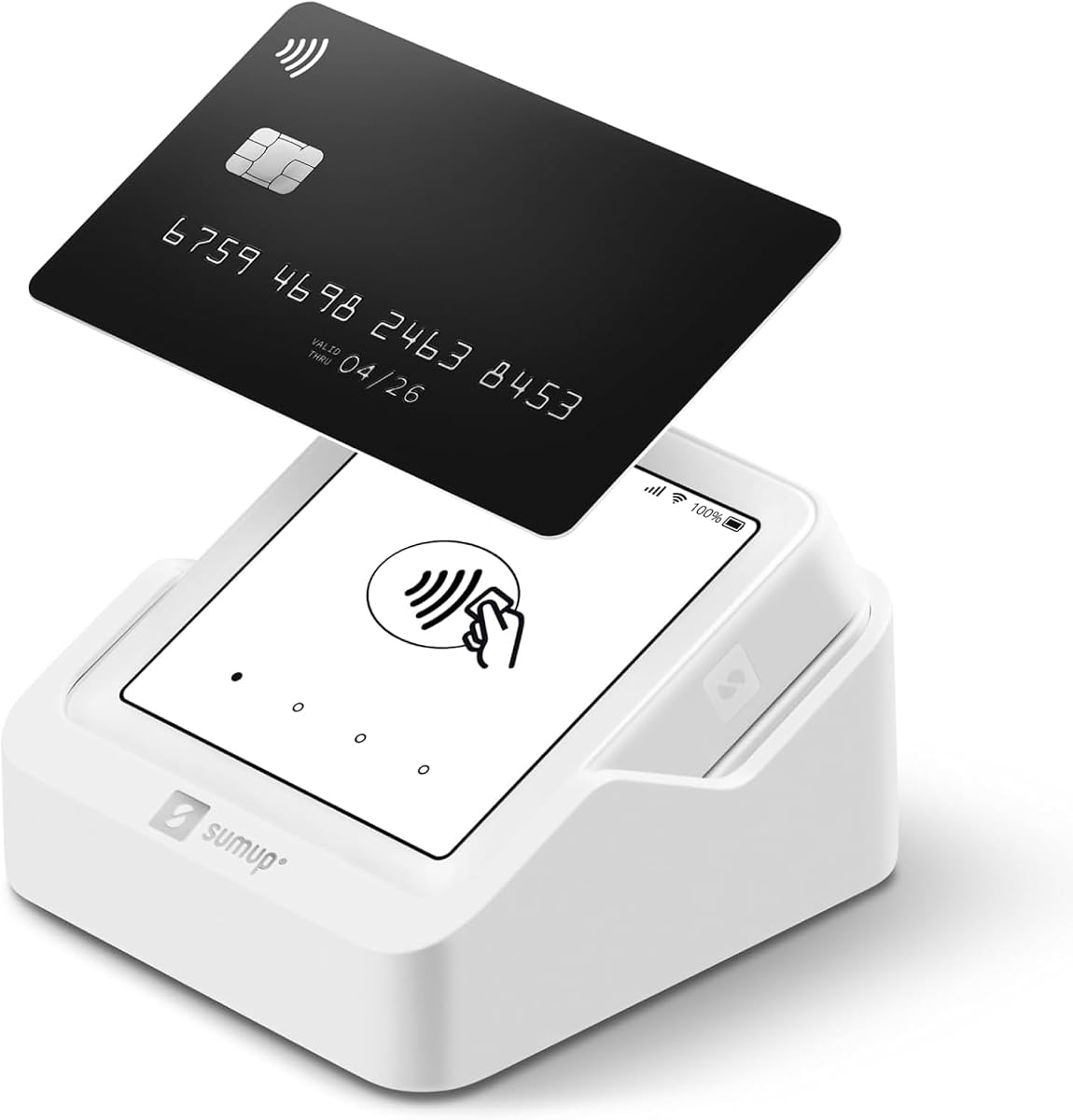
The SumUp Plus Card Reader is designed for simplicity and low costs making it attractive for freelancers and occasional sellers. It accepts all major credit and debit cards with a transparent fee structure and no hidden charges.
We may earn a commission when you buy through this link, at no additional cost to you.
You can use the free SumUp app on your smartphone or tablet to start accepting transactions immediately. The Bluetooth connection ensures stable communication while the device supports NFC and RFID payments for modern convenience.
While the rating is lower than competitors it offers reliable performance for basic needs. There are no long-term contracts so you can stop using it anytime without penalties which adds flexibility for seasonal businesses.
Pick this reader if you want a straightforward solution without complex features. It provides essential payment acceptance capabilities at a competitive rate ensuring you can start taking money quickly.
Pay a flat low rate per transaction with no monthly fees or hidden costs to keep overhead down.
No long-term contracts mean you can use the device whenever you need without financial commitment.
We may earn a commission when you buy through this link, at no additional cost to you.
The SumUp Solo is a fully portable device with a full touchscreen interface that does not require a smartphone to operate. It comes with a free SIM card and mobile data ensuring you can process payments anywhere with a reliable connection.
We may earn a commission when you buy through this link, at no additional cost to you.
Management features include a strong battery capability and an additional charging station so you stay powered during long workdays. The interface is intuitive allowing customers to interact directly with the screen for tips and signature capture.
US-based support is available through phone email and chat giving you help when you need it. Fast and hassle-free setup upon registration gets you running quickly so you can focus on serving your customers.
Ideal for mobile vendors who need a self-contained solution. This reader keeps your business independent from phone limitations and provides a professional standalone payment experience.
Use the device anywhere with included mobile data and no need for external devices or tethering.
Customers can interact with the touchscreen interface to sign or add tips directly on the device.
We may earn a commission when you buy through this link, at no additional cost to you.
This newest Clover GO model brings enhanced mobile features to your pocket. It pairs wirelessly with your device to create a powerful POS system that manages payments taxes and tips efficiently.
We may earn a commission when you buy through this link, at no additional cost to you.
End to end security protects data from the moment a card is accepted ensuring trust between you and your customers. You can create custom tax rates and tip amounts to suit your pricing structure without complex setups.
Employee permissions allow you to control access to business data protecting your bottom line. The device supports sending paperless receipts which modern customers prefer for record keeping and reduced waste.
Consider this if you want updated features and reliable performance. It integrates well with Powering POS services offering a secure and flexible option for mobile commerce needs.
The latest model ensures stable pairing and faster data transfer with modern smartphones.
Advanced encryption keeps financial data safe during every step of the transaction process.
We may earn a commission when you buy through this link, at no additional cost to you.
The Clover Go Contactless Reader simplifies payments by removing the need for a merchant account. It supports EMV chip and contactless options ensuring you can accept modern payment methods without complex banking arrangements.
We may earn a commission when you buy through this link, at no additional cost to you.
Compatible with both iOS and Android devices it offers broad usability across different smartphones. The setup is straightforward allowing you to start processing payments quickly once paired with your preferred app.
Note that quantities may be limited as this version might be end of life. Orders could be fulfilled with the current model so check availability before purchasing to ensure you get the exact specs you expect.
This reader is great for quick setup scenarios where account creation is a barrier. It provides essential secure payment capabilities for those who need flexibility and ease of entry.
Start accepting payments without opening a merchant account saving time on banking paperwork.
Supports both chip cards and tap payments to meet customer preferences reliably.
We may earn a commission when you buy through this link, at no additional cost to you.
This 3rd generation Clover Go Bluetooth Reader brings secure payment processing to your mobile device. It ensures data protection throughout the transaction process with end to end encryption for all sales.
We may earn a commission when you buy through this link, at no additional cost to you.
You can customize tax percentages and tip amounts to fit your pricing model easily. The device works with any Clover Go account and no merchant account is required making it accessible for new businesses.
Wireless connectivity means you can take payments anywhere without cables. It is a practical choice for those who value security and flexibility in their mobile payment setup.
Choose this reader for reliable secure transactions on the go. It balances essential features with affordability for small businesses seeking a dependable solution.
Encryption protects card details from the moment of acceptance through the entire payment process.
Start accepting payments without a merchant account simplifying the onboarding process.
We may earn a commission when you buy through this link, at no additional cost to you.
Selecting the right credit card reader depends on your business model and technical needs. We break down the key factors to consider before purchasing.
Readers connect via Bluetooth or physical ports like USB-C. Bluetooth offers freedom of movement while wired connections provide stable links without battery drain on the phone.
Choose Bluetooth for mobility and wired for reliability if your phone battery is a concern.
Ensure the reader supports tap chip and swipe to accommodate all customer preferences. Contactless options are essential for modern transactions and speed.
Opt for readers that accept EMV and NFC to avoid losing sales from unsupported card types.
The accompanying app manages transactions and inventory. Look for free apps with robust features like tips taxes and reporting tools.
Verify app compatibility with your device operating system to ensure smooth daily operations.
Data protection is critical for PCI compliance. Choose devices with end to end encryption and fraud prevention built-in.
Prioritize readers that handle security internally to reduce your liability and risk.
For mobile businesses battery matters. Look for readers with extended battery life to last your full shift.
Consider models with charging accessories if you operate for many hours without access to power.
Fee structures vary by provider. Compare rates for in-person and online transactions to understand total costs.
Select a plan that fits your transaction volume and keeps overhead low.
Check if the reader works with your phone model and OS version. Some require specific ports or Bluetooth versions.
Ensure broad device support to avoid hardware conflicts.
Quick setup minimizes downtime. Look for plug and play devices that do not need complex drivers.
Fast onboarding helps you start selling sooner.
Start by downloading the required app and creating your merchant account. Connect the reader to your phone via Bluetooth or cable and follow the on-screen pairing instructions.
Test a transaction with a small amount to ensure communication is working. Once verified you can begin accepting payments with customers.
Keep the reader clean and dry. Charge the battery fully before use and avoid dropping the device to maintain longevity.
Most modern readers support both platforms but always check specific app requirements before buying. Some models might be optimized for one OS so verify compatibility with your device model.
Some advanced readers offer offline modes that store transactions and process them when the connection returns. This ensures sales are not lost during service outages.
Many providers charge per transaction with no monthly fees though some offer premium plans with extra tools. Check the pricing model carefully to find the best fit for your budget.
Standard processing usually deposits funds within the next business day. Some services offer instant transfer options for a small additional fee.
Yes certain providers allow you to use their payment network directly without opening a traditional merchant account. This simplifies setup but check specific terms first.
Most modern models support contactless transactions like Apple Pay and Google Pay. Verify that the specific model includes NFC support before purchasing to ensure convenience.
We explored ten distinct credit card readers for phones ranging from simple budget models to premium standalone terminals. Each option brings unique strengths to help you accept payments securely and efficiently.
Focus on connectivity and payment methods when narrowing your choices to ensure the device meets your daily workflow. Security and fee structures should also guide your final decision to keep operations smooth.
Prices and availability change frequently so always check current listings before purchasing. This guide ensures you choose a reader that fits your workflow and growth plans.