
TP-Link ER605
4.4Editor score
Five Gigabit Ports
Secure VPN Support
USB WAN Backup
This guide compares the top ten Dual Wan Router models for reliability speed and security to help you choose the right network solution for your business or
Finding the right network hardware is crucial for maintaining uninterrupted connectivity in today's digital environment. A Dual Wan Router allows you to connect multiple internet sources simultaneously ensuring that your business or home remains online even if one connection fails.
We have evaluated ten leading models based on their performance, security features, and ease of management. Our analysis focuses on real-world capabilities such as load balancing, failover speed, and VPN support to ensure you get a reliable networking solution.
Each pick in this list highlights specific strengths whether you need budget-friendly redundancy or enterprise-grade throughput. Please note that product availability and pricing can change frequently so verify current details before making your final purchase decision.
4.4Editor score

4.4Editor score

4.2Editor score
The following table provides a side-by-side comparison of the top ten Dual Wan Router options available today. We highlight key specifications and capabilities to help you quickly identify the model that best fits your specific network requirements.



The TP-Link ER605 stands out as an excellent entry point for those seeking reliable dual WAN capabilities without breaking the bank. With a strong rating of 4.4 stars, it is widely appreciated for its straightforward design and robust feature set that caters to small businesses and home offices.
We may earn a commission when you buy through this link, at no additional cost to you.
Its standout quality lies in its flexible port configuration which includes one Gigabit WAN port plus two Gigabit WAN/LAN ports and two additional Gigabit LAN ports. This setup allows you to aggregate bandwidth or create redundant connections easily. Additionally it supports mobile broadband via a USB WAN port for extra backup options.
While it lacks built-in wireless access which means you will need a separate access point for Wi-Fi coverage this trade-off is acceptable for wired-focused environments. The interface is functional though not the most modern on the market making it suitable for users who prefer simplicity over advanced customization.
If you need a dedicated router that prioritizes wired connectivity and security over wireless convenience this model is a top choice. It delivers consistent performance and protects your network with advanced firewall policies and VPN support making it a practical investment for stable internet access.
The five Gigabit ports allow for versatile network setups enabling you to balance loads or add backup lines seamlessly without extra hardware.
Advanced firewall policies and DoS defense keep your network safe from external threats ensuring your data remains secure during transmission.
We may earn a commission when you buy through this link, at no additional cost to you.
The Peplink B-One combines wired redundancy with modern wireless capabilities making it an ideal solution for branch offices and hybrid workspaces. Its 4.4 rating reflects its reputation for stability and seamless connectivity even when primary internet sources fail unexpectedly during critical operations.
We may earn a commission when you buy through this link, at no additional cost to you.
This router is designed to keep you online with its resilient dual WAN architecture and SpeedFusion technology which works with existing internet to create a robust network. It also simplifies Starlink connectivity allowing you to integrate satellite connections with traditional cable or fiber lines effortlessly.
The main trade-off is the higher investment compared to basic models but the reliability and features justify the cost for professional environments. Users report that automatic firmware updates keep the system secure without requiring manual intervention which reduces administrative overhead significantly.
If you require an all-in-one solution that supports high throughput and advanced failover options this router is highly recommended. It adapts to numerous network configurations and integrates easily with various services ensuring your business remains connected no matter what happens to your primary line.
This proprietary tech ensures smooth video calls and data transfer by managing traffic across multiple connections dynamically for uninterrupted performance.
Seamless integration with Starlink allows for flexible backup options and load balancing with satellite internet for remote or mobile locations.
We may earn a commission when you buy through this link, at no additional cost to you.
For organizations requiring maximum throughput and advanced management capabilities the NETGEAR PR60X offers premium performance with its 10G/Multi-Gigabit hardware. This model is built for enterprise networks where speed and security are non-negotiable priorities for maintaining operational efficiency.
We may earn a commission when you buy through this link, at no additional cost to you.
It features a 10G/Multi-Gig configurable LAN/WAN port and additional high-speed ports for long-distance backhaul and optimal network performance. The built-in security includes IPSec VPN and WireGuard support ensuring secure remote access for clients while allowing up to 32 VLANs for traffic segmentation.
While the price is significantly higher than consumer models it includes a one-year subscription to NETGEAR Insight for remote network management. This feature allows administrators to monitor and configure the network from anywhere which is essential for distributed teams or IT professionals managing multiple sites.
If your business demands high-speed data transfer and centralized control this router is a top-tier investment. It is designed for easy SME management and integrates with other NETGEAR Enterprise Network Solutions providing a cohesive ecosystem for your entire IT infrastructure.
The 10G ports ensure that your network can handle massive data transfers and future-proof connections without bottlenecks or slowdowns.
Remote access tools allow you to manage your network anytime from anywhere simplifying maintenance and troubleshooting for IT teams.
We may earn a commission when you buy through this link, at no additional cost to you.
The Cudy R700 appeals to technical users and network administrators who value control and flexibility through its OpenWRT support. This feature allows for VLAN segmentation and custom policies which are critical for professional-grade network management in specialized environments.
We may earn a commission when you buy through this link, at no additional cost to you.
It connects up to five ISPs with automatic failover and load balancing ensuring that business continuity is maintained even if one connection drops instantly. The built-in VPN suite includes WireGuard and OpenVPN making it easy to create secure tunnels for remote access or site-to-site connections.
While OpenWRT offers great freedom it may require a learning curve for those unfamiliar with custom firmware interfaces. However the device also provides a web GUI and cloud management for simpler scenarios balancing power with ease of use for different user skill levels.
If you need a versatile router that supports advanced network configurations and offers strong security features this model is a strong contender. It is well-suited for home labs small offices or remote locations where reliability and control are key priorities for daily operations.
Full OpenWRT support unlocks advanced customization options including custom QoS policies and community-developed packages for tailored performance.
Built-in server and client support for multiple VPN protocols ensures flexible secure access options for both staff and external partners.
We may earn a commission when you buy through this link, at no additional cost to you.
The Omada ER707-M2 is designed for businesses that need higher bandwidth and seamless integration with existing network hardware. Its 2.5Gigabit WAN ports provide fast connectivity aggregation which is essential for offices relying on high-speed fiber connections for daily tasks.
We may earn a commission when you buy through this link, at no additional cost to you.
It supports up to 100 concurrent VPN connections and maintains over 500000 concurrent sessions making it robust for busy environments. The cloud access feature allows remote management from anywhere which simplifies oversight for IT teams managing multiple sites or distributed teams.
While it does not include built-in Wi-Fi which means you will need separate access points the router integrates well with Omada WiFi Access Points for a unified network. This ecosystem approach ensures consistent management and policies across all wired and wireless components of your infrastructure.
If you are building or upgrading a professional network this router offers high capacity and reliability. The five years warranty provides long-term confidence in the quality ensuring that your network remains protected and supported for years to come.
Supporting over 500000 concurrent sessions ensures that the router can handle heavy traffic loads without slowing down or dropping connections.
Centralized cloud control allows you to manage the whole network from different sites all controlled from a single interface anywhere.
We may earn a commission when you buy through this link, at no additional cost to you.
The ASUS RT-BE88U represents the cutting edge of home and office networking with its inclusion of WiFi 7 technology and powerful wired ports. It is designed for users who demand maximum speed and low latency for demanding applications like gaming or streaming.
We may earn a commission when you buy through this link, at no additional cost to you.
Its AI WAN detection ensures that internet connections remain always-on by automatically switching to a backup source if the primary fails. The router also includes two 10G ports allowing you to leverage future high-speed fiber connections without upgrading your hardware again soon.
While this router is expensive and might be overkill for basic browsing it offers unparalleled performance for power users. The AiProtection Pro powered by Trend Micro adds a layer of commercial-grade security ensuring your devices are protected from malware and cyber threats automatically.
If you want a future-proof network solution that combines top-tier wireless speeds with robust wired redundancy this is a top pick. It supports whole-home mesh networking making it ideal for large spaces where consistent coverage is required throughout every room.
Blazing-fast throughput up to 7200Mbps boosts connectivity for demanding devices ensuring lag-free performance for all connected users.
Versatile WAN configuration options ensure your internet is always available by automatically switching to backup connections seamlessly.
We may earn a commission when you buy through this link, at no additional cost to you.
The ASUS ExpertWiFi EBG15 focuses on providing essential business security and reliability with an easy setup process. It is suitable for small businesses that need a simple way to manage internet connections securely without requiring complex IT expertise to maintain.
We may earn a commission when you buy through this link, at no additional cost to you.
It features up to three WAN ethernet ports which allow for load balancing and backup connections to keep your internet up even if one line fails. The USB port can also be used as a backup WAN by connecting a mobile phone hotspot for reliable connectivity on the go.
The router includes commercial-grade network security with IPS and intrusion prevention features to block malicious traffic. However its lower rating compared to other models suggests some users have found limitations in performance or features for larger environments.
If you need a secure and straightforward router for a small office this model provides the basics effectively. It offers remote management via a mobile app making it convenient to monitor network status without accessing a computer directly.
Convenient and easy router management via web browser or mobile app simplifies the configuration process for non-technical users.
Each of the Ethernet ports can be assigned to one or more VLAN IDs that provides additional security for your business.
We may earn a commission when you buy through this link, at no additional cost to you.
The D-Link DSR-250V2 is designed for organizations that require strict compliance with government standards like NDAA and TAA. It is ideal for agencies and businesses that need to ensure their network infrastructure meets elevated data protection requirements.
We may earn a commission when you buy through this link, at no additional cost to you.
It extends your corporate network to homes or remote offices enabling access with enhanced security to resources without complex setup. The router automatically switches to a backup internet source if the primary goes down minimizing disruptions to crucial tasks like video calls.
While it offers solid security features including IPSec and strong encryption it has a lower customer rating which may indicate usability issues. However the limited lifetime warranty provides confidence in the durability of the hardware for long-term deployment in critical environments.
If compliance is a major factor for your organization this router offers the necessary certifications and features. It is a reliable choice for hybrid work models where secure access to corporate data from remote locations is required regularly.
Helps protect sensitive data using strong encryption and IPSec reducing risk from external threats in an increasingly digital landscape.
Web-based and SNMP tools offer clear visibility and control reducing complex troubleshooting and making it easier to deploy.
We may earn a commission when you buy through this link, at no additional cost to you.
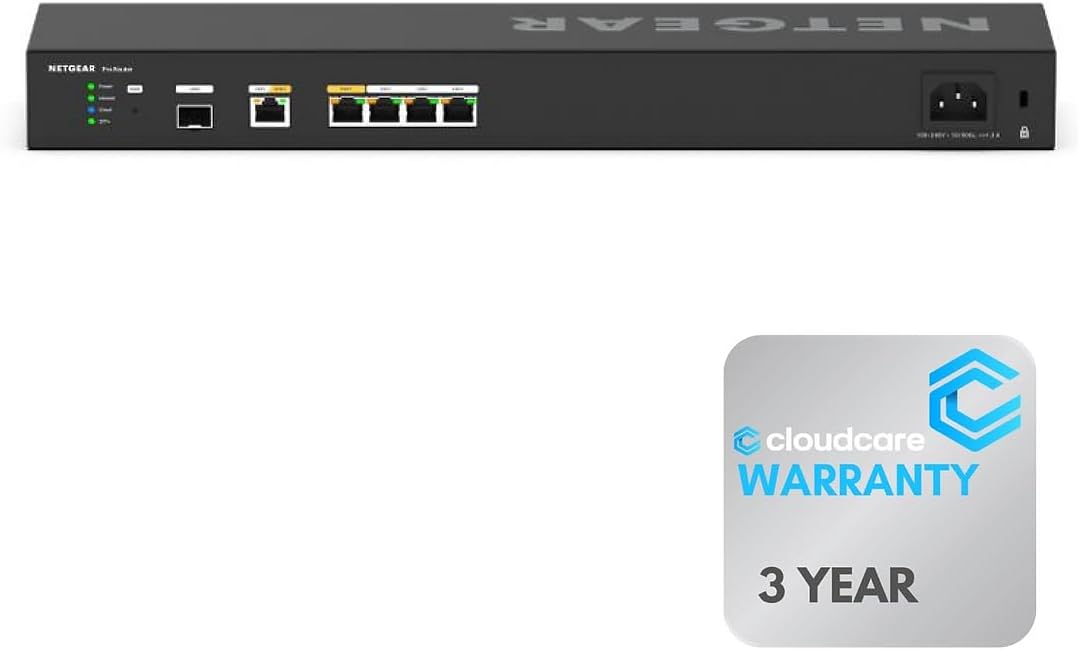
The Cloud Care PR60X offers the same high performance as the standard NETGEAR model but with added warranty support. It is ideal for professional and enterprise environments where saving space and organizing equipment efficiently is necessary for rack installation.
We may earn a commission when you buy through this link, at no additional cost to you.
Its six 10G/Multi-Gigabit ports ensure that your wired devices can access maximum speed and performance. The cloud-based control makes it easy to set up and maintain remotely allowing you to monitor your network from anywhere at any time.
The inclusion of an all-in-one warranty support plan adds extra peace of mind regarding hardware failures or defects. This feature distinguishes it from standard listings providing a safety net for businesses that rely heavily on continuous network uptime.
If you are looking for a robust router with extended warranty coverage this model provides high performance and reliability. It is built for environments that require heavy data handling and consistent connectivity without frequent downtime or maintenance issues.
Manage and monitor your network remotely with NETGEAR Insight offering cloud-based control for easy setup and maintenance.
Save space and organize your equipment efficiently with this rack-mountable router ideal for professional and enterprise environments.
We may earn a commission when you buy through this link, at no additional cost to you.
The Linksys LRT224 is a reliable option for small businesses needing basic dual WAN capabilities without advanced complexity. It supports up to 50 IPsec tunnels which is sufficient for many small offices looking to connect remote sites securely.
We may earn a commission when you buy through this link, at no additional cost to you.
Its firewall throughput of 900 Mbps ensures that your network remains protected without significant speed loss. Load balancing and WAN failover capabilities help maintain reliable internet connectivity which is crucial for business operations and daily tasks.
While it is an older model and lacks some modern features found in newer routers it remains a solid performer for straightforward needs. The setup is generally straightforward and it provides the essential tools needed to manage multiple internet lines effectively.
If you need a no-fuss router that gets the job done for a small office this model is a good fit. It offers essential security and redundancy features at a reasonable price point making it accessible for businesses with limited budgets.
Up to 50 IPsec tunnels for site-to-site and client-to-site VPN ensure secure connections for remote employees.
Supports load balancing and WAN failover for highly reliable Internet connectivity and optimized bandwidth usage.
We may earn a commission when you buy through this link, at no additional cost to you.
Selecting the right Dual Wan Router involves evaluating several critical factors that impact your network's reliability and performance. This guide outlines the essential features you should consider to ensure you choose a device that meets your specific connectivity needs.
When choosing a Dual Wan Router pay close attention to the number and speed of its ports. Look for devices that offer multiple Gigabit or Multi-Gigabit ports to ensure you can connect various devices and internet lines without bottlenecks. The ability to configure certain ports as WAN or LAN adds flexibility for growing networks.
Ensure the router supports the speed of your internet connection whether it is standard Gigabit or newer Multi-Gigabit standards. Proper port configuration allows you to maximize bandwidth usage and avoid slow speeds caused by hardware limitations.
The primary purpose of a Dual Wan Router is to maintain connectivity even if one internet line fails. Check that the router supports automatic failover so it switches to a backup connection seamlessly without requiring manual intervention. Additionally load balancing capabilities allow you to distribute traffic across both lines for better performance.
Load balancing and failover settings are crucial for business continuity. Ensure the device offers customizable rules so you can prioritize certain types of traffic or connections based on your specific operational needs.
Security is paramount when connecting multiple internet lines to your network. Look for routers that offer robust VPN support including OpenVPN IPSec or WireGuard protocols. Advanced firewall features such as intrusion prevention and DoS defense protect your data from external threats effectively.
A secure router ensures that remote access to your network remains safe. Verify that the device supports the number of VPN tunnels you need for your staff or remote sites to maintain secure communication channels.
Ease of management can significantly impact your experience with a router. Some models offer cloud-based management tools that allow you to monitor and configure your network from anywhere. Others provide simple web interfaces that are easy to navigate for basic setups.
Consider whether you prefer a physical interface or cloud management. A user-friendly interface reduces the time needed for maintenance and troubleshooting allowing you to focus on your business tasks instead of network administration.
Some Dual Wan Routers come with built-in Wi-Fi while others are wired only. If you need wireless coverage ensure the router supports modern standards like Wi-Fi 6 or Wi-Fi 7 for better range and speed. Wired routers may require separate access points for full coverage.
Determine if you need a combo unit or a separate access point. If you have a large space wireless features should support mesh networking to extend coverage throughout your office or home efficiently.
Consider your future needs when choosing a router. A model that allows you to add more WAN ports or supports VLAN segmentation can help your network grow without needing a replacement. Look for devices that are compatible with other network equipment like switches.
A scalable router ensures you can add more devices or connections as your business expands. This flexibility prevents the need for frequent hardware upgrades and keeps your network future-proof.
Reliable technical support and a good warranty can save you from headaches later. Check how long the warranty lasts and what it covers. Some brands offer lifetime warranties which provide long-term confidence in the hardware quality and durability.
Ensure the manufacturer offers accessible customer support in case you encounter issues. A strong warranty and support network mean you can resolve problems quickly without disrupting your operations.
Price varies significantly depending on the features and brand of the router. While higher-end models offer more speed and security they may not be necessary for smaller setups. Balance the features you need with the cost to find the best value for your budget.
Investing in a reliable router can save money in the long run by preventing downtime. Do not sacrifice essential features for a lower price if it means risking your network stability and security.
To set up your Dual Wan Router connect your primary internet modem to the main WAN port and your backup connection to a secondary WAN or LAN port depending on the device. Log into the router's web interface or app to configure the failover settings to ensure automatic switching occurs when needed.
Regularly update the firmware to keep your network secure and running smoothly. Most modern routers offer automatic updates but you can also check manually for the latest security patches. Ensure the router is placed in a well-ventilated area to prevent overheating which can affect performance over time.
Periodically test your failover connections by temporarily unplugging the primary line to see if the backup kicks in correctly. This practice ensures you are aware of how your network behaves during an outage. Clean the exterior with a dry cloth to remove dust and maintain optimal airflow through the vents.
The main benefit is redundancy ensuring that your internet connection remains active even if one line fails. This is critical for businesses that cannot afford downtime. It also allows for load balancing which can improve overall internet speed by using both lines simultaneously.
Yes typically each WAN port requires its own internet source and modem. For example if you are using two ISPs you will need two separate modems. However some models allow you to use a USB modem for one of the WAN connections to save on hardware costs.
In some cases yes. If the router supports load balancing it can combine the bandwidth of two internet lines for faster downloads. However this depends on the configuration and the type of traffic. Not all applications support split traffic so speeds may vary by use case.
Most modern routers are designed to be user-friendly with setup wizards. However advanced features like load balancing or VPNs may require some technical knowledge. Always check the manual or look for video guides to simplify the initial configuration process.
If both lines fail the router will simply disconnect the network. This is why having a backup line is important. Some routers support cellular failover using a USB modem to provide an alternative connection when wired lines are unavailable.
Standard Ethernet cables are usually sufficient for Gigabit connections. If you are using Multi-Gigabit ports you may need Cat6a or higher cables to support the higher speeds. Check the port specifications on your router to ensure compatibility.
We have explored ten excellent Dual Wan Router options ranging from budget-friendly models to enterprise-grade powerhouses. The TP-Link ER605 offers great value for small offices while the NETGEAR PR60X delivers top-tier performance for large networks requiring speed and reliability.
When making your decision prioritize the features that matter most to your specific environment. Consider factors like failover speed security needs and whether you require integrated Wi-Fi. Choosing the right router ensures your network remains robust and secure against unexpected connectivity issues.
Remember that pricing and availability can change so always check current listings before purchasing. This guide serves as a reliable resource to help you navigate your options confidently. We hope you find the perfect Dual Wan Router to keep your connections stable and fast.