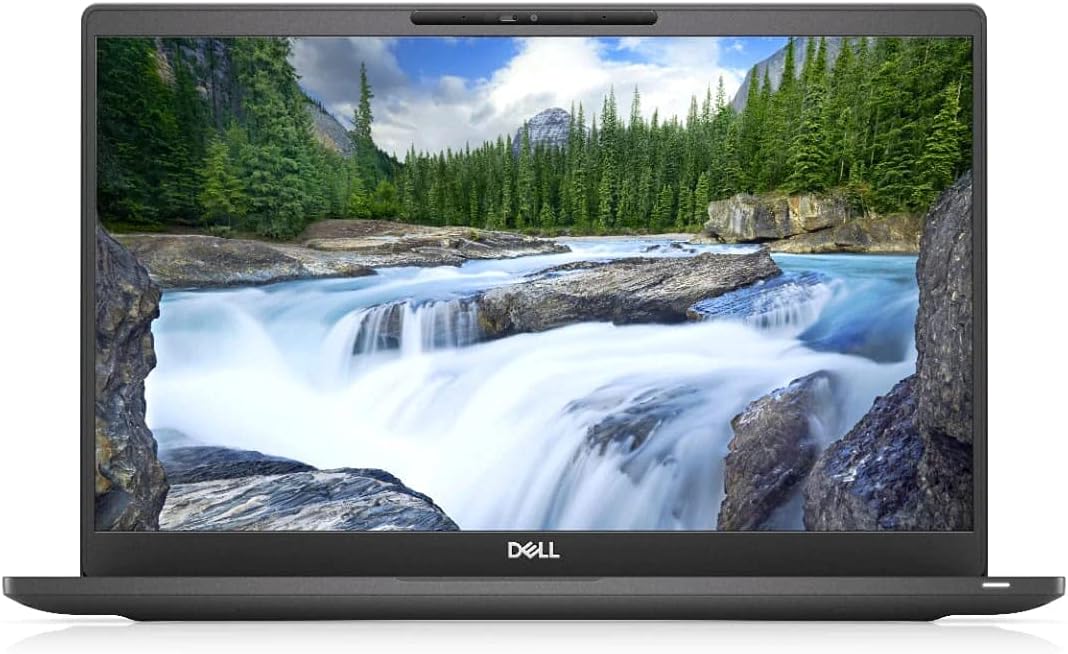
Dell Latitude 7400 Laptop
4.0Editor score
Core i7-8665U CPU
32GB RAM Configuration
14 Inch FHD Display
Finding the right laptop for Fusion 360 requires balancing processing power, graphics capabilities, and portability. Whether you are a professional engineer or a student, the hardware you choose directly impacts your workflow efficiency and rendering speeds.
We evaluated ten distinct models based on their CPU cores, GPU performance, RAM capacity, and display quality. Our analysis focuses on how well each machine handles complex assemblies, real-time rendering, and multitasking within the Autodesk ecosystem.
Each pick below highlights specific strengths and weaknesses to help you match a device to your budget and project needs. Please note that availability and configuration options may vary over time as manufacturers update their product lines regularly.
4.0Editor score

4.5Editor score

4.0Editor score
As an Amazon Associate we earn from qualifying purchases.
The following table provides a side-by-side technical overview of all ten selected laptops. We highlight key specifications such as processor type, memory capacity, storage solutions, and graphics capabilities to assist in quick decision-making.




This HP Victus model stands out as a robust workstation for Fusion 360 users who need serious computational power. With an 8-core processor and dedicated RTX graphics, it handles complex simulations and rendering tasks efficiently.
We may earn a commission when you buy through this link, at no additional cost to you.
The 32GB of RAM ensures that you can run Fusion 360 alongside other heavy applications like web browsers or video editors without slowdowns. The 1TB SSD provides ample space for large project files and system backups.
While the system consumes more power than lightweight laptops, the performance gains are necessary for professional engineering workflows. The build quality supports the internal components well, ensuring longevity during intense usage sessions.
We recommend this laptop for students and professionals who prioritize performance over portability. It offers a balanced mix of speed, storage, and graphics capability at a competitive price point for its class.
The combination of the 8-core CPU and RTX 3050 GPU accelerates 3D rendering times significantly compared to integrated graphics solutions found in budget devices.
With 32GB of system memory, you can keep multiple browser tabs, CAD models, and communication apps open simultaneously without experiencing system lag or memory errors.
We may earn a commission when you buy through this link, at no additional cost to you.
The Dell Latitude 7400 offers a compelling option for those seeking a business-grade laptop with ample memory. The 32GB RAM is a standout feature that allows for smooth operation of Fusion 360 even on this older architecture.
We may earn a commission when you buy through this link, at no additional cost to you.
While the processor is from a previous generation, its 4.8 GHz turbo speed provides sufficient headroom for most modeling tasks. The build quality typical of the Latitude line ensures durability for daily transport and use.
The main limitation is the storage capacity, which may require external solutions for large project archives. Additionally, the lack of a dedicated GPU means rendering will rely on integrated graphics which are slower.
This laptop is ideal for users who need a reliable, cost-effective machine for light to moderate CAD work. It balances cost and memory capacity well, making it a smart choice for budget-conscious professionals.
The inclusion of 32GB RAM in this configuration is rare at this price level, ensuring that memory bottlenecks are avoided during complex assembly manipulation.
Designed for enterprise environments, this laptop features a chassis built to withstand daily wear and tear, offering reliability that consumer-grade ultrabooks often lack.
We may earn a commission when you buy through this link, at no additional cost to you.
This ASUS TUF model brings cutting-edge hardware to the table with DDR5 RAM and the latest RTX 4050 graphics. For Fusion 360, this translates to faster viewport performance and quicker simulation calculations.
We may earn a commission when you buy through this link, at no additional cost to you.
The 16-inch display offers more screen real estate for toolbars and design windows, enhancing productivity. The high refresh rate ensures that panning and rotating models in 3D space feels fluid and responsive.
Durability is a key focus here, with a chassis designed to meet military standards. However, this robustness comes with added weight, making it less convenient for travel compared to thinner consumer laptops.
Ideal for power users who need the latest technology for heavy lifting, this machine delivers exceptional performance. It is a top choice for those who want a future-proof device capable of handling demanding engineering tasks.
The transition to DDR5 RAM provides significantly higher bandwidth, allowing data to move faster between the processor and memory for smoother workflow interactions.
The RTX 4050 GPU supports modern rendering technologies, ensuring that visualizations are crisp and that ray tracing effects are handled efficiently within the design environment.
We may earn a commission when you buy through this link, at no additional cost to you.
This HP convertible laptop offers flexibility for users who need to present designs in various modes. The touchscreen allows for intuitive interaction with 2D sketches, though the screen size is quite compact.
We may earn a commission when you buy through this link, at no additional cost to you.
With 8GB of memory and a 128GB drive, this device is better suited for light administrative tasks rather than heavy CAD work. It may struggle with large assemblies or complex simulation runs.
The low weight makes it easy to carry, which is beneficial for students moving between classes. However, the limited hardware specs mean it cannot handle the full capabilities of Fusion 360 efficiently.
We suggest this model for users who primarily need a device for viewing files or light editing on the go. It serves well as a secondary device but should not be relied upon for primary engineering tasks.
The touchscreen allows for direct manipulation of 2D sketches, which can be faster than using a mouse for certain drafting tasks in simple workflows.
Designed to be carried easily, this laptop fits in small bags, making it suitable for travel where weight is a primary concern for the user.
We may earn a commission when you buy through this link, at no additional cost to you.
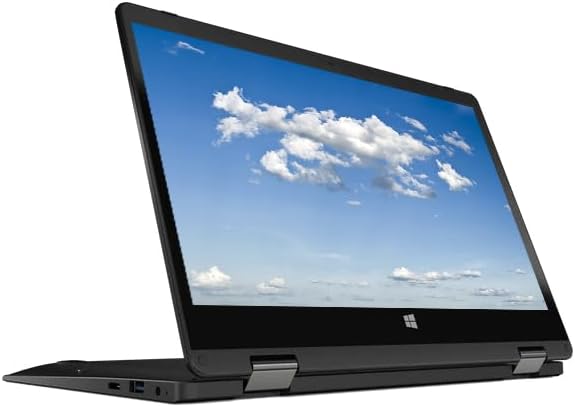
This Acer Gateway model is an entry-level device that provides basic computing capabilities. The 4GB of RAM is a significant bottleneck for running modern engineering software like Fusion 360 effectively.
We may earn a commission when you buy through this link, at no additional cost to you.
The convertible hinge allows for different viewing angles, which might be useful for sketching ideas on paper. However, the small screen and low resolution make detailed design work difficult to manage comfortably.
Performance will be slow when handling any substantial 3D models or complex calculations. Users may experience frequent freezes or long load times when opening even standard projects.
This laptop is best reserved for web browsing or basic document editing rather than professional CAD. If your goal involves serious 3D design, you will need a device with significantly higher hardware specifications.
While it handles simple tasks like checking email or watching videos, the hardware is not designed to support resource-intensive applications like CAD software.
The 360-degree hinge allows the screen to fold back completely, turning the device into a tablet mode which can be handy for presentations.
We may earn a commission when you buy through this link, at no additional cost to you.
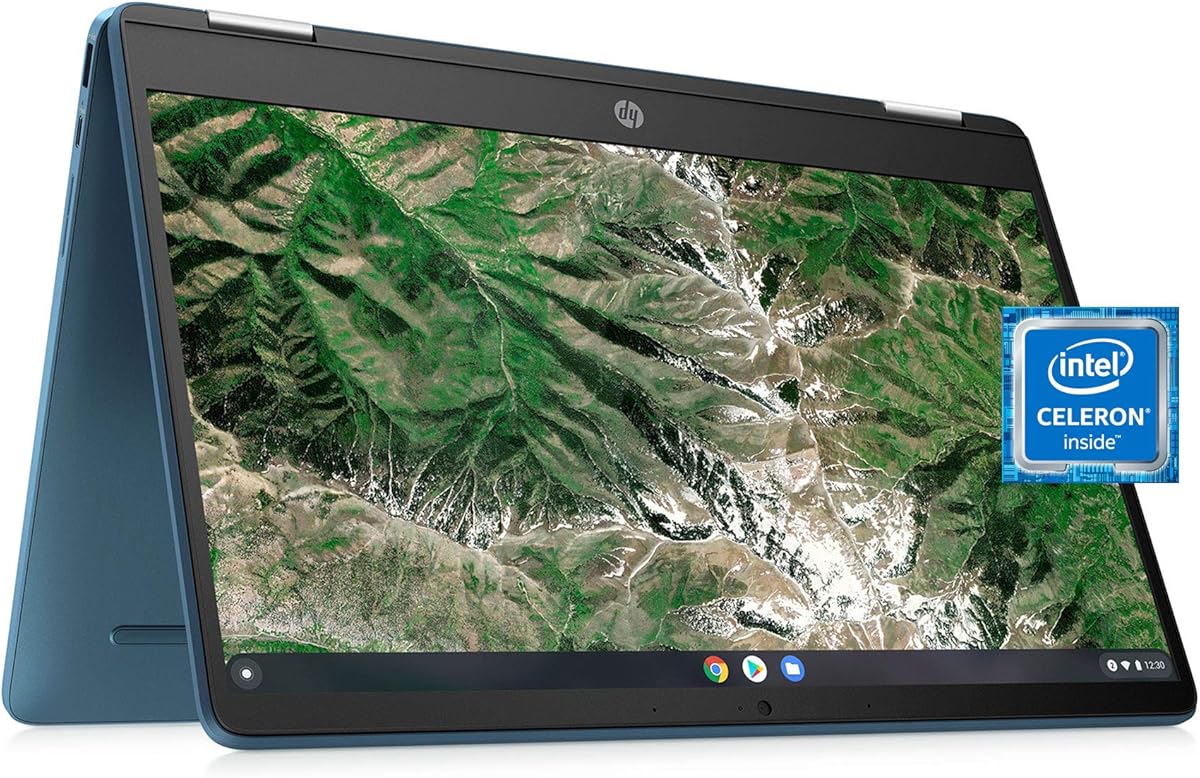
Chromebooks offer simplicity but lack the raw power needed for desktop applications like Fusion 360. This HP model boots quickly and is easy to use for basic tasks like note-taking or browsing.
We may earn a commission when you buy through this link, at no additional cost to you.
The integrated Intel Celeron processor is designed for low power consumption and light use. It cannot support the heavy computational load required for 3D modeling or rendering tasks efficiently.
Storage is minimal with only 64GB available, which restricts how many files can be kept locally. Most workflows would rely on cloud storage, which may be problematic without consistent internet access.
This device is suitable for students who need a tool for reading and writing but not for engineering work. It serves well as a lightweight companion but should not be your primary machine for CAD.
The Chrome OS environment is streamlined for speed and security, reducing the need for complex driver installations or system maintenance tasks.
Most data is stored online in this ecosystem, which ensures safety but requires a stable internet connection to work effectively with your files.
We may earn a commission when you buy through this link, at no additional cost to you.
This bundle version adds a cooling solution to an already powerful machine. The inclusion of a laptop cooler helps maintain performance during long sessions of rendering or simulation in Fusion 360.
We may earn a commission when you buy through this link, at no additional cost to you.
The 16-inch screen provides ample workspace for complex designs. Combined with the RTX 4050 GPU, this laptop handles high-fidelity visualizations with ease, making it a strong contender for professionals.
While the performance is excellent, the device is not designed for travel due to its weight. It is best used as a stationary workstation where power and cooling efficiency are paramount for sustained work.
Users who prioritize raw speed and visual quality will appreciate this setup. It offers the necessary resources to handle large assemblies without the compromises often found in more portable devices.
The included cooling accessory helps prevent thermal throttling, ensuring that the CPU and GPU maintain high clock speeds during prolonged intensive usage sessions.
The 144Hz refresh rate provides smooth motion when navigating 3D models, reducing eye strain and making detailed inspection tasks more comfortable to perform.
We may earn a commission when you buy through this link, at no additional cost to you.
This Chromebook features modern memory technology with DDR5, which improves general responsiveness. However, the CPU is still a low-power unit designed for basic web tasks rather than professional software.
We may earn a commission when you buy through this link, at no additional cost to you.
While the 8GB of RAM helps with multitasking, the lack of native support for Fusion 360 limits its utility. You might need to use web-based alternatives or cloud instances to work on 3D projects.
The FHD IPS screen offers good viewing angles and color quality for media consumption. It is well-suited for general use but lacks the processing backbone required for heavy engineering simulations.
This device is recommended for users who need a reliable machine for communication and light work. It is not a substitute for a dedicated laptop when running complex design applications is required daily.
The use of LPDDR5 RAM ensures faster data access for basic applications, contributing to a snappier experience when switching between multiple open windows.
Designed for low power consumption, this laptop offers extended battery life, making it ideal for long meetings or travel where charging access is limited.
We may earn a commission when you buy through this link, at no additional cost to you.
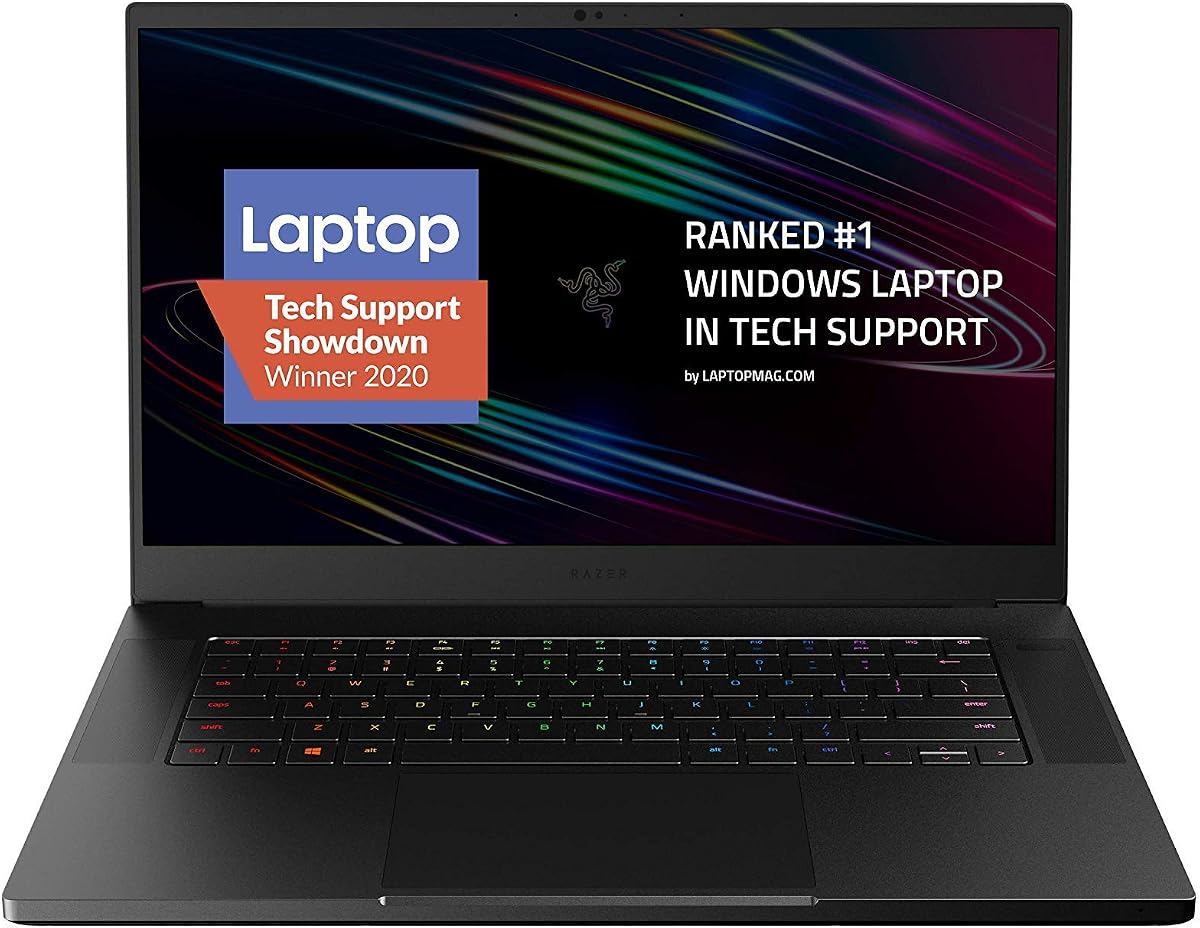
The Razer Blade 15 offers a premium build quality with a durable aluminum chassis that feels solid in hand. The 300Hz display is incredibly smooth, providing an excellent visual experience for high-end work.
We may earn a commission when you buy through this link, at no additional cost to you.
With an 8-core CPU and RTX 2070 Super, this machine has strong capabilities for rendering. However, the 16GB RAM might be a limiting factor for very large assemblies compared to 32GB options.
Battery life is a trade-off for the high-performance hardware, requiring frequent plugging in during intensive use. The compact form factor is impressive but can run hot under sustained load.
This laptop is a great choice for professionals who need a high-end device with a premium look. It balances performance and portability well, though it may not be the most future-proof option available.
The 300Hz refresh rate ensures that even the fastest panning and rotating of 3D models remains smooth, providing a professional and immersive workflow experience.
Thunderbolt 3 support allows for fast data transfer and easy connection to external high-resolution monitors or docking stations for expanded workspace.
We may earn a commission when you buy through this link, at no additional cost to you.
This ASUS TUF model provides a sturdy build with a dedicated GPU, making it a viable option for light to moderate Fusion 360 work. The 612GB SSD ensures quick access to files and applications.
We may earn a commission when you buy through this link, at no additional cost to you.
However, the 8GB of RAM will likely require an upgrade for optimal performance with larger projects. The CPU is older but still offers sufficient power for standard modeling tasks without significant lag.
The 144Hz display provides smooth visuals which helps when manipulating complex 3D geometry. While the battery life is not exceptional, the portability is acceptable for occasional travel to client sites.
It is a solid choice for students or small business owners needing a reliable machine on a budget. With potential RAM upgrades, it can serve well as a dedicated workstation for everyday engineering needs.
The NVMe SSD provides rapid boot times and quick file access, reducing wait times when opening large project files or saving work frequently.
A 144Hz refresh rate helps reduce motion blur when rotating 3D models, making it easier to inspect details and edges during the design process.
We may earn a commission when you buy through this link, at no additional cost to you.
Selecting the right laptop for Fusion 360 involves understanding your specific workflow requirements. We break down the critical factors that influence performance and usability in this guide.
Fusion 360 relies heavily on single-core performance for modeling but uses multi-core capabilities for rendering. Look for CPUs with at least 4 cores and high clock speeds to ensure smooth operation across all tasks.
Prioritize recent generations of Intel or AMD processors to benefit from architectural improvements and better power efficiency.
While Fusion 360 can run on integrated graphics, a dedicated GPU significantly improves rendering speeds and viewport responsiveness. NVIDIA RTX cards are generally preferred for their driver support and performance.
Ensure the GPU has at least 4GB of VRAM to handle complex textures and large assemblies without graphical artifacts or slowdowns.
RAM is critical for multitasking and managing large assemblies. A minimum of 16GB is recommended for professional work, while 8GB may suffice for light use but can lead to bottlenecks.
Opt for laptops that allow memory upgrades so you can increase capacity as your projects grow in complexity over time.
Solid State Drives (SSD) are essential for fast boot times and quick file loading. Aim for at least 512GB of storage to accommodate software, large project files, and backups.
External drives or cloud storage can supplement internal space, but having a large internal SSD improves overall system responsiveness significantly.
A high-resolution screen with good color accuracy helps in precise design work. Look for Full HD or higher resolution with IPS panels for better viewing angles and color fidelity.
Consider screen size based on portability needs; 15 inches or larger offers more workspace for toolbars and design windows.
Sufficient USB ports and video outputs are necessary for connecting external monitors and peripherals. Thunderbolt support can be beneficial for high-speed data transfer and docking stations.
Check for Wi-Fi 6 compatibility to ensure stable and fast internet connections, especially when using cloud-based collaboration features.
If you travel frequently, the physical durability of the chassis is important. Look for laptops with military-grade testing ratings to ensure they can withstand daily transport and use.
A solid build also contributes to better thermal management, which is crucial for maintaining performance during long work sessions.
Fusion 360 is optimized for Windows and macOS. Ensure the laptop supports the specific operating system version required for the latest features and security patches.
Chromebooks or devices with limited OS options may require workarounds or cloud solutions, which can complicate the workflow.
To maximize the lifespan of your laptop, keep the fans and vents clean from dust. Use compressed air regularly to prevent overheating which can throttle performance during long rendering tasks.
Always update your graphics drivers and operating system regularly. Autodesk frequently releases updates for Fusion 360 that require compatible software versions to function correctly.
Use a surge protector to shield your laptop from power spikes. Proper power management helps maintain battery health and prevents data loss during unexpected power outages.
Yes, Fusion 360 can run on integrated graphics for basic modeling tasks. However, performance may suffer with complex assemblies or heavy rendering where a dedicated GPU is preferred for better speed and stability.
For professional use, 32GB of RAM is highly recommended to handle large assemblies and multitasking. If your budget is tight, 16GB is the minimum standard, while 8GB may be sufficient only for very light use.
A high refresh rate display makes navigation smoother and more responsive when manipulating 3D models. While not strictly necessary, it can reduce eye strain and improve the overall user experience during long design sessions.
Many laptops allow for RAM and storage upgrades, but this varies by model. Check if your chosen laptop has accessible slots or if the components are soldered to the motherboard before purchasing.
Yes, gaming laptops are often well-suited for CAD work due to their powerful CPUs and dedicated GPUs. They offer high performance similar to dedicated workstations but may have shorter battery life and higher weight.
Fusion 360 does not have a native Chrome OS version. You can use it via cloud solutions or browser-based alternatives, but a full Windows or macOS system is recommended for the best experience and feature access.
We have explored ten laptops that vary widely in price and capability to help you find the right fit for your needs. Whether you need a powerful workstation or a portable solution, there are options for every budget.
Prioritize your specific workflow needs when making a decision. If you handle large assemblies, invest in more RAM and a better GPU, but for light use, a simpler machine may suffice.
Prices and availability change frequently so be sure to check current deals before purchasing. We hope this guide has provided the clarity you need to make a confident choice for your work.