
4 Pack HDMI Dummy Plug 4K HDR, Virtual Monitor EDID Emulator
4.8Editor score
True 4K@60Hz HDR Virtual Display
Plug-and-Play Simplicity
Universal Cross-Platform Compatibility
This guide compares the top HDMI Dummy Plug models for remote desktop, gaming, and mining. Find the best virtual monitor emulator for your setup today.
Finding the right HDMI dummy plug can transform how you manage headless computers. These small adapters trick your graphics card into thinking a monitor is connected. This ensures your system runs smoothly without needing a physical display nearby.
We evaluated ten top-rated models based on resolution support, build quality, and compatibility. Our analysis covers options for 4K streaming, mining rigs, and server deployments. Each pick offers reliable performance for various operating systems and use cases.
Every review highlights key features, pros, and cons to help you decide. Keep in mind that availability and pricing fluctuate regularly. We recommend checking current stock before making your final purchase decision.
4.8Editor score
4.6Editor score

Here is a side-by-side comparison of all ten selected HDMI dummy plugs. This table helps you quickly identify which model fits your specific resolution and connectivity needs.


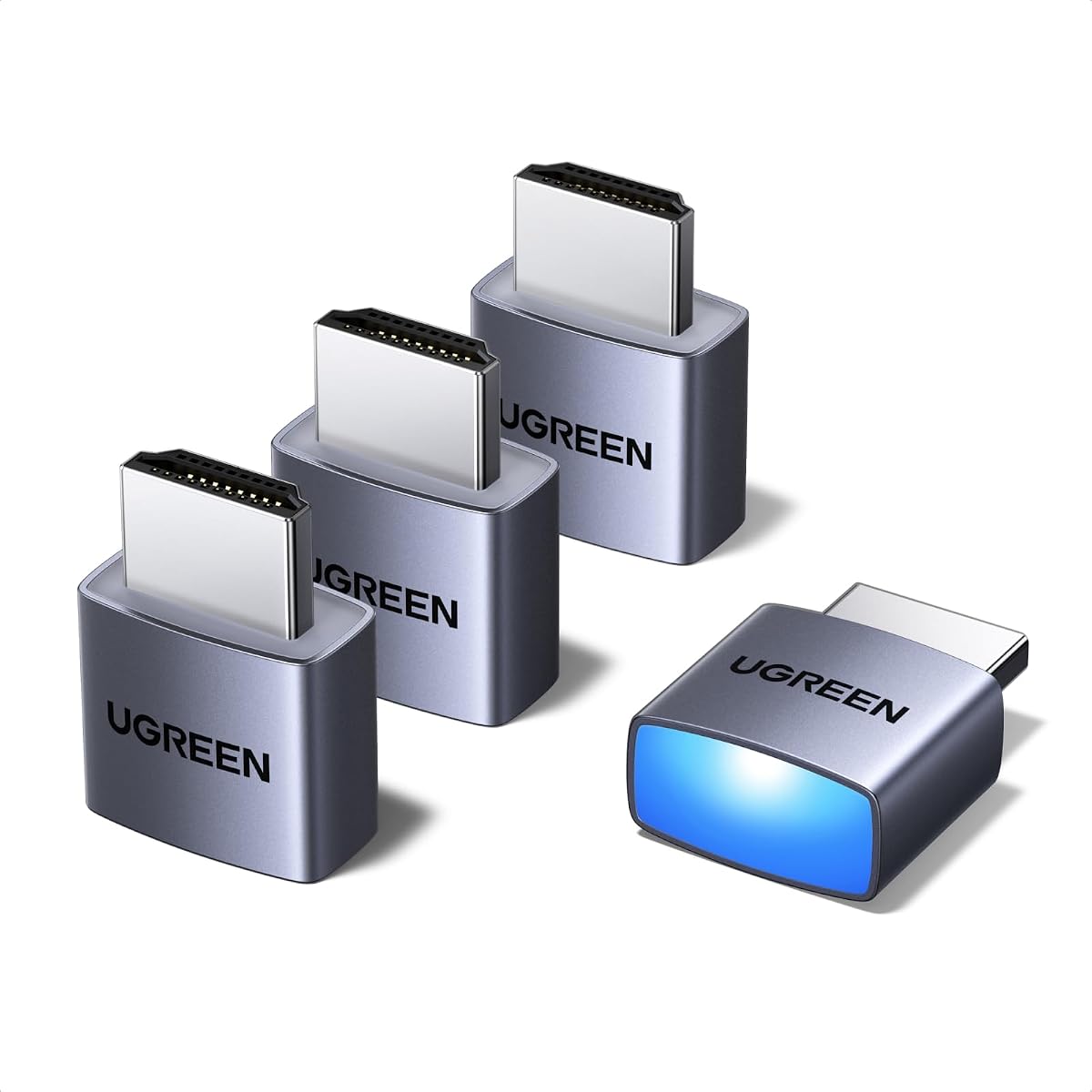
The UGREEN 4 Pack HDMI Dummy Plug stands out as a top choice for users needing reliable virtual display solutions. It supports true 4K@60Hz HDR performance which is ideal for high definition remote desktop work. The unit comes with four plugs which is great for multi machine setups.
We may earn a commission when you buy through this link, at no additional cost to you.
Its construction features a robust aluminum shell that helps dissipate heat during intensive tasks like cryptocurrency mining or video rendering. This design choice ensures the device stays cool and performs consistently over long periods. The integrated status LED gives you immediate visual feedback on connection health.
While it does not support HDMI 2.1 refresh rates above 60Hz for 4K it covers the vast majority of headless use cases effectively. The plug and play nature means you do not need to install any software or drivers to get started. It works seamlessly across Windows Mac and Linux systems without issues.
This is an excellent pick for server farms or home labs where stability is key. If you need to run multiple headless PCs this four pack offers great value. The reliability and build quality make it a safe investment for professional environments.
Supports 4K@60Hz HDR ensuring crisp visuals for remote editing and streaming tasks.
Aluminum shell design prevents overheating during 24/7 operations like mining or simulations.
We may earn a commission when you buy through this link, at no additional cost to you.
This budget friendly four pack delivers impressive performance without breaking the bank. It promises true 4K@60Hz HDR capabilities which is rare at this price tier. Users report high satisfaction rates suggesting consistent quality across the batch.
We may earn a commission when you buy through this link, at no additional cost to you.
The build features industrial grade aluminum armor to resist overheating during marathon computing sessions. A built in status LED helps you verify connections instantly without opening system settings. This practical touch makes it easy to manage multiple remote devices efficiently.
While the brand is less well known than top tier names the product specs align well with standard needs. It works across NVIDIA AMD and Intel GPUs ensuring flexibility for mixed hardware environments. The plug and play interface means no driver headaches for any operating system.
It is a perfect choice for hobbyists or startups setting up initial server clusters. The cost efficiency allows you to equip every node in your network without overspending. Trust the high user rating as a sign of solid reliability for daily use.
Four units allow full coverage of multiple headless PCs for a minimal total investment.
Works with Windows macOS and Linux making it versatile for heterogeneous server fleets.
We may earn a commission when you buy through this link, at no additional cost to you.
This model pushes the boundaries with HDMI 2.1 support and 8K resolution capability. It is designed for enthusiasts who need high refresh rates for game streaming or VR. The specs indicate support up to 4K@120Hz which is fantastic for smooth virtual desktops.
We may earn a commission when you buy through this link, at no additional cost to you.
The plug also mentions compatibility with tools like Moonlight and Steam Link specifically for high frame rate streaming. This makes it a specialized tool for gamers wanting to access remote rigs without a physical monitor. The gold plated connectors suggest a focus on signal integrity and durability.
Note that you must have a graphics card that supports HDMI 2.1 to unlock the full 120Hz potential. Without that hardware you may default to standard 60Hz performance. The price is higher than basic models but you pay for advanced features.
Buy this if you need top tier refresh rates for streaming or high fidelity simulation work. It bridges the gap between basic headless adapters and full display replacement. It is a premium choice for tech savvy users with high end hardware.
Unlock 4K@120Hz and 8K@30Hz for future proof virtual display performance.
Optimized for Moonlight and Steam Link to ensure lag free remote game streaming.
We may earn a commission when you buy through this link, at no additional cost to you.
DTech offers a straightforward three pack solution for basic headless needs. It emulates a high resolution display up to 4K which helps GPUs run at full speed. The gold plated dongle ensures stable digital signals for reliable long term operation.
We may earn a commission when you buy through this link, at no additional cost to you.
This unit is particularly noted for solving Apple OS headless display issues which can be tricky with standard adapters. It allows Mac Mini servers to run without an attached monitor effectively. This makes it a valuable tool for Apple ecosystem server management.
While it lacks the extra bells and whistles of newer models it gets the job done reliably. The compact design fits easily into tight server racks without protruding too much. It is a solid choice for those who need simple plug and play functionality.
Choose this if you are looking for a trusted brand with a three pack bundle. It balances cost and performance well for general home server deployments. It is especially useful if you need a Mac specific solution.
Specifically resolves headless display issues on Apple macOS for seamless operation.
Small size ensures it fits in crowded server environments without obstruction.
We may earn a commission when you buy through this link, at no additional cost to you.
This ultra compact adapter focuses on simplicity for basic remote desktop needs. It supports 1920×1080 at 60Hz which covers many standard administrative tasks. The design allows it to sit flush with your PC port making it very discreet.
We may earn a commission when you buy through this link, at no additional cost to you.
It works with any graphics card that has HDMI output so compatibility is rarely an issue. You will not find configuration software since it is designed for true plug and play setup. This eliminates the need for driver updates or troubleshooting steps.
The trade off is the resolution limit which may not suit high fidelity video editing work. However for server management and remote access it performs efficiently without drawing power. It acts just like a real LCD monitor to your system.
Pick this if you need a single reliable unit for a standard office PC. It is great for keeping a workstation active in a server closet. The low profile ensures it does not get caught on cables or racks.
Works with any HDMI capable GPU ensuring broad utility across hardware types.
Zero configuration required for instant setup without software installation.
We may earn a commission when you buy through this link, at no additional cost to you.
This value pack offers a good balance of features and quantity for home users. It supports 4K@60Hz with HDR which enhances visual quality for remote sessions. The hot swap support allows you to plug and unplug devices without restarting.
We may earn a commission when you buy through this link, at no additional cost to you.
The gold plated interface ensures complete signal transmission for clear data flow. It is designed to save energy compared to running a full physical monitor. This aligns well with environmental protection goals for server farms.
A two year unconditional warranty provides peace of mind against defects or failure. Support is available for any questions regarding setup or performance issues. The low power consumption helps keep electricity costs down in large setups.
Buy this if you need multiple units for different rooms or machines. It is a solid choice for small businesses managing a few headless clients. The warranty coverage adds a nice layer of protection to your purchase.
Swap connections without rebooting for faster testing and maintenance cycles.
Two year unconditional warranty ensures confidence in the product's durability.
We may earn a commission when you buy through this link, at no additional cost to you.
This five pack is a strong contender for larger deployments needing multiple units. It supports 1440P at high refresh rates which is great for detailed work. The aluminum shell provides electromagnetic shielding to prevent signal interference.
We may earn a commission when you buy through this link, at no additional cost to you.
The HDR display simulation mimics peak brightness up to 1015 nits for vivid output. This can help with color sensitive applications like video preview in virtual setups. The full board copper pouring enhances overall signal stability for consistent performance.
Default resolution is 1080p so you may need to configure settings manually for higher. This flexibility allows it to adapt to different GPU capabilities effectively. It is energy efficient and designed for headless operation over long periods.
Select this if you are outfitting a home lab with multiple workstations. The bulk pack pricing per unit is likely very competitive. It works well with VR and multi-screen simulation requirements.
Handles 1440P at 120/144Hz for smoother remote desktop interactions.
Aluminum shell prevents EMI ensuring clean video signal transmission.
We may earn a commission when you buy through this link, at no additional cost to you.
This adapter is built specifically for users wanting 120Hz performance on 4K. It is optimized for streaming from main PC to Steam Deck or ROG Ally. The HDMI 2.1 compatibility opens up future proof refresh rate options for VR setups.
We may earn a commission when you buy through this link, at no additional cost to you.
It tricks the GPU into thinking a monitor is attached to keep HBCC active. This prevents issues where mining or rendering stops if the GPU detects no display. The gold plated fit headless dongle ensures stable digital signal connections.
Note that Windows 11 may limit to 60Hz due to system updates so check compatibility. It is easy to tweak resolutions with OSX Display Menu for Mac users. The design is simple with no drivers or configuration needed.
Use this for headless gaming PCs accessed via Moonlight or similar remote tools. It is best for tweaking 4K 120hz HDR settings for maximum performance. Consider it a specialized tool for gaming enthusiasts.
Tailored for Moonlight and Steam Link to enable smooth remote game streaming.
Keeps hardware cryptocurrency control active to avoid mining interruptions.
We may earn a commission when you buy through this link, at no additional cost to you.
This eight pack offers the highest quantity for large scale deployments. It defaults to 1440P which is a great middle ground for virtual screens. The full board copper pouring and brand new solder ensure long term durability.
We may earn a commission when you buy through this link, at no additional cost to you.
It is designed for energy efficient headless operation to reduce power usage. You can use it for remote control or VR display setup without a real monitor. The thick aluminum shell provides a premium feel and enhanced shielding.
The default resolution helps match many modern laptop displays comfortably for remote work. It works with Raspberry Pi and Jetson Nano which is useful for hobby projects. It is a low cost eco friendly solution for professionals.
Pick this if you are setting up a large server room with many nodes. The per unit cost is likely very low for such a large pack. It handles 24/7 tasks like rendering or mining with guaranteed stable operation.
Eight units provide ample supply for extensive multi-device networks.
Designed to reduce power usage eliminating need for real physical displays.
We may earn a commission when you buy through this link, at no additional cost to you.
This model sets a higher default resolution of 2160P out of the box. This is beneficial if you need high clarity for video preview or display mirroring. The HDR simulation supports peak brightness up to 1015 nits for accurate color.
We may earn a commission when you buy through this link, at no additional cost to you.
It includes five units which is a good mid tier pack size for labs. The build features gold plated connectors and thick aluminum for premium durability. It works with Jetson Nano and Raspberry Pi for development board tasks.
The design is energy efficient allowing systems to run headlessly without waste. You can use it for remote control or screen sharing on small form computers. It is a low cost eco friendly solution for professionals and hobbyists.
Choose this if you need higher default resolution without manual configuration steps. It is versatile enough for both consumer and professional use cases. The five pack size makes it convenient for multiple devices.
2160P default ensures crisp virtual screens without manual adjustments.
Supports Raspberry Pi and Jetson Nano for broader development use.
We may earn a commission when you buy through this link, at no additional cost to you.
Selecting the right adapter depends on your specific technical needs and environment. We have outlined key factors to help you make an informed decision.
Ensure the plug matches the resolution capabilities of your graphics card. Most offer 4K@60Hz which is standard for remote desktop. Some newer models support 8K or 120Hz if you have HDMI 2.1 ports.
Look for specs that match your target virtual desktop resolution to avoid bottlenecks.
Materials like aluminum shells help dissipate heat during continuous operation. Gold plated connectors improve signal integrity and resist corrosion over time. A robust build ensures the adapter survives in server racks or cramped spaces.
Prioritize models with metal housings for better thermal performance and durability.
Check that the adapter works seamlessly with your OS such as Windows or Linux. Some models have specific optimizations for macOS or headless setups like Raspberry Pi. Driver free operation is essential for true plug and play installation.
Confirm OS support in the product details to avoid setup issues on your network.
HDR support can enhance visual fidelity for video editing or streaming tasks. High refresh rates like 144Hz are valuable for gaming setups or motion sensitive work. Ensure the device advertises these features if you need them.
Verify refresh rate capabilities to ensure smooth output for high performance applications.
Ideally the adapter should draw no external power and be passive. Low power consumption helps keep overall system efficiency high especially in server farms. Passive operation reduces cable clutter and installation time.
Choose passive models to minimize power usage and simplify cabling in your setup.
A longer warranty period indicates the manufacturer stands behind the product quality. Support availability can help resolve issues if the connection is unstable. Look for sellers who offer clear return policies.
Opt for products with at least a two year warranty for better peace of mind.
Buying in bulk packs like 3 or 5 units can save money overall. It ensures you have spares if one fails unexpectedly. Consider how many devices you need to equip before selecting a pack size.
Select a pack size that matches the number of headless machines you plan to use.
Stable signal transmission is critical for uninterrupted remote sessions. Features like full board copper pouring and shielding prevent electromagnetic interference. Check for status LEDs to easily monitor connection health at a glance.
Look for technical features that enhance signal stability to avoid dropped connections.
To use the adapter simply plug it directly into an available HDMI port on your computer. Ensure your computer is powered on so it detects the new display instantly. No drivers or software are usually required for it to work.
Once connected your operating system should recognize it as a new monitor. You can configure the screen resolution in display settings to match your needs. This allows you to run applications that require a monitor attached.
Keep the plug clean by wiping it with a dry cloth if dust accumulates. Avoid bending the metal connector excessively to maintain its integrity. If you need to remove it unplug it gently and store it in a dry place.
An HDMI dummy plug tricks your graphics card into thinking a monitor is connected. This allows your system to run at full resolution and GPU speed without a physical display. It is commonly used for remote desktop, mining, and headless servers.
Most modern HDMI dummy plugs do not require any driver installation. They are plug and play devices that are recognized automatically by your operating system. This makes them easy to use on Windows, Mac, and Linux.
Using a dummy plug enables GPU rendering which is essential for remote gaming. It allows high performance tasks to run even if no screen is attached. However ensure the model supports your target refresh rate for best results.
Yes many models are specifically designed to work with Mac Mini servers. They solve common headless display issues found on macOS devices. Check the product compatibility list to confirm it supports Apple systems.
Yes dummy plugs are popular in mining setups to keep GPUs active. They prevent the hardware from throttling due to lack of display. Ensure the model is stable for long term operation under load.
Most top picks support 4K@60Hz which is standard for high definition work. Some advanced models support 4K@120Hz or even 8K resolutions. Always check the specific resolution support of the model you choose.
We reviewed ten excellent options that cater to different needs and budgets. The UGREEN 4 Pack offers the best overall value with solid reliability and support. The 4 Pack HDMI Dummy Plug stands out for budget conscious buyers.
For high performance needs the 4K 120Hz HDMI 2.1 model provides future proof features. Choose based on whether you need bulk quantity or high refresh rates for your tasks. Always consider the resolution and compatibility requirements first.
Keep in mind that availability changes often so check current stock before buying. We recommend verifying the latest product details to ensure it meets your current setup.