
MSI MAG 274QP QD-OLED X24 27-Inch WQHD Gaming Monitor
4.6Editor score
Quantum Dot OLED panel technology
0.03ms response time
240Hz refresh rate with HDMI 2.1
Finding the right display for high performance gaming requires balancing resolution and speed. A 1440p monitor at 240Hz offers sharp visuals and fluid motion essential for competitive play. These screens provide the clarity needed for detail and the speed required for quick reactions.
We evaluated ten top models based on panel technology, refresh rates, and feature sets. Our analysis focuses on IPS and OLED options that deliver consistent performance across different genres. Each entry represents a distinct approach to achieving smooth high resolution gaming experiences.
Every pick highlights specific strengths like color accuracy or response times. Please note that specifications and availability can shift frequently in the market. Check current listings for the most up to date information before making your final decision on a new monitor.
4.6Editor score

4.6Editor score

4.5Editor score
As an Amazon Associate we earn from qualifying purchases.
This table provides a quick side by side look at the key specifications for each of the ten selected monitors. Use this to compare panel types, refresh rates, and connectivity options at a glance.


This monitor stands out for its aggressive focus on speed without sacrificing visual quality. With a rating of 4.6 stars it has garnered significant approval from users who need reliable performance. The IPS panel ensures consistent colors while the 240Hz refresh rate keeps motion smooth.
We may earn a commission when you buy through this link, at no additional cost to you.
The standout quality here is the combination of speed and color. The 0.3ms MPRT response time helps reduce motion blur significantly during fast-paced scenes. This makes it ideal for competitive shooters where every millisecond counts for accuracy and reaction.
Some trade-offs exist regarding ergonomics and peak brightness. The tilt adjustment range is decent but lacks height adjustment which might affect comfort over long sessions. However for a dedicated gaming setup the performance gains usually outweigh these minor ergonomic limitations.
Buyers looking for a balanced mix of speed and visual fidelity should consider this model. It fits well in setups where screen tearing is a major concern and where smooth motion is prioritized. It delivers a strong performance for a wide range of gaming titles.
The 240Hz refresh rate paired with low response times ensures that moving objects remain sharp and distinct.
Compatibility with G-Sync and FreeSync eliminates screen tearing for a seamless visual experience across different GPUs.
We may earn a commission when you buy through this link, at no additional cost to you.
This model brings high refresh rates to the budget conscious gamer who needs reliable performance. With a rating of 4.2 stars it offers a practical option for those seeking speed without breaking the bank. The IPS technology provides good color reproduction for mixed usage.
We may earn a commission when you buy through this link, at no additional cost to you.
Key strengths include its full ergonomic stand which allows for height tilt pivot and swivel adjustments. This flexibility helps in positioning the screen perfectly for comfort during long gaming sessions. The inclusion of built-in speakers is a convenient bonus for basic audio needs.
The response time can vary depending on the connection type which might cause minor inconsistencies. Users relying heavily on HDMI might see a lower refresh rate compared to DisplayPort. This should be considered when planning your cabling and GPU outputs.
Ideal for users who prioritize stand ergonomics alongside high refresh rates. It serves well as a primary display for both gaming and general tasks. The balance of features makes it a versatile choice for a multi-use desk setup.
The ergonomic stand supports height tilt swivel and pivot for customizable viewing angles.
Built-in speakers provide basic audio without the need for external speakers or headphones.
We may earn a commission when you buy through this link, at no additional cost to you.
This monitor delivers a premium experience with features like HDMI 2.1 and strong color coverage. With a rating of 4.4 stars it appeals to users who want high fidelity visuals alongside speed. The IPS panel ensures accurate colors across the screen.
We may earn a commission when you buy through this link, at no additional cost to you.
Key strengths include its robust connectivity options and audio features. HDMI 2.1 allows for future-proofing and the DTS Headphone:X provides immersive audio experiences. The color gamut coverage ensures that images look vibrant and true to life.
The HDR implementation is functional but not as impactful as OLED alternatives. While it supports HDR400 the contrast levels are typical for IPS panels. This is a reasonable trade-off for the speed and color accuracy offered by the panel technology.
Recommended for users who value connectivity and color accuracy in a high speed monitor. It fits well in setups that include next-gen consoles or powerful GPUs. The feature set supports a wide range of high quality media consumption and gaming.
HDMI 2.1 ports ensure compatibility with the latest consoles and high-bandwidth video signals.
DTS Headphone:X technology enhances spatial audio for a more immersive gaming experience.
We may earn a commission when you buy through this link, at no additional cost to you.
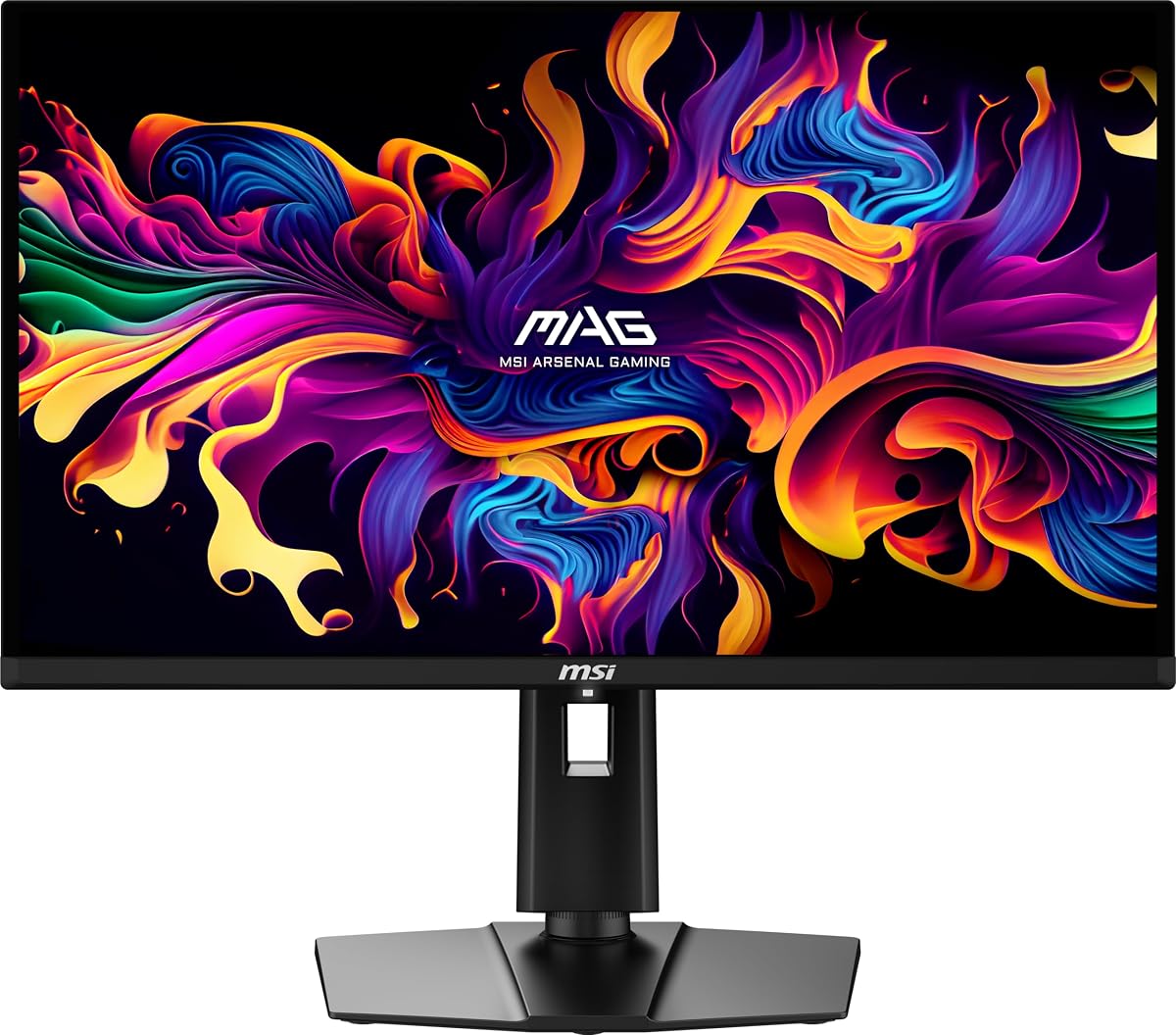
This model pushes the boundaries of visual fidelity with its QD-OLED technology. With a rating of 4.5 stars it is favored by enthusiasts who demand the best contrast and response speed. The panel delivers true blacks that enhance image depth significantly.
We may earn a commission when you buy through this link, at no additional cost to you.
The key strengths lie in its unmatched speed and color performance. The 0.03ms response time eliminates blur entirely making motion appear incredibly crisp. The quantum dot layer adds vibrant saturation that makes games look lifelike and engaging.
Potential buyers must consider the risk of OLED burn-in over time despite protections. The cost is also significantly higher than standard IPS panels. However for those seeking the ultimate image quality these factors are often acceptable compromises.
Best suited for gamers who prioritize image quality and speed above all else. It transforms competitive games with its clarity and fluidity. The immersive experience it provides makes it a top choice for dedicated gaming rigs.
Self-emissive OLED pixels allow for perfect blacks and infinite contrast ratios in dark scenes.
The sub-millisecond response time ensures zero motion blur and ghosting in any situation.
We may earn a commission when you buy through this link, at no additional cost to you.
This monitor offers high refresh rates at a price point that competes aggressively. With a strong rating it appeals to those who need speed without a large investment. The Fast IPS panel provides reliable performance for demanding gaming sessions.
We may earn a commission when you buy through this link, at no additional cost to you.
Key strengths include its overclockable refresh rate and extensive stand adjustments. The ability to reach 275Hz gives an edge in competitive scenarios. Additionally the full ergonomic stand allows for perfect positioning which is rare at this price.
Some users might find the build materials slightly less refined than premium brands. Software support is also more basic compared to major manufacturers. However the core performance metrics make it a standout for budget-focused builders.
Highly recommended for gamers seeking maximum frames per dollar. It delivers a smooth experience that rivals more expensive options. The combination of speed and adjustability makes it a practical choice for many setups.
The monitor can overclock to 275Hz for even smoother motion in supported titles.
Wide sRGB coverage ensures vibrant colors that are suitable for creative and gaming tasks.
We may earn a commission when you buy through this link, at no additional cost to you.
This model targets professional gamers who need every edge in performance. With a rating of 4.3 stars it delivers advanced features like ELMB SYNC and high refresh rates. The Fast IPS panel ensures crisp visuals during fast action.
We may earn a commission when you buy through this link, at no additional cost to you.
Key strengths include its connectivity and motion blur reduction technology. USB-C with DP Alt mode simplifies cabling for modern laptops. The ELMB SYNC feature allows for reduced motion blur without losing variable refresh rate benefits.
The cost is higher than average which may limit its appeal to casual buyers. Some features rely on specific software which requires setup time. These are acceptable for those prioritizing cutting-edge technology and performance.
Perfect for users who need a versatile and high-performance display for work and play. The feature set supports both gaming and productivity needs effectively. It stands as a robust choice for serious enthusiasts.
ELMB SYNC combines blur reduction with variable refresh rate for sharper moving images.
USB-C with DP Alt mode allows for video and power transfer through a single cable.
We may earn a commission when you buy through this link, at no additional cost to you.
This monitor combines quantum dot technology with OLED for exceptional visuals. With a rating of 4.6 stars it is respected for its color accuracy and contrast performance. The panel delivers deep blacks and vibrant saturation simultaneously.
We may earn a commission when you buy through this link, at no additional cost to you.
Key strengths include its thermal management and connectivity. The graphene heatsink allows for silent operation without active cooling fans. HDMI 2.1 ports provide excellent bandwidth for next-generation console gaming and PC outputs.
The premium price is a significant factor for potential buyers. Additionally the lack of built-in speakers may require external audio solutions. These are common trade-offs in high-end panel monitors focused on image quality.
Ideal for users who want the absolute best color and contrast available. It serves well in both competitive gaming and media consumption. The visual fidelity offered here is hard to match by other panel types.
Passive graphene cooling ensures the panel stays cool without noise from fans.
HDMI 2.1 ports ensure you can connect the latest consoles at full potential.
We may earn a commission when you buy through this link, at no additional cost to you.
This monitor is known for its distinctive look and vibrant color performance. With a rating of 4.3 stars it attracts users who value style alongside speed. The Nano Color technology ensures colors pop and stay vivid.
We may earn a commission when you buy through this link, at no additional cost to you.
Key strengths include its brightness and adjustment options. The peak brightness supports HDR600 which makes bright scenes stand out more clearly. The stand offers full ergonomic adjustments for comfortable viewing over long periods.
The design might not suit every desk aesthetic due to its specific lighting. The cost is also on the higher side compared to similar specs. However the build quality and brand support justify the investment for many.
Recommended for users who want a stylish and high-performance monitor. It works well in setups where aesthetics are as important as raw speed. The balance of features offers a complete package for dedicated gamers.
Nano Color technology enhances color accuracy and vibrancy for realistic visuals.
HDR600 certification provides better dynamic range for bright and dark scene details.
We may earn a commission when you buy through this link, at no additional cost to you.
This model offers a solid mix of speed and visual clarity for gamers. With a rating of 4.4 stars it provides a reliable platform for competitive play. The IPS panel ensures consistent colors across the screen.
We may earn a commission when you buy through this link, at no additional cost to you.
Key strengths include its bezel design and color accuracy. The zero-frame design maximizes screen space and immersion. The 99% sRGB support makes it suitable for tasks that require precise color reproduction.
The stand lacks height adjustment which limits ergonomic options for some users. The OSD menu is also quite basic compared to more feature-rich models. These are acceptable for users who prioritize core performance features.
Best for users looking for a straightforward and capable gaming display. It handles high frame rate games well without unnecessary complexity. The value proposition remains strong for those seeking speed and color.
The zero-frame design provides a seamless viewing experience ideal for multi-monitor setups.
Support for 99% sRGB ensures accurate colors for both gaming and creative work.
We may earn a commission when you buy through this link, at no additional cost to you.
This monitor represents the latest evolution in OLED gaming displays. With a rating of 4.6 stars it is designed for users who demand the best visual fidelity. The panel combines speed with deep contrast for an immersive experience.
We may earn a commission when you buy through this link, at no additional cost to you.
Key strengths include its advanced care features and silent operation. OLED Care 2.0 helps reduce aging risks which extends the panel's lifespan. The customized heatsink ensures quiet operation without the noise of active fans.
The cost is high and the panel requires mindful usage to prevent burn-in. These factors might deter budget-focused buyers. However for enthusiasts the visual benefits far outweigh these considerations in most cases.
Recommended for users seeking the ultimate in motion and contrast performance. It transforms the look of any game with its vivid colors and clarity. This display is a top-tier choice for dedicated gaming setups.
Advanced care services reduce the risk of image retention and extend panel life.
A silent heatsink design ensures efficient cooling without fan noise during use.
We may earn a commission when you buy through this link, at no additional cost to you.
Selecting the right monitor involves evaluating several technical factors to ensure compatibility with your system. This section outlines the key elements to consider before making a purchase.
IPS panels offer wider viewing angles and better color consistency which is vital for games with varied lighting. OLED panels provide perfect blacks and faster response times but can come with higher price tags and burn-in risks.
Choose IPS for reliability and color consistency or OLED for superior contrast and speed if you can manage the cost and care requirements.
A 240Hz refresh rate ensures that motion appears smooth and fluid which is critical for competitive gaming. Response times under 1ms help eliminate ghosting and motion blur during fast transitions.
Look for monitors that list both high refresh rates and low response times to ensure the clearest and smoothest motion possible.
Technologies like G-Sync and FreeSync prevent screen tearing by synchronizing the monitor refresh rate with your GPU output. This ensures a seamless visual experience without visual artifacts.
Ensure your chosen monitor supports adaptive sync standards compatible with your graphics card for uninterrupted gameplay.
A good stand should offer height tilt swivel and pivot adjustments to help you maintain a comfortable viewing position. Poor ergonomics can lead to neck strain during extended sessions.
Prioritize monitors with full ergonomic adjustments if you plan to use the screen for long periods daily.
Modern gaming often requires high bandwidth connections such as HDMI 2.1 or DisplayPort 1.4 to support high refresh rates and resolutions. USB-C can also be useful for docking laptops or providing power.
Check that the monitor has the necessary ports to connect your specific hardware without needing adapters.
A wide color gamut like DCI-P3 ensures vibrant and accurate colors which enhance the visual experience. HDR certification indicates support for dynamic range which can make bright and dark scenes more detailed.
Consider color coverage and HDR capabilities if you consume media or play games with rich visual content.
Solid build materials and protective features like advanced OLED care can extend the lifespan of your monitor. Good manufacturing standards ensure the device withstands daily use over years.
Choose brands with a reputation for quality control and reliable warranty service for peace of mind.
High-performance monitors often come with higher price tags but some models offer excellent value by balancing features and cost. It is important to assess what features you actually need versus what is just a luxury.
Evaluate the total package of speed and visuals and ergonomics against the price to find the best value for your setup.
Always connect your monitor using the correct cable type such as DisplayPort or HDMI 2.1 to ensure you get the full refresh rate. Using outdated cables can restrict performance and lead to lower frame rates.
Calibrate your monitor settings through the OSD menu to match your preferences for color and brightness. Adjusting settings like gamma and sharpness can help reduce eye strain during long sessions.
For OLED monitors enable built-in screen saver features or static image protection to minimize the risk of burn-in. Periodically moving the screen layout or using dynamic wallpapers can also protect the panel.
Yes, the difference is noticeable especially in competitive titles like shooters where split-second timing matters. The higher refresh rate provides smoother motion and reduces motion blur. If you have a powerful GPU capable of high frame rates you will benefit significantly from the upgrade.
To fully utilize a 240Hz monitor you need a graphics card that can consistently deliver over 240 frames per second. This usually requires high-end hardware and optimized game settings. If your system cannot reach high frames the monitor will still work but you will not see the full benefit.
IPS panels offer better brightness and color consistency without the risk of burn-in making them great for mixed use. OLED panels provide perfect blacks and faster response times which enhances contrast and speed. Your choice depends on whether you prioritize longevity or visual fidelity.
Yes, many models support HDMI 2.1 which is necessary for next-gen consoles to reach high frame rates. Check the specific port details to ensure you get the full refresh rate when connected to a console.
Enable features like screen savers automatic brightness limiters and pixel shifting when available. Avoid displaying static elements like taskbars for extended periods. Periodically changing your layout can also help distribute pixel usage evenly.
Many of these models offer high color gamut coverage and accuracy which makes them suitable for design work. However dedicated professional monitors might offer better calibration out of the box. For general content creation these are a strong starting point.
You typically need a DisplayPort 1.4 or HDMI 2.1 cable to achieve 240Hz at 1440p. Ensure your cable is certified for the bandwidth required to avoid signal loss or lower refresh rates.
Some models include basic built-in speakers for convenience but audio quality can vary. Many high-performance gamers prefer dedicated headsets for better sound and communication. Always check the specs to see if speakers are included before purchasing.
The ten monitors covered in this guide offer a range of options from budget-friendly IPS panels to premium OLED displays. Each model brings unique strengths in speed color and ergonomics to suit different needs.
When making your choice prioritize the features that matter most for your gaming style. Whether you need raw speed or color accuracy there is a display here that fits your requirements.
Remember to check current availability and verify the specs on the official product pages before buying. These models are strong candidates for creating a high-performance gaming setup today.