
Computer Speakers for Desktop PC Monitor
4.2Editor score
USB-C adapter included
Clip-on monitor mount
Touch volume control
This comprehensive guide compares the top external speakers for MacBook setups to help you find the best audio solution for your desktop or laptop workspace
Enhancing your MacBook experience often requires better sound than built-in speakers provide. External speakers deliver richer audio, deeper bass, and clearer dialogue for work and entertainment needs.
We evaluated ten top-rated speakers based on compatibility, sound quality, connectivity options, and design fit. Each product was analyzed for its ability to integrate seamlessly with modern Mac laptops and desktops.
Every pick highlights key strengths, trade-offs, and ideal use cases. Prices and availability may change, so check the latest listings before making your final decision for your setup.
4.2Editor score

4.4Editor score
4.5Editor score
The following table provides a side-by-side overview of all ten speakers, highlighting their core specifications and key features to help you compare options quickly.




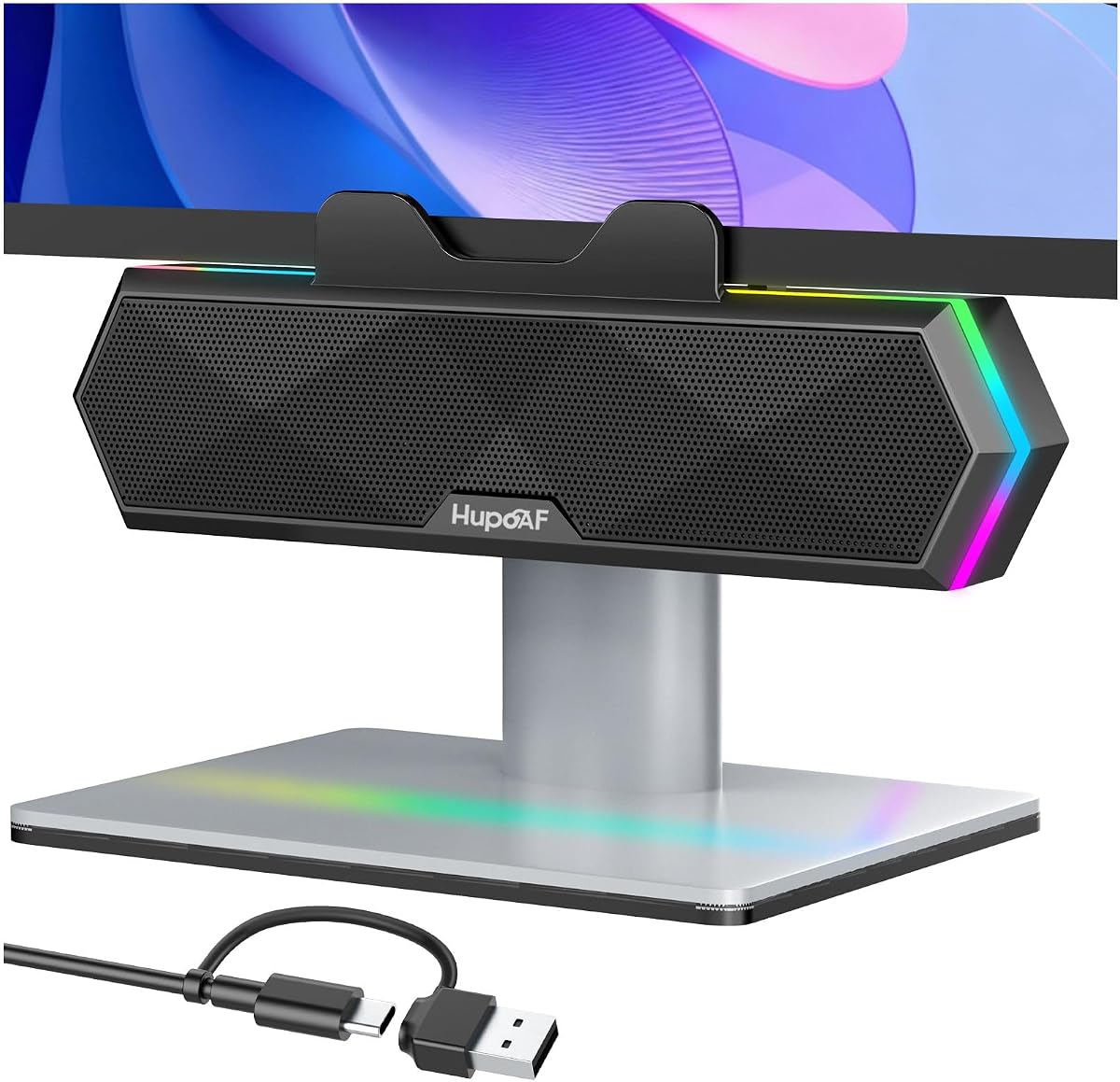
This compact speaker offers an affordable entry point for MacBook audio upgrades with solid connectivity options and space-saving design features.
We may earn a commission when you buy through this link, at no additional cost to you.
Its USB-C adapter ensures seamless plug-and-play setup on modern MacBooks while touch controls provide quick volume adjustments without navigating system settings.
The adaptive channel switching ensures left and right audio stays correct regardless of clamp orientation, though bass response remains modest for music.
Ideal for students and professionals needing clear audio for calls and media on a budget without sacrificing desk space or Mac compatibility.
The clamp mount keeps your desk clear while positioning speakers at ear level for better audio projection during long work sessions.
Built for macOS integration with no driver installation required, ensuring immediate audio output upon connection to your MacBook.
We may earn a commission when you buy through this link, at no additional cost to you.
Amazon Basics delivers a no-frills speaker solution that works reliably with MacBooks through USB power and a standard aux input.
We may earn a commission when you buy through this link, at no additional cost to you.
Its in-line volume control and blue LED indicators offer basic convenience while the metal finish provides durability on a desktop surface.
Lack of Bluetooth limits flexibility but keeps costs low for users who prioritize wired stability and straightforward connection methods.
Best for those needing a simple backup speaker or secondary setup where high fidelity is less critical than immediate functionality.
The USB power and 3.5mm input make this a perfect choice for users who prefer stable, non-wireless connections for daily tasks.
A scratch-free padded base protects your desk while the metal finish ensures longevity despite regular use in office environments.
We may earn a commission when you buy through this link, at no additional cost to you.
The Z207 brings wireless convenience to MacBook setups with reliable Bluetooth connectivity and a useful easy-switch feature for multitasking.
We may earn a commission when you buy through this link, at no additional cost to you.
Users can seamlessly toggle between devices like an iPhone and MacBook without reconnecting, enhancing workflow flexibility throughout the day.
Its passive radiator delivers decent bass extension for the price though Bluetooth version 4.2 feels dated compared to newer options.
A solid pick for users wanting wireless freedom without spending premium prices while maintaining wired compatibility for stationary desktop use.
Easy-Switch technology allows quick audio routing between paired devices making it ideal for multitaskers who juggle multiple gadgets.
The passive radiator enhances low end frequencies providing a fuller sound profile suitable for music and movie playback sessions.
We may earn a commission when you buy through this link, at no additional cost to you.
The Pebble V3 excels with modern USB-C connectivity and Bluetooth 5.0 making it a top choice for contemporary MacBook Pro and Air models.
We may earn a commission when you buy through this link, at no additional cost to you.
Its clear dialog processing ensures spoken audio remains intelligible during video calls or streaming without affecting background music quality negatively.
A gain switch allows users to push volume levels higher for louder output though the small design limits deep bass capabilities overall.
Recommended for those seeking a clutter-free desk setup with strong audio clarity and wireless options at a very competitive price point.
Supporting both USB-C and Bluetooth ensures compatibility with MacBooks that lack ports or prefer wireless streaming from mobile devices.
Clear Dialog technology enhances voice frequencies making it a great choice for frequent Zoom meetings and online learning sessions.
We may earn a commission when you buy through this link, at no additional cost to you.
The M60 delivers high-fidelity audio with 66W RMS power and Hi-Res certification perfect for audiophiles using MacBook setups for critical listening.
We may earn a commission when you buy through this link, at no additional cost to you.
Its touch-sensitive control panel offers modern convenience with automatic backlighting while Bluetooth 5.3 ensures stable wireless streaming for music.
Aluminum stands angle the speakers toward ear level reducing distortion and optimizing soundstage for accurate monitoring and immersive media.
Best suited for professionals and music lovers willing to invest in superior audio quality and elegant design for a high-end workspace.
Hi-Res certification and LDAC support ensure high-quality wireless streaming delivering detailed sound for music and video content.
Included aluminum stands position speakers at the ideal height reducing distortion and improving directivity for clearer sound projection.
We may earn a commission when you buy through this link, at no additional cost to you.
Designed for audio professionals the MR3 offers Hi-Res certification and precise monitoring capabilities ideal for video editing and music creation on MacBooks.
We may earn a commission when you buy through this link, at no additional cost to you.
Its balanced TRS and RCA inputs provide flexibility for connecting external audio interfaces ensuring accurate sound reproduction for critical listening tasks.
Users can switch between music monitor and custom modes while the ConneX app allows deep EQ adjustments to suit specific acoustic environments.
Ideal for creatives needing reliable audio monitoring tools that offer detailed sound without needing an external DAC or amplifier system.
Multiple listening modes allow users to switch between accurate monitoring and casual music playback enhancing versatility for creative workflows.
The ConneX app provides advanced EQ adjustments letting users tailor sound profiles to match room acoustics and personal preferences.
We may earn a commission when you buy through this link, at no additional cost to you.
This soundbar-style speaker provides an easy USB audio boost for MacBooks with dual drivers and a passive radiator enhancing low frequencies.
We may earn a commission when you buy through this link, at no additional cost to you.
It requires only a single USB cable for both power and audio simplifying setup and reducing clutter on modern desktop surfaces.
MacOS compatibility is ensured without needing extra drivers making it a straightforward plug-and-play solution for basic audio needs.
Suitable for budget-conscious users seeking louder output and clearer sound without needing wireless connectivity or complex configurations.
Using one USB cable for power and audio reduces cable clutter making it easier to manage desks with limited ports or space.
Seamless support for macOS and ChromeOS ensures immediate audio output without technical setup making it accessible for all users.
We may earn a commission when you buy through this link, at no additional cost to you.
The FUNLOGY Speaker delivers punchy 14W output in a compact palm-sized design that fits easily on any MacBook desk setup without clutter.
We may earn a commission when you buy through this link, at no additional cost to you.
A 30-degree tilt design directs audio straight to your ears enhancing clarity and immersive experience without requiring external stands.
Noise-reducing components ensure clear sound free from static during startup or shutdown while the volume dial allows precise manual control.
Best for gamers and casual users needing a small reliable speaker that balances sound quality with space-saving aesthetics for daily use.
The upward-facing layout optimizes sound delivery to ear level improving clarity and reducing sound dispersion in smaller spaces.
Gold-plated inputs and noise reduction minimize static and interference ensuring consistent audio quality during all system states.
We may earn a commission when you buy through this link, at no additional cost to you.
Designed for professional use this speakerphone prioritizes call clarity with AI noise cancellation and Teams certifications ensuring seamless meeting integration.
We may earn a commission when you buy through this link, at no additional cost to you.
LED indicators clearly show mute and volume status while full-duplex audio allows multiple voices to be heard clearly during conference calls.
Music playback is secondary to voice optimization making it less ideal for entertainment but excellent for business workflows on MacBook.
Best for remote workers and executives needing a reliable audio device optimized for collaboration tools and high-quality voice communication.
Certified for Teams and Zoom it offers dedicated buttons and reliable audio routing tailored for professional virtual meetings and calls.
AI noise cancellation filters background sounds ensuring your voice and others are heard clearly even in noisy office environments.
We may earn a commission when you buy through this link, at no additional cost to you.
This monitor speaker combines solid audio performance with vibrant RGB lighting offering a dynamic visual and sound upgrade for gaming setups.
We may earn a commission when you buy through this link, at no additional cost to you.
Dual ultra-magnetic drivers provide deep bass and clear mids while the clip-on mount keeps speakers elevated and saves valuable desk space.
Six lighting modes let users customize aesthetics to match their mood though lights can be turned off for a distraction-free workspace.
Perfect for gamers and students who want functional audio with decorative flair that enhances the overall look of a desk setup.
Customizable lighting modes allow users to personalize their setup visually creating an immersive atmosphere for gaming or creative work.
The spring clamp design securely attaches to monitors ensuring stable placement and easy access to audio controls without desk clutter.
We may earn a commission when you buy through this link, at no additional cost to you.
Selecting the right external speakers requires understanding your audio needs connectivity options and desk space constraints for your specific MacBook setup.
Check your MacBook ports to determine if you need USB-A USB-C or 3.5mm aux. Modern MacBooks often rely on USB-C or wireless Bluetooth for audio.
Prioritize USB-C or Bluetooth for plug-and-play convenience without adapters to ensure seamless integration with your system.
Identify whether you prioritize deep bass balanced music playback or clear dialogue for calls. Different speakers optimize for different use cases like movies versus meetings.
Look for reviews focusing on audio profiles matching your primary activity to avoid disappointment with sound characteristics.
Consider desk size and monitor setup. Clip-on monitors save space while tower speakers require more area but often deliver better sound separation.
Choose mounting options that keep speakers at ear level to improve audio directionality and reduce clutter on your workspace.
Most external speakers draw power via USB or AC adapters. USB-powered models reduce cable clutter but may limit output power compared to wall-plugged units.
Ensure your MacBook ports can supply enough power for USB speakers to avoid performance issues or connection drops.
Bluetooth offers flexibility but introduces latency issues. USB Bluetooth 5.0 or higher ensures stable connections for music and calls without delays.
Wireless streaming works best for mobile pairing but wired USB connections remain superior for syncing audio with video playback.
Budget speakers provide basic sound upgrades while premium models offer audiophile quality and advanced controls. Decide how much you are willing to spend for gains.
Balance cost against features like touch controls and app support to ensure you get the best long-term value for your setup.
Speakers vary from minimalist black designs to colorful RGB options. Choose a finish that complements your MacBook and existing desk furniture style.
Consistent design enhances your workspace appeal while functional buttons and lights add usability without overwhelming your visual space.
Not all speakers include built-in mics. For video calls check if the device offers a mic or requires a separate headset for input.
Ensure connectivity supports both output and input if you plan to use the speakers primarily for communication and meetings.
Connect your speakers to your MacBook via USB or Bluetooth and select the output device in System Settings under Sound preferences.
Place speakers symmetrically on either side of your monitor to create a stereo image and avoid distortion from uneven placement.
Regularly clean the grilles and touch panels with a dry cloth and keep them dry to maintain long performance and avoid damage.
Most models include USB-C cables or built-in USB-C compatibility so no adapters are needed for modern MacBook Pros. Older models might need a USB-C to USB-A adapter.
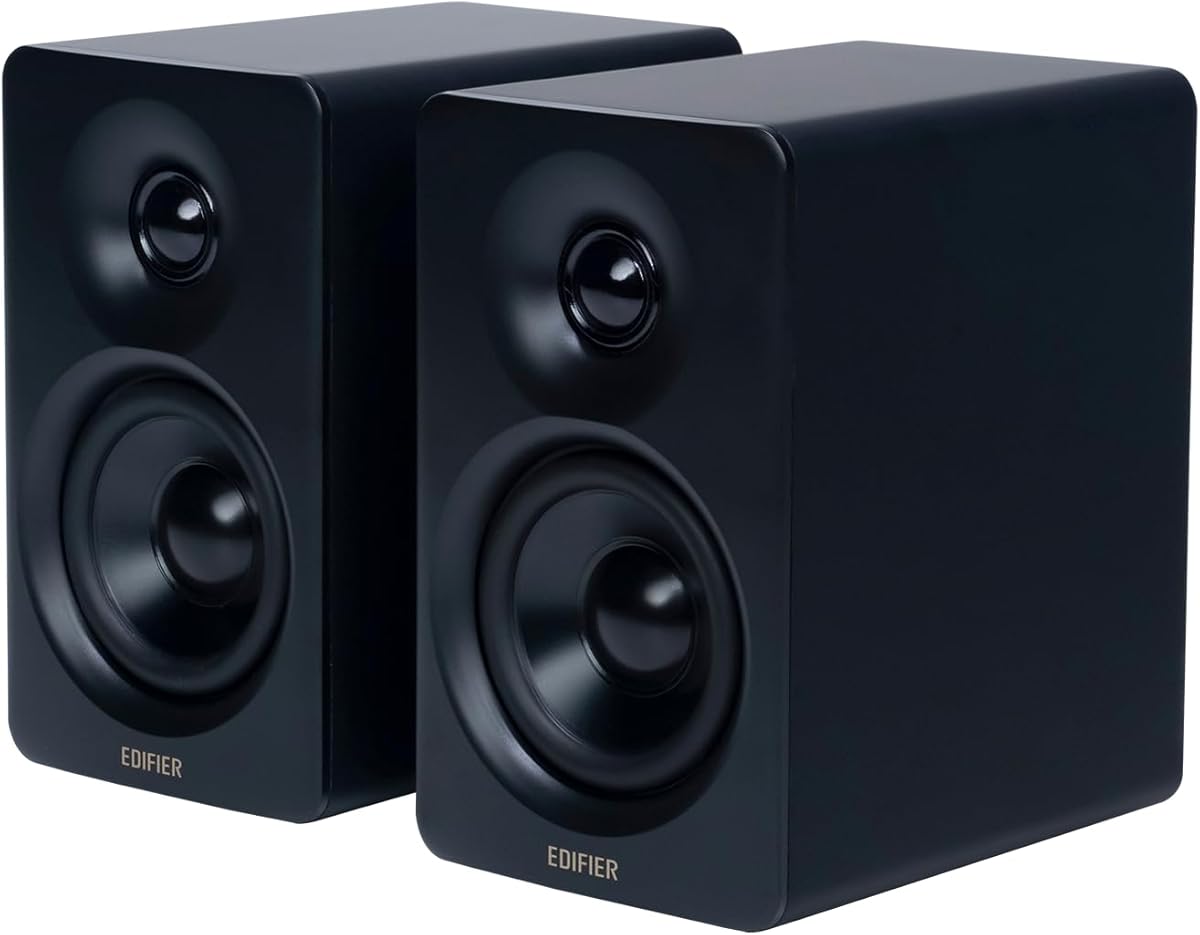
Yes but studio monitors like the Edifier MR3 offer flat response ideal for editing. Standard speakers are better for casual playback and general media consumption.
Bluetooth models work with iPhones and iPads while USB ones require adapters. Always check connection requirements before purchasing for multi-device use.
Output varies by model from 14W to 66W RMS. For most desktop use even budget models provide enough volume for clear media playback at normal distances.
No these speakers are plug-and-play on macOS requiring no additional software installation to function correctly after connecting via USB or Bluetooth.
Clip-on models mount securely on top or bottom edges of monitors but verify thickness limits. Most supports standard screens up to 1.6 inches thick.
Yes especially models with bass boost and RGB lighting. However low-latency wired connections are preferred to avoid sync issues during gameplay sessions.
Most do not include mics. For calls you will need a separate headset or rely on your MacBook mic unless the model is a dedicated speakerphone device.
Whether you need a budget-friendly upgrade or a premium audio experience there is a speaker on this list to match your MacBook workflow and budget.
Prioritize connectivity options and sound quality based on whether you focus on calls music or gaming to get the best value for your investment.
Check current availability and prices before buying as deals change often and the best choice may vary depending on your specific needs.