
OREI 4×2 HDMI Matrix Switch 4K
4.1Editor score
Affordable 4K@60Hz performance
Built-in 1080p downscaler
Simple IR remote control included
Compare the top HDMI Matrix Switch models for home and commercial use. Our expert guide reviews features, performance, and compatibility to help you choose.
Choosing the right HDMI matrix switch can transform how you manage multiple video sources and displays. Whether you are setting up a home theater or a commercial conference room, a reliable matrix ensures smooth signal routing without quality loss.
We evaluated the leading models based on resolution support, audio extraction capabilities, and control options. Our analysis covers everything from budget-friendly 4×2 units to professional 8×8 systems with advanced networking features for scalable installations.
Each product listing highlights key specifications and real-world performance notes to guide your decision. Please note that availability and pricing may fluctuate, so verify current details before purchasing to ensure you get the best value.
4.1Editor score

4.3Editor score

4.7Editor score
This table provides a quick side-by-side overview of all ten selected matrix switches. Use these specifications to identify the model that best fits your specific resolution and routing requirements.



The OREI 4×2 HDMI Matrix Switch 8K stands out as the top choice for users planning for next generation home theater setups. With a strong rating and support for 8K resolution, it ensures your investment lasts as display technology evolves rapidly.
We may earn a commission when you buy through this link, at no additional cost to you.
Its standout quality lies in the HDMI 2.1 compliance which brings Variable Refresh Rate and Auto Low Latency Mode to multi source setups. This makes it particularly valuable for gamers who need multiple consoles connected to different screens without compromising frame rates or input lag.
Audio handling is equally impressive with full eARC support between specific input and output ports allowing lossless audio return. The only trade-off is the requirement for high speed cables and compatible audio equipment to fully utilize these advanced features.
If you are building a premium entertainment system or a professional AV setup where future proofing is critical, this switch is highly recommended. It balances raw performance with smart features better than any other model in this comparison.
The 40Gbps bandwidth ensures stable transmission of 8K@60Hz with 10-bit color depth for cinema quality visuals.
Variable Refresh Rate and Auto Low Latency Mode support provide smooth gameplay across multiple connected gaming consoles.
We may earn a commission when you buy through this link, at no additional cost to you.
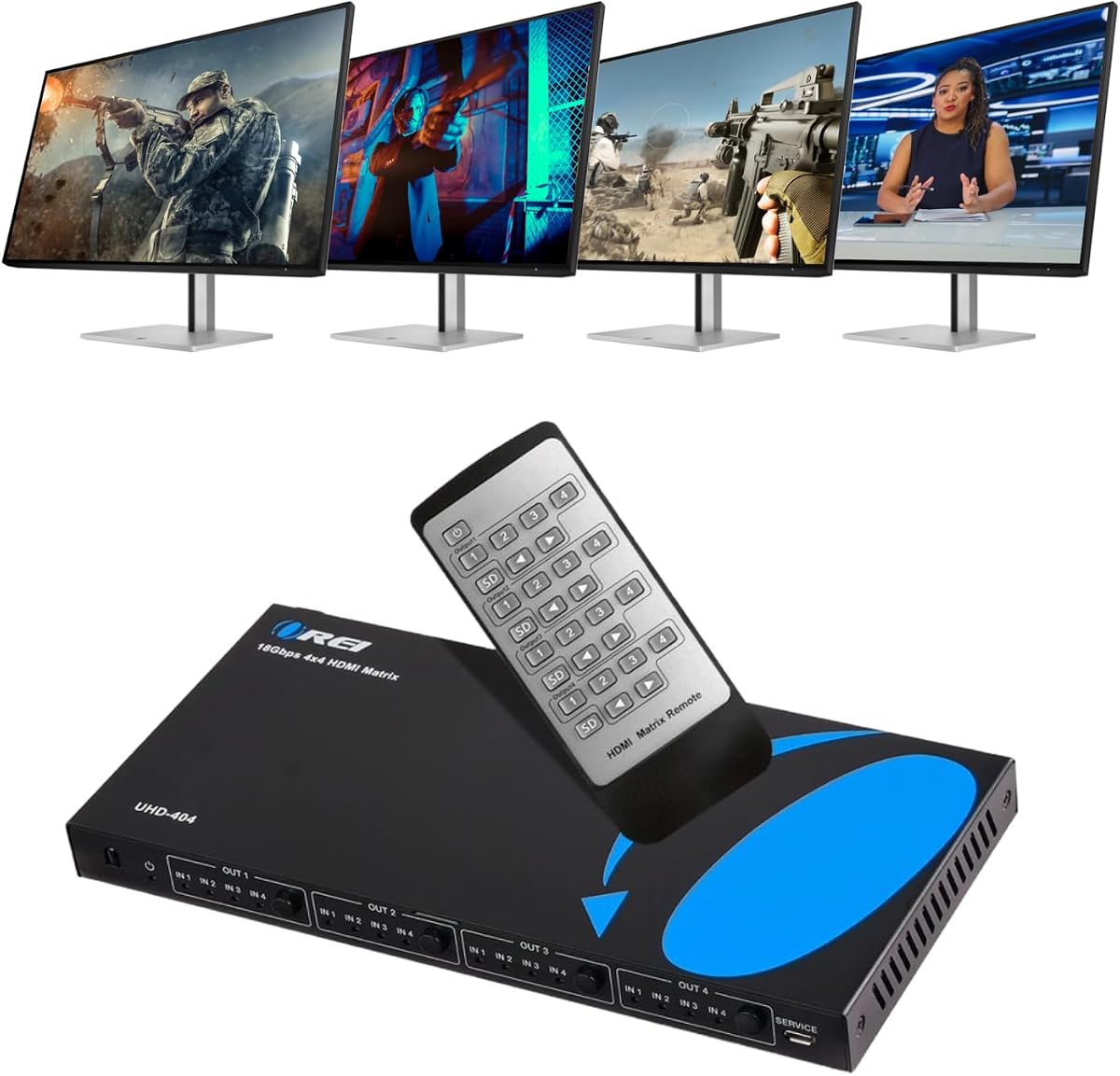
This 4×4 matrix delivers exceptional value for users who need equal numbers of inputs and outputs without breaking the bank. It holds a high rating and supports 4K@60Hz which covers the vast majority of modern media and gaming needs effectively.
We may earn a commission when you buy through this link, at no additional cost to you.
The metal enclosure offers superior heat dissipation compared to plastic alternatives ensuring stable performance during long viewing sessions. ARC support on the output allows you to route audio back to a receiver which adds significant flexibility for home theater integrations.
While it lacks the cutting edge 8K specs of the top pick, it performs flawlessly within its 4K bandwidth limits. The trade off is purely about future proofing beyond current 4K standards which may not be an issue for many consumers.
It is an ideal pick for digital signage or home entertainment rooms where four devices and four screens must be managed independently. The included remote makes daily switching intuitive while the build quality ensures longevity.
Optical and analog audio outputs allow you to separate sound from video for dedicated speaker systems easily.
The durable metal case protects internal components and keeps temperatures low during continuous operation.
We may earn a commission when you buy through this link, at no additional cost to you.
This model excels in environments where mixed resolution displays are common such as classrooms or conference rooms. The built-in downscaling function ensures that 4K sources look great even on older 1080p monitors without manual configuration on the source.
We may earn a commission when you buy through this link, at no additional cost to you.
The dual voltage power supply is a standout feature for international travelers or offices with varying power standards. You do not need to hunt for specific adapters in different countries making it a truly global solution for AV distribution.
It does not offer the advanced audio extraction of some competitors but handles standard video switching perfectly. The trade-off is a focus on broad compatibility over niche features which makes it very reliable for general purpose use.
Buyers looking for a hassle-free 4×4 solution that works out of the box will appreciate the included manual and support. It delivers consistent results and maintains stable signal handshaking across all ports effectively.
Downscaling 4K to 1080p ensures all connected screens work seamlessly regardless of their native resolution.
Dual voltage power supply and included adapters make this unit ready for use anywhere in the world.
We may earn a commission when you buy through this link, at no additional cost to you.
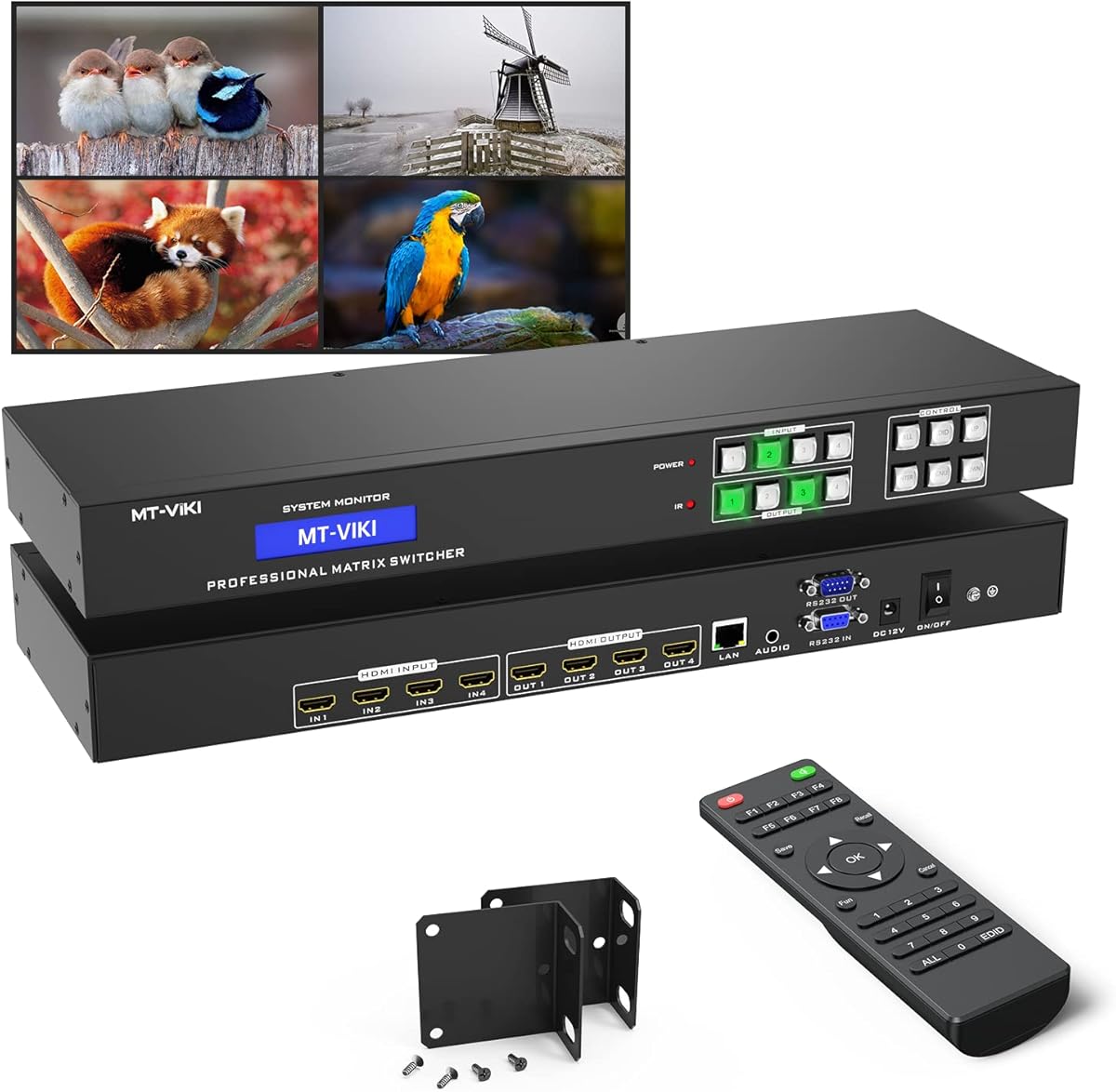
This matrix is engineered for professional environments where control systems are integrated into larger building networks. The web GUI and LAN port allow you to manage the switch from a computer which is invaluable for conference rooms or churches.
We may earn a commission when you buy through this link, at no additional cost to you.
The RS232 support adds another layer of automation for custom installers who use control processors. Rack ears are included in the box which saves time and money during installation in standard 19-inch server cabinets.
Video performance is limited to 30Hz at 4K which is sufficient for presentations but not for gaming or sports. The trade-off is a focus on stability and remote management rather than high frame rates which fits commercial needs well.
If you need to control multiple screens from a central IT server this unit offers the best connectivity of any model here. It is a practical choice for businesses that prioritize management over raw video speed.
LAN port and Web GUI enable remote management via standard network infrastructure without extra controllers.
Included rack ears and RS232 support make this ideal for permanent installs in equipment racks.
We may earn a commission when you buy through this link, at no additional cost to you.
For those who need basic switching without extra bells and whistles this budget-friendly option delivers solid value. It handles 4K@60Hz video efficiently and provides audio return channel support for soundbars which covers essential home theater needs.
We may earn a commission when you buy through this link, at no additional cost to you.
The USB power adapter makes it easy to place near a television without hunting for wall outlets. Downscaling ensures that older displays can still participate in the setup without causing handshake errors or black screens.
While it lacks the build quality of premium models it gets the job done for occasional use. The trade-off is a simpler interface and fewer advanced controls which is acceptable for casual viewers.
This is the go-to choice for students or renters who need a reliable switch temporarily. It is lightweight and easy to pack up if you move which adds to its practical appeal.
USB power allows for placement near devices without needing dedicated AC outlets.
ARC support allows audio to return from the TV to a receiver or soundbar easily.
We may earn a commission when you buy through this link, at no additional cost to you.
This unit is designed for scenarios where you want to route audio separately from video without complex setups. It supports both optical and analog audio extraction which gives you flexibility to connect different types of speakers or sound systems.
We may earn a commission when you buy through this link, at no additional cost to you.
The smart EDID management helps maintain stable video signals even when switching between sources with different capabilities. Metal casing provides better heat dissipation than plastic units which helps maintain signal integrity over time.
It does not support extended display modes so it is limited to mirroring or switching. This constraint makes it less versatile for productivity setups but perfect for entertainment where one source is shown on one screen.
Buyers who need specific audio extraction at a low cost will find this switch useful. It works well with consoles and streaming devices ensuring high quality audio output to external systems.
Both optical and analog ports allow you to connect a wide variety of audio equipment easily.
Smart EDID management ensures sources adjust correctly to the display's capabilities without manual input.
We may earn a commission when you buy through this link, at no additional cost to you.
This model is a strong contender for home theaters that prioritize color and contrast fidelity. It supports major HDR formats like HDR10+ and Dolby Vision which ensures vibrant visuals on modern displays.
We may earn a commission when you buy through this link, at no additional cost to you.
The multiple EDID modes provide manual control over how the system negotiates video signals. This can be a lifesaver when dealing with older devices that struggle to handshake correctly with new displays.
It does not support high refresh rates which limits gaming utility. The trade-off is focused on delivering excellent picture quality for movies and TV shows rather than competitive gaming needs.
Mounting ears are included so you can secure the unit to a wall or rack easily. It is a reliable choice for anyone wanting to maintain high video quality across two screens.
Support for HDR10+ and Dolby Vision ensures high contrast and vibrant colors for movie watching.
Multiple EDID modes allow you to adjust handshake behavior for better compatibility with legacy devices.
We may earn a commission when you buy through this link, at no additional cost to you.
This 8×8 matrix provides significant routing flexibility for larger installations like offices or retail spaces. The ability to connect eight sources and eight displays independently makes it a powerful tool for complex AV requirements.
We may earn a commission when you buy through this link, at no additional cost to you.
WebGUI control allows you to manage connections through a browser which is very intuitive for non-technical users. RS-232 control is available for those who need to integrate the switch into a broader control system.
Video speed is limited to 30Hz which is not ideal for fast motion but perfect for static content. The trade-off is a focus on capacity and ease of use rather than high frame rates.
If you need to scale beyond 4×4 or 4×2 setups this model offers the capacity to grow. It is a practical solution for businesses that need to manage many screens efficiently.
WebGUI allows you to switch sources using a computer without needing specialized remote hardware.
Eight inputs and eight outputs provide room to expand your AV setup without adding new units.
We may earn a commission when you buy through this link, at no additional cost to you.
This unit is designed for large installations where devices and displays are far apart. It supports extending HDMI signals over CAT6/7 cables up to 230 feet which eliminates the need for expensive long HDMI runs.
We may earn a commission when you buy through this link, at no additional cost to you.
PoC technology powers receivers using the same cable which simplifies installation in hard to reach areas. 7.1 channel audio support ensures that multi-channel soundtracks are not compromised by the extension process.
It is more expensive than standard matrices but offers unique capabilities for commercial use. The trade-off is a higher initial cost but saves money on cabling and labor in large spaces.
Installers will appreciate the one-way IR routing and CEC management features. It is the right choice for large hotels or conference centers where signal integrity over distance is critical.
Supports transmission over CAT6 cables for up to 230 feet of distance between source and display.
PoC technology allows power to be delivered through the same cable as the video signal.
We may earn a commission when you buy through this link, at no additional cost to you.
This matrix represents the pinnacle of HDMI technology available today with full HDMI 2.1 compliance across eight ports. It handles 8K resolution and advanced audio formats ensuring top performance for high-end entertainment systems.
We may earn a commission when you buy through this link, at no additional cost to you.
The audio extraction capabilities are robust allowing for complex setups involving multiple sound systems. With a high rating and strong user satisfaction it proves to be a reliable choice for demanding environments.
The price is significant which limits it to professional or very dedicated enthusiasts. The trade-off is the highest available performance ensuring you never face bottlenecks as technology advances.
If budget is not a constraint and you need the best performance for large setups this is the ultimate choice. It combines scale with cutting-edge specs in a way no other model does.
Full HDMI 2.1 support ensures compatibility with the latest high bandwidth audio and video formats.
High quality components ensure long-term reliability for demanding professional and commercial use cases.
We may earn a commission when you buy through this link, at no additional cost to you.
Selecting the right matrix involves balancing resolution needs with routing capacity and control options.
Ensure the switch supports at least 4K@60Hz if you have modern TVs or monitors. Higher end models support 8K and HDMI 2.1 features like VRR which are vital for next-gen gaming.
Always check that the bandwidth matches your source requirements to avoid image artifacts or black screens.
Count how many devices you need to connect and how many displays you want to use. A 4×4 matrix is standard for home theaters while larger setups may need 8×8 routing.
Consider future needs so you do not have to replace the unit immediately when you add more sources.
Some models allow you to route audio out separately to a sound system via optical or analog ports. This is useful if your TV speakers are not powerful enough for your content.
Check for ARC or eARC support if you want to send audio back to a receiver from your TV.
Basic switches use IR remotes while professional models offer WebGUI LAN or RS232 control. Choose what fits your technical comfort level and environment.
Network control is essential for business installations where IT admins manage the equipment remotely.
Metal enclosures dissipate heat better than plastic cases leading to longer lifespan and stable performance. Look for units with good cooling designs if they will run for hours.
Rack mount options are available for some models which keeps your installation neat and secure.
Downscaling lets you mix 4K sources with 1080p displays without losing signal. This is helpful for classrooms or multi display setups with mixed hardware.
Ensure the switch handles this process automatically to avoid needing to change settings on your devices.
EDID management helps the switch communicate display capabilities to sources to ensure stable handshake. This prevents black screens when switching between devices.
Models with manual EDID modes give you more control if you have older or picky devices.
External power adapters are more reliable than USB power for large switches. Dual voltage options are a plus for international use or varied electrical environments.
Make sure the power supply matches the unit's needs to prevent signal drops during heavy use.
Connect your source devices to the input ports and your displays to the output ports using high-quality HDMI cables. Ensure all connections are secure and the unit is powered on before turning on your sources.
Use the included remote or app to select which source you want on each display. For complex setups, use the manual controls to adjust EDID settings for the best stability.
Keep the unit in a well-ventilated space to prevent overheating. Regularly check cables for wear and ensure firmware is updated if supported to maintain peak performance.
An HDMI matrix switch allows you to connect multiple input sources to multiple output displays. It gives you the flexibility to route any source to any screen independently. This is ideal for home theaters or commercial AV systems.
Yes most models support gaming consoles as inputs. Check for HDMI 2.1 features like VRR and ALLM for the best experience with next-gen consoles. This ensures low latency and smooth visuals during play.
You should use high-speed HDMI cables that match the bandwidth requirements of your display. For 4K 60Hz you need at least HDMI 2.0 cables. For 8K use HDMI 2.1 certified cables.
Many matrices feature audio extraction ports for optical or analog sound. This allows you to send audio to a soundbar or receiver separately. Check for ARC support if you need audio return from a TV.
Basic models come with an IR remote. Professional units offer web interfaces or RS232 connections for advanced control. Choose the method that fits your setup needs and technical comfort.
Yes many units support downscaling to handle different resolutions. This means you can mix 4K and 1080p screens without signal issues. The switch handles the conversion automatically.
The OREI 4×2 8K matrix stands out as our top choice for performance and future proofing. It delivers excellent features that support the latest video and audio standards.
For budget conscious buyers the 4×2 4K models offer solid value without compromising on basic reliability. They are great for standard home entertainment setups that do not need 8K.
Always check current availability and compatibility before purchasing. Your needs may vary so ensure the selected model matches your specific display and source requirements for the best experience.