
Highwings 8K HDMI 2.1 Cable
4.7Editor score
Certified HDMI 2.1 Standard
Aluminum Alloy Shell Design
Variable Refresh Rate Gaming
This guide compares the top HDMI cables for dual monitor setups, evaluating bandwidth, speed, and durability to help you choose the right connection for your
Finding the right HDMI cable for dual monitors ensures stable high-resolution connections without signal loss. Quality cables support modern standards like HDMI 2.1, enabling smooth 4K and 8K visuals across screens.
We compared ten leading cables based on bandwidth, build quality, and compatibility. Our list includes certified options for gaming, workstations, and home offices to meet diverse connectivity needs.
Each pick highlights key features, pros, and cons to guide your decision. Prices fluctuate frequently, so verify current deals before purchasing to ensure you get the best value available.
4.7Editor score

4.8Editor score

4.6Editor score
This side-by-side comparison highlights key specifications and features of the top ten HDMI cables selected for dual monitor setups. Review bandwidth, resolution support, and durability ratings to find the perfect match for your display needs.




The UGREEN 8K HDMI 2.1 Cable stands out as our top choice for dual monitor setups requiring high bandwidth. With a 4.8 rating, it delivers certified performance for 8K and 4K displays.
We may earn a commission when you buy through this link, at no additional cost to you.
Its 48Gbps bandwidth ensures stable video transmission across screens without signal loss. The Dynamic HDR and eARC features enhance both visual clarity and audio fidelity for immersive setups.
While the price is higher than basic options, the durability justifies the cost. The nylon braided jacket resists daily wear, though the cable may feel less flexible during routing.
Ideal for professionals and gamers needing reliable high-speed connections, this cable supports PS5, Xbox, and Mac Mini M4. It remains a robust investment for future-proof workstations.
The 48Gbps speed supports simultaneous 8K streams, ensuring both monitors operate smoothly without lag or frame drops during multitasking.
Built with nickel-plated connectors and a braided jacket, the cable withstands frequent bending while maintaining signal integrity over years of use.
We may earn a commission when you buy through this link, at no additional cost to you.
The Highwings 8K HDMI 2.1 Cable offers exceptional value with its 2-pack bundle, ideal for dual monitor users. It maintains a 4.7 rating due to its certified speed and durability.
We may earn a commission when you buy through this link, at no additional cost to you.
With 48Gbps transmission, it handles 8K and 4K@120Hz content effortlessly. The aluminum shell and anti-bending tail protect against physical stress during installation.
Although it lacks premium styling, the performance matches higher-priced rivals. Some users find the length restrictive for larger desks, but it suits standard setups well.
Best for budget-conscious buyers seeking certified performance, this cable supports VRR and gaming needs without breaking the bank while ensuring reliable dual display output.
The cable undergoes rigorous lab tests to ensure it meets official HDMI 2.1 standards, reducing the risk of compatibility issues with new devices.
Support for variable refresh rates enhances gaming smoothness by syncing screen refresh rates with GPU output, minimizing tearing and stuttering during play.
We may earn a commission when you buy through this link, at no additional cost to you.
The Belkin Ultra HD HDMI 2.1 Cable represents premium quality with its robust shielding and certified performance. It scores 4.6 for its reliability in high-end home theater setups.
We may earn a commission when you buy through this link, at no additional cost to you.
Support for Dolby Vision and 4K@120Hz gaming makes it suitable for media and workstation use. The two-layer shielding minimizes interference, ensuring signal integrity across dual screens.
Its higher price reflects the superior materials and brand trust. The connector housing is sturdy but may add weight when connecting to ports on laptops or monitors.
Ideal for users prioritizing longevity and signal purity, this cable delivers cinematic quality visuals. It is a solid choice for those seeking a trusted name in connectivity.
The thoughtfully designed shielding protects delicate internal wiring from external electromagnetic interference, which is crucial for maintaining high-resolution signal stability.
Designed with Sony PlayStation 5 and Xbox Series X in mind, it ensures optimal bandwidth and speeds are available for high-resolution gaming sessions.
We may earn a commission when you buy through this link, at no additional cost to you.
Silkland's HDMI 2.1 cable excels in gaming scenarios, offering 144Hz support for PC monitors. With a 4.7 rating, it ensures smooth gameplay with reliable 48Gbps bandwidth.
We may earn a commission when you buy through this link, at no additional cost to you.
Its unique E-Braid technology provides durability, while ferrite magnetic beads prevent black screens. Dynamic HDR enhances brightness contrast for a cinematic viewing experience.
Though limited in color choices, its performance is robust. Some users may find the cable slightly stiff, but the anti-bending design mitigates long-term wear issues.
Best for PC gamers needing high refresh rates, this cable supports both PS5 and Xbox. It delivers responsive connectivity essential for competitive gaming setups.
Users can scan a QR code with a dedicated app to verify HDMI 2.1 certification, ensuring authenticity and compliance with high-speed standards.
Support for DTS:X and Dolby Atmos backed by eARC ensures that audio quality matches the high-resolution visual output across connected speakers.
We may earn a commission when you buy through this link, at no additional cost to you.
UGREEN's second entry offers Ethernet capability alongside standard video transmission, useful for networked setups. It holds a 4.7 rating for its balance of performance and flexibility.
We may earn a commission when you buy through this link, at no additional cost to you.
The 48Gbps bandwidth supports 8K@60Hz and 4K@240Hz visuals. Dynamic HDR ensures 12-bit color accuracy, making it suitable for photo editing and professional design work.
Its flexibility is a major plus, having passed over 20,000 bend tests. However, the connectors are bulky, which might obstruct adjacent ports on some PCs or laptops.
Recommended for offices and creative professionals, this cable combines durability with high-speed data transfer. It effectively bridges the gap between gaming and productivity needs.
The Ethernet feature allows multiple HDMI devices to exchange files directly, reducing the need for extra networking hardware in complex setups.
eARC support delivers full-resolution audio like Dolby Atmos, enabling high-fidelity sound systems to work seamlessly with televisions or monitors.
We may earn a commission when you buy through this link, at no additional cost to you.
Acer's HDMI 2.1 cable is tuned for next-gen consoles, offering seamless support for PS5 and Xbox Series X. It earns a 4.7 rating for stability and clarity.
We may earn a commission when you buy through this link, at no additional cost to you.
The 48Gbps bandwidth ensures lag-free gaming at 120Hz. VRR reduces screen tearing, while eARC integrates high-quality audio systems for an immersive experience.
While the design is simple, the high-purity copper core ensures signal purity. The braided jacket resists daily wear, though it lacks some premium aesthetics found in rivals.
Ideal for console gamers, this cable delivers consistent performance without unnecessary frills. It is a reliable choice for integrating gaming consoles into dual monitor setups.
VRR technology helps reduce screen tearing on compatible devices by synchronizing the display refresh rate with the frame rate of the GPU or console.
Using high-purity copper ensures better conductivity, which translates to stable signal transmission even over longer cable runs like the 6.6ft length.
We may earn a commission when you buy through this link, at no additional cost to you.
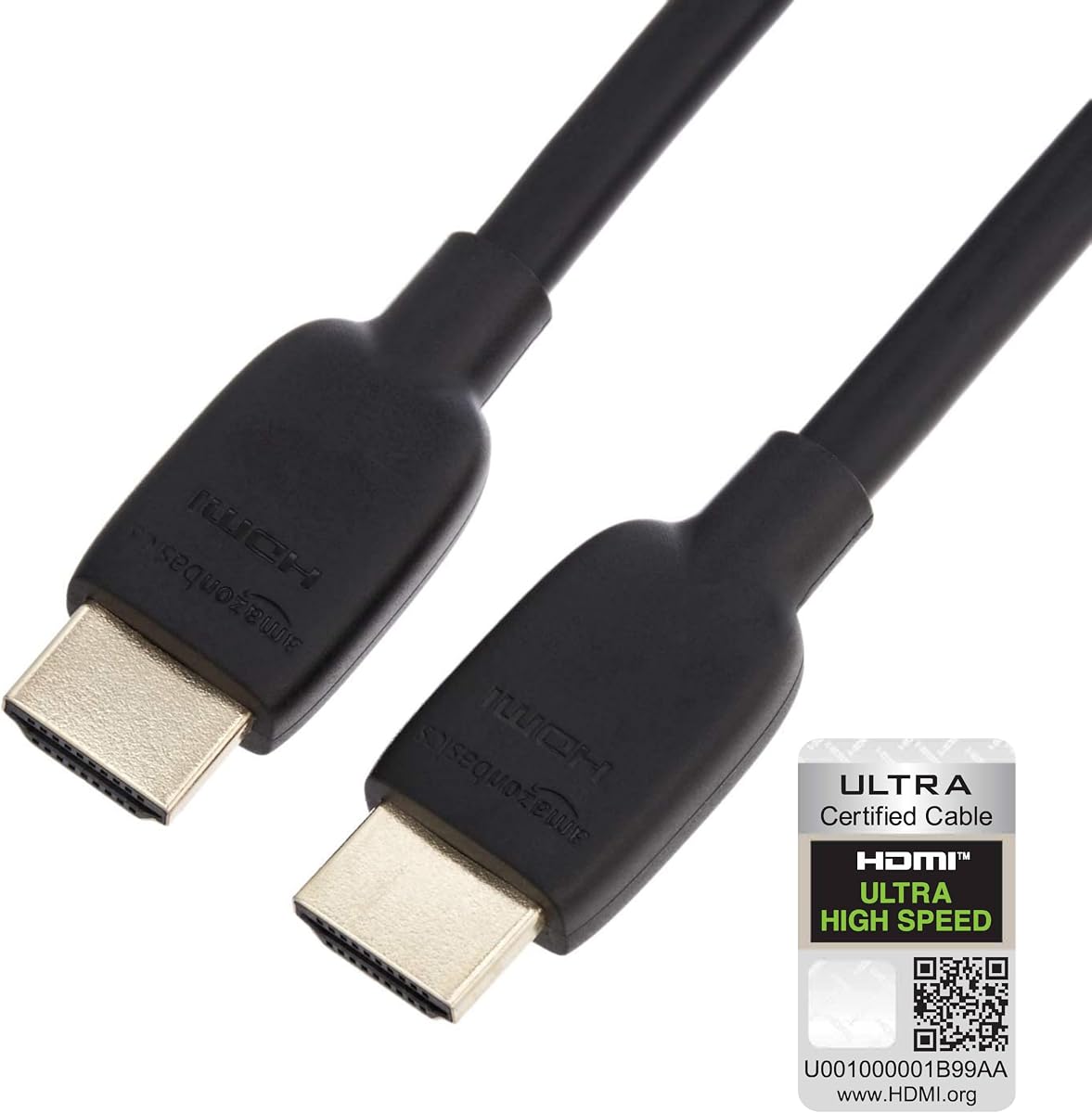
Amazon Basics offers a compact 3-foot cable ideal for tight workspaces. With a 4.7 rating, it provides essential 48Gbps performance without unnecessary bulk.
We may earn a commission when you buy through this link, at no additional cost to you.
The gold-plated connectors resist corrosion, ensuring a stable connection. Its short length helps reduce cable clutter on desks where dual monitors are placed close to the source.
However, its limited reach makes it unsuitable for larger offices. It lacks the advanced shielding of premium options, which might be a concern in high-interference environments.
Best for laptops and compact setups, this cable delivers standard HDMI 2.1 performance. It is a practical choice for users needing a simple, budget-friendly solution.
This cable removes the need for complicated drivers or setup time, allowing users to connect tablets and laptops to projectors instantly.
The gold-plated HDMI connector resists corrosion and abrasion, which enhances signal transmission performance and extends the connector's lifespan.
We may earn a commission when you buy through this link, at no additional cost to you.
PowerBear provides a 10-foot cable, ideal for longer distances between devices and displays. It holds a 4.7 rating for build quality and reliability over extended runs.
We may earn a commission when you buy through this link, at no additional cost to you.
The triple tin shielding and nylon braiding ensure durability. While limited to 18Gbps and 4K@60Hz, it is sufficient for many standard office and entertainment setups.
Its CL3 rating allows for safe in-wall installation, which is rare for HDMI cables. However, users needing 8K will find this option insufficient for next-gen demands.
Best for home theaters with large rooms, this cable bridges gaps without signal loss. It is a robust solution for 4K displays requiring extra reach.
The CL3 rating ensures the cable meets fire safety standards for in-wall installation, making it safe for permanent home theater and office setups.
Triple tin shielding combined with double braided premium nylon guarantees top tier image and sound quality by preventing external signal interference.
We may earn a commission when you buy through this link, at no additional cost to you.
AVACON offers a specialized DP-to-HDMI cable for older systems lacking native HDMI ports. It scores 4.6 for enabling legacy hardware to connect to modern displays.
We may earn a commission when you buy through this link, at no additional cost to you.
It supports 4K resolution at 30Hz, which is adequate for productivity. The foil and braid shielding provide reliable connectivity, though the refresh rate limits gaming utility.
Users must ensure their PC has a DisplayPort source as it is uni-directional. The 6-foot length is practical for most desk configurations and office environments.
Best for budget workstations using legacy GPUs, this cable facilitates dual monitor setups. It is a necessary tool for extending display options without upgrading hardware.
This cable transmits signals only from a DisplayPort source to an HDMI display, so it cannot be used to connect HDMI sources to DP monitors.
Flawless audio pass-thru supports uncompressed digital 7.1 and 5.1 channels, ensuring synchronized sound output alongside video streaming.
We may earn a commission when you buy through this link, at no additional cost to you.
This 2-pack of DP-to-HDMI cables is specifically designed for dual monitor setups, earning a perfect 5.0 rating. It simplifies connecting both screens with one purchase.
We may earn a commission when you buy through this link, at no additional cost to you.
Each cable supports 4K Ultra HD and full HD 1080p, ideal for productivity. The braided construction ensures longevity, while the 6.6ft length offers flexibility for routing.
Users note the value of having two cables in one package. While the refresh rate is limited to 1.4 standards, it suffices for office tasks and video conferences.
Best for home offices needing dual screens, this kit is cost-effective. It supports Extend and Mirror modes, making it a versatile choice for professionals.
The cables are designed for workstations, keeping one at your desk and another available for conference rooms to support presentations and multitasking.
Multi-layer shielding minimizes interference for consistent video and audio quality, ensuring reliable performance across both monitors in a dual setup.
We may earn a commission when you buy through this link, at no additional cost to you.
Choosing the right HDMI cable for dual monitors requires understanding bandwidth, certification, and connector types to ensure stable high-resolution connections across screens.
Bandwidth determines the maximum data a cable can transmit, measured in Gbps. For 4K@120Hz or 8K, you need HDMI 2.1 with 48Gbps to avoid signal loss on dual screens.
Always select a cable with sufficient bandwidth for your highest resolution needs to ensure smooth video transmission across all connected monitors.
Certification ensures the cable meets industry standards like HDMI 2.1. Certified cables undergo rigorous testing to guarantee they support advertised speeds and features like HDR.
Look for official certification labels to avoid counterfeit products that may fail to deliver high-resolution performance consistently.
Refresh rate impacts motion smoothness, crucial for gaming or scrolling. Ensure your cable supports rates like 120Hz or 144Hz for your monitors to prevent stuttering.
Verify refresh rate capabilities match your display specs to maximize the performance of dual monitor setups for gaming or work.
Length is vital for routing cables between devices and screens. Measure the distance carefully to avoid excess slack that causes clutter or insufficient length that limits placement.
Select a length that accommodates your desk layout without stretching the cable, ensuring safety and ease of use.
Gold-plated connectors resist corrosion and oxidation, which protects against signal degradation over time. Robust housings prevent physical damage during insertion and removal.
Prioritize cables with metal shells and reinforced strain relief to extend the lifespan of your connection hardware.
Shielding protects against electromagnetic interference (EMI) from other electronics. Braided nylon or aluminum jackets add durability against bending and daily wear.
Choose cables with multi-layer shielding and durable materials to maintain signal integrity in high-interference environments.
eARC supports high-quality audio formats like Dolby Atmos. Ensure your cable supports eARC if you plan to connect soundbars or home theater systems.
Verify audio support to ensure your dual monitor setup delivers immersive sound without additional hardware complexity.
Check compatibility with devices like consoles, PCs, and Macs. Features like variable refresh rate (VRR) and HDR are essential for gaming and cinematic viewing.
Ensure the cable supports all required features for your specific devices to avoid connectivity or performance issues.
Plug the cable directly into your source device and monitor ports firmly. Ensure the connection is secure to prevent intermittent signal loss or flickering on screens.
Avoid sharp bends or kinks in the cable as this can damage internal wiring. Use cable ties or clips to route the cord neatly along desks or walls.
Periodically inspect connectors for dust or debris and clean gently if needed. Avoid using high heat or chemicals near the cable to protect its insulation and shielding.
No, a single HDMI cable typically connects one source to one display. For dual monitors, you generally need two separate cables or a multi-monitor adapter depending on your GPU.
Yes, HDMI 2.1 provides 48Gbps bandwidth which supports higher resolutions and refresh rates. This is essential if you need 4K@120Hz or 8K outputs across multiple screens.
Standard lengths are 6 to 10 feet. Measure the distance from your PC to each monitor to choose cables that reach without excessive slack or tension on ports.
Only if they offer better shielding or durability. Cheap certified 2.1 cables often perform as well as expensive ones, but premium builds last longer in high-use settings.
Yes if your laptop has two HDMI ports. Most laptops have one HDMI and one DisplayPort, so you may need a DP-to-HDMI cable for the second monitor.
Not if you only need 4K@60Hz, as HDMI 2.0 is sufficient. However, for 4K@120Hz or future-proofing, HDMI 2.1 is recommended for smoother performance.
Our top picks include UGREEN for overall performance and Highwings for budget value. Each offers reliable bandwidth and durability for dual monitor setups.
Prioritize bandwidth and certification to match your display needs. Consider length and build quality to ensure a stable connection that lasts over time.
Prices fluctuate frequently so check current deals before purchasing. This ensures you get the best value for your investment in dual monitor connectivity.