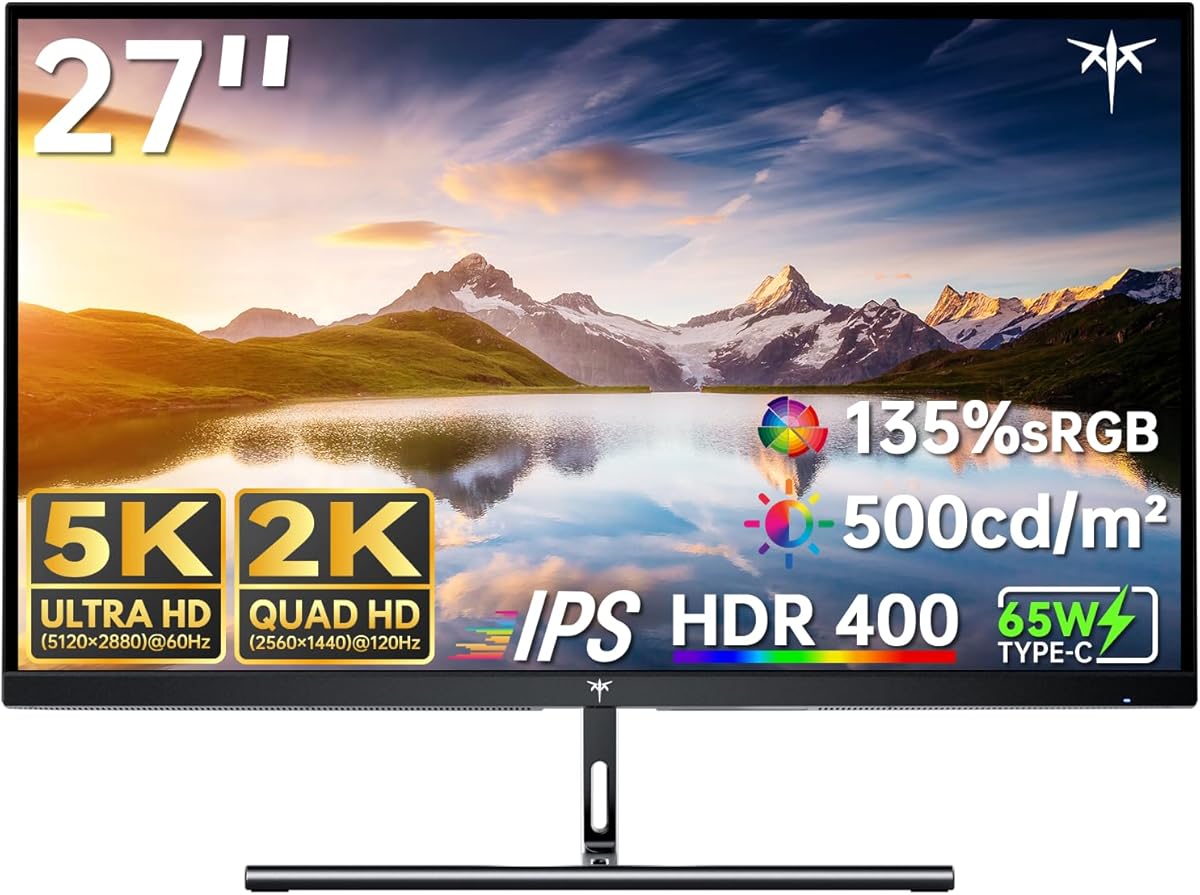
KTC 5K Monitor 27 Inch
4.4Editor score
Dual mode 5K and 2K
99% DCI-P3 coverage
65W Type-C fast charging
Finding the right display can transform your workflow. A 27 inch 5K monitor offers exceptional detail and screen real estate. This resolution provides sharp text and vibrant colors ideal for creative work and immersive entertainment experiences.
We analyzed ten leading models based on panel technology, color accuracy, and connectivity options. Each product was evaluated for its ability to handle professional tasks and high-performance gaming scenarios effectively. Our selection includes options for Mac users and PC enthusiasts alike.
Each pick highlights specific strengths like dual mode capabilities or Thunderbolt support. We detail the pros and cons to help you choose wisely. Prices change frequently so verify current availability before purchasing your next display today.
4.4Editor score

3.6Editor score

3.7Editor score
As an Amazon Associate we earn from qualifying purchases.
This table provides a side-by-side overview of all ten monitors. Compare key specifications like resolution, refresh rate, and connectivity to find the best match for your specific needs and budget constraints today.




The ASUS ProArt PA27JCV stands out as a top professional monitor offering excellent color fidelity. It receives a rating that reflects its strong performance in creative workflows and daily use scenarios alike.
We may earn a commission when you buy through this link, at no additional cost to you.
Its factory pre-calibrated Delta E under two ensures accurate colors right out of the box. The 96-watt USB-C power delivery allows you to charge your laptop while connecting with a single cable.
The built-in Auto KVM feature is convenient for switching between multiple computers effortlessly. While the price is higher than budget options the warranty and included Adobe subscription add significant value.
This monitor is ideal for designers and video editors needing reliable color accuracy. If you prioritize workflow efficiency and professional standards this unit is a strong recommendation for your setup.
Calman Verified accuracy ensures your work looks consistent across different devices and media formats for professional deliverables.
The USB-C port handles video data and power delivery reducing cable clutter on your desk for a cleaner workspace.
We may earn a commission when you buy through this link, at no additional cost to you.
The KTC 5K Monitor offers an affordable entry point into high resolution displays. It is highly rated by users who appreciate its dual mode capabilities for both work and play.
We may earn a commission when you buy through this link, at no additional cost to you.
Switching between 5K for clarity and 2K for speed allows versatile use cases. The 99% DCI-P3 coverage ensures vibrant colors that meet professional standards without breaking the bank.
Connectivity is well handled with USB-C providing 65W power to charge connected devices. While the build is simpler than premium brands it delivers great value for the price.
Buy this if you need a budget friendly 5K display that supports creative work. It is a smart choice for students or professionals needing high resolution on a tight budget.
Toggle between resolutions to match your task whether it is detailed editing or fast gaming responsiveness.
Designed to work seamlessly with Mac Mini it supports the color profiles required for accurate creative output.
We may earn a commission when you buy through this link, at no additional cost to you.
The BenQ PD2730S is a premium monitor built for high-end Mac workstations. It features Thunderbolt 4 connectivity which allows for fast data transfer and daisy chaining multiple displays.
We may earn a commission when you buy through this link, at no additional cost to you.
Its Nano Matte panel reduces glare effectively making it easier to work in bright environments. The 90W power delivery ensures your MacBook stays charged while you work on demanding tasks.
The Wireless Hotkey Puck KVM switch adds convenience for users with multiple systems. This investment suits professionals who need absolute color precision and seamless integration with Apple ecosystems.
Choose this monitor if you need a top tier display for 3D or VFX work. The Thunderbolt connectivity and premium build quality justify the cost for serious creators.
Connect multiple devices with a single cable reducing desk clutter and ensuring maximum bandwidth for data transfers.
The Nano Matte finish diffuses light to prevent distractions during long sessions of detailed visual work.
We may earn a commission when you buy through this link, at no additional cost to you.
The Samsung 27 Odyssey G8 delivers a gaming experience with stunning resolution and speed. It supports 5K at high refresh rates making it suitable for immersive AAA titles.
We may earn a commission when you buy through this link, at no additional cost to you.
Its dual mode feature lets you switch to QHD for faster competitive gaming when needed. The Fast IPS panel ensures vivid colors across the entire screen without motion blur.
Connectivity includes the latest DP 2.1 and HDMI 2.1 standards for future proofing. While the cost is high the performance and versatility make it a top choice for enthusiasts.
This monitor is perfect for gamers who want both detail and speed. If you have the hardware to drive 5K resolution this display will enhance your setup significantly.
Adjust the display to suit your needs whether you prioritize visual fidelity or competitive speed.
Support for DP 2.1 ensures you can utilize the latest graphics card capabilities effectively.
We may earn a commission when you buy through this link, at no additional cost to you.
The ASUS ROG XG27JCEG combines high resolution with robust gaming features. It supports 5K for crisp visuals and QHD for ultra-fast frame rates in competitive scenarios.
We may earn a commission when you buy through this link, at no additional cost to you.
VESA DisplayHDR 600 delivers bright highlights and deep contrast for immersive gameplay. The ROG gaming AI features provide tools to enhance your performance during matches.
Response time is incredibly fast at 0.3ms GTG reducing motion blur significantly. While USB-C power is limited it is a strong choice for PC gamers needing flexibility.
Select this if you want a versatile gaming monitor with HDR support. It balances cost and performance well for those seeking high refresh rates.
Bright HDR content makes explosions and light effects stand out in dark game environments.
AI features like Shadow Boost help you spot enemies in dark areas effectively.
We may earn a commission when you buy through this link, at no additional cost to you.
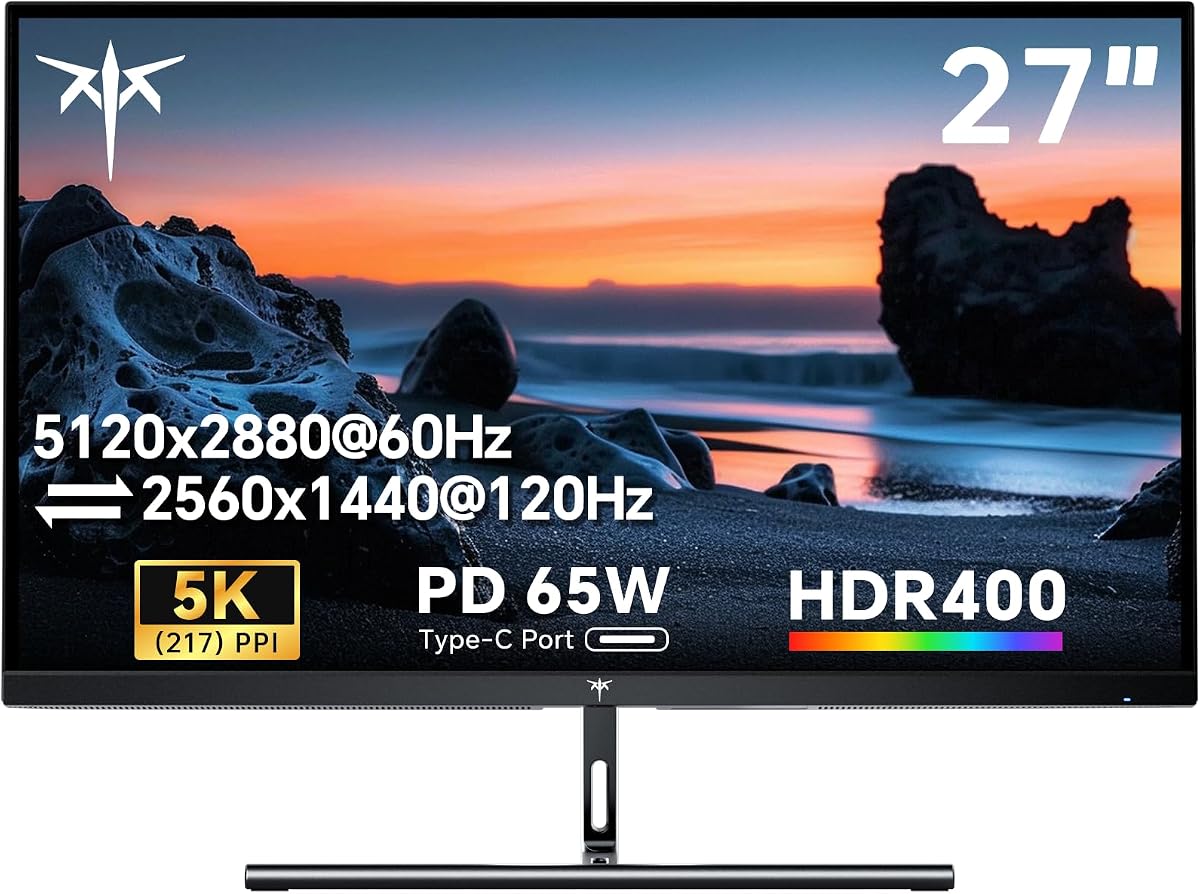
The KTC 27 Inch 5K Monitor offers dual mode flexibility for various tasks. It supports 5K for detail and 2K for speed making it versatile for work and leisure.
We may earn a commission when you buy through this link, at no additional cost to you.
Its 135% sRGB coverage ensures vibrant colors for creative projects. The 65W Type-C port provides both data and charging convenience for connected laptops.
Eye care technology reduces strain during long hours of use. While the stand is basic the image quality and connectivity make it a solid budget option.
Choose this for a flexible home office setup. It delivers high resolution at an accessible price point for many users.
Reducing blue light and flicker helps maintain comfort during extended work sessions.
Compatibility with Mac Mini ensures seamless integration for Apple users.
We may earn a commission when you buy through this link, at no additional cost to you.
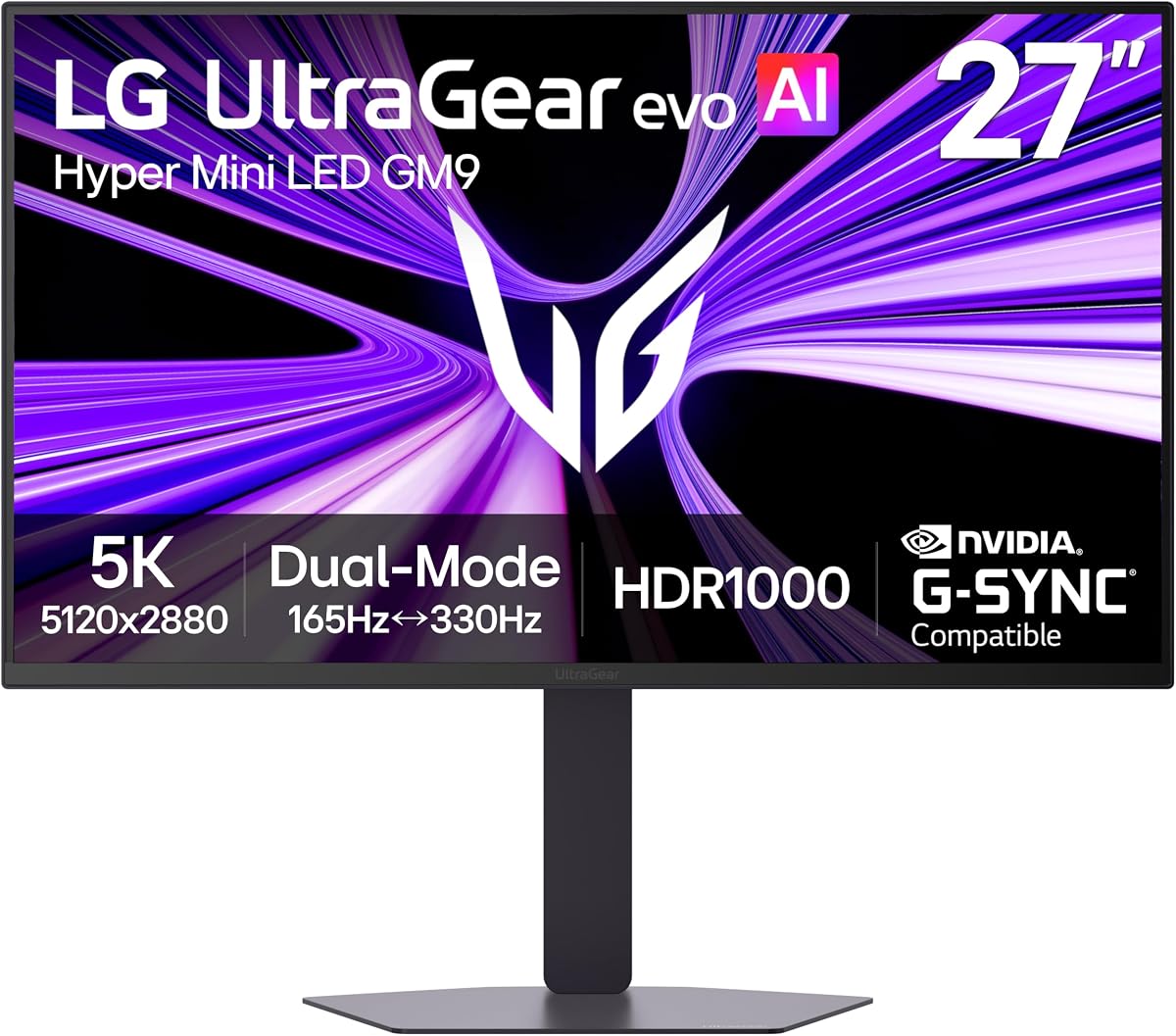
The LG 27GM950B-B features Mini-LED technology for stunning HDR performance. It reaches high peak brightness which makes bright highlights pop in games and videos.
We may earn a commission when you buy through this link, at no additional cost to you.
Its dual mode capability supports 5K for detail or QHD for speed. The AI Upscaling feature enhances content quality without requiring a GPU upgrade.
Connectivity includes DP 2.1 for high bandwidth needs. While the price is steep the display quality and refresh rates offer a top tier gaming experience.
This monitor is best for high-end gamers needing performance and clarity. If you want the best HDR gaming experience this model delivers it.
Local dimming zones provide deep blacks and bright highlights simultaneously.
Built-in processing improves standard content to look sharper on the 5K panel.
We may earn a commission when you buy through this link, at no additional cost to you.
While this is a 4K model it offers excellent value for those needing high refresh rates. It is rated highly for its smooth performance and comfortable viewing experience.
We may earn a commission when you buy through this link, at no additional cost to you.
ComfortView Plus reduces blue light without impacting color accuracy. The 120Hz refresh rate provides smooth visuals for both work and casual gaming.
Connectivity includes USB-C with 65W power to keep your laptop charged. Although not 5K the pixel density is still impressive for a 27 inch display.
Buy this if you want a versatile all-rounder monitor. It fits well in mixed usage environments where high resolution is not the only priority.
ComfortView Plus allows you to work longer without eye fatigue.
Re-engineered audio adds depth to sound without external speakers.
We may earn a commission when you buy through this link, at no additional cost to you.
The LG 27UP850K-W provides a robust 4K solution with high power delivery. It supports HDR400 and offers rich color coverage for media consumption.
We may earn a commission when you buy through this link, at no additional cost to you.
With 90W power delivery your laptop stays charged via the single USB-C cable. The built-in stereo speakers enhance the audio experience for meetings and videos.
Its ergonomic stand allows flexible positioning for comfort. The Switch app helps manage multitasking with intuitive window layouts for productivity.
This model is ideal for users needing high power and audio features. It is a solid choice for professionals who want an integrated setup.
90W output is sufficient for most laptops keeping you mobile and connected.
Built-in speakers save desk space by reducing the need for external audio.
We may earn a commission when you buy through this link, at no additional cost to you.
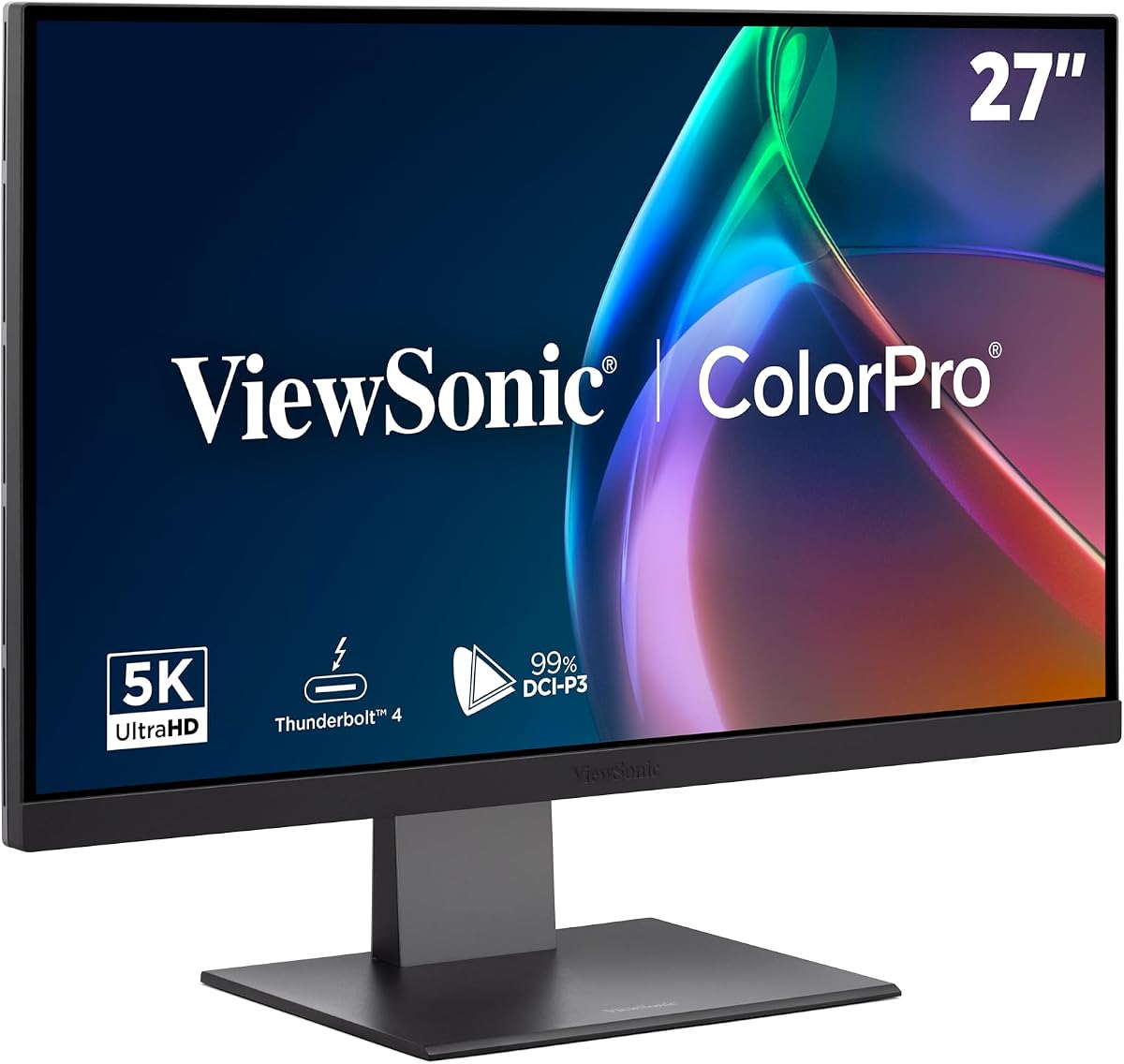
The ViewSonic VP2788-5K is designed for creators needing verified color standards. It features Pantone Validated colors ensuring output matches industry expectations.
We may earn a commission when you buy through this link, at no additional cost to you.
Thunderbolt 4 support enables daisy chaining for expanded workspace setups. The 100W power delivery ensures your device remains charged while you work.
Its ergonomic stand offers full adjustability for comfort. The Mac Ready design aligns with the ecosystem for seamless workflow integration.
Choose this if color accuracy and connectivity are critical. It is an excellent choice for designers and video editors.
Pantone validation ensures your prints and digital files match your screen.
Daisy chain support allows you to add more screens without extra cables.
We may earn a commission when you buy through this link, at no additional cost to you.
Selecting the right monitor involves evaluating several factors beyond just resolution. We outline the key aspects to consider for your specific needs.
A 5K display offers 5120×2880 pixels which provides exceptional sharpness and workspace. On a 27 inch screen this results in over 200 pixels per inch making text look crisp and images detailed without scaling issues.
Look for monitors with high PPI to ensure that text remains readable and graphics appear smooth. This is crucial for design work and detailed editing tasks where clarity is paramount.
Color accuracy is vital for creatives. Look for monitors with Delta E less than two and wide gamut coverage like 99% DCI-P3 or Adobe RGB. Pre-calibration ensures the monitor performs correctly out of the box.
Check specifications for color space coverage. A monitor that covers 100% sRGB and 90% DCI-P3 is ideal for general creative work and ensures vibrant accurate output.
Modern monitors should offer USB-C with Power Delivery to charge your laptop while displaying video. Thunderbolt support is beneficial for high data transfer speeds and daisy chaining multiple screens.
Ensure the monitor has the latest HDMI and DisplayPort standards. This future proofs your setup and allows connection to next-gen gaming consoles and high-end PCs.
For gaming and fluid motion look for higher refresh rates like 120Hz or 165Hz. Fast response times reduce motion blur and ghosting during fast-paced action sequences.
Dual mode monitors allow you to switch between high resolution and high refresh rates. This versatility helps if you use the display for both creative work and gaming.
IPS panels offer wide viewing angles and accurate colors. For HDR content look for displays with high brightness and local dimming technologies like Mini-LED for better contrast and deep blacks.
VESA DisplayHDR ratings help standardize brightness and contrast expectations. Higher ratings like HDR600 or HDR1000 indicate a more immersive viewing experience with dynamic range.
An ergonomic stand should allow height tilt swivel and pivot adjustments. This helps reduce neck strain during long working hours and ensures a comfortable viewing position.
Check if the monitor supports VESA mounting if you prefer an arm. A sturdy base is also important for stability especially on shared workspaces.
Mac users should look for monitors specifically optimized for macOS. Features like Thunderbolt 4 native support and color profiles that match Apple standards make the workflow smoother.
Check for compatibility with the specific Apple devices you own. Some monitors support high resolutions natively without requiring software tweaks or external dongles.
A good warranty provides peace of mind against defects or dead pixels. Brands like ASUS offer extended warranties which can add significant value to your purchase over time.
Consider the reputation of the manufacturer for customer support. Responsive service is essential if you encounter technical issues after setting up your new display.
Start by connecting your computer using the recommended cable. For 5K resolution ensure you use a high speed cable like Thunderbolt or DisplayPort to avoid signal issues or lower refresh rates.
Calibrate your monitor regularly to maintain color accuracy. Most professional monitors include software tools for this or you can use third-party devices for precise adjustments over time.
Clean the screen gently with a microfiber cloth to avoid scratches. Avoid harsh chemicals and direct sprays on the panel to protect the coating and electronic components.
Yes a 5K monitor is highly beneficial for Mac users as it provides the pixel density needed for Retina scaling. This ensures text and graphics appear sharp and smooth without blurring or scaling artifacts.
Absolutely you can connect a 5K monitor to a PC using DisplayPort or USB-C. Ensure your graphics card supports 5K resolution to utilize the full capabilities of the display.
Dual mode allows you to switch between 5K resolution and lower resolutions like 2K. This gives you flexibility to choose high detail for work or higher refresh rates for gaming.
Yes driving 5K resolution requires a powerful graphics card especially for gaming. Creative tasks may work with mid range cards but gaming benefits greatly from high-end GPU performance.
Turn off the monitor and use a dry microfiber cloth. For stubborn marks use a slightly damp cloth but never spray liquid directly onto the screen surface to avoid damage.
You will need a DisplayPort 2.1 or Thunderbolt 4 cable to achieve 5K at high refresh rates. Standard HDMI may be limited to lower refresh rates depending on the version.
The ASUS ProArt PA27JCV and BenQ PD2730S stand out for professionals needing color precision. The Samsung Odyssey G8 and LG 27GM950B-B are excellent choices for gamers seeking speed and visual fidelity.
When choosing prioritize factors like connectivity and refresh rates based on your primary use case. A monitor that fits your workflow will save you time and improve your overall experience daily.
Always check current prices and availability before purchasing as they can fluctuate. Verify the latest specs on the product page to ensure it meets your requirements.