
Lian Li V100RX
4.8Editor score
Four pre-installed fans
Back-connect motherboard support
Tool-less side panels
This guide compares the best high airflow PC cases for cooling performance, build quality, and fan support to help you choose the right chassis for your system.
Building a powerful PC requires more than just a fast processor and graphics card. You need a case that lets air flow freely to keep temperatures low and performance steady over time.
We analyzed ten top-rated models focusing on mesh designs, fan counts, and cooling compatibility. Each pick balances airflow efficiency with build quality to fit different budgets and styles.
Every entry shows key specs and real-world strengths so you can compare options side by side. Keep in mind that stock and offers can change frequently, so verify details before buying.
4.8Editor score

4.8Editor score

4.8Editor score
The following table compares all ten models across key specs so you can quickly see which case fits your component sizes and cooling needs.




This high-airflow mid-tower gaming PC case delivers strong thermal performance right from the start. It includes four pre-installed fans and uses a ventilated mesh front to keep air moving freely through the chassis.
We may earn a commission when you buy through this link, at no additional cost to you.
The 478mm depth gives room for demanding parts and supports radiators up to 360mm at the front and top. You can plan a substantial liquid-cooled or air-cooled build without worrying about the chassis dictating the cooling path.
While the included RGB lighting looks sharp, some users might prefer a non-RGB variant for a cleaner look. The mesh front and solid panels help balance airflow and dust filtration effectively for most environments.
If you want a case that starts with solid airflow and allows future upgrades, this model is a smart choice for high-performance systems and daily gaming setups.
The ventilated mesh front panel takes in the airflow the system needs while keeping dust levels lower than solid panels.
Supporting E-ATX and up to 400mm GPUs ensures you can swap in larger parts later without outgrowing the chassis.
We may earn a commission when you buy through this link, at no additional cost to you.
This ATX mid-tower case comes with four pre-installed PWM-controlled ARGB fans for adaptable airflow and vibrant lighting. The daisy-chain connectivity simplifies setup and helps keep cable clutter low.
We may earn a commission when you buy through this link, at no additional cost to you.
Each side panel uses a tool-less mounting mechanism for fast access to components, streamlining your build process. It supports ATX, Micro-ATX, and Mini-ITX boards including back-connect options for cleaner routing.
While the ARGB strip and fans add color, some builders may prefer a simpler look. The tool-less design and fan quality offset this by making builds and maintenance easier over time.
For budget-conscious builders who still want strong airflow and modern features, this case delivers excellent value with pre-installed cooling and flexible board support.
Tool-less side panels let you access components quickly without hunting for screws during assembly or upgrades.
Compatible with back-connect ATX boards, the case supports cleaner routing and flexible builds with hidden cables.
We may earn a commission when you buy through this link, at no additional cost to you.
The HAF II 500 uses oversized ventilation and large fans to maximize airflow throughput. Its low resistance design improves cooling for high-performance builds without relying on restrictive panels.
We may earn a commission when you buy through this link, at no additional cost to you.
Split-level cable management optimizes routing space and creates room for the oversized rear exhaust. The MasterRail mounting system supports multiple fan and radiator sizes at the front and top.
Its larger size requires a spacious desk and the price reflects its premium build and fan options. However, the airflow headroom and GPU stability tools justify the cost for enthusiasts.
If you prioritize maximum cooling capacity and flexible mounting for large components, this case offers top-tier performance and thoughtful design for serious builds.
Large front and rear openings reduce resistance, improving airflow throughput for demanding systems.
Optimized routing space creates room for oversized rear exhaust cooling while keeping cables tidy.
We may earn a commission when you buy through this link, at no additional cost to you.
The FRAME Modular Case System lets you swap trays and I/O panels to fit changing needs. This flexibility gives new meaning to customization for builders who plan upgrades.
We may earn a commission when you buy through this link, at no additional cost to you.
Its 3D Y-Pattern Airflow Panel offers minimal restriction while the InfiniRail mounting system allows flexible fan placement. Clean cable management is supported by a removable side cover near the tray.
You might need to buy extra modules for specific configurations and assembly can take time. Still, the ability to evolve the case over years makes it a unique choice.
For builders who value long-term flexibility and modular upgrades, this case stands out with its adaptive design and targeted airflow options.
The revolutionary FRAME system lets you upgrade trays and panels so the case grows with your needs.
Multi-point mounting gives unmatched flexibility to position fans wherever you need targeted airflow.
We may earn a commission when you buy through this link, at no additional cost to you.
Crafted with metal, glass, and wood textures, this full-tower case supports up to 12 fans. It ships with six PWM fans to ensure strong airflow out of the box.
We may earn a commission when you buy through this link, at no additional cost to you.
Removable brackets and multi-directional vents help tune cooling paths. The iShift PSU mount and dual radiator support let you plan ambitious water-cooling loops.
The larger size means it may not fit on smaller desks and cable routing requires planning. Still, its fan count and thermal headroom make it powerful for demanding builds.
If you want maximum fan options and premium materials for a full-tower build, this case offers exceptional cooling potential and flexible thermal layouts.
Pre-installed fans at front, rear, and shroud deliver strong out-of-the-box thermal performance.
Simultaneous installation of 420mm and 360mm radiators lets you scale cooling to match high-end parts.
We may earn a commission when you buy through this link, at no additional cost to you.
This case focuses on cooling with a modular I/O that lets you move the motherboard tray. It supports GPUs up to 392mm and includes two 160mm front fans and one 140mm rear fan.
We may earn a commission when you buy through this link, at no additional cost to you.
Fine mesh panels at front, top, and PSU shroud help ventilation. Innovative rear PCIe fan brackets and velcro straps simplify builds and keep cables tidy.
Its dimensions may be too large for compact spaces and RGB fans add complexity. However, its component clearance and airflow focus suit large high-end builds.
If you need room for a long graphics card and solid cooling, this case balances size, airflow, and build convenience well.
Ample room for GPUs up to 392mm supports large modern cards without compromises.
Move the motherboard to a higher or lower position for optimized air-cooled or water-cooled systems.
We may earn a commission when you buy through this link, at no additional cost to you.
The 3500X offers essential cooling features with a wraparound glass aesthetic for a stunning view. It supports motherboard sizes from Mini-ITX to E-ATX and includes RS120-R ARGB fans.
We may earn a commission when you buy through this link, at no additional cost to you.
High cooling capacity comes from side, roof, and PSU mounting points that can take up to ten 120mm fans. Removable glass panels make access easy after assembly.
Glass panels add a premium look but require careful handling. The fan points and RS fans ensure cooling isn't sacrificed for style.
If you want a panoramic view without losing airflow, this case delivers a balance of aesthetics and cooling potential.
A wraparound glass aesthetic gives you a stunning view that matches the build quality inside.
Up to ten 120mm fan mounting points ensure you do not sacrifice cooling for the front panel.
We may earn a commission when you buy through this link, at no additional cost to you.
This compact case uses ultra-fine mesh on top, front, and side panels to maximize airflow. The perforated PSU shroud enables optimal intake for two 120mm fans.
We may earn a commission when you buy through this link, at no additional cost to you.
It supports up to a 360mm radiator in front and 240mm on top for powerful cooling. Seamlessly concealed cables benefit from wide channels, hooks, and straps.
Its smaller size may limit larger graphics cards and fan mounts compared to bigger cases. However, for compact builds, it offers excellent airflow and cable control.
If you need a smaller chassis that still moves air efficiently, this case delivers out-of-the-box performance and clean routing.
Perforated on the side and bottom, the PSU shroud enables optimal air intake from fans.
Ultra-fine mesh on top, front, and side creates maximum airflow while filtering dust.
We may earn a commission when you buy through this link, at no additional cost to you.
Its dual-chamber design separates main components from the PSU and drives for improved thermal performance. Perforated steel panels and angled fans ensure efficient cooling for high-performance builds.
We may earn a commission when you buy through this link, at no additional cost to you.
The panoramic wraparound glass showcases every detail. Back-connect readiness and extra-wide cable channels make routing easier on compatible boards.
Cable routing can be more involved due to the dual-chamber split and glass adds weight. Still, the thermal layout and view make it a standout modern choice.
If you want a clean look with strong airflow and a dual-chamber layout, this case delivers both thermal separation and style.
Separates main components from the PSU and drives for improved thermal performance and cable management.
Compatible with rear-connecting motherboards for a cable-free look and cleaner routing.
We may earn a commission when you buy through this link, at no additional cost to you.
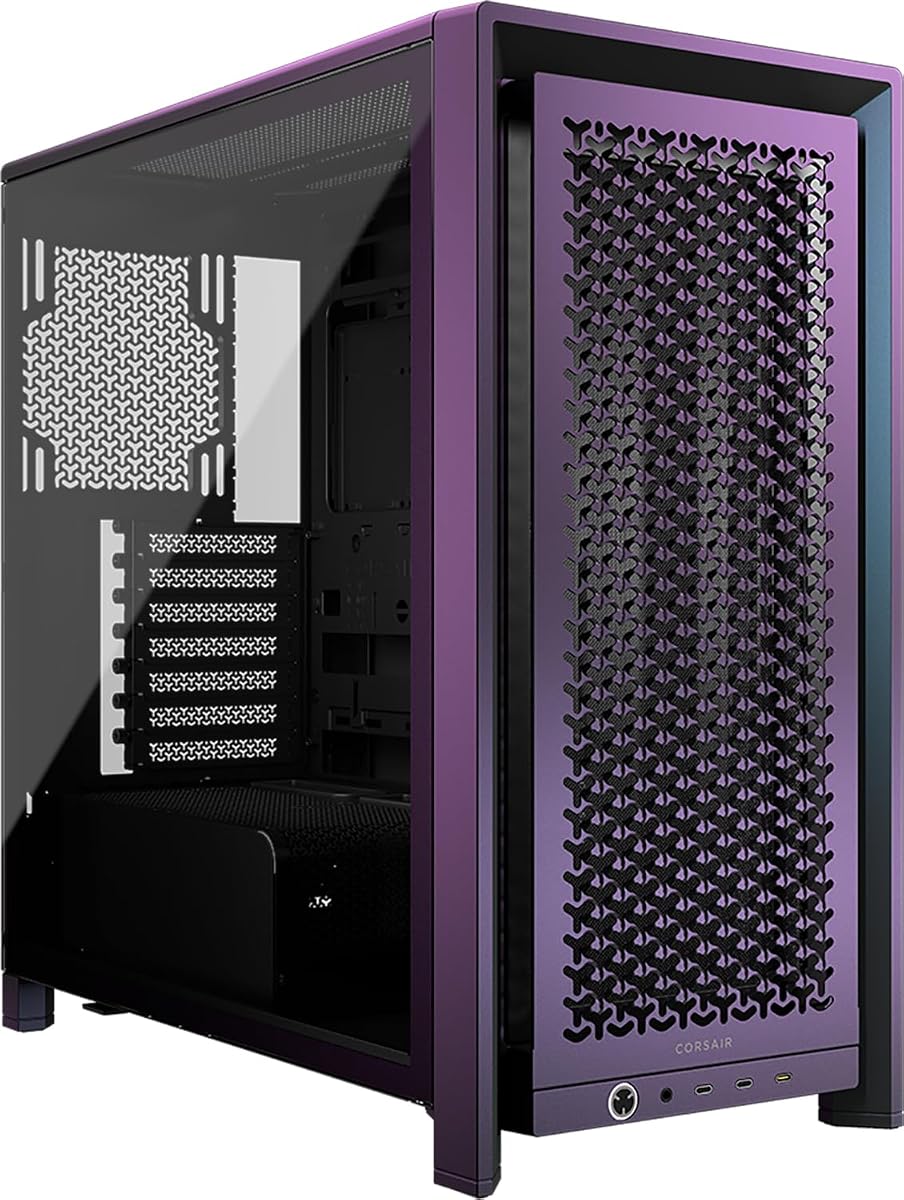
This limited edition Vault Series case shows stunning finishes in a run of 1,337 units. The FRAME system lets you change trays and panels to adapt over time.
We may earn a commission when you buy through this link, at no additional cost to you.
InfiniRail mounting ensures targeted airflow by sliding rails for fan placement. It supports three locations for 360mm radiators and up to twelve 120mm fans.
Its rarity may raise price and availability but the modularity and dual 360mm support suit ambitious builders. This case is for collectors who value customization.
If you seek a limited run with strong cooling and modularity, this case offers a rare chance to own a unique chassis.
This inaugural release showcases unique finishes in a limited run, individually numbered for collectors.
Take cooling to the next level with three mounting locations for 360mm radiators and dual 360mm support.
We may earn a commission when you buy through this link, at no additional cost to you.
Choosing the right case depends on balancing airflow design, component clearance, and build quality. These factors will help you narrow down the best match for your system.
Look for mesh or perforated fronts that allow air to enter with minimal resistance. Panels with filters help keep dust down while maintaining good intake.
Prioritize full mesh fronts for cooling or hybrid designs if you need a balance of aesthetics and airflow.
More mounting points let you add fans to intake and exhaust zones. Check if the case comes with included fans or if you need to buy them separately.
Choose cases that support at least four fans to ensure effective airflow paths for modern GPUs and CPUs.
Ensure the case fits your motherboard size and leaves enough room for your graphics card length. Check maximum GPU length and height limits for tall coolers.
Select a chassis with ample clearance so future upgrades do not require a case replacement.
If you plan liquid cooling, confirm that the front and top can hold your target radiator size. Front support for 360mm is common and desirable for performance.
Adequate radiator support keeps liquid-cooled systems cool and allows flexibility for loop expansion later.
Wide routing channels, grommets, and straps help keep cables organized behind the tray. Good management reduces airflow blockage and improves aesthetics.
Look for cases with deep cable space and built-in tie-down points to maintain clean layouts.
Steel frames with tempered glass offer durability while keeping weight reasonable. Some cases include mesh filters to trap dust without sacrificing airflow.
Choose quality materials that feel solid and resist flexing during installation or transport.
Check for USB Type-C and other ports at the front for easy access. Features like removable trays or brackets make upgrades simpler.
Modern I/O layouts improve usability and save time when connecting peripherals.
Compare included fans, materials, and features against the price. Some cases cost more but offer extra cooling headroom or unique modularity.
Balance your budget with long-term needs to ensure the case remains suitable as you upgrade parts.
Start by installing fans to create a clear path from front and bottom intakes to rear and top exhausts. This pattern helps push hot air out efficiently and keeps components cooler.
Keep dust filters clean by vacuuming or rinsing them every few months. Dust buildup can restrict airflow and raise temperatures over time.
Avoid placing the case in tight enclosed spaces that trap heat. Leave room around vents and consider elevated stands for better under-case airflow.
A high airflow case uses mesh or perforated panels to reduce air resistance. It includes multiple mounting points for fans and often comes with pre-installed cooling fans.
Most cases include dust filters behind mesh panels. Regular cleaning keeps dust levels low while maintaining the airflow benefits of the mesh design.
At least four fans provide effective intake and exhaust balance. More fans help in high-heat builds but ensure your motherboard supports them.
Glass sides look cleaner but can restrict airflow compared to mesh. Choose glass if aesthetics matter or ensure the case has enough other vents.
Check the maximum GPU length and compare it to your card. Modern GPUs can be long so cases supporting 350mm or more are safer.
Yes, most cases have standard fan mounts. Look for models with extra mounting points to add more fans as needed.
Cases with open vents and spacious interiors allow better airflow. Compact cases may restrict space so check internal layout details before buying.
Many include decent fans but you can upgrade them. Check fan noise and airflow specs to decide if they meet your needs.
This guide highlights ten models that deliver strong cooling performance and build quality. The MONTECH AIR 903 MAX leads for overall airflow while the Lian Li V100RX offers great value.
When choosing, prioritize clearance for your parts, fan mounts, and front panel design. A case that moves air freely keeps your system running cooler and longer.
Stock and offers can change so check current availability and details before buying. Use the comparison table to weigh options and find the right fit.