
HP 255 G10 Laptop for Home or Work
4.3Editor score
AMD Ryzen 3 7330U Processor
64GB RAM Capacity
Full HD Display
Finding a laptop with 64GB RAM ensures smooth performance for heavy multitasking and professional workflows. These machines handle demanding tasks without slowing down or crashing under pressure.
We compared ten top models based on processor speed, storage capacity, display quality, and build durability. Each entry offers unique strengths for students, creators, and business professionals.
Every pick highlights key specs and real-world benefits to help you choose the right fit. Prices and availability change frequently, so check current listings before purchasing your next device.
4.3Editor score

4.3Editor score

4.0Editor score
As an Amazon Associate we earn from qualifying purchases.
This side-by-side comparison highlights the core specifications of each model to help you quickly identify the best fit for your computing needs and budget constraints.




This HP model delivers strong performance with 64GB RAM and a powerful Ryzen 7 processor. It scores well for business users who need smooth multitasking and reliable security features.
We may earn a commission when you buy through this link, at no additional cost to you.
The 2TB SSD provides massive storage for files and projects while the Windows 11 Pro environment supports enterprise tools. Wi-Fi 6 ensures fast connections for remote work scenarios.
While the display is standard brightness it offers anti-glare protection for long sessions. The build is practical though not premium which keeps costs manageable for office budgets.
Buy this if you need a dependable workhorse for spreadsheets and data entry. It balances power and price effectively for professional daily tasks.
Windows 11 Pro includes single sign-on and remote desktop tools for better IT control.
The PCIe SSD allows rapid boot times and quick file access during busy workflows.
We may earn a commission when you buy through this link, at no additional cost to you.
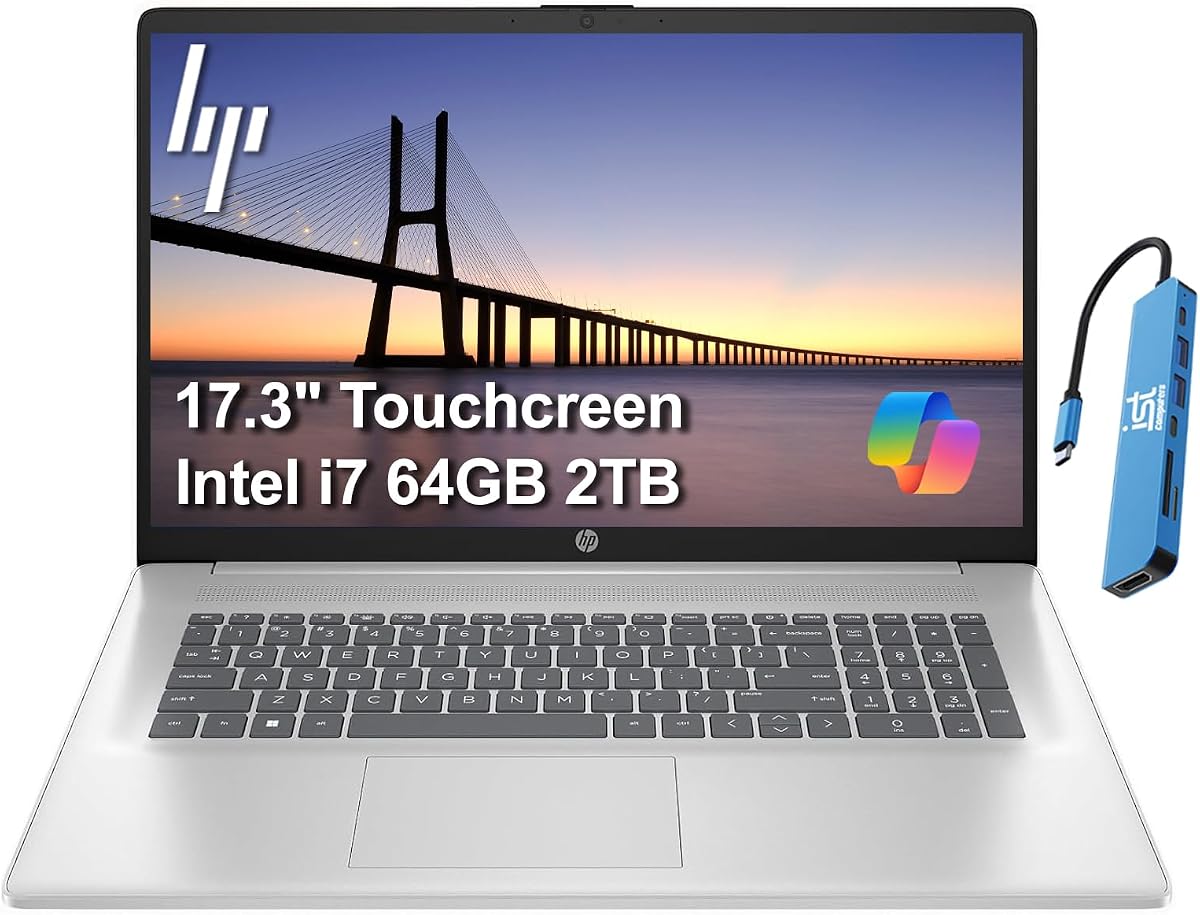
This laptop features a generous 17.3-inch touchscreen which is great for viewing detailed documents or maps. The Core i7 processor handles multiple apps smoothly thanks to the massive RAM capacity.
We may earn a commission when you buy through this link, at no additional cost to you.
Users benefit from the touch interface for intuitive navigation and the fingerprint reader adds quick secure login. The storage space is ample for media files and large datasets.
The screen resolution is HD+ rather than Full HD which may not satisfy creatives needing sharp pixel density. Portability is limited due to the large form factor and weight.
Ideal for desk-bound professionals who value screen real estate over mobility. It serves well for educational tasks and home office setups.
Touch control allows direct interaction with apps and web content for easier navigation.
The 13th Gen Core i7 offers robust multitasking capabilities for daily productivity workloads.
We may earn a commission when you buy through this link, at no additional cost to you.
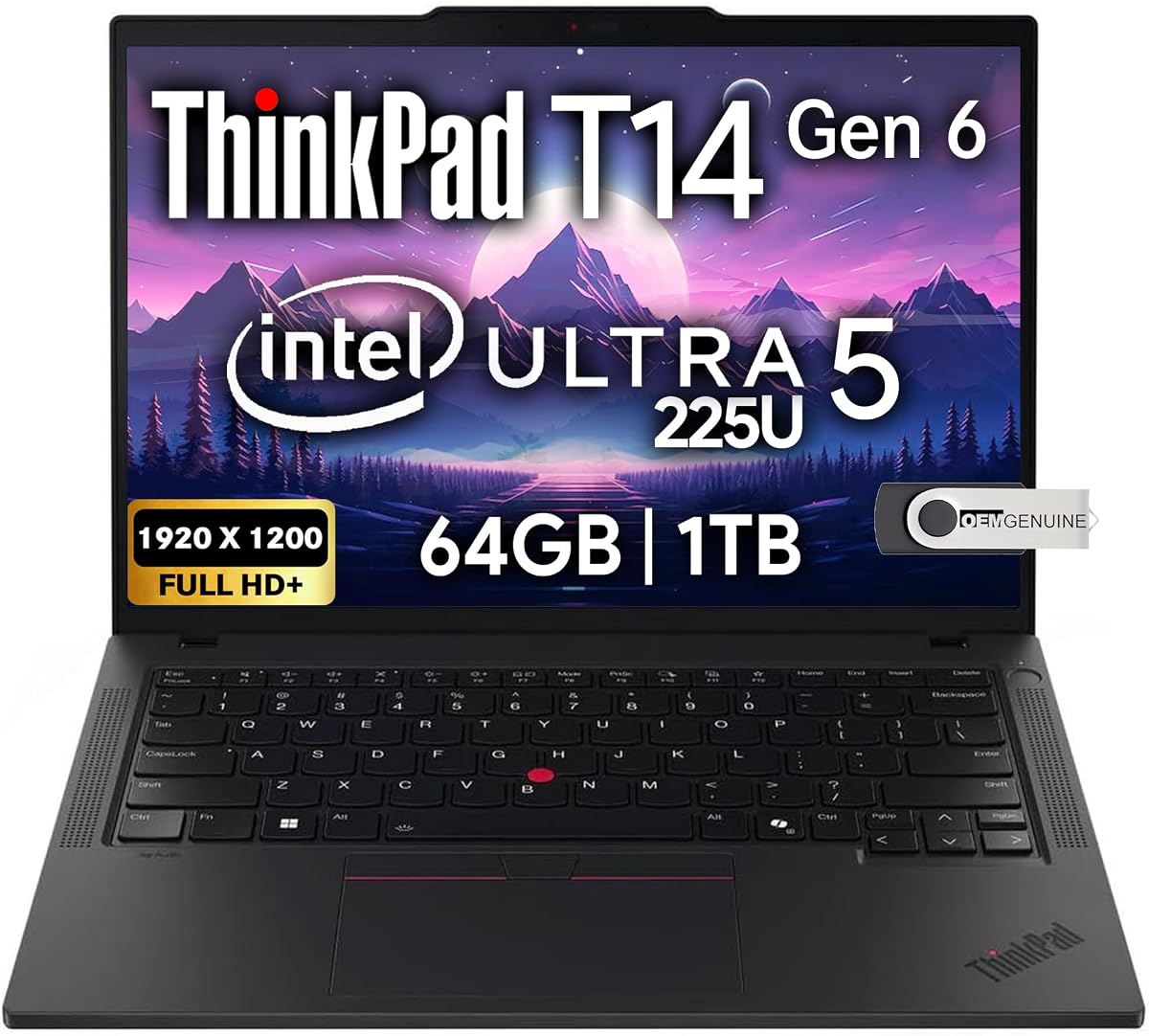
The ThinkPad T14 Gen 6 brings advanced DDR5 memory and AI features for efficient computing. Its military grade build ensures it can withstand tough travel conditions and daily wear.
We may earn a commission when you buy through this link, at no additional cost to you.
Thunderbolt 4 ports allow fast data transfer and multiple 4K external monitor support. The FHD+ display offers sharper visuals than standard HD screens for better clarity.
Storage is 1TB which is less than some competitors but still sufficient for most users. The cost reflects the premium features and rugged design suitable for fieldwork.
Choose this if you need durability and modern connectivity in a portable package. It fits executives and engineers who value reliability and future-proof specs.
Dual Thunderbolt 4 ports support high-speed data and daisy-chained displays effortlessly.
MIL-STD 810H certification guarantees resistance to shocks dust and extreme temperatures.
We may earn a commission when you buy through this link, at no additional cost to you.
This model stands out by offering over 2TB of storage combined with a docking station. The Intel Core i5 processor handles routine business tasks efficiently alongside the high RAM count.
We may earn a commission when you buy through this link, at no additional cost to you.
Windows 11 Pro with Office pre-installed saves setup time for new users. The 17.3-inch screen provides ample workspace for split-screen applications and detailed reports.
While the processor is not top-tier it remains adequate for office software and browsing. The extra bulk reduces portability but supports a desktop replacement use case well.
Perfect for users who want a turnkey solution with extra peripherals included. It suits home offices needing extensive local file storage and a dedicated workspace.
Included docking station and accessories reduce the need for extra purchases.
Large display supports multi-window workflows for enhanced productivity during long hours.
We may earn a commission when you buy through this link, at no additional cost to you.
The OmniBook 7 features a vibrant OLED display ideal for media consumption and visual work. Its Intel Core 9 processor delivers top-tier speed for demanding professional applications and games.
We may earn a commission when you buy through this link, at no additional cost to you.
Wi-Fi 7 ensures ultra-low latency connections for streaming and cloud collaboration. The backlit keyboard and thin design add comfort and modern aesthetics to daily use.
Battery life might suffer slightly due to the bright OLED screen and high performance CPU. The cost is significant but justified for users prioritizing display quality.
Recommended for creatives who need accurate colors and deep contrast. It excels in environments where visual fidelity and performance matter most.
Wi-Fi 7 offers faster speeds and better congestion handling in crowded networks.
OLED technology delivers perfect blacks and vibrant colors for immersive viewing.
We may earn a commission when you buy through this link, at no additional cost to you.
This HP 17 combines a large touchscreen with generous memory and storage capacity. The Intel Core 7 processor focuses on efficiency making it suitable for all-day productivity sessions.
We may earn a commission when you buy through this link, at no additional cost to you.
The 2TB SSD ensures you have room for movies photos and project files. A privacy shutter on the webcam adds security for sensitive video calls and meetings.
Display resolution is not full HD which impacts sharpness for detailed text editing. The chassis is heavier than ultrabooks so it is best for stationary use.
Buy for casual users needing a media center and work machine. It fits well in home setups where screen size is a priority.
Built-in webcam shutter protects against unauthorized viewing during off-hours.
Energy-efficient CPU design extends battery life while maintaining responsive performance.
We may earn a commission when you buy through this link, at no additional cost to you.
This budget laptop offers 64GB RAM at a competitive price point for cost conscious buyers. The Ryzen 3 processor is capable of handling web browsing and office tasks without lag.
We may earn a commission when you buy through this link, at no additional cost to you.
The Full HD screen provides clear visuals for reading and watching content. Its light design makes it easy to carry between classes or meeting rooms.
Performance is not meant for heavy rendering but it shines in general productivity. The lack of mouse is minor since most users prefer touchpads or external ones.
Ideal for students or home users needing fast multitasking without overspending. It delivers essential features effectively for basic professional needs.
High RAM at a lower price unlocks smooth multitasking for everyday computing.
Thin and lightweight build ensures easy transport for mobile lifestyles.
We may earn a commission when you buy through this link, at no additional cost to you.
This model focuses on interactive work with a responsive touchscreen and backlit keyboard. The Ryzen 5 processor supports smooth multitasking even with slightly less RAM than top picks.
We may earn a commission when you buy through this link, at no additional cost to you.
The numeric keypad is a plus for users working with numbers frequently. It includes Windows 11 Pro with Copilot AI features for streamlined daily workflows and automation.
While 32GB RAM is plenty for most users it may fall short for extreme virtualization tasks. The build is standard plastic which keeps costs low for students.
Great for students and office workers needing a touch interface. It balances budget and features well for general computing tasks.
Touchscreen support allows natural gesture inputs for presentations and navigation.
Dedicated numeric keypad improves efficiency for data entry and accounting tasks.
We may earn a commission when you buy through this link, at no additional cost to you.
This HP laptop combines 64GB RAM with a Ryzen 7 processor for solid overall performance. The Full HD touchscreen adds versatility for users who like touch navigation.
We may earn a commission when you buy through this link, at no additional cost to you.
The AI Copilot key offers quick access to intelligent assistance for emails and reports. Battery charging is fast ensuring you spend more time working and less time waiting.
Build quality is functional without being premium which aligns with its price bracket. It serves well for general business use and student research projects.
Choose this for a balanced machine that handles both tasks and media well. It is a strong contender for users wanting touch features with high memory.
Dedicated Copilot key streamlines access to generative AI tools and summaries.
Fast charge technology reaches 80 percent in about 60 minutes for less downtime.
We may earn a commission when you buy through this link, at no additional cost to you.
The HP 17 Inch laptop offers a spacious workspace with 64GB RAM and large storage. It includes a wireless keyboard and mouse bundle for a complete desktop replacement feel.
We may earn a commission when you buy through this link, at no additional cost to you.
The anti-glare IPS display reduces strain during long reading or document editing sessions. The Ryzen 5 processor handles daily business operations and data entry tasks efficiently.
Portability is reduced due to the larger chassis which is a trade-off for screen size. The included peripherals save money for users who prefer external input devices.
Best for home users needing a stationary workhorse with extra convenience. It fits students and professionals who prioritize screen space over portability.
Wireless keyboard and mouse bundle transforms laptop into a full workstation setup.
Anti-glare IPS display ensures eye comfort during extended viewing and work sessions.
We may earn a commission when you buy through this link, at no additional cost to you.
Selecting the right machine requires balancing memory with other specs to match your specific workflow and budget constraints effectively.
A powerful processor like Intel Core i7 or AMD Ryzen 7 ensures the 64GB RAM is fully utilized. Without a strong CPU the extra memory cannot be used for complex tasks or rendering.
Prioritize multi-core CPUs if you run virtual machines or video editing software regularly.
Large RAM pairs well with SSDs to store and retrieve files quickly. Look for at least 1TB of NVMe storage to avoid slowing down your system with external drives.
Always check if the SSD is upgradable in case your needs grow over time.
A high resolution screen helps you see more content which matches the multitasking strength of 64GB RAM. Full HD or higher resolution is recommended for professional documents.
IPS panels offer better viewing angles which are crucial for collaboration and design work.
Business laptops often feature MIL-STD certifications to survive drops and travel. A durable chassis protects your investment if you move between offices or classrooms.
Solid construction ensures the device lasts longer even under daily heavy usage.
Ensure the laptop has enough USB ports and HDMI for your peripherals. Wi-Fi 6 support keeps your connection fast when handling large cloud files.
Check for Thunderbolt support if you need high-speed external drives or monitors.
Windows 11 Pro provides advanced features like remote desktop which suits business users. Home versions lack some management tools needed for professional environments.
Verify the OS license to ensure you have access to security and update features.
High performance hardware often consumes more power so check battery endurance. Look for models with efficient chips if you travel often.
A long battery life ensures productivity during meetings or transit without charging.
Laptops with 64GB RAM vary widely in price based on brand and components. Decide how much you need for raw power versus portability and display quality.
Always compare total value including included accessories like mice or docking stations.
To maintain performance keep your system updated and manage background apps. Excessive startup programs can slow down even high RAM systems over time.
Use the numeric keypad for faster data entry if your model includes one. This helps reduce fatigue during long spreadsheets or inventory sessions.
Store your laptop in a cool dry place when not in use. Dust and heat can damage internal components affecting the longevity of your SSD and RAM modules.
Most general users need only 8GB to 16GB RAM. However 64GB is useful for heavy multitasking running multiple virtual machines or professional video editing.
Windows 11 Pro adds features like BitLocker and Remote Desktop which are helpful for businesses. Home is fine for personal use but Pro supports better management.
SSDs are significantly faster than HDDs for boot times and file access. This makes workflows smoother and reduces wait times during project loading.
Many modern laptops have soldered RAM so upgrades may not be possible. Check the product specs for upgradeability before purchasing to ensure future flexibility.
DDR5 is newer and faster than DDR4 offering better efficiency and speed. It is found in newer models like the Lenovo ThinkPad T14 Gen 6.
Yes 17-inch laptops are heavier and less portable than 14 or 15-inch models. Consider your travel needs if you require a lightweight device.
Our top picks cover various needs from budget-friendly options to premium business machines. The HP 255 G10 offers great value while the OmniBook 7 excels in display quality.
Focus on what matters most to you such as screen size or processing speed before buying. A balanced mix of specs ensures smooth performance for years.
Prices change often so always verify current listings before making your final decision. Check availability to ensure you get the best deal available today.