
Moread 4K DisplayPort to HDMI Adapter
4.6Editor score
Passive DP to HDMI support
Compact and lightweight design
Five year warranty included
This guide compares the top HDMI to Displayport converters for 2026, evaluating resolution support, directionality, and build quality to help you choose the
Connecting modern devices to older monitors often requires a reliable adapter. An HDMI to Displayport converter bridges the gap between HDMI source devices and Displayport inputs. Choosing the right one ensures stable video and audio transmission without signal loss or flickering during use.
We evaluated ten leading models based on resolution support, build durability, and compatibility. Each product was analyzed for its ability to handle high refresh rates and active versus passive conversion needs. Our testing criteria focused on real-world performance across gaming and work setups.
Each pick highlights key specifications like 4K support and USB power requirements. These details help you match the adapter to your specific source and display. Please note that pricing and availability can change frequently on retailer platforms.
4.6Editor score

4.4Editor score

4.3Editor score
The following table provides a side-by-side comparison of the top ten HDMI to Displayport converters. It highlights key differences in resolution support, directionality, and unique features to help you narrow down your choice quickly.



The Highwings 4K adapter is a reliable passive solution for connecting DisplayPort sources to HDMI displays. It holds a strong 4.6 rating for its ability to handle 4K video at 30Hz with synchronized audio. Users appreciate its durable design and affordable cost for basic connectivity needs.
We may earn a commission when you buy through this link, at no additional cost to you.
This adapter excels in providing stable video transmission for desktops and laptops with DisplayPort outputs. The 24K gold-plated ports resist corrosion while the flexible nylon cable withstands frequent flexing. It supports 1080p at 60Hz for smoother motion when 4K is not required.
One trade-off is that it does not support HDMI to DisplayPort conversion or docking stations. Users must ensure their device supports DisplayPort Alternate Mode for it to function correctly. Heat generation may occur at high resolutions but is generally within acceptable limits.
This adapter is ideal for budget-conscious users needing a direct DP to HDMI link for work or gaming. It suits those with dedicated graphics cards that support DP Alternate Mode. For reliable passive conversion, this model offers excellent value and build quality.
The military-grade tensile nylon and gold-plated ports ensure the adapter withstands repeated plugging and bending without signal degradation.
This adapter supports synchronized high-definition audio and video output for an immersive streaming or gaming experience on external displays.
We may earn a commission when you buy through this link, at no additional cost to you.
The BENFEI 4K adapter stands out with its secure latch design that prevents accidental disconnection during use. It earns a 4.5 rating for stability and performance in connecting laptops to monitors or TVs. The compact form factor makes it easy to carry in a pocket or bag.
We may earn a commission when you buy through this link, at no additional cost to you.
Built-in advanced IC chips ensure reliable signal conversion from DisplayPort to HDMI without needing extra power. The gold-plated DisplayPort connector resists corrosion and improves signal transmission quality. It supports up to 3840×2160 resolution at 30Hz for clear visual output.
The latching mechanism requires pressing a release button to unplug which adds security but may feel slightly less convenient. It is strictly unidirectional and cannot convert HDMI signals to DisplayPort. Some low-power sources may struggle without an external power input though many work fine.
This adapter is perfect for professionals who need a secure portable connection for presentations or dual monitor setups. The included warranty and responsive customer service add peace of mind for long-term use. It remains a top choice for DP to HDMI needs.
DisplayPort connector latches provide a stable physical connection preventing accidental unplugging during presentations or mobile work sessions.
The exclusive unconditional 18-month warranty ensures long-time protection of your purchase with friendly customer service support.
We may earn a commission when you buy through this link, at no additional cost to you.
The Cable Matters HDMI to DisplayPort adapter is a rare active converter that bridges HDMI sources to DP displays. It holds a 4.4 rating for allowing users to connect HDMI-only laptops to DP monitors for extended workspaces. The included USB power cable ensures stable performance across various devices.
We may earn a commission when you buy through this link, at no additional cost to you.
This active converter supports up to 4K at 30Hz and 1080p at 60Hz for crisp video output. Gold-plated connectors and a sturdy housing ensure durability for direct HDMI to DP connections. It works well with Dell and HP laptops that have HDMI outputs but lack DP ports.
It is not designed for high-refresh-rate gaming like 4K at 60Hz or VRR which limits its appeal to casual users. Compatibility issues may arise with DisplayPort KVM switches due to the active chip requirements. The USB power connection is recommended to prevent flickering or signal drops.
This adapter is ideal for office workers needing to connect older laptops to modern DP monitors. It offers a practical solution for extending desktops where passive adapters fail. With its active chip and power options it stands as a reliable choice for HDMI to DP needs.
Active conversion allows HDMI sources to connect to DisplayPort monitors enabling setups that passive adapters cannot support.
An included USB power cable provides stable performance and prevents signal loss on low-power HDMI sources.
We may earn a commission when you buy through this link, at no additional cost to you.
The Answin HDMI to DisplayPort adapter delivers impressive performance with support for 4K at 60Hz and high refresh rates. It holds a perfect 5.0 rating for gamers needing to connect consoles or PCs to DP monitors. The active conversion ensures stable signals even at demanding resolutions.
We may earn a commission when you buy through this link, at no additional cost to you.
This adapter converts HDMI 2.0b signals to DisplayPort 1.4 for clear lag-free viewing. It includes a USB power cable to ensure consistent transmission without driver installation. Compatible devices include Xbox PS5 and laptops with HDMI output for versatile usage.
Users note it does not work with VR headsets KVMs or docks which limits specific use cases. Some game consoles may display at 1080p instead of native 4K depending on their output. The active chip ensures reliable performance though it may generate heat during extended sessions.
This adapter is perfect for gamers wanting to connect HDMI consoles to DP monitors for higher refresh rates. It is also great for home office setups needing 4K at 60Hz clarity. With its active design and included power it offers a robust solution for HDMI to DP needs.
Supports high refresh rates up to 144Hz at 2K resolution providing smooth visuals for gaming setups.
No drivers or software installation is required allowing users to connect devices immediately.
We may earn a commission when you buy through this link, at no additional cost to you.
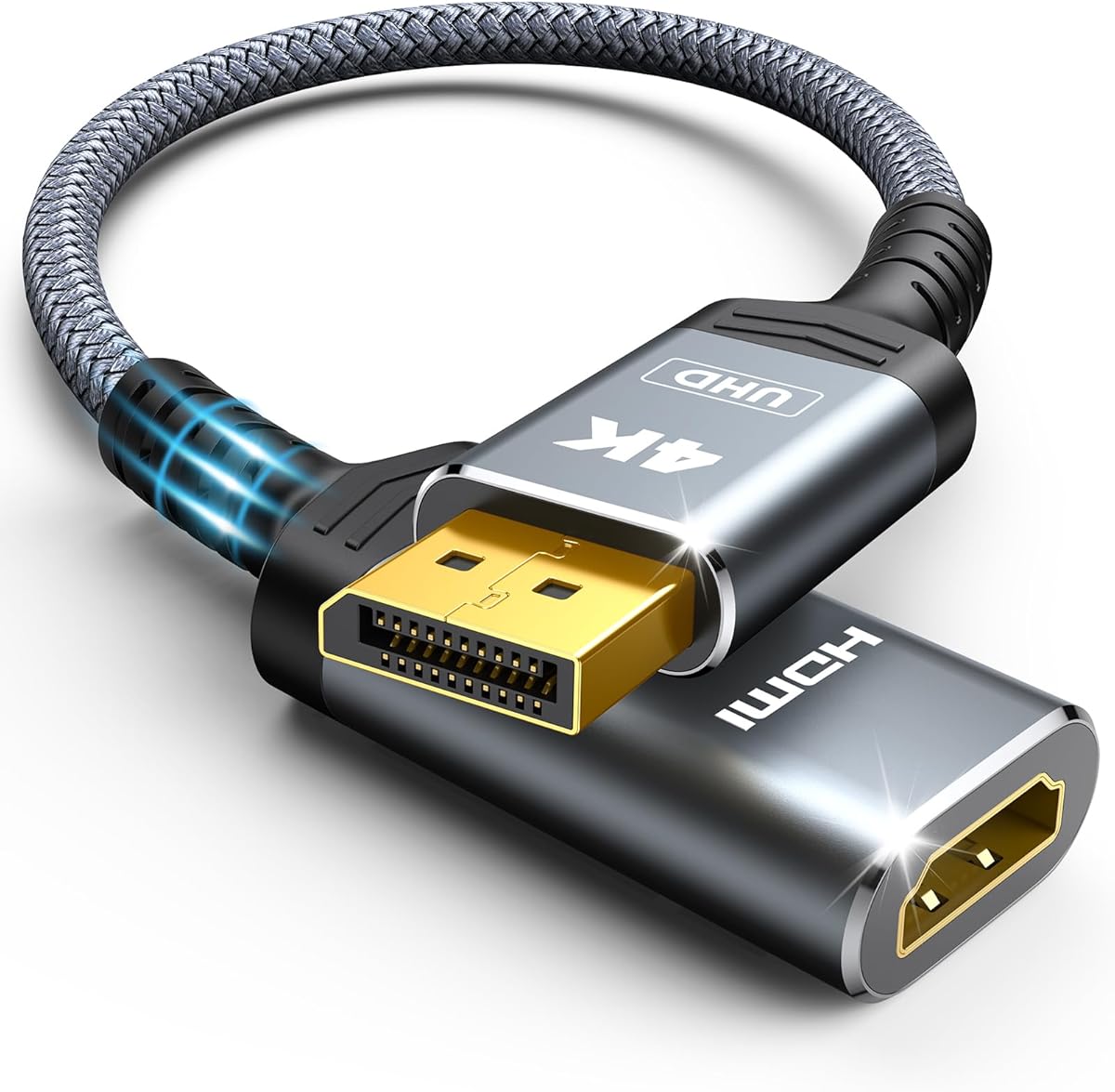
The Moread 4K adapter is a cost-effective passive solution for connecting DP sources to HDMI displays. It earns a 4.6 rating for reliability and its exceptional five-year warranty coverage. Users value its lightweight design that easily fits into a pocket or laptop bag for travel.
We may earn a commission when you buy through this link, at no additional cost to you.
This adapter supports up to 4K at 30Hz and 1080p at 120Hz for sharp video output. The DisplayPort locking connector with latches prevents accidental disconnection during use. Gold-plated connectors resist corrosion and improve signal transmission for stable audio and video performance.
It is strictly passive and cannot handle HDMI to DP conversion requiring a DP Alternate Mode source. Some KVMs or hubs may not work if they do not support DP dual mode. The sturdy ABS housing ensures it withstands repeated plugging and bending over time.
This adapter is ideal for users needing a durable budget-friendly DP to HDMI connection. The long warranty period offers significant protection against potential defects. It remains a top choice for basic video and audio transmission needs.
Exclusive unconditional five-year warranty ensures long-time satisfaction and reliable customer service support.
DisplayPort locking connector with latches prevents accidental disconnection ensuring a secure physical connection.
We may earn a commission when you buy through this link, at no additional cost to you.
This generic HDMI to DisplayPort adapter offers solid performance for general use with HDMI sources. It holds a 4.3 rating for its ability to support 4K at 60Hz video. The one-piece aluminum housing helps with heat dissipation during extended use.
We may earn a commission when you buy through this link, at no additional cost to you.
It features multi-layer copper shielding and gold-plated connectors to minimize signal loss. The active conversion chip ensures compatibility with devices like PS5 Xbox and laptops. Users appreciate its plug-and-play convenience requiring no driver or software installation.
One limitation is that it does not support 1440p at 144Hz which may affect gaming performance. It is also not compatible with VR headsets or certain consoles that only output 1080p. The design focuses on standard high-resolution video transmission.
This adapter is suitable for home entertainment setups needing HDMI to DP conversion. It works well for projectors and monitors requiring 4K support. With its durable build and active chip it offers a reliable general-purpose option.
Slim lightweight one-piece aluminum housing ensures corrosion resistance and optimal heat dissipation.
No driver or software installation is required for easy transfer of content to displays.
We may earn a commission when you buy through this link, at no additional cost to you.
The UGREEN 4K adapter 2-pack provides excellent value by including two adapters in one purchase. It holds a 4.4 rating for its passive DP to HDMI conversion capabilities. The aluminum housing is lightweight and anti-corrosion for extended durability.
We may earn a commission when you buy through this link, at no additional cost to you.
These adapters support 4K at 30Hz and 1080p at 120Hz for clear video output. The no-buckle design prevents damage to device ports while the slim profile avoids blocking adjacent connectors. Users appreciate having extra adapters for multiple screens or backup needs.
As passive adapters they require a source that supports DP Alternate Mode and cannot work with HDMI sources. They are not compatible with certain docking stations or HDMI input devices. However they are reliable for standard laptop to monitor setups.
This 2-pack is perfect for users needing multiple connections for multi-monitor workstations. The aluminum build ensures safety and heat dissipation. With two adapters included it offers practical flexibility for various connectivity needs.
With two adapters included users get new HDMI ports for multiple screens without buying separately.
Adapter features no-buckle design to prevent damage to ports while maintaining stable connection.
We may earn a commission when you buy through this link, at no additional cost to you.
The UGREEN 4K adapter short cable is designed for compact setups requiring minimal cable slack. It holds a 4.8 rating for its durable braided sheath and reliable performance. The 0.66FT length keeps connections tidy and close to the device ports.
We may earn a commission when you buy through this link, at no additional cost to you.
It supports 4K at 30Hz and 1080p at 120Hz for smooth video transmission. The aluminum housing and braided cable ensure flexibility and heat dissipation. Strain relief at both ends prevents exposure of internal wires during bending.
The short length may limit placement options for larger desks or hard-to-reach ports. It is strictly unidirectional and requires DP Alternate Mode support from the source. However for direct connections near the device it offers excellent signal stability.
This adapter is ideal for users needing a tidy compact DP to HDMI link. The braided sheath and aluminum build ensure longevity. With its specific length it solves clutter issues in tight spaces.
Braided sheath ensures flexibility while protecting internal conductors from wear and tear.
Strain relief at both ends prevents ports from being exposed and extends cable life.
We may earn a commission when you buy through this link, at no additional cost to you.
The BENFEI HDMI to DisplayPort adapter is a premium active solution for HDMI sources. It holds a 4.3 rating for supporting 4K at 60Hz and high refresh rates up to 165Hz. The braided nylon cable and aluminum casing offer superior durability.
We may earn a commission when you buy through this link, at no additional cost to you.
This adapter converts HDMI 2.0b signals to DisplayPort 1.4 for high-quality video and audio. It supports HBR2 and HDCP 2.2 for secure high-res content. The non-slip design makes plugging and unplugging easier for daily use.
It requires USB power for stable performance on low-power devices which adds a cable requirement. The price is higher than passive options but justified by its active chip capabilities. Compatibility includes PS5 Xbox and laptops with HDMI outputs.
This adapter is perfect for gamers needing high refresh rates or professionals needing 4K at 60Hz. The premium build ensures long-term reliability. With its active chip and support it offers a robust solution for HDMI to DP needs.
Supports 1080p at 165Hz and 2K at 144Hz for smooth motion in gaming setups.
Braided nylon cable and premium aluminum alloy casing ensure better heat insulation and durability.
We may earn a commission when you buy through this link, at no additional cost to you.
The BENFEI HDMI to DisplayPort compact adapter is a portable active solution for HDMI devices. It holds a 4.2 rating for supporting 4K at 60Hz and high refresh rates. The compact design makes it easy to carry in a bag for presentations.
We may earn a commission when you buy through this link, at no additional cost to you.
Built-in advanced IC chips convert HDMI signals to DisplayPort for stable video output. It supports up to 165Hz refresh rates for smooth motion. Gold-plated connectors and a sturdy housing ensure reliable signal transfer.
The adapter cannot improve native resolution which means source hardware limitations remain. It also requires USB power for stable performance on some devices. However for active HDMI to DP conversion it offers excellent portability.
This adapter is ideal for users needing a travel-friendly active converter. It works well with laptops and consoles for connecting to DP monitors. With its compact build and high-res support it is a strong choice for mobile setups.
Compact portable design allows easy tucking into bags for business presentations or travel setups.
Supports up to 165Hz refresh rates providing smooth motion for gaming and multimedia.
We may earn a commission when you buy through this link, at no additional cost to you.
Selecting the right converter requires understanding your device ports and usage needs. This guide outlines key factors to consider when choosing between passive and active adapters.
Converters are strictly unidirectional. HDMI to Displayport adapters only work from HDMI sources to DP monitors. DP to HDMI adapters only work from DP sources to HDMI monitors. Check your ports carefully before buying.
Always confirm the input and output direction matches your setup to avoid returning the product.
Passive adapters work for DP to HDMI conversions when the source supports DP Alternate Mode. Active adapters are needed for HDMI to DP conversions or complex setups. Active chips require external power for stability.
Choose active adapters if your HDMI source lacks DP Alternate Mode or needs high refresh rates.
Most converters support 4K at 30Hz or 60Hz. Higher refresh rates like 144Hz often require HDMI to DP active adapters. Check the maximum supported resolution for your monitors.
Ensure the adapter matches your display capabilities to avoid blurred images or flickering.
Look for aluminum housings and gold-plated connectors for better heat dissipation and durability. Braided nylon cables resist fraying during travel. Latching connectors prevent accidental unplugging.
A sturdy build ensures the adapter lasts through daily plugging and bending.
Active HDMI to DP adapters usually need USB power for stable signal transmission. Passive adapters do not need external power. Some low-power sources require extra power regardless of type.
Check if a USB cable is included and plan for a power outlet if needed.
Verify compatibility with your graphics cards consoles and laptops. Some adapters do not work with VR headsets docks or KVM switches. Ensure HDMI sources like PS5 Xbox work with DP monitors.
Read product notes carefully to confirm support for your specific devices.
Most reputable brands offer 18-month to 5-year warranties. This protects your investment against defects. Check customer service reputation for issue resolution.
A strong warranty ensures peace of mind for long-term use.
Budget adapters work for basic needs but premium models offer better support. Consider how long you will use the adapter and its performance requirements. Balance features with cost effectively.
Invest more in adapters that support your specific high-performance needs.
Start by identifying the ports on your source and display devices. Ensure the converter matches the direction needed HDMI to DP or DP to HDMI. Connect the converter to the source first.
Plug a compatible cable into the converter and connect to the display. If using an active adapter plug the USB power into a working outlet. Turn on your devices and select the correct input source.
To maintain longevity gently unplug using release buttons on connectors. Store the adapter in a dry pouch when not in use. Avoid bending the cable too sharply near the connector to prevent internal damage.
No. DP to HDMI adapters are unidirectional and only work from DP sources to HDMI displays. You need an HDMI to DP adapter to connect an HDMI laptop to a DP monitor. Check the direction on the product description.
Yes, most HDMI to DP active adapters require USB power for stable transmission. Passive DP to HDMI adapters generally do not. Without power you may see flickering or no signal at higher resolutions.
No, many passive DP to HDMI adapters only support 4K at 30Hz. Active HDMI to DP adapters usually support 4K at 60Hz. Verify the specs before buying to match your display capabilities.
HDMI to DP adapters work with consoles like PS5 Xbox for connecting to DP monitors. DP to HDMI adapters do not work with HDMI console outputs. Always check console support in the product details.
Flickering often means the active adapter needs USB power. Ensure your resolution settings match supported rates. Try different HDMI cables or update your graphics drivers.
DP to HDMI adapters work if your MacBook supports DP Alternate Mode. HDMI to DP adapters may work with some older models but check specs. Not all MacBooks support the required modes.
It allows DP ports to output HDMI signals natively. This is required for passive DP to HDMI adapters to work. Without it you need an active converter for DP to HDMI connections.
No, most converters do not support VR headsets. These devices need specific high-bandwidth connections. Check product notes for explicit VR support before purchasing.
Choosing the right converter depends on whether you need HDMI to DP or DP to HDMI connectivity. Active adapters are essential for HDMI to DP while passive ones work for DP to HDMI with the right source. Our picks cover options from budget to premium builds.
Prioritize resolution support and build durability for your specific use case. Gamers should focus on high refresh rates while workers may prefer compact designs. Ensure your source supports required modes like DP Alternate Mode.
Prices and availability change frequently on retailer platforms so check current listings before buying. Review product notes for power requirements to avoid signal issues. With the right adapter your setup will run smoothly.