
Thermalright TL-C14C-S X3 CPU Fan
4.7Editor score
Silent operation at low noise levels
High airflow for improved cooling
Synchronized ARGB lighting effects
This guide compares the top ARGB 140mm fans for performance and aesthetics including noise levels airflow ratings and pricing for 2026 builds.
Choosing the right cooling solution is essential for maintaining optimal system performance and longevity. ARGB 140mm fans offer a perfect blend of efficient thermal management and customizable lighting effects to enhance your build.
We evaluated ten leading models based on airflow static pressure noise output and lighting synchronization capabilities. Our analysis ensures you find a fan that fits your specific case and cooling requirements.
Each selection highlights key strengths and potential trade-offs to help you make an informed decision. Please note that product availability and pricing can change frequently so verify current details before purchasing.
4.7Editor score

4.6Editor score
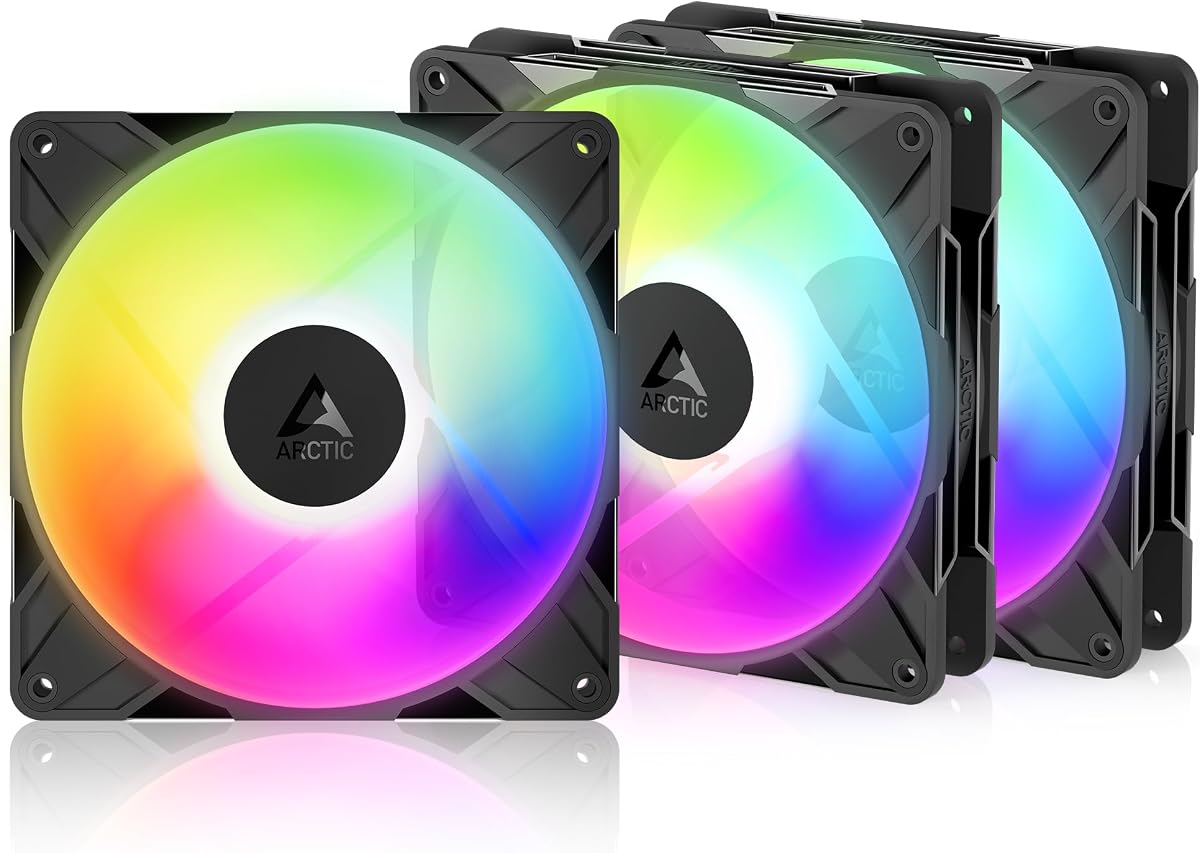
4.6Editor score
The following table provides a side-by-side comparison of all ten products evaluated in this guide. It highlights key specifications such as RPM range airflow capacity and bearing type to help you quickly identify the best fit for your needs.



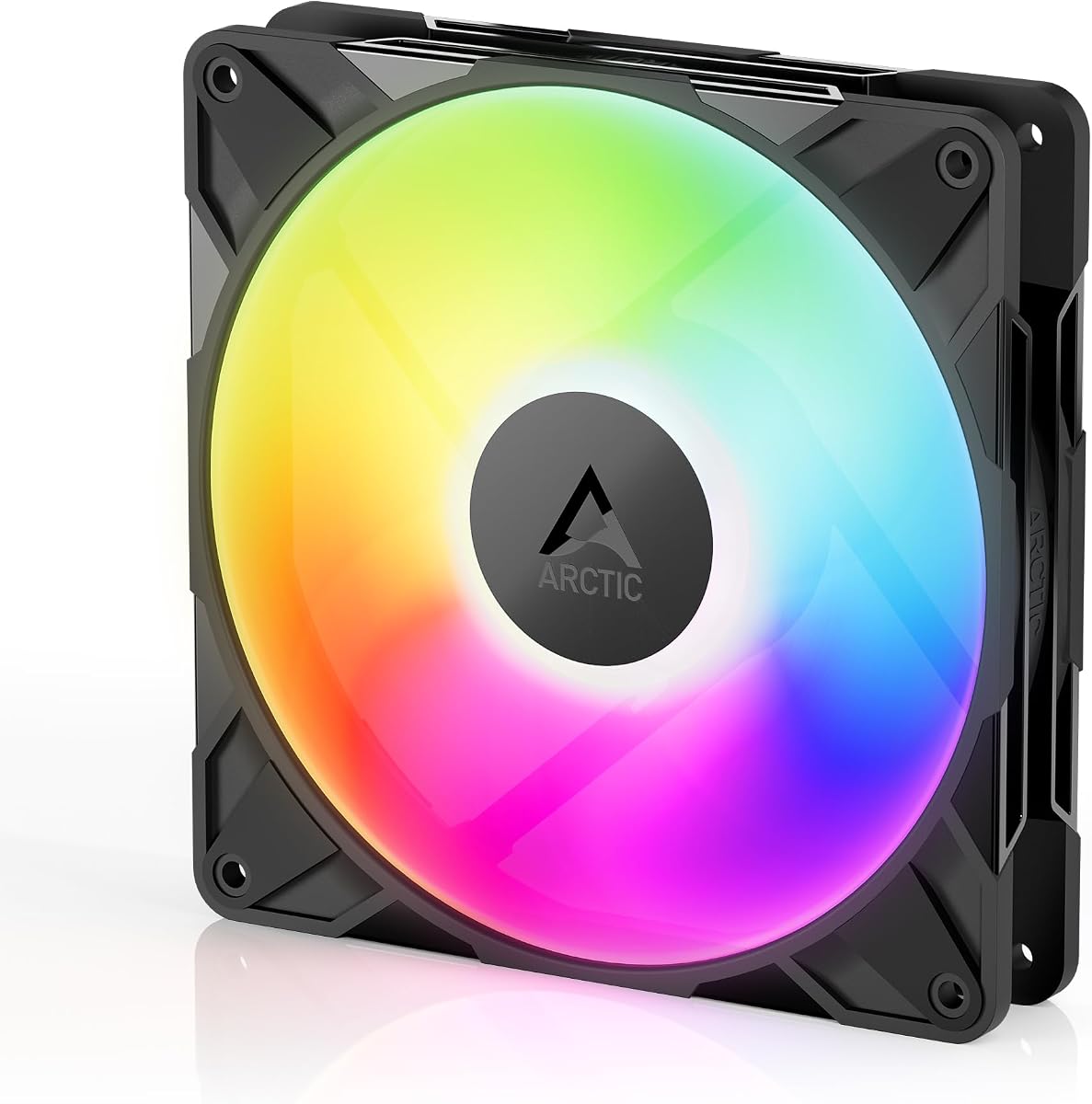


The Thermalright TL-C14C-S X3 offers exceptional value for budget-conscious builders seeking reliable cooling and decent aesthetics. It holds a strong rating from users who appreciate its balance of performance and silence.
We may earn a commission when you buy through this link, at no additional cost to you.
This three-pack set delivers up to 75.8 CFM of airflow per fan ensuring adequate thermal management for standard cases. The S-FDB bearing minimizes wear while the PWM control allows for precise speed adjustments based on system temperature.
While it lacks advanced software integration found in premium models the fan still supports motherboard ARGB syncing for basic lighting effects. The noise level remains impressively low even at maximum speed which is beneficial for quiet workstations.
Ideal for gamers and enthusiasts looking to fill a case without breaking the bank this fan pack is a solid choice. The combination of high airflow and low noise makes it a versatile option for various cooling configurations.
The high airflow ensures heat is effectively moved away from components preventing thermal throttling during intensive tasks.
Advanced bearing technology reduces friction which results in quieter performance even under high load conditions.
We may earn a commission when you buy through this link, at no additional cost to you.
The CORSAIR RS140 ARGB fans stand out as a top choice for builders prioritizing both performance and ease of installation. Their dual-pack configuration is perfect for radiators or case setups needing focused airflow.
We may earn a commission when you buy through this link, at no additional cost to you.
AirGuide technology directs airflow precisely where it is needed enhancing cooling efficiency. The high static pressure makes them ideal for radiators while the daisy-chain connection simplifies cable management significantly.
Users note the Magnetic Dome Bearing provides smooth operation with minimal noise. However advanced features may require specific motherboard compatibility which could be a consideration for older systems.
For those seeking a premium cooling experience with simplified wiring these fans are highly recommended. The combination of performance features and aesthetic control makes them a strong contender in the market.
The daisy-chain design reduces cable clutter allowing for a cleaner build interior and easier troubleshooting.
AirGuide vanes optimize airflow direction ensuring heat is removed efficiently from high-temperature zones.
We may earn a commission when you buy through this link, at no additional cost to you.
The ARCTIC P14 Pro Reverse A-RGB is designed for builders who value clean aesthetics without sacrificing cooling power. Its reverse airflow design ensures that the fan blades are not visible from the front of the case.
We may earn a commission when you buy through this link, at no additional cost to you.
This feature is particularly useful for glass-fronted cases where traditional fans might obstruct the view. The high-speed range up to 2650 RPM provides ample cooling power for demanding systems.
The fluid dynamic bearing ensures long-term reliability with minimal maintenance. While the reverse design is great for looks ensure your case supports this airflow direction for optimal performance.
This pack is perfect for showcasing your build while keeping temperatures low. The blend of aesthetic innovation and technical performance makes it a standout choice for custom water cooling and custom rigs.
Reverse blades eliminate visible obstructions making the interior of your PC look cleaner and more professional.
The wide speed range allows for aggressive cooling when needed while maintaining quiet operation at lower speeds.
We may earn a commission when you buy through this link, at no additional cost to you.
The Thermaltake CT140 EX ARGB Sync offers a unique magnetic connection system that simplifies installation significantly. This three-pack provides robust cooling and vibrant lighting for mid-to-high-end builds.
We may earn a commission when you buy through this link, at no additional cost to you.
The magnetic design allows fans to snap together easily reducing the need for complex cabling. With nine addressable LEDs per fan the lighting effect is bright and highly customizable via motherboard sync.
Users appreciate the hydraulic bearing for its smooth performance and quiet operation. However the magnetic mount might require specific case compatibility which could be a constraint for some chassis.
This set is ideal for those who want a plug-and-play experience with high visual impact. The magnetic feature adds a modern touch to the build process while ensuring reliable cooling performance.
Magnetic connectors allow fans to be linked together rapidly saving time and effort during assembly.
Nine addressable LEDs create a striking visual effect that enhances the overall look of your PC setup.
We may earn a commission when you buy through this link, at no additional cost to you.
The AsiaHorse Amici 140mm ARGB fan is designed to deliver exceptional lighting effects alongside reliable cooling. Its infinity mirror design creates a stunning visual display that stands out in any build.
We may earn a commission when you buy through this link, at no additional cost to you.
Equipped with a hydraulic bearing it promises a lifespan of up to 50,000 hours ensuring long-term reliability. The fan supports Aura Sync and other motherboard ecosystems allowing for seamless integration with your system lighting.
While airflow pressure is moderate the high speed up to 2000 RPM ensures sufficient cooling for general use. The infinity mirror effect is particularly appealing for showcases and gaming setups.
This fan is best suited for those who prioritize aesthetics without ignoring performance. The combination of durability and visual flair makes it a versatile choice for modern PC builds.
The infinity mirror design creates a depth effect that looks impressive from multiple viewing angles.
Hydraulic bearings reduce friction and extend the fan life ensuring consistent performance over years of use.
We may earn a commission when you buy through this link, at no additional cost to you.
The Cooler Master MasterFan MF140 Halo Fan is celebrated for its unique Duo-Ring ARGB lighting design. This single fan offers high performance and a distinctive look that stands out in any case.
We may earn a commission when you buy through this link, at no additional cost to you.
The hybrid static pressure blade design ensures it performs well in resistive environments like radiators or dust filters. Noise reduction technology keeps operation quiet making it suitable for noise-sensitive environments.
Users rate this fan highly due to its build quality and aesthetic appeal. It is compatible with major motherboard sync software which simplifies color matching across different components.
Ideal for those upgrading a single spot or a small build this fan offers premium features in a single unit. The lighting design and performance balance make it a strong contender for specialized use cases.
Two rings of LED lighting provide a halo effect that creates a striking visual impression in the case.
Hybrid blades ensure this fan works efficiently whether mounted on a radiator or as a case exhaust.
We may earn a commission when you buy through this link, at no additional cost to you.
The ARCTIC P14 Pro A-RGB is designed for extreme cooling needs with a maximum speed of 3000 RPM. This single fan offers a wide speed range allowing for precise control over noise and airflow.
We may earn a commission when you buy through this link, at no additional cost to you.
Its fluid dynamic bearing ensures that the fan runs smoothly with minimal vibration which contributes to a longer service life. The redesigned rotor blades optimize performance particularly at low speeds.
While it lacks advanced sync software it focuses on raw performance and reliability. The high static pressure makes it an excellent choice for dense radiators or restricted airflow areas.
For users who prioritize cooling power and longevity this fan is a robust option. The combination of high speed and durable construction makes it suitable for demanding thermal environments.
The 3000 RPM limit provides massive airflow potential for systems that need aggressive cooling under load.
Despite high speeds the fan remains efficient and smooth ensuring noise levels are managed well.
We may earn a commission when you buy through this link, at no additional cost to you.
The Thermalright TL-C14C-S X3 variant focuses on silent performance for builders who prefer a quiet system over flashy lights. This three-pack provides ample cooling with minimal acoustic disturbance.
We may earn a commission when you buy through this link, at no additional cost to you.
Silicone feet on all four corners help dampen vibrations reducing noise transmission to the case. The 7-blade design is optimized for noise reduction while maintaining high heat dissipation.
Using PBT and PC materials ensures the fan is robust and resistant to wear. It supports PWM control for automatic speed adjustments based on system temperature without user intervention.
This fan is perfect for workstation builds where silence is paramount. The focus on sound dampening and durable materials makes it an excellent choice for long-term quiet operation.
Silicone feet reduce mechanical vibrations keeping the system quieter and preventing rattling in the chassis.
PBT and PC blend offers excellent resistance to heat and stress ensuring long-term structural integrity.
We may earn a commission when you buy through this link, at no additional cost to you.
The ARCTIC P14 Pro Reverse A-RGB single unit is a highly rated option for builders who need one specific fan for a glass front. Its reverse design ensures the blades remain hidden from the front view.
We may earn a commission when you buy through this link, at no additional cost to you.
With a maximum speed of 2650 RPM it delivers strong cooling performance. The fluid dynamic bearing ensures silent and smooth operation which contributes to the overall high user rating.
This fan is ideal for filling gaps or replacing a single fan in a specific configuration. The reverse airflow capability is a rare feature that significantly enhances the aesthetic appeal of a build.
For those needing a single high-quality reverse fan this model is highly recommended. The combination of top ratings and specialized design makes it a standout choice for specific needs.
Purchasing a single reverse fan allows for precise customization without buying a full pack.
The high rating reflects consistent quality and reliability making it a trusted choice for enthusiasts.
We may earn a commission when you buy through this link, at no additional cost to you.
The Thermalright TL-C14C-S single fan is a highly rated option for those needing a single reliable ARGB fan. It combines strong performance with a wide variety of lighting modes.
We may earn a commission when you buy through this link, at no additional cost to you.
With up to 17 light modes it offers decent visual customization without complex software. The S-FDB bearing ensures durability and silence making it a practical choice for general case use.
This fan is perfect for replacing a single unit or completing a set. The 7-blade design ensures efficient heat dissipation while keeping noise levels low even under load.
For users needing a single reliable fan at a good price point this model is a top contender. Its combination of reliability and visual options makes it a versatile addition to any build.
Seventeen light modes provide enough variation to match different themes without requiring advanced control.
The high rating reflects consistent performance and durability over time.
We may earn a commission when you buy through this link, at no additional cost to you.
Selecting the right ARGB 140mm fans involves considering several key factors to ensure optimal performance and compatibility with your build.
Airflow is measured in CFM and indicates how much air the fan can move. Static pressure refers to the ability to push air through resistance like radiators. High airflow is great for case ventilation while high static pressure is essential for radiators.
For case ventilation choose high CFM fans. For radiators opt for high static pressure fans to ensure efficient cooling.
Noise levels are measured in decibels dB. Lower noise is preferred for silent builds. Check the dB rating in the product specs to ensure it meets your requirements for quiet operation.
Select fans with lower dB ratings if you prioritize a silent workstation. Fans with noise reduction technology are ideal for this purpose.
Bearing type affects the lifespan and noise of the fan. Fluid dynamic bearings offer quiet operation and longevity. Sleeve bearings are cheaper but may wear out faster. Magnetic dome bearings are premium options for smoothness.
Choose fluid dynamic bearings for long-term reliability and silent operation. Avoid sleeve bearings if you want a longer lifespan.
PWM fans allow precise speed control based on temperature using a 4-pin connector. DC fans use a 3-pin connector and may be less precise. PWM is generally preferred for efficient thermal management.
Opt for 4-pin PWM fans for precise speed control and better energy efficiency compared to DC options.
ARGB supports individually addressable LEDs allowing for complex lighting effects. Standard RGB lights all LEDs as one block. ARGB requires a 5V 3-pin header while RGB uses 12V 4-pin. Check your motherboard support before purchasing.
Choose ARGB for detailed lighting effects but ensure your motherboard supports 5V 3-pin headers to avoid compatibility issues.
Ensure the fan is 140mm as specified. Check your case for mounting holes and clearance. Some cases require specific mounts or screw types. Verify dimensions to avoid installation issues.
Always confirm case compatibility and available mounting points before purchasing to ensure a perfect fit.
Buying a pack offers better value if you need multiple fans. Single units are useful for replacements. Consider how many fans you need and budget accordingly when choosing between packs and singles.
Purchase packs if you need three or more fans. Buy single units for specific replacements or small builds.
Reputable brands often offer better warranty and support. Research customer reviews for real-world reliability. Consider the brand history in cooling solutions when making a final decision.
Choose established brands for reliable support and warranty coverage to ensure peace of mind.
Install the fans with arrows indicating airflow direction facing your desired path. Connect the PWM cable to the fan header and the ARGB cable to the correct 5V header on your motherboard.
Use motherboard software or BIOS settings to configure fan curves. Set lower speeds for idle and higher speeds for high temperatures to balance noise and cooling.
Dust your fans regularly with compressed air to prevent buildup. Over time this buildup can reduce performance and increase noise levels.
ARGB fans use individually addressable LEDs allowing for complex lighting effects while RGB fans light up all LEDs as a single color. ARGB requires a 5V 3-pin header whereas RGB typically uses a 12V 4-pin header.
Use a daisy-chain or splitter cable to connect multiple fans to one PWM header. Ensure the cable supports the number of fans to avoid overloading the motherboard header.
Yes you can use non-ARGB fans on an ARGB motherboard but you may need an adapter for the lighting. The fan will function normally but without the ARGB visual effects.
Check that your motherboard supports the specific lighting protocol. Ensure the 5V 3-pin connector is securely plugged in and that your software is updated to support ARGB control.
140mm fans generally move more air at lower speeds making them quieter than 120mm fans. They are preferred for cases with 140mm mounting points for better thermal performance.
Basic speed control works via BIOS without software. Advanced lighting control often requires specific software from your motherboard manufacturer to sync colors and effects.
PWM stands for Pulse Width Modulation allowing precise speed control by varying the voltage. This helps optimize performance by running fans faster when cooling is needed and slower for quiet operation.
Power down your PC and disconnect it from power. Use a can of compressed air to blow dust out of the fan blades and heatsink. Avoid spinning fans too fast as you blow dust.
We highlighted top options including the Thermalright TL-C14C-S for budget builds and CORSAIR RS140 for performance. Each offers a balance of cooling and aesthetics.
Prioritize airflow static pressure and noise levels based on your build needs. Ensure your motherboard supports ARGB syncing for the full visual experience.
Always check current prices and availability as deals change frequently. Investing in quality fans ensures your system stays cool and looks great for years.