
2026 Upgraded Magic Box
5.0Editor score
Wireless CarPlay Upgrade
Built-in Streaming Apps
Compact Space Saving
This guide compares the top Carplay Box with Google Play adapters for wireless streaming and app access in compatible wired vehicles across different budgets.
Transform your factory wired infotainment system into a smart hub with a Carplay Box with Google Play. These devices unlock streaming apps and full Android functionality on your car screen.
We evaluated ten top models based on connectivity, app availability, and performance. Our list covers options from budget friendly plugs to high end AI powered boxes for every driver.
Each pick highlights key features and real world capabilities. Note that product details and availability change frequently so check current listings before buying your next adapter.
5.0Editor score

4.7Editor score

4.3Editor score
Compare all ten top rated wireless adapters side by side to find the perfect match for your vehicle and entertainment needs.


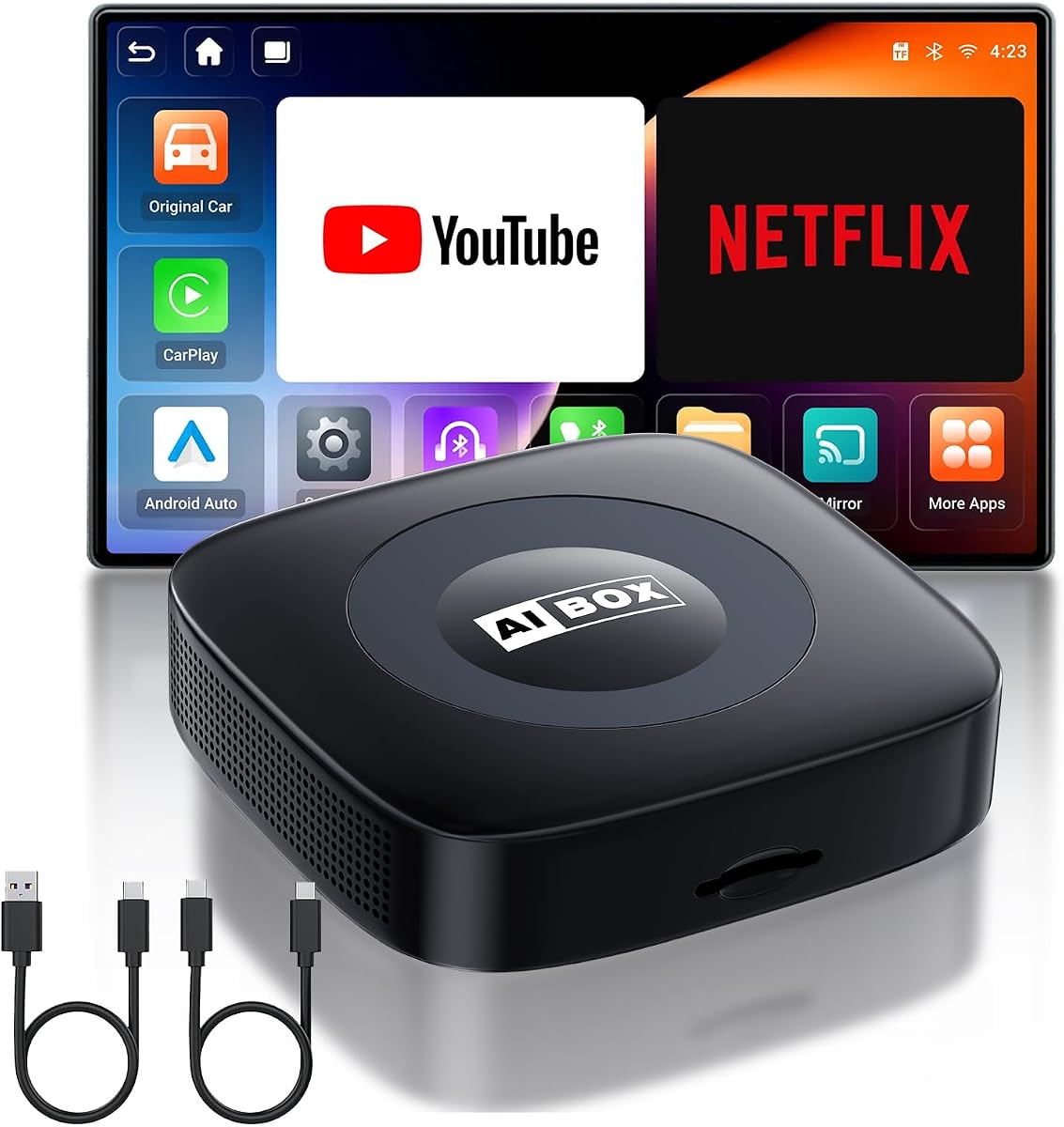

This adapter stands out as the top choice for drivers wanting full Android freedom. It earns a high rating for its seamless integration with factory wired systems.
We may earn a commission when you buy through this link, at no additional cost to you.
Its main strength is the complete Google Play Store access. You can download apps directly and stream video content like YouTube and TikTok with ease.
The device relies on phone hotspots which may drain battery. It also excludes BMW and Tesla users from compatibility lists entirely.
Drivers seeking a versatile smart hub should prioritize this model. It delivers reliable wireless performance with minimal setup effort.
Access the complete Google Play Store to download apps and customize your car screen beyond standard navigation limits.
Pair once via Bluetooth and enjoy automatic reconnection every time you start your engine for a smooth daily routine.
We may earn a commission when you buy through this link, at no additional cost to you.
This device brings AI co-pilot features to your dashboard through Gemini integration. It aims to enhance navigation and voice commands hands-free.
We may earn a commission when you buy through this link, at no additional cost to you.
Key advantages include high RAM for multitasking and dual WiFi for stable streaming. The HDMI output allows connecting to rear headrest displays easily.
Some users report connection instability compared to simpler models. Clearing cached data is often needed to maintain smooth performance.
Tech-savvy drivers valuing AI tools might find this useful. It offers unique smart features but requires patience during setup.
Gemini AI helps plan routes and manage reminders hands-free so you stay focused on the road ahead.
4GB RAM provides headroom for running navigation while streaming media without lag when switching tasks frequently.
We may earn a commission when you buy through this link, at no additional cost to you.
The CarlinKit model offers robust hardware with an 8-core processor and Android 13. This ensures smooth operation even when running demanding apps.
We may earn a commission when you buy through this link, at no additional cost to you.
Its standout feature is 4G SIM support for standalone internet access. You do not rely solely on phone hotspots for connectivity while driving.
The device is more expensive than basic adapters. Users must also purchase a data plan separately to use cellular features fully.
Power users needing independent connectivity should consider this option. It delivers consistent performance with a premium build quality.
Insert a SIM card to access apps and streaming directly without needing to tether your phone for internet.
The 8-core CPU handles multiple apps and video streams with reduced lag during intense multitasking sessions.
We may earn a commission when you buy through this link, at no additional cost to you.
This model provides excellent value for budget-conscious buyers seeking core features. It supports wireless CarPlay and streaming apps in one compact package.
We may earn a commission when you buy through this link, at no additional cost to you.
Users praise its fast 5G WiFi and reliable Bluetooth connectivity. The HDMI support adds versatility for camping or outdoor viewing needs.
Internal storage is modest compared to premium units. It relies more heavily on USB expansion for offline media storage.
First-time buyers looking for simplicity should choose this. It balances price and functionality effectively for daily driving.
5G WiFi ensures smooth video streaming and quick app loading without noticeable lag or buffering issues.
HDMI support allows you to connect external screens for extra entertainment options in campers or outdoor setups.
We may earn a commission when you buy through this link, at no additional cost to you.
This adapter supports both CarPlay and Android Auto switching on one device. It is ideal for families using different phone platforms regularly.
We may earn a commission when you buy through this link, at no additional cost to you.
Built-in Netflix and YouTube apps allow offline playback via TF card. This helps during travel where internet signal is weak or unavailable.
Users note they cannot stream and navigate simultaneously sometimes. Bluetooth settings must be managed carefully during initial hotspot setup.
Households with mixed devices will appreciate this flexibility. It simplifies connectivity without needing multiple adapters per car.
Switch seamlessly between Apple CarPlay and Android Auto to support different family members devices effortlessly.
Use TF cards to play stored video and music offline when mobile data is unavailable on road trips.
We may earn a commission when you buy through this link, at no additional cost to you.
The Gemini integration adds voice command capabilities for a hands-free experience. It can manage reminders and play stories directly.
We may earn a commission when you buy through this link, at no additional cost to you.
Dual-band WiFi provides stability for streaming apps. It supports HD media outputs for rear screen entertainment in larger vehicles.
The AI features may not be as responsive as standalone voice assistants. Users report needing to retry commands occasionally.
Drivers interested in voice automation should test this. It offers unique capabilities but standard users might prefer simpler interfaces.
Use Gemini AI to set reminders and play podcasts hands-free so you stay focused on driving safely.
Dual-band WiFi keeps navigation and streaming running smoothly without dropouts or lag during daily commutes.
We may earn a commission when you buy through this link, at no additional cost to you.
This device runs the latest Android 13 OS for expanded app compatibility. It includes ScenePilot AI tools for navigation and privacy management.
We may earn a commission when you buy through this link, at no additional cost to you.
A 4G LTE trial card is included to test features easily. This ensures connectivity even when phone hotspots are unavailable.
The trial period limits long-term usage without adding a paid plan. Higher price points reflect these advanced integrated features.
Tech adopters wanting modern OS benefits will appreciate this. It offers robust performance with unique privacy controls.
Android 13 ensures access to newer apps and system features that older adapters cannot support effectively.
Bluetooth Lock secures your personal data when leaving the vehicle to keep shared cars private.
We may earn a commission when you buy through this link, at no additional cost to you.
This unit is designed for minimal space usage with a portable form factor. It supports both iPhone and Android systems with quick switching.
We may earn a commission when you buy through this link, at no additional cost to you.
Upgraded WiFi 6 and Bluetooth 5.3 deliver strong signal strength. The H618 processor ensures low latency streaming performance.
Memory is modest compared to higher end models. It relies on streaming mostly rather than extensive offline downloads.
Drivers needing a small discreet plug should pick this. It maximizes space efficiency without sacrificing core connectivity.
The small body minimizes clutter and fits neatly behind your dashboard for a clean professional look.
WiFi 6 provides faster speeds and better stability for smooth streaming in areas with crowded wireless networks.
We may earn a commission when you buy through this link, at no additional cost to you.
This model emphasizes offline playback through its TF card slot. It supports Netflix and YouTube when connected to a hotspot.
We may earn a commission when you buy through this link, at no additional cost to you.
Switching between CarPlay and Android Auto remains straightforward. Users appreciate the simplicity of connecting multiple phone systems.
It restricts downloading additional apps beyond built-in ones. WiFi speeds are lower compared to newer 5G enabled competitors.
Frequent travelers with local media files will find this useful. It prioritizes offline storage over app expansion flexibility.
TF card support allows playing stored movies and music without needing internet connectivity during travel.
Switch between CarPlay and Android Auto modes to accommodate different driver devices without issues.
We may earn a commission when you buy through this link, at no additional cost to you.
This adapter focuses on reliability and consistent connection quality. It uses dual-band WiFi to prevent interference with navigation.
We may earn a commission when you buy through this link, at no additional cost to you.
Its aluminum alloy construction offers superior heat dissipation for long trips. OTA updates keep the system current with improvements.
It lacks a full Play Store for app downloads. Users must rely on built-in apps and hotspot connections for streaming.
Drivers prioritizing connection stability should consider this model. It delivers dependable performance without extra complexity.
Dual-band WiFi ensures zero latency for smooth navigation and streaming even in crowded network environments.
Aluminum alloy housing dissipates heat effectively to maintain stable performance during extended driving sessions.
We may earn a commission when you buy through this link, at no additional cost to you.
Choosing the right adapter involves checking your car compatibility and desired features carefully.
Ensure your vehicle has factory wired CarPlay and is not a BMW or Tesla model. Check your settings to confirm support.
Verify your car supports the specific model before buying to avoid return issues.
Newer Android OS versions like 13 provide better app compatibility and performance for streaming services.
Prioritize units with updated OS to ensure long term app support.
Dual band or 5G WiFi ensures stable connections and faster data transfer speeds while driving.
Look for advanced WiFi standards to reduce lag during video playback.
Higher core counts and RAM allow smooth multitasking between navigation and entertainment apps without freezing.
Adequate processing power prevents slowdowns when switching apps.
Internal storage should be supplemented by USB or TF card slots for offline media when internet is unavailable.
Expandable storage gives flexibility for large video files during travel.
Some models include AI assistants for voice commands and route planning hands free while driving.
Decide if you need these smart extras or prefer standard functionality.
Aluminum bodies dissipate heat better than plastic and withstand temperature changes inside the car.
Durable materials ensure the device lasts longer during extended use.
Auto connect features save time by pairing automatically every time you start the car.
Simple plug and play setups minimize frustration during installation.
Plug the adapter into your car's USB port to power on the device and wait for it to boot up fully.
Connect your phone to the device via Bluetooth and enable CarPlay or Android Auto in your vehicle settings.
Use a mobile hotspot or SIM card for internet access to download apps and stream content smoothly.
No most models do not support Tesla or BMW vehicles due to proprietary systems. Check product specs for specific compatibility lists.
Most units require a hotspot unless they have built in 4G SIM slots. Ensure your phone provides internet to stream content.
Units with full Android Play Store allow downloading many apps. Others only support preloaded apps like Netflix or TikTok.
Simply plug it into your car's USB port and pair via Bluetooth. Follow on screen steps to enable wireless CarPlay.
Most devices lock video playback when the car is in motion for safety. Check local laws and device settings for rules.
Regular OTA updates improve performance and fix bugs. Check the manufacturer app or settings to install updates.
Our top picks highlight strong options for different budgets and needs from budget friendly boxes to AI enabled premium units.
Prioritize compatibility and connectivity stability for the best daily driving experience with streaming apps.
Verify current listings and prices before purchasing to ensure the model still meets your requirements.