
Yealink Sp92 Conference Speaker
4.1Editor score
AI noise cancelling
Microsoft Teams certified
Ultra portable design
This guide compares the top Bluetooth speakerphone for the Home Office models to help you find clear audio, noise cancellation, and reliable connectivity for
Choosing the right Bluetooth speakerphone for the Home Office is crucial for professional virtual meetings. You need clear audio pickup, reliable connectivity, and features that reduce background noise effectively for productivity.
We compared ten top-rated models based on microphone quality, battery life, connectivity options, and compatibility with major platforms like Zoom and Teams to help you decide easily.
Each pick highlights key strengths and ideal use cases for different workspace needs. Prices and availability can change quickly so verify current details before making your final purchase decision today.
4.1Editor score
4.4Editor score

4.6Editor score
This side-by-side comparison highlights the key specifications and unique features of every model to help you quickly identify which device fits your specific home office requirements.

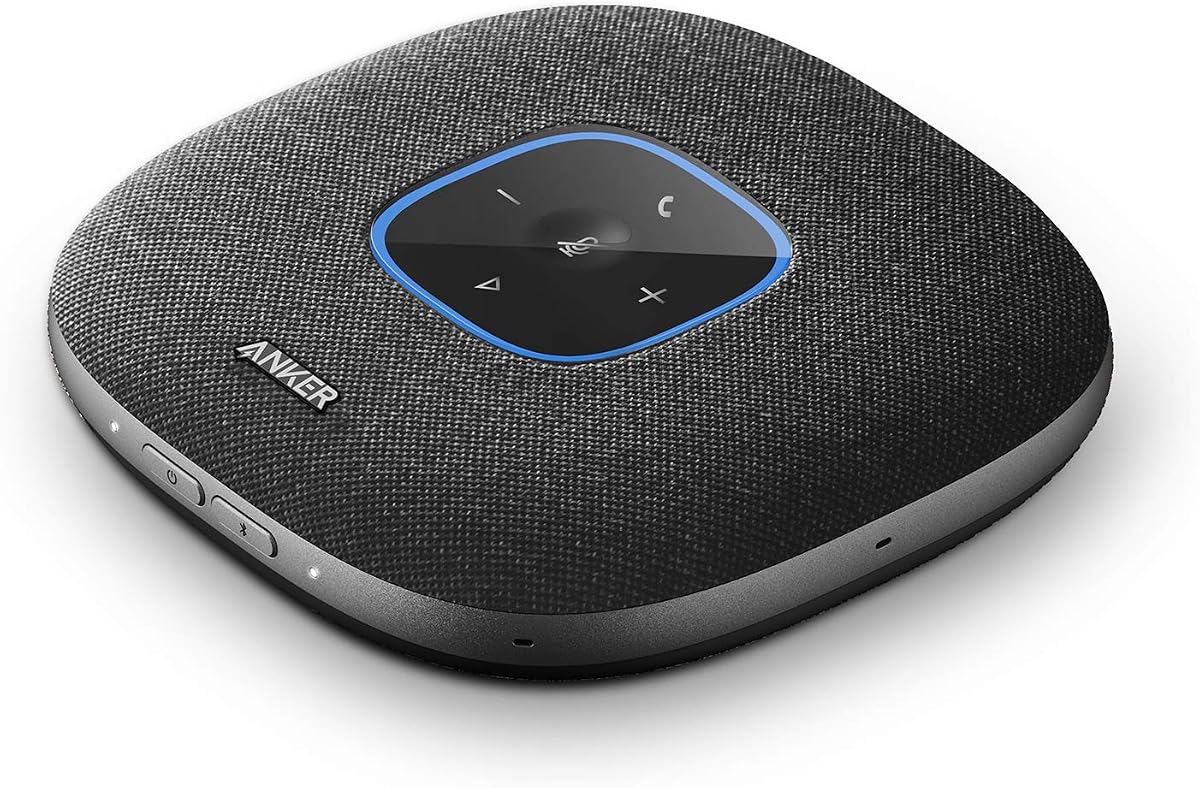


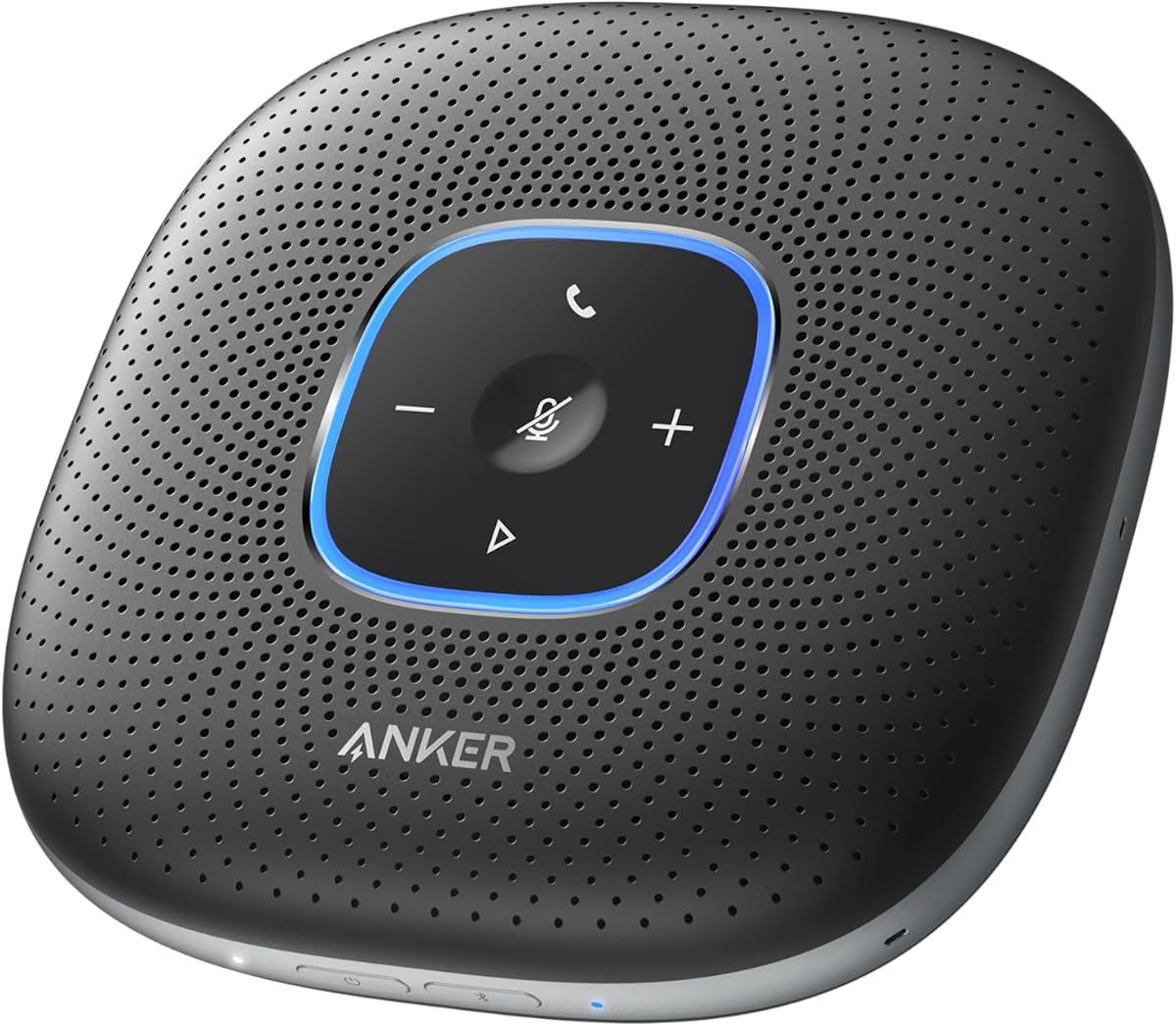
The Anker PowerConf Speakerphone stands out as a top choice for home offices needing reliable conference audio. With a 4.4 star rating it delivers professional quality sound that enhances virtual meetings significantly.
We may earn a commission when you buy through this link, at no additional cost to you.
Its six microphones arranged in a 360 degree array ensure voices are picked up from any direction. Voice Radar 3.0 technology uses AI to cancel echo and reduce background noise effectively.
While it offers a robust feature set the price point is higher than some basic models. However the battery life and audio quality justify the investment for frequent users.
This speakerphone is ideal for remote workers who prioritize sound clarity and ease of use. We recommend it for anyone seeking a premium experience without enterprise complexity.
Voice Radar 3.0 detects multiple speakers and balances volume automatically for natural conversations.
Connect via Bluetooth or USB-C without drivers for seamless integration with phones and computers.
We may earn a commission when you buy through this link, at no additional cost to you.
The Anker PowerConf S330 is designed for users who prefer a stable USB connection over wireless options. It offers plug and play simplicity making it easy to join meetings instantly without pairing issues.
We may earn a commission when you buy through this link, at no additional cost to you.
Four high sensitivity microphones provide clear voice pickup within three meters. The 1.75 inch driver paired with passive radiators adds depth to both meeting audio and music playback.
Since it relies on a wired connection it lacks battery mobility which might be a drawback for frequent travelers. However for a fixed desk setup it provides reliable performance at a competitive price.
We suggest this model for professionals who want a dependable speakerphone that stays connected to their laptop. It is perfect for daily standups and long conference calls where consistency matters.
Background noise is eliminated while voices are enhanced for a professional meeting experience.
Connect via USB-C with the included adapter for immediate use with your computer.
We may earn a commission when you buy through this link, at no additional cost to you.
The Anker PowerConf S3 brings app control to home office audio allowing users to customize settings for optimal performance. It features six microphones for 360 degree coverage ensuring no voice is missed.
We may earn a commission when you buy through this link, at no additional cost to you.
Smart voice enhancement uses a DSP algorithm to optimize clarity in real time. Double Talk capability ensures every word is heard even when multiple people speak simultaneously during meetings.
While app control adds flexibility it might be unnecessary for users who prefer simple hardware buttons. The device is otherwise similar to other models but offers more software integration options.
This speakerphone suits tech savvy users who want control over their audio settings. We recommend it for those who value customization and seamless connectivity across all platforms.
Voice volume is automatically balanced to make up for differences in loudness and distance.
Connect via Bluetooth or USB-C for compatible with all popular online conferencing platforms.
We may earn a commission when you buy through this link, at no additional cost to you.
The Jabra Speak 510 is a classic portable speakerphone that delivers excellent sound quality for its size. It is easy to set up and allows you to connect via Bluetooth or USB with flexibility.
We may earn a commission when you buy through this link, at no additional cost to you.
Crystal clear audio ensures every call sounds professional and sharp. The portable design lets you carry high quality sound with you for on the go meetings without sacrificing clarity.
It lacks some modern AI features found in newer models but remains highly reliable for basic calls. Its universal compatibility makes it a safe choice for various devices and platforms.
We suggest this model for users who prioritize portability and simplicity. It is ideal for consultants or remote workers who move between locations frequently.
Connect your laptop, smartphone, or soft phone effortlessly to stay flexible.
Carry high quality sound with you for meetings anywhere you need.
We may earn a commission when you buy through this link, at no additional cost to you.
The Yealink Sp92 offers exceptional value for home offices seeking a capable speakerphone without high costs. It features AI noise cancellation that filters over 1,000 noises to ensure accurate speech reproduction.
We may earn a commission when you buy through this link, at no additional cost to you.
With 360 degree room coverage and full duplex microphones it handles multi person conversations well. The battery supports up to 20 hours of calls making it suitable for all day meetings.
While it is budget friendly it lacks the premium build quality of higher end models. However for basic to moderate usage it provides reliable performance and essential features at a low price.
We recommend this model for individuals or small teams watching their budget. It is perfect for daily video calls where cost efficiency is a priority.
Weighing just 276g it easily slips into any laptop bag with a carrying case.
Bluetooth 5.3, USB-C, or optional dongle for seamless pairing with devices.
We may earn a commission when you buy through this link, at no additional cost to you.
The Lenovo Speakerphone is engineered for enterprise users who rely heavily on Microsoft Teams. It features eight beamforming microphones that prioritize voices and reduce background distractions effectively.
We may earn a commission when you buy through this link, at no additional cost to you.
A dedicated Teams button provides fast access and reliable call control directly from the device. The full duplex audio enables natural simultaneous speaking and listening for smooth conversations.
Its IP54 dust and splash resistance adds durability for hybrid workspaces. While it offers robust enterprise features it comes at a higher price point than consumer models.
This model suits IT departments and corporate environments needing certified collaboration tools. We suggest it for Teams power users who demand enterprise grade audio performance.
Dual Bluetooth connects to two devices at once while USB-C adds reliable charging.
Up to 12 hours of talk time with a compact design and carrying case.
We may earn a commission when you buy through this link, at no additional cost to you.
The Jabra Speak2 55 delivers clear sound with voice level normalization that equalizes surrounding voices for a balanced call experience. Four beamforming microphones pick up sound from all directions effectively.
We may earn a commission when you buy through this link, at no additional cost to you.
It connects wirelessly with Bluetooth or via USB-C and USB-A adapters. The device supports up to 12 hours of battery life and offers a 30 meter range for mobile or PC use.
Though it is a premium option the sound quality is consistently excellent for professional meetings. The 2 year warranty requires registration but adds long term value to the purchase.
We recommend this speakerphone for those who prioritize audio fidelity. It is ideal for executives who need crystal clear communication without compromises.
Voice level normalization equalizes all surrounding voices for balanced conversation.
Connect wirelessly or via adapter to get up to 12 hours of battery life.
We may earn a commission when you buy through this link, at no additional cost to you.
The Jabra Speak 510 MS is built for softphone users needing HD voice for high definition sound quality. It connects to PCs, tablets, or smartphones for seamless conference calls via Bluetooth and USB.
We may earn a commission when you buy through this link, at no additional cost to you.
Compatible with Windows Microsoft Lync and Office Communicator it supports legacy enterprise software well. The device offers up to 15 hours talk time and 4 days standby time on a single charge.
It may look dated compared to newer models but remains functional for specific business software. Users relying on legacy softphones will find this device reliable and efficient for daily calls.
This speakerphone suits organizations using older communication platforms. We suggest it for businesses maintaining compatibility with Lync or Office Communicator systems.
Connects to your PC, tablet, or smartphone for flexible calling.
Conversations in high definition sound quality for clear communication.
We may earn a commission when you buy through this link, at no additional cost to you.
The Jabra Speak 710 UC features immersive sound for calls and music making it ideal for holding meetings anywhere. It provides in room coverage for up to six people for a more efficient meeting experience.
We may earn a commission when you buy through this link, at no additional cost to you.
Setup is intuitive with plug and play connectivity connecting in seconds to laptops via USB or Bluetooth. The Link 370 adapter ensures stable connection on all supported devices without IT help.
While it is lightweight the price is higher than many competitors. The protective travel pouch adds convenience for users who travel frequently for business meetings.
We recommend this speakerphone for remote workers who need excellent audio and ease of use. It fits Zoom and Google Meet users best.
Turn any room into a conference room with this lightweight wireless speakerphone.
No IT required with intuitive plug and play connectivity for instant use.
We may earn a commission when you buy through this link, at no additional cost to you.
The YAMAHA YVC-330 stands out for its SoundCap technology which eliminates background noise outside a 3 foot range. It handles 5-8 people for a conference meeting making it a strong premium choice.
We may earn a commission when you buy through this link, at no additional cost to you.
Professional sound with unidirectional microphones ensures speech is clearly picked up. USB 3.0 or NFC connection allows flexibility while setting up in any work environment without needing adapters.
Its high price point may not be necessary for casual users but justifies for professional settings. The self silence feature mutes the mic when participants are not speaking for better control.
We suggest this speakerphone for executives and large home office setups. It is best for those needing top tier sound and maximum conference capacity.
Built-in far field noise reduction eliminates background noise outside a 3 ft range.
Take audio conferencing to the next level in a home office or open meeting space.
We may earn a commission when you buy through this link, at no additional cost to you.
Selecting the right speakerphone involves evaluating key factors that impact call quality and usability in your specific workspace.
Microphone configuration determines how well voices are captured during meetings. Look for omnidirectional or multiple microphone arrays that offer 360 degree coverage so voices are picked up from any angle.
Prioritize models with beamforming or AI noise reduction to isolate voices and reject background noise.
Ensure the speakerphone supports your preferred connection methods. Bluetooth allows wireless flexibility while USB-C or USB-A provides stable wired connections that reduce dropout risks.
Some devices offer both options which gives you versatility across different devices.
Battery capacity affects how long you can use the device without plugging it in. For all day use look for models offering at least 20 hours of talk time to avoid interruptions.
Check standby times and charging speeds if you plan to use it for travel or intermittent meetings.
Choose a speakerphone certified for your primary meeting platform like Zoom, Teams, or Google Meet. Certifications ensure optimized drivers and better integration with software features.
Universal support across platforms is helpful if you switch between different apps frequently.
Clear speaker output and full duplex audio are essential for natural conversations without echo. Drivers with good bass response improve voice clarity and music playback if needed.
Listen to demos or reviews to confirm sound quality matches your expectations.
If you move between rooms or offices consider weight and size. Compact devices with carrying cases are easier to transport and store safely.
Durability features like splash resistance add value for dynamic work environments.
Plug and play functionality simplifies daily use without technical barriers. Look for intuitive buttons and visual indicators for mute or call status.
Devices with dedicated platform buttons can speed up call management.
Compare features against your budget to find the best balance. Higher end models offer advanced audio processing but basic models work well for standard calls.
Consider total cost of ownership including accessories and warranty coverage.
To get the best audio quality place the speakerphone in the center of your workspace on a flat hard surface. This allows the microphones to capture voices from all directions without obstruction.
Regularly update firmware via the manufacturer app to ensure compatibility and security. Keep the device away from speakers or vents that might cause feedback or noise interference.
Clean the microphones gently with a dry cloth and avoid moisture to maintain sound clarity. Store it in a cool dry place when not in use to protect battery health.
Most modern Bluetooth speakerphones connect seamlessly with laptops via Bluetooth or USB-C. Check the product specs to confirm support for your operating system.
Look for AI noise cancellation or DSP features described in the specs. Read reviews to confirm real world performance in noisy environments.
Many models support dual Bluetooth or multipoint connections. This allows switching between a phone and laptop without re-pairing.
USB offers more stable connectivity while Bluetooth provides wireless convenience. Using both options gives flexibility depending on your setup needs.
Popular platforms like Zoom, Teams, and Google Meet are widely supported. Look for certifications to ensure optimized features with specific apps.
Most speakerphones provide 10 to 20 hours of talk time. Actual battery life depends on usage and volume settings.
Most plug and play models do not require drivers for basic use. Some advanced features may need app installation for full functionality.
Yes many speakerphones support music playback alongside calls. Check audio specs to confirm quality and balance for media.
We reviewed the top 10 Bluetooth speakerphones offering clear audio, reliable connectivity, and robust noise cancellation. The Anker PowerConf Speakerphone leads our picks for all round performance.
Prioritize microphones and platform compatibility based on your primary meeting tools. Long battery life and portability enhance flexibility for hybrid work setups.
Remember prices and availability change so verify current details before purchase. Choosing the right speakerphone will improve your virtual meeting experience significantly.