
Cosmo Mini 100 Copy Stand
4.3Editor score
Compact portable design
Floating magnet board included
Adjustable column height
Discover the top copy stands for film scanning and photo digitizing compared by experts to help you choose the right tool for your workflow.
Choosing the right copy stand is essential for anyone looking to digitize photos, documents, or film negatives with precision. A good stand provides stability, proper alignment, and ease of use for consistent results.
We compared ten top-rated models based on build quality, adjustability, and compatibility with cameras and smartphones. This list covers options for hobbyists and professionals alike.
Each pick highlights key features and real-world performance. Note that availability and pricing can change frequently, so verify details before purchasing your final choice.
4.3Editor score
4.2Editor score

4.6Editor score
The following table provides a side-by-side comparison of all ten products to help you quickly identify key specifications and differences between each model.


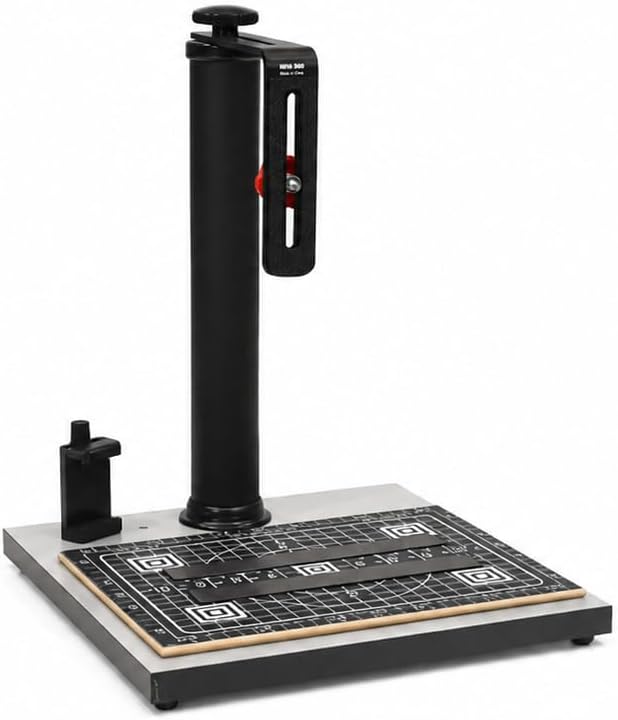


The Cosmo Mini 100 is a compact and affordable copy stand ideal for hobbyists needing to digitize small items like photos and checks with a smartphone. It holds a 4.3 rating from users who appreciate its ease of setup and portability.
We may earn a commission when you buy through this link, at no additional cost to you.
Its standout feature is the adjustable column and floating magnet board which keeps originals flat and aligned. The baseboard includes grid lines for precise positioning while the side hole ensures perfect smartphone camera alignment over the center.
Trade-offs include a lower weight capacity of under one pound and a smaller baseboard size not suitable for large format work. These limitations are acceptable for casual users focused on quick archival tasks rather than heavy professional workflows.
This model is best for students and casual users who need an affordable and easy solution for digitizing documents and small collectibles. It delivers consistent results without requiring expensive equipment or complex setup procedures.
The stand assembles in under one minute and features a durable dark gray melamine finish for easy transport and storage between uses.
The included floating magnet board secures items flat with two magnetic strips and provides 1/2 inch grid lines for accurate alignment and sizing.
We may earn a commission when you buy through this link, at no additional cost to you.
The Cosmo Mini 300 offers a larger base and greater height adjustment than the 100 model making it suitable for high pixel cameras and smartphones. It maintains a 4.2 rating from users seeking a sturdy portable solution for digitizing photos.
We may earn a commission when you buy through this link, at no additional cost to you.
Its key strength is the adjustable bracket and steel tube column which supports cameras up to 3 lbs. The floating magnet board keeps originals secure while the reversible aluminum bracket allows multiple vertical and horizontal positioning options.
Trade-offs include a weight of 8 lbs which reduces portability compared to lighter models and it is still not intended for professional use. These are acceptable for hobbyists needing more stability than the mini 100 provides.
This stand is ideal for amateur photographers and hobbyists who need a reliable platform for scanning larger photos or documents. It balances stability and convenience for regular digitizing tasks without professional grade costs.
The steel tube column and aluminum bracket support cameras up to 3 lbs allowing for more robust camera setups during digitizing sessions.
The floating magnet board features half inch alignment grids and two magnetic strips to keep originals flat and positioned accurately for consistent results.
We may earn a commission when you buy through this link, at no additional cost to you.
This copy macro stand is engineered for film digitization with a sturdy aluminum base and leveling feet to ensure rock solid stability. It supports DSLR and mirrorless cameras for consistent high quality digital copies of negatives and slides.
We may earn a commission when you buy through this link, at no additional cost to you.
Its key strength is the quick-release plate and bubble level which prevent camera shake and tilt during film duplication. The heavy duty full metal construction supports substantial camera and lens setups needed for macro photography tasks.
Trade-offs include a specific focus on film scanning which may limit use for general document digitizing. The lack of user ratings makes performance validation reliant on the described features rather than peer feedback.
This stand is ideal for photographers focusing on film digitization and macro shooting who need a stable professional grade platform. It delivers precision and durability for demanding tasks like animation rostrum or film scanning.
The aluminum base and adjustable leveling feet eliminate camera shake ensuring sharp consistent scans of 135 and 120 film negatives and slides.
The universal quick-release clip works seamlessly with DSLRs and mirrorless cameras and L-brackets for fast secure camera mounting and setup.
We may earn a commission when you buy through this link, at no additional cost to you.
The Kaiser 205411 is a professional grade copy stand with a non-reflective matte gray base and printed fine grid for precise measurements. It holds a 4.6 rating from users who value its robust construction and versatile column design.
We may earn a commission when you buy through this link, at no additional cost to you.
Its key strength is the rotatable column and height adjustable camera arm which allow flexible positioning for various shot types. The inch and cm scales on the tubing provide accurate measurements for consistent framing across multiple subjects.
Trade-offs include a higher price point and a maximum load of 3.3 pounds which limits heavier camera bodies. These are acceptable for professionals requiring precise control and reliable performance for archival and photography work.
This stand is ideal for professionals and advanced users who need a durable and adjustable platform for high quality digitizing. It combines precision features with sturdy construction to meet demanding workflow requirements.
Inch and cm scales printed on the matte black aluminum tubing column allow accurate vertical positioning for consistent framing and focus.
Optional lighting kits are available to enhance illumination for professional digitizing tasks ensuring consistent and high quality results.
We may earn a commission when you buy through this link, at no additional cost to you.
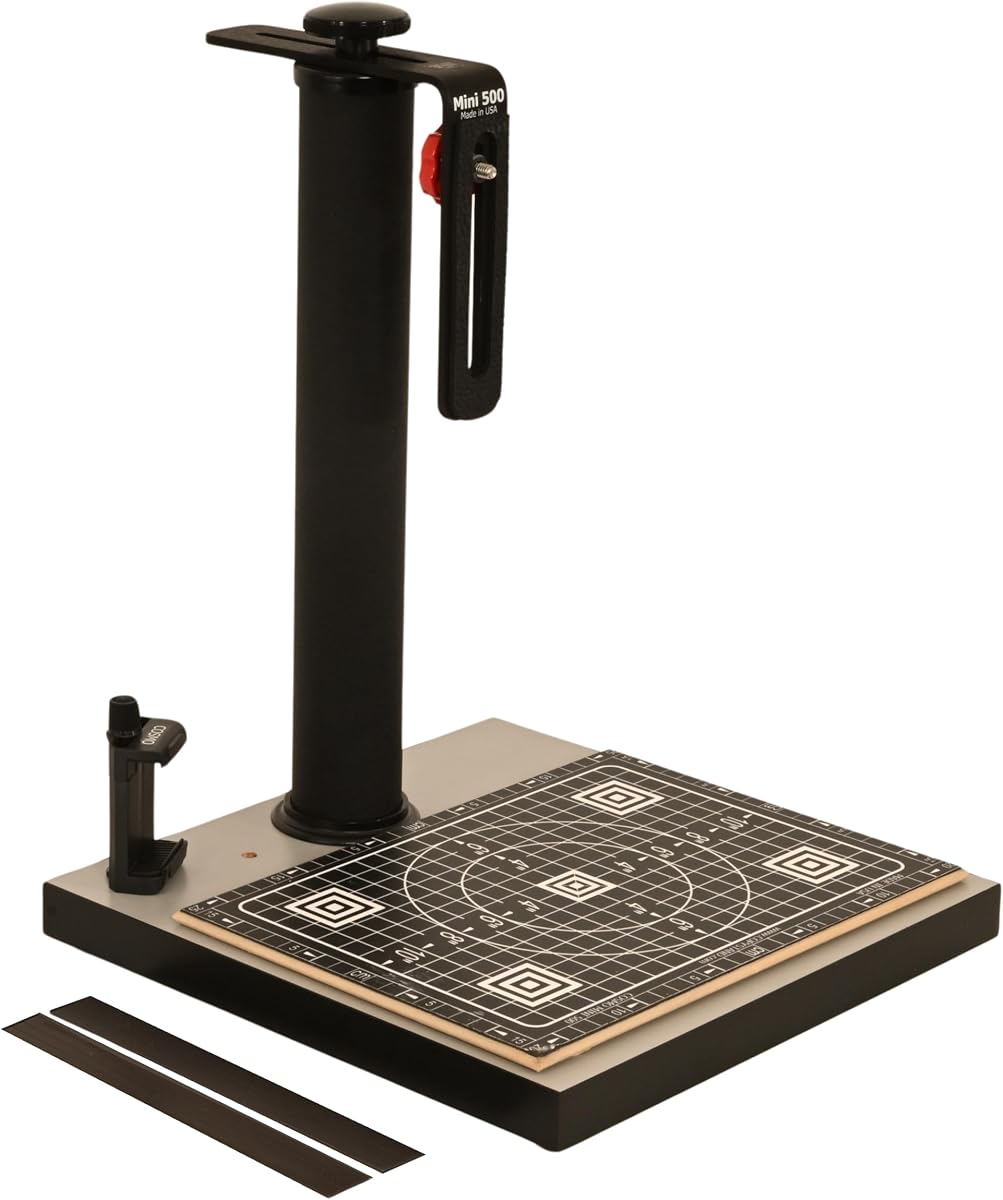
The Cosmo Mini 500 offers a sturdy square baseboard and wide height range making it ideal for digitizing slides negatives and creative work. It holds a 4.2 rating from users seeking a reliable and durable tool for regular use.
We may earn a commission when you buy through this link, at no additional cost to you.
Its key strength is the heavy duty baseboard and 2 inch fixed steel column providing rigidity for consistent results. The floating magnet board with precision grid ensures accurate alignment while the adjustable bracket supports cameras up to 3 lbs.
Trade-offs include a weight of 9 lbs and a note that it is not intended as a professional copy stand. These are acceptable for serious hobbyists needing more stability than entry level models provide.
This stand is ideal for creative professionals and enthusiasts digitizing artwork calligraphy or restorations. It balances durability with flexibility to support a wide range of digitizing projects.
The heavy duty 12 by 12 inch gray melamine baseboard provides superior stability and accuracy for precise overhead photography and scanning.
The reversible anodized aluminum L-bracket adjusts 9 to 19 inches vertically with 4 inches of horizontal travel for flexible framing.
We may earn a commission when you buy through this link, at no additional cost to you.
This variant of the Cosmo Mini 500 features a slightly larger baseboard to accommodate more projects with the same sturdy construction. It offers a heavy duty base and adjustable bracket for stable digitizing of various items.
We may earn a commission when you buy through this link, at no additional cost to you.
Its key strength is the larger 13 by 12.5 inch baseboard which provides more working area than the standard model. The floating magnet board and adjustable bracket ensure secure and precise positioning for consistent results.
Trade-offs include a lack of user ratings and similar weight and capacity limits to the original 500 model. These are acceptable for users prioritizing a larger surface area for their digitizing tasks.
This stand is ideal for users needing a bit more working space without sacrificing portability or durability. It offers a practical balance for regular digitizing projects involving photos and documents.
The 13 by 12.5 inch baseboard provides a generous surface for positioning larger documents and items securely during digitizing sessions.
Two magnetic strips on the floating board keep originals flat while the precision grid assists with accurate alignment and sizing.
We may earn a commission when you buy through this link, at no additional cost to you.
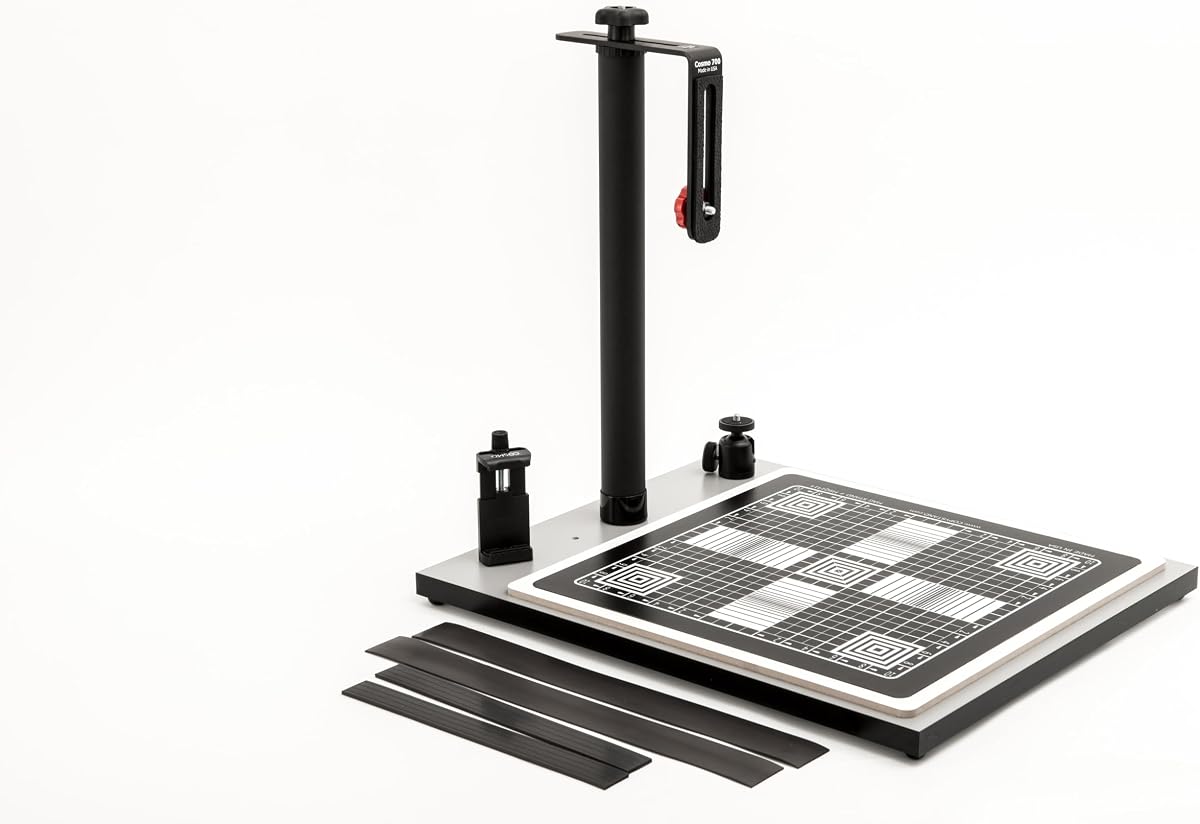
The Cosmo Mini 700 is designed for large pictures documents and 3D objects with an extra large baseboard and floating magnetic board. It holds a 4.8 rating from users seeking versatility for photography e-commerce and digitizing tasks.
We may earn a commission when you buy through this link, at no additional cost to you.
Its key strength is the large 15.5 by 18.5 inch baseboard and 15 by 15 inch floating magnetic board which accommodate big items securely. The included ball head allows smooth precise angle adjustments for complex shots.
Trade-offs include a weight of 14 lbs and a note that it is not a professional copy stand. These are acceptable for users needing a robust platform for large scale or varied digitizing projects.
This stand is ideal for food photographers art students and online sellers needing a large stable surface. It offers the capacity and adjustability required for diverse digitizing workflows.
The 15.5 by 18.5 inch baseboard handles large documents and objects securely providing ample space for versatile digitizing needs.
The 15 by 15 inch floating magnetic board with 14 by 14 inch working area keeps originals flat with four magnetic strips for consistent alignment.
We may earn a commission when you buy through this link, at no additional cost to you.
This variant of the Cosmo Mini 700 highlights use for food vendors and large document digitizing with a spacious base and magnetic board. It holds a 4.8 rating from users praising its versatility and sturdy construction for regular tasks.
We may earn a commission when you buy through this link, at no additional cost to you.
Its key strength is the large baseboard and floating magnetic board which securely hold plates and documents for overhead photography. The included ball head and adjustable bracket allow precise angle adjustments for consistent results.
Trade-offs include a weight of 14 lbs and a note that it is not a professional copy stand. These are acceptable for enthusiasts and small businesses needing a reliable platform for large format work.
This stand is ideal for food photographers and online sellers requiring a large stable surface. It combines capacity with precision features to support diverse digitizing and photography workflows.
The large baseboard and included ball head facilitate smooth precise angle adjustments ideal for overhead food and document photography.
Four magnetic strips on the large floating board hold originals flat ensuring consistent alignment for high quality digitized results.
We may earn a commission when you buy through this link, at no additional cost to you.
The Kaiser RS1 is a professional copy stand featuring an extra-wide vibration resistant column and roll-off spring mechanism for weight compensation. It holds a 4.2 rating from users requiring a stable and precise tool for high quality digitizing.
We may earn a commission when you buy through this link, at no additional cost to you.
Its key strength is the vibration resistant aluminum column and weight compensation system which prevent camera shake during long exposures or heavy setups. The interchangeable bushings allow flexible mounting for various professional camera accessories.
Trade-offs include a higher price point and a specialized design focused on professional workflows. These are acceptable for users prioritizing stability and precision over cost and simplicity.
This stand is ideal for professional photographers and archivists needing a robust platform. It delivers reliable stability and precision for demanding digitizing and macro photography tasks.
The extra-wide column with matte black anodized aluminum tubing provides extreme vibration resistance ensuring sharp consistent results.
The roll-off spring mechanism compensates for camera weight allowing smooth and precise adjustments during setup and use.
We may earn a commission when you buy through this link, at no additional cost to you.
This magnetic document holder is a compact desktop solution for quick copying and digitizing with printed precision grids and magnetic strips. It holds a perfect 5.0 rating from users appreciating its simplicity and effectiveness for flat documents.
We may earn a commission when you buy through this link, at no additional cost to you.
Its key strength is the laminated surface with half inch grids and squared corners for accurate alignment and sizing. The three layers of wood base with rubber steel provide a stable non-slip surface for cameras and phones.
Trade-offs include a lack of vertical adjustment and suitability primarily for flat documents. These are acceptable for users needing a simple reliable desk accessory for quick digitizing tasks.
This holder is ideal for professionals and hobbyists needing a quick desktop solution for documents. It offers precision and stability for simple digitizing workflows without complex setup.
The laminated surface with half inch precision grids and squared corners assists with initial setting focusing and sizing for accurate copies.
Two magnetic strips fix originals in place allowing easy movement of the stand for shooting or panning during videography.
We may earn a commission when you buy through this link, at no additional cost to you.
Selecting the right copy stand depends on your specific needs including device compatibility stability requirements and intended use cases.
Ensure the stand supports your specific camera or smartphone model. Most stands have adjustable brackets or holders that fit a range of widths and weights. Verify that the mounting holes align with your device requirements for secure positioning.
Check compatibility before purchasing to avoid issues with fit or stability during use.
Larger baseboards accommodate bigger documents and items but may reduce portability. Stability is critical for sharp images so look for sturdy materials like melamine or aluminum. A flat non-reflective surface helps reduce glare during digitizing.
Choose a base size that balances your workspace needs with stability and portability requirements.
Adjustable columns and brackets allow precise framing and focus for various subjects. Look for vertical height ranges that fit your workspace and shooting preferences. Some models include ball heads for additional angle flexibility.
Prioritize stands with smooth and secure adjustment mechanisms to maintain alignment during use.
Floating magnet boards keep originals flat and secure which is essential for accurate scanning. Look for boards with precision grid lines for alignment and sizing. These boards are especially useful for documents and photos that tend to curl.
Ensure the floating board is included or available as an accessory for your chosen stand.
Check the maximum load capacity to ensure it supports your camera or setup. Heavier cameras require sturdier columns and brackets to prevent tipping or sagging. Exceeding weight limits can damage the stand or compromise image quality.
Verify the weight capacity matches your equipment to maintain safety and consistent results.
Look for stands made from durable materials like aluminum or steel for long-lasting use. Powder coated or anodized finishes resist wear and corrosion. Sturdy construction reduces vibration which is critical for sharp digitized images.
Invest in a well-built stand that withstands regular use without compromising performance.
Quick assembly saves time and allows for flexible use across different locations. Consider weight and size if you plan to move the stand frequently. Simple mechanisms reduce frustration during regular digitizing sessions.
Choose a design that balances sturdiness with portability to match your workflow needs.
Set a budget that aligns with your intended use whether casual or professional. Higher priced models often offer more adjustability and durability but basic models may suffice for simple tasks. Consider accessories like magnetic boards as part of the total value.
Evaluate the features offered against the price to find the best value for your specific needs.
Assemble the stand according to the manufacturer's instructions ensuring all knobs and brackets are tightened securely. Place the stand on a flat stable surface to prevent wobbling during digitizing sessions.
Use the alignment grids on the base or floating board to position your originals accurately. Ensure your camera or smartphone is centered directly over the subject to avoid distortion in your images.
Clean the baseboard and magnetic surfaces regularly with a soft dry cloth to remove dust and fingerprints. Store the stand in a dry place when not in use to protect the metal components from corrosion and damage.
Yes most copy stands include adjustable holders compatible with smartphones of various widths. These holders position your phone camera directly over the subject for accurate overhead shots. Always check the stand's compatibility specifications before purchasing.
Baseboard size depends on your typical document or item size. Smaller stands work well for photos and receipts while larger baseboards accommodate A3 documents or multiple items. Choose a size that fits your workspace and digitizing needs.
Floating magnet boards are useful for keeping documents and photos flat and aligned during digitizing. They are especially helpful for items that curl or move easily. While not strictly necessary they significantly improve consistency and ease of use.
Use a stand with a sturdy column and secure mounting to minimize shake. Ensure the stand is placed on a stable surface and tighten all adjustment knobs before shooting. For longer exposures consider using a timer or remote shutter release.
Some stands support heavier DSLR cameras while others are designed for lightweight models. Check the maximum load capacity before purchasing to ensure your camera is supported safely. Professional models typically offer higher weight limits and more stability.
A copy stand offers flexibility for 3D objects and varied lighting conditions while scanners are specialized for flat documents. Copy stands allow higher resolution depending on camera choice and do not require feeding items through a machine. Both have advantages depending on your digitizing needs.
The Cosmo Mini 100 Mini 500 and Kaiser 205411 stand out for budget value overall performance and professional quality respectively. Each offers unique strengths tailored to different user needs and preferences.
Prioritize stability and device compatibility when selecting your stand to ensure consistent digitizing results. Consider your typical subject size and weight capacity to avoid limitations during regular use.
Prices and availability change frequently so verify current details before purchasing. Choose the stand that best fits your workflow to enjoy smooth and accurate digitizing experiences.