
Logitech G305 Lightspeed Wireless Gaming Mouse – Black
4.6Editor score
Ultra-fast wireless speed
250 hours battery life
12000 DPI sensor
This guide compares the top lightweight mouse models for gaming and work, focusing on performance, battery life, and ergonomic design to help you choose.
Finding the right lightweight mouse can transform your daily computing experience by reducing fatigue and improving precision. Whether you are a gamer or a professional, weight matters for long sessions.
We analyzed ten top models based on sensor accuracy, build quality, and user feedback. Our comparison covers wireless and wired options to help you find the perfect fit for your setup.
Each pick highlights specific strengths like battery life or DPI settings. Keep in mind that stock and availability can change quickly, so check current listings before purchasing your new device.
4.6Editor score

4.5Editor score

4.6Editor score
Here is a side-by-side look at the top ten options to help you compare specs and features quickly before making your final decision.





The Logitech G305 is a standout entry in the lightweight gaming mouse category with its impressive HERO sensor and wireless reliability. It earns high marks for performance and efficiency.
We may earn a commission when you buy through this link, at no additional cost to you.
Its LIGHTSPEED technology ensures lag-free response times critical for competitive play. The 250-hour battery life means you rarely need to swap cells during extended sessions.
While it uses a single AA battery, the design keeps weight low at 3.4 oz. The lack of RGB lighting helps preserve power but may not appeal to style-focused users.
Gaming enthusiasts seeking reliable wireless performance without breaking the bank should strongly consider this model. It delivers pro-level responsiveness in a portable package.
LIGHTSPEED technology provides a 1 ms report rate that matches wired performance for seamless gameplay.
The HERO sensor optimizes power usage to maximize battery life without sacrificing tracking precision.
We may earn a commission when you buy through this link, at no additional cost to you.
This white variant offers the same high-performance specs as its black counterpart but appeals to users preferring a lighter color scheme. It maintains the trusted HERO sensor and wireless stability.
We may earn a commission when you buy through this link, at no additional cost to you.
The classic shape and lightweight design ensure maximum maneuverability during intense gaming sessions. Its wireless connection is fast and reliable for competitive environments.
Though the white finish looks clean, it may require more care to keep looking new. The reliance on a single AA battery is a trade-off for its long life.
Gamers who prioritize aesthetics alongside performance will find this a perfect choice. It combines style with the same proven technology used by esports pros.
The white finish provides a fresh look for gaming setups while maintaining identical internal performance.
Designed for comfort and control, the shape supports various grip styles effectively.
We may earn a commission when you buy through this link, at no additional cost to you.
The Logitech G PRO X Superlight 2 sets a new standard for pro gaming with its 60g frame and HERO 2 sensor. It offers unmatched precision and speed for competitive players.
We may earn a commission when you buy through this link, at no additional cost to you.
Its 8 kHz polling rate delivers hyper-responsive tracking while the zero additive PTFE feet ensure smooth gliding. The USB-C charging modernizes the experience.
The high price may deter casual users but is justified by the tournament-grade features. Lack of RGB keeps focus on performance but limits customization options.
Serious gamers aiming for peak performance should invest in this model. It is engineered to win with the help of world-class esports professionals.
HERO 2 delivers over 888 IPS tracking with zero filtering for absolute accuracy.
Collaboration with pro players ensures every gram serves a functional purpose.
We may earn a commission when you buy through this link, at no additional cost to you.
This model introduces haptic inductive triggers that provide immersive feedback during gameplay. The customizable actuation points allow pros to tailor clicks to their specific style.
We may earn a commission when you buy through this link, at no additional cost to you.
With HERO 2 sensor and 8 kHz polling, it ensures pinpoint accuracy and lag-free connectivity. The thin wall case keeps weight down without sacrificing durability.
Setup requires Logitech G HUB software to unlock advanced features which adds a step. The high cost reflects these cutting-edge innovations.
Players wanting unique tactile engagement will love this mouse. It redefines wireless gaming through sensory feedback and deep customization.
The HITS system creates distinct physical feedback for every game scenario or style.
Ten actuation points and five reset levels give total control over click sensitivity.
We may earn a commission when you buy through this link, at no additional cost to you.
The Redragon M612 offers a compelling mix of features for budget-conscious gamers. Its ergonomic design and RGB lighting make it a strong value proposition.
We may earn a commission when you buy through this link, at no additional cost to you.
Five redefinable DPI levels and 11 programmable buttons provide flexible control for games and work. The frosted coating improves grip and comfort.
While it uses a wired connection, the reliability is solid for desktop setups. It lacks the ultra-light feel of high-end wireless mice.
Users needing a reliable wired mouse with customizable keys will find this ideal. It balances cost with solid performance and comfort.
The streamlined claw-grip design reduces hand fatigue during marathon gaming sessions.
Side macro buttons and rapid fire options enhance your workflow and tactical options.
We may earn a commission when you buy through this link, at no additional cost to you.
The G502 Hero continues to be a top choice for users who value adjustability. It features a legendary scroll wheel and precise HERO sensor.
We may earn a commission when you buy through this link, at no additional cost to you.
You can arrange up to five weights to match your preferred balance and weight. The dual mode wheel lets you switch between ratcheted and hyper fast scrolling.
Its heavier weight and wired design might not suit those seeking ultralight feel. However the build quality and customization options are unmatched.
Those who enjoy tuning their mouse to fit their hand will love it. It remains a benchmark for wired gaming mice.
Custom weight configuration lets you fine tune stability and speed to your liking.
HERO sensor tracks movement at a sub-micron level for unmatched accuracy.
We may earn a commission when you buy through this link, at no additional cost to you.
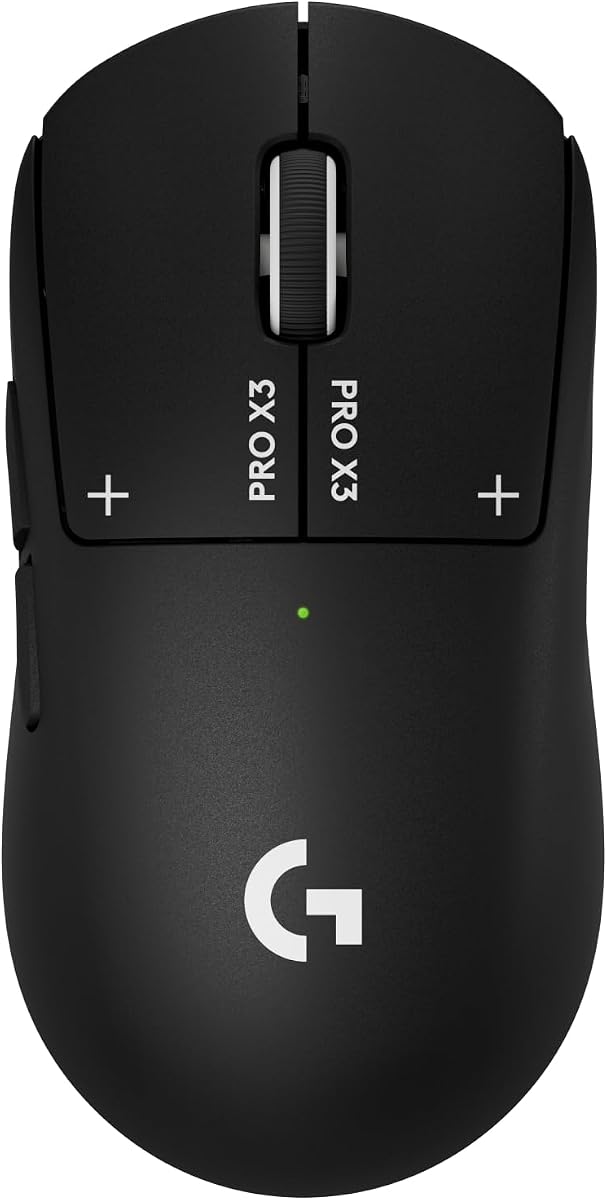
The X3 SUPERSTRIKE brings electromagnetic switches and ultra long battery life to the table. It aims for seamless wireless performance in high stakes matches.
We may earn a commission when you buy through this link, at no additional cost to you.
Its 135 hour battery life reduces charging frequency while 8 kHz polling ensures zero lag. The thin wall case keeps weight down for agility.
Like other high end models it depends on G HUB software for full customization. The price tag is steep but justified for pros.
Gamers needing reliable wireless precision and durability will appreciate this tool. It represents the evolution of competitive gaming gear.
Up to 135 hours of continuous play on a single charge supports long sessions.
LIGHTSPEED wireless operates at 8 kHz for immediate response times.
We may earn a commission when you buy through this link, at no additional cost to you.
The M185 is designed for everyday productivity and portability. Its ambidextrous shape and compact size make it perfect for laptops.
We may earn a commission when you buy through this link, at no additional cost to you.
With one year of battery life and a tiny receiver it is hassle free to use. The plug and play setup means no software installation is needed.
It lacks the precision features needed for gaming but excels at work tasks. The sustainable recycled plastic shows Logitech care for environment.
Casual users looking for a simple and effective wireless option will enjoy it. It is a reliable companion for travel and office.
Small size fits easily in bags while offering better cursor control than touchpads.
Works with Windows and Mac systems for seamless switching between devices.
We may earn a commission when you buy through this link, at no additional cost to you.
This mouse prioritizes quiet operation with SilentTouch technology that cuts clicking sound. It is perfect for shared office spaces or libraries.
We may earn a commission when you buy through this link, at no additional cost to you.
Its 18-month battery life ensures minimal battery changes. The full size contoured grip provides comfort for right-handed users over long days.
While not designed for gaming, its precision is sufficient for daily work. The auto-sleep mode extends battery even further.
Workers valuing silence and comfort will appreciate this design. It turns a routine tool into a productive asset.
SilentTouch reduces noise by 90 percent to minimize distractions for you and others.
Smart power saving modes help extend usage to 18 months on one AA.
We may earn a commission when you buy through this link, at no additional cost to you.
The MX Master 4 redefines productivity with haptic feedback and app specific customization. Its scroll wheel and connectivity options are unmatched.
We may earn a commission when you buy through this link, at no additional cost to you.
You can feel shortcuts and notifications through Haptic Sense Panel. Actions Ring adapts to apps to place controls at your cursor.
It is expensive and heavy but built for pros who need efficiency. The ergonomic tilt reduces hand stress significantly.
Professionals seeking maximum workflow speed will find value here. It turns daily tasks into streamlined experiences.
Scroll up to 1000 lines per second with pixel precision for fast navigation.
Dynamic overlay places your most used filters and shortcuts instantly.
We may earn a commission when you buy through this link, at no additional cost to you.
Selecting the right lightweight mouse requires balancing specs with your specific needs.
The sensor is the heart of any mouse and determines tracking precision. Look for models with high DPI ranges and zero smoothing.
Prioritize HERO or similar advanced sensors for reliable movement detection.
Wireless mice offer freedom but can introduce slight latency or battery concerns. Modern LIGHTSPEED tech largely eliminates lag.
Wired models are great for desktops where battery life is less relevant.
For wireless options battery life dictates convenience. Models like G305 last months on one AA while rechargeable ones need USB.
Check if the mouse supports POWERPLAY or fast charging to reduce downtime.
Lightweight designs reduce strain during long sessions but may sacrifice comfort. Aim for under 70g for gaming or balanced shapes for work.
Ensure the shape supports your grip style like claw or palm for best results.
Materials like thin-wall cases and reinforced feet affect lifespan. Look for durable PTFE feet and robust switches.
A well-built mouse will last years and maintain consistent performance.
Software allows you to adjust DPI and remap buttons for your workflow. Some models need apps like G HUB to unlock features.
Ensure the software is intuitive and supports your operating system fully.
Prices vary widely from budget wired options to premium wireless. Determine how much you are willing to spend.
Balance cost with necessary features to get the best value for your money.
Place your lightweight mouse on a high quality mousepad for consistent tracking. Ensure the sensor is clean from dust and lint regularly.
For wireless models, fully charge or install batteries before starting your sessions. Update firmware via manufacturer software to ensure smooth operation.
Clean the surface with a damp cloth and dry completely before using. Avoid harsh chemicals that can damage the finish.
A lightweight mouse typically weighs under 70 grams due to minimal internal components and specialized case designs. This helps reduce hand fatigue during long use.
Yes many lightweight models support office tasks comfortably. Look for ergonomic shapes and battery efficiency to suit daily productivity.
Modern wireless tech like LIGHTSPEED delivers 1 ms response times comparable to wired. Lag is rare unless using older Bluetooth models.
Battery life varies from weeks to months depending on usage. Models with energy efficient sensors can run up to 250 hours on one AA.
Yes they are preferred for gaming because they reduce strain and improve speed. Pro gamers often choose ultralight models under 60g.
Use compressed air or a soft brush to remove dust from the lens. Avoid liquids directly on the sensor to prevent damage.
We have reviewed ten top models ranging from budget friendly to pro grade options. Each offers distinct strengths in wireless performance and ergonomic design.
Prioritize battery life and sensor accuracy if you game often. Casual users may prefer simple reliable options like M185 or M330.
Prices and availability change so check current listings before purchasing. Always verify compatibility with your system for the best experience.